
Microsoft Dynamics 365 is not a single accounting tool. It is a connected suite of ERP and CRM applications built for businesses that need stronger control over finance, operations, sales, inventory, reporting, and customer data.
For accounting and finance teams, the most relevant products are Dynamics 365 Business Central and Dynamics 365 Finance. Business Central is the better fit for small and mid-sized companies that need an all-in-one ERP. Dynamics 365 Finance is built for larger organizations that need advanced financial management, global operations, business performance planning, and stronger enterprise controls.
That difference matters.
If you only need simple invoicing, expense tracking, and bookkeeping, Microsoft Dynamics 365 will likely feel too complex. But if your business is moving beyond basic accounting software and needs connected financial workflows, purchase approvals, inventory visibility, reporting, and audit-ready processes, Dynamics 365 can be a serious long-term platform.
In this Microsoft Dynamics 365 review, you’ll get a practical breakdown of:
- Who Microsoft Dynamics 365 is best for, and who should avoid it
- How Business Central compares with Dynamics 365 Finance
- The core accounting, ERP, AI, and reporting features
- Updated pricing, implementation considerations, and hidden costs
- Pros, cons, user experience, integrations, security, and alternatives
By the end, you’ll know whether Microsoft Dynamics 365 is the right accounting and ERP platform for your business, or whether a simpler tool like QuickBooks, Xero, Zoho Books, or FreshBooks makes more sense.
Business Fit
Find out if Microsoft Dynamics 365 fits your business needs
Microsoft Dynamics 365 is best for businesses that have outgrown disconnected spreadsheets, entry-level accounting software, or separate tools for finance, sales, inventory, and operations.
It is not the fastest system to implement, and it is not designed for very simple accounting workflows. Its value comes from connecting departments and giving leadership one controlled view of financial and operational performance.
✅ Best suited for:
- Growing SMBs that need finance, inventory, purchasing, sales, and projects in one ERP
- Mid-sized businesses moving beyond QuickBooks, Xero, or spreadsheets
- Microsoft-first companies already using Excel, Teams, Outlook, Power BI, and Azure
- Product-based businesses that need inventory, order management, and procurement control
- Multi-entity organizations that need stronger reporting, approvals, and audit trails
- Finance teams that want ERP-level accounting with scalable reporting and controls
⚠️ Not ideal for:
- Freelancers that only need invoices, expenses, and simple tax reports
- Very small businesses looking for a plug-and-play bookkeeping tool
- Teams without budget for implementation, migration, and training
- Companies that do not have clear finance and operations processes
- Businesses that want the lowest-cost accounting software available
Practical takeaway: choose Microsoft Dynamics 365 when your accounting system needs to support business operations, not just record transactions.
Dynamics 365 Products
Business Central vs Dynamics 365 Finance
One of the most important things to understand is that Microsoft Dynamics 365 is a suite. For accounting buyers, the two most relevant products are Dynamics 365 Business Central and Dynamics 365 Finance.
Business Central is usually the better choice for small and mid-sized companies. Dynamics 365 Finance is better for larger organizations with advanced finance operations, global entities, deeper compliance requirements, and more complex reporting needs.
| Product | Best For | Key Difference |
| Dynamics 365 Business Central | Small and mid-sized businesses | All-in-one ERP for finance, sales, purchasing, inventory, projects, and operations |
| Dynamics 365 Finance | Mid-market and enterprise finance teams | Advanced financial management, global finance, compliance, business performance planning, and analytics |
| Dynamics 365 Supply Chain Management | Product-based companies | Inventory, warehousing, procurement, demand planning, and manufacturing operations |
| Dynamics 365 Sales | Sales organizations | CRM, pipeline management, forecasting, and sales automation |
Choose Business Central if:
You need a complete ERP for accounting, sales orders, purchasing, inventory, projects, bank reconciliation, fixed assets, and financial reporting. It is the more practical option for companies that need strong accounting and operations without moving into full enterprise ERP complexity.
Choose Dynamics 365 Finance if:
You need enterprise-grade finance capabilities, advanced reporting, business performance management, global entity structures, deeper compliance, and more sophisticated financial operations. It is better suited for companies with larger finance departments and more complex governance requirements.
Software specification
Core Features That Matter in 2026
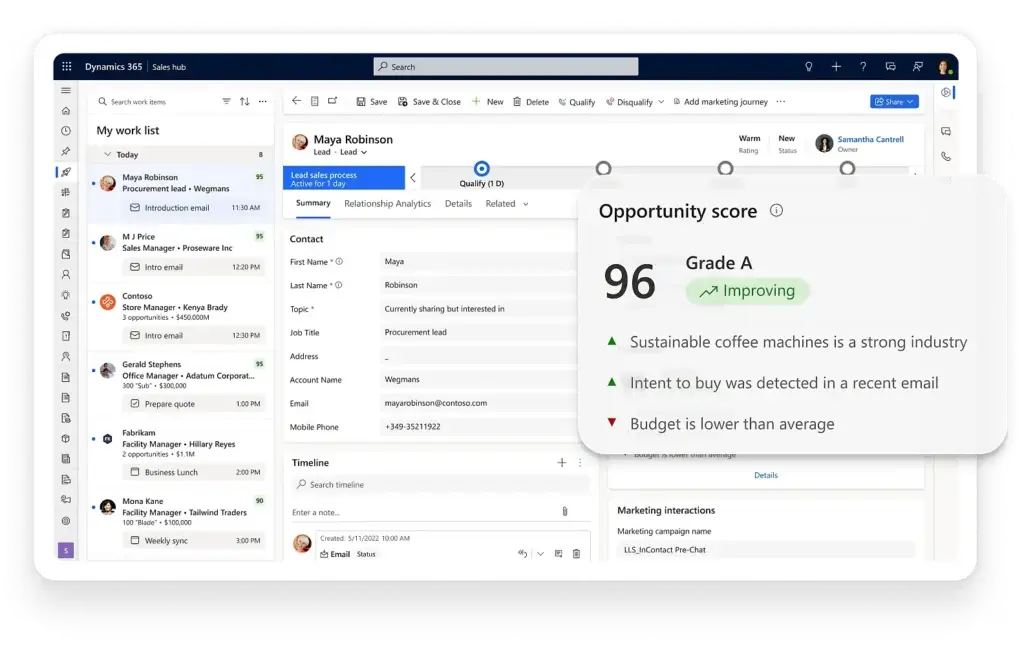
Microsoft Dynamics 365 gives you a broad set of accounting, ERP, CRM, AI, and reporting tools. The exact feature set depends on which applications you license, but the platform is strongest when you use it to connect finance with operations.
Financial Management
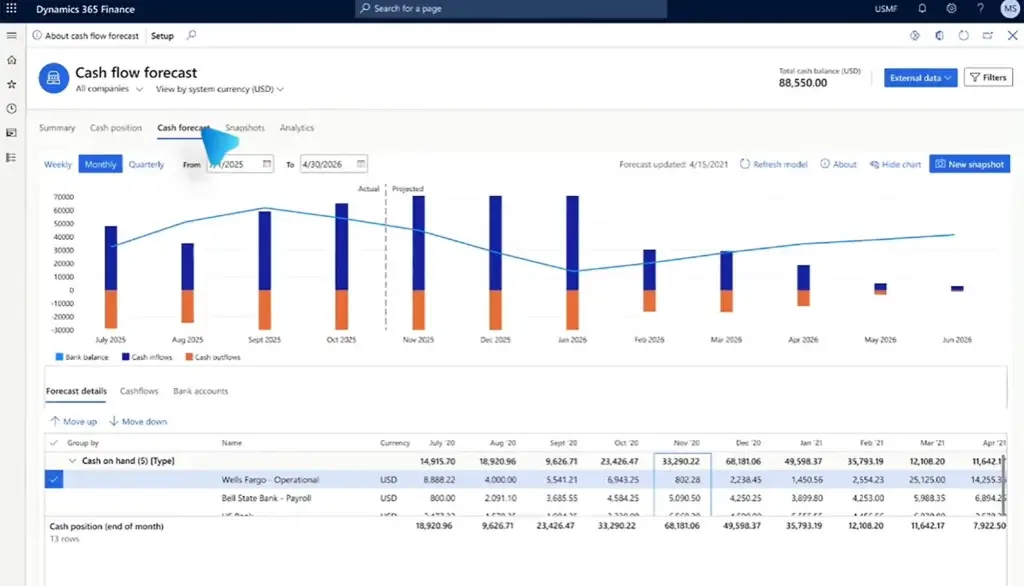
Business Central and Dynamics 365 Finance both support core financial workflows, including general ledger, accounts payable, accounts receivable, bank reconciliation, fixed assets, budgeting, cash flow visibility, and financial reporting.
For finance teams, the biggest benefit is structure. You can build cleaner approval flows, define user roles, control access to financial data, and reduce the manual work that usually happens across spreadsheets and disconnected systems.
Purchasing, Inventory, and Operations
Dynamics 365 becomes more valuable when accounting needs to connect with business operations. For product-based companies, Business Central can support purchasing, sales orders, stock management, warehouse workflows, item tracking, and project costing.
This is where it becomes meaningfully different from lightweight accounting tools. You are not just recording bills and invoices. You are connecting finance to the operational activity that creates those transactions.
Reporting and Analytics
Dynamics 365 connects closely with Power BI, which gives finance leaders stronger dashboards and reporting flexibility. You can analyze cash flow, revenue, expenses, inventory, receivables, payables, cost centers, and performance trends across the business.
However, advanced reporting often requires setup work. If you want custom dashboards, management reporting packs, or department-level KPI views, expect to configure Power BI, account schedules, dimensions, or reporting models during implementation.
Workflow Automation and Approvals
With Power Automate and built-in workflows, businesses can automate approvals for purchase orders, invoices, vendor onboarding, customer credit checks, payment requests, and operational alerts.
For accounting teams, this is one of the biggest productivity gains. Instead of chasing approvals manually through email, you can route documents to the right person and keep a clear audit trail.
AI and Copilot Features
Microsoft has added more Copilot capabilities across Dynamics 365, and this is becoming a major reason to consider the platform. In Business Central, Copilot can help users find information, summarize records, generate content, and assist with finance-related work such as bank reconciliation support.
Copilot does not remove the need for finance review or internal controls. You should still validate AI-generated recommendations, especially around reconciliations, postings, customer communications, and reporting. But used correctly, it can reduce repetitive work and help users move faster inside the system.
Deployment Options
- Cloud-based SaaS – the most common option, hosted on Microsoft Azure
- On-premises – relevant for companies with specific infrastructure or compliance needs
- Hybrid – useful for phased migrations or complex legacy environments
Supported Platforms
- Web browser access for daily users
- Mobile apps for selected Dynamics 365 applications
- Microsoft 365 integration with Excel, Outlook, and Teams
- Power Platform support for automation, apps, and analytics
Pros and Cons
A balanced view: what you’ll love and what to consider
Microsoft Dynamics 365 is powerful, but it is not for every business. The same depth that makes it valuable for growing companies can make it overwhelming for smaller teams that only need basic accounting.
Positive
✅ Strong Microsoft ecosystem
✅ ERP-level accounting depth
✅ Excellent reporting options
✅ Scalable modular structure
✅ Strong controls and security
Negative
❌ Complex implementation
❌ Partner support often needed
❌ Cost can rise quickly
❌ Too much for simple bookkeeping
❌ Reporting may need configuration
✅ Pros of Microsoft Dynamics 365
- Strong Microsoft integration
Dynamics 365 works naturally with Excel, Outlook, Teams, Power BI, Power Automate, and Azure. This is a major advantage if your finance and operations teams already work inside Microsoft tools. - ERP-level accounting capabilities
Business Central and Dynamics 365 Finance go far beyond basic bookkeeping. You can manage general ledger, payables, receivables, fixed assets, dimensions, approvals, inventory, purchasing, and reporting. - Scales with business complexity
You can start with Business Central and expand into other Dynamics 365 apps as your needs grow. Larger companies can use Dynamics 365 Finance, Supply Chain Management, Sales, or Customer Service for deeper workflows. - Excellent reporting ecosystem
Power BI, Excel, account schedules, and built-in dashboards give finance teams strong reporting potential, especially when your implementation is planned well. - Strong controls and audit readiness
Role-based permissions, audit logs, approval workflows, and Microsoft security infrastructure make Dynamics 365 a solid fit for companies that need stronger governance. - Copilot and automation potential
Microsoft is investing heavily in Copilot, workflow automation, and AI-assisted productivity across Dynamics 365. This gives the platform a stronger future-facing advantage.
❌ Cons of Microsoft Dynamics 365
- Implementation can be complex
Most businesses should expect to work with a Microsoft partner, especially when migrating data, configuring workflows, connecting systems, or designing reports. - Total cost can rise quickly
Licenses are only part of the cost. Implementation, add-ons, support, training, customizations, Power BI work, and integrations can significantly increase the total investment. - Not ideal for very small businesses
If you only need invoicing, expense tracking, bank feeds, and simple financial reports, Dynamics 365 is likely too advanced. - Reporting may require setup
The reporting potential is excellent, but some teams will need help configuring dimensions, account schedules, Power BI dashboards, and management reports. - Requires process maturity
Dynamics 365 works best when your business already understands its finance, purchasing, sales, inventory, and approval workflows. It can expose weak processes if implementation is rushed.
User Experience
User Interface and Operational Simplicity
The user experience in Microsoft Dynamics 365 depends heavily on which application you use and how well it is implemented.
Business Central feels more approachable for SMB finance teams. It has a cleaner interface, familiar menus, and a practical structure for accounting, sales, purchasing, inventory, and projects. Users coming from Microsoft 365 will usually adapt faster because Excel, Outlook, and Teams integrations feel familiar.
Dynamics 365 Finance is more powerful but also more complex. It is designed for larger finance organizations, so users should expect more configuration, more security layers, and a longer onboarding period.
Interface and Daily Use
For accounting teams, daily work may include reviewing vendor bills, reconciling bank accounts, approving purchase orders, checking customer balances, analyzing receivables, posting journals, and preparing reports.
Once configured properly, Dynamics 365 can make these workflows easier to manage. But during the early rollout, users may need training to understand navigation, role centers, dimensions, approval flows, and reporting logic.
Customization and Flexibility
Dynamics 365 is highly customizable. You can personalize dashboards, create custom fields, automate approval workflows, adjust user permissions, and use Power Apps to build internal tools for specific business needs.
This flexibility is a strength, but it should be governed carefully. Too much customization can increase cost and make future updates harder to manage.
Performance and Reliability
Because Dynamics 365 runs on Microsoft’s cloud infrastructure, it is built for scale and reliability. Performance is usually strong, but it can be affected by the quality of your configuration, data volume, customizations, integrations, and reporting setup.
Mobile Access
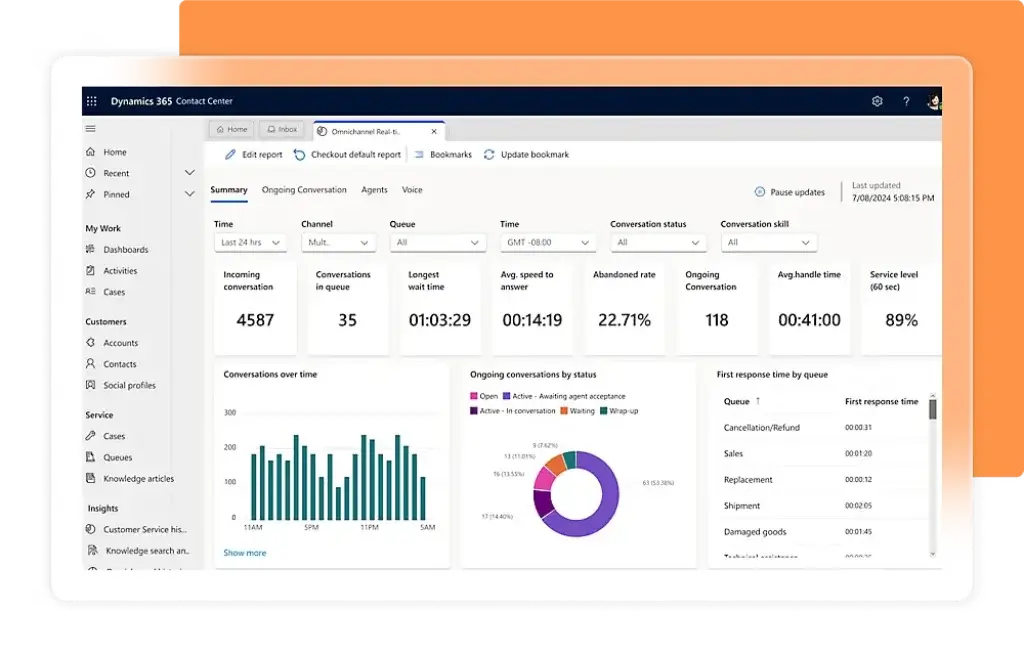
Microsoft offers mobile apps for several Dynamics 365 products, including Business Central, Sales, and Field Service. Mobile access is useful for managers, sales teams, service teams, and remote employees who need to review records, update tasks, or approve workflows away from the office.
Integrations and Ecosystem
Connect Microsoft Dynamics 365 to your favourite apps
Microsoft Dynamics 365 is one of the strongest accounting and ERP options if your business already uses Microsoft tools. The integration ecosystem is one of its biggest advantages over many standalone accounting platforms.
Microsoft 365 Integration
Dynamics 365 connects with the tools many finance teams already use every day:
- Excel – analyze, export, and work with financial data in a familiar spreadsheet environment
- Outlook – manage customer and vendor communication from your existing email workflow
- Teams – collaborate on records, approvals, and operational issues
- Power BI – build dashboards for financial and operational reporting
Power Platform Compatibility
The Power Platform gives Dynamics 365 extra flexibility:
- Power Automate – automate approvals, alerts, payment reminders, and internal workflows
- Power Apps – build low-code apps for internal processes such as vendor onboarding or purchase requests
- Power BI – create financial dashboards, performance reports, and executive views
Microsoft AppSource Marketplace
AppSource gives you access to add-ons, industry extensions, connectors, and partner-built apps. This is useful if your company needs functionality for areas like tax, e-commerce, document management, payroll, manufacturing, construction, shipping, or industry-specific compliance.
Best Integrations for Accounting Teams
| Integration Area | Tools | Why It Matters |
| Productivity | Excel, Outlook, Teams | Helps finance teams work inside familiar Microsoft tools |
| Reporting | Power BI | Improves financial dashboards, KPIs, and management reporting |
| Automation | Power Automate | Supports approvals, invoice workflows, alerts, and internal controls |
| Custom Apps | Power Apps | Lets teams build tailored finance and operations workflows |
| Marketplace | Microsoft AppSource | Adds industry-specific connectors and ERP extensions |
Pricing and Plans
How much does Microsoft Dynamics 365 cost?
Microsoft Dynamics 365 uses a modular licensing model. That means you pay for the specific applications and user types your business needs.
For accounting buyers, Business Central is usually the starting point for SMB ERP. Dynamics 365 Finance is the more advanced option for larger companies and enterprise finance teams.
| Plan | Monthly Price | Best For | Included Focus |
| Business Central Essentials | $80/user/month, paid yearly | Small and mid-sized businesses | Finance, sales, purchasing, inventory, projects, and operations |
| Business Central Premium | $110/user/month, paid yearly | SMBs with service or manufacturing needs | Everything in Essentials, plus service management and manufacturing |
| Business Central Team Members | $8/user/month, paid yearly | Light users | Read access, approvals, and limited record updates |
| Dynamics 365 Finance | $210/user/month, paid yearly | Mid-market and enterprise finance teams | Core financials, reporting, automation, compliance, and financial operations |
| Dynamics 365 Finance Premium | $300/user/month, paid yearly | Enterprise finance teams | Finance capabilities plus advanced business performance management |
| Dynamics 365 Sales Professional | $65/user/month, paid yearly | Sales teams | Lead, opportunity, account, and pipeline management |
| Dynamics 365 Customer Service Professional | $50/user/month, paid yearly | Support teams | Case management, service workflows, and knowledge management |
Which Plan Is Right for You?
Choose Business Central Essentials if you need a practical ERP for accounting, purchasing, sales, inventory, projects, and operations. This is the best starting point for many growing SMBs.
Choose Business Central Premium if you need manufacturing or service management capabilities in addition to the core ERP features.
Choose Dynamics 365 Finance if your finance team needs more advanced financial management, stronger compliance, multi-entity reporting, and enterprise-level controls.
Choose Dynamics 365 Finance Premium if your organization needs enhanced business performance management and more advanced planning and analytics capabilities.
Other Cost Factors to Consider
- Implementation partner fees – most Dynamics 365 projects require a certified partner
- Data migration – importing historical accounting, customer, vendor, and inventory data can add cost
- Customization – custom workflows, reports, fields, and integrations may require development
- Training – finance, operations, and admin users need proper onboarding
- AppSource add-ons – industry extensions and third-party connectors may increase total cost
- Power BI and Microsoft 365 dependencies – some reporting and productivity workflows may require related Microsoft licensing
Pricing tip: do not evaluate Dynamics 365 only by license cost. The real decision should include implementation, reporting setup, integrations, training, and long-term administration.
Setup and Migration
How Long Does Microsoft Dynamics 365 Take to Implement?
Implementation time depends on your product choice, data quality, business complexity, and integration requirements.
A relatively simple Business Central implementation can be much faster than a Dynamics 365 Finance rollout. However, even Business Central should be treated as an ERP implementation, not a basic accounting app setup.
What affects implementation time?
- Number of companies, locations, departments, and users
- Data migration from QuickBooks, Xero, Excel, NetSuite, Sage, or legacy systems
- Chart of accounts redesign and financial dimensions
- Approval workflows for purchases, bills, payments, and expenses
- Inventory, warehouse, project, or manufacturing requirements
- Power BI dashboards and management reporting needs
- Third-party integrations and AppSource extensions
For best results, start with clear requirements. Decide what must be live on day one and what can be added later. This reduces scope creep and helps your finance team adopt the system more confidently.
Alternatives to Microsoft Dynamics 365
Compare top competitors
Microsoft Dynamics 365 is strongest for businesses that want a Microsoft-connected ERP and finance platform. However, it is not always the best fit. Some companies need a finance-first platform, some need a simpler accounting tool, and others need a broader enterprise ERP.
Microsoft Dynamics 365 vs NetSuite
Best for: Mid-market companies that want a cloud ERP with strong finance, inventory, CRM, and operational capabilities in one suite.
NetSuite is often a strong alternative when you want a mature cloud ERP with deep native ERP functionality and less dependence on the Microsoft ecosystem. Dynamics 365 is usually more attractive if your team already relies heavily on Excel, Teams, Outlook, Power BI, and Azure.
👉🏼 Read FULL review
Microsoft Dynamics 365 vs Sage Intacct
Best for: Finance-led organizations that care most about accounting depth, reporting, multi-entity workflows, and subscription or project-based finance.
Sage Intacct is more finance-focused, while Dynamics 365 is broader. If your main priority is advanced financial management, Sage Intacct deserves serious consideration. If you also need inventory, sales, operations, and Microsoft integration, Dynamics 365 may be the better fit.
Microsoft Dynamics 365 vs Acumatica
Best for: Growing companies that want flexible ERP capabilities and broad user access.
Acumatica is known for flexibility and an unlimited-user pricing approach. It can be attractive for companies that want many employees to access the system without paying per full user in the same way. Dynamics 365 has the edge if your company is standardized around Microsoft tools.
Microsoft Dynamics 365 vs QuickBooks
Best for: Small businesses that need accounting software without ERP complexity.
QuickBooks is easier, cheaper, and faster to deploy. Dynamics 365 is more powerful, but it is not necessary for businesses that only need invoices, bank feeds, expenses, payroll connections, and standard financial reports.
👉🏼 Read FULL review
Microsoft Dynamics 365 vs Zoho Books
Best for: Small businesses and startups looking for affordable accounting software with a clean interface.
Zoho Books is much easier to adopt and usually far more affordable. It is a better choice for small businesses that need accounting, invoicing, expenses, and basic automation. Dynamics 365 makes more sense when you need ERP-level control and cross-department operations.
👉🏼 Read FULL review
Microsoft Dynamics 365 vs FreshBooks
Best for: Freelancers, consultants, agencies, and service businesses that need simple invoicing and time tracking.
FreshBooks is not an ERP alternative. It is a simpler accounting platform for service-based professionals. If you bill clients by time, send invoices, track expenses, and want minimal setup, FreshBooks is a better fit than Dynamics 365.
👉🏼 Read FULL review
Quick Comparison Table
| Software | Best For | Key Strengths | Considerations |
| Microsoft Dynamics 365 | Growing SMBs, mid-market companies, and enterprises | Microsoft integration, ERP depth, finance, operations, reporting, automation | Implementation complexity and higher total cost |
| NetSuite | Mid-market companies needing a unified cloud ERP | Strong native ERP suite, multi-entity support, broad business management | Can be expensive and complex to implement |
| Sage Intacct | Finance-led organizations | Advanced accounting, reporting, multi-entity, subscription billing | Less operational ERP breadth than Dynamics 365 |
| Acumatica | Companies that need flexible ERP access | Flexible ERP structure and unlimited-user pricing model | Partner quality and implementation planning matter |
| QuickBooks | Small businesses | Easy accounting, invoicing, payroll connections, broad accountant support | Not built for complex ERP operations |
| Zoho Books | Budget-conscious small businesses | Affordable accounting, automation, Zoho ecosystem | Less suitable for complex ERP workflows |
| FreshBooks | Freelancers and service businesses | Invoicing, time tracking, client billing, ease of use | Not suitable for inventory-heavy or ERP-level needs |
Final Thoughts:
If you are comparing Dynamics 365 against small business accounting tools, the decision is simple: choose Dynamics 365 only if you need ERP-level workflows. If you need simple accounting, choose a lighter platform.
If you are comparing Dynamics 365 against NetSuite, Sage Intacct, or Acumatica, the decision depends on your ecosystem. Dynamics 365 is especially compelling when Microsoft 365, Power BI, Teams, Excel, and Azure are already central to how your business works.
📌 Still not sure? Read our comparison of the best accounting software.
Security and Compliance
Your financial data deserves top-tier protection
Security is a major reason companies choose Microsoft Dynamics 365. Accounting data, vendor records, customer details, payment workflows, and financial reports require strict protection.
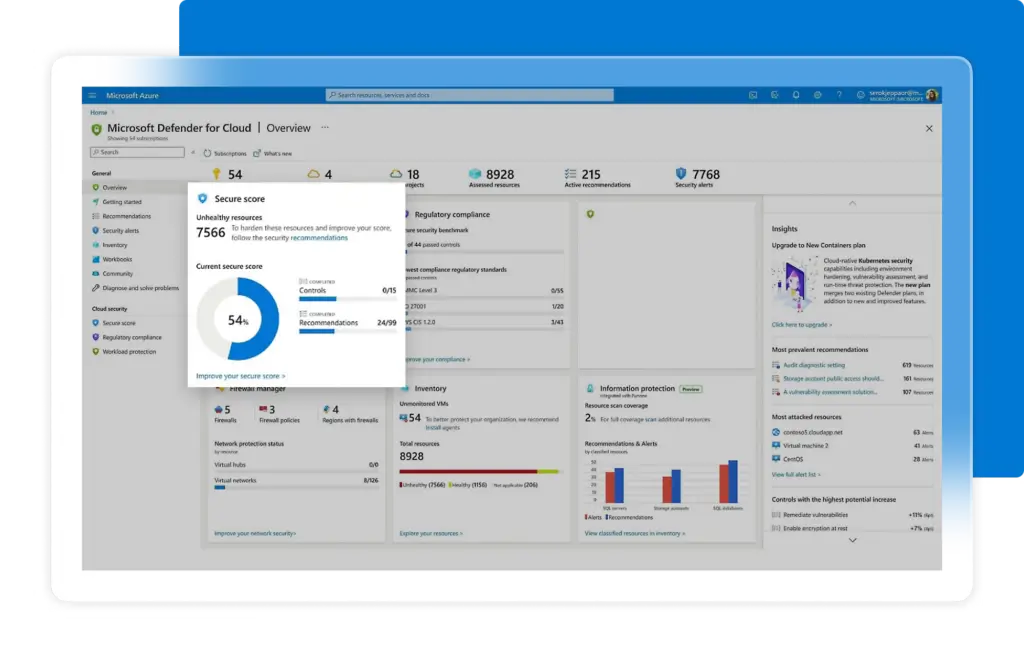
Dynamics 365 benefits from Microsoft’s broader cloud security model, identity management, compliance programs, and administrative controls. For finance teams, this is especially important because access to ledgers, bank data, payment approvals, and reporting must be carefully managed.
Data Protection and Encryption
Dynamics 365 supports encryption for data in transit and at rest. Admins can also use role-based access controls to restrict financial data by job function, department, entity, or responsibility.
For example, a sales user may be able to view customer account details but not full financial statements. A department manager may approve purchase requests without seeing sensitive payroll or executive-level reporting.
Identity and Access Management
Dynamics 365 works with Microsoft Entra ID, formerly Azure Active Directory, for identity and access management. This supports controls such as multi-factor authentication, single sign-on, conditional access policies, and user role management.
Audit Trails and Financial Controls
Finance teams can use audit logs, user permissions, approval workflows, and change tracking to support internal controls. These features are valuable for month-end close, external audits, compliance reviews, and segregation of duties.
Compliance Considerations
Microsoft supports a wide range of compliance frameworks and cloud security standards. However, compliance is still a shared responsibility. Your business must configure permissions, workflows, retention rules, reporting processes, and user access correctly.
For CFOs and controllers, the key advantage is not only security infrastructure. It is the ability to combine security, workflow control, and financial accountability in the same operating system.
Conclusion
Is Microsoft Dynamics 365 the Right Accounting Tool for You?
Microsoft Dynamics 365 is not the easiest accounting system, and it is not the cheapest. Its value comes from connecting accounting with the wider business.
If you need basic invoicing, expenses, bank feeds, and simple reports, you will probably get better value from QuickBooks, Xero, Zoho Books, or FreshBooks.
If you need accounting plus inventory, purchasing, approvals, projects, reporting, user permissions, and Microsoft 365 integration, Dynamics 365 Business Central becomes much more compelling.
If your company has enterprise finance requirements, such as global entities, advanced compliance, business performance management, deeper financial planning, and stronger governance, Dynamics 365 Finance is the more appropriate choice.
Choose Microsoft Dynamics 365 if:
- You need ERP-level accounting, not simple bookkeeping
- You want finance, operations, sales, purchasing, and inventory connected
- Your business already uses Microsoft 365, Teams, Excel, Power BI, and Azure
- You need stronger approval workflows, user permissions, and audit trails
- You have the budget and process maturity for an ERP implementation
Choose another tool if:
- You are a freelancer or very small business
- You need fast setup and simple accounting workflows
- You do not have budget for partner-led implementation
- You want a low-cost bookkeeping platform
- You do not need ERP, inventory, or operational workflows
Bottom line: Microsoft Dynamics 365 is best for growing businesses that want finance to become part of a connected operating system. For simple accounting, it is too much. For companies ready to unify finance, operations, and reporting, it can be one of the strongest long-term platforms available.
Have more questions?
Frequently Asked Questions
What is Microsoft Dynamics 365 used for?
Microsoft Dynamics 365 is used to manage finance, operations, sales, customer service, supply chain, projects, and reporting. It combines ERP and CRM applications, allowing businesses to connect financial data with daily operational workflows.
Is Microsoft Dynamics 365 accounting software?
Yes, but it is more than accounting software. Dynamics 365 Business Central and Dynamics 365 Finance include accounting capabilities such as general ledger, accounts payable, accounts receivable, bank reconciliation, fixed assets, financial reporting, and approval workflows.
What is the difference between Dynamics 365 and Business Central?
Dynamics 365 is the broader suite of Microsoft business applications. Business Central is one product inside that suite, designed as an all-in-one ERP for small and mid-sized businesses that need finance, sales, purchasing, inventory, projects, and operations.
What is the difference between Business Central and Dynamics 365 Finance?
Business Central is best for small and mid-sized companies that need a practical ERP. Dynamics 365 Finance is built for larger organizations with more advanced financial management, multi-entity structures, compliance requirements, business performance planning, and enterprise reporting needs.
How much does Microsoft Dynamics 365 cost?
Pricing depends on the application and license type. Business Central Essentials starts at $80 per user per month, paid yearly, while Business Central Premium starts at $110 per user per month, paid yearly. Dynamics 365 Finance starts at $210 per user per month, paid yearly. Implementation, add-ons, training, and integrations can increase the total cost.
Is Microsoft Dynamics 365 good for small businesses?
It can be a good fit for growing small businesses that need ERP functionality, especially through Business Central. However, very small businesses that only need invoicing, expenses, and simple reports will usually find QuickBooks, Xero, Zoho Books, or FreshBooks easier to use.
Does Microsoft Dynamics 365 integrate with Excel and Teams?
Yes. Dynamics 365 integrates strongly with Microsoft tools such as Excel, Outlook, Teams, Power BI, Power Automate, and Power Apps. This is one of its biggest advantages for companies already using Microsoft 365.
Is Microsoft Dynamics 365 better than QuickBooks?
Microsoft Dynamics 365 is better than QuickBooks for companies that need ERP-level workflows, inventory, purchasing, approvals, multi-entity reporting, and operational control. QuickBooks is better for smaller businesses that want simpler, faster, and more affordable accounting software.
Does Microsoft Dynamics 365 include AI features?
Yes. Microsoft is adding Copilot and AI-assisted features across Dynamics 365. In Business Central, Copilot can help with tasks such as finding information, summarizing data, generating content, and assisting with bank reconciliation. AI features should still be reviewed carefully by finance teams before decisions are finalized.
What are the main disadvantages of Microsoft Dynamics 365?
The main disadvantages are implementation complexity, higher total cost, partner dependency, training requirements, and configuration work. It is a strong platform for growing and complex businesses, but it can be too advanced for companies with simple accounting needs.