Introduction
Whether you’re running a growing business or protecting your personal devices at home, cybersecurity is no longer optional. Ransomware, phishing emails, AI-generated scams, and deepfake fraud are targeting both companies and individuals at an alarming rate. You need protection that does more than scan for viruses. You need smart, proactive security. That’s where Norton comes in.
In 2026, Norton combines powerful malware detection with AI-powered scam protection, deepfake detection, secure VPN access, dark web monitoring, and identity safeguards. This review breaks down how well it performs for small businesses, remote teams, families, and individual users. You’ll see exactly what each plan includes, how many devices are covered, what renewal pricing looks like, and whether the new Small Business plans offer real value.
By the end of this guide, you’ll know which Norton plan fits your needs, and whether it’s the right investment to keep your data, finances, and devices secure.
Overview
Norton Antivirus Overview
Norton is one of the most established names in cybersecurity. Now part of Gen Digital, the company behind brands like LifeLock and Symantec, it has evolved from traditional antivirus software into a full digital security ecosystem.
In 2026, Norton is no longer just about virus removal. It delivers AI-powered scam protection, deepfake detection, secure VPN access, dark web monitoring, and identity safeguards, all packaged in consumer and small business plans.
Whether you’re securing a personal laptop or protecting a team of 20 devices, Norton offers scalable options designed to match your risk level and technical needs.
💼 Product Suites for Personal and Business Use
Norton currently offers two main product paths:
👤 Personal & Family Plans (Norton 360)
These plans are ideal if you want strong device protection without managing a centralized IT system.
- Norton AntiVirus Plus – 1 device, core malware protection
- Norton 360 Standard – 3 devices, adds VPN and dark web monitoring
- Norton 360 Deluxe – 5 devices, includes parental controls
- Norton 360 Select Plus (LifeLock) – 10 devices, identity theft protection
- Norton 360 for Gamers – 3 devices, optimized performance protection
These plans work well for individuals, families, freelancers, and remote professionals.
🏢 Norton Small Business Plans
If you run a small business and need broader coverage, Norton now offers dedicated business subscriptions.
- Norton Small Business – Covers 6 to 20 devices
- Norton Small Business Premium – Covers 10 devices + VPN + enhanced monitoring
Business plans include:
- Always-on endpoint protection
- Dark web monitoring for business credentials
- Secure browser and encrypted vault
- Automatic software updater
- 24/7 business tech support (Premium tier)
These plans are built for companies that want strong protection without complex enterprise deployment systems.
💻 Device & OS Compatibility
Norton supports all major platforms:
- Windows
- macOS
- Android
- iOS
This makes it suitable for hybrid teams, remote workers, and BYOD environments where employees use personal devices for work.
🔎 Who Is Norton Best For?
Norton is a strong fit if you:
- Want all-in-one security without complicated configuration
- Run a small business with up to 20 devices
- Work remotely and need built-in VPN protection
- Handle sensitive financial or customer data
- Prefer AI-driven scam detection layered on top of traditional antivirus
It may not be ideal if you need advanced enterprise-level admin dashboards or large-scale centralized device control.
Software Specification
Core Features and Security Tools
Norton combines traditional antivirus technology with newer AI-driven scam protection, giving you layered security against both classic malware and modern social engineering threats.
Instead of focusing solely on file-based viruses, the platform now protects against phishing, deepfake scams, credential leaks, and suspicious behavior. That shift makes it relevant for both home users and small businesses.
🦠 Malware and Threat Protection
At its core, Norton delivers strong real-time malware defense powered by signature detection, behavioral analysis, and cloud-based machine learning.
You get protection against:
- Viruses and trojans
- Ransomware attacks
- Spyware and keyloggers
- Phishing websites
- Zero-day threats
Real-time scanning runs continuously in the background, blocking suspicious files before they execute. For businesses, this reduces the risk of downtime and data loss. For individuals, it protects banking, shopping, and personal files.
Ransomware protection deserves special mention. Norton monitors unusual file encryption behavior and blocks malicious processes before they lock your system.
🤖 AI Scam Protection and Deepfake Detection
This is where Norton differentiates itself in 2026.
The platform now includes AI-powered scam protection across web, email, SMS, and video platforms. Instead of relying only on blacklists, it analyzes patterns and language in real time.
Key features include:
- Deepfake detection – Identifies AI-generated scam videos and malicious audio
- Safe Web AI scanning – Flags suspicious shopping or financial sites
- Safe SMS – Detects scam text messages
- Genie AI assistant – Provides instant guidance when something looks suspicious
For businesses, this adds protection against invoice fraud, impersonation scams, and fake executive messages. For individuals, it helps prevent identity theft and financial fraud.
This AI layer significantly expands Norton beyond traditional antivirus software.
🔐 Secure VPN for Remote Protection
Most Norton 360 plans include a built-in VPN.
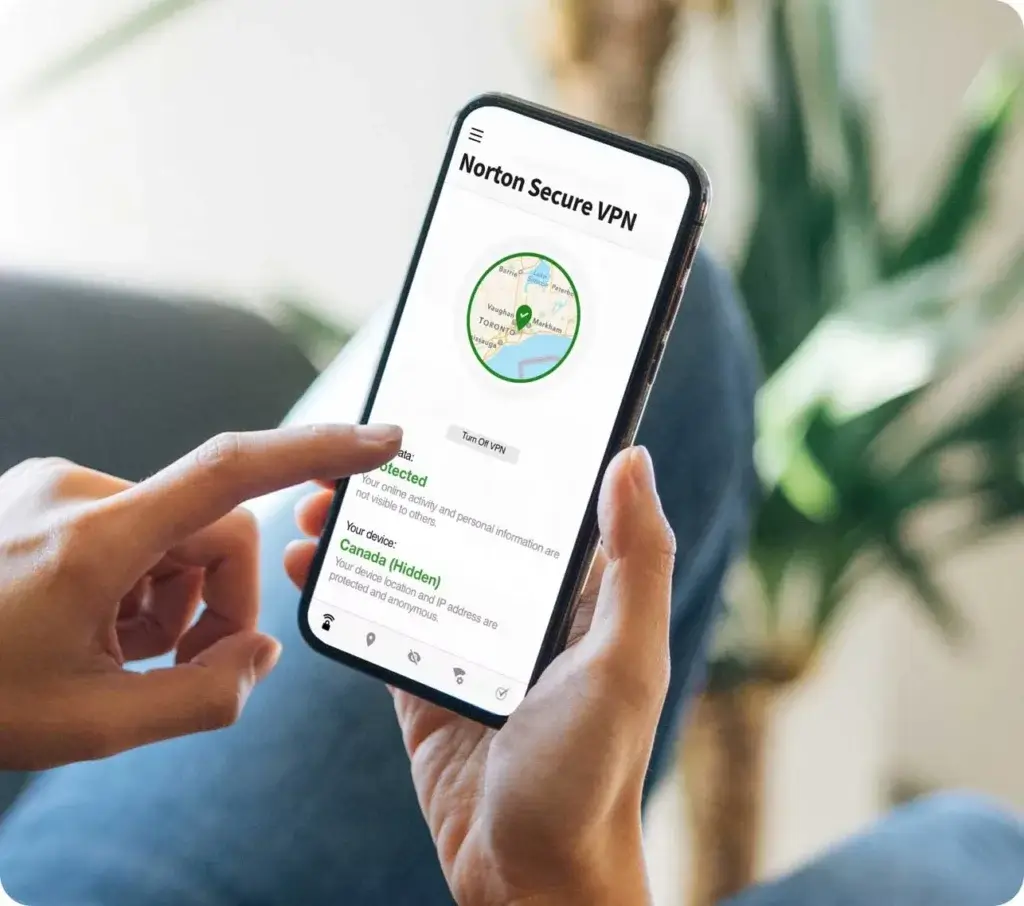
The VPN encrypts internet traffic, hides your IP address, and protects you on public Wi-Fi networks. For remote teams, freelancers, and traveling professionals, this is essential.
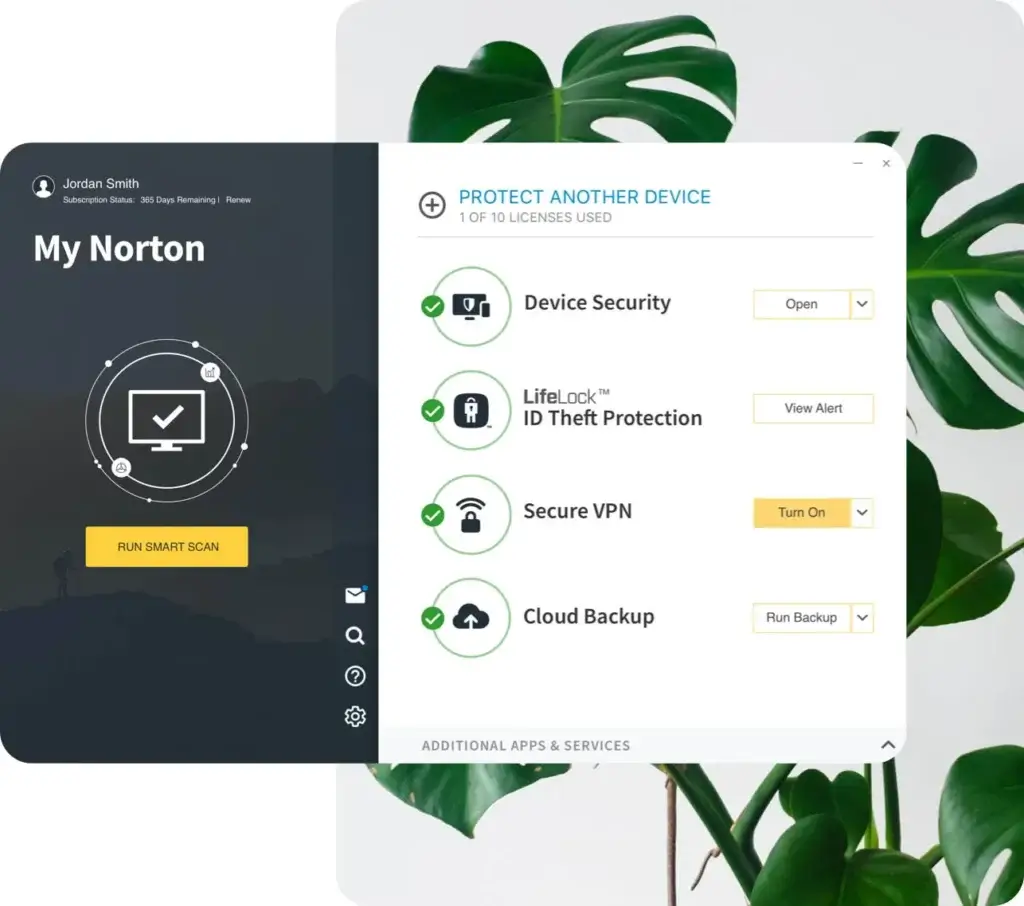
Unlike standalone VPN services, Norton’s VPN is integrated directly into the security dashboard, making it easy to enable without technical knowledge.
🌐 Dark Web Monitoring
Data breaches are common. Norton monitors underground forums and marketplaces for exposed credentials linked to your email addresses.
If your login details appear online, you receive alerts so you can take action quickly.
For businesses, this helps prevent account takeovers. For individuals, it protects banking and personal accounts.
🔑 Password Manager and Encrypted Vault
Weak passwords remain one of the biggest security risks.
Norton includes a password manager that stores, encrypts, and auto-fills credentials across devices. It also offers a secure, encrypted vault for sensitive files in certain plans.
For small businesses without a dedicated password management solution, this adds meaningful value.
📷 Webcam Protection and Privacy Controls
Norton blocks unauthorized applications from accessing your webcam.
This protects against spying malware and unauthorized surveillance, an increasingly relevant concern for remote workers and video-based communication.
Pros and Cons
Advantages and Disadvantages
Positive
✅ Strong real-time protection
✅ AI-powered scam and deepfake defense
✅ Built-in VPN for secure browsing
✅ Dark web monitoring included
Negatives
❌ No advanced enterprise management console
❌ Upselling in the dashboard
❌ Can be resource-heavy
❌ Limited customization for power users
✅ Pros
Strong real-time protection
Norton uses AI-powered detection and cloud-based threat intelligence to deliver excellent real-time protection. It actively defends your systems against malware, ransomware, phishing, and other cyber threats. For businesses that can’t afford downtime or data breaches, this proactive defense is a major asset.
AI-powered scam and deepfake defense
This is a major differentiator in 2026. Norton analyzes suspicious websites, emails, SMS messages, and even AI-generated videos. For businesses, this helps prevent invoice fraud and impersonation scams. For individuals, it reduces the risk of identity theft.
Built-in VPN for secure browsing
Most plans include a secure VPN, which encrypts traffic on public Wi-Fi. This is especially useful for remote employees, freelancers, travelers, and families using shared networks.
Dark web monitoring
Norton monitors dark web marketplaces for signs that your company’s data – emails, passwords, credentials – have been compromised. If a breach is detected, you’ll be notified immediately, giving you time to take corrective action before reputational or financial damage occurs.
Excellent mobile support
With well-designed mobile apps for both Android and iOS, Norton provides complete device protection on the go. Employees working from their phones or tablets still benefit from malware scanning, VPN access, and password syncing, making it a flexible option for hybrid and remote workforces.
❌ Cons
No advanced enterprise management console
While Small Business plans cover multiple devices, they lack centralized IT dashboards with granular policy control. Larger organizations may require a full endpoint management platform.
Upselling inside the dashboard
The interface occasionally promotes upgrades or add-ons. This can feel intrusive in business environments where streamlined workflows are preferred.
Performance impact on older devices
Full system scans may slow down aging hardware. On modern systems, the impact is minimal, but older office machines may experience temporary lag.
Limited customization for power users
Advanced users or IT professionals may find fewer configuration options compared to more technical antivirus platforms.
Renewal pricing is higher
Introductory pricing is competitive, but renewal costs increase after the first year. Businesses should factor this into long-term budgeting.
Software Capabilities
Performance and User Experience
When you’re running a business, your antivirus should keep threats out without slowing things down. Norton strikes a solid balance between security power and system performance, though there are a few trade-offs to consider.
💻 System Impact
During regular use, Norton runs quietly in the background. Most routine operations, like real-time scanning, firewall monitoring, and VPN connections, have minimal CPU impact on modern systems. However, full system scans can cause temporary slowdowns, especially on older or lower-end machines.
If your office devices are newer or mid-to-high spec, you likely won’t notice any performance drag. But businesses with older laptops or desktops might want to schedule full scans after work hours.
⚡ Speed of Scans and Updates
Norton performs quick initial scans and prioritizes known vulnerabilities first. Subsequent scans are faster, thanks to its smart scan engine that skips already-verified files.
Virus definitions and software updates are frequent but lightweight. Updates typically install automatically in the background, ensuring your protection stays current without interrupting work.
🧭 Ease of Setup and Navigation
Getting Norton set up on business devices is straightforward. The installation process takes just a few minutes, and there’s no technical expertise required.
The dashboard is clean, user-friendly, and clearly separates features like antivirus, VPN, password manager, and dark web monitoring. However, the interface is more consumer-focused, which means IT admins may find the lack of centralized device control limiting in team environments.
📱 Mobile App Usability
Norton’s mobile apps for Android and iOS are intuitive and full-featured. You get real-time protection, secure browsing, app privacy scans, and access to the VPN and password manager, all optimized for smaller screens.
For businesses that allow bring-your-own-device (BYOD) policies, this ensures every endpoint, from laptops to mobile phones, remains protected.
Lab Results
Independent Test Lab Results
When you’re evaluating antivirus software for your business, you need proof that it works, not just marketing promises. Norton consistently ranks among the top performers in independent lab tests, offering assurance that your endpoints are protected by trusted technology.
🛡️ AV-Test Scores (Latest Results)
AV-Test, one of the leading cybersecurity testing labs, regularly scores Norton across three key categories:
- Protection: 6/6 – Norton blocked 100% of widespread malware and zero-day attacks.
- Performance: 5.5/6 – Minor system impact noted only during full scans.
- Usability: 6/6 – No false positives in business or standard apps.
These scores put Norton in the “Top Product” category, meaning it’s among the best-performing antivirus tools available today.
🧠 AV-Comparatives Insights
In AV-Comparatives‘ Real-World Protection Test, Norton has shown detection rates above 99.5% with minimal false positives. It also performed well in:
- Malware Protection Test – Blocked nearly all threats without needing manual input
- Performance Test – Minimal drag on device speed during standard tasks like file copying or browsing
- Advanced Threat Protection – Effectively handled script-based and fileless attacks
🏆 Industry Comparison
Compared to other top antivirus brands like Bitdefender, Kaspersky, and McAfee, Norton holds its own or even outperforms them in usability and zero-day protection. However, Bitdefender slightly edges out Norton in performance efficiency, especially for larger-scale business environments.
Still, for small to mid-sized businesses, Norton offers best-in-class protection without the complexity or learning curve of heavier enterprise tools.
Pricing
Pricing and Plans for Norton Antivirus
Norton offers two main pricing tracks in 2026:
- Personal and Family Plans (Norton 360)
- Small Business Plans
The right choice depends on how many devices you need to protect and whether you require business-focused features.
👤 Personal & Family Plans (Norton 360)
These plans are ideal if you’re protecting personal devices, freelancers, or small home-based teams.
| Plan | Devices | Starting Price |
| AntiVirus Plus | 1 device | $29.99/year |
| Norton 360 Standard | 3 devices | $39.99/year |
| Norton 360 Deluxe | 5 devices | $49.99/year |
| Norton 360 Select Plus | 10 devices | $99.99/year |
| Norton 360 for Gamers | 3 devices | $44.99/year |
All 360 plans include:
- Real-time malware protection
- AI scam protection
- Ransomware defense
- Password manager
- Dark web monitoring
- VPN (except AntiVirus Plus)
🔎 Renewal prices are higher after the first year. For example, 360 Standard renews at a significantly higher annual rate. Always review long-term cost before committing.
🏢 Norton Small Business Plans
If you run a company and need to protect multiple employee devices, the Small Business tier is a better fit.
| Plan | Device Coverage | Starting Price |
| Small Business | 6–20 devices | From $59.99/year |
| Small Business Premium | 10 devices | From $199.99/year |
Business plans include:
- Always-on endpoint protection
- Dark web monitoring for business accounts
- Secure browser
- Encrypted vault
- Automatic software updates
- 24/7 business tech support (Premium)
- VPN (Premium plan)
These plans are built for small companies that want strong security without investing in enterprise-level IT infrastructure.
🎁 Free Trial and Money-Back Guarantee
Norton offers:
- 30-day free trial
- 60-day money-back guarantee on annual plans
- 14-day guarantee on monthly plans
This makes it low-risk to test whether the solution fits your personal or business environment.
💡 Value for Money: Personal vs Business
For individuals and families, Norton delivers strong value because it bundles VPN, AI scam protection, and identity monitoring into one subscription.
For small businesses, the value comes from device scalability and included monitoring tools. However, it does not provide enterprise-level centralized IT management.
If you need lightweight, scalable security for up to 20 devices, the Small Business plan offers solid protection at a competitive entry price.
Feedbacks
User Feedback and Reviews
What are real business users saying about Norton? Across multiple review platforms, Norton earns solid ratings for its security capabilities and ease of use, especially among small teams and remote professionals.
🌟 Common Praise
Businesses often highlight Norton’s:
- Reliable Protection – Many users report zero malware incidents since switching to Norton, even on high-risk browsing environments.
- Simple Setup – IT staff appreciate the plug-and-play nature of the software, especially for non-technical teams.
- All-in-One Features – Combining antivirus, VPN, password manager, and dark web alerts in one package saves time and cost.
- Responsive Customer Support – Norton offers 24/7 support with live agents, which is praised by users who encountered installation or billing issues.
💬 “We run a 12-person remote team, and Norton keeps everything running smoothly without constant babysitting.”
– Trustpilot Reviewer, 2026
⚠️ Common Complaints
Despite the positives, some users raise concerns about:
- Aggressive Upselling – Frequent prompts to upgrade to LifeLock or other add-ons can be disruptive.
- Performance Lags – A few businesses with older hardware noted slowdowns during full scans or updates.
- Lack of Business-Level Controls – Teams wanting centralized user management or reporting tools often find Norton lacking.
💬 “Protection is great, but I wish there were better controls for managing users across our devices.”
– G2 Reviewer, 2026
⭐ Ratings Overview
Here’s how Norton is rated on popular review platforms:
- Trustpilot – ★★★★☆ (4.2/5, based on 25,000+ reviews)
- G2 – ★★★★☆ (4.3/5, praised for usability and endpoint security)
- PCMag User Rating – ★★★★☆ (Editors’ Choice for small business protection)
Overall, Norton receives high marks from small business owners, freelancers, and hybrid teams looking for straightforward security with little maintenance.
Norton VS. Alternatives
Comparison with Other Antivirus Software
Choosing the right antivirus depends on what you value most: ease of use, advanced threat detection, centralized business management, or performance efficiency.
Here’s how Norton compares to three major competitors in 2026.
🟠 Norton vs Avast
Avast is known for its generous free version and wide consumer reach. It offers solid malware detection and a user-friendly interface.
However, when comparing paid plans:
Where Norton Wins
- Stronger AI scam and deepfake detection
- Better dark web monitoring tools
- More comprehensive identity protection options
- Dedicated Small Business plans
Where Avast Wins
- More affordable entry pricing
- Slightly lighter system impact on older PCs
- Free version for basic personal protection
For businesses, Avast Business includes cloud-based management, which Norton Small Business does not fully replicate. However, Norton offers broader scam and identity monitoring features.
👉 If you want deeper identity and scam protection, Norton is stronger.
👉 If budget is your main concern, Avast may appeal more (full review here).
🔵 Norton vs Bitdefender
Bitdefender is often praised for its lightweight engine and strong lab results.
Where Norton Wins
- Built-in VPN included in most plans
- AI scam protection and deepfake detection
- More consumer-friendly interface
- Strong dark web and identity monitoring tools
Where Bitdefender Wins
- More advanced endpoint management for businesses
- Better centralized admin console
- Lower system impact during full scans
- Granular policy configuration
For personal use, both are excellent.
For small businesses without a dedicated IT department, Norton’s simplicity may be an advantage.
For companies needing structured IT oversight and device policy control, Bitdefender has the edge.
👉 Norton = Simplicity + AI scam defense
👉 Bitdefender = Technical depth + device management (full review here)
🟢 Norton vs ESET
ESET is highly regarded among IT professionals for its advanced configuration options and efficient performance.
Where Norton Wins
- Easier setup for non-technical users
- Stronger identity theft and dark web monitoring
- AI-driven scam and deepfake detection
- More polished mobile apps
Where ESET Wins
- Extremely lightweight engine
- Deep configuration options
- Strong centralized business management
- Better suited for larger SMB environments
ESET is often chosen by IT-driven businesses that want granular control.
Norton is more suitable for business owners who prefer an all-in-one package without technical complexity.
👉 Norton = Turnkey protection
👉 ESET = IT-managed security control (full review here)
📊 Quick Comparison Overview
| Feature | Norton | Avast | Bitdefender | ESET |
| AI Scam Protection | Yes | Limited | No deepfake focus | No |
| Dark Web Monitoring | Yes | Basic | Limited | No |
| Business Plans | Small Business | Yes | Yes | Yes |
| Central Admin Console | Limited | Yes | Strong | Strong |
| Best For | Small teams & individuals | Budget users | Structured SMB IT | IT-focused businesses |
Conclusion
Final Thoughts
⭐ Overall Rating: 9.5/10
Norton is no longer just a traditional antivirus. In 2026, it positions itself as an AI-powered digital security platform designed for both individuals and small businesses.
If you’re protecting personal devices, you get strong malware detection, built-in VPN, password management, and dark web monitoring in a single subscription. The added layer of AI scam protection and deepfake detection makes it especially relevant against modern phishing and impersonation attacks.
If you run a small business, Norton now offers dedicated Small Business plans covering up to 20 devices. These plans include always-on endpoint protection, credential monitoring, secure browsing tools, and optional VPN support. While it does not provide enterprise-grade centralized IT dashboards, it delivers robust protection without technical complexity.
🎯 Who It’s Best For
Norton is ideal if you:
- Want all-in-one protection with minimal setup
- Run a small business without a full IT department
- Work remotely and rely on public networks
- Handle financial or client-sensitive data
- Value AI-driven scam detection layered on top of traditional antivirus
It may not be the best choice if you require deep administrative control, granular device policies, or enterprise-level endpoint management.
For personal users, Norton offers one of the most complete security bundles available.
For small businesses, it provides scalable protection and modern AI defenses without the complexity of enterprise solutions.
If you’re looking for balanced, easy-to-manage security that addresses both malware and social engineering threats, Norton is a strong investment in 2026.
Have more questions?
Frequently Asked Questions
Is Norton Antivirus good for small businesses?
Yes. It’s ideal for small teams thanks to its all-in-one protection, ease of use, and affordable multi-device plans. You get coverage for malware, VPN access, and password management in one package.
Does Norton offer business antivirus plans?
Not officially. While the provider doesn’t offer labeled “business” plans, its Deluxe and LifeLock tiers are commonly used by small businesses. Larger teams may prefer Symantec Endpoint Protection, which is part of the same company.
How many devices does Norton 360 protect?
The Deluxe plan covers up to 5 devices, and higher tiers may include more. These can include Windows, macOS, Android, and iOS devices.
Can Norton Antivirus slow down your computer?
It can, but only occasionally. Full system scans may impact performance on older machines. On modern devices, background scans typically run without issues.
Does Norton include a VPN for businesses?
Yes. A secure VPN is included, which is useful for remote teams or employees working on public Wi-Fi. It encrypts traffic and keeps sensitive data safe.
Is Norton Antivirus safe and trustworthy in 2026?
Absolutely. This is a well-established brand under Gen Digital and scores highly in third-party lab tests for security, usability, and overall performance.
What makes Norton different from Bitdefender or McAfee?
This solution focuses on simplicity and includes extra tools like dark web monitoring. Bitdefender offers more control for admins, while McAfee leans toward enterprise integration.
Does Norton work on mobile devices?
Yes. The mobile apps for Android and iOS provide real-time scanning, app monitoring, and VPN support, making it a strong option for BYOD environments.
Can I manage multiple users with Norton?
Not with this software alone. It doesn’t offer centralized admin tools or policy controls. Businesses needing those features should consider their enterprise-level counterpart.
Is Norton worth it for businesses in 2026?
Yes, especially if you’re a small or mid-sized team looking for comprehensive protection that’s easy to deploy. It’s reliable, secure, and provides great value.