Introduction
Choosing antivirus software in 2026 is no longer only about malware removal. You also need protection against phishing, scam texts, malicious links, ransomware, unsafe downloads, and identity-related threats that target the way you actually use your devices.
That is where Trend Micro stands out. It has been in cybersecurity for decades, but its current positioning is much more relevant to modern users than older reviews often suggest. Alongside traditional antivirus protection, Trend Micro now puts a stronger emphasis on scam detection, identity protection, dark web monitoring, and safer banking and shopping.
In this Trend Micro review, you will get a clear breakdown of:
- What Trend Micro offers for home users and families
- How its small-business protection compares with other mainstream options
- Its strongest features for phishing, ransomware, and scam prevention
- How it performs in independent lab tests
- Whether the pricing makes sense in 2026
My view is that Trend Micro is one of the better antivirus options for people who want strong protection with very little friction. It is especially appealing if your biggest concerns are dangerous websites, fake messages, online shopping risks, and ransomware. It is less compelling if you want deep technical controls, the lightest possible scans, or the cheapest long-term renewal pricing.
If you are still comparing options, you can also review our guides to the best antivirus software, Bitdefender review, Norton review, and Malwarebytes review.
Let’s get into the details.
Overview
Trend Micro Antivirus Overview
Trend Micro is one of the longest-established names in cybersecurity, and its consumer portfolio has evolved well beyond basic antivirus. The current home lineup is built around three main plans, with optional scam and identity layers that make the platform more relevant for families, remote workers, and people who spend a lot of time banking, shopping, and communicating online.
Trend Micro for Personal Use
For home users, Trend Micro currently focuses on three main products:
- Internet Security – A lighter plan for up to 3 devices, focused on web threats, ransomware, and parental controls
- Maximum Security – A fuller cross-device suite for up to 5 devices, adding password management and broader coverage
- Premium Security Suite – The most complete package, adding identity protection, VPN, dark web monitoring, and scam-focused tools
The strongest reason to choose Trend Micro for home use is not only malware blocking. It is the broader protection around scam-heavy browsing, suspicious messages, risky links, banking sessions, and ransomware attacks on personal files.
Best for: families, remote workers, online shoppers, and users who want strong scam and phishing protection without managing a complicated security suite.
Trend Micro for Small Business Use
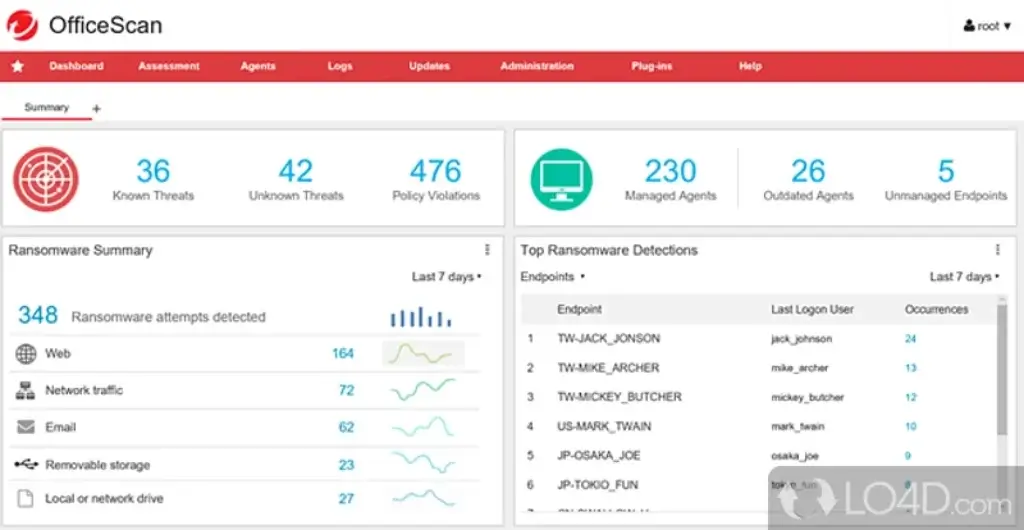
Trend Micro also remains relevant for small businesses through its Worry-Free product family. This line is aimed at companies that want cloud-managed endpoint security without building out a large in-house security stack.
The current small-business lineup includes:
- Worry-Free Services – Cloud-based endpoint and mobile protection
- Worry-Free Services Advanced – Adds email and collaboration security
- Worry-Free with Managed or Co-Managed XDR – Adds expert-led monitoring and response support
This makes Trend Micro a stronger fit for small teams than many consumer-only antivirus brands. Still, if your review page is primarily for home users, the consumer side of Trend Micro is where the product is most competitive and easiest to recommend.
Device Compatibility
Trend Micro supports Windows, Mac, Android, iOS, and Chromebook across its current home lineup, though some of the richest protections still feel most complete on Windows. Mobile coverage is also stronger than many older Trend Micro reviews suggest, particularly now that mobile security and scam-focused protection are part of the broader ecosystem.
Software Specification
Core Features and Security Tools
Trend Micro’s biggest strength is that it does not rely on one protection layer. Instead, it combines web reputation filtering, ransomware defenses, behavior monitoring, safe browsing, scam detection, and identity-related tools in a way that feels practical rather than overwhelming.
Malware and Ransomware Protection
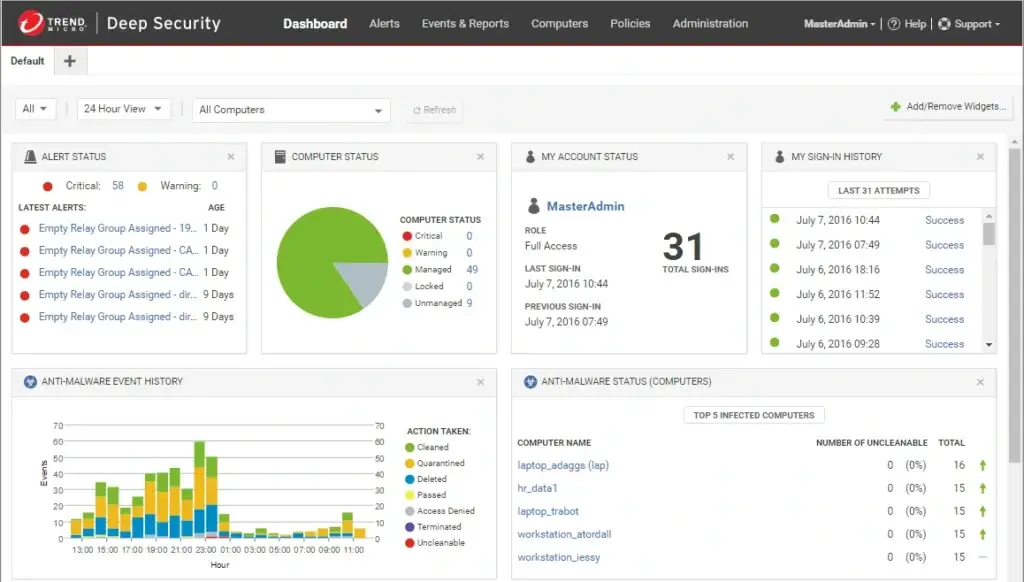
At the core, Trend Micro provides the features you would expect from a serious antivirus product:
- Real-time malware protection
- Ransomware defense
- Malicious website blocking
- Behavior-based threat detection
- Email and phishing protection
One of its better-known strengths is Folder Shield, which helps protect local files and cloud-synced folders from ransomware-related encryption attempts. That is a meaningful feature if you keep important data in Dropbox, Google Drive, or OneDrive and want more than simple malware scanning.
For everyday users, this translates into protection that is especially strong when the threat starts with a dangerous link, a fake shopping page, or a malicious file rather than a classic standalone virus.
Web, Banking, and Scam Protection
This is where Trend Micro separates itself from many competitors in the same price band.
Its consumer products are designed to protect you while browsing, shopping, banking, and dealing with modern scams. Depending on plan, you may get:
- Pay Guard for safer banking and shopping sessions
- Anti-phishing protection for malicious links and fake sites
- ScamCheck for scam assessment and broader anti-scam help
- Browser and privacy protection against risky pages and tracking
If your site’s audience includes non-technical users, this is an important angle to emphasize. Trend Micro is one of the vendors that clearly understands that many real-world infections now start with fraud, scams, impersonation, and deceptive websites, not only classic malware payloads.
Identity and Privacy Features
Trend Micro’s higher-tier packages now stretch beyond antivirus. Premium Security Suite in particular includes identity and privacy tools that make it feel more like a broader protection bundle than a conventional antivirus subscription.
Depending on plan, the feature set can include:
- Dark web monitoring
- ID theft restoration support
- Password management
- Personal VPN
- 24/7 support on premium tiers
That makes Trend Micro more appealing for households that want one subscription to cover device security, safer browsing, and at least a basic identity layer.
Parental Controls and Family Protection
Trend Micro also deserves credit for keeping family-oriented tools relevant in its lineup. Internet Security and Maximum Security both position parental controls as part of the offer, which helps if you want to frame the product around household protection instead of only PC protection.
This family-friendly angle is one reason Trend Micro can work well in comparison content like “best online protection software for families” or “best anti-phishing software for everyday users.” It is practical, recognizable, and easier to explain than more technical security suites.
Pros and Cons
Advantages and Disadvantages
Positive
✅ Excellent scam and phishing protection
✅ Strong ransomware defense
✅ Great fit for families and everyday users
✅ Premium tiers add real identity and privacy value
Negatives
❌ Renewal pricing needs attention
❌ Performance is not always class-leading
❌ Interface is practical, but not the most modern
❌ Not the best option for power users
Pros
1. Excellent scam and phishing protection
Trend Micro is one of the better consumer antivirus brands for modern web-based threats. If your concern is fake stores, phishing messages, malicious links, and scam-heavy browsing, it is a very sensible choice.
2. Strong ransomware defense
Folder Shield and its wider ransomware protections make Trend Micro more useful than stripped-down antivirus tools that focus almost entirely on signature-based malware blocking.
3. Great fit for families and everyday users
The product is easy to understand, the plan structure is fairly clear, and the security features align with the kinds of threats home users actually face.
4. Premium tiers add real identity and privacy value
Premium Security Suite now adds meaningful extras such as identity protection, VPN, dark web monitoring, and scam tools. That gives the top tier more substance than a basic upsell bundle.
Cons
1. Renewal pricing needs attention
Intro pricing can look attractive, but long-term value depends on renewal cost. This is common in antivirus software, and Trend Micro is not an exception.
2. Performance is not always class-leading
Trend Micro protects well, but some users still report noticeable scan-related slowdown. It is not a deal-breaker for most people, though it matters if you want the lightest background footprint possible.
3. Interface is practical, but not the most modern
It is easy enough to navigate, but some competitors feel cleaner and more modern.
4. Not the best option for power users
If you want enterprise-style visibility, highly granular controls, or unusually deep customization, other vendors may be a better fit.
Software Capabilities
Performance and User Experience
Trend Micro’s day-to-day usability is one of the reasons it remains easy to recommend. It is designed for people who want protection to work quietly in the background, while still making the most important tools accessible.
System Impact
In normal use, Trend Micro is generally fine for browsing, office work, shopping, streaming, and routine multitasking. That said, it is not always the lightest-feeling antivirus during heavier scans. If you compare it with the most performance-focused competitors, you may notice that full scans feel more intrusive on older hardware.
For most users, that trade-off is acceptable because the web and scam protection is stronger than what you get from many lightweight alternatives.
Ease of Setup
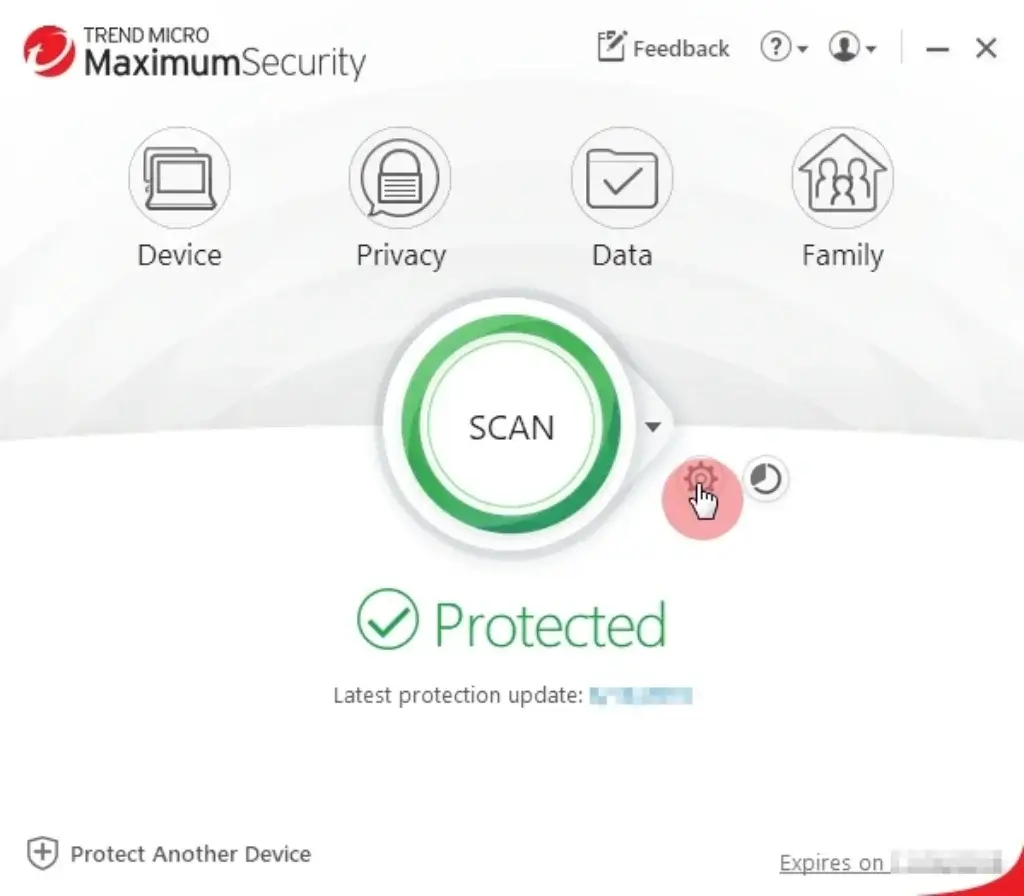
Trend Micro is easy to install and suitable for mainstream users. The setup process is straightforward, and the dashboard does a decent job of pointing you toward the features that matter most, such as scans, web protection, ransomware defense, and account or identity-related tools.
The business side is also relatively approachable. Worry-Free Services uses a cloud-based console, which is one of the reasons Trend Micro continues to appeal to smaller businesses that do not want to manage a more complex security platform.
Mobile Experience
Mobile protection is a genuine part of the Trend Micro ecosystem, not an afterthought. That matters because scam and phishing risk is now heavily mobile-driven. Trend Micro Mobile Security helps extend the value of higher-tier plans beyond the desktop and supports a more complete family-protection use case.
If your audience frequently shops, clicks links from SMS messages, or spends a lot of time on mobile banking and social apps, this is a relevant value point to highlight.
Lab Results
Independent Test Lab Results
Independent lab results are one of the best ways to verify whether a product’s marketing claims hold up. Trend Micro still performs credibly here, particularly on the consumer side.
AV-Test Results
In AV-Test’s Windows 11 consumer evaluation, Trend Micro Internet Security earned a 6.0/6.0 Protection Score. The report also showed 100% detection in the 0-day real-world testing figures displayed on the page and 100% detection for widespread and prevalent malware in the reference set.
That is exactly the kind of result you want to see from a mainstream antivirus product. It confirms that Trend Micro remains highly competitive on core protection, even if it is not always the cheapest product in the category.
AV-Comparatives Results
Trend Micro’s results from AV-Comparatives were also encouraging. The lab awarded Trend Micro an Approved Security Product award and an Approved Anti-Phishing Product award, while also noting strong results across different consumer test areas.
That anti-phishing recognition matters. If you are reviewing Trend Micro for regular home users rather than only technical buyers, phishing and scam protection is one of the most meaningful real-world categories.
| Category | Trend Micro | Takeaway |
| AV-Test protection | 6.0/6.0 | Very strong core malware defense |
| 0-day and prevalent malware detection | 100% | Reliable real-world protection |
| AV-Comparatives anti-phishing | Approved | Strong fit for web and scam protection |
| Consumer test profile | Approved Security Product | Consistent mainstream performance |
Pricing
Pricing and Plans
Trend Micro’s pricing is straightforward enough, but the value varies a lot depending on which plan you choose.
Trend Micro Home Plans
The consumer lineup is easier to understand than many antivirus brands because the plans mostly build in a logical direction.
| Plan | Key Features | Best For |
| Antivirus+ Security | Basic malware protection for 1 device | Single-device users with simple needs |
| Internet Security | Web threat blocking, ransomware protection, parental controls | Small households using a few devices |
| Maximum Security | Multi-device protection, password manager, broader coverage | Families and users wanting a fuller suite |
| Premium Security Suite | Identity protection, dark web monitoring, VPN, scam protection | Users wanting the most complete package |
At the time of writing, Trend Micro’s official US pricing highlights:
- Internet Security – $39.95 intro for 3 devices
- Maximum Security – $49.95 intro for 5 devices
- Premium Security Suite – $149.95 for 10 devices
From a value perspective, Maximum Security is usually the sweet spot for most buyers. It gives you broader device coverage and a stronger overall feature set without jumping all the way to premium-bundle pricing.
Premium Security Suite makes more sense if you actively want identity monitoring, VPN access, and scam-focused extras. Otherwise, it can feel like more suite than you actually need.
Small Business Plans
For businesses, Trend Micro does not present the same kind of simple sticker pricing on the small-business product pages, but the structure is still clear:
- Worry-Free Services
- Worry-Free Services Advanced
- Managed or Co-Managed XDR options
If your article is consumer-first, it is enough to explain that Trend Micro can grow with small teams, but its real strength for your audience is still on the home and family side.
For businesses that need endpoint, email, and collaboration protection under one vendor, Worry-Free Services Advanced is the more relevant edition. For businesses that need outside support, the managed XDR options bring in expert help rather than forcing the company to build those skills internally.
Feedbacks
User Feedback and Reviews
Trend Micro’s user feedback is fairly consistent. People tend to like the protection level, the ease of use, and the peace of mind it offers. The most common criticisms are scan-related slowdown, subscription friction, and pricing questions around renewals.
What Users Like
Easy to understand
Trend Micro is approachable for regular users. That matters because a lot of antivirus products lose value if people do not understand how to use the extra features.
Strong web protection
Users often value its ability to block suspicious sites, phishing attempts, and risky downloads before they become a bigger problem.
Good household fit
Families and multi-device households can get solid value from Maximum Security and Premium Security Suite, especially if they want one brand to cover laptops, phones, and broader online-safety concerns.
Common Complaints
Some slowdown during scans
This still comes up in user review summaries. It is not a universal complaint, but it is frequent enough to mention.
Renewal frustration
As with many antivirus subscriptions, some buyers are happy with the introductory price and less enthusiastic about longer-term costs.
Interface is functional rather than exciting
Trend Micro feels dependable, but not especially stylish.
| Platform | User Rating | Highlights |
| G2 – Trend Micro Antivirus + Security | 4.0/5 | Protection, ease of use, some slowdown concerns |
| G2 – Trend Micro seller profile | 4.4/5 | Broad product portfolio with strong overall sentiment |
| Capterra review summary | Generally positive | Easy setup, solid protection, user-friendly |
Trend Micro vs. Alternatives
Comparison with Other Antivirus Software
Trend Micro is a strong antivirus product, but it is not the best fit for every buyer. The right comparison depends on what matters most to you.
Bitdefender – Best for deeper security sophistication
Bitdefender is the stronger choice if you want more advanced tuning, stronger depth for technical users, and one of the most consistently praised protection engines in the market.
Choose Bitdefender if you want:
- Deeper technical controls
- Very strong security reputation across categories
- A more security-first posture than a scam-first posture
Choose Trend Micro if you want:
- Better messaging around scams and phishing
- A more family-friendly experience
- A simpler product story for non-technical buyers
Norton – Best for all-in-one household coverage
Norton is a strong alternative if you want a polished all-in-one experience with a mature identity and privacy story.
Choose Norton if you want:
- A broader bundled suite with a very mainstream appeal
- Strong identity and privacy add-ons
- A more premium-feeling household protection package
Choose Trend Micro if you want:
- Very strong phishing and scam emphasis
- A simpler route to web and ransomware protection
- Strong value from Maximum Security rather than the top tier
Malwarebytes – Best for lightweight simplicity
Malwarebytes is appealing if you want something lighter and more minimal. It is easy to live with, but it usually feels less complete as a total family-protection suite.
Choose Malwarebytes if you want:
- A lighter, simpler tool
- Less emphasis on bundled extras
- A more stripped-back experience
Choose Trend Micro if you want:
- More complete protection against scams and risky websites
- Parental controls and family coverage
- Identity, VPN, and dark web features in premium tiers
If I had to place Trend Micro in one sentence, I would say this: it is one of the best antivirus choices for users who want practical protection against scams, phishing, ransomware, and everyday online risk without becoming security hobbyists.
Conclusion
Is Trend Micro Worth It?
Trend Micro remains a very relevant antivirus brand in 2026, especially on the consumer side. It is no longer just a traditional antivirus product. It has grown into a more complete online protection platform that covers malware, ransomware, phishing, scam prevention, identity monitoring, and mobile security.
For home users, the strongest reasons to consider Trend Micro are:
- Excellent scam and phishing protection
- Strong ransomware defenses
- Useful family features and parental controls
- A good balance of usability and protection
- More complete premium plans than many older reviews reflect
For small businesses, Trend Micro still offers a credible route through Worry-Free Services, especially for teams that want cloud-managed protection without moving into a far more expensive enterprise stack.
Who should choose Trend Micro?
You should seriously consider Trend Micro if:
- You want protection against scams, phishing, and dangerous websites
- You are buying for a family or a multi-device household
- You want strong ransomware protection for personal files
- You prefer a practical security suite over a highly technical one
You may want an alternative if:
- You want the lightest possible background performance
- You need deeper technical tuning
- You care more about enterprise-style controls than household safety features
- You are very price-sensitive at renewal time
Overall Rating
Trend Micro for home users: 4.4 / 5
A strong choice for families, everyday users, and anyone who wants better-than-average scam and phishing protection.
Trend Micro for small businesses: 4.1 / 5
A solid option for smaller teams that want cloud-managed protection, though the consumer side of the portfolio is the more compelling part of the brand for broad editorial coverage.
Bottom line
Trend Micro is worth it if your priority is not only “antivirus,” but broader online safety. It is especially good at protecting the way people actually get attacked now, through malicious links, scam messages, fake websites, and ransomware-driven file attacks.
If your audience is looking for one of the best antivirus tools for practical, modern online protection, Trend Micro deserves a place near the top of the shortlist.
Have more questions?
Frequently Asked Questions
Is Trend Micro a good antivirus in 2026?
Yes. Trend Micro remains a strong antivirus choice in 2026, especially if you care about phishing, scam protection, ransomware defense, and safer browsing. It is one of the better options for everyday users who want strong protection without a complicated interface.
Is Trend Micro better than Microsoft Defender?
For many home users, yes. Microsoft Defender is convenient because it is built into Windows, but Trend Micro gives you a more complete security experience with stronger scam messaging, broader web protection, family features, and higher-tier identity and privacy extras.
What is the best Trend Micro plan for most users?
Maximum Security is usually the best-value plan for most households. It covers multiple devices and offers a fuller feature set than entry-level plans without jumping straight to the premium price tier.
Is Trend Micro good for families?
Yes. Trend Micro is a strong family antivirus option because it combines multi-device coverage, parental controls, scam protection, and a user-friendly interface. That makes it a practical choice for households with mixed devices and mixed levels of technical confidence.
Does Trend Micro protect against phishing and scams?
Yes. This is one of the biggest reasons to choose it. Trend Micro places a strong emphasis on blocking dangerous websites, phishing links, scam-heavy browsing risks, and related fraud threats.
Does Trend Micro include a VPN?
Its Premium Security Suite includes a personal VPN. Lower tiers focus more on core device protection and do not provide the same privacy bundle.
Is Trend Micro good for Mac?
Yes, Trend Micro supports Mac, and its broader ecosystem covers more than only Windows. Still, the experience is often strongest on Windows, especially when you look at how some product tiers are positioned and how long-standing feature sets are described.
Does Trend Micro slow down your computer?
Usually not in everyday use, but some users do notice heavier impact during scans. If you have older hardware and want the lightest possible feel, this is one of the trade-offs worth considering.
Is Trend Micro good for small businesses?
Yes, especially through the Worry-Free Services line. It is a sensible option for smaller companies that want cloud-managed endpoint protection without the cost and complexity of a larger enterprise platform.
Is Trend Micro worth the money?
Yes, if you value practical protection against modern online threats. It is most worth it for families, remote workers, and users who want more than basic antivirus, particularly around phishing, scams, ransomware, and identity-related risks.