
Introduction
If you want a more visual and flexible way to automate work across your business apps, Make is one of the strongest workflow automation platforms to consider in 2026. It helps you connect apps, move data, build multi-step workflows, and automate business processes without relying on developers for every integration.
This Make review will help you decide whether the platform is the right fit for your team. You will learn how Make works, what its strongest features are, how the pricing model works, where it performs best, and when alternatives like Zapier, n8n, Microsoft Power Automate, and Workato may be better options.
Make is especially useful when your workflows need more logic, visual control, and data transformation than a basic automation tool can offer. It is not always the easiest platform for beginners, but it gives operations, marketing, sales, IT, and automation teams a strong balance of flexibility, cost control, and scalability.
| Category | Make Review Summary |
| Best For | Operations teams, marketing teams, agencies, SaaS teams, IT teams, and technical no-code users |
| Main Strength | Visual workflow builder with strong control over complex automations |
| Main Weakness | Higher learning curve than simpler automation platforms |
| Best Alternative | Zapier for beginners, n8n for technical teams, Power Automate for Microsoft users |
| Overall Recommendation | Best for teams that need visual automation, flexible logic, AI workflow orchestration, and better control over data movement |
Overview
What Is Make?
Make is a no-code and low-code workflow automation platform that lets you connect apps and automate processes through visual workflows called scenarios. Instead of building integrations from scratch, you create a scenario that watches for an event, processes data, and performs actions across your connected tools.
For example, when a new lead submits a form, Make can enrich the lead, check whether the company already exists in your CRM, route the lead by region, notify the right salesperson in Slack, add a row to Google Sheets, and create a follow-up task in your project management tool.
The platform was formerly known as Integromat, and its visual builder remains one of its biggest advantages. You can see how data moves through each step, inspect outputs, create branches, and control workflow logic more precisely than you can in many simpler automation tools.
How Make Works
Make workflows are called scenarios. A scenario is built from modules, and each module performs a specific action, such as watching for new records, retrieving data, creating an item, updating a contact, sending a message, or transforming information.
- Scenario: The full automation workflow you build in Make.
- Module: A step inside the scenario that performs an action or processes data.
- Trigger: The event that starts the scenario, such as a new form response or new CRM record.
- Router: A branching point that sends data down different workflow paths.
- Credit: The usage unit Make applies when module actions run successfully.
This structure gives Make a more visual and modular feel than tools that focus only on simple trigger-action automations. You can build straightforward workflows, but you can also design advanced scenarios with branching, filters, error handling, data formatting, API calls, and AI-powered steps.
Software Specification
Make’s Core Features
Make stands out because it gives you a visual way to design workflows while still offering enough control for advanced automation use cases. It is suitable for users who want more than basic app connections, but do not want to build every integration from code.
Visual Scenario Builder
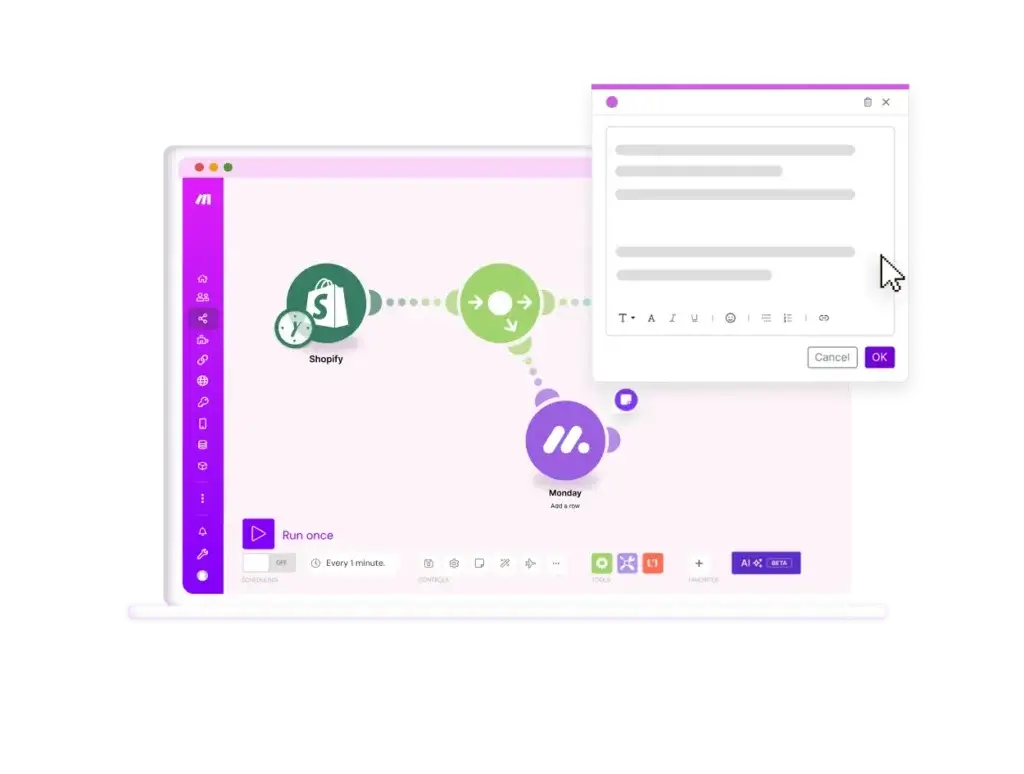
The visual scenario builder is Make’s main advantage. You build workflows on a canvas by adding modules, connecting them, mapping fields, and testing how data passes from one step to the next.
This visual experience makes it easier to understand complex workflows. You can see branches, inspect module outputs, identify where errors happen, and adjust logic without reading long workflow rules or jumping between hidden configuration screens.
Compared with Zapier, Make usually gives you more control over the shape of the workflow. Compared with n8n, it is generally more approachable for non-developers while still supporting advanced logic.
3,000+ App Integrations
Make supports thousands of pre-built apps across CRM, marketing, productivity, project management, ecommerce, finance, customer support, databases, communication, and AI. This makes it practical for teams that already use several SaaS tools and need those tools to work together.
You can connect popular apps such as HubSpot, Salesforce, Slack, Google Sheets, Gmail, Airtable, Notion, monday.com, Shopify, Stripe, OpenAI, and many others. For teams working across sales, marketing, support, and operations, this coverage is usually strong enough for most common workflows.
As with any integration platform, you should check the exact triggers, actions, and fields available for your key apps before upgrading. An app may be supported, but the specific action you need may still require a webhook, API call, or custom workaround.
Routers, Filters, Iterators, and Aggregators
Make is especially strong when workflows require branching and structured data handling. Routers allow one scenario to split into several paths based on conditions. Filters control whether data continues to the next module. Iterators and aggregators help you process lists, arrays, line items, and grouped records.
This matters when you automate real business processes. A lead routing workflow may need different paths for enterprise accounts, small businesses, partners, and existing customers. A finance workflow may need to process each invoice line separately, then combine the results into one report.
These tools make Make a better fit for operational workflows that would become messy or expensive in simpler automation platforms.
Webhooks, APIs, and Custom Apps
Make supports webhooks and API-based workflows, which makes it useful for connecting tools that do not have a ready-made integration. You can receive data from external systems, send HTTP requests, transform responses, and build workflows around custom business logic.
This gives Make more flexibility than basic no-code automation tools. You can still build many workflows without code, but technical users can go deeper when needed.
For companies with internal tools, custom databases, or niche SaaS platforms, this flexibility can be a major reason to choose Make over a more beginner-focused platform.
Make Data Stores
Make Data Stores allow you to store structured data inside Make and use it across scenarios. This is helpful when you need a lightweight way to remember values, check whether an item has already been processed, or maintain lookup tables for automation logic.
Data Stores should not replace a full database or CRM, but they are useful for workflow-specific storage. For example, you can store campaign mappings, routing rules, product IDs, customer status values, or temporary processing data.
AI Automation, AI Agents, and MCP
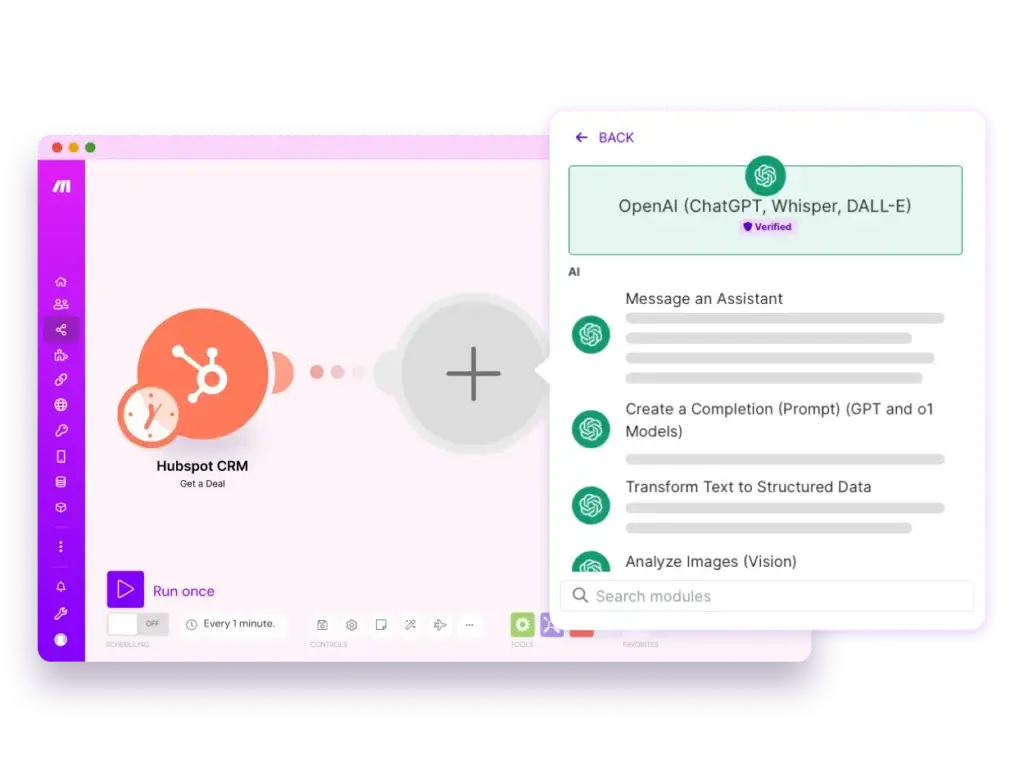
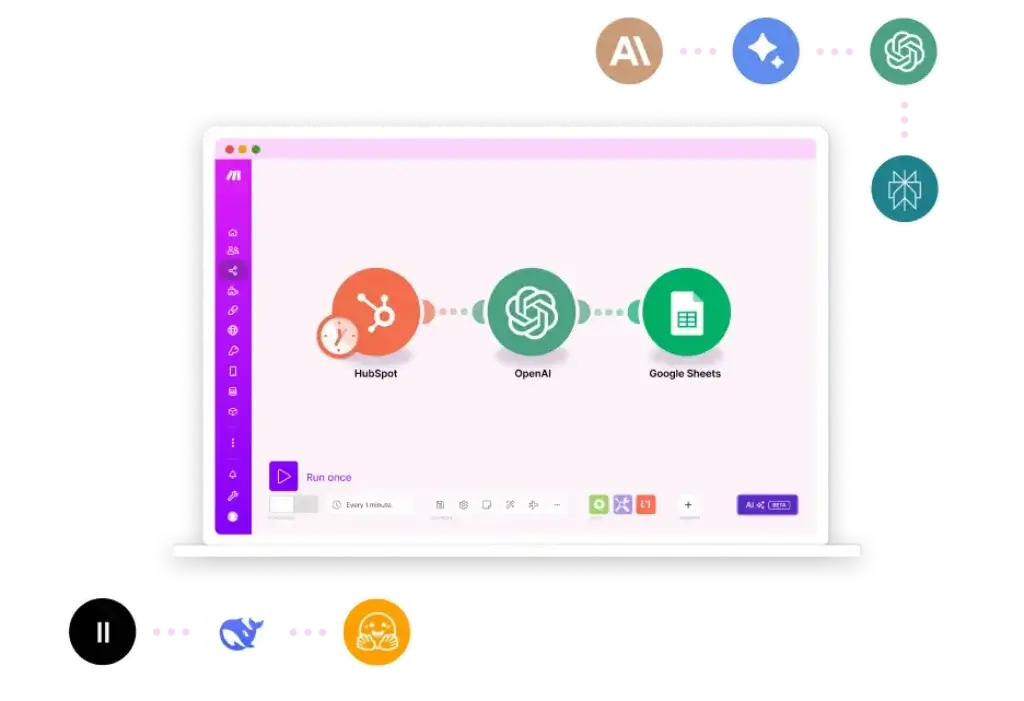
Make has expanded beyond traditional workflow automation into AI-powered automation. You can connect AI tools, build AI-assisted scenarios, use AI modules for classification and summarization, and explore agentic workflows that act across connected apps.
Make AI Agents are designed to help businesses automate more complex work while maintaining visibility into how decisions are made and how systems connect. This is important because AI automation should not become a black box, especially when it touches customers, financial data, CRM records, or internal operations.
Make also supports MCP-related workflows, allowing AI tools and agents to connect with Make scenarios. This helps bridge the gap between AI assistants and real business actions.
Make Grid
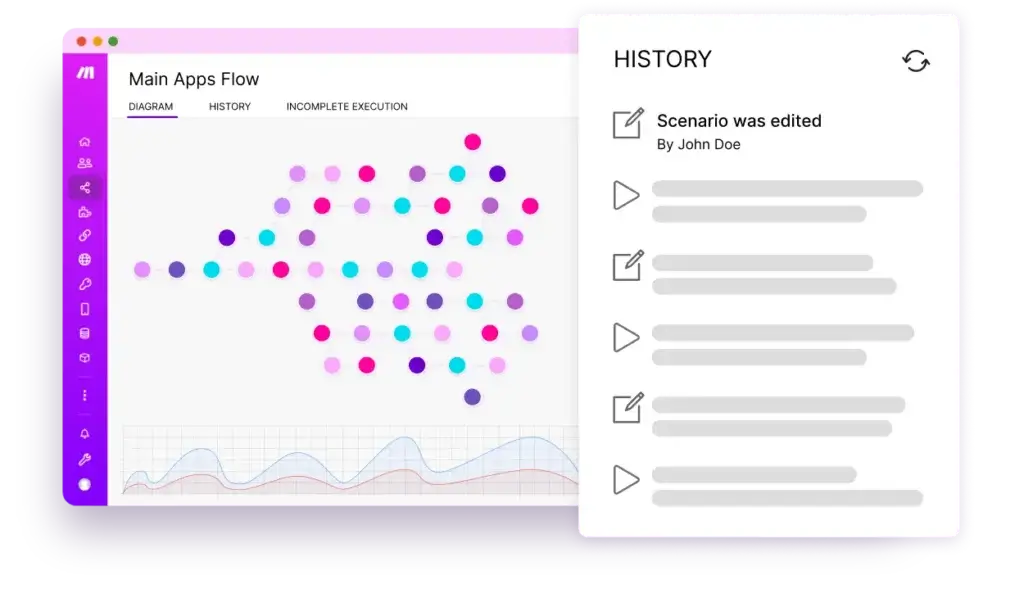
Make Grid gives teams a visual way to observe their automation landscape. Instead of managing isolated workflows without context, teams can see how scenarios, apps, data stores, and AI components connect across the organization.
This is valuable as your automation program grows. A small team may start with five scenarios, but a growing company can quickly reach dozens or hundreds of automations. Without visibility, it becomes harder to understand dependencies, troubleshoot errors, and avoid breaking critical workflows.
Make Grid is especially relevant for operations leaders and IT teams that want more governance without slowing down automation builders.
Team Collaboration and Governance
Make includes collaboration and governance features for teams that need shared control over automations. Depending on the plan, you can manage users, teams, roles, scenario templates, access permissions, logs, and enterprise-grade controls.
This matters because automations can become business-critical. If only one person understands how a workflow works, your company can become dependent on undocumented logic. Make’s visual structure helps, but teams should still use naming conventions, ownership rules, documentation, and regular reviews.
Pros and Cons
Advantages and Disadvantages
Positive
✅ Excellent visual workflow builder
✅ Strong control over complex logic
✅ Flexible pricing for many workflows
✅ Good AI automation direction
Negative
❌ Learning curve for beginners
❌ Credits can be confusing at first
❌ Complex scenarios need maintenance
❌ Some workflows require technical setup
Make is one of the best automation tools when you need control, visibility, and flexibility. However, it is not always the best choice for users who want the simplest possible setup. The main question is whether your team values visual control enough to accept a slightly steeper learning curve.
✅ Pros
- Excellent visual workflow builder: Make’s scenario canvas helps you understand and control complex automations more clearly.
- Strong branching and data handling: Routers, filters, iterators, aggregators, and mapping tools make it useful for real operational workflows.
- Good app ecosystem: Make supports thousands of apps and works well across CRM, marketing, sales, IT, support, finance, and project management tools.
- Flexible for technical users: Webhooks, API calls, custom apps, and code-friendly workflows give advanced users more room to customize.
- Useful AI automation features: AI modules, AI Agents, AI Toolkit, and MCP support make Make relevant for teams building AI-enabled workflows.
- Better visibility at scale: Make Grid helps teams understand dependencies and manage automation growth more responsibly.
❌ Cons
- Learning curve for beginners: Make is more visual and flexible than many tools, but new users may need time to understand modules, credits, bundles, mapping, and scenario logic.
- Credits require planning: Since module actions consume credits, you should estimate workflow usage before choosing a plan.
- Complex scenarios need governance: Advanced workflows can become difficult to manage without naming conventions, documentation, and clear ownership.
- Some integrations need extra setup: Webhooks and API modules are powerful, but they may require technical knowledge.
- Not always ideal for basic workflows: If you only need a simple trigger-action automation, Zapier may feel faster and easier.
- Enterprise controls depend on plan: Larger teams may need higher-tier plans for advanced security, governance, support, and scalability.
Common Use Cases
What Is Make Good For?
Make works best when you need to connect several apps, control data movement, automate multi-step processes, or reduce repetitive admin work. It is especially useful when workflows involve conditions, branching, data formatting, repeated items, or API calls.
Marketing Automation
Marketing teams can use Make to automate campaign operations, lead capture, reporting, content workflows, and customer segmentation. For example, a new webinar registration can update your CRM, add the lead to a campaign list, notify sales, and log attribution data in a reporting sheet.
Make is also useful when marketing workflows require logic. You can route leads by source, score, region, company size, or product interest, then trigger different follow-up paths.
Sales and CRM Automation
Sales teams can use Make to reduce CRM admin work and improve lead handoff quality. You can create contacts, update deals, enrich records, assign owners, send Slack alerts, and create follow-up tasks based on predefined conditions.
Make is a strong fit for RevOps teams because it gives you more control over how data flows between forms, enrichment tools, CRMs, email platforms, and reporting systems.
Operations Workflow Automation
Operations teams can use Make to connect disconnected systems and standardize repeatable processes. This includes approval workflows, request routing, data synchronization, internal notifications, recurring reports, and cross-platform updates.
Because Make is visual, it is easier to explain these workflows to stakeholders. You can show how information moves from one system to another and where business rules are applied.
Customer Support and CX Automation
Support teams can use Make to route tickets, classify messages, escalate urgent issues, update customer records, and notify account managers. With AI modules, you can also summarize long messages, detect sentiment, identify language, and categorize support requests.
This is useful when your support stack includes several tools, such as a help desk, CRM, Slack, project management software, and customer database.
Finance and Admin Workflows
Finance teams can use Make for invoice routing, payment notifications, expense workflows, quote-to-cash updates, and recurring admin tasks. For example, a paid invoice can update a spreadsheet, notify the account owner, and trigger a customer onboarding workflow.
For sensitive financial workflows, you should keep approval steps and auditability in place. Automation can reduce manual work, but it should not remove financial controls.
Project Management and Task Automation
Make can connect project management platforms with email, forms, calendars, CRMs, and support tools. You can create tasks from form submissions, move items between boards, notify owners, and update status fields automatically.
This is useful if your team uses platforms like monday.com, ClickUp, Asana, Trello, Jira, Airtable, or Notion and wants to reduce manual task creation.
AI Workflow Automation
Make is increasingly relevant for teams that want to operationalize AI. You can use AI to summarize messages, classify leads, translate text, extract data, generate draft responses, and trigger business actions.
The best AI workflows are not fully uncontrolled. A safer approach is to use AI for structured assistance, then add review steps for customer-facing messages, sensitive updates, or decisions that affect revenue and compliance.
UX and Support
Ease of Use and Support Options
Make is easier than building custom integrations, but it is not the easiest automation platform on the market. Its visual builder is powerful, but new users need to learn how scenarios, modules, bundles, mapping, routers, filters, and credits work.
Once you understand the platform, Make becomes very efficient. You can build workflows visually, inspect data at each step, reuse structures, test modules, and troubleshoot problems more transparently than in many linear automation builders.
For beginners, Zapier may feel easier. For users who want more control over workflow logic, Make is usually more rewarding after the initial learning curve.
Support by Plan
- Free Plan: Best for learning the platform with documentation, community resources, and basic support.
- Core Plan: Suitable for active users who need production workflows and standard platform access.
- Pro Plan: Better for advanced users who need stronger execution performance and log search.
- Teams Plan: Better for shared automation management, team roles, and workflow templates.
- Enterprise Plan: Best for larger organizations that need advanced security, enterprise support, and governance controls.
Tips for Getting More Value from Make
- Start with one high-value workflow: Automate a process that saves time every week.
- Map the process before building: Define triggers, branches, data fields, and failure points first.
- Use filters early: Prevent unnecessary module runs and reduce wasted credits.
- Name modules clearly: Make scenarios easier to maintain and explain.
- Test with real data: Real examples reveal field mapping issues faster.
- Add error handling: Build paths for failed API calls, missing fields, and unexpected values.
- Review credit usage monthly: Scenario usage can grow quietly as teams depend on automation.
AI
Latest AI Innovations
Make’s biggest recent shift is its move from traditional automation toward visual AI automation and agentic workflows. This is important because businesses are no longer only trying to connect apps. They are trying to connect apps, data, AI models, agents, and human review in a controlled workflow.
Make is well positioned for this because its visual structure helps teams understand what AI is doing inside the workflow. Instead of treating AI as a separate chatbot, you can connect AI outputs to real actions across CRM, support, marketing, sales, finance, and operations tools.
Make AI Toolkit
Make AI Toolkit helps users add AI actions to workflows without needing to set up every model manually. You can use AI for tasks such as summarization, categorization, translation, sentiment analysis, text standardization, and information extraction.
This is useful for teams that want practical AI automation, not just experimentation. For example, support teams can classify incoming tickets, marketing teams can summarize campaign feedback, and sales teams can extract useful context from lead forms.
Make AI Agents
Make AI Agents are designed to help automate more complex work by combining AI decision-making with connected app actions. The key benefit is that agents can work within a visible automation environment rather than operating as disconnected black boxes.
This does not mean every workflow should become fully autonomous. The better approach is to start with bounded use cases, clear rules, and review paths. AI agents are most useful when the goal is specific, the inputs are structured enough, and the risk level is manageable.
Make MCP Server
Make MCP Server helps AI tools connect to Make scenarios so that AI assistants can trigger real workflows through controlled access. This can make AI more useful because it allows AI tools to do more than answer questions.
For example, an AI assistant could call a Make scenario that creates a task, updates a CRM field, retrieves a report, or routes a request. The important part is governance. You should decide which scenarios can be exposed, what permissions they have, and whether actions require review.
Make Grid for AI Visibility
As AI workflows become more common, visibility becomes more important. Make Grid helps teams see how scenarios, apps, AI components, and dependencies connect across the automation landscape.
This is one of Make’s strongest strategic advantages. AI automation is powerful, but it can become risky when teams cannot see what is connected, what changed, and what failed. A visual map makes governance and troubleshooting easier.
Security and Compliance
What About Security?
Make includes several security and compliance measures that are important for automation software. This matters because workflow automation platforms often connect to CRMs, inboxes, spreadsheets, support systems, finance tools, databases, and internal apps.
Make lists security measures such as GDPR adherence, SOC 2 Type II, SOC 3, encryption, access controls, vulnerability management, independent penetration testing, and SSO-related options. Enterprise customers can also access stronger controls depending on their agreement.
However, the biggest security risk is not only the platform itself. It is how your team grants app permissions, shares connections, builds scenarios, and manages sensitive data. A poorly designed automation can expose data, duplicate records, or update the wrong system.
You should apply least-privilege access, review connected apps regularly, limit who can edit business-critical scenarios, and document ownership. For AI workflows, add human approval before sending messages, updating sensitive fields, or making decisions that affect customers, finance, compliance, or legal records.
Compare with Others
Alternatives to Make
Make is one of the best choices for visual workflow automation, but it is not always the best tool for every team. Your best alternative depends on ease of use, technical skill, budget, app ecosystem, governance needs, and workflow complexity.
| Tool | Best For | Main Advantage Over Make | Main Limitation |
| Zapier | Beginners and fast no-code automation | Easier setup and broader beginner-friendly adoption | Less visual control for complex workflows |
| n8n | Technical teams and developers | Self-hosting, code flexibility, and deeper infrastructure control | Requires more technical knowledge |
| Microsoft Power Automate | Microsoft-heavy organizations | Strong Microsoft 365, Teams, SharePoint, Dynamics, and RPA capabilities | Less intuitive for broad SaaS automation outside Microsoft |
| Workato | Enterprise automation programs | Strong enterprise integration, governance, and IT oversight | Often too expensive and complex for small teams |
| Activepieces | Open-source automation users | Open-source flexibility and self-hosting options | Smaller ecosystem and less mature enterprise footprint |
Make vs Zapier
Zapier is usually easier for beginners and faster for simple workflows. If you want to connect two apps quickly and avoid learning a more advanced builder, Zapier is often the smoother option.
Make is stronger when your workflow needs visual logic, branching, data transformation, iterators, aggregators, or cost control at higher complexity. If your workflows are becoming too linear or too expensive in Zapier, Make is one of the first alternatives to test.
My recommendation: choose Zapier for speed and simplicity. Choose Make when you need more workflow control.
Make vs n8n
n8n is better for technical teams that want self-hosting, deeper customization, code-level flexibility, and more control over infrastructure. It is especially attractive for developers, data teams, and companies that want to own more of their automation stack.
Make is better for business users and operations teams that want advanced automation without managing hosting or building a developer-first environment.
My recommendation: choose Make for visual no-code and low-code automation. Choose n8n when technical control and self-hosting are top priorities.
Make vs Microsoft Power Automate
Microsoft Power Automate is a strong option for companies already using Microsoft 365, Teams, SharePoint, Dynamics, Azure, and desktop automation. It also has strong value for organizations that need robotic process automation for Microsoft-heavy workflows.
Make is often easier for connecting many third-party SaaS tools outside the Microsoft ecosystem. It also feels more visual and flexible for cross-platform workflow design.
My recommendation: choose Power Automate for Microsoft-first environments. Choose Make for broader SaaS automation.
Make vs Workato
Workato is built for larger enterprise automation and integration programs. It is stronger when companies need deep IT governance, advanced enterprise connectors, strict compliance, and large-scale automation operations.
Make is more accessible for small and mid-sized teams, agencies, and departments that want powerful automation without a heavy enterprise implementation.
My recommendation: choose Workato for enterprise integration strategy. Choose Make for flexible visual automation at a more approachable level.
Pricing
How Much Does Make Cost?
Make pricing is based mainly on your plan and monthly credit allowance. A credit is generally counted when a module action runs in your scenario, such as creating a CRM record, fetching Gmail data, sending a Slack message, or updating a spreadsheet row.
This is different from older discussions around Make “operations,” so it is important to check the current pricing page before making a final decision. For most buyers, the practical point is the same: estimate how often your scenarios run and how many modules each run uses.
| Plan | Starting Price | Best For | Key Features |
| Free | $0/month | Testing Make and building simple workflows | Up to 1,000 credits/month, visual builder, 3,000+ apps, routers, filters, support, and 15-minute minimum interval |
| Core | From $12/month for 10k credits/month | Individuals and small teams building active automations | Unlimited active scenarios, scheduled scenarios down to the minute, higher data transfer limits, and Make API access |
| Pro | From $21/month for 10k credits/month | Advanced users that need higher performance and stronger control | Everything in Core, plus priority scenario execution, custom variables, and full-text execution log search |
| Teams | From $38/month for 10k credits/month | Teams collaborating on automation workflows | Everything in Pro, plus teams, team roles, and shared scenario templates |
| Enterprise | Custom pricing | Larger organizations with governance and security needs | Custom functions support, enterprise app integrations, 24/7 enterprise support, overage protection, and advanced security features |
How Make Credits Work
Each module action in a Make scenario can consume credits. A simple scenario with three active modules may use three credits per run. A more complex scenario with routers, repeated list processing, API calls, and data transformations may use more.
For example, if a scenario runs 1,000 times per month and uses five credit-consuming module actions per run, it may require around 5,000 credits per month. If that same workflow includes iterators that process many line items, usage can grow faster.
| Example Scenario | Runs Per Month | Estimated Modules Per Run | Estimated Monthly Credits |
| New lead form to CRM and Slack | 500 | 3 | 1,500 |
| Support ticket classification and routing | 800 | 5 | 4,000 |
| Order processing with invoice and fulfillment alert | 1,000 | 6 | 6,000 |
| AI summary and CRM update workflow | 1,200 | 7 | 8,400 |
The practical takeaway is simple: Make can be very cost-effective, but only if you understand your scenario structure. Before upgrading, map your most important workflows, estimate the monthly run volume, and calculate the likely credit usage.
Who Should Use Each Make Plan?
The Free plan is best for learning the platform, testing simple automations, and understanding whether Make fits your workflow style. It is useful, but the credit limit and scheduling interval make it limited for serious business automation.
The Core plan is the best starting point for many users because it unlocks unlimited active scenarios, faster scheduling, and API access. If you are building real workflows for marketing, sales, support, or operations, this is often the first plan to evaluate.
The Pro plan is better when your scenarios are more important to daily operations. Priority execution, custom variables, and better log search can save time when workflows become more complex.
The Teams plan is suitable when multiple people need to build, share, manage, and standardize automations. It is especially useful for agencies, operations teams, RevOps teams, and internal automation teams.
The Enterprise plan is mainly for larger organizations that need stronger security, advanced support, governance, enterprise integrations, and more structured automation management.
Conclusion
Final Thoughts
Make is one of the best workflow automation platforms in 2026 if your team needs visual control, flexible logic, and more advanced workflow design than simple app connectors can provide. It is especially strong for operations teams, RevOps teams, marketing teams, agencies, IT teams, and automation builders who need to connect several systems with clear business rules.
The platform’s biggest advantage is its visual scenario builder. You can see how data moves, where branches split, how filters behave, and where errors occur. This makes Make a strong choice for workflows that involve multiple apps, conditional paths, API calls, repeated items, and structured data transformation.
Make is not perfect for every user. Beginners may find it more complex than Zapier, and teams should understand the credit model before scaling usage. Complex scenarios also need governance, documentation, and careful testing.
Overall, Make is a smart choice if you want a powerful but accessible automation platform that can support both traditional workflow automation and newer AI-enabled processes. If your team has outgrown basic automation and wants more control without moving fully into developer-owned infrastructure, Make should be high on your shortlist.
Frequently Asked Questions
Have more questions?
What is Make?
Make is a visual workflow automation platform that helps you connect apps, automate processes, move data, and build AI-enabled workflows. It uses visual scenarios made from modules, so you can design and manage automations without building every integration from code.
Is Make the same as Integromat?
Yes. Make is the platform formerly known as Integromat. The product evolved from a visual automation builder into a broader AI automation platform with scenarios, app integrations, webhooks, API capabilities, AI tools, and governance features.
Is Make free?
Yes. Make has a Free plan that includes up to 1,000 credits per month, access to the visual workflow builder, 3,000+ apps, routers, filters, and basic support. It is useful for testing the platform, but active business workflows usually require a paid plan.
How much does Make cost?
Make offers a Free plan, Core from $12 per month for 10k credits, Pro from $21 per month for 10k credits, Teams from $38 per month for 10k credits, and custom Enterprise pricing. Pricing can change, so you should always verify the latest details on Make’s official pricing page.
What are Make credits?
Make credits are the usage units consumed when module actions run in a scenario. For example, creating a CRM record, fetching email data, updating a spreadsheet row, or sending a message can count as credit usage. Complex workflows with many modules usually consume more credits.
Is Make better than Zapier?
Make is better than Zapier when you need visual workflow control, branching logic, data transformation, and more flexible scenario design. Zapier is usually better for beginners who want the fastest and simplest way to connect apps with minimal setup.
Is Make better than n8n?
Make is usually better for business users who want powerful visual automation without managing infrastructure. n8n is better for technical teams that want self-hosting, code-level customization, and deeper control over their automation environment.
What is Make best used for?
Make is best used for multi-step workflow automation, lead routing, CRM updates, marketing operations, support ticket routing, finance workflows, project management automation, data synchronization, API workflows, and AI-powered business processes.
Does Make support AI automation?
Yes. Make supports AI automation through AI app integrations, Make AI Toolkit, Make AI Agents, and MCP-related workflows. You can use it to summarize content, classify records, extract information, translate text, generate draft responses, and connect AI outputs to real business actions.
Is Make secure?
Make includes security and compliance measures such as encryption, GDPR-related controls, SOC 2 Type II, SOC 3, access controls, SSO-related options, and vulnerability management. Your own setup also matters, so you should manage app permissions, scenario ownership, and sensitive data carefully.