![best CRM for startups in [year]. From monday CRM to Nutshell, these tools offer the flexibility, automation, and scalability you need to manage customers and grow your business efficiently.](https://work-management.org/wp-content/uploads/2025/06/crm-for-startups.webp)
Introduction
Choosing the best CRM for startups can help you build a repeatable sales process before leads, conversations, and follow-ups become difficult to manage.
A startup CRM gives you one place to organize contacts, track opportunities, automate routine work, and understand which activities are creating revenue. It also gives new hires access to the customer context they need without searching through individual inboxes, spreadsheets, and chat messages.
The right platform depends on how your startup sells. A founder-led consultancy may prioritize relationship management and LinkedIn capture, while a SaaS startup may need automation, lifecycle reporting, custom workflows, and integrations with its product stack.
For most growing startups, monday CRM is the best overall choice because it combines flexible sales pipelines, automation, collaboration, dashboards, and broader work management. HubSpot is the strongest free option for very small teams, while Folk is particularly useful for founder-led and relationship-based selling.
This guide compares seven of the best CRM platforms for startups:
- monday CRM – Best overall for flexible startup workflows
- Folk CRM – Best for founder-led and relationship-driven sales
- HubSpot CRM – Best free CRM for early-stage startups
- Pipedrive – Best for visual sales pipeline management
- Zoho CRM – Best affordable CRM with advanced features
- Nutshell – Best for simple B2B sales management
- Creatio – Best for no-code CRM and complex startup workflows
Best CRM for Startups: Quick Comparison
| CRM | Best For | Free Access | Starting Price | Main Limitation |
| monday CRM | Flexible startup workflows | 14-day trial | From $12 per seat/month annually | Paid plans start at 3 seats |
| Folk CRM | Founder-led and relationship-based sales | 14-day trial | From $24 per member/month annually | Limited advanced forecasting |
| HubSpot CRM | Free CRM and inbound growth | Free for up to 2 users | $0 | Paid costs can rise quickly |
| Pipedrive | Visual pipeline management | 14-day trial | From $14 per seat/month annually | Marketing tools may require add-ons |
| Zoho CRM | Affordable automation and customization | Free for up to 3 users | From $14 per user/month annually | More complex learning curve |
| Nutshell | Simple B2B sales management | 14-day trial | From $13 per user/month annually | Smaller integration ecosystem |
| Creatio | No-code CRM and complex workflows | Free trial | Platform from $40 per user/month | Higher cost and setup requirements |
Prices reflect publicly available annual billing rates or current starting prices. Promotions, currencies, add-ons, seat minimums, contact limits, implementation services, and AI usage can change the final cost.
What Is a CRM and Why Does a Startup Need One?
A customer relationship management system helps you store customer data, track conversations, manage sales opportunities, automate follow-ups, and report on business performance.
You can learn more about the underlying technology in this guide to what CRM software is and how it works.
What does startup CRM software manage?
A CRM can centralize the information your team needs throughout the customer lifecycle:
- Contact, company, and lead records
- Emails, calls, meetings, and notes
- Deals, pipeline stages, and expected revenue
- Tasks, reminders, and next steps
- Lead sources and campaign attribution
- Quotes, documents, and proposals
- Customer onboarding and account handoffs
- Sales forecasts and performance reports
When should a startup move from spreadsheets to a CRM?
A startup should move from spreadsheets to a CRM when customer relationships can no longer be managed reliably by one person.
The clearest warning signs include missed follow-ups, duplicate records, uncertain deal ownership, inconsistent pipeline stages, scattered communication history, and reports that require hours of manual work.
Spreadsheets may be sufficient while you are validating an idea with a small number of prospects. Once several people communicate with customers or your pipeline becomes a meaningful source of revenue, a CRM provides a more dependable system.
How These Startup CRM Platforms Were Evaluated
This comparison focuses on the factors that have the greatest impact on an early-stage or scaling company. A startup CRM should be affordable enough to adopt early, but capable enough to support more users, pipelines, data, and automation later.
The evaluation criteria include:
- Ease of use and setup: 20%
- Pricing and total cost: 20%
- Pipeline and contact management: 15%
- Automation and AI capabilities: 15%
- Integrations and API access: 10%
- Customization and scalability: 10%
- Reporting, security, and administration: 10%
Product positioning, plan names, pricing, feature limits, free access, and major capabilities were checked against current vendor information. Because CRM pricing changes frequently, you should confirm the final quote and plan limits before purchasing.
Startup CRM Features to Prioritize
A long feature list does not automatically make a CRM suitable for a startup. The platform needs to solve your current problems without creating unnecessary administrative work.
Prioritize the following capabilities:
- Fast setup: Your first pipeline should take days, not months, to launch.
- Simple data import: You should be able to migrate contacts and deals from spreadsheets.
- Flexible pipelines: Stages, fields, and views should reflect your real sales process.
- Email and calendar sync: Customer activity should be logged without constant manual entry.
- Workflow automation: Use triggers for assignments, reminders, notifications, and follow-ups.
- Useful reporting: Track pipeline value, conversion rates, deal age, activity, and forecasts.
- Integrations: Connect communication, marketing, accounting, support, and productivity tools.
- Scalability: Confirm that permissions, API access, multiple pipelines, and governance are available when needed.
monday CRM

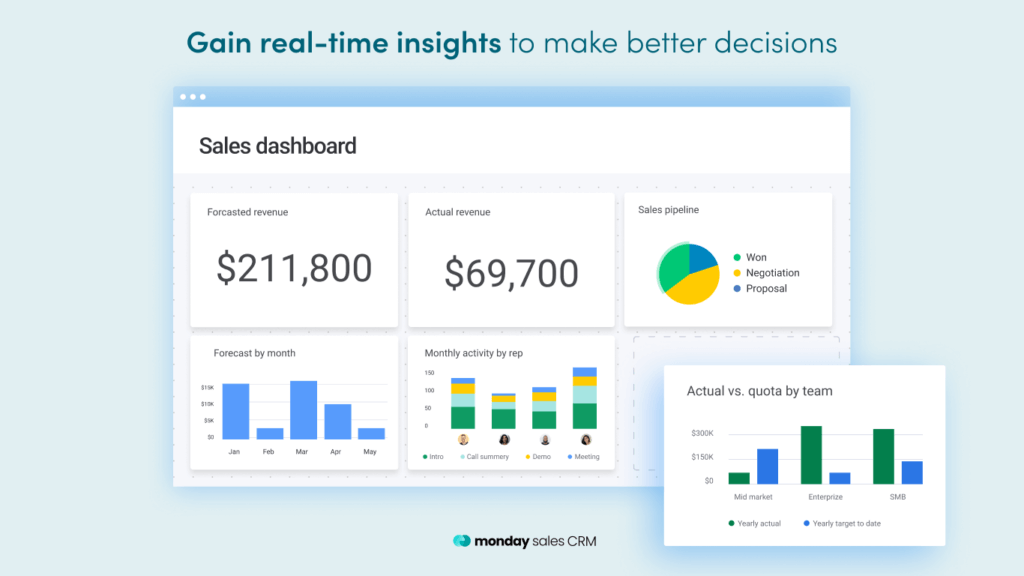
If you need a flexible, visual, and scalable CRM for your startup, monday CRM is the strongest overall choice in this comparison.
The platform combines contact management, sales pipelines, email tools, automation, reporting, and team collaboration with the broader flexibility of monday.com’s work platform.
You can use it to manage sales opportunities, partnerships, onboarding, account handoffs, customer success, and internal workflows without forcing every process into a rigid CRM structure.
Key Features
- Customizable Sales Pipelines
Build pipelines around your real sales process using flexible stages, fields, boards, groups, and views. - No-Code Automation
Automate lead assignments, follow-up reminders, notifications, status changes, and recurring sales activities. - Email Sync and Tracking
Connect Gmail or Outlook, manage communication, track engagement, and associate messages with contacts and deals. - Sales Forecasting and Dashboards
Monitor pipeline value, targets, activities, conversion rates, expected revenue, and team performance. - AI-Powered Assistance
Use monday AI tools to summarize information, generate content, organize data, and support repetitive workflows. - Cross-Team Collaboration
Connect sales with onboarding, delivery, marketing, finance, and customer success workflows in one environment.
✅ Pros
- Highly customizable for changing startup workflows
- Combines CRM, collaboration, automation, and work management
- Visual interface is approachable for non-technical users
- Strong dashboards and automation for growing sales teams
- Can manage pre-sale and post-sale processes together
❌ Cons
- Paid CRM plans generally begin with a three-seat purchase
- Initial configuration is needed to unlock its full value
- Advanced analytics and automation require higher-tier plans
monday CRM Pricing (as of 2026)
| Plan | Monthly Price per Seat | Best For | Key Features |
| Basic | $12, billed annually | Startups creating their first structured CRM | Custom pipelines, contacts, deals, templates, and basic dashboards |
| Standard | $17, billed annually | Growing startup teams | Email tools, automations, integrations, additional views, and higher limits |
| Pro | $28, billed annually | Scaling sales organizations | Sales forecasting, advanced analytics, higher automation limits, and team management |
| Ultimate | Custom pricing | Large scale-ups with advanced requirements | Enterprise security, governance, permissions, support, and expanded limits |
monday CRM offers a 14-day trial. Annual prices are shown per seat, and paid plans generally require at least three seats. Monthly billing costs more.
Why monday CRM Is the Best Overall Pick for Startups
monday CRM is more than a contact database. It gives your startup a flexible operating system for customer-facing work.
You can begin with a simple lead and deal pipeline, then add onboarding, account management, renewals, partnerships, project delivery, and customer success workflows as your company develops.
Choose monday CRM if you want a platform that can adapt without requiring a full CRM administrator. Consider a free or single-seat alternative if you are a solo founder and only need basic contact tracking.
Folk CRM

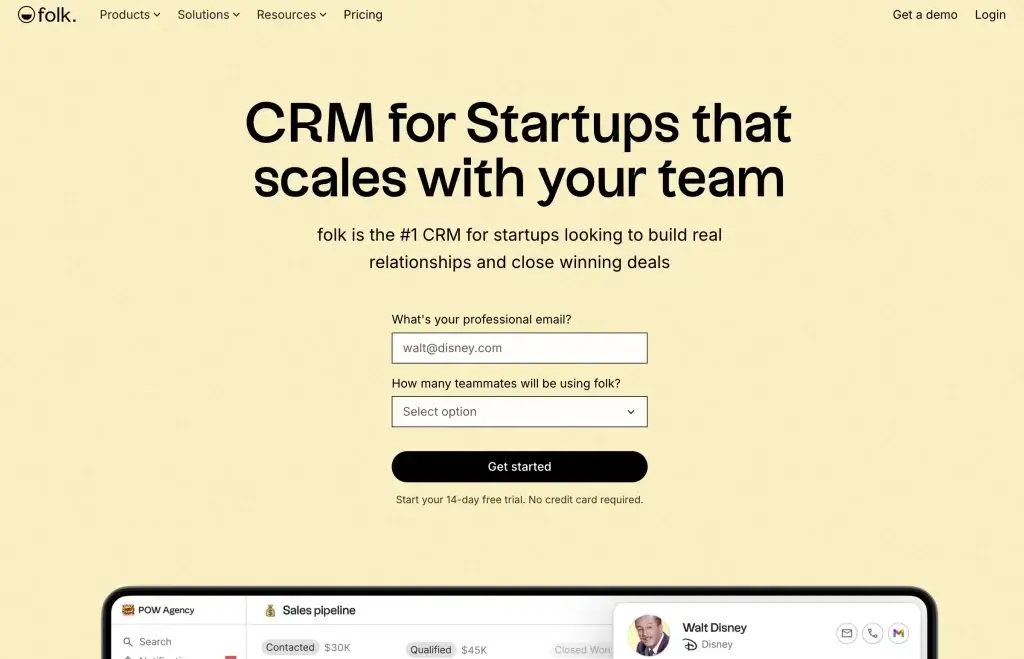
Folk CRM is built for startups that generate business through founder networks, partnerships, referrals, LinkedIn conversations, and personalized outreach.
Instead of forcing every relationship into a traditional sales structure, Folk gives you a flexible way to organize contacts, build pipelines, enrich records, and plan follow-ups.
It is particularly useful when the context behind a relationship matters as much as the opportunity value.
Key Features
- LinkedIn and Web Capture
Use the FolkX browser extension to save contacts from LinkedIn, Sales Navigator, and company websites. - Contact Enrichment
Find missing professional information and keep contact records useful as your database grows. - Deduplication
Identify and merge duplicate contacts before they weaken reporting, outreach, and team collaboration. - Email Campaigns and Sequences
Create personalized outreach campaigns and, on higher plans, structured multistep sequences. - AI Assistants and Magic Fields
Research contacts, categorize records, summarize information, and generate personalized content. - Email, Calendar, and WhatsApp Sync
Keep conversations and meetings attached to the correct contact for more contextual follow-ups.
✅ Pros
- Excellent fit for founder-led and relationship-based selling
- Fast onboarding with limited CRM administration
- Strong LinkedIn capture, enrichment, and deduplication tools
- Clean interface with useful multichannel contact context
- Can support sales, partnerships, fundraising, and recruiting
❌ Cons
- No permanent free plan, only a two-week trial
- Deals, sequences, dashboards, API access, and advanced permissions require Premium
- Less suitable for complex forecasting and territory management
Folk CRM Pricing (as of 2026)
| Plan | Monthly Price per Member | Best For | Key Features |
| Standard | $24, billed annually | Founder-led and small startup teams | Unlimited contacts, pipelines, email campaigns, enrichment, AI fields, LinkedIn capture, and communication sync |
| Premium | $48, billed annually | Scaling relationship-driven teams | Deals, custom objects, sequences, dashboards, API access, advanced permissions, and higher usage limits |
| Enterprise | From $80, billed annually | Organizations needing custom limits and support | Advanced controls, custom usage limits, onboarding assistance, and priority support |
Folk offers a two-week trial of its Premium plan. Month-to-month subscriptions cost more than the annual prices shown above.
Why Folk CRM Works for Relationship-Driven Startups
Folk CRM works best when your sales process depends on personal context and consistent follow-up.
It helps you keep track of where you met a contact, who introduced you, what was discussed, and what should happen next. That makes it useful for service businesses, agencies, investors, recruiters, consultants, and partnership-driven startups.
Choose Folk if you want a lightweight CRM that preserves relationship context. Choose a more structured sales CRM if you need advanced forecasting, territories, approval processes, or enterprise reporting.
HubSpot CRM

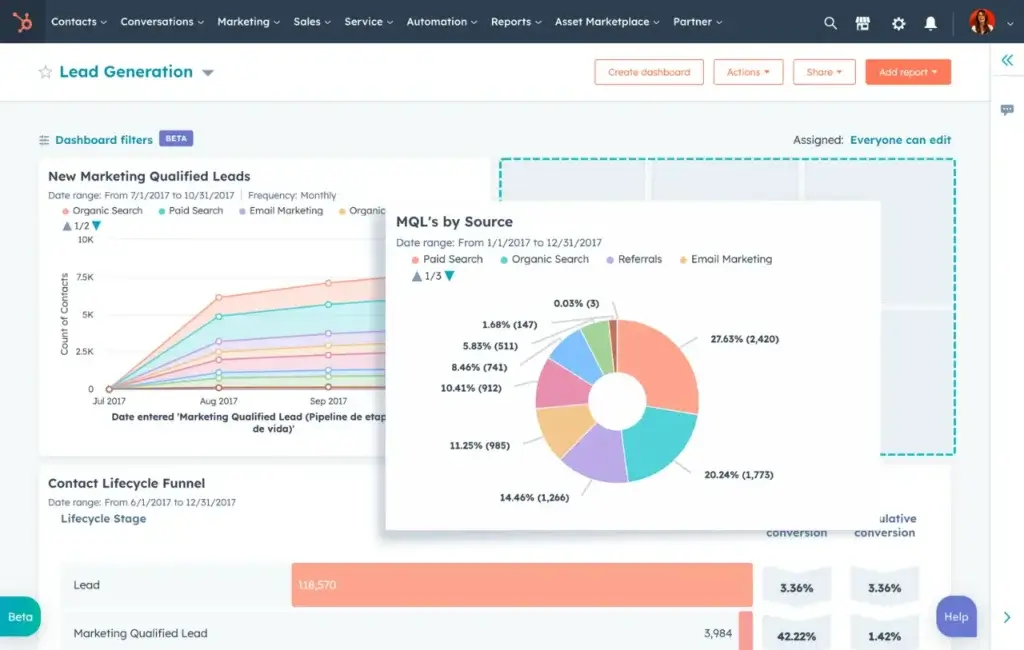
HubSpot CRM is one of the strongest options for a startup that needs a functional free CRM with an easy upgrade path.
The free tools support up to two users and 1,000 contacts with no expiration date. That can be enough for founders to begin managing contacts, deals, tasks, emails, forms, meetings, and customer conversations.
As your startup grows, you can add paid sales, marketing, service, content, data, and revenue products within the same customer platform.
Key Features
- Contact and Company Management
Store up to 1,000 contacts on the free plan and view customer activities through a centralized timeline. - Deal Pipeline Management
Track opportunities through visual stages and record deal values, owners, activities, and expected close dates. - Email Tracking and Templates
Connect Gmail or Outlook, monitor engagement, and reuse templates and snippets. - Forms, Live Chat, and Meeting Scheduling
Capture website leads and make it easier for prospects to contact or book time with your team. - Reporting Dashboards
Monitor sales activity, lead generation, pipeline progress, and other customer-facing metrics. - Breeze AI and HubSpot Credits
Use AI tools and agents for enrichment, content, prospecting, recommendations, and supported automation.
✅ Pros
- Permanent free CRM for up to two users and 1,000 contacts
- Easy for non-technical founders to set up
- Strong inbound marketing and website lead-generation tools
- More than 2,000 available app and service integrations
- Clear upgrade path across sales, marketing, service, and operations
❌ Cons
- Free access is limited to two users and 1,000 contacts
- Professional automation and reporting can become expensive
- Marketing-contact volume may significantly increase costs
- Some AI tools consume HubSpot Credits
HubSpot CRM Pricing (as of 2026)
| Plan | Starting Price | Best For | Key Features |
| Free Tools | $0 | Founders and teams of up to 2 users | 1,000 contacts, deal tracking, tasks, email tools, forms, chat, meetings, and basic reporting |
| Starter Customer Platform | From $7 per month under the current annual offer | Small startups needing connected paid tools | Starter-level sales, marketing, service, content, data, and commerce functionality |
| Professional Products | Varies by product and seats | Scaling teams needing advanced automation | Advanced workflows, reporting, AI, forecasting, campaigns, and operational tools |
| Enterprise Products | Varies by product and seats | Scale-ups with complex administration | Advanced permissions, governance, custom objects, controls, and higher limits |
HubSpot pricing depends on the products, seats, marketing contacts, onboarding, and credits you select. Promotional Starter pricing may change.
Why HubSpot Is the Best Free CRM for Startups
HubSpot gives you enough functionality to replace an early-stage contact spreadsheet without creating an immediate monthly expense.
It is especially useful when your startup relies on inbound marketing, website forms, content, live chat, and email nurturing.
Before upgrading, model your future costs carefully. HubSpot can become expensive as you add Professional products, paid seats, marketing contacts, automation, reporting, and additional credit usage.
Pipedrive
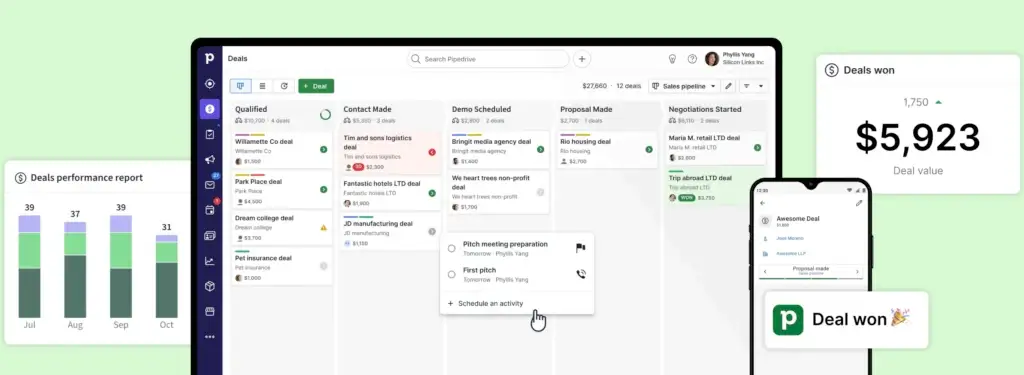
Pipedrive is designed for startups that want to build a clear, activity-driven sales process.
Its visual pipeline makes it easy to see which deals are progressing, where opportunities are becoming delayed, and what action each sales representative should complete next.
The platform is narrower than an all-in-one customer platform, but that focus can make it easier for sales teams to adopt.
Key Features
- Visual Sales Pipelines
Move deals through customizable stages using an intuitive drag-and-drop interface. - Activity-Based Selling
Schedule calls, emails, meetings, and tasks so each active deal has a defined next step. - Email Sync and Tracking
Connect your inbox, track communication, use templates, and associate emails with deals and contacts. - Automations and Sequences
Automate sales activities, reminders, deal updates, and multistep follow-up processes. - Forecasting and Reporting
Track expected revenue, recurring revenue, conversion rates, deal progress, and team performance. - AI Sales Tools
Generate reports and emails, summarize conversations, and receive recommendations based on CRM activity.
✅ Pros
- One of the clearest visual pipeline interfaces
- Fast onboarding for founders and sales representatives
- No minimum seat requirement
- Strong sales automation on Growth and higher plans
- More than 500 available integrations
❌ Cons
- No permanent free CRM plan
- Full email sync and automation require the Growth plan
- Campaigns, lead generation, projects, and visitor tracking may require add-ons
- Less suitable for integrated marketing and customer support
Pipedrive Pricing (as of 2026)
| Plan | Monthly Price per Seat | Best For | Key Features |
| Lite | $14, billed annually | Startups organizing their first pipeline | Lead, deal, contact, calendar, activity, integration, and basic AI tools |
| Growth | $39, billed annually | Active startup sales teams | Full email sync, automation, sequences, scheduling, subscriptions, and forecasting |
| Premium | From $59, billed annually | Scaling sales organizations | Lead routing, scoring, enrichment, contracts, expanded customization, and advanced AI tools |
| Ultimate | $79, billed annually | Teams needing higher limits and controls | Sandbox, enrichment, advanced security, expanded usage, and additional support |
Pipedrive offers a 14-day free trial rather than a permanent free plan. Optional add-ons can increase the final subscription cost.
Why Pipedrive Is Ideal for Sales-Driven Startups
Pipedrive keeps your team focused on the activities that move deals forward.
It is a strong choice when your startup has a repeatable B2B sales cycle involving calls, meetings, demos, proposals, and defined pipeline stages.
Choose Pipedrive if sales execution is your main priority. Consider HubSpot if inbound marketing is equally important, or monday CRM if your sales process must connect closely with onboarding and operational delivery.
Zoho CRM

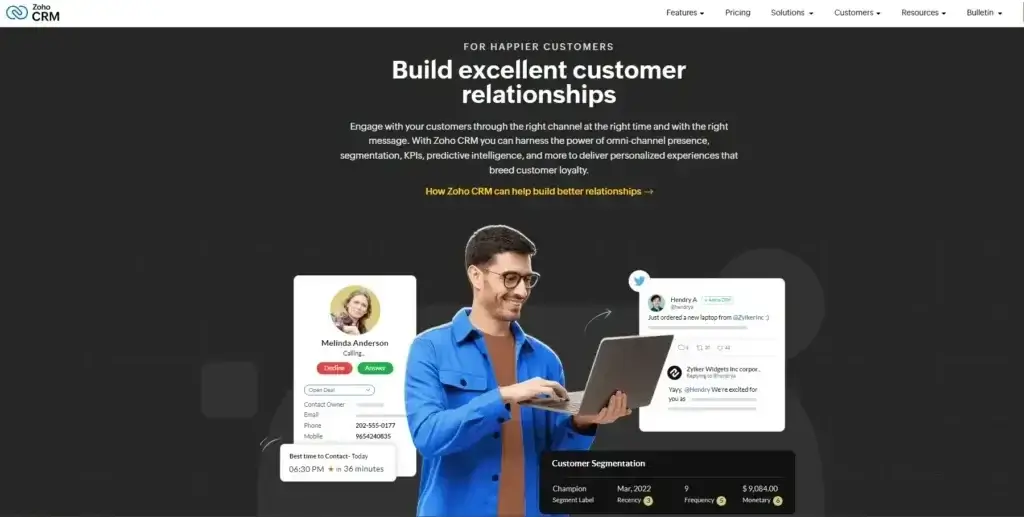
Zoho CRM is one of the best options for a startup that wants advanced CRM functionality at a relatively accessible price.
Its free edition supports up to three users, while paid plans add email integration, multiple pipelines, forecasting, automation, custom modules, process management, portals, and AI.
Zoho CRM is also part of a broad ecosystem that includes accounting, marketing, support, projects, forms, analytics, and other business applications.
Key Features
- Multiple Sales Pipelines
Manage different products, customer segments, regions, or sales processes within one CRM account. - Workflow Automation
Assign leads, update records, send alerts, schedule actions, and standardize repetitive sales work. - Cadences and Follow-Up Automation
Build structured multichannel follow-up processes for leads and opportunities. - Custom Modules and Fields
Adapt the CRM data model to match the information your startup needs to manage. - Forecasting and Analytics
Monitor sales targets, deal progress, pipeline value, conversion rates, and expected revenue. - Zia AI and AI Agents
Use AI for predictions, recommendations, content, workflow support, data analysis, and supported automated actions.
✅ Pros
- Free edition for teams of up to three users
- Competitive paid-plan pricing
- Strong workflow automation and customization
- Broad ecosystem of connected Zoho business applications
- Useful AI and agent capabilities across supported plans
❌ Cons
- The interface can feel dense for new users
- Setup requires more planning than a lightweight CRM
- Advanced Zia capabilities require higher plans
- Some broader functions require separate Zoho products
Zoho CRM Pricing (as of 2026)
| Plan | Monthly Price per User | Best For | Key Features |
| Free Edition | $0 | Small teams of up to 3 users | Leads, deals, workflows, reports, documents, mobile access, and essential CRM tools |
| Standard | $14, billed annually | Startups building repeatable sales processes | Email integration, multiple pipelines, forecasting, forms, scoring, and custom modules |
| Professional | $23, billed annually | Growing teams needing advanced automation | Process management, inventory, predictive intelligence, CPQ, and portals |
| Enterprise | $40, billed annually | Scale-ups needing advanced customization | Zia AI, territories, journeys, advanced permissions, customization, and governance |
| Ultimate | $52, billed annually | Teams requiring higher limits and assistance | Enhanced limits, analytics, migration assistance, data preparation, and advanced AI tools |
Prices reflect standard US annual rates. Monthly billing, currencies, local taxes, and promotional offers may change the final amount.
Why Zoho CRM Offers Strong Value for Startups
Zoho CRM gives you access to capabilities that are often reserved for more expensive CRM subscriptions.
It is especially valuable if your startup needs multiple pipelines, advanced automation, custom modules, process controls, and AI without moving immediately to enterprise-level pricing.
Choose Zoho CRM if your team is prepared to invest time in configuration. Consider Nutshell, Pipedrive, or Folk if rapid adoption and simplicity matter more than customization depth.
Nutshell

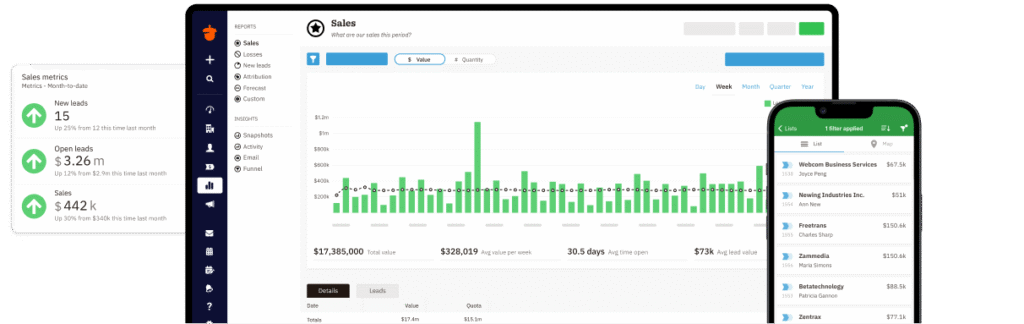
Nutshell is designed for small B2B teams that want a structured CRM without excessive administration or enterprise complexity.
Every CRM subscription includes unlimited contacts and storage, email and calendar synchronization, forms, landing pages, an AI chatbot, web chat, and entry-level email marketing capabilities.
Its clear plan structure and included live support make it a practical choice for startups moving away from spreadsheets.
Key Features
- Contact and Pipeline Management
Organize unlimited contacts and move opportunities through customizable sales stages. - Email and Calendar Sync
Connect customer conversations and meetings with the correct CRM records. - AI Outcomes
Use AI assistance for lead summaries, recommended next actions, campaign creation, and other supported workflows. - Forms and Landing Pages
Capture inbound leads without adopting a separate entry-level form or landing-page tool. - Sales Automation
Build structured workflows and sequences on Pro and higher plans. - Reporting and Performance Management
Track activities, quotas, pipeline progress, lead assignments, goals, and sales results.
✅ Pros
- Simple interface with relatively fast onboarding
- No minimum or maximum seat requirement
- Unlimited contacts and storage across CRM plans
- Sales and entry-level marketing tools in one platform
- Free live support is included with every plan
❌ Cons
- Smaller integration ecosystem than HubSpot or Zoho
- Advanced pipelines, automation, and reporting require higher plans
- Optional marketing and engagement add-ons increase total cost
- Not designed for highly complex global CRM operations
Nutshell CRM Pricing (as of 2026)
| Plan | Monthly Price per User | Best For | Key Features |
| Foundation | $13, billed annually | Startups moving from spreadsheets | Unlimited contacts, email sync, forms, landing pages, AI chatbot, storage, and basic AI outcomes |
| Growth | $25, billed annually | Teams needing better sales management | Activity reports, quotas, assignment rules, stage goals, hot leads, and additional AI outcomes |
| Pro | $42, billed annually | Growing sales teams | Five pipelines, advanced reports, sales automation, AI lead recaps, next steps, and scheduling |
| Business | $59, billed annually | Established B2B teams | Ten pipelines, audit logs, territories, advanced scheduling, templates, and higher AI limits |
| Enterprise | $79, billed annually | Teams needing governance and higher limits | Unlimited pipelines, unlimited custom fields, SSO, SQL access, phone support, and expanded AI usage |
Nutshell offers a 14-day free trial with no credit card required. Marketing, engagement, prospecting, and other optional add-ons are priced separately.
Why Nutshell Is a Strong Choice for Small B2B Startups
Nutshell provides a clear path from basic contact management to structured sales automation without forcing your startup into a complicated implementation.
It is best for teams that value simplicity, unlimited contacts, included support, and predictable CRM functionality.
Choose Nutshell if you want an approachable B2B CRM that can be implemented quickly. Consider monday CRM, Zoho CRM, or Creatio if your processes require deeper customization across several departments.
Creatio

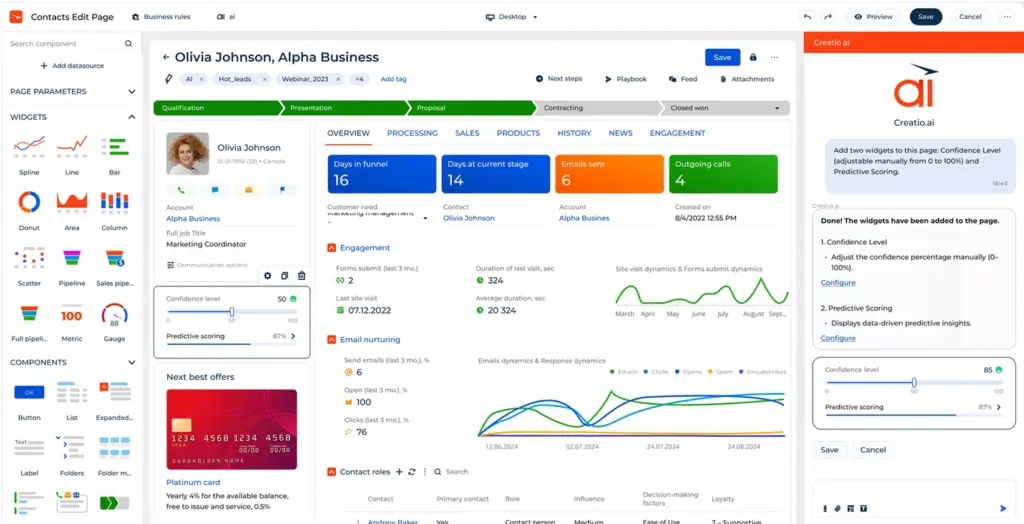
Creatio is the most advanced platform in this comparison. It combines AI-powered CRM, no-code application development, and workflow automation in one environment.
The platform includes dedicated products for sales, marketing, and customer service, plus visual tools for building custom workflows, pages, data models, applications, and AI agents.
It is not the most practical option for a two-person startup with a simple pipeline. Creatio becomes more relevant when a funded startup or scale-up needs complex processes across several teams.
Key Features
- No-Code CRM Customization
Customize pages, fields, objects, layouts, rules, workflows, and data models through visual tools. - Sales CRM
Manage leads, contacts, accounts, opportunities, forecasts, activities, orders, and complex B2B sales processes. - Marketing Automation
Create customer segments, campaigns, journeys, lead-scoring models, events, and marketing-to-sales handoffs. - Customer Service Management
Manage cases, queues, service requests, knowledge, escalation processes, and service-level agreements. - AI Agents and Intelligent Automation
Use predictive, generative, and agentic AI for research, qualification, content, recommendations, and process execution. - Business Process Automation
Build workflows for approvals, onboarding, renewals, compliance, customer service, operations, and cross-team handoffs.
✅ Pros
- Deep no-code CRM customization
- Combines sales, marketing, service, and operational workflows
- Strong AI-native and agentic automation capabilities
- Suitable for complex B2B and cross-department processes
- Can support custom business applications beyond CRM
❌ Cons
- No permanent free CRM plan
- More expensive than lightweight startup CRMs
- Requires more planning, implementation, and training
- May be excessive for a simple founder-led sales process
- Final pricing depends on products, users, support, and implementation
Creatio Pricing (as of 2026)
| Plan or Product | Starting Price | Best For | Key Features |
| Growth Platform | $40 per user/month | Growing companies needing no-code automation | Business and AI Studio, workflow automation, application building, and AI capabilities |
| Enterprise Platform | $75 per user/month | Companies needing advanced scale and governance | Expanded automation, controls, administration, performance, and enterprise capabilities |
| CRM Products | From $15 per user/month for each product | Teams adding sales, marketing, or service functionality | Creatio Sales, Creatio Marketing, and Creatio Service are added based on your requirements |
| Unlimited | Custom pricing | Large organizations adopting Creatio broadly | Full platform, CRM products, users, workflows, applications, AI agents, and expanded usage |
Creatio uses composable pricing. Your final cost can include the platform plan, CRM products, implementation, support, integrations, marketplace applications, and other services.
Why Creatio Fits Complex and Scaling Startups
Creatio is best for a startup that has moved beyond basic contact management and needs a CRM to support complex customer-facing and operational processes.
It can be a strong fit for funded B2B startups, regulated companies, service organizations, and scale-ups that need formal approvals, several departments, custom applications, advanced automation, or stronger process governance.
Choose Creatio if you need a CRM that can be shaped around your organization. Choose Pipedrive, Folk, Nutshell, HubSpot, or Zoho CRM if speed, simplicity, and a lower starting cost are more important.
Best CRM by Startup Stage
Best CRM for solo founders and pre-seed startups
A solo founder or two-person team should prioritize free access, simple setup, email synchronization, contact management, and clear next steps.
HubSpot CRM is the best free starting point for up to two users. Zoho CRM is another strong option for teams of up to three users, especially when you want more customization.
Folk is worth considering when most opportunities come from LinkedIn, communities, partnerships, and personal networks.
Best CRM for seed-stage startups
Seed-stage companies usually need shared pipelines, lead routing, automation, email tools, dashboards, and reliable handoffs between founders and new sales hires.
monday CRM provides the best balance of flexibility and scalability at this stage. Pipedrive is a better fit when your sales process is already clearly defined, while HubSpot is attractive when inbound marketing drives a large percentage of pipeline.
Best CRM for Series A and scaling startups
Scaling startups should evaluate permissions, multiple teams, forecasting, custom data structures, APIs, lifecycle reporting, customer success handoffs, and governance.
monday CRM Pro or Ultimate can support complex growth workflows. Zoho CRM Enterprise provides substantial customization at a relatively competitive price. Creatio becomes relevant when the company needs no-code applications, AI agents, formal workflows, and processes spanning sales, marketing, service, and operations.
Best Startup CRM by Go-to-Market Model
| Go-to-Market Model | Recommended CRM | Why It Fits |
| Founder-led sales | Folk CRM | Strong relationship context, LinkedIn capture, enrichment, and personalized outreach |
| Inbound marketing | HubSpot CRM | Forms, live chat, marketing tools, content workflows, and CRM in one ecosystem |
| Outbound sales | Pipedrive | Clear activities, visual pipelines, email synchronization, automation, and sequences |
| SaaS startup | monday CRM | Flexible pipelines, onboarding, customer success, dashboards, and operational workflows |
| Agency or consultancy | monday CRM or Folk | Combines relationship management with flexible delivery and account workflows |
| Complex B2B scale-up | Creatio | No-code process automation across sales, marketing, service, and operations |
For more help building an outbound motion, see this guide to outbound sales for startups.
How Much Does CRM Software Cost for a Startup?
CRM pricing may begin at $0, but the advertised monthly seat price does not always represent the full cost.
Consider the following cost categories:
- Minimum seats: monday CRM paid plans begin at three users.
- Billing period: Annual subscriptions usually cost less per month but require a larger upfront commitment.
- Contacts: HubSpot costs can change as marketing-contact volume grows.
- AI usage: Some platforms include allowances, credits, actions, or outcomes that may require additional purchases.
- Add-ons: Lead generation, campaigns, calling, projects, enrichment, and visitor tracking may cost extra.
- Implementation: Complex systems may require consultants, migration services, configuration, and training.
- Integrations: Connecting finance, support, product, or data platforms may involve external tools or development.
- Internal ownership: Larger CRM environments may need an operations manager or administrator.
Estimate the cost over at least three years. Include the price after startup discounts expire and model how user, contact, automation, storage, and AI requirements may change.
How to Choose the Right CRM for Your Startup
Define the problem before comparing products
Begin with the outcome you need. You may want to reduce missed follow-ups, build a repeatable sales pipeline, improve forecasting, connect marketing with sales, or standardize customer onboarding.
A precise problem statement prevents you from selecting software based on features your team will not use.
Match the CRM to your sales process
Map your lead sources, qualification criteria, pipeline stages, customer handoffs, and reporting needs.
Pipedrive is strong for a linear sales process. Folk fits relationship-led selling. HubSpot supports inbound growth. monday CRM handles more flexible sales and operational workflows. Creatio is designed for processes that require substantial customization.
Test the total cost
Build a three-year model that includes seats, contacts, add-ons, AI usage, implementation, integrations, and support.
A free or inexpensive CRM can become costly after your team depends on advanced automation, reporting, or marketing features. A more expensive platform may be economical if it replaces several separate tools.
Check integrations and data portability
Confirm that the CRM connects with your email, calendar, communication, marketing, accounting, support, and product systems.
Also review CSV exports, APIs, attachments, activity history, custom objects, and migration options. Your startup should understand how to leave a CRM before committing to it.
Use a real-world trial
Do not test an empty CRM. Import a small set of real contacts and opportunities, build your actual pipeline, connect email, create one automation, and invite several team members.
At the end of the trial, evaluate whether the CRM improves visibility and reduces manual work. A system that looks impressive during a demonstration may still be difficult to maintain every day.
How to Implement a Startup CRM in 30 Days
Week 1: Define the process
Document your lead sources, sales stages, qualification criteria, ownership rules, required fields, and reporting needs. Assign one person to own the CRM structure and adoption.
Week 2: Clean and import the data
Remove duplicates, standardize company names, confirm contact ownership, and delete outdated records before migration. Poor data will weaken reports, automation, segmentation, forecasting, and AI suggestions.
Week 3: Configure the core workflow
Build one primary pipeline, connect email and calendars, create essential dashboards, and launch one or two automations. Avoid attempting to configure every possible feature immediately.
Week 4: Train, launch, and review
Train users according to their roles. Show sales representatives how to update deals and activities, and show managers how to monitor pipeline health and adoption.
Review usage after the first week. Remove unnecessary fields, fix unclear stages, and identify opportunities for additional automation.
For a more detailed process, use this CRM implementation guide.
Common Startup CRM Mistakes
- Over-customizing too early: Start with the minimum structure your team needs.
- Importing dirty data: Clean records before they enter the new CRM.
- Creating too many required fields: Excessive data entry reduces adoption.
- Ignoring ownership: Every lead and opportunity should have a responsible person.
- Automating a broken process: Define the workflow before adding triggers and actions.
- Failing to review usage: Monitor login activity, record completeness, and overdue tasks.
- Choosing only by current price: Include future users, contacts, integrations, and advanced features.
Conclusion
Which CRM Is Best for Your Startup?
monday CRM is the best overall option for startups that need a flexible system for sales and broader business workflows. It provides a strong balance of usability, automation, customization, collaboration, and scalability.
Folk is the better choice for founder-led and relationship-driven sales. HubSpot offers the strongest free entry point for a two-person team and is particularly useful for inbound growth.
Pipedrive is the most focused option for visual pipeline management. Zoho CRM offers substantial automation and customization at competitive prices. Nutshell provides a simple and supportive environment for small B2B teams.
Creatio is the specialist option for funded startups and scale-ups that need no-code applications, complex workflows, AI agents, and cross-functional CRM processes.
Before purchasing, test your top two options with the same sample data and workflow. The best CRM is not the platform with the longest feature list. It is the one your team can maintain consistently as your startup grows.
Frequently Asked Questions
What is the best CRM for startups?
monday CRM is the best overall CRM for startups that need customizable pipelines, automation, dashboards, and collaboration. HubSpot is better for teams prioritizing a free CRM, while Folk is particularly useful for founder-led sales.
What is the best free CRM for a startup?
HubSpot CRM is one of the best free options for startups. Its free tools support up to two users and 1,000 contacts. Zoho CRM is another strong free option and supports up to three users.
Does a two-person startup need CRM software?
A two-person startup can benefit from CRM software when both founders communicate with leads or customers. A CRM prevents missed follow-ups, unclear ownership, duplicate records, and scattered communication history.
When should a startup stop using spreadsheets?
A startup should move from spreadsheets when follow-ups are being missed, several people update customer data, deal ownership is unclear, or reporting requires significant manual work.
How much should a startup spend on a CRM?
Early-stage startups may begin with a free CRM. Growing teams commonly pay between $10 and $50 per user per month, although implementation, contacts, AI usage, calling, enrichment, and add-ons can increase the total cost.
What CRM is best for a SaaS startup?
monday CRM is a strong option for SaaS startups because it can connect sales pipelines with onboarding, customer success, product feedback, and operational workflows. HubSpot is also useful for inbound-led SaaS growth.
Which CRM is best for founder-led sales?
Folk CRM is well suited to founder-led sales because it combines LinkedIn capture, enrichment, personalized outreach, relationship context, email, calendars, and WhatsApp synchronization.
Which CRM is best for outbound sales startups?
Pipedrive is a strong CRM for outbound sales startups because it provides visual pipelines, activity tracking, email synchronization, automations, sequences, scheduling, and sales forecasting.
Is Creatio suitable for an early-stage startup?
Creatio is usually better for funded startups and scale-ups with complex workflows. Very small teams that only need contacts, deals, and follow-up reminders will normally get faster value from a simpler CRM.
Can a startup switch CRM platforms later?
Yes, but migration becomes more difficult as data, automations, integrations, and custom fields grow. Review export tools, APIs, data ownership, activity-history migration, and attachments before selecting a CRM.