
CRM implementation is the process of planning, configuring, launching, and improving a customer relationship management system so it supports your sales, marketing, service, and customer operations. It includes more than installing software. You need to define goals, clean your data, map workflows, train users, connect tools, and measure adoption after launch.
If you approach CRM implementation as a simple technical setup, your team may end up with another underused system. But when you treat it as a business transformation project, your CRM can become the central source of truth for customer relationships, pipeline visibility, follow-ups, reporting, and revenue growth.
According to Grand View Research, the global CRM market was valued at USD 73.40 billion in 2024 and is projected to reach USD 163.16 billion by 2030, growing at a CAGR of 14.6% from 2025 to 2030. The report highlights AI, automation, hyper-personalized customer service, and stronger customer engagement strategies as key growth drivers.
The business case is also strong. Nucleus Research found that CRM returned an average of $8.71 for every dollar spent. However, that return depends heavily on how well you implement the system, how clean your data is, and whether your team actually uses the CRM every day.
This CRM implementation guide walks you through a practical 8-step process you can use to plan, launch, and optimize your CRM. You will also learn how to avoid common CRM implementation challenges, how to estimate your timeline, which KPIs to track, and when it makes sense to use an implementation partner.
What Is CRM Implementation?
CRM implementation is the structured process of setting up CRM software so it matches your business goals, customer journey, team workflows, and reporting needs. It usually includes CRM selection, data migration, system configuration, workflow automation, integrations, user training, testing, launch, and post-launch optimization.
A strong CRM implementation gives your team a single place to manage leads, contacts, accounts, deals, tasks, customer communication, and performance reporting. Instead of working across spreadsheets, inboxes, sticky notes, and disconnected tools, your team can manage customer relationships from one central platform.
The best CRM implementations are not driven only by software features. They are driven by process clarity, clean customer data, clear ownership, and consistent user behavior. Before you customize fields or build automations, you need to understand how your business sells, serves, follows up, and reports on customer activity.
Why CRM Implementation Matters
A CRM can improve visibility, productivity, and customer experience, but only if it is implemented correctly. Many companies buy CRM software expecting immediate results, then struggle because their data is messy, their teams are not trained, or their workflows were never clearly defined.
When CRM implementation is done well, you can create a more predictable sales process, reduce missed follow-ups, improve customer handoffs, and make reporting more reliable. Your managers can see what is happening in the pipeline, your reps can prioritize the right opportunities, and your service team can access customer history without searching through multiple systems.
A strong implementation also helps your business scale. As your team grows, you need consistent rules for lead ownership, deal stages, customer segmentation, permissions, dashboards, and automation. Without that foundation, your CRM can quickly become cluttered and difficult to trust.
CRM Implementation Strategy: What to Plan Before Setup
Before you start configuring your CRM, build a clear implementation strategy. This strategy should define why you are implementing the CRM, who is responsible for each part of the project, which workflows matter most, and how you will measure success after launch.
Your CRM implementation strategy should answer these questions:
- What business goals should the CRM support?
- Which teams will use the CRM first?
- What customer data needs to be migrated?
- Which tools must the CRM integrate with?
- What workflows should be automated?
- Who owns CRM administration after launch?
- Which KPIs will prove that implementation worked?
Do not skip this planning stage. It is much easier to make smart CRM decisions when you know your priorities. For example, a sales-led company may prioritize pipeline stages, deal tracking, and forecasting. A service-based company may focus more on customer records, ticket history, follow-up tasks, and account management.
CRM Implementation Guide: 8 Steps to Launch Successfully
The following 8 CRM implementation steps will help you move from planning to adoption without overwhelming your team. You can use them whether you are implementing your first CRM or replacing an older system.
Step 1: Identify Your Business Needs
Start by understanding why you need a CRM in the first place. What is not working in your current process? Are sales leads falling through the cracks? Is reporting unreliable? Are customer notes stored across emails and spreadsheets? Are managers struggling to understand pipeline health?
This step should involve more than one person. Speak with sales, marketing, customer success, operations, and leadership. Each team will see different problems, and those problems should shape your CRM requirements.
For example, your sales team may need better lead assignment and follow-up reminders. Marketing may need better campaign attribution and segmentation. Customer success may need account history and renewal tracking. Leadership may need dashboards that show pipeline value, forecast accuracy, and customer retention.
Pro tip: Turn vague problems into specific goals. Instead of saying “we need better sales visibility,” define a goal like “we want every open deal to have a clear stage, owner, next step, expected close date, and value.”
Step 2: Set Clear CRM Goals and KPIs
Once you know your business needs, translate them into measurable CRM goals. This is where many implementations fail. If the goal is only “use a CRM,” you will not know whether the project succeeded.
Good CRM goals are specific, measurable, and tied to business outcomes. You may want to reduce lead response time, improve sales forecasting, increase conversion rates, shorten the sales cycle, improve customer retention, or reduce manual admin work.
Examples of strong CRM implementation goals include:
- Reduce lead response time from 24 hours to 4 hours.
- Increase CRM adoption to 85% of active users within 60 days.
- Improve sales forecast accuracy by standardizing deal stages.
- Reduce duplicate customer records by 70% before launch.
- Automate follow-up tasks for all new qualified leads.
These goals will guide your CRM setup. They will also help you avoid unnecessary customization. Every field, automation, dashboard, and integration should support a clear business purpose.
Step 3: Define CRM Requirements and Team Roles
After you define your goals, create a practical CRM requirements list. This should include the features, integrations, permissions, reports, automations, and data fields your team needs to work effectively.
Common CRM requirements include:
- Contact, company, lead, and deal management.
- Custom sales pipeline stages.
- Email and calendar sync.
- Lead assignment and follow-up automation.
- Marketing campaign tracking.
- Customer support or account management visibility.
- Role-based permissions and user access controls.
- Dashboards for sales, marketing, and leadership.
You should also define the people involved in the CRM implementation. A successful rollout usually needs an executive sponsor, project owner, CRM administrator, sales representative, marketing representative, customer service representative, data owner, and internal CRM champions.
The executive sponsor keeps the project aligned with company priorities. The project owner manages timelines and decisions. The CRM admin handles configuration and maintenance. Team representatives ensure the system reflects real workflows instead of assumptions.
Step 4: Choose the Right CRM Platform
Choosing the right CRM is not about finding the platform with the longest feature list. It is about finding the CRM that best fits your team size, sales process, customer journey, technical needs, and growth plans.
Before choosing a platform, compare CRMs based on these factors:
- Ease of use for daily users.
- Workflow customization and automation.
- Sales pipeline visibility.
- Marketing and service integrations.
- Reporting and dashboard flexibility.
- AI and automation capabilities.
- Security, permissions, and data controls.
- Scalability and total cost of ownership.
Here are three strong CRM options to consider:
monday CRM – A flexible, no-code CRM built for teams that want visual pipelines, customizable workflows, automations, dashboards, and easy collaboration across departments.
HubSpot CRM – A strong option for businesses that want sales, marketing, service, and content tools connected inside one ecosystem.
Pipedrive – A sales-focused CRM that works well for teams that want straightforward pipeline management, activity tracking, and deal visibility.
If you are still comparing options, review our best CRM software guide to evaluate platforms by use case, team size, features, and pricing.
Step 5: Build Your CRM Implementation Timeline
A rushed CRM implementation can create more problems than it solves. Your team needs time to clean data, configure workflows, test the system, train users, and fix issues before launch.
A realistic CRM implementation timeline depends on your company size, data complexity, number of users, required integrations, and customization needs. A small business with a simple pipeline may launch in a few weeks. A larger company with multiple departments and integrations may need several months.
| Business Size | Typical Timeline | Implementation Notes |
| Small business | 2 to 6 weeks | Best for simple pipelines, limited users, and clean data |
| Mid-sized business | 6 to 12 weeks | Usually requires workflow mapping, permissions, training, and integrations |
| Enterprise | 3 to 9+ months | Often includes complex data migration, governance, compliance, and phased rollout |
A practical rollout may look like this:
- Week 1-2: Finalize platform, goals, owners, and implementation scope.
- Week 3-4: Clean data, map fields, and configure core pipelines.
- Week 5: Build dashboards, automations, permissions, and integrations.
- Week 6: Run a pilot with one team or department.
- Week 7+: Launch, monitor adoption, collect feedback, and optimize.
Do not treat go-live as the end of the project. It is the beginning of the optimization phase.
Step 6: Prepare, Clean, and Migrate Your Data
Your CRM is only as useful as the data inside it. If you migrate outdated, duplicated, incomplete, or inconsistent data, your reports will be unreliable and your team will lose trust in the system.
Start with a data audit. Review your existing spreadsheets, legacy CRM exports, email lists, forms, and customer databases. Identify which records are useful, which fields should be standardized, and which records should not be migrated at all.
Data prep essentials:
- Remove duplicate contacts, companies, and accounts.
- Standardize field formats such as phone numbers, job titles, and industries.
- Map old fields to the new CRM structure.
- Decide which fields should be required.
- Segment contacts by customer type, lifecycle stage, or source.
- Back up your data before import.
Do not migrate everything just because it exists. Clean, relevant data is more valuable than a large database filled with clutter. A smaller, cleaner migration will make your CRM easier to search, automate, and report on.
You should also create basic data governance rules before launch. Decide who can create records, who can edit key fields, how duplicates will be handled, and how often the team will audit CRM data quality.

Step 7: Customize, Integrate, and Test Your CRM
Most CRMs include default pipelines, fields, and dashboards, but your team will likely need some level of customization. The key is to customize with purpose. Every change should support a workflow, report, automation, or business goal.
Common CRM customizations include:
- Custom deal stages that match your actual sales process.
- Required fields for better reporting and qualification.
- Lead routing rules based on region, source, or company size.
- Automated follow-up tasks for new leads and open deals.
- Dashboards for sales managers, marketing teams, and leadership.
At the same time, avoid over-customization. Too many custom fields, complex automations, and unnecessary approval steps can make the CRM harder to use. Start with native functionality where possible, then customize only when it creates measurable value.
Integrations are also critical. Your CRM should connect with the tools your team already uses, such as email, calendar, marketing automation, calling tools, customer support software, accounting systems, and project management platforms.
Before going live, test your CRM carefully. Test user permissions, automations, forms, integrations, dashboards, email sync, notifications, and sample customer journeys. Salesforce’s CRM implementation guidance also emphasizes testing, training, go-live planning, and post-launch iteration as key stages in the rollout process.

Step 8: Train Users, Launch, and Monitor Adoption
CRM training should not be a one-time meeting. Your team needs practical, role-based training that shows exactly how the CRM supports their daily work.
A sales rep does not need the same training as a marketing manager or customer success lead. Sales users may need to learn lead qualification, deal updates, activity logging, and follow-up reminders. Managers may need dashboards, pipeline reviews, and forecasting. Marketing may need campaign tracking and segmentation.
Tips to drive CRM adoption:
- Create role-based guides and short video tutorials.
- Run live training sessions with real customer scenarios.
- Appoint CRM champions in each department.
- Track usage metrics like logins, updated deals, and completed tasks.
- Ask users what feels confusing or repetitive.
- Use feedback to simplify workflows after launch.
After go-live, monitor adoption closely. If users are not logging in, updating records, or completing tasks, the problem may not be motivation. It may be poor workflow design, unclear training, or too much manual work. Fix adoption issues early before bad habits become normal.

CRM Implementation Cost
What Should You Budget For?
CRM implementation cost goes beyond the monthly software subscription. You also need to consider data migration, setup, customization, integrations, training, support, and ongoing administration.
Some teams can implement a CRM internally with templates and onboarding resources. Others may need help from a consultant or implementation partner, especially if they have complex data, multiple departments, or advanced integrations.
| Cost Area | What It Includes | Why It Matters |
| Software subscription | Monthly or annual CRM licenses | Determines your recurring CRM cost |
| Data migration | Cleaning, mapping, importing, and validating records | Impacts reporting accuracy and user trust |
| Customization | Fields, pipelines, dashboards, workflows, and automations | Aligns the CRM with your business process |
| Integrations | Email, calendar, marketing, support, accounting, and analytics tools | Reduces manual work and tool switching |
| Training | Role-based onboarding, documentation, and support sessions | Improves adoption and reduces mistakes |
| Ongoing admin | User management, reporting updates, data quality checks, and optimization | Keeps the CRM useful after launch |
The most expensive CRM is not always the one with the highest subscription fee. It is often the one that your team does not adopt, your managers cannot trust, or your operations team has to constantly fix. When comparing CRM costs, look at total cost of ownership, not only the monthly price.
CRM Implementation KPIs to Track After Launch
Once your CRM is live, you need to measure whether it is actually improving the business. Do not rely only on user opinions. Track a mix of adoption, data quality, sales performance, and customer experience metrics.
| KPI | What It Measures | Why It Matters |
| User adoption rate | Active CRM users compared to total users | Shows whether the team is using the system |
| Data completeness | Required fields completed across key records | Improves reporting, automation, and segmentation |
| Lead response time | Time from lead capture to first action | Helps improve conversion and customer experience |
| Sales cycle length | Average time from opportunity creation to close | Shows whether workflows are improving efficiency |
| Forecast accuracy | Expected revenue compared to actual revenue | Improves pipeline planning and leadership decisions |
| Customer response time | Time to reply to customer inquiries or requests | Useful for service and account management teams |
Review these KPIs regularly during the first 30, 60, and 90 days after launch. Early data will show whether the CRM is supporting your process or creating friction.
Tips for a Smooth CRM Rollout
A smooth CRM rollout depends on preparation, communication, and realistic expectations. Your goal is not to launch every advanced feature on day one. Your goal is to help your team build consistent habits around the workflows that matter most.
- Start with a pilot group before launching company-wide.
- Use real-life customer scenarios during training.
- Set short-term adoption goals, such as 80% user login by week 2.
- Keep your first workflow simple and improve it over time.
- Highlight early wins in team meetings.
- Collect feedback weekly during the first month.
The best CRM rollouts feel practical, not forced. When users see how the CRM helps them save time, prioritize work, and reduce confusion, adoption becomes much easier.
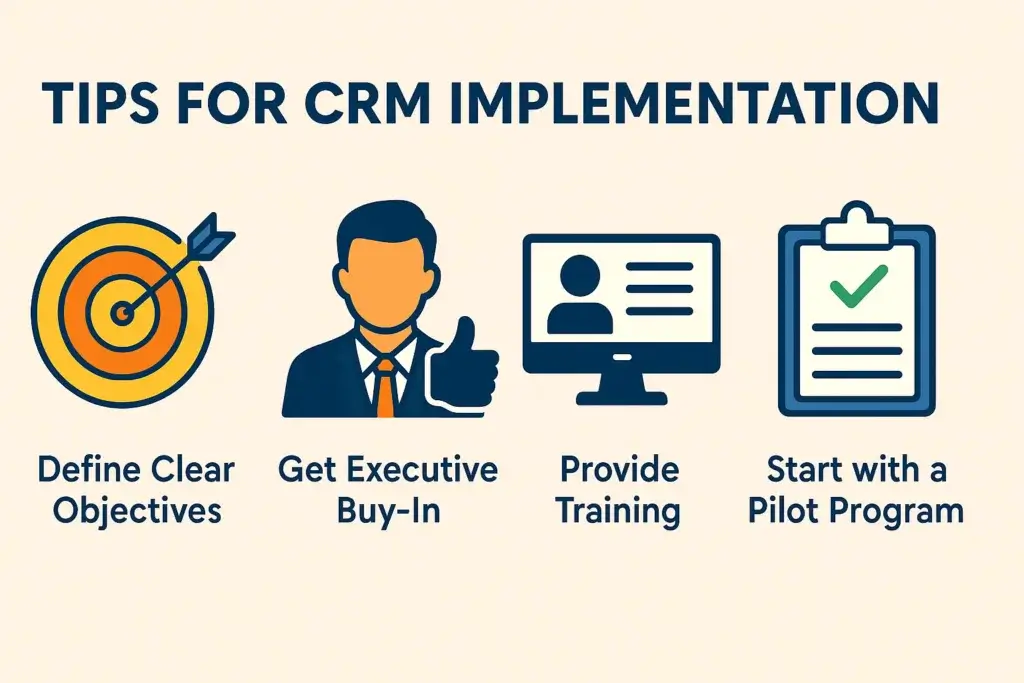
Common CRM Implementation Challenges
CRM implementation can introduce roadblocks if not handled carefully. The good news is that most challenges are avoidable with proper planning, clear ownership, and a realistic rollout strategy.
A common mistake is treating CRM implementation as a software change only. In reality, it is also a process and behavior change. Your team needs to understand why the CRM matters, how it helps their daily work, and what is expected from them after launch.
| Challenge | Solution |
|---|---|
| Resistance to change | Involve users early, explain benefits, and show role-specific use cases |
| Data migration issues | Clean, standardize, map, and validate data before import |
| Low adoption | Provide role-based training, CRM champions, and ongoing support |
| Integration problems | Start with essential tools, test connections, and expand gradually |
| Over-customization | Use native features first and customize only when there is a clear business need |
| Weak ownership | Assign a CRM admin and define who maintains data, workflows, and reports |
Let’s explore these CRM implementation challenges in more detail:
Resistance to change: This is one of the most common hurdles, especially when teams are used to spreadsheets, legacy systems, or manual follow-ups. To reduce resistance, involve team members early, run discovery sessions, and connect CRM benefits to each role. A sales rep cares about faster follow-ups and fewer missed deals. A manager cares about reporting accuracy and forecast visibility.
Data migration issues: Poor data can damage trust in the CRM before your team even starts using it. Clean your database before migration, remove duplicate records, fix inconsistent formats, and test field mapping with a small sample first. It is better to launch with less clean data than with a large volume of unreliable records.
Low adoption: CRM adoption does not happen because leadership announces a new tool. It happens when the CRM becomes part of daily routines. Provide role-based training, appoint internal CRM champions, and track practical usage metrics like login frequency, updated deals, completed tasks, and new contacts created.
Integration problems: A CRM that does not connect with your existing tools can feel like extra admin work. Start with essential integrations such as email, calendar, forms, marketing automation, and communication tools. Test these integrations before company-wide rollout, then add more advanced connections later.
Over-customization: Too many fields, workflows, and automations can slow users down. Oracle’s CRM implementation guidance recommends letting business goals drive functionality, which is a useful principle. If a field or workflow does not help profitability, customer value, process efficiency, cost reduction, or system performance, reconsider whether you really need it.
Weak ownership: A CRM needs an owner after launch. Without a CRM admin or process owner, data quality declines, reports become outdated, automations break, and users lose confidence. Assign clear ownership for permissions, dashboards, workflows, data hygiene, and ongoing optimization.
Even the most advanced CRM will struggle if your people, data, and processes are not aligned. Successful CRM implementation requires a balance of technology, training, governance, and continuous improvement.
Do You Need a CRM Implementation Partner?
You may not need an implementation partner if you are a small team with a simple sales process, clean data, and limited integrations. Many modern CRM tools include templates, onboarding resources, and guided setup flows that make basic implementation manageable.
However, a CRM implementation partner can be valuable if your project is more complex. This is especially true when you are migrating from a legacy CRM, connecting multiple systems, building custom workflows, or rolling out CRM across several departments.
You should consider working with a CRM implementation partner if:
- You have complex data migration needs.
- You need integrations with ERP, accounting, support, or marketing systems.
- You operate in a regulated industry with strict permissions or compliance needs.
- You have multiple sales teams, regions, or business units.
- You lack an internal CRM administrator.
- You need custom dashboards, automation, or advanced reporting.
The right partner can speed up implementation and reduce costly mistakes. Still, you should stay involved in the process. Your internal team understands your customers, workflows, and business goals better than any external consultant.
How AI Changes CRM Implementation
AI is becoming a larger part of CRM implementation, especially in areas such as lead scoring, customer segmentation, email assistance, call summaries, workflow recommendations, and forecasting. However, AI does not replace the need for clean data and clear processes.
If your CRM data is incomplete or inconsistent, AI recommendations will be less reliable. Before enabling advanced AI features, make sure your records, fields, permissions, and workflows are structured properly.
Start with lower-risk AI use cases such as summarizing customer interactions, suggesting follow-up tasks, cleaning records, or drafting internal notes. Once your team trusts the system, you can explore more advanced use cases such as predictive scoring, sales forecasting, and automated customer communication.
CRM Implementation Checklist
Use this CRM implementation checklist before and after launch to make sure your rollout is complete.
✅ Define business goals and CRM success metrics
✅ Identify the teams and users who will use the CRM
✅ Assign an executive sponsor and CRM project owner
✅ Document your sales, marketing, and service workflows
✅ Define CRM requirements and must-have integrations
✅ Choose the right CRM platform for your use case
✅ Clean, standardize, and map your customer data
✅ Configure pipelines, fields, dashboards, and permissions
✅ Build essential automations and integrations
✅ Test workflows, reports, forms, and user permissions
✅ Train users with role-based examples
✅ Launch with a pilot group when possible
✅ Monitor adoption and collect feedback
✅ Review KPIs after 30, 60, and 90 days
✅ Continue improving the CRM as your business grows
Conclusion
CRM implementation is not only about launching software. It is about building a better operating system for customer relationships. When your CRM is planned, configured, and adopted correctly, your team can manage leads more consistently, improve follow-ups, strengthen reporting, and deliver better customer experiences.
The strongest CRM implementations start with clear business goals, clean data, practical workflows, strong training, and ongoing optimization. If you focus only on features, you may create a complicated system. If you focus on usability and business outcomes, your CRM becomes a valuable growth asset.
If you are still comparing platforms, start with our Best CRM Software Guide. You can also read our monday CRM review, HubSpot CRM review, or Pipedrive review to compare CRM tools in more detail.
FAQs
What is CRM implementation?
CRM implementation is the process of planning, configuring, launching, and optimizing CRM software so it supports your sales, marketing, service, and customer management workflows. It includes CRM selection, data migration, customization, integrations, training, testing, and post-launch adoption tracking.
What are the main CRM implementation steps?
The main CRM implementation steps are identifying business needs, setting goals, defining requirements, choosing the right CRM, building a timeline, preparing and migrating data, customizing and testing the system, training users, and monitoring adoption after launch.
How long does CRM implementation take?
CRM implementation can take 2 to 6 weeks for small businesses, 6 to 12 weeks for mid-sized companies, and several months for larger organizations with complex data, integrations, permissions, and multi-team rollout requirements.
How much does CRM implementation cost?
CRM implementation cost depends on software pricing, data migration, customization, integrations, training, consulting, and ongoing administration. Small teams may implement a CRM with limited extra cost, while complex projects may require a paid implementation partner or consultant.
Who should be involved in CRM implementation?
A CRM implementation should involve an executive sponsor, CRM project owner, sales lead, marketing lead, service or customer success lead, IT or systems admin, data owner, and internal CRM champions who can support adoption across teams.
What is the biggest CRM implementation challenge?
The biggest CRM implementation challenge is usually user adoption. Even a powerful CRM will fail if your team does not understand how to use it, why it matters, and how it improves their daily workflows. Training, communication, and simple processes are essential.
How do you migrate data into a CRM?
To migrate data into a CRM, audit your existing records, remove duplicates, standardize field formats, map old fields to the new CRM structure, back up your data, test the import with a small sample, and validate the records after migration.
How do you measure CRM implementation success?
You can measure CRM implementation success with KPIs such as user adoption rate, data completeness, lead response time, sales cycle length, forecast accuracy, customer response time, and the percentage of deals or contacts updated correctly inside the CRM.
Do small businesses need a CRM implementation plan?
Yes. Even small businesses need a CRM implementation plan because it helps prevent messy data, unclear ownership, poor adoption, and unnecessary customization. A simple plan can include goals, data cleanup, pipeline setup, training, and adoption tracking.
Do I need a CRM implementation partner?
You may need a CRM implementation partner if you have complex data migration, advanced integrations, multiple teams, custom workflows, or no internal CRM admin. Smaller teams with simple pipelines can often implement CRM using templates and onboarding resources.