
Introduction
Woodpecker is a cold outreach platform built for teams that want to automate prospecting without treating every recipient like another row in a bulk email list. It combines cold email sequences, deliverability safeguards, email verification, LinkedIn actions, lead finding, reply management, and agency controls in one focused system.
Rather than replacing a full CRM, Woodpecker focuses on personalized outbound campaigns, sender reputation, and follow-up management. This Woodpecker review 2026 covers its features, usability, pricing, integrations, agency workflows, and alternatives.
Here is what this review covers:
- Woodpecker’s core cold email and LinkedIn outreach features
- Deliverability, verification, warm-up, and inbox rotation
- Pros, cons, pricing, user feedback, and business fit
- The strongest Woodpecker alternatives for different outbound strategies
If you want a mature cold email tool that prioritizes controlled sending and personalization over maximum raw volume, Woodpecker deserves a place on your shortlist.
What Is Woodpecker?
Woodpecker is a B2B cold email and outbound automation platform for sales teams, lead generation agencies, recruiters, founders, and consultants. You can use it to build email sequences, add follow-ups, personalize messages, rotate sending inboxes, verify addresses, find prospects, and organize replies from a centralized workspace.
It connects to existing email accounts, making it better suited to one-to-one sales conversations than newsletters or promotional broadcasts.
A Focused Outbound Platform
Woodpecker has expanded beyond sequencing with adaptive sending, inbox rotation, A/B tests, AI-assisted writing, LinkedIn automation, lead finding, domain audits, CRM integrations, API access, and an agency panel. It still remains focused, so qualified opportunities usually move into a CRM such as HubSpot or Pipedrive.
Who Should Use Woodpecker?
Woodpecker is particularly relevant for:
- Small and mid-sized B2B sales teams running targeted outbound campaigns
- Lead generation agencies managing campaigns for multiple clients
- Recruiters contacting candidates through email and LinkedIn
- Founders and consultants building pipeline without a large SDR function
- Teams that value deliverability controls more than maximum sending volume
It is less suitable if you need a complete CRM, large-scale marketing automation, enterprise revenue intelligence, or the lowest possible cost for sending to very large lists.
What Makes Woodpecker Different?
Its clearest differentiator is mature campaign logic combined with deliverability safeguards. You can branch follow-ups, rotate inboxes, audit domains, detect replies, and collaborate with unlimited team members and email accounts.
Software Specification
Woodpecker Features
Woodpecker covers the full operational layer of targeted outbound, from preparing inboxes and sourcing leads to sending campaigns and sorting replies. The most important features are the ones that help you scale activity without losing control over sender reputation or message relevance.
1. Cold Email Sequences and Automated Follow-Ups
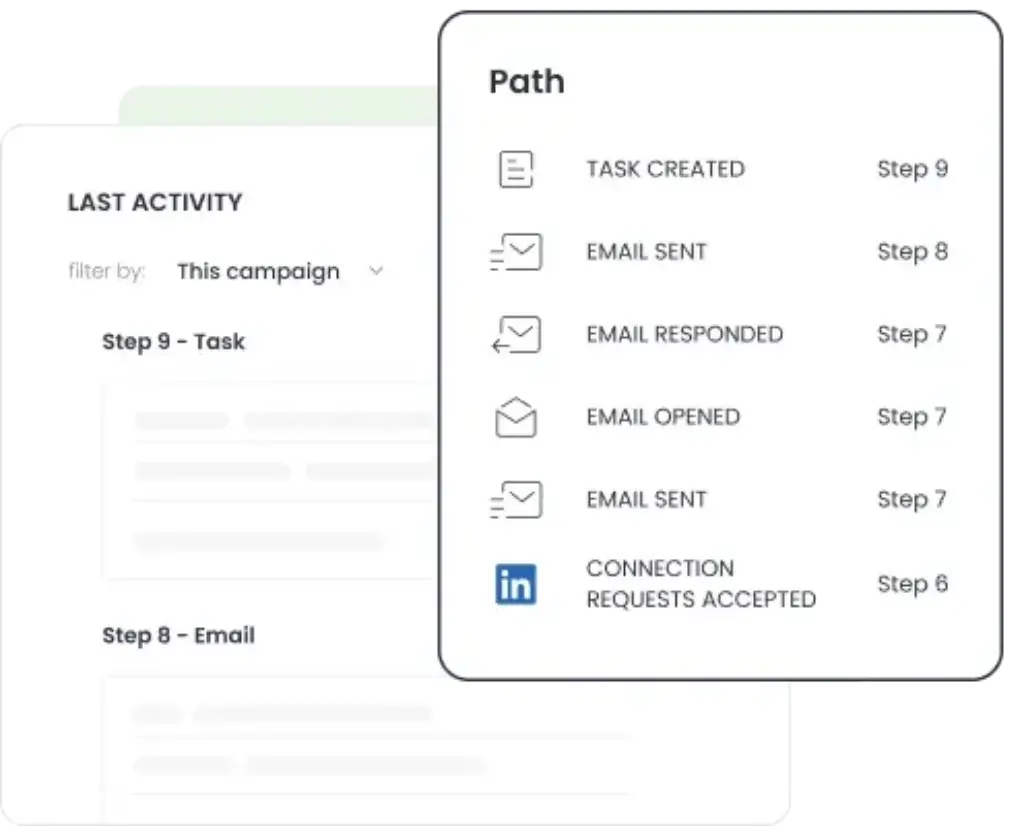
Woodpecker lets you create multi-step cold email campaigns with scheduled delays, in-thread follow-ups, delivery windows, and automatic reply detection. When a prospect replies, the platform can stop future messages so you do not continue sending an awkward sequence after a conversation has started.
You can preview sequences, use templates, and control delivery days and hours for each target segment.
2. Deliverability Monitoring and Adaptive Sending
Deliverability is one of Woodpecker’s strongest areas. The platform includes inbox rotation, adjustable daily limits, randomized sending intervals, spam-word and link checks, domain audits, provider matching, and adaptive sending.
They cannot guarantee inbox placement, which also depends on domain health, list quality, authentication, copy, and recipient engagement, but they provide more protection than a basic sequencer.
3. Email Warm-Up and Address Verification
Woodpecker includes warm-up capacity and catch-all verification within its pricing model, with additional warm-up slots available as an add-on. Verification helps reduce avoidable bounces, while gradual warm-up supports newer or less active sending accounts before campaign volume increases.
This reduces tool sprawl, although you still need careful list cleaning and relevant targeting.
4. Inbox Rotation Across Multiple Senders
Inbox Rotation distributes campaign activity across connected email accounts. This can help you keep individual sending volumes within safer limits and reduce disruption if one mailbox needs attention.
Unlimited accounts help agencies, but more inboxes also create more work around domains, authentication, warm-up, and governance.
5. Personalization, Snippets, and Spintax
Woodpecker supports custom fields, dynamic snippets, Spintax, prospect-time-zone sending, and snippet-based conditions. You can personalize more than the first name by inserting role, company, use case, trigger event, pain point, or other researched context.
Empty-field controls also prevent broken variables from reaching prospects.
6. Condition-Based Campaigns and A/B Testing
Condition-based campaigns let you change follow-up paths according to prospect behavior. A recipient can move into a different sequence depending on whether an email was opened, a link was clicked, or another condition was met.
You can test up to five message versions and compare value propositions, calls to action, or follow-up styles. Prioritize qualified replies and meetings over open rates alone.
7. Centralized Inbox and Interest Detection
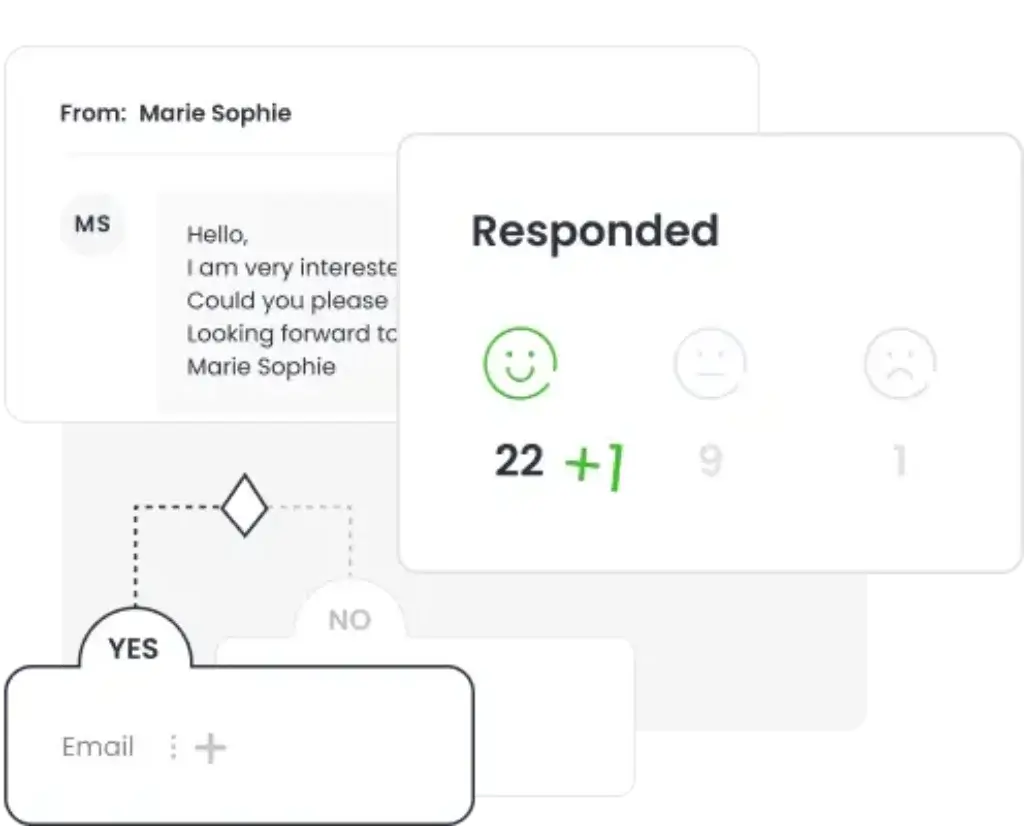
Woodpecker brings replies from connected accounts into a centralized inbox and can sort them by detected interest level. Out-of-office messages can be filtered so they do not distract your team from genuine sales conversations.
It is not full opportunity management, but it makes positive replies and objections easier to prioritize.
8. Lead Finder and Prospect Enrichment
Lead Finder lets you search for B2B contacts and companies from inside Woodpecker, then move selected prospects into your database or directly into a campaign. The platform includes a limited monthly credit allocation, with additional credits available for purchase.
Test data accuracy and coverage for your target market before replacing a dedicated provider.
9. LinkedIn Outreach and Manual Sales Tasks
Woodpecker can add LinkedIn profile visits, invitations, direct messages, and InMail actions to broader outreach sequences through a paid add-on. You can also create manual reminders for calls, SMS, or other sales tasks.
This adds practical multichannel steps, but teams should use conservative activity levels and follow applicable LinkedIn rules.
10. Agency Panel and Client Management
The Agency Panel is one of Woodpecker’s strongest differentiators. It offers separate client prospect databases, bulk campaign actions, consolidated statistics, centralized billing, global blacklists, domain audits, view-only client access, and mailbox connection without password sharing.
Client separation reduces accidental data overlap and improves approvals, access, reporting, and ownership.
Pros and Cons
Benefits of Using Woodpecker
Woodpecker’s value depends on prospect volume and add-ons. Users often praise usability, automation, deliverability, and support, while criticizing prospect limits and rising costs at scale.
Positive
✅ Strong deliverability safeguards
✅ Flexible campaign logic and personalization
✅ Unlimited email accounts and team members
✅ Dedicated agency management features
✅ Easy setup and reliable support reputation
Negative
❌ Prospect-based pricing becomes costly at scale
❌ Several important capabilities are paid add-ons
❌ Not a replacement for a full CRM
❌ Conservative sending can feel slow
❌ Lead data depth requires testing
✅ Pros
1. Strong deliverability safeguards
Inbox rotation, limits, domain checks, verification, warm-up, and spam detection make sender protection part of campaign setup.
2. Flexible campaign logic and personalization
Conditions, snippets, Spintax, time-zone delivery, manual tasks, and testing provide more control than a linear sequence.
3. Unlimited email accounts and team members
Multiple senders and collaborators can work without traditional per-seat pricing.
4. Dedicated agency management features
The Agency Panel supports separated data, consolidated oversight, bulk actions, access controls, and billing.
5. Easy setup and reliable support reputation
Public reviews frequently praise the interface, onboarding, and customer support.
❌ Cons
1. Prospect-based pricing becomes costly at scale
The model is clear for smaller campaigns, but flat-rate competitors may be cheaper at high volume.
2. Several important capabilities are paid add-ons
LinkedIn, integrations, extra warm-ups, infrastructure, agency tools, and white labeling increase total cost.
3. Not a replacement for a full CRM
It lacks advanced forecasting, account hierarchy, pipeline governance, and revenue reporting.
4. Conservative sending can feel slow
Human-like intervals protect deliverability, but speed-focused teams may prefer faster tools.
5. Lead data depth requires testing
Coverage and freshness vary by industry, geography, and role, so test a representative ICP first.
User Experience
User Interface and Experience
Woodpecker’s interface is designed around a straightforward workflow: connect an inbox, add prospects, build a sequence, set delivery rules, launch the campaign, and manage replies. This simplicity is one reason the platform continues to receive positive feedback from small businesses and agencies.
What Users Like
1. Easy campaign setup
Users commonly describe the platform as intuitive and organized. The sequence builder is easier to learn than a broad enterprise sales engagement suite, which helps smaller teams launch campaigns without extended training.
2. Useful automation without excessive complexity
Woodpecker provides conditions, follow-ups, A/B tests, time controls, and reply detection while keeping the core workflow readable. This balance is a major advantage for teams that have outgrown mail merge but do not need an enterprise system.
3. Responsive support
Customer support is one of the more consistent positive themes in public reviews. This matters when you need help with authentication, mailbox connections, deliverability, or campaign behavior.
Common Criticisms
1. Prospect limits require active management
Because pricing is based on contacted and stored prospects, agencies and high-volume teams need to monitor usage carefully. A large one-time campaign can push you into a higher cost range.
2. Safe sending can appear slower
Some users note that emails are delivered gradually. This is intentional, but it may not satisfy teams that judge outreach tools mainly by send speed.
3. Simplicity can limit advanced reporting
Woodpecker covers the metrics needed to optimize campaigns, but larger RevOps teams may want deeper attribution, custom dashboards, and revenue reporting in a CRM or business intelligence tool.
Overall user sentiment:
Woodpecker is generally viewed as dependable, approachable, and effective for structured cold outreach. Its strongest fit is a team that wants more control than a simple email tool without taking on the complexity of a large sales engagement platform.
Business Size Fit
Woodpecker for Different Business Sizes
Solo Founders and Consultants
Woodpecker works well for a founder or consultant running a few targeted campaigns each month. The entry cost is manageable at lower prospect volumes, and the platform reduces the need for separate sequencing, verification, warm-up, and basic lead-finding tools.
The main risk is overbuying infrastructure before the offer and targeting are proven. Start with one focused segment, a small number of healthy inboxes, and a clear reply-handling process.
Small and Mid-Sized Sales Teams
This is one of Woodpecker’s strongest segments. Teams can add users and email accounts, create standardized campaigns, test messaging, and connect results to a CRM. The platform supports consistent execution without requiring a long implementation.
Woodpecker is especially useful when outbound is important but not complex enough to justify a high-cost enterprise sales engagement suite.
Lead Generation Agencies
Agencies gain the most from the dedicated client architecture. Separate databases, consolidated statistics, view-only access, global blacklists, bulk actions, and centralized billing solve real operational problems.
You should still calculate the Agency Panel cost per active client and any white-label, LinkedIn, integration, infrastructure, or warm-up add-ons. Woodpecker can be operationally strong while becoming more expensive than flat-rate alternatives at larger client volumes.
Larger Organizations
Woodpecker can serve as a specialized outbound layer inside a larger sales stack. Integrations, API access, webhooks, MCP, CLI tools, and CRM synchronization give technical teams more flexibility than the simple interface suggests.
However, larger organizations will normally need a separate CRM, data governance process, reporting layer, and security review. Woodpecker should be assessed as one component of the GTM architecture rather than the system of record.
Sales Stack Fit
Integrations and Workflow Compatibility
Woodpecker connects with CRM, data, scheduling, automation, and communication tools. Published integrations include HubSpot, Pipedrive, Zoho, Clay, Persana, Calendly, Google Sheets, Zapier, Hunter, Aircall, and several email infrastructure providers.
The platform also offers API access, webhooks, an MCP server, and CLI tools. This gives developers and RevOps teams options for moving prospect data, triggering campaigns, synchronizing statuses, and connecting outbound activity to internal systems.
CRM Integration
HubSpot and Pipedrive two-way synchronization are the most important native CRM connections. These integrations help you keep outreach activity aligned with contact records and pipeline stages.
Before implementation, define which system owns each field. Without clear ownership, bidirectional sync can create duplicates, overwrite data, or make campaign status difficult to interpret.
Automation and Data Tools
Zapier, Google Sheets, Clay, Persana, API access, and webhooks make it possible to connect research, enrichment, campaign enrollment, and reporting. This is useful if you already have a modular outbound stack.
The limitation is cost. Integration access is listed as a paid add-on, so teams should include it when comparing Woodpecker with platforms that bundle basic integrations into every plan.
Where Woodpecker Fits Best
Woodpecker is best used as the execution layer between prospect data and your CRM. Lead data enters from Lead Finder, Clay, a database, or a spreadsheet. Woodpecker manages outreach and replies. Qualified conversations then move into the CRM for opportunity management and forecasting.
Pricing and Plans
How much does Woodpecker cost?
Woodpecker uses usage-based pricing centered on the number of prospects you contact. The published monthly rate is $7 per 100 contacted prospects, while annual billing can reduce the effective cost. Higher prospect selections also increase limits for emails, stored prospects, warm-ups, and other included resources.
This model can be attractive for targeted campaigns because you do not pay per user or connected email account. It becomes less attractive when your strategy depends on contacting tens of thousands of new prospects every month.
Woodpecker Pricing Components
| Pricing Component | Published Cost | What It Covers |
| Contacted prospects | $7 per 100 prospects monthly | Core outreach capacity, with limits adjusted through the pricing calculator |
| Annual billing | Up to 33% savings | Lower effective monthly cost with an annual commitment |
| LinkedIn Outreach | $29/month per connected LinkedIn account | LinkedIn visits, invitations, messages, and InMail steps |
| Additional Lead Finder credits | From $10 for 500 credits | More prospect searches and lead additions |
| Additional warm-ups | $5/month per email account | Warm-up capacity beyond the included allowance |
| Google or Microsoft email address | $6/month per address | Preconfigured sending mailbox infrastructure |
| Maildoso or Mailforge email address | $4/month per address | Alternative mailbox infrastructure |
| New or transferred domain | About $1/month, billed annually | Outbound domain infrastructure |
| Integrations, API, webhooks, MCP, and CLI | $20/month | Native integrations and developer connectivity |
| Agency Panel | $27/month per active client | Client workspaces, reporting, billing, access, and agency controls |
| White label | $5/month per active client | Agency branding for client-facing access |
| Dedicated server | $59/month per server | Dedicated outbound infrastructure through Infraforge |
Free Trial
Woodpecker offers a 14-day trial or 100 cold emails, whichever limit you reach first. The trial includes access to the platform’s features and does not require a credit card.
Is Woodpecker Good Value?
Woodpecker offers good value when your team runs selective, personalized campaigns and benefits from unlimited users, unlimited email accounts, deliverability safeguards, and agency controls.
It is less compelling when your competitive advantage depends on extremely high sending volume. In that scenario, compare the cost of contacted prospects, LinkedIn accounts, agency clients, warm-ups, integrations, inboxes, domains, and data credits against flat-rate competitors.
Trust and Safety
Security, Privacy, and Compliance
Woodpecker publishes a detailed security overview covering hosting, encryption, backups, account protection, infrastructure monitoring, and disaster recovery. The company states that EU customers are assigned to European data storage centers and that its OVH hosting environment is ISO 27001 certified.
Published protections include TLS 1.3 for data in transit, partial AES-256-GCM encryption at rest, two-factor authentication, OAuth 2.0 support, DDoS protection, firewalls, backups, and infrastructure monitoring.
Compliance Claims
Woodpecker states that the platform supports GDPR and CCPA compliance and lists CASA Tier 2 certification. It also offers a Data Processing Agreement for customers that need one.
These controls do not make every campaign automatically compliant. Your organization remains responsible for lawful targeting, appropriate data use, suppression handling, opt-out processes, records of legitimate interest where applicable, and compliance with regional communication laws.
Security Questions to Ask Before Buying
- Which Woodpecker region will store your organization’s data?
- Which team members can access prospects, campaigns, and connected inboxes?
- How will you manage 2FA, shared access, client separation, and user removal?
- Which systems will receive prospect and reply data through integrations?
- What retention and deletion rules apply to inactive prospects and clients?
Woodpecker vs Alternatives
How Does Woodpecker Compare To Other Tools?
Woodpecker competes with cold email and sales engagement platforms that emphasize different priorities. The right alternative depends on whether you care most about high-volume infrastructure, personalization, prospect data, agency operations, or broader multichannel engagement.
| Tool | Best For | Main Strength | Main Tradeoff |
| Woodpecker | Targeted cold outreach and agency workflows | Deliverability controls, campaign logic, and client management | Prospect-based pricing and paid add-ons can increase cost |
| Instantly | High-volume outbound infrastructure | Broad sending, deliverability, lead data, and reply ecosystem | Broader platform can create more moving parts |
| Lemlist | Creative personalization and multichannel outreach | Personalized campaign experiences and prospect engagement | May be less economical for teams focused only on email scale |
| Reply.io | Sales engagement and AI-assisted sequences | Broader multichannel workflow for SDR teams | Heavier than a focused cold email platform |
| Smartlead | Agency-scale mailbox infrastructure | Sending account management and operational scale | Less polished for teams prioritizing guided personalization |
Woodpecker vs Instantly
Instantly is stronger when your priority is a broad outbound ecosystem with high-volume sending infrastructure, lead data, inbox placement, reply workflows, and additional GTM tools.
Woodpecker is often the better fit when you want tighter campaign logic, a more focused interface, and a dedicated client-management environment. For a closer look at Instantly’s strengths and limitations, read the full Instantly review.
Woodpecker vs Lemlist
Lemlist is a strong alternative for teams that prioritize creative personalization, multichannel touches, and campaign experiences designed to stand out.
Woodpecker has an advantage when you want a calmer, deliverability-focused workflow and more mature agency controls. Lemlist can be more appealing for sales teams that view personalization and channel variety as the center of the strategy.
Read more in the full Lemlist review.
Woodpecker vs Reply.io
Reply.io is broader as a sales engagement platform, with multichannel automation and AI-assisted SDR workflows. It is better suited to teams that want outbound execution to extend beyond a focused cold email motion.
Woodpecker is easier to justify when email is the primary channel and simplicity matters. See the full Reply.io review for a deeper comparison of its outreach and automation features.
Woodpecker vs Smartlead
Smartlead is frequently chosen by agencies and high-volume senders that prioritize mailbox operations, sending scale, and infrastructure management.
Woodpecker is stronger for teams that want a more guided campaign experience, conditional logic, client access controls, and a long-established deliverability workflow. Smartlead may provide better economics when very high outreach volume is the main requirement.
Read more about Smartlead in the full Smartlead review.
Which Alternative Should You Choose?
Choose Woodpecker for structured, personalized cold outreach with strong deliverability controls. Choose Instantly for a broader all-in-one outbound stack. Choose Lemlist for creative personalization. Choose Reply.io for sales engagement breadth. Choose Smartlead when large-scale sending infrastructure is the priority.
Conclusion
Final Thoughts
Woodpecker remains one of the more dependable cold outreach platforms because it focuses on the operational details that determine whether a campaign is sustainable. It does not only help you schedule messages. It helps you verify addresses, warm inboxes, rotate senders, audit domains, personalize sequences, detect replies, and manage client activity.
The platform is particularly strong for small and mid-sized B2B teams, recruiters, consultants, and lead generation agencies. Its combination of unlimited users, unlimited connected email accounts, mature sequence logic, and a dedicated Agency Panel creates meaningful value.
The main limitation is pricing at scale. Contacted-prospect charges and add-ons can make Woodpecker more expensive than flat-rate competitors, especially when you add LinkedIn accounts, integrations, extra warm-ups, client workspaces, white labeling, mailboxes, and domains.
What Stands Out Most
- Deliverability controls are integrated into the core campaign workflow
- Conditional sequences support more relevant follow-ups
- Unlimited users and email accounts improve collaboration
- The Agency Panel provides practical client separation and oversight
- Lead Finder and LinkedIn steps expand the platform beyond email
Editor’s recommendation: Woodpecker is a strong choice if you want safe, personalized cold outreach and value campaign control over raw sending volume. It is especially compelling for agencies and smaller B2B teams. High-volume operations should calculate total cost carefully and compare it with Instantly or Smartlead before committing.
Have more questions
Frequently Asked Questions
What is Woodpecker used for?
Woodpecker is used for B2B cold email outreach, automated follow-ups, email verification, warm-up, inbox rotation, lead finding, LinkedIn steps, and reply management.
Is Woodpecker a CRM?
No. Woodpecker manages prospects, campaigns, and replies, but it does not replace a full CRM for pipelines, forecasting, account management, and revenue reporting.
How much does Woodpecker cost?
Woodpecker uses usage-based pricing. Its published monthly rate is $7 per 100 contacted prospects, with annual discounts and paid add-ons for LinkedIn, integrations, agency features, infrastructure, and extra warm-ups.
Does Woodpecker offer a free trial?
Yes. Woodpecker offers a 14-day trial or 100 cold emails, whichever limit is reached first. No credit card is required.
Does Woodpecker include email warm-up?
Yes. Warm-up capacity is included according to the selected prospect tier. Additional warm-ups are available for a monthly fee per email account.
Can Woodpecker automate LinkedIn outreach?
Yes. A paid LinkedIn add-on supports profile visits, invitations, messages, and InMail actions within multichannel sequences.
Is Woodpecker good for agencies?
Yes. Woodpecker is particularly strong for agencies because its Agency Panel provides separate client databases, consolidated reporting, access controls, bulk actions, domain audits, and centralized billing.
Does Woodpecker have a lead database?
Woodpecker includes Lead Finder for searching B2B contacts and companies, enriching records, and adding prospects directly to campaigns. Teams should test coverage and accuracy for their target market.
Is Woodpecker safe for cold email?
Woodpecker includes deliverability controls such as verification, warm-up, inbox rotation, adaptive sending, domain audits, adjustable limits, and spam checks. Safe results still depend on list quality, authentication, targeting, copy, and sending practices.
What are the best Woodpecker alternatives?
Strong Woodpecker alternatives include Instantly for a broader outbound stack, Lemlist for creative personalization, Reply.io for sales engagement, and Smartlead for high-volume sending infrastructure.