
Introduction
InvGate Service Management is a modern IT service management platform built for teams that want structured ITSM without the complexity of older enterprise systems. It combines ticket management, self-service, no-code workflows, AI assistance, reporting, ITIL-aligned processes, and integrations in one service desk environment.
If you are comparing ITSM tools, InvGate is worth considering when you want more than a basic help desk but do not want a long, consultant-heavy implementation. It is especially relevant for mid-sized IT teams that need automation, clear request handling, and a better employee service experience.
This InvGate Service Management review covers the platform’s strongest features, pricing, user experience, limitations, security options, implementation considerations, and alternatives. You can also compare it with our broader guide to the best ITSM software. For leaner IT teams, see our guide to the best ITSM software for small businesses.
At a Glance: Quick Summary
InvGate Service Management is best for organizations that need a structured service desk with enough flexibility to support ITSM, enterprise service management, and process automation. Its biggest strengths are no-code workflow customization, AI-assisted service delivery, and a clean user experience.
| Category | InvGate Service Management Details |
| Best For | Mid-sized IT teams, service desks, and organizations adopting structured ITSM |
| Core Strength | No-code workflows, AI Service Agent, self-service, and ITIL-aligned service processes |
| Deployment | Cloud plans, with on-premise hosting available on Enterprise |
| Free Trial | Available from InvGate |
| Starting Price | $1,499/year fixed Starter plan |
| Main Limitation | Can be more advanced than very small teams need |
Software Overview
What Is InvGate Service Management?
InvGate Service Management is an ITSM and enterprise service management platform that helps teams manage incidents, requests, problems, changes, knowledge, workflows, and service performance from a unified system.
The platform is designed around ease of configuration. Instead of depending heavily on development teams or external consultants, you can build forms, approval paths, service catalogs, and automations through a no-code interface. This makes it useful for IT teams that want more structure than a basic help desk, but still need fast configuration and ongoing flexibility.
InvGate also positions AI as part of the service management workflow. Its AI features help agents summarize tickets, generate knowledge articles, suggest responses, detect recurring issues, and deflect repetitive employee requests through a virtual service agent.
Software Specification
InvGate Service Management Core Features
InvGate covers the main service management capabilities you would expect from a serious ITSM platform. The value is not only in the number of features, but in how those features connect across tickets, workflows, knowledge, approvals, and assets.
Ticket Management
Ticket management is the operational center of InvGate Service Management. Your team can capture requests from channels such as email, the self-service portal, chat, and API, then manage them from a unified queue.
For agents, the main benefit is context. They can see ticket history, user details, related assets, internal notes, audit trails, and relevant knowledge suggestions without switching tools. This helps reduce repetitive follow-ups and makes it easier to keep support work moving.
Automation also plays a major role. InvGate can help categorize and route tickets, trigger approvals, escalate issues, and notify the right teams. For teams dealing with high ticket volume, this can reduce manual triage and improve response consistency.
Self-Service Portal
The self-service portal gives employees a central place to submit requests, check ticket status, access knowledge articles, and browse the service catalog. This is especially useful when your IT team wants to reduce basic “where do I ask for this?” questions.
The portal is customizable, so you can adapt branding, layouts, categories, and forms to fit your organization. It also supports mobile-friendly access, which is important for employees working across offices, field environments, and hybrid teams.
For IT leaders, the self-service portal is not just a convenience layer. It can help standardize intake, reduce incomplete requests, improve SLA tracking, and make employee support more scalable.
No-Code Workflow Automation
InvGate’s workflow builder is one of its strongest capabilities. You can design processes using visual steps, forms, tasks, approvals, conditions, and routing logic. This makes it easier to model real service workflows without coding.
Use cases include employee onboarding, software requests, hardware approvals, access requests, change approvals, knowledge article review, asset loans, contract renewals, and training requests.
This matters because many ITSM platforms offer automation but still require significant technical configuration. InvGate is more accessible for IT managers, service owners, and department leads who understand the process but are not developers.
AI Hub and Virtual Service Agent
InvGate’s AI capabilities have become a bigger part of the product. The platform now includes AI-assisted ticket summaries, response suggestions, knowledge article generation, and an AI Service Agent.
Ticket summaries help agents understand long or complex conversations faster. Instead of reading every update manually, an agent can get a quick summary of the request, involved people, and tasks already performed.
AI-assisted knowledge generation is also valuable. Agents can convert resolved tickets into draft knowledge articles, helping your team build a stronger self-service library without starting from a blank page.
The AI Service Agent is designed to reduce ticket volume by answering common questions and guiding users through basic support steps. It can be used in Microsoft Teams, WhatsApp, and the InvGate portal, which is useful because employees can get help in the tools they already use.
Change Management
InvGate supports change management for teams that need to control risk when modifying systems, services, or infrastructure. You can create requests for change, assess impact, define approvals, track implementation, and keep audit trails.
The benefit is stronger governance. Rather than relying on email chains or scattered spreadsheets, your change process can be structured inside the same system that manages incidents, problems, knowledge, and assets.
This is especially helpful for organizations where change failures can create service outages, security issues, or compliance concerns.
Problem Management
Problem management helps your team move beyond reactive ticket handling. Instead of solving the same issue repeatedly, you can identify recurring incidents, investigate root causes, document workarounds, and link related tickets to the same underlying problem.
InvGate’s AI-supported problem detection can help surface patterns before they become larger disruptions. When paired with knowledge management and change management, this supports a more proactive ITSM operating model.
Knowledge Base
The knowledge base supports both agents and end users. Agents can use articles to resolve tickets faster, while employees can search for answers before opening a request.
InvGate’s AI article generation makes this section more practical. Many IT teams struggle to keep documentation current because writing articles takes time. By turning ticket resolutions into draft knowledge content, the platform helps teams build a more useful self-service experience over time.
Reporting and Analytics
InvGate includes dashboards and service desk analytics for tracking key ITSM metrics. You can monitor ticket volumes, SLA performance, agent workload, response times, resolution trends, service catalog performance, and more.
The platform is useful for operational visibility, but very advanced analytics teams may still want to export data into dedicated BI tools. That is not unusual in ITSM, especially for enterprises that combine ITSM data with finance, HR, security, and asset datasets.
Integrations and IT Asset Management
InvGate integrates with tools such as Microsoft Teams, Google Workspace, Slack, Jira, Okta, SAP, Workday, Zapier, Microsoft Entra ID, and InvGate Asset Management.
The connection with InvGate Asset Management is particularly important. It allows service desk teams to link incidents, requests, and problems to actual devices, software, users, and configuration items. This gives agents more context and helps IT leaders connect service performance with asset health.
Pros and Cons
InvGate Pros and Cons
Positive
✅ Strong no-code workflows
✅ Useful AI service management features
✅ Clean self-service experience
✅ Good fit for ESM use cases
Negatives
❌ May be too advanced for very small teams
❌ Advanced setup still needs process planning
❌ Asset management is a separate product
❌ Enterprise features require higher-tier pricing
✅ Pros
1. Strong no-code workflow customization
InvGate gives your team practical control over workflows, forms, approvals, and service catalog processes. This is a major advantage if you want to adapt the platform to your way of working without relying on heavy development resources.
2. AI features are embedded into real service workflows
AI is not limited to a chatbot. InvGate uses AI for ticket summaries, response assistance, knowledge article drafting, problem detection, and virtual service support. This makes AI more useful for daily service operations.
3. Clean self-service experience
The portal is easy for employees to understand. A strong self-service portal can reduce ticket volume, improve request quality, and make IT feel more accessible across the organization.
4. Good balance between power and usability
InvGate is more structured than a lightweight help desk, but it is not as complex as some enterprise ITSM platforms. That balance makes it attractive for growing IT teams.
5. Useful for enterprise service management
You can extend InvGate beyond IT into HR, facilities, finance, legal, procurement, and operations workflows. This gives you a way to standardize internal service delivery across departments.
❌ Cons
1. Not the simplest option for very small teams
If your team only needs basic ticket intake and a shared support queue, InvGate may offer more functionality than you need. In that case, a simpler help desk or a small-business ITSM tool may be more practical.
2. Workflow flexibility requires governance
No-code does not mean no planning. If every team builds workflows differently, your setup can become inconsistent. You should define naming rules, ownership, approval standards, and reporting structures early.
3. IT asset management may require an additional product
InvGate Service Management connects well with InvGate Asset Management, but ITAM is not the same product. Teams that need deep asset discovery, software metering, and licensing control should evaluate the combined cost.
4. Enterprise needs can raise the total cost
Features such as on-premise hosting, concurrent seats, multiple SAML support, and advanced security controls are positioned for Enterprise customers. Larger organizations should review total cost carefully.
User Experience
InvGate User Experience and Ease of Use
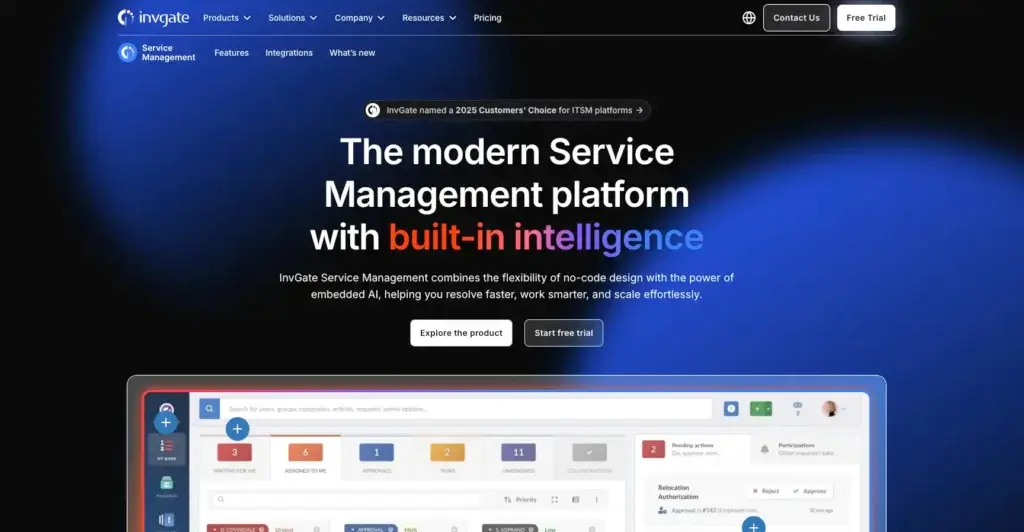
InvGate’s user experience is one of the reasons it stands out in the ITSM category. The platform feels more modern and approachable than many legacy service desks, which helps when you need adoption from both agents and end users.
Agent Experience
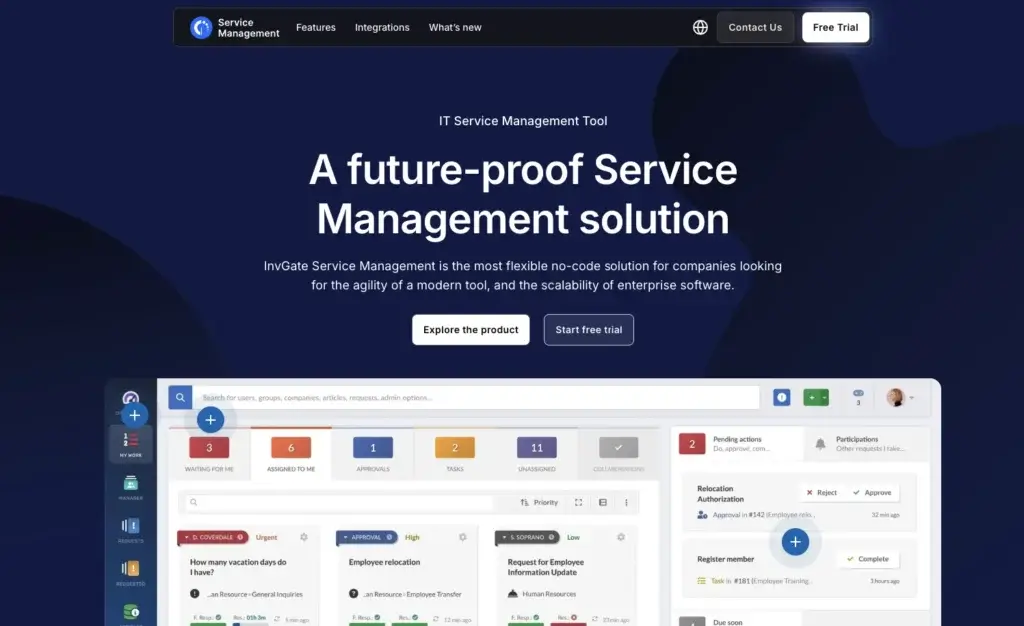
Agents get a clear view of tickets, related users, activity history, internal notes, SLAs, and connected assets. This makes daily work easier because technicians can understand context before taking action.
End-User Experience
For employees, the portal is straightforward. They can search for answers, submit requests, choose service catalog items, and track request status. This helps reduce support friction and improves the employee service experience.
Admin Experience
Admins benefit most from the no-code configuration model. Forms, workflows, approvals, templates, service categories, and routing logic are easier to modify than in more rigid platforms. Still, teams should document their processes before building too many workflows.
Pricing and Plans
InvGate Pricing and Plans
InvGate now presents Service Management pricing in annual terms. This is an important update because older third-party listings may still show monthly per-agent pricing from previous pricing structures.
| Plan | Current Pricing | Best For | Key Inclusions |
| Starter | $1,499/year fixed price | Small teams starting with structured ITSM | Core service desk, basic configuration, self-service, SSO, and SLA basics |
| Pro | $500/agent/year, starts at $2,500/year | Growing IT teams that need automation and AI | Workflow builder, AI Service Agent, Microsoft Teams, WhatsApp, and stronger automation |
| Enterprise | Custom, starts at $12,000/year | Larger organizations with advanced security or deployment needs | Concurrent seats, on-premise hosting, multiple SAML support, and enterprise controls |
For the most accurate pricing, always review the official InvGate pricing page, since pricing, packaging, and included features can change.
Is InvGate Pricing Worth It?
InvGate pricing is most attractive when your team will actually use automation, AI assistance, service catalog workflows, and structured ITSM practices. If you only need simple ticket intake, it may be more than you need.
Pricing Factors to Review
- Agent count: Pro pricing scales by agent and has a minimum annual starting point.
- Deployment needs: On-premise hosting is an Enterprise-level consideration.
- AI and automation: Teams that want the AI Service Agent and workflow builder should evaluate the Pro plan.
- ITAM needs: Deeper asset management may require InvGate Asset Management in addition to Service Management.
IT Governance
Security, Deployment, and Compliance
Security and deployment flexibility matter when you are choosing an ITSM platform. InvGate supports cloud deployment, and Enterprise customers can access more advanced deployment and security options such as on-premise hosting, concurrent seats, multiple SAML support, extended network restrictions, VPN connection, and custom SMTP configuration.
These options make InvGate more suitable for organizations that need stronger control over identity, access, hosting, and network architecture. For smaller organizations, the cloud option will usually be easier to deploy and maintain.
What to Check Before Buying
- Identity requirements: Confirm SSO, SAML, and directory integration needs.
- Data control: Decide whether cloud is enough or on-premise hosting is required.
- Access rules: Review network restrictions and role-based permissions.
- Compliance workflows: Map change management, audit trails, and approval requirements before implementation.
Setup Experience
InvGate Implementation and Onboarding
InvGate is easier to configure than many enterprise ITSM tools, but implementation still requires planning. The teams that get the most value usually define their service catalog, ticket categories, workflows, SLAs, approval rules, and reporting needs before building everything inside the platform.
For smaller deployments, the no-code builder and templates can speed up the setup process. For larger organizations, implementation may take longer because you need to involve stakeholders from IT, HR, finance, security, procurement, and operations.
Recommended Implementation Steps
- Map request types: Define the most common incidents and service requests.
- Build the service catalog: Keep categories clear and easy for employees to understand.
- Prioritize workflows: Start with high-volume processes like onboarding, access requests, and software requests.
- Set reporting standards: Decide which SLA, workload, and satisfaction metrics matter most.
- Train agents and admins: Focus training on ticket handling, workflow ownership, and knowledge base maintenance.
Buying Guidance
Who Is InvGate Best For?
InvGate Service Management is a good fit if you want a modern ITSM platform that is easier to configure than heavyweight enterprise tools, but more structured than a basic ticketing system.
- Mid-sized IT teams moving from help desk software to ITSM
- Organizations that want no-code workflow automation
- Teams that need self-service and a structured service catalog
- Companies interested in AI-assisted ticketing and ticket deflection
- Businesses that want to expand service management beyond IT
- IT teams that plan to connect service desk processes with asset data
Who Should Consider an Alternative?
InvGate is not the best choice for every buyer. You may want an alternative if your team only needs a simple shared inbox, if you need a free forever help desk, or if your enterprise is already deeply standardized on a platform like ServiceNow.
Very small teams should compare InvGate with lighter options in our best ITSM software for small businesses guide before committing.
InvGate vs. Alternatives
How It Compares to Competitors
InvGate competes in a crowded ITSM market. The best choice depends on whether you prioritize workflow flexibility, speed of deployment, enterprise depth, asset management, or ease of use.
InvGate vs. monday service
monday service is usually better if you want an extremely visual, flexible work management experience that can support IT service workflows alongside projects, operations, and cross-team collaboration.
InvGate is stronger if you want a more ITSM-native platform with deeper service desk structure, ITIL-aligned workflows, problem management, change management, and dedicated service management capabilities.
InvGate vs. Freshservice
Freshservice is one of the easiest ITSM tools to adopt. It is a strong option for small and mid-sized teams that want a clean interface, fast setup, AI assistance, and a broad Freshworks ecosystem.
InvGate is more appealing if your team values no-code workflow flexibility, ESM templates, and a stronger connection between service management and asset management.
InvGate vs. Jira Service Management
Jira Service Management is a strong choice for software teams, DevOps teams, and organizations already using Atlassian tools. It works well when IT service processes are closely connected to engineering work.
InvGate is better when your focus is broader IT service delivery, self-service, ESM workflows, and agent-friendly ITSM processes outside the software development context.
InvGate vs. ManageEngine ServiceDesk Plus
ManageEngine ServiceDesk Plus is a cost-conscious ITSM option with strong core modules, especially for teams that want ITSM and asset management in a more traditional setup.
InvGate feels more modern in user experience and AI-assisted service delivery. ManageEngine may appeal more to budget-sensitive teams or those already using the Zoho and ManageEngine ecosystem.
Quick Comparison Table
| Tool | Best For | Main Strength | Potential Limitation |
| InvGate Service Management | Mid-sized teams and ESM-focused organizations | No-code ITSM workflows, AI service support, self-service, and ITAM connection | May be more than very small teams need |
| monday service | Teams that want flexible visual service workflows | Ease of use, customization, collaboration, and cross-team visibility | Less ITSM-native depth than dedicated enterprise platforms |
| Freshservice | SMBs and IT teams seeking quick adoption | Clean UX, fast setup, AI assistance, and Freshworks ecosystem | Advanced costs can rise with more capabilities |
| Jira Service Management | DevOps and Atlassian-centered teams | Strong link between ITSM, engineering, and incident response | Can feel technical for non-Atlassian users |
| ManageEngine ServiceDesk Plus | Cost-conscious IT teams | Core ITSM and asset management functionality | Interface and AI experience can feel less modern |
Conclusion
Final Thoughts on InvGate Service Management
⭐ Overall Rating: 8.8/10
InvGate Service Management is a strong ITSM platform for teams that want structured service management, no-code workflows, self-service, AI assistance, and better visibility across support operations. It is not the simplest tool in the market, but that is also part of its value. It gives growing IT teams room to mature their service desk without jumping straight into a highly complex enterprise platform.
The biggest reasons to choose InvGate are its workflow flexibility, AI-enabled service delivery, service catalog experience, and ability to connect service management with asset data. The biggest reasons to pause are budget, implementation planning, and whether your team truly needs a full ITSM platform rather than a lighter help desk.
Overall, InvGate is best for mid-sized organizations, IT departments with repeatable processes, and companies that want to expand service management beyond IT. If your team wants a modern ITSM platform with meaningful automation and a clear path toward enterprise service management, InvGate deserves serious consideration.
Have more questions?
Frequently Asked Questions
What is InvGate Service Management?
InvGate Service Management is an ITSM and enterprise service management platform. It helps teams manage incidents, requests, problems, changes, knowledge, workflows, self-service, and service desk performance from one system.
Is InvGate Service Management an ITSM tool?
Yes. InvGate Service Management is an ITSM platform that supports key service management practices such as incident management, service request management, change management, problem management, knowledge management, SLAs, and reporting.
How much does InvGate Service Management cost?
InvGate Service Management pricing starts with a Starter plan at $1,499 per year. The Pro plan is listed at $500 per agent per year, starting at $2,500 per year. Enterprise pricing is custom and starts at $12,000 per year.
Does InvGate offer a free trial?
Yes. InvGate offers a free trial for Service Management, allowing you to test the platform before committing to a paid plan.
Is InvGate good for small businesses?
InvGate can work for small businesses that want structured ITSM, self-service, and automation. Very small teams that only need basic ticketing may prefer a simpler or lower-cost help desk tool.
Does InvGate support ITIL processes?
Yes. InvGate supports ITIL-aligned service management processes, including incident, problem, change, knowledge, service level, and request management workflows.
What AI features does InvGate include?
InvGate includes AI ticket summaries, AI-assisted knowledge article generation, suggested responses, problem detection, and an AI Service Agent that can help deflect repetitive requests through channels such as Microsoft Teams, WhatsApp, and the self-service portal.
Does InvGate include IT asset management?
InvGate Service Management integrates with InvGate Asset Management, but asset management is a separate product. Teams that need full ITAM should evaluate both products together.
What are the best InvGate alternatives?
Top InvGate alternatives include monday service, Freshservice, Jira Service Management, and ManageEngine ServiceDesk Plus. The best option depends on your team size, ITSM maturity, budget, and ecosystem preferences.
Is InvGate better than Freshservice?
InvGate may be better if you prioritize no-code workflow flexibility, ESM use cases, and a strong connection between ITSM and ITAM. Freshservice may be better if you want fast adoption, a broad Freshworks ecosystem, and a highly polished SMB-friendly experience.