Introduction
Zendesk is best known as a customer service platform, but it has also become a serious option for IT service management teams that want a modern, flexible, and easy-to-use service desk. If your IT team handles employee requests, incident tickets, onboarding workflows, access approvals, internal support questions, and knowledge base content, Zendesk can help centralize those processes in one service environment.
This Zendesk ITSM review looks at the platform from the perspective of IT leaders, service desk managers, operations teams, and business decision-makers. The goal is not only to explain what Zendesk does, but also to help you decide whether it is the right fit for your IT support model.
Compared with traditional ITSM platforms, Zendesk takes a more user-friendly and service-experience-led approach. It is especially strong for teams that want ticketing, automation, AI, self-service, omnichannel communication, and integrations without the complexity of a heavy enterprise ITSM system.
However, Zendesk is not the perfect choice for every IT department. If you need deep native IT asset management, highly structured ITIL workflows, or advanced change management built around complex enterprise governance, you may also want to compare it with platforms such as Freshservice, Jira Service Management, ManageEngine ServiceDesk Plus, ServiceNow, and SolarWinds Service Desk.
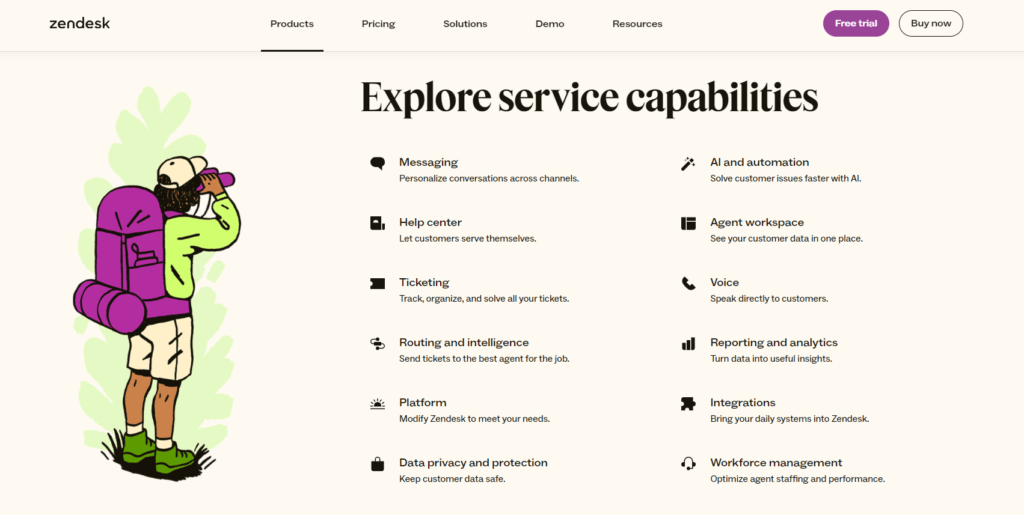
For a broader view of how Zendesk compares with other tools in this category, you can also review our guide to the best ITSM software. You can also visit the official Zendesk service platform page to review its current service capabilities.
What Is Zendesk for ITSM?
Zendesk for ITSM is a cloud-based service management solution that helps IT teams receive, organize, prioritize, automate, and resolve support requests. It can be used as an internal IT service desk, an employee service platform, or a broader service management system that connects IT, HR, operations, and customer-facing teams.
The platform includes core service desk capabilities such as ticketing, routing, SLAs, automation, a knowledge base, reporting, analytics, AI support, and integrations. Zendesk also supports employee service workflows such as onboarding, offboarding, approval requests, task lists, and service catalog experiences.
In practice, this means employees can submit requests through channels such as email, forms, messaging, help center content, or internal service portals. IT teams can then manage those requests from a shared workspace with automation rules, internal collaboration, predefined responses, and reporting tools.
Is Zendesk a True ITSM Tool?
Zendesk can work well as an ITSM tool, but it is important to understand its positioning. It is not a traditional ITIL-first platform in the same way as ServiceNow or some enterprise ITSM systems. Instead, it is a service-first platform that can support ITSM use cases through ticketing, workflows, automation, self-service, AI, and employee service features.
This difference matters. If your organization wants a fast, clean, and scalable way to manage IT support requests, Zendesk is a strong candidate. If your organization requires strict ITIL process mapping across incident, problem, change, release, configuration, and asset management, you should evaluate whether Zendesk gives you enough native depth or whether you will need add-ons and integrations.
Who Should Read This Zendesk ITSM Review?
This review is useful if you are evaluating Zendesk for one of the following use cases:
- Building an internal IT help desk
- Improving employee support workflows
- Replacing email-based IT request management
- Adding automation to IT service delivery
- Consolidating customer and employee service tools
- Comparing Zendesk with other ITSM software
- Understanding Zendesk pricing and limitations before buying
By the end of this review, you should have a clearer understanding of where Zendesk performs well, where it may fall short, and which type of organization can benefit most from it.
Software Overview
Zendesk ITSM Review: Quick Summary
Quick answer: Zendesk is a strong ITSM option if you want a modern, easy-to-use service desk with powerful ticketing, automation, AI, self-service, and integrations. It is best for companies that care about employee experience and want IT support to feel as simple as customer support. Its main weaknesses are limited native ITSM depth compared with dedicated enterprise ITSM tools and potential cost increases when you add AI, workforce management, advanced privacy, or enterprise-level features.
Best For
Zendesk is best for small to mid-sized businesses, growing IT teams, and service-led organizations that want fast adoption and a clean agent experience. It is also a good fit if your company already uses Zendesk for customer support and wants to extend the same service model to internal IT.
Not Ideal For
Zendesk may not be the best first choice if your IT department needs advanced native configuration management, complex change advisory board workflows, deep IT asset lifecycle management, or strict ITIL process control across multiple enterprise environments.
Key Strengths
The strongest parts of Zendesk for ITSM are its intuitive ticketing system, omnichannel support, flexible automation, service catalog capabilities, self-service knowledge base, AI-assisted workflows, and large app marketplace.
Key Limitations
The main limitations are pricing complexity, reliance on add-ons for some advanced functions, less native depth in traditional ITSM processes, and the need for thoughtful setup if you want to use it as a structured IT service management platform rather than a general help desk.
Software Specification
Core Features of Zendesk for ITSM
Zendesk includes a wide range of service management capabilities that can support IT teams, employee service teams, and internal operations teams. Below are the most important Zendesk ITSM features to evaluate before choosing the platform.
1. Ticketing and Incident Management
Ticketing is the foundation of Zendesk. IT teams can receive support requests from multiple channels, convert them into tickets, assign ownership, prioritize requests, set statuses, add internal notes, and track the full resolution process.
For IT service management, this is useful for handling incidents such as password issues, application access problems, device support, software errors, network concerns, and internal system requests. Agents can work from a centralized workspace instead of jumping between inboxes, chat tools, spreadsheets, and disconnected request forms.
Zendesk also supports routing and prioritization, which helps IT teams avoid the common problem of urgent issues being buried under low-priority requests. With the right setup, you can route tickets based on category, department, urgency, location, service type, or other ticket fields.
2. Employee Service Desk
Zendesk can be used as an employee service desk, not only as a customer-facing help desk. This is important for organizations that want to give employees a simple way to ask for help from IT, HR, finance, facilities, or operations.
For IT teams, this can include requests such as laptop support, application access, software permissions, printer issues, VPN problems, new employee setup, and device replacement. Employees can submit requests through a help center, forms, messaging, or email, while agents manage everything from the same system.
This makes Zendesk a practical option for companies that want to improve internal support without building a complicated service management environment from scratch.
3. Service Catalog and Request Management
Service catalog functionality is one of the most important ITSM-related areas to review. A service catalog gives employees a clear menu of services they can request, such as new hardware, software access, onboarding support, account changes, or system permissions.
Zendesk’s employee service capabilities can support structured request workflows with service catalog experiences, task lists, and approval flows. This helps IT teams standardize how common requests are submitted, reviewed, approved, and completed.
For example, instead of receiving a vague message such as “I need access to the finance system,” your team can create a structured request form that collects the employee’s role, manager, system name, permission level, business reason, and approval requirements.
This reduces back-and-forth communication and helps the IT team resolve requests faster.
4. Workflow Automation and Routing
Automation is one of Zendesk’s strongest features. IT teams can create rules that automatically assign tickets, send notifications, update ticket fields, trigger escalations, apply macros, and route requests to the right team.
This is useful for repetitive ITSM tasks such as:
- Routing urgent incidents to senior technicians
- Assigning access requests to the correct approval group
- Sending follow-up messages after ticket updates
- Escalating unresolved tickets before SLA breaches
- Applying predefined responses to common requests
- Separating IT, HR, and facilities requests by category
Good automation design can reduce manual triage work and help service desk teams maintain consistent processes as ticket volume grows.
5. Knowledge Base and Self-Service
Zendesk includes help center and knowledge base tools that allow IT teams to publish articles, guides, FAQs, and troubleshooting resources. This is highly valuable for reducing ticket volume because employees can solve common issues without waiting for an agent.
For ITSM, self-service content can cover topics such as password resets, VPN setup, MFA troubleshooting, software installation, device policies, account access, and common application errors.
The quality of your knowledge base has a direct impact on Zendesk’s value. If your IT team builds clear, searchable, and regularly updated content, employees can find answers faster. If your knowledge base is outdated, vague, or incomplete, more requests will still reach the service desk.
6. AI Agents and Copilot
Zendesk has invested heavily in AI for service teams. Its AI capabilities can support automated responses, ticket summaries, suggested replies, intent detection, knowledge recommendations, and agent assistance.
For IT support, AI can help reduce repetitive work by answering common employee questions, helping agents understand ticket context faster, and suggesting relevant next steps. Zendesk Copilot can also assist agents with responses and actions, depending on the plan and configuration.
AI is especially valuable for IT teams with high ticket volume and recurring questions. However, it is not a shortcut for poor service design. To get strong results, your team needs clean workflows, accurate knowledge base content, and clear escalation paths.
7. Reporting and Analytics
Zendesk includes reporting and analytics features that help IT leaders measure service performance. You can monitor metrics such as ticket volume, response time, resolution time, backlog, SLA performance, channel usage, agent workload, and customer satisfaction.
These insights are important because ITSM is not only about closing tickets. It is also about improving service quality, identifying recurring problems, planning staffing, and finding process bottlenecks.
For example, if reporting shows a growing number of password reset requests, your team may decide to improve self-service documentation, adjust identity management processes, or implement better automation.
8. Integrations and App Marketplace
Zendesk offers a large marketplace of apps and integrations. This is one of its biggest advantages for IT teams that need to connect the service desk with other business systems.
Common integration categories include CRM, project management, collaboration, identity management, analytics, productivity, messaging, and IT operations tools. For ITSM teams, integrations can help connect support tickets with tools such as Slack, Microsoft Teams, Jira, Google Workspace, Salesforce, and other internal systems.
This flexibility makes Zendesk useful for organizations that already have a defined software stack and do not want to replace every system just to improve IT service management.
Strengths and Limitations
Zendesk Pros and Cons
Positive
✅ Easy-to-use agent workspace
✅ Strong automation and routing
✅ Large integration marketplace
✅ Useful AI and self-service tools
Negative
❌ Advanced features increase costs
❌ Less ITIL-native than some rivals
❌ Asset management depth is limited
❌ Complex setups need admin planning
Pros
- Easy-to-use agent workspace
Zendesk is easier to navigate than many traditional ITSM tools, which can reduce training time for service desk agents. - Strong automation and routing
The platform gives IT teams practical tools for ticket routing, escalation, notifications, macros, and workflow consistency. - Large integration marketplace
Zendesk connects with many business tools, making it easier to fit into an existing IT and operations stack. - Useful AI and self-service tools
AI, knowledge base features, and self-service options can reduce repetitive tickets when implemented correctly.
Cons
- Advanced features increase costs
Zendesk can become expensive when you add AI, workforce management, quality assurance, advanced privacy, or enterprise capabilities. - Less ITIL-native than some rivals
Zendesk can support ITSM workflows, but it is not as deeply ITIL-focused as platforms built primarily for enterprise IT service management. - Asset management depth is limited
Zendesk has employee service asset-related capabilities, but organizations with mature ITAM needs may still prefer a dedicated ITSM or IT asset management platform. - Complex setups need admin planning
The platform is easy to start with, but advanced workflows, service catalogs, approvals, and reporting require careful configuration.
Business Value
Benefits of Using Zendesk for ITSM
The main benefit of Zendesk is that it helps IT teams deliver support in a more organized, scalable, and employee-friendly way. Instead of relying on disconnected email threads or informal messages, you can centralize IT work into clear tickets, workflows, automations, and reports.
Faster IT Support Workflows
Zendesk helps IT teams move faster by reducing manual triage. Tickets can be automatically categorized, routed, prioritized, and escalated based on predefined rules.
This is especially useful for teams that receive requests from multiple channels. Without a centralized service desk, it is easy for issues to be missed or duplicated. Zendesk gives agents a shared place to manage work and gives managers more visibility into support performance.
Better Employee Experience
Employees usually do not care about the complexity behind IT support. They want simple forms, fast answers, clear status updates, and easy access to help. Zendesk’s service experience is one of its biggest advantages because it feels more modern and accessible than many older service desk systems.
When configured well, employees can search the help center, submit structured requests, chat with support, receive automated updates, and track progress without needing to understand ITSM terminology.
Improved Collaboration Across Teams
Many IT requests require input from more than one person. For example, a software access request may involve IT, the employee’s manager, finance, security, and the application owner.
Zendesk supports collaboration through internal notes, routing, side conversations, groups, views, and shared ticket context. This helps reduce fragmented communication and keeps important details attached to the original request.
Integrations and Compatibility
Zendesk can connect with many common business systems, which makes it easier to fit into your existing IT infrastructure. This is important because most IT teams already rely on multiple tools for communication, identity management, asset tracking, project work, documentation, monitoring, and business operations.
Useful integration categories include:
- Collaboration tools such as Slack and Microsoft Teams
- Project management tools such as Jira and Asana
- CRM systems such as Salesforce
- Productivity tools such as Google Workspace and Microsoft 365
- Knowledge and documentation tools
- Workflow automation and reporting tools
The main advantage is flexibility. Zendesk does not force every company into one rigid ITSM operating model. Instead, it can be adapted to different environments, especially when integrations are part of the implementation plan.
Support and Community Resources
Zendesk provides documentation, learning resources, customer support channels, and a large user community. This matters because successful ITSM implementation depends on more than software features. Your team also needs guidance on configuration, workflow design, reporting, automation, and user adoption.
The Zendesk community can also be useful for finding practical examples, troubleshooting advice, and implementation ideas from other users. For IT managers, this can reduce the learning curve and help the team avoid common setup mistakes.
User Experience
User Interface and Operational Simplicity
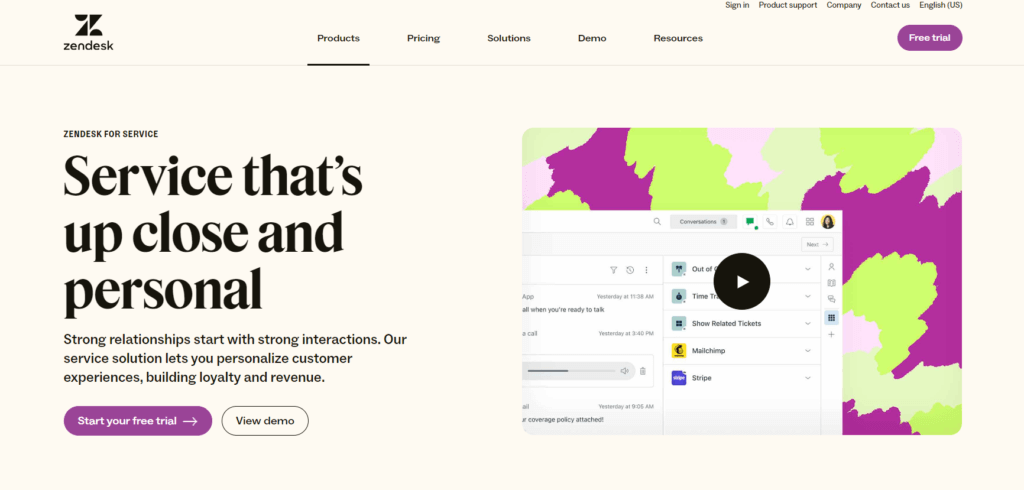
Zendesk’s user experience is one of the main reasons teams choose it over more traditional ITSM software. The platform feels closer to modern customer service software than legacy IT service management systems.
Agent Workspace
The agent workspace gives support teams a unified place to manage conversations, tickets, user details, internal notes, and context. For IT service desks, this helps agents move from request intake to resolution without constantly switching tools.
The interface is clean and relatively easy to learn. New agents can usually understand the basics of ticket views, assignments, macros, comments, and statuses without extensive technical training.
Admin Setup
Zendesk is easier to configure than many enterprise ITSM platforms, but that does not mean setup should be casual. If you want to use Zendesk for ITSM, you should plan ticket fields, forms, categories, groups, SLAs, automations, routing rules, help center structure, and reporting dashboards before rollout.
Small teams can start quickly with basic ticketing and a help center. Larger teams should treat implementation as a structured project, especially if they need service catalog workflows, approval paths, multiple departments, and advanced reporting.
Mobile Experience and Remote Access
Zendesk supports remote and mobile access, which is useful for distributed IT teams and managers who need to monitor service activity away from the office. Agents can review tickets, respond to requests, and stay updated from different locations.
The main limitation is that mobile workflows are better for monitoring and responding than for heavy administrative configuration. Complex setup work is still best handled from a desktop environment.
Learning Curve
Zendesk has a moderate learning curve. Basic use is straightforward, but advanced automation, reporting, service catalog design, AI setup, and cross-department workflows require more expertise.
In my view, this is a fair trade-off. Zendesk is easier to adopt than many traditional ITSM suites, but powerful enough to require governance once your team starts using it at scale.
Pricing and Plans
How Much Does Zendesk Cost?
Zendesk pricing is based mainly on per-agent plans, with different feature levels depending on the package you choose. The main Suite plans are Team, Growth, Professional, and Enterprise. Zendesk also offers AI-focused packages and add-ons that can increase the total cost.
For the most accurate and current pricing, review the official Zendesk pricing page.
| Plan | Starting Price | Best For | Main Difference |
| Suite Team | $55 per agent/month, billed annually | Small teams starting with IT ticketing | Core ticketing, help center, basic automation, and standard bots |
| Suite Growth | $89 per agent/month, billed annually | Growing teams that need more workflow flexibility | Adds more advanced service workflows and better support capabilities |
| Suite Professional | $115 per agent/month, billed annually | Mature service teams with higher ticket volume | Stronger analytics, routing, collaboration, and service management controls |
| Suite Enterprise | Custom pricing | Large organizations with advanced governance needs | More customization, permissions, scale, and enterprise controls |
| Suite + Copilot Enterprise | $209 per agent/month, billed annually | Teams that want enterprise service plus AI assistance | Combines Suite Enterprise with unlimited Copilot access |
Suite Team
Suite Team is the entry-level option for Zendesk Suite. It is best for smaller IT teams that need a reliable service desk with ticketing, email, messaging, help center functionality, standard bots, predefined responses, and basic workflow automation.
This plan is a good starting point if you are replacing shared inboxes or informal IT support channels. However, it may feel limited if your team needs advanced analytics, complex routing, deeper workflow controls, or enterprise-level governance.
Suite Growth
Suite Growth is better suited for teams that are expanding their service operations and need more flexibility than the entry-level plan provides. It is a practical fit for organizations that want to improve request handling, create more structured workflows, and support a larger internal user base.
For IT teams, Growth can be a better option when you are moving beyond basic ticketing and starting to build more formal service desk processes.
Suite Professional
Suite Professional is often the best balance for established IT service teams. It is designed for organizations that need stronger analytics, more mature routing, better collaboration, and more scalable service management.
If your team handles a consistent flow of IT requests and needs better reporting for decision-making, Suite Professional is usually more practical than the entry-level plans.
Suite Enterprise
Suite Enterprise is designed for larger organizations with more advanced requirements. It is the better fit when you need more customization, role control, governance, security options, and enterprise-level service management.
This plan is most relevant for companies with multiple support teams, different service departments, larger agent groups, complex workflows, or stricter administrative requirements.
AI, Workforce Management, and Add-On Costs
One of the biggest pricing considerations with Zendesk is that the base plan is not always the final cost. If you want advanced AI, Copilot, quality assurance, workforce management, or advanced privacy capabilities, you may need additional products or higher-tier plans.
This is important for ITSM buyers because AI and automation can provide real value, but they also affect your total cost of ownership. Before choosing Zendesk, calculate the cost based on the number of agents, required add-ons, expected AI usage, implementation effort, and future scaling needs.
Which Zendesk Plan Is Best for ITSM?
For small IT teams, Suite Team may be enough to centralize tickets and create basic self-service. For growing teams, Suite Growth provides more room to mature. For most serious ITSM use cases, Suite Professional is likely the better starting point because it offers a stronger balance of capability and scalability.
Enterprise teams should evaluate Suite Enterprise or Suite + Copilot Enterprise if they need deeper governance, broader AI support, or more advanced service operations.

Data Protection
Security and Compliance
Security is a critical factor when choosing IT service management software. IT tickets often include sensitive employee data, system access information, device details, internal application names, and operational context. For that reason, Zendesk’s security and compliance posture should be reviewed carefully before implementation.
Data Protection and Encryption
Zendesk provides encryption for data in transit and at rest, helping protect customer and service data against unauthorized access. This is important for IT teams because support tickets may include confidential details related to users, systems, departments, and internal workflows.
Your organization should still define internal policies for what employees and agents should include in tickets. Even with strong platform security, it is good practice to avoid placing unnecessary secrets, passwords, or sensitive credentials inside support conversations.
User Access and Permissions
Zendesk supports role-based access controls and permissions that allow administrators to define what agents, managers, and admins can see or do. This is important for ITSM because not every agent should have access to every type of request.
For example, HR-related requests, executive support tickets, security issues, and sensitive access requests may need restricted visibility. With proper configuration, Zendesk can help reduce unnecessary exposure and keep internal service data better controlled.
Compliance Standards
Zendesk supports a range of compliance and security programs, with details available through its Trust Center. Its service data is primarily hosted in AWS data centers with recognized compliance certifications such as ISO 27001, PCI DSS Service Provider Level 1, and SOC 2.
Zendesk also provides resources related to privacy, GDPR, HIPAA, and other compliance needs. However, compliance availability can vary by product, configuration, region, and contractual terms. If your organization operates in a regulated industry, you should confirm exact requirements with Zendesk before purchasing.
Audit and Compliance Reporting
Auditability is important for ITSM teams because service desks often handle access requests, permission changes, incident activity, and internal approvals. Zendesk can support audit and reporting needs through ticket histories, user activity, access controls, and reporting features.
For stronger governance, larger organizations should review which audit logs, retention controls, privacy options, and compliance features are available in the specific Zendesk plan they intend to use.
Comparison
Zendesk vs Other ITSM Tools
Zendesk is a strong service desk platform, but it should be compared with other ITSM software before you decide. The best choice depends on how much you value usability, ITIL depth, asset management, automation, AI, and pricing flexibility.
| Tool | Best For | Strength | Potential Limitation |
| Zendesk | Teams that want a modern, flexible service desk | Usability, ticketing, AI, automation, and integrations | Less native ITSM depth than some dedicated tools |
| Freshservice | IT teams that want a dedicated ITSM platform | ITSM workflows, asset management, and service catalog | May feel more IT-focused and less customer-service-oriented |
| Jira Service Management | DevOps and technical teams | Strong connection with Jira Software and agile workflows | Can require more setup for non-technical teams |
| ServiceNow | Large enterprises with complex IT operations | Enterprise ITSM depth, governance, and workflow scale | Higher complexity and implementation effort |
| ManageEngine ServiceDesk Plus | IT teams needing ITAM and ITSM in one system | Asset management and IT operations features | User experience may feel less modern than Zendesk |
Zendesk vs Freshservice
Freshservice is usually stronger if you want a dedicated ITSM platform with deeper native IT service management and asset management features. Zendesk is stronger if your priority is usability, omnichannel support, employee experience, and connecting internal service with customer service workflows.
You can read our full Freshservice review for a deeper comparison.
Zendesk vs Jira Service Management
Jira Service Management is a strong fit for technical teams, DevOps teams, and organizations already using Atlassian products. Zendesk is often easier for broader service teams and can be more accessible for non-technical departments.
You can review our Jira Service Management review to compare both tools in more detail.
Zendesk vs ManageEngine ServiceDesk Plus
ManageEngine ServiceDesk Plus may be better for IT departments that need stronger asset management and IT operations capabilities. Zendesk is usually better for teams that prioritize a clean service experience, multichannel communication, and flexible integrations.
You can also read our ManageEngine ServiceDesk Plus review.
Best Fit
Who Should Use Zendesk for ITSM?
Zendesk is a good fit for organizations that want IT support to be easy for employees and manageable for agents. It works especially well when the goal is to improve responsiveness, organize requests, add automation, and create a better self-service experience.
Zendesk Is Best For
- Small and mid-sized IT teams that need a scalable service desk
- Companies already using Zendesk for customer support
- Organizations that want one platform for customer and employee service
- IT teams that value usability and fast adoption
- Service teams that need automation without heavy ITSM complexity
- Businesses that rely on many integrations and cloud tools
Zendesk May Not Be Best For
- Enterprises with very complex ITIL governance requirements
- Teams that need advanced native IT asset management
- Organizations that want deep configuration management out of the box
- Companies with limited budgets and many support agents
- IT departments that need heavily structured change management workflows
Summary
Final Thoughts
⭐ Overall Rating: 8.0/10
Zendesk is a strong ITSM option for organizations that want a modern, flexible, and user-friendly service desk. It combines ticketing, automation, AI, self-service, reporting, integrations, and employee service capabilities in a platform that is easier to adopt than many traditional ITSM systems.
Its biggest advantage is the service experience. Employees get a clearer way to request help, while agents get a cleaner environment for managing tickets and collaboration. For companies that already use Zendesk for customer service, extending it into IT or employee service can also create a more consistent service model across the business.
The main trade-off is ITSM depth. Zendesk can support many IT service management workflows, but it is not always as deep out of the box as dedicated ITSM tools built around ITIL, IT asset management, configuration management, and enterprise change governance.
Our Recommendation
Zendesk is a strong choice if your organization wants a practical, scalable, and employee-friendly IT service desk. It is especially attractive for teams that value ease of use, omnichannel support, automation, AI, and integrations.
I would recommend Zendesk for IT teams that want to improve service delivery without adopting a complex enterprise ITSM platform. It is also a strong fit if your company already uses Zendesk and wants to bring internal IT support into the same ecosystem.
However, if your main requirement is deep IT asset management, strict ITIL process control, or highly advanced change management, you should compare Zendesk with other platforms before making a final decision. Our best ITSM software guide can help you compare it with other leading options.
For teams that prioritize usability and service experience, Zendesk is one of the more compelling ITSM choices. For teams that prioritize deep IT operations control, it may be better as part of a broader IT service stack rather than the only ITSM system.
Have more questions?
Frequently Asked Questions
Is Zendesk good for ITSM?
Yes, Zendesk can be good for ITSM if your team needs a flexible service desk for ticketing, employee support, automation, knowledge base content, AI, and integrations. It is strongest for teams that value usability and service experience, but it may not be the deepest option for advanced ITIL or IT asset management requirements.
Is Zendesk an ITIL tool?
Zendesk can support ITIL-related processes such as incident management, request management, knowledge management, and some approval workflows. However, it is not as ITIL-native as dedicated enterprise ITSM platforms, so teams with strict ITIL governance should evaluate its workflow depth before buying.
Does Zendesk include IT asset management?
Zendesk includes employee service resources related to IT assets, and assets can be connected to service requests in certain employee service capabilities. However, organizations with mature ITAM needs may still prefer a dedicated ITSM platform or a specialized asset management integration.
Can Zendesk be used as an internal IT help desk?
Yes. Zendesk can be used as an internal IT help desk for managing employee requests, incidents, access issues, hardware support, software questions, onboarding tasks, and service catalog requests.
What is the best Zendesk plan for IT teams?
Suite Team may work for small IT teams, but Suite Professional is often a better fit for mature service desks that need stronger analytics, routing, automation, and scalability. Enterprise plans are better for large organizations with advanced governance and customization needs.
Does Zendesk offer AI for IT support?
Yes. Zendesk offers AI capabilities such as AI agents, automation, suggested replies, ticket summaries, intent detection, and Copilot features. AI can help reduce repetitive IT support work, but it works best when your knowledge base and workflows are well structured.
Is Zendesk better than Freshservice?
Zendesk is often better for usability, omnichannel support, employee experience, and customer-service-style workflows. Freshservice is often stronger for dedicated ITSM use cases, especially where native asset management and traditional IT service processes are important.
Is Zendesk better than Jira Service Management?
Zendesk is usually better for broad service teams that want a clean and accessible support experience. Jira Service Management is often better for technical, DevOps, and software teams that already use Atlassian products.
Can Zendesk support employee onboarding and offboarding?
Yes. Zendesk can support onboarding and offboarding through request forms, service catalog workflows, task lists, approval requests, and automation. This can help IT teams standardize access setup, device requests, and account changes.
Is Zendesk suitable for enterprise IT teams?
Zendesk can be suitable for enterprise IT teams that need scalable service management, strong integrations, AI, and governance controls. However, enterprises with very complex ITIL, CMDB, or IT asset management requirements should compare Zendesk with deeper enterprise ITSM platforms before committing.