
Introduction
Linktree began as a simple way to place several destinations behind one social bio link. It now combines a mobile landing page, audience capture, analytics, automated Instagram replies, social scheduling, digital products, courses, affiliate storefronts, sponsored links, and QR codes.
Its advantage is speed. You can publish a presentable page and test calls to action without building a website.
This Linktree review examines the features, pricing, monetization, limitations, and alternatives that matter most in 2026.
What Is Linktree?
Linktree is a hosted link-in-bio and creator commerce platform. A public linktr.ee/username profile can contain links, social icons, media, forms, products, courses, affiliate recommendations, and contact details.
You manage it through a browser or mobile app. The same public URL can remain in social profiles, email signatures, QR codes, and printed materials while its destinations change.
How Linktree Has Evolved
Linktree has expanded from a bio-link workaround into a lightweight creator hub for audience capture, automated messages, social scheduling, digital products, courses, and affiliate recommendations.
A creator who needs a few buttons may be satisfied with Free. A creator using Linktree as a storefront and campaign tracker must also evaluate fees, analytics, integrations, branding, and platform dependence.
Who Linktree Is Designed For
- Social creators – Share content, newsletters, affiliate products, stores, and collaborations.
- Musicians – Promote releases, streaming profiles, tickets, merchandise, and tours.
- Coaches and educators – Offer bookings, lead magnets, courses, downloads, and events.
- Small businesses – Connect visitors with stores, appointments, contact forms, and promotions.
- Marketing teams – Track campaigns with redirects, UTMs, pixels, and analytics.
- Offline businesses – Connect packaging, signs, menus, and print to a live QR destination.
Linktree is less suitable when you need a fully owned website, a custom-domain landing page, advanced ecommerce operations, sophisticated email automation, or a deeply customized membership experience.
Key Features
Links, Audience Growth, and Monetization
Linktree’s main strength is consolidation. A single profile can guide visitors toward content, subscriptions, products, bookings, social channels, and current campaigns. The platform is most effective when each feature supports a deliberate visitor journey rather than creating a long, unprioritized directory.
Link-in-Bio Page Builder and Content Blocks

Free accounts can publish unlimited links and add social icons, videos, music, embeds, forms, and supported Link Apps. Items can be reordered, hidden, illustrated with thumbnails, or displayed as compact buttons and featured layouts.
This is faster than designing a landing page, but you are arranging Linktree components rather than controlling an independent website layout.
Themes, Branding, and Featured Links
Linktree offers themes and basic appearance controls on Free, while paid plans expand color palettes, fonts, button styling, profile presentation, wallpapers, and visual layouts. Pro and Premium support stronger personalization, including uploaded logos, image or video backgrounds, full-screen visuals, and removal of the Linktree footer.
Featured and animated links help direct attention toward a launch, lead magnet, product, or current video. This is valuable because every additional choice can dilute clicks. A creator should use visual emphasis sparingly so the most commercially important action is obvious.
Audience Capture and Contact Forms
Linktree can collect email addresses, phone numbers, contact requests, and other form responses. Starter expands subscriber management, while Pro and Premium can automatically sync audience data with services such as Mailchimp, Kit, Klaviyo, and Google Sheets.
This changes Linktree from a traffic pass-through page into an audience acquisition tool. Instead of sending every visitor to another platform, you can capture a direct contact before social reach disappears or an algorithm changes.
However, Linktree is not a complete email marketing platform. It can collect and transfer subscriber data, but creators who need segmentation, visual automations, advanced broadcasts, deliverability tools, and detailed subscriber journeys should connect a specialist service.
Analytics, UTMs, and Advertising Pixels
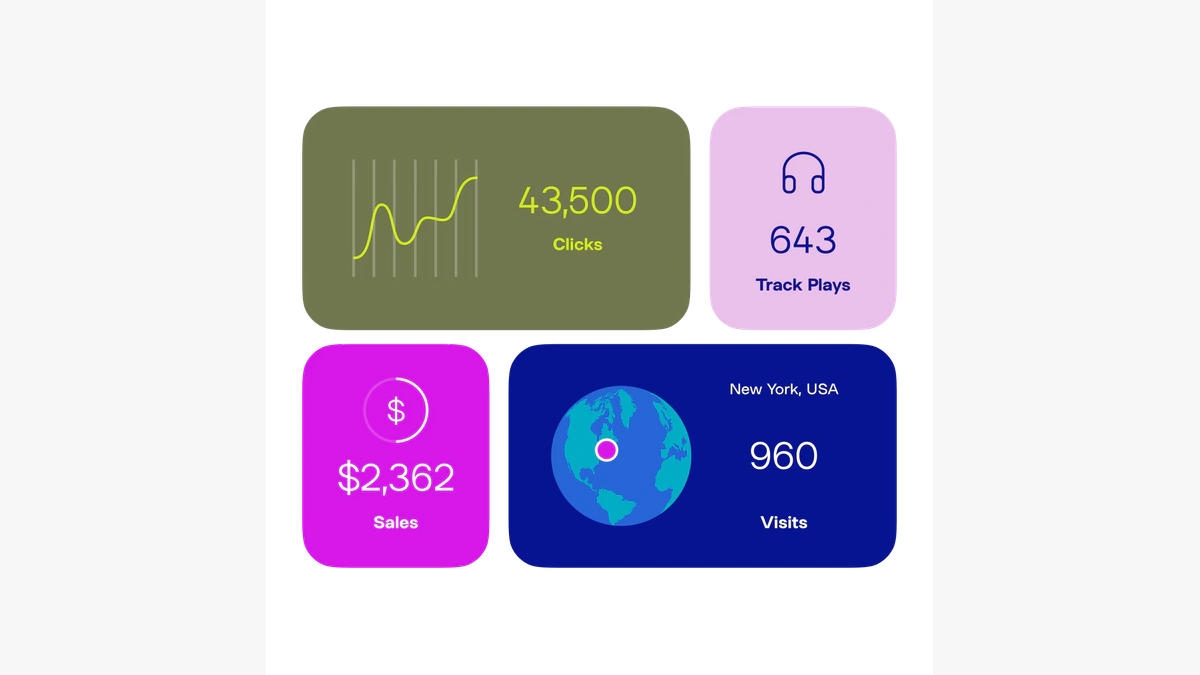
Linktree Insights cover views, unique visitors, clicks, click rate, subscribers, sources, locations, devices, and individual links. History ranges from 28 days on Free to 90 days on Starter, 365 days on Pro, and lifetime data on Premium.
Pro and Premium add Google Analytics, Meta Pixel, and automatic UTMs. Premium can also export activity, location, device, and referrer data to CSV.
Instagram Auto-Replies and Link Shortener
Instagram auto-replies can send a direct message when someone comments on a selected post or Reel, using any comment or chosen keywords as the trigger. Monthly limits are 1,000 DMs on Free, 1,500 on Starter, 2,500 on Pro, and unlimited on Premium.
Pro also includes a link shortener that creates cleaner campaign URLs and can add UTMs automatically.
Social Planner
Linktree’s Plann-powered Social Planner supports scheduling and cross-posting to major networks, with a visual calendar, caption assistance, content ideas, stock media, Canva integration, and eligible team tools.
It adds value for small brands, but it will not replace a mature social platform with listening, inbox, and client-management features.
Digital Products and Online Courses
Creators can sell downloads such as eBooks, templates, images, audio, and videos, plus free or paid courses. Prices can range from $1 to $10,000 or the local equivalent where supported.
Linktree’s seller fee is 12% on Free, 9% on Starter and Pro, and 0% on Premium, while Stripe processing still applies. The checkout is convenient for testing an offer, but established sellers should compare percentage fees with fixed-fee platforms.
Linktree Shops, Affiliate Products, and Sponsored Links
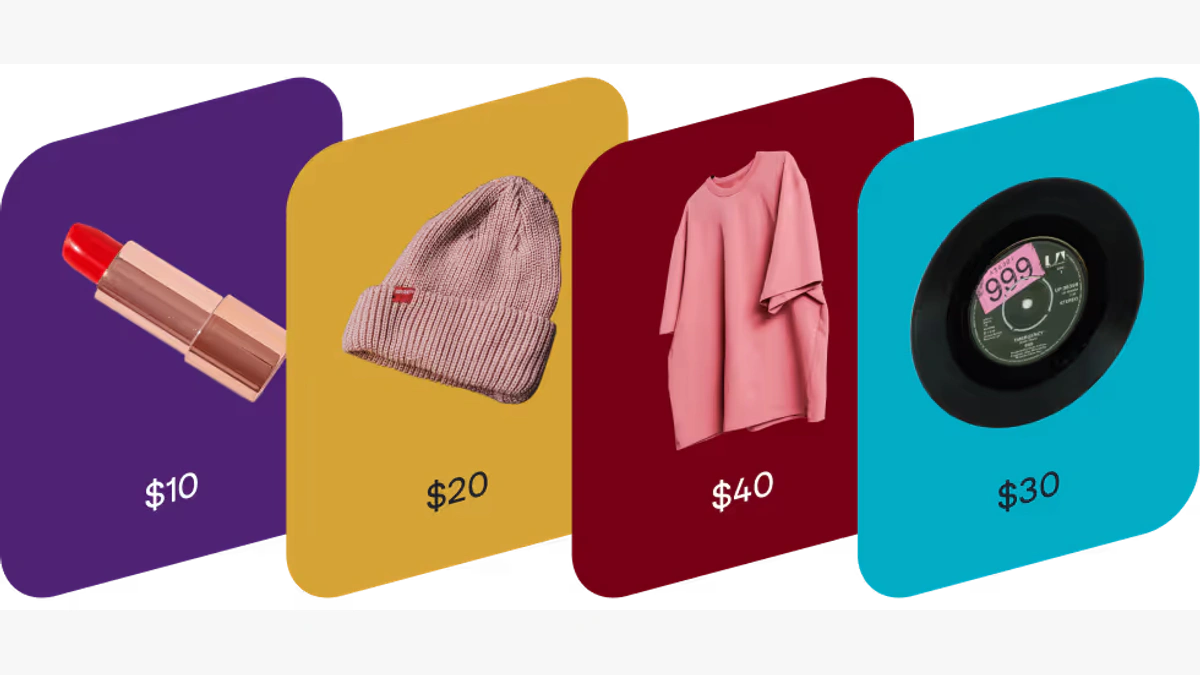
Eligible US creators can use Linktree Shops for affiliate products, while sponsored links offer paid placement opportunities. Premium removes Linktree’s commission from eligible partner earnings.
These features are not universally available. Confirm country, category, and account eligibility before upgrading for monetization.
QR Codes and Offline Campaigns
Every Linktree includes a QR code that can connect physical materials to the live profile. Pro and Premium can customize its colors, remove Linktree branding, and add a logo.
A stable QR code is valuable because the printed asset does not need to change when the destination changes. You can update the links behind it for a new menu, event, promotion, product launch, or seasonal campaign.
Usability, Control, and Data
Linktree User Experience and Audience Ownership
Setup and Everyday Management
Creating a basic Linktree is fast. You choose a username, add profile details, publish links, select a theme, and copy the public URL. The editing experience is approachable enough for creators who have never built a landing page.
Daily management remains simple because each link can be edited, reordered, disabled, scheduled, redirected, or highlighted without changing the public profile URL. This is one of Linktree’s clearest advantages over a static page that requires a site editor or marketing team for every update.
Mobile Experience and Conversion Design
Linktree is designed around mobile traffic, which matches the way most visitors arrive from social apps. The pages are easy to scan when they contain a focused hierarchy and concise labels.
The software cannot fix a poor information architecture. A page with 30 equally prominent buttons forces visitors to decide what matters, and many will leave without choosing. The best Linktrees behave like compact landing pages: one primary action, a few secondary paths, and less important links grouped below.
The Custom Domain Limitation
Linktree does not let you replace the linktr.ee address with your own custom domain, even on Premium. You can change the username and use redirect features, but the hosted profile remains on Linktree’s domain.
This is the platform’s most important long-term limitation. A linktr.ee address is familiar and convenient, but it does not provide the same brand ownership, domain authority, portability, or technical control as a page published on your own website.
For a new creator, this may be an acceptable tradeoff for speed. For an established company, agency, ecommerce brand, or creator with substantial direct traffic, a branded domain may justify using Carrd, a website builder, or a custom landing page instead.
Audience Data and Portability
Linktree can help you collect direct audience data, export form submissions, sync contacts, and download Premium analytics. This is better than relying only on followers inside a social platform.
Still, true audience ownership comes from moving subscribers and customers into systems you control operationally, such as your email platform, CRM, ecommerce database, or membership system. Linktree should act as the acquisition layer, not the only place where important relationships are stored.
Security and Privacy
Linktree supports MFA through SMS or an authenticator app. Its privacy documentation describes encryption, firewalls, intrusion detection, monitoring, audits, incident response, a Data Processing Addendum, and GDPR-related controls.
Businesses remain responsible for consent and data-handling practices. Enable MFA, use a unique password, review integrations, and verify destination links.
Pros and Cons
Benefits and Limitations of Linktree
Positive
✅ Fast mobile-first setup
✅ Generous free link tools
✅ Strong creator integrations
✅ Useful growth and analytics features
✅ Multiple monetization options
Negative
❌ No custom-domain support
❌ Seller fees on lower plans
❌ Best analytics require upgrades
❌ Easy to create cluttered pages
❌ Monetization varies by country
Strengths and Benefits
- Fast mobile-first setup – You can publish and update a functional creator page without code, hosting, plugins, or a web designer.
- Generous free link tools – Unlimited links, embeds, social icons, basic analytics, QR codes, and monetization experiments make Free genuinely usable.
- Strong creator integrations – Linktree connects with email tools, analytics platforms, social networks, media services, and commerce destinations.
- Useful growth and analytics features – Redirect links, scheduling, featured layouts, UTMs, pixels, auto-replies, subscriber capture, and Insights support active campaigns.
- Multiple monetization options – Digital downloads, courses, affiliate shops, sponsored placements, and external product links cover several creator business models.
Limitations and Drawbacks
- No custom-domain support – Every hosted profile remains on linktr.ee, which limits brand ownership and makes Linktree a weaker replacement for a business website.
- Seller fees on lower plans – Free takes 12% from direct digital sales, while Starter and Pro take 9%, before Stripe processing charges.
- Best analytics require upgrades – Longer history, pixels, Google Analytics, UTMs, email integrations, and CSV exports are separated across paid plans.
- Easy to create cluttered pages – Unlimited links can encourage poor prioritization, reducing the click-through value of the page.
- Monetization varies by country – Shops, sponsored links, paid products, courses, and payouts depend on eligibility and regional availability.
Pricing
Linktree Pricing & Plans
Linktree offers Free, Starter, Pro, Premium, and custom Agency or Enterprise arrangements. Starter, Pro, and Premium can be billed monthly or annually, with annual billing reducing the effective monthly price.
The pricing below was checked in July 2026. Prices, promotions, currencies, regional taxes, and feature availability can change.
| Plan | Monthly Billing | Annual Equivalent | Analytics History | Linktree Seller Fee | Best For |
| Free | $0 | $0 | 28 days | 12% | Basic link pages and testing |
| Starter | $8/month | $6/month | 90 days | 9% | Branding, subscribers, and campaigns |
| Pro | $15/month | $12/month | 365 days | 9% | Growth, integrations, and analytics |
| Premium | $35/month | $30/month | Lifetime | 0% | Active creator businesses and teams |
| Agency or Enterprise | Custom | Custom contract | Custom | Custom | Large brands, agencies, and governance |
Free
Free includes unlimited links, media, essential analytics, a QR code, basic design, and eligible earning tools. Its limits are basic branding, 28 days of data, a 12% direct-sales fee, and fewer integrations. It suits new creators and simple directories.
Starter
Starter adds custom themes, subscriber management, redirects, scheduling, 90-day analytics, and a 9% seller fee. Compared with Free, approximately $267 in monthly direct sales offsets the $8 subscription through fee savings alone, or about $200 per month on annual billing.
Pro
Pro is the best overall plan for most serious solo creators. It adds deeper branding, footer removal, featured links, 365-day analytics, Google Analytics, Meta Pixel, UTMs, audience integrations, a link shortener, and higher auto-reply limits. The seller fee remains 9%.
Premium
Premium adds lifetime analytics, CSV exports, unlimited Instagram auto-replies, unlimited social posts within supported limits, onboarding, priority support, optional team tools, and 0% Linktree seller fees.
Premium costs $20 more than Pro monthly. At approximately $223 in monthly Linktree sales, removing the 9% fee can justify the upgrade through fee savings alone. The annual-billing threshold is about $200 per month.
Additional Costs and Pricing Risks
Stripe processing charges still apply to direct sales on every plan, including Premium. Additional payment-method charges may also apply. Shops and partner earnings can have payout fees or commission arrangements, and some monetization features are limited by country or account eligibility.
Annual billing saves money but reduces flexibility. Test the full workflow, confirm local feature availability, measure your click and sales volume, and calculate your effective platform cost before committing.
Best Use Cases
Who Should Use Linktree?
Best for New and Growing Creators
Linktree is an excellent starting point when you need a professional bio link quickly and do not yet have the traffic, technical resources, or content depth to justify a complete website. Free provides enough functionality to learn which destinations your audience values.
Best for Multi-Platform Content Promotion
Creators publishing across YouTube, Instagram, TikTok, podcasts, newsletters, music services, and stores can use Linktree as a stable directory. Featured links and redirects make it easier to prioritize the newest release without repeatedly replacing the bio URL.
Best for Simple Lead Generation
Contact forms, subscriber collection, integrations, QR codes, auto-replies, and analytics create a practical lightweight funnel. Linktree is especially useful when the goal is moving social engagement into an email list, booking page, free download, or product offer.
Best for Testing Digital Products
A creator can validate a template, eBook, audio file, guide, or short course without assembling a separate website and checkout stack. This reduces launch friction, although percentage fees make dedicated commerce platforms more attractive as sales grow.
Not Ideal as Your Only Website
Linktree is not the best long-term home for a content-rich brand. It lacks custom-domain support and the publishing, navigation, SEO, ecommerce, and technical control of a full website. Established creators should treat it as a campaign router or social landing page, not the sole foundation of their online business.
Competitors
Best Linktree Alternatives
Beacons – Best All-in-One Creator Business Alternative
Beacons combines link-in-bio, a store, email marketing, media kits, brand outreach, invoicing, and auto-DMs. Linktree offers a polished routing experience, while Beacons is stronger when creator business tools and a custom domain matter equally.
Stan Store – Best for Digital Products and Coaching
Stan Store focuses on digital products, courses, memberships, webinars, coaching, and bookings with 0% platform transaction fees. Linktree is better for flexible routing and occasional sales, while Stan is better when the bio link is primarily a storefront.
Carrd – Best for Custom Domains and Design Control
Carrd is a one-page builder with custom domains, forms, analytics integrations, and broader layout control. Linktree is faster and more creator-specific, while Carrd is stronger for branded domains, design freedom, and technical ownership.
Kit – Best for Email Audience Ownership
Kit provides creator-focused forms, landing pages, email, segmentation, automations, and commerce. Linktree captures and routes traffic, while Kit manages the long-term subscriber relationship. Read the complete Kit review.
Patreon – Best for Memberships and Community
Patreon focuses on recurring memberships, paid access, exclusive content, and community. Linktree is better for broad routing and one-time offers, while Patreon is better for recurring fan revenue. Read the full Patreon review.
| Platform | Primary Strength | Custom Domain | Built-In Selling | Best For |
| Linktree | Fast link routing and creator growth tools | No | Yes | Social creators needing a flexible hub |
| Beacons | All-in-one creator business toolkit | Available on paid plans | Yes | Creators managing deals, email, and sales |
| Stan Store | Conversion-focused creator storefront | Plan dependent | Yes | Digital products, coaching, and courses |
| Carrd | Design flexibility and domain ownership | Yes | Through integrations | Branded one-page websites |
| Kit | Email marketing and automation | Landing-page options | Yes | Owned subscriber growth |
| Patreon | Recurring memberships and community | No custom creator domain | Memberships and products | Fan-supported recurring revenue |
Best Practices
Getting the Most Out of Linktree
Design Around One Primary Conversion
Decide what you want most visitors to do before arranging the page. Place that action near the top, write a clear outcome-focused label, and use a featured layout only when it deserves more attention than the surrounding links.
Reduce Choice Instead of Adding Every Link
Unlimited links are not an invitation to publish everything. Keep the first screen focused, group related resources into collections, remove outdated offers, and move low-priority destinations below the core conversion path.
Capture an Owned Contact Early
Add an email signup, free download, contact form, or course registration before sending every visitor back to another social network. Sync the data into an email platform or CRM so Linktree is not the only system holding the relationship.
Use Redirects and Scheduling for Campaigns
Redirect links can temporarily send all attention toward a launch, ticket sale, limited promotion, or registration page. Scheduled links reduce manual work and prevent expired offers from remaining visible after a campaign ends.
Track Downstream Results, Not Only Clicks
A high Linktree click rate does not automatically mean revenue or qualified leads. Use UTMs, Google Analytics, Meta Pixel, store analytics, and conversion events to connect profile engagement with subscriptions, purchases, bookings, and applications.
Calculate the Real Cost of Selling
Compare Linktree’s percentage fee with the monthly cost of Premium and competing storefronts. Once sales are consistent, a fixed-fee platform can be less expensive than a lower subscription with a percentage charge.
Keep an Exit Path
Store source files, product details, subscriber exports, analytics, and destination URLs outside Linktree. Build your email list and website in parallel so a future migration does not disconnect you from your audience.
Conclusion
Final Thoughts
Linktree remains one of the strongest link-in-bio platforms in 2026, combining fast setup, unlimited links, mobile presentation, integrations, analytics, audience capture, automation, and monetization.
It works best as a routing and conversion layer that turns social attention into subscribers, sales, bookings, and measurable campaigns. Its weaknesses are the linktr.ee domain, paid-plan feature gates, seller fees, and regional monetization limits.
Free is sufficient for a basic profile. Pro offers the best balance for branding, analytics, integrations, and campaigns. Premium makes sense when sales volume, scheduling, unlimited auto-replies, support, or teamwork justify the cost.
Beacons is broader, Stan Store is more sales-focused, Carrd offers stronger domain ownership, Kit leads for email, and Patreon leads for memberships.
Frequently Asked Questions
Have more questions?
What is Linktree used for?
Linktree creates one mobile-friendly page that can contain links, social profiles, videos, music, forms, products, courses, affiliate recommendations, bookings, and other creator destinations.
Is Linktree free?
Yes. Linktree has a permanent Free plan with unlimited links, basic themes, embeds, essential analytics, a QR code, and eligible monetization tools.
How much does Linktree cost?
Linktree offers Free, Starter, Pro, and Premium plans. Monthly US pricing is listed at $8 for Starter, $15 for Pro, and $35 for Premium, with lower effective prices on annual billing.
Does Linktree take a percentage of sales?
Yes. Linktree charges 12% on direct digital sales through Free, 9% through Starter and Pro, and 0% through Premium. Stripe processing fees still apply.
Can Linktree use a custom domain?
No. Linktree profiles use a linktr.ee/username address. The platform does not currently let you replace that address with your own custom domain.
Can you sell digital products on Linktree?
Yes. Eligible creators can sell downloads such as eBooks, templates, images, audio, videos, and other files. Linktree also supports free and paid online courses in supported regions.
Does Linktree provide analytics?
Yes. Linktree tracks views, unique visitors, clicks, click rate, subscribers, sources, devices, locations, and link performance. Analytics history and exports depend on the plan.
Is Linktree good for SEO?
Linktree can support branded discovery and route traffic, but it is not a substitute for an owned website. You cannot use a custom domain, and content and technical SEO control are limited.
Is Linktree safe?
Linktree provides multi-factor authentication, privacy controls, security safeguards, reporting processes, and GDPR documentation. Users should still enable MFA, protect account access, and verify every destination link.
Which Linktree plan offers the best value?
Pro offers the best balance for most serious creators because it adds stronger branding, analytics, pixels, UTMs, audience integrations, a link shortener, and higher automation limits. Premium is better for meaningful direct sales or team workflows.