Introduction
The best creator software does more than help you make attractive posts. A dependable creator stack should help you plan ideas, produce polished content, publish in the right formats, reuse successful assets, build an audience you control, and turn attention into revenue.
That is why this comparison does not treat every platform as a direct substitute. Canva and Adobe Express solve visual production problems. Descript, Riverside, and CapCut focus on video and audio workflows. Restream expands live distribution. OpusClip repurposes long-form recordings. Kit, Patreon, and Linktree help you own, convert, and monetize the audience you build.
The market is large enough to justify a more disciplined buying process. Goldman Sachs Research estimated that the creator economy could grow from roughly $250 billion to $480 billion by 2027. As more software competes for creator budgets, the smartest choice is usually the tool that removes your biggest workflow bottleneck, not the one with the longest feature list.
This guide ranks the 10 best creator software tools for 2026 based on practical value, output quality, ease of use, AI assistance, workflow depth, publishing flexibility, audience ownership, monetization potential, and long-term scalability.
How the creator software was evaluated
- Creation quality – How well the software helps you produce professional visual, video, audio, live, or written content.
- Workflow efficiency – The time saved through templates, automation, transcription, resizing, scheduling, and AI-assisted editing.
- Ease of use – How quickly a solo creator or small team can move from setup to a repeatable publishing workflow.
- Audience ownership – Whether the platform helps you capture subscribers, customer data, or direct relationships beyond social algorithms.
- Monetization value – The ability to support memberships, digital products, sponsorship workflows, subscriptions, or conversions.
- Pricing value – Whether the plan, limits, fees, and upgrade path fit the intended user.
Quick ranking
| Rank | Creator Software | Best For | Pricing Model |
| 1 | Canva | Overall visual content creation | Free and subscription |
| 2 | Descript | Text-based video and podcast editing | Free and subscription |
| 3 | Riverside | Remote recording and repurposing | Free and subscription |
| 4 | CapCut | Short-form video production | Free and subscription |
| 5 | Adobe Express | On-brand content and Adobe workflows | Free and subscription |
| 6 | Restream | Live streaming and multistreaming | Free and subscription |
| 7 | OpusClip | AI video clipping and repurposing | Free and subscription |
| 8 | Kit | Email audience growth and automation | Free and subscriber-based |
| 9 | Patreon | Memberships and recurring revenue | Revenue share |
| 10 | Linktree | Link-in-bio conversion and storefronts | Free and subscription |
Canva

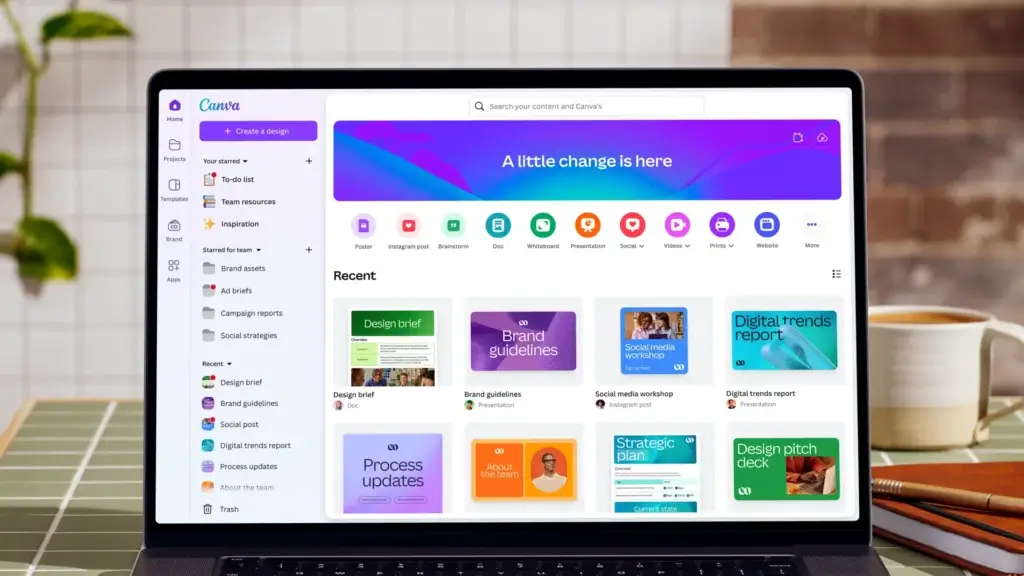
Canva ranks first because it removes more everyday production friction than any other tool in this comparison. You can create social posts, thumbnails, presentations, lead magnets, videos, media kits, brand assets, and simple websites from one visual workspace. Its strongest advantage is speed from idea to a consistent, publishable asset.
Core features and capabilities
- Multi-format design – Create graphics, videos, presentations, documents, and social assets from templates or a blank canvas.
- Brand consistency – Save colors, fonts, logos, and reusable templates to reduce visual inconsistency.
- AI-assisted creation – Generate, resize, rewrite, remove backgrounds, and adapt designs with Canva AI tools.
Ideal use cases
Canva is best for solo creators, marketers, educators, newsletter writers, and small teams that need professional-looking content without hiring a designer for every asset.
Strengths and limitations
Strengths: easy to learn, broad template library, strong brand tools, and excellent format flexibility.
Limitations: less precise than professional design software, premium assets can create licensing questions, and complex video projects become difficult to manage.
Pricing and plans
Canva has a generous free plan. Canva Pro adds premium content, Brand Kits, advanced resizing, background removal, and higher AI usage. Pricing varies by region, while Canva Business is listed at $20 per person per month in the United States.
Why it ranks #1
Canva delivers the broadest value across the largest number of creator workflows. Even when you use specialist editing or monetization tools, Canva often remains the fastest place to create the supporting assets around them.
Descript

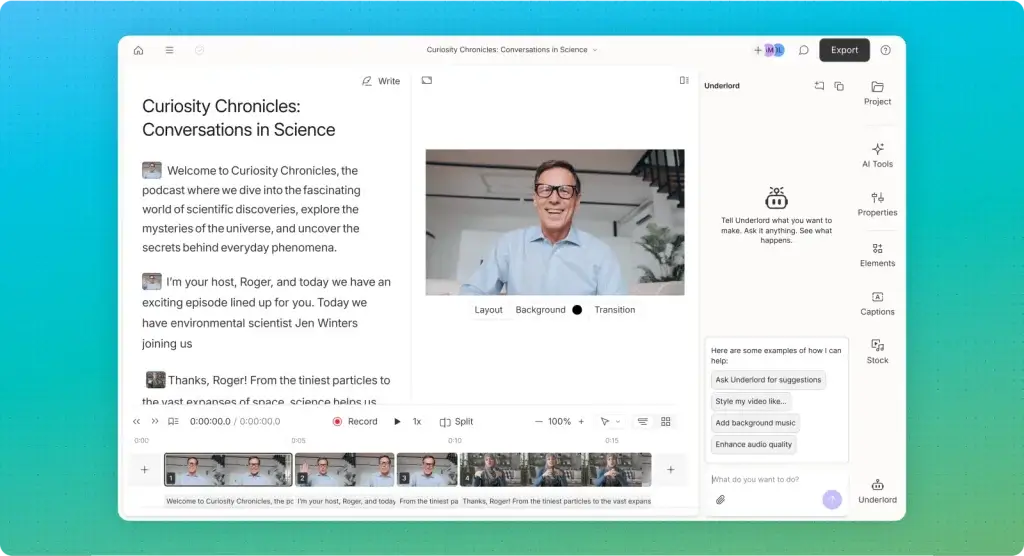
Descript turns spoken content into editable text, which changes the economics of podcast and talking-head production. Instead of searching through a timeline for every sentence, you can edit the transcript and let the software update the corresponding audio or video. This makes it especially effective for interview shows, tutorials, webinars, and educational content.
Core features and capabilities
- Text-based editing – Cut, rearrange, and refine recordings through the transcript.
- Podcast and video tools – Record screens, remote conversations, voiceovers, and multitrack projects.
- AI enhancement – Remove filler words, improve audio, generate clips, write show notes, and automate repetitive edits.
Ideal use cases
Descript is ideal when your content is driven by speech and the main bottleneck is editing time rather than camera switching or cinematic effects.
Strengths and limitations
Strengths: unusually fast dialogue editing, useful AI assistance, strong transcription, and an accessible learning curve.
Limitations: timeline control is lighter than advanced editors, AI edits still require review, and usage limits matter on lower plans.
Pricing and plans
Descript offers a free plan. Paid plans currently start at a $16 monthly equivalent with annual billing, with higher tiers adding more media hours, AI credits, export quality, and team features.
Why it ranks #2
Descript ranks second because it saves substantial time on a common creator workflow. It is not the most powerful editor, but it can be the most productive editor for spoken content.
Riverside

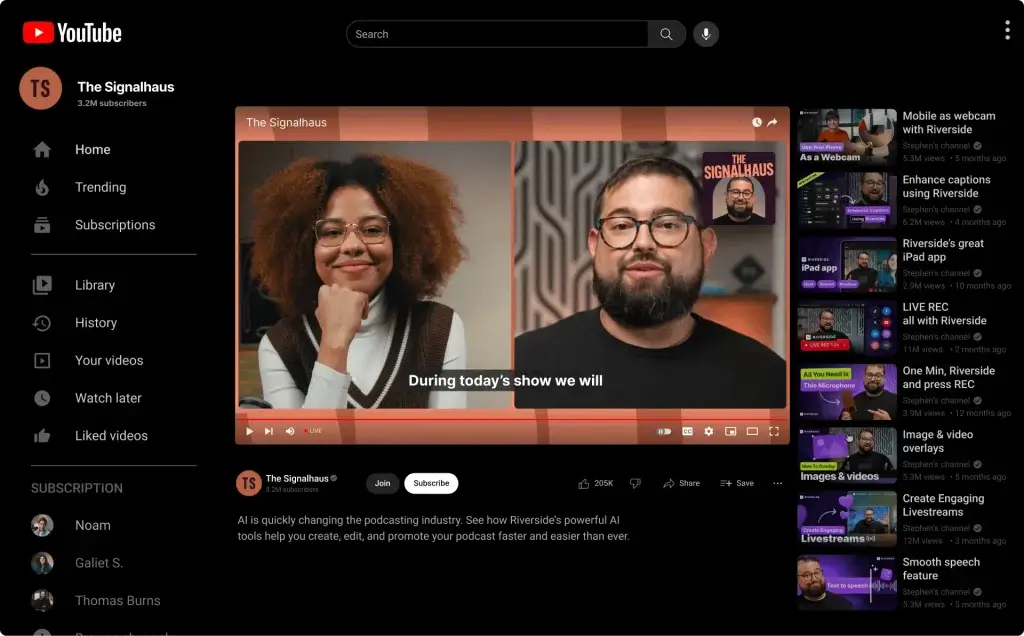
Riverside is the strongest option when you need high-quality remote recordings that can become several content assets. It records each participant locally, preserves separate tracks, and combines recording, livestreaming, text-based editing, captions, transcripts, and AI-generated clips in one platform.
Core features and capabilities
- Local multitrack recording – Capture separate audio and video files with less dependence on connection quality.
- Remote guest workflow – Invite speakers through a link and manage interviews, podcasts, or webinars in the browser.
- AI editing and clips – Edit from the transcript, clean audio, remove filler words, and generate short-form content.
Ideal use cases
Riverside is best for video podcasters, interview-led creators, educators, agencies, and B2B teams that want every recording to feed a wider content campaign.
Strengths and limitations
Strengths: high-quality local files, separate tracks, smooth guest access, and strong repurposing tools.
Limitations: advanced team roles can require higher plans, detailed timeline editing is limited, and the best value depends on recording volume.
Pricing and plans
Riverside has a free plan. Pro is listed at $29 monthly or $24 per month with annual billing, while Grow and Webinar plans add more production, streaming, and audience features.
Why it ranks #3
Riverside ranks above simpler recording studios because it connects capture quality with post-production efficiency. Read the full Riverside review for a deeper feature breakdown.
CapCut

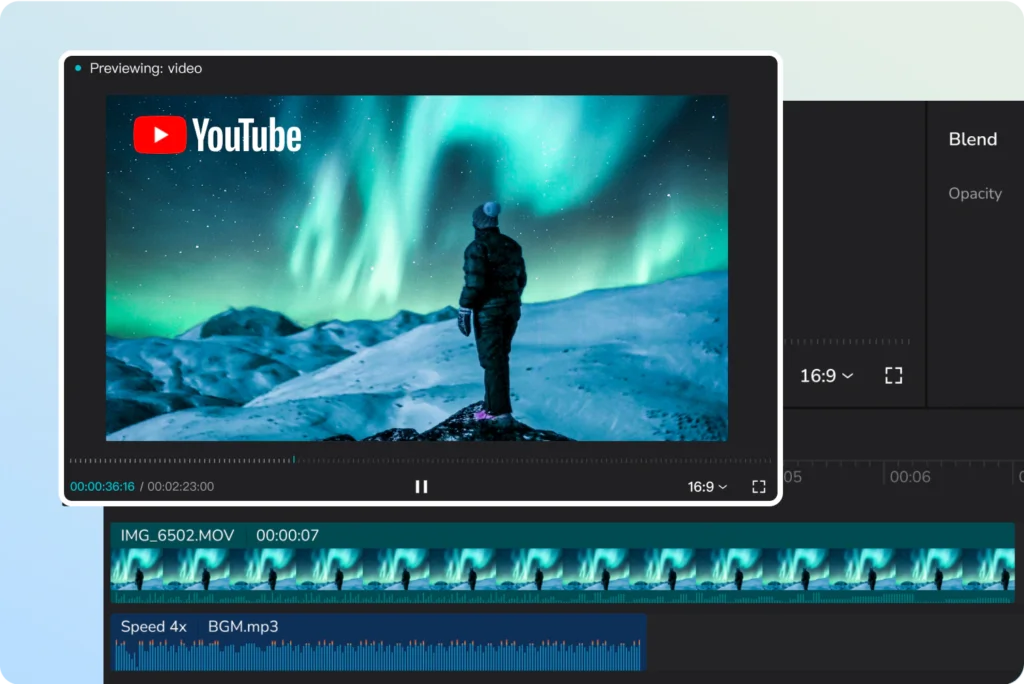
CapCut is one of the most efficient tools for creators publishing Reels, Shorts, TikToks, product clips, and mobile-first videos. It combines an approachable timeline with templates, captions, effects, background removal, speed controls, cloud projects, and AI features designed around fast social production.
Core features and capabilities
- Short-form editing – Trim, layer, animate, caption, and format vertical videos quickly.
- Cross-device workflow – Work across mobile, desktop, and web with cloud-based project access.
- Templates and effects – Use trend-friendly layouts, transitions, filters, text, and audio assets.
Ideal use cases
CapCut is best when publishing speed and social-native formats matter more than advanced color grading, long-form project management, or broadcast workflows.
Strengths and limitations
Strengths: fast editing, strong mobile experience, useful free tools, and a large template ecosystem.
Limitations: pricing varies by region, premium assets can increase dependency, and professional teams may need stronger approval and asset controls.
Pricing and plans
CapCut has a free version. Official pricing guidance commonly lists CapCut Pro at $19.99 per month or $179.99 per year, although prices, taxes, and available plans vary by region and platform.
Why it ranks #4
CapCut is the most practical specialist for short-form production. It ranks below the top three because it solves a narrower problem, but it may be your highest-value tool if vertical video drives most of your growth.
Adobe Express
Adobe Express is a strong Canva alternative for creators who want quick template-based production while staying connected to the Adobe ecosystem. It handles social graphics, short videos, documents, simple web pages, PDF edits, brand kits, scheduling, and Firefly-powered generative features.
Core features and capabilities
- Template-based creation – Build social posts, videos, flyers, presentations, and promotional assets quickly.
- Brand controls – Store fonts, colors, logos, and reusable templates for consistent publishing.
- Adobe integration – Reuse assets and workflows connected to Photoshop, Illustrator, Acrobat, and Creative Cloud.
Ideal use cases
Adobe Express is best for creators already paying for Adobe products, brand-focused teams, and users who want a lightweight content layer around more advanced creative applications.
Strengths and limitations
Strengths: strong Adobe integration, useful brand tools, capable free plan, and broad format support.
Limitations: less intuitive than Canva for some beginners, generative usage is credit-based, and advanced editing still requires other Adobe apps.
Pricing and plans
Adobe Express has a free plan. The individual Premium plan is listed at $9.99 per month and adds premium templates, more assets, additional generative credits, and advanced brand features.
Why it ranks #5
Adobe Express is highly competitive, but Canva remains the easier universal recommendation. Express becomes the better choice when your existing Adobe subscription and asset library reduce the need for another disconnected tool.
Restream

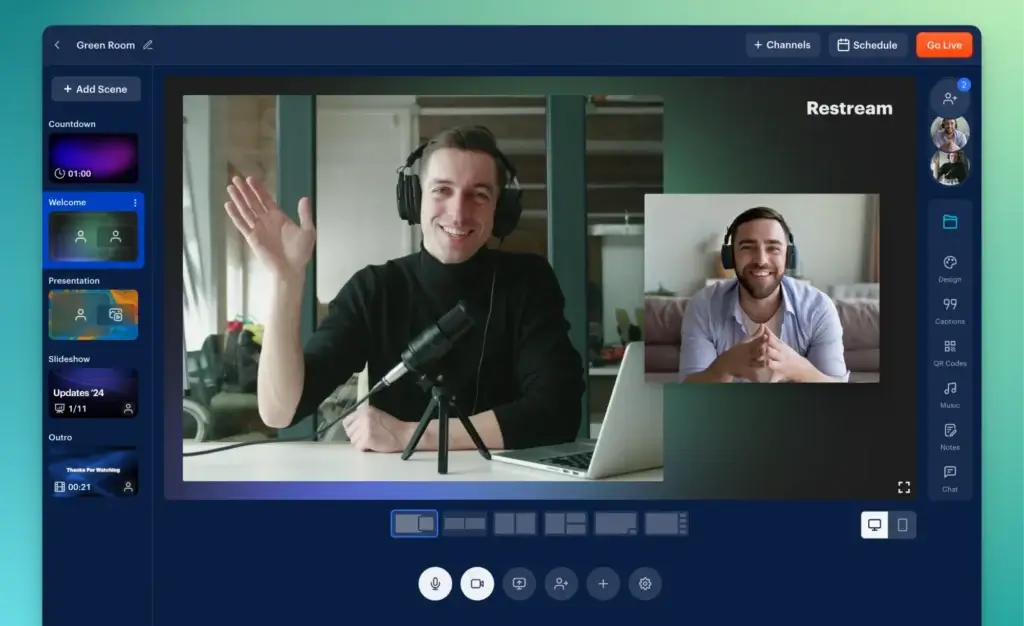
Restream helps you create a live show in the browser or send a feed from another encoder, then distribute it to several channels. Its unified chat, event scheduling, guest channels, analytics, recordings, and vertical-horizontal output options make it useful for creators whose audiences are split across platforms.
Core features and capabilities
- Cloud multistreaming – Send one live feed to several destinations without creating separate local outputs.
- Browser studio – Invite guests, share screens, show comments, and add branding without installing software.
- Encoder support – Connect OBS, Streamlabs, vMix, or other production tools when you need more control.
Ideal use cases
Restream is best for live podcasters, educators, streamers, consultants, and marketing teams that want to reach multiple communities from one production.
Strengths and limitations
Strengths: excellent distribution, easy guest workflow, broad integrations, and a useful free entry plan.
Limitations: advanced resolution and destination counts require upgrades, production depth is below desktop switchers, and clip features may add cost.
Pricing and plans
Restream offers a free plan for two channels. Standard is listed at $19 monthly or a $16 monthly equivalent with annual billing, while Professional adds five channels, Full HD streaming, 4K recording, and dual-format output.
Why it ranks #6
Restream ranks first for live distribution but lower overall because many creators do not livestream regularly. Compare more options in the best streaming software guide or read the full Restream review.
OpusClip
OpusClip is designed around one high-value task: turning long videos into short clips. You upload a file or connect a supported source, then the software identifies moments, reframes speakers, adds captions, scores clips, and prepares versions for vertical social channels.
Core features and capabilities
- AI highlight selection – Identify potentially engaging moments without reviewing the entire recording manually.
- Automatic reframing – Track speakers and adapt wide video to vertical, square, or landscape formats.
- Captions and branding – Add animated captions, templates, logos, and reusable visual styles.
Ideal use cases
OpusClip is best for podcasters, webinar teams, coaches, streamers, and interview creators with a regular supply of long-form video.
Strengths and limitations
Strengths: significant time savings, fast vertical output, easy captions, and broad source support.
Limitations: AI-selected moments are inconsistent, credits require monitoring, and clips still need human review for context and brand safety.
Pricing and plans
OpusClip has a free plan with monthly processing limits. Starter is $15 per month, while Pro is listed at $29 monthly or $14.50 per month with annual billing for the base credit pack.
Why it ranks #7
OpusClip can create excellent leverage, but only after you have worthwhile long-form content. It should accelerate a proven repurposing process, not replace editorial judgment.
Kit
Kit, formerly ConvertKit, is built for creators who want to convert platform followers into an email audience they can reach directly. It combines forms, landing pages, newsletters, tagging, visual automations, recommendations, digital products, subscriptions, and creator-focused integrations.
Core features and capabilities
- Audience capture – Build forms and landing pages for lead magnets, launches, and newsletter subscriptions.
- Segmentation – Organize subscribers by interests, behavior, purchases, and engagement.
- Automated journeys – Deliver welcome sequences, launches, evergreen funnels, and re-engagement campaigns.
Ideal use cases
Kit is best for newsletter writers, educators, podcasters, coaches, and creators whose business depends on repeat relationships rather than one-off social reach.
Strengths and limitations
Strengths: creator-focused automation, clean subscriber tagging, useful free plan, and strong monetization features.
Limitations: cost rises with subscriber count, design flexibility is limited, and advanced reporting is stronger on higher tiers.
Pricing and plans
Kit offers a free Newsletter plan. For up to 1,000 subscribers, Creator is listed at $33 per month with annual billing, while Pro adds deeper analytics, deliverability tools, and advanced audience intelligence.
Why it ranks #8
Kit ranks below production tools because it does not create the content itself. Strategically, however, it may become more valuable as your audience grows because email reduces dependence on changing platform algorithms.
Patreon
Patreon gives creators a recognizable place to offer memberships, gated posts, video, audio, livestreams, chats, annual plans, and one-time purchases. It is especially useful when a smaller group of committed supporters is more valuable than chasing a larger but less engaged audience.
Core features and capabilities
- Membership tiers – Create monthly or annual offers with different access levels and benefits.
- Community publishing – Share posts, audio, video, newsletters, chats, comments, and direct messages.
- One-time sales – Sell digital products, posts, or collections without requiring a recurring membership.
Ideal use cases
Patreon is best for podcasters, artists, educators, writers, video creators, and niche communities with a clear reason for fans to pay repeatedly.
Strengths and limitations
Strengths: trusted membership model, built-in community tools, low upfront risk, and several content formats.
Limitations: platform and processing fees reduce margins, discovery is not guaranteed, and weak membership positioning leads to churn.
Pricing and plans
Patreon is free to start. New creators generally pay a 10% platform fee on income earned through Patreon, plus payment processing, currency conversion, payout fees, and applicable taxes.
Why it ranks #9
Patreon can produce meaningful recurring revenue, but it works best after you have established trust and a clear member promise. Software cannot compensate for an offer that lacks ongoing value.
Linktree
Linktree turns one profile link into a compact conversion hub for content, products, newsletters, affiliate offers, tips, services, and social channels. The product is easy to underestimate, but a well-structured link-in-bio page can reduce friction between attention and action.
Core features and capabilities
- Link-in-bio page – Organize your most important destinations behind one mobile-friendly URL.
- Audience capture – Collect subscribers and direct visitors toward newsletters, launches, or lead magnets.
- Monetization tools – Sell digital products, accept payments, promote affiliate offers, and feature selected links.
Ideal use cases
Linktree is best for social-first creators who need a fast, recognizable bridge between platform profiles and owned destinations.
Strengths and limitations
Strengths: quick setup, strong mobile experience, flexible monetization, and useful analytics on paid plans.
Limitations: less control than a full website, transaction fees can apply, and too many links can weaken conversion focus.
Pricing and plans
Linktree offers a free plan. Starter is listed at $6 per month with annual billing, while Pro adds deeper customization, analytics, growth tools, and stronger monetization features.
Why it ranks #10
Linktree completes the list because it improves the final step in the creator funnel. It will not replace your website or email platform, but it can make your existing content and offers easier to discover.
How to build the right creator software stack
Buying overlapping tools creates duplicate subscriptions, fragmented asset libraries, and more time spent moving files than creating. Build your stack around the stage that currently limits growth.
Stage 1: Create and publish consistently
Start with one visual tool and one primary editor. Canva plus CapCut is practical for social-first creators. Adobe Express suits Creative Cloud users, while Descript is stronger for speech-led content.
Stage 2: Improve quality and repurpose winners
Add Riverside when remote recording quality becomes a problem. Add OpusClip only when you publish enough long-form content to justify automated clipping.
Stage 3: Expand distribution without losing focus
Restream makes sense when live content performs across several channels. Linktree simplifies traffic routing, but each page should still prioritize one or two actions.
Stage 4: Own and monetize the audience
Kit becomes important when you need a direct subscriber relationship. Patreon works when your audience understands the recurring value. Email should support the membership strategy.

What to compare before choosing creator software
Start with the bottleneck, not the category
Identify the task that repeatedly delays publishing, such as editing interviews, resizing designs, finding clips, or converting followers. The right software should reduce that delay measurably.
Check export quality and portability
Confirm you can export original files, separate tracks, captions, subscriber data, analytics, and reusable assets. Avoid platforms that trap your content or audience.
Review AI features with human control
AI can remove silence, draft captions, generate images, find highlights, and adapt formats. Choose tools that let you review every important output for context, accuracy, and brand safety.
Calculate the real monthly cost
Include credits, storage, export limits, seats, subscriber tiers, transaction fees, and add-ons. Low starting prices can hide higher operating costs.

Best creator software alternatives by workflow
Best Canva alternative: Adobe Express
Choose Adobe Express for template-driven design connected to Photoshop, Illustrator, Acrobat, Firefly, and Creative Cloud assets.
Best Descript alternative: Riverside
Choose Riverside when local recording quality and separate participant tracks matter more than deeper text-based editing.
Best CapCut alternative for professional editing: DaVinci Resolve
DaVinci Resolve is better for advanced timelines, color grading, audio post-production, and long-form projects.
Best Restream alternative for gaming creators: Streamlabs
Streamlabs is stronger when overlays, alerts, tips, sponsorship tools, and gaming-focused channel features matter more than cloud distribution. Read the full Streamlabs review.
Best Patreon alternative for an owned community: Circle
Circle offers stronger community spaces, courses, events, and branded experiences, but requires a larger fixed subscription.
Conclusion
Canva is the best overall creator software for 2026 because it supports the widest range of everyday content tasks with the lowest learning curve. Descript is the best productivity upgrade for spoken video and podcasts, while Riverside is the strongest choice for high-quality remote recording and multi-format repurposing.
CapCut is the best option for fast short-form video, Adobe Express is the better fit for Adobe-centered workflows, and Restream leads for multichannel live distribution. OpusClip can multiply long-form output, Kit helps you own the audience relationship, Patreon supports recurring memberships, and Linktree creates a simple conversion bridge from social profiles.
The best creator stack is usually small. Choose one primary tool for each essential stage and add specialist software only when it clearly saves time, improves quality, or increases revenue.
FAQs
What is creator software?
Creator software helps you plan, produce, edit, publish, distribute, grow, and monetize digital content across design, video, podcasting, livestreaming, email, memberships, and repurposing.
What is the best creator software in 2026?
Canva is the best overall creator software in 2026 because it supports graphics, videos, documents, brand assets, and social content. Specialist creators may prefer Descript, Riverside, CapCut, or Restream.
What are the best free tools for content creators?
Canva, CapCut, Descript, Riverside, Adobe Express, Restream, OpusClip, Kit, and Linktree offer free entry options. Choose based on your design, editing, recording, distribution, email, or monetization needs.
Which creator software is best for video?
CapCut is best for fast short-form video, Descript is best for speech-led editing, Riverside is best for remote recording, and DaVinci Resolve is stronger for advanced professional post-production.
Which creator tool is best for podcasts?
Riverside is the best choice for high-quality remote podcast recording, while Descript is stronger for transcript-based editing, cleanup, show notes, and repurposing after the recording is complete.
Do creators need email marketing software?
Email marketing software helps you capture subscribers, segment interests, automate campaigns, promote launches, and reduce dependence on social algorithms.
Is Patreon worth it for new creators?
Patreon is worth considering when you already have an engaged audience and a clear recurring benefit, such as exclusive content, community access, early releases, or education. It is less effective when the membership offer is vague.
How much should you spend on creator software?
Start free and upgrade when a feature removes a proven bottleneck. Calculate seats, credits, storage, subscriber tiers, transaction fees, and add-ons before annual billing.
Can AI creator tools replace manual editing?
AI can accelerate captions, clipping, cleanup, resizing, and drafts, but human review remains necessary for context, accuracy, pacing, branding, and copyright.
How many creator tools do you really need?
Most solo creators need one visual tool, one primary editor, one audience or distribution platform, and one monetization layer. Add specialists only for measurable problems.