
Introduction
InVideo AI promises something more ambitious than faster editing. You describe the video you want, and the platform can develop a script, select or generate visuals, create narration, add music and subtitles, arrange scenes, and prepare a complete first draft. That makes it appealing when you need more video output but do not have the time, skills, or budget to build every project manually.
The strongest reason to use InVideo AI is speed at the beginning of production. It can turn a rough idea into a structured video far faster than a traditional blank-timeline workflow. The main limitation appears later. AI-selected footage can be generic, factual details still need verification, and repeated generations can consume credits quickly, particularly when you use premium generative models or Agent One for complex revisions.
This InVideo AI review examines Agent One, prompt-to-video creation, avatars, voice cloning, editing, pricing, credit consumption, output quality, strengths, limitations, and the best alternatives in 2026.
What Is InVideo AI?
InVideo AI is a browser-based AI video creation platform that turns prompts, scripts, ideas, product information, and other source material into videos. It can combine AI-written scripts, generated clips, stock media, voiceovers, captions, music, transitions, and different aspect ratios within one workflow.
Who InVideo AI Is Designed For
- Marketing teams – Create explainers, campaign drafts, product videos, ads, and social variations from a written brief.
- YouTube creators – Produce faceless list videos, educational content, narrated stories, and channel experiments.
- Small businesses – Build promotional videos without hiring a full production team for every asset.
- Agencies – Develop concepts, storyboards, ad variations, and early client drafts more quickly.
- Educators and trainers – Turn scripts into narrated lessons, tutorials, and multilingual materials.
- Creative professionals – Explore visual directions, generate shots, and develop pre-production ideas with Agent One.
InVideo AI Features
Prompt-to-Video, Agents, and Creative Models
Prompt-to-Video Creation With Autopilot
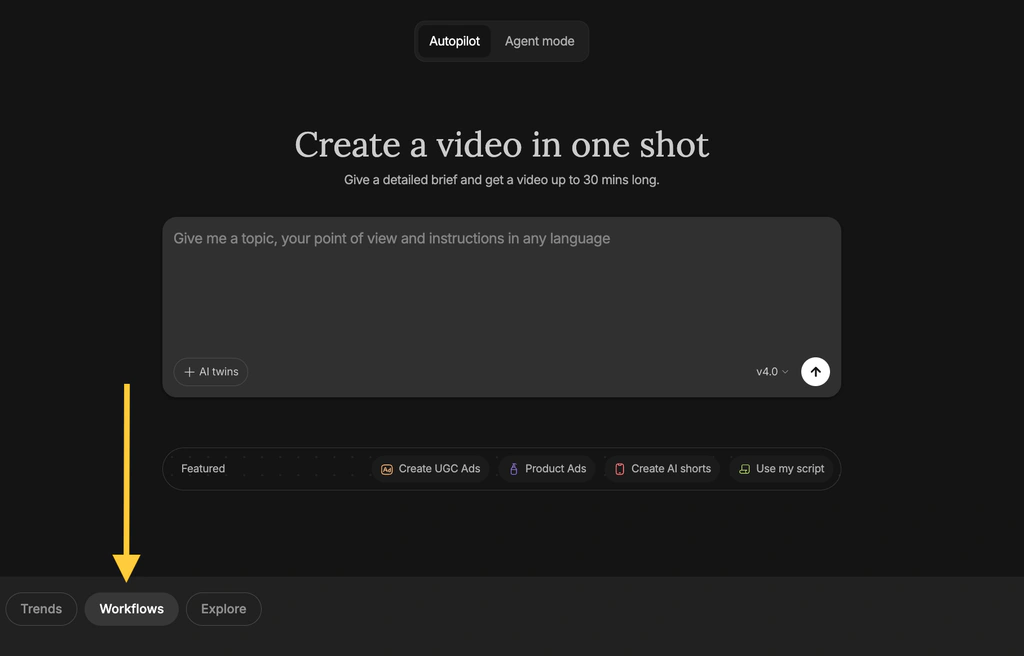
Autopilot is the simplest route from an idea to a complete draft. You describe the subject, target audience, platform, length, style, and voice, then the system assembles the script, scenes, visuals, narration, subtitles, music, and transitions.
Autopilot offers different generation qualities. Basic relies mainly on stock media and is the most credit-efficient. Pro and Ultra use generative models more heavily, which can create more distinctive visuals but also increase cost substantially. This distinction matters because two videos of the same length can consume very different credit amounts.
Agent One and Context-Aware Video Creation
Agent One is the most important development in the platform. Instead of treating every instruction as an isolated prompt, it is designed to retain project context such as characters, locations, visual style, tone, story details, and previous decisions.
This helps with a common generative video problem: creative drift. A character can change appearance between shots, a location can lose continuity, or later edits can ignore earlier instructions. Agent One attempts to reduce this by keeping the larger project brief available while it generates and revises media.
You can ask it to change several shots, update a location, adjust a costume, develop a storyboard, refine a script, or coordinate different creative tasks. It can also select models and construct prompts, reducing the need to understand every technical setting before starting.
Access to Multiple AI Models
InVideo AI provides access to more than 200 image, video, audio, and music models within one interface. Available options include leading video generators, image models, voice systems, and music tools. You can choose a model directly or let the platform route the request.
Model availability and pricing can change, so the platform should not be purchased only for one third-party model. The stronger reason to choose it is the connected workflow that combines model access with scripts, editing, assets, collaboration, and export.
AI Avatars, Actors, and UGC-Style Videos
InVideo AI supports avatar clones, human actors, and virtual actors. You can create a digital version of yourself, use an actor from the platform library, or select a synthetic presenter for UGC ads, product explainers, training, and social content.
The practical limitations should not be ignored. Pro actors consume additional credits, avatar use is governed by content restrictions, and synthetic presenters can feel repetitive when the script, pacing, or gestures are not carefully directed. A real presenter remains stronger for emotional storytelling, executive communication, testimonials, and content where trust depends on visible human authenticity.
Voiceovers, Voice Cloning, and Languages
The platform can generate voiceovers in more than 50 languages and accents, choose different voice styles, and create a clone from a short recording. Voice cloning helps maintain a recognizable narrator across videos without recording every revision.
Stock Media, AI Visuals, Music, and Subtitles
InVideo AI can search a large stock library and combine licensed footage with generated images or video. Stock media works well for broad subjects such as business, travel, productivity, health, and lifestyle, while generative media is more useful when the concept requires unusual scenes, fictional characters, or a specific visual style.
User Experience and Performance
Editing, Collaboration, and Output Quality
Text-Based Revisions and the Magic Box
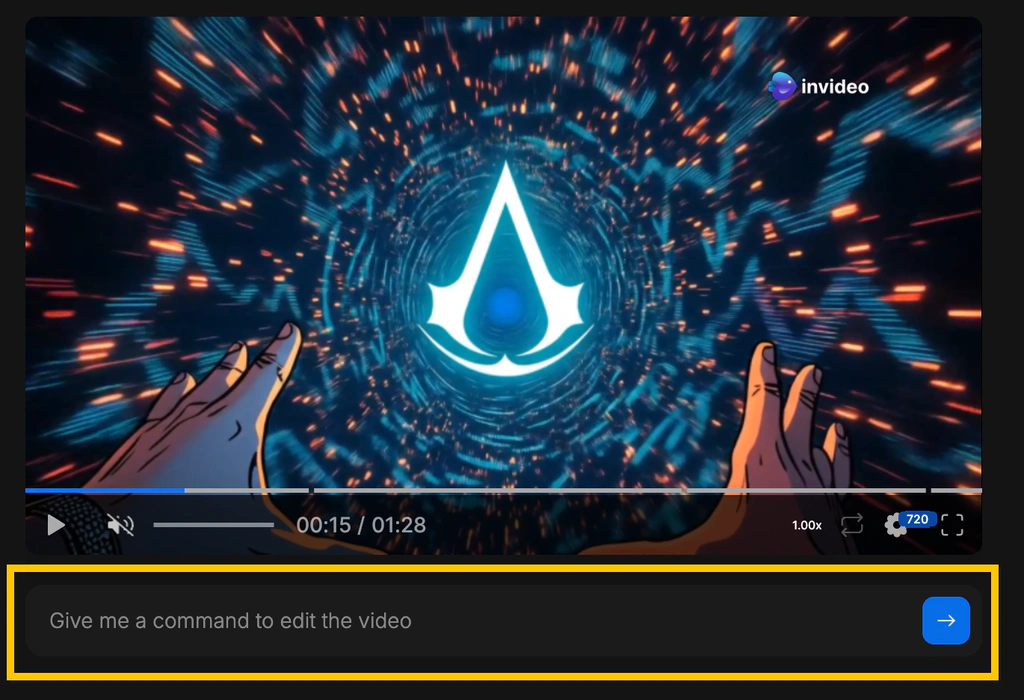
Command-based editing works best for clear, limited changes. Broad requests can create unexpected results, and regenerating a scene may alter more than the specific detail you wanted. For important projects, make one controlled change at a time and review the output before continuing.
Timeline Editing and Manual Control
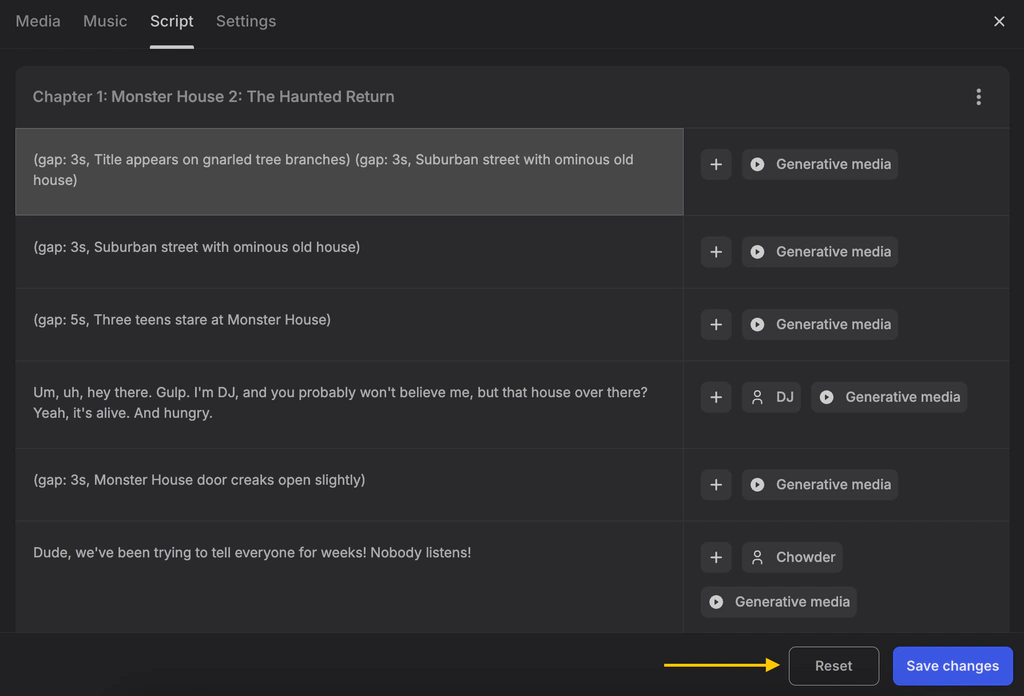
InVideo has expanded beyond pure prompt editing and now presents timeline and storyboarding capabilities. You can organize shots, adjust media, refine scripts, and work more directly with the structure of the video.
Even with these improvements, it should not be confused with Adobe Premiere, Final Cut Pro, or DaVinci Resolve. Professional editors provide deeper media management, color, compositing, keyframes, audio mixing, multicamera editing, plugins, and delivery controls. InVideo AI is designed to accelerate creation rather than replace every specialist post-production task.
Collaboration and Team Workflows
Team and Enterprise plans add administrative value, including seats, security controls, and project credit limits. The credit controls are particularly important because shared access without budget rules can make usage difficult to predict.
Rendering Speed and Reliability
Simple stock-led drafts can be generated relatively quickly. High-quality generative clips take longer because the platform may call several external models, render media, create audio, and assemble the result. Complex Agent One requests can also require more processing than a straightforward Autopilot video.
How Good Is the Final Video?
InVideo AI can produce an impressive first draft, particularly when the brief has a clear audience, narrative, visual direction, and desired platform. It performs best when the video can combine narration with stock, generated visuals, captions, and music.
The output becomes less reliable when the topic requires precise facts, consistent products, complex physical interactions, subtle emotion, or exact brand details. Generative models can produce visual errors, and automatically written scripts can make unsupported claims. Human review is essential.
Pros and Cons
InVideo AI Benefits and Limitations
Positive
✅ Fast complete first drafts
✅ Context-aware Agent One
✅ Broad generative model access
✅ Avatars and voice cloning
✅ Beginner-friendly prompt editing
Negative
❌ Credit costs can be unpredictable
❌ AI drafts require careful review
❌ Generated visuals may be inconsistent
❌ Limited professional editing depth
❌ High-quality daily use is expensive
Strengths and Benefits
- Fast complete first drafts – The platform can handle scripting, visuals, narration, subtitles, music, and scene assembly from one brief.
- Context-aware Agent One – Longer-term project memory and multi-shot changes can reduce repeated prompting and creative drift.
- Broad generative model access – One workspace provides access to many video, image, audio, voice, and music models.
- Avatars and voice cloning – Businesses can create repeatable presenter and narration workflows without filming every version.
- Beginner-friendly prompt editing – Text commands make common revisions easier for users who do not know a professional timeline.
Limitations and Drawbacks
- Credit costs can be unpredictable – Agent One and premium models can use different amounts depending on duration, resolution, and complexity.
- AI drafts require careful review – Scripts, captions, visuals, and product claims should never be published without fact-checking.
- Generated visuals may be inconsistent – Faces, objects, logos, movement, and continuity can change between shots.
- Limited professional editing depth – Advanced color, audio, motion graphics, and media management remain stronger in desktop editors.
- High-quality daily use is expensive – Generative plans become costly when a workflow requires frequent Pro or Ultra output and several revisions.
Pricing
Plans, Usage, and Real Cost
InVideo AI uses credits as its main usage currency. Credits are consumed when you generate videos, clips, images, avatars, voices, or other AI media. Downloading and exporting do not consume credits.
The pricing below was checked in July 2026 and reflects listed annual-equivalent starting rates. Plan allowances, model costs, discounts, and available configurations can change.
| Plan | Starting Price | Monthly Credits | Storage | Best For |
| Free | $0 | Limited weekly credits | Limited | Testing models and the workflow |
| Plus | $17/month billed annually | 75 | 20GB | Occasional exploration and light creation |
| Max | $85/month billed annually | 390 | 100GB | Regular individual production |
| Generative | $170/month billed annually | 800 | 2TB | Daily generative video workflows |
| Elite | $900/month billed annually | 4,250 | 10TB | High-volume professional generation |
| Team | $40/seat/month billed annually | 160 per seat | Plan dependent | Collaborative teams and budget controls |
| Enterprise | Custom | Custom | Custom | Security, administration, and scale |
Free Plan
The Free plan does not require card details and provides a limited weekly credit allowance that resets on Monday at 12 a.m. UTC. It can be used to explore models, generate images, and test the interface.
Plus and Max
Plus starts at a $17 monthly equivalent with annual billing and includes 75 credits, 20GB of storage, a limited iStock allowance, and access to several avatars or voice clones. It is appropriate for testing paid features and creating occasional content, but 75 credits can disappear quickly when you use generative video rather than stock-led Basic output.
Generative and Elite
Generative begins at a $170 monthly equivalent with 800 credits and is positioned for daily use. This is where the credit economics become more practical for users who depend on premium visual generation, avatars, and repeated revisions.
How Credit Consumption Changes the Real Price
Autopilot Basic currently uses 2 credits per minute because it relies on stock media. Pro uses 80 credits per minute, while Ultra uses 160 credits per minute. Adding certain Pro human or virtual actors creates additional usage.
This means a headline monthly allowance does not translate into a fixed number of videos. A Plus user could create many minutes of Basic content, but less than one minute of Pro generation. Agent One can also combine several media actions in one response, so the cost depends on what the agent creates.
Credits included with Plus, Max, Generative, and Elite reset monthly and do not roll over. Extra credits purchased separately can remain valid longer while the subscription is active. Top-ups are available when you run out.
Pricing Risks to Check Before Subscribing
- Unused plan credits expire – Monthly credits do not carry forward to the next billing period.
- Model pricing can change – Third-party model rates and platform credit costs are not permanently fixed.
- Annual plans require commitment – Calculate real usage before paying for a full year.
- Refund eligibility is narrow – Refunds are generally limited to seven days and unused subscriptions.
- Top-ups increase effective cost – Frequent extra-credit purchases may signal that a larger plan or different workflow is required.
Best Use Cases
Who Should Use InVideo AI?
Best for Prompt-to-Video Marketing Drafts
InVideo AI is strongest when you need to turn a brief into a presentable draft quickly. Product explainers, social campaign concepts, promotional videos, and list-based content can be assembled without starting from an empty timeline.
Best for Faceless YouTube Channels
Narrated channels can use scripts, stock footage, generative scenes, subtitles, and voiceovers within one system. The platform can accelerate output, but channel quality still depends on original research, useful scripting, thoughtful visual selection, and editorial review. Fully automated, repetitive videos are unlikely to build durable audience trust.
Best for Agencies and Creative Concepting
Agencies can develop several visual directions, create storyboards, prepare animatics, test hooks, and show early concepts before investing in production. Agent One is particularly relevant when a project has recurring characters, settings, or brand rules.
Best for UGC-Style Ads and Product Videos
Avatars, actors, product visuals, voiceovers, and ad workflows make InVideo AI useful for rapid creative testing. You can generate several hooks or scripts, then identify which concepts deserve human production or paid distribution.
Best for Multilingual Narrated Content
Voice generation, cloning, subtitles, and language support can shorten localization. A native reviewer should still check meaning, pronunciation, cultural fit, and claims before each version is published.
Not Ideal for Precision Post-Production
Professional editors, filmmakers, and brands with strict technical requirements may use InVideo AI for ideation or first drafts, then move the project into a specialist editor. It is also a weak fit for organizations that cannot accept variable usage costs or upload sensitive source material to external AI services.
What Buyers Should Check
Business, Security, and Content Considerations
Fact-Checking and Brand Accuracy
AI-generated scripts can contain invented statistics, incorrect names, unsupported product claims, and outdated information. Review every factual statement against an authoritative source. This is especially important for healthcare, finance, legal, software pricing, and regulated advertising.
Copyright and Commercial Usage
Review the license for stock assets, generated media, music, voices, logos, uploaded files, and third-party model output before commercial publication. Rights can depend on the source provider, plan, campaign type, geography, and whether the content includes protected brands or people.
Avatar and Voice Consent
Create avatars and voice clones only with clear permission. InVideo applies verification and content restrictions, but the organization publishing the video still has a responsibility to prevent impersonation, deception, and unauthorized use.
Security and Privacy
InVideo states that its platform is SOC 2 and ISO aligned and GDPR compliant. Team and Enterprise buyers should request current documentation, review data retention, understand how prompts and uploaded assets are processed, and confirm whether the service meets internal requirements.
Competitors
Best InVideo AI Alternatives
VEED – Best for Browser-Based Editing and Localization
VEED is the strongest alternative when you want a broader browser editor with subtitles, dubbing, recording, brand tools, collaboration, and more direct manual control.
InVideo AI is better at producing a complete prompt-based draft with minimal setup. VEED is better when your team needs to record, edit, review, localize, and refine video inside a more conventional workspace. Read the complete VEED review for a detailed comparison of its AI and editing workflow.
| Feature | InVideo AI | VEED |
| Primary focus | Prompt-to-video and generative production | Browser editing and content operations |
| Complete AI first draft | Excellent | Good |
| Manual editing control | Improving | Stronger for routine editing |
| Model access | Very broad | Broad, but less central |
| Subtitles and localization | Strong | More mature workflow |
| Credit predictability | Varies by model and action | Plan and feature dependent |
| Best for | Generating concepts and complete drafts | Editing, localization, and team publishing |
CapCut – Best for Fast Short-Form Editing
CapCut is better for creators who record or collect their own footage and need fast editing, captions, effects, templates, mobile tools, and social-first formatting.
InVideo AI creates more of the source material from a prompt. CapCut gives you stronger hands-on control over short-form pacing and visual trends. The complete CapCut review explains its plans, editing workflow, and business considerations.
Canva – Best for Mixed Marketing Content
Canva is a better fit when video is one part of a broader workflow that includes presentations, social graphics, documents, advertisements, and brand templates.
InVideo AI is stronger for generating full narrated videos. Canva is easier for design-led teams that need consistent visual assets across many formats. Read the complete Canva review for its AI, video, collaboration, and licensing details.
Descript – Best for Spoken Content
Descript is better when the video begins with a recording, podcast, interview, tutorial, or screen capture. Its transcript-first editor makes it easy to remove sentences, filler words, pauses, and mistakes from real speech.
InVideo AI is better when no recording exists and you want the platform to create the script, narration, and scenes. Read the complete Descript review for a deeper look at text-based editing and AI audio.
Synthesia – Best for Training and AI Presenters
Synthesia is the stronger specialist for repeatable presenter-led training, onboarding, internal communication, and localization. It provides a more structured scene-and-avatar workflow for business learning content.
InVideo AI offers greater creative range across stock, generative visuals, ads, stories, and cinematic concepts. Synthesia is better when consistency and enterprise presenter workflows matter more than open-ended visual generation.
Read the complete Synthesia review for a detailed look at its avatars, localization tools, pricing, credits, and business use cases.
Pictory – Best for Turning Existing Content Into Video
Pictory is a practical alternative for converting articles, scripts, URLs, presentations, and long recordings into structured videos. Its workflow is more focused on repurposing existing content.
InVideo AI provides broader generative flexibility and more advanced creative models. Pictory can be easier to justify when the main goal is converting a large written content library into consistent video assets.
Best Practices
Getting the Most Out of InVideo AI
Start With a Production Brief, Not One Sentence
Include the audience, objective, platform, length, tone, structure, visual style, prohibited claims, call to action, and source information. A detailed brief reduces generic scripts and irrelevant footage.
Use Basic Quality for Early Structure
Test the narrative and scene order with lower-cost generation before spending credits on premium visuals. Move to Pro or Ultra only after the script and storyboard are stable.
Require Approval Before Agent One Generates
Change the permission setting so Agent One shows what it plans to create, including the model, duration, aspect ratio, and expected action. This reduces accidental credit use.
Build a Human Review Checklist
Check facts, pronunciations, captions, pacing, music volume, visual continuity, licensing, brand rules, accessibility, and the call to action before export. AI output should enter a review process, not bypass one.
Track Credits by Project
Record the number of credits used for the initial draft, each revision, avatars, voice, and final visuals. After several projects, you can calculate the real cost per publishable minute and choose a more suitable plan.
Keep Source Files and Final Masters
Save scripts, prompts, original uploads, approved narration, captions, license records, and exported masters outside the platform. This protects the project if a model, plan, or feature changes.
Conclusion
Final Thoughts
InVideo AI is one of the most capable platforms for moving from a written idea to a complete video draft in 2026. Its combination of scripting, stock assets, generative models, avatars, voice cloning, captions, music, editing, and Agent One can remove substantial production work.
The central buying risk is credit economics. Basic stock-led videos are inexpensive, while Pro, Ultra, premium models, avatars, and Agent One revisions can consume allowances quickly. Unused plan credits expire, model rates can change, and high-quality daily production can require an expensive subscription.
InVideo AI is recommended for marketers, faceless YouTube creators, agencies, small businesses, educators, and creative teams that value rapid concept-to-draft production. VEED is better for browser editing and localization, CapCut for short-form control, Canva for mixed design workflows, Descript for recorded speech, Synthesia for structured training, and Pictory for content repurposing.
Have more questions?
Frequently Asked Questions
What is InVideo AI used for?
InVideo AI is used to create videos from prompts, scripts, ideas, product information, and other source material. It can generate scripts, visuals, narration, subtitles, music, avatars, and complete first drafts.
Is InVideo AI free?
Yes. InVideo AI has a free plan with limited weekly credits and no card requirement. It is best for testing the platform, models, and workflow before choosing a paid plan.
How much does InVideo AI cost?
Paid individual plans currently start at a $17 monthly equivalent with annual billing. Higher plans provide more credits, storage, stock assets, avatars, and voice clones, while Team and Enterprise plans support organizations.
What is Agent One in InVideo AI?
Agent One is a context-aware creative assistant that can retain project details, help develop scripts and storyboards, generate media, revise several shots, select models, and coordinate more complex video creation tasks.
Do InVideo AI credits roll over?
No. Credits included with Plus, Max, Generative, and Elite reset each month and do not roll over. Extra credits purchased separately have different expiration rules while the subscription remains active.
Does InVideo AI add a watermark?
Watermark and export conditions can vary by plan and may change. Check the current Free and paid plan details inside your account before creating a production video or purchasing an annual subscription.
Can InVideo AI clone my voice?
Yes. InVideo AI can create a voice clone from a short recording and use it for video narration. Clone only voices you own or have explicit permission to use.
Can I use InVideo AI for YouTube?
Yes. InVideo AI can create explainers, list videos, Shorts, narrated stories, faceless videos, and other YouTube formats. You should fact-check scripts, replace generic visuals, and add original editorial value before publishing.
Is InVideo AI better than CapCut?
InVideo AI is better for generating a complete video from a prompt. CapCut is better for hands-on short-form editing, mobile workflows, effects, captions, templates, and trend-driven social content.
What is the best InVideo AI alternative?
VEED is the best alternative for browser editing and localization, CapCut for short-form video, Canva for mixed marketing design, Descript for spoken content, Synthesia for training, and Pictory for content repurposing.