

Introduction
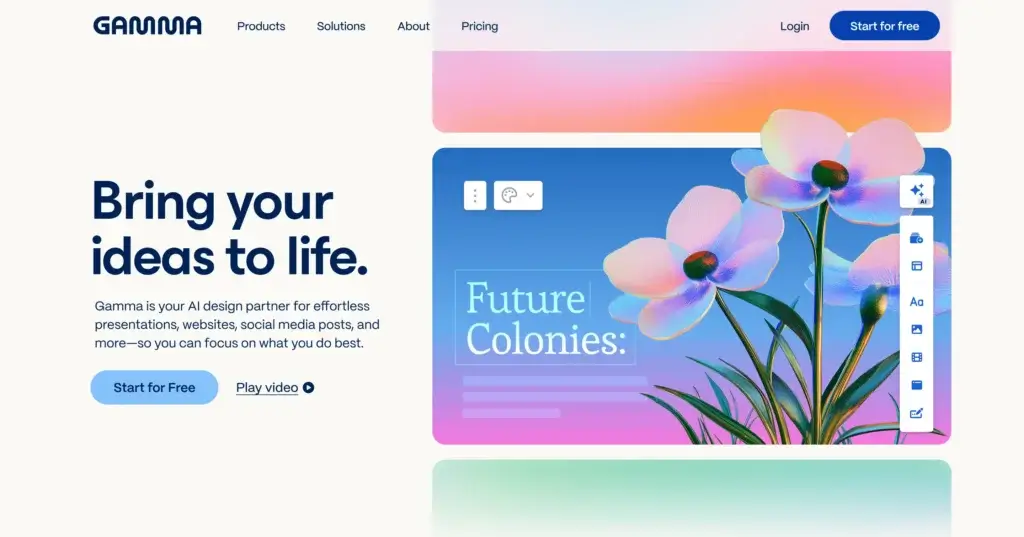
Creating a polished presentation used to mean choosing a template, wrestling with layouts, and spending hours adjusting spacing, fonts, and visuals. Gamma takes a different approach. Instead of starting with blank slides, it uses AI to turn prompts, outlines, notes, PDFs, and PowerPoint files into a web-native presentation that already looks clean, structured, and modern.
What makes Gamma especially interesting is that it is not limited to classic slide decks. You can build presentations, documents, simple web pages, and visual reports inside the same environment. Its card-based format is designed for online sharing first, which makes Gamma particularly strong for async presentations, internal updates, client proposals, pitch decks, and content that needs to look good across devices without much manual design work.
In this review, you will get a full overview of Gamma’s core features, pricing, advantages and disadvantages, best use cases, and how it compares to other presentation tools. You will also see where Gamma performs exceptionally well, and where more traditional tools like PowerPoint or Canva may still be the better choice.
Software Specification
Gamma’s Core Features
AI-generated presentations from prompts or files
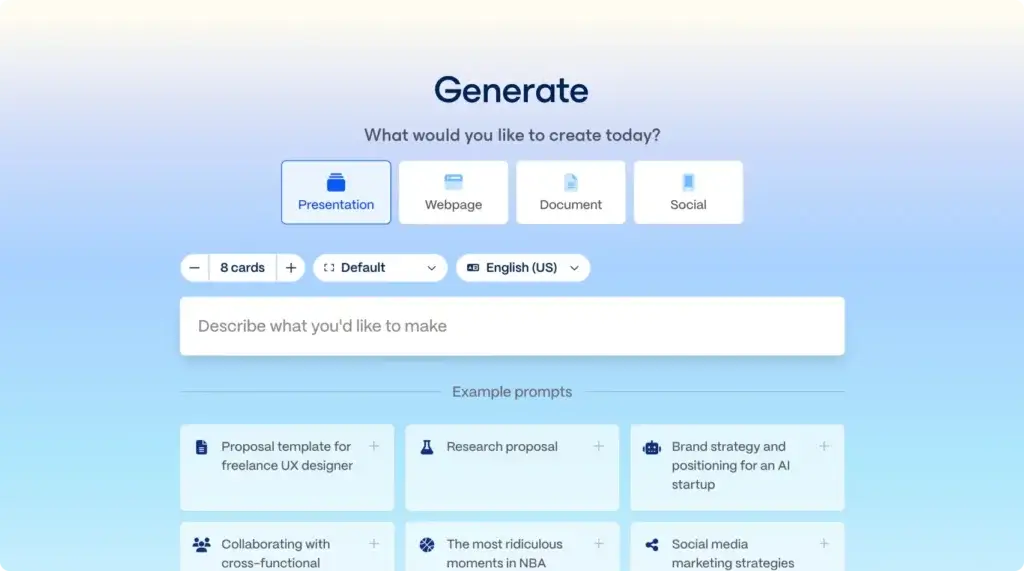
Gamma’s main strength is speed. You can start with a prompt, pasted text, an outline, or imported files such as PDF and PPTX, and Gamma will generate a structured first draft in minutes. It does not just produce text. It also applies layouts, visual hierarchy, media placement, and design formatting automatically, which makes it far more practical than text-only AI drafting. For users who want to move from idea to working deck quickly, this is one of Gamma’s biggest advantages.
Card-based, web-native presentation format
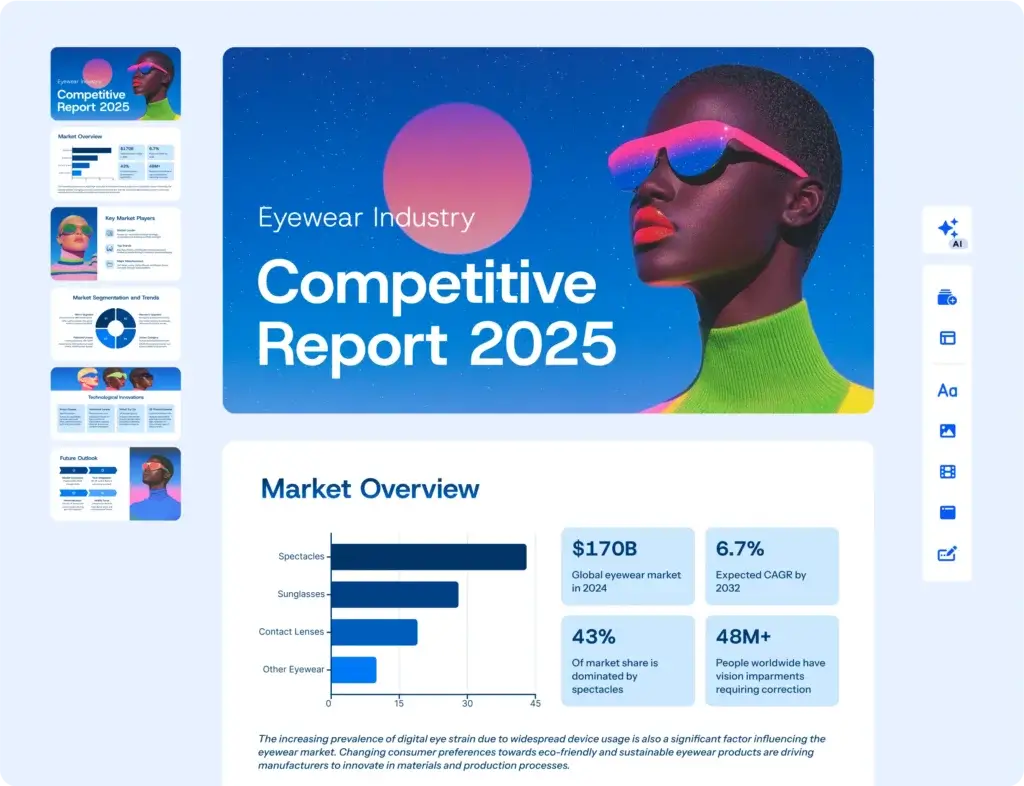
Unlike PowerPoint and Google Slides, Gamma is built around cards rather than traditional slide canvases. This makes content feel more like a modern web presentation than a static slideshow. The result is excellent for online sharing, scrolling, responsive viewing, and asynchronous communication. It is also why Gamma often feels more polished on a browser link than in exported slide form. For teams that present live on screen and also share decks afterward, this web-first format is a major benefit.
Fast design without manual formatting
Gamma is one of the best tools in this category for users who do not want to spend time arranging every element manually. Its smart layouts handle spacing, structure, image placement, and card styling automatically. You can still edit blocks, reorder sections, restyle a deck, and refine the content, but the product is clearly optimized for fast output rather than pixel-level design control. In my view, this is exactly why Gamma stands out. It removes most of the friction that slows down presentation creation.
Multiple output types in one workspace
Gamma is not only a presentation maker. You can also use it to create visual documents, simple websites, social content, and shareable pages from the same workspace. This makes it more versatile than many AI presentation tools that focus only on decks. If your workflow includes sales one-pagers, internal updates, pitch decks, visual documents, and landing-page-style content, Gamma can cover several use cases without switching tools.
Sharing, publishing, and analytics
Gamma is built for link sharing. You can publish a deck as a live webpage, share view, comment, or edit access, and on higher plans you can remove Gamma branding, enable password protection, and access more advanced sharing controls. Paid plans also add analytics, which is especially valuable for teams sending decks to prospects, clients, or stakeholders and wanting insight into engagement. This is one of Gamma’s most practical advantages over traditional files that disappear into email attachments.
Export options and compatibility
Although Gamma is web-first, it still supports export to PDF, PNG, and PowerPoint, with Google Slides export available through PPTX upload. That makes it more flexible than some AI-first competitors. However, exported files are best seen as convenience outputs rather than perfect source formats. Gamma looks strongest in its native web view, while PPTX exports may still need cleanup if you want a fully traditional slide workflow afterward.
Branding, themes, and workspace controls
As you move up the plans, Gamma adds stronger brand customization. Pro introduces custom branding and fonts, while Team and Business add centralized billing, shared folders, admin controls, custom company themes, and stronger data controls. For organizations that need consistency across decks, this makes Gamma increasingly viable beyond solo use. It is still not a full enterprise presentation management suite, but it has become much more team-friendly than many people assume.
Pros and Cons
Advantages and Disadvantages
Positive
✅ Extremely fast first drafts
✅ Clean modern design output
✅ Excellent for async sharing
✅ Exports to PPTX and PDF
Negative
❌ Less precise layout control
❌ Internet required for editing
❌ PPTX exports may need cleanup
❌ Best experience is inside Gamma
Pros
✅ Extremely fast first drafts
Gamma is one of the best presentation tools for turning raw ideas into something usable almost immediately. You can paste notes, upload files, or write a prompt, and the platform builds a coherent structure with visuals and formatting already in place. That alone can save hours compared with building a deck manually.
✅ Clean modern design output
The tool produces presentations that usually look polished without requiring design expertise. Gamma’s layouts are visually consistent, modern, and well-suited to startup pitches, internal reports, proposals, and educational content. For many users, the output quality is strong enough that only minor editing is needed.
✅ Excellent for async sharing
Gamma is especially strong when you want to send a presentation as a link rather than a file. Its web-native format works well across devices, looks cleaner than a static attachment, and supports analytics on higher plans. That makes it a very strong option for remote work, sales enablement, and client communication.
✅ Exports to PPTX and PDF
Unlike some newer AI presentation makers, Gamma does support export to PowerPoint, PDF, PNG, and Google Slides workflows. That gives it practical flexibility for users who still need to hand off material to colleagues or clients working in more traditional environments.
Cons
❌ Less precise layout control
Gamma intentionally automates much of the design process, which is helpful for speed but limiting for users who want fine-grained control. If you are the type of user who wants to adjust exact object placement, custom animations, or highly specific slide composition, PowerPoint or Canva will feel more flexible.
❌ Internet required for editing
Gamma is browser-based, so you need an internet connection to create and edit. You can export files for offline use, but there is no real desktop offline editing workflow. For some users this will not matter, but for frequent presenters who work while traveling, it is a notable limitation.
❌ PPTX exports may need cleanup
Gamma can export to PowerPoint, but its native format is different from a traditional slide deck. Because of that, exported presentations may require formatting adjustments if your final deliverable needs to live entirely inside PowerPoint.
❌ Best experience is inside Gamma
Gamma’s strongest experience is its live link-based presentation format. Once you export to static formats, you lose some of the fluidity, web responsiveness, and built-in engagement advantages that make the platform so appealing in the first place.
User Experience
Fast, Modern, and Surprisingly Easy
Gamma’s user experience is one of the main reasons it has become so popular. The interface is simple, modern, and clearly built around speed. Instead of making you think like a slide designer, Gamma encourages you to think about your message first and let the product handle much of the formatting.
AI-first workflow
The biggest usability advantage is that Gamma removes the blank-page problem. You can start from a prompt, notes, or imported source material, and the platform turns that into a presentable draft very quickly. For marketers, founders, consultants, and educators, that makes the tool feel productive almost immediately.
Editing experience
Editing in Gamma is easier than working in traditional presentation tools if your goal is fast refinement. Rewriting content, swapping visuals, reordering cards, and restyling the overall look all happen quickly. However, it is less ideal for users who want to control every visual detail. Gamma is optimized for momentum, not design perfectionism.
Presentation and sharing experience
Gamma shines when content is viewed through its live link. Presentations feel more like polished mini-websites than ordinary decks, which can create a stronger impression in async communication. This is one of the areas where Gamma genuinely feels different from PowerPoint, not just newer.
Collaboration and team use
For teams, Gamma offers commenting, sharing permissions, workspace collaboration, and admin controls on higher tiers. It is useful for shared content creation, especially when teams are building client-facing material or internal documentation together. Still, large organizations with highly formal governance requirements may find it lighter than dedicated enterprise platforms.
Best Use Cases
Who Should Use Gamma
Gamma is not the best fit for every type of presenter, but for certain use cases, it is one of the strongest options available.
Startups and founders
Gamma is excellent for founders who need pitch decks, fundraising materials, product overviews, or internal strategy presentations quickly. It gives you a polished first draft with far less effort than building from scratch in PowerPoint.
Marketing and sales teams
Marketing and sales teams benefit from Gamma’s speed, clean visuals, shareable links, and analytics. It is particularly useful for proposals, pitch decks, campaign summaries, onboarding materials, and client-facing decks that need to be updated frequently.
Consultants and agencies
Consultants often need to turn raw research and outlines into client-ready presentations on tight timelines. Gamma is very effective here because it reduces formatting time and helps create consistent, professional-looking output quickly.
Educators and trainers
Teachers, trainers, and course creators can use Gamma to turn lesson notes, guides, and learning materials into more engaging presentations and web-friendly visual documents. The tool is especially good for explaining concepts clearly without spending hours on design.
Teams that work asynchronously
If your team frequently sends presentations by link rather than presenting live in person, Gamma is especially appealing. The web-native format, live updates, and analytics make it much better suited to async viewing than a standard attached slide deck.
Compare with Others
Alternatives to Gamma
Gamma is one of the best AI presentation makers for speed and modern sharing, but it is not always the best choice. The right alternative depends on whether you value automation, design freedom, traditional slides, or collaborative creativity most.
| Feature Type | Gamma | Canva | PowerPoint + Copilot | Prezi |
| Best for | Fast AI-generated decks and async sharing | Visual design flexibility and branded templates | Traditional slide workflows and enterprise compatibility | Dynamic storytelling and motion-based presentations |
| Format | Card-based, web-native presentations | Slide-based visual design platform | Classic slide presentation software | Zoomable canvas presentation format |
| AI strength | Excellent for fast full-draft generation | Good for assisted design and content creation | Strong for Microsoft-based productivity workflows | Good for AI-assisted structure and visual storytelling |
| Sharing | Excellent live-link sharing and analytics | Easy sharing and collaboration | Strong file sharing and Office ecosystem integration | Strong live presentation and video use cases |
| Offline editing | No | Limited depending on workflow | Yes | Yes, via desktop app |
| PowerPoint compatibility | Exports to PPTX, but may need cleanup | Exports to PPTX | Native | Less PowerPoint-centered workflow |
When to choose another tool
- Choose Canva if visual design flexibility matters more than AI drafting speed. Canva is better when you want to fine-tune layouts, create brand-heavy marketing decks, and reuse a wide template ecosystem.
- Choose PowerPoint + Copilot if your team lives inside Microsoft 365 and needs maximum compatibility with traditional slide workflows, enterprise approval processes, and exact formatting control.
- Choose Prezi if your main goal is dynamic storytelling and live presentation impact rather than web-native async sharing. Prezi is stronger for presenters who want movement, narrative flow, and a more distinctive visual performance.
- Choose Gamma if speed, polished defaults, and link-based sharing are your priorities. In my opinion, Gamma is the best choice for users who want the fastest route from idea to impressive presentation without design friction.
Pricing & Plans
Find the Right Fit for Your Team
Gamma offers a broader plan lineup than many people expect, with options for individuals, power users, teams, and larger organizations. The plans scale primarily through AI credits, branding controls, export and sharing options, custom branding, analytics, and workspace administration.
Individual plans
- Free – Best for testing the platform or working on simple projects. It supports up to 10 cards per prompt, basic presentation and document creation, PDF and PPTX import, and export to PDF, PPTX, PNG, and Google Slides. Free plans keep Gamma branding on shared and exported content.
- Plus – Starts at $9 per seat per month. It raises generation to 20 cards per prompt, removes Gamma branding, and adds more AI image capability. It also includes 1,000 monthly credits.
- Pro – The stronger plan for serious solo professionals. It adds custom branding and fonts, detailed analytics, advanced sharing, API access, workspace templates, up to 60 cards per prompt on the pricing page, and 4,000 monthly credits. This is the plan I would consider the real sweet spot for business users who rely on Gamma regularly.
- Ultra – Built for heavy AI users and advanced model access. It offers 20,000 monthly credits, up to 75 cards per prompt, access to the most advanced AI models, more custom domains, and earlier access to new features.
Team and business plans
- Team – Designed for collaborative workspaces. It adds centralized billing, shared folders, admin controls, custom company theming, advanced data controls, and 6,000 monthly credits per seat.
- Business – Built for organizations that need more formal controls. It adds SSO authentication, SOC 2 documentation upon request, advanced data controls, and 10,000 monthly credits per seat.
One important point is that Gamma uses per-member billing on paid workspaces, so costs scale directly with the number of active users. For teams, this is straightforward, but it is worth planning for before rolling it out broadly.
| Plan | Starting Price | AI Credits | Key Benefits |
| Free | $0 | One-time / limited free usage | Up to 10 cards per prompt, imports PDF & PPTX, exports to PDF/PPTX/PNG/Google Slides |
| Plus | $9/seat/month | 1,000 monthly | 20 cards per prompt, removes Gamma branding, advanced AI image models |
| Pro | Higher than Plus, billed per seat | 4,000 monthly | Custom branding & fonts, analytics, advanced sharing, API, workspace templates |
| Ultra | Higher than Pro, billed per seat | 20,000 monthly | 75 cards per prompt, most advanced AI models, more custom domains, early feature access |
| Team | Custom / team pricing | 6,000 per seat/month | Centralized billing, shared folders, admin controls, custom company theme |
| Business | Custom / sales-led pricing | 10,000 per seat/month | SSO, advanced data controls, SOC 2 documentation upon request |
How to Use Gamma
A Step-by-Step Guide
Gamma is one of the easiest AI presentation tools to start using productively. A typical workflow looks like this:
Start with a prompt, outline, or imported file
- Open a new Gamma and choose whether you want to build a presentation, document, or another format.
- Enter a prompt or upload source content such as notes, a PDF, or a PowerPoint file.
- Let Gamma generate the first draft with a structure, card layout, and design style already applied.
Refine the structure
Review the generated cards and reorganize them as needed. You can rewrite sections, add or remove content blocks, change the sequence, and tighten the messaging. This stage is where Gamma works best. It gets you past the slow part, then lets you polish the narrative.
Adjust the visuals
Once the content structure is right, apply a theme, swap visuals, update colors, add branding, and refine the presentation style. Pro users can go further with custom branding and fonts, while team workspaces can use shared themes for consistency.
Prepare for sharing or presenting
Decide whether your final output should stay inside Gamma as a live link or be exported. If you want the best-looking experience, share the web version. If you need offline use or client handoff, export to PDF or PPTX.
Track engagement if relevant
If you are using Gamma for proposals, pitches, or externally shared decks, analytics on higher plans can help you see how viewers engaged with the content. That turns Gamma into more than just a presentation maker. It becomes a lightweight communication and engagement tool as well.
Conclusion
Final Thoughts
Gamma has earned its place as one of the best AI presentation makers because it solves a real problem better than most alternatives. It helps people create polished, professional-looking presentations extremely quickly, without needing strong design skills or patience for manual slide formatting. That alone makes it highly valuable.
Its biggest strength is that it is not trying to be a copy of PowerPoint. Gamma is fundamentally a web-native communication tool that happens to create excellent presentations. That difference matters. It is why the product feels more modern for link sharing, async communication, proposals, startup decks, and internal updates.
At the same time, Gamma is not the ideal tool for every situation. If your workflow depends on fine-tuned slide design, precise object placement, offline editing, or handing off fully polished PowerPoint files, you may still prefer a more traditional platform. But if you want speed, clarity, and strong default design with minimal effort, Gamma is one of the most compelling options on the market today.
In my opinion, Gamma is best for marketers, founders, consultants, educators, and business teams that need strong-looking decks fast and care more about communication quality than slide-by-slide perfection. For that audience, it is not just convenient. It is genuinely one of the smartest presentation tools to consider.
Have more questions?
Frequently Asked Questions
What is Gamma?
Gamma is an AI-powered presentation maker that helps you create presentations, documents, webpages, and visual reports from a prompt, outline, or uploaded file. It is designed to speed up content creation while keeping the final result polished and easy to share.
Is Gamma free to use?
Yes. Gamma offers a free plan that lets you create and share content, import files, and export to formats like PDF and PowerPoint. However, the free plan includes Gamma branding and more limited AI and customization features than the paid tiers.
Can Gamma export to PowerPoint?
Yes. Gamma supports exporting presentations to PowerPoint (PPTX), PDF, and PNG. It can also fit into Google Slides workflows through PPTX export, although some formatting may need adjustment after export depending on the design.
Does Gamma work offline?
No. Gamma is a browser-based platform, so you need an internet connection to create and edit presentations. You can export your work for offline viewing or sharing, but the editing experience itself is cloud-based.
How does Gamma compare to PowerPoint?
Gamma is faster for generating polished first drafts and easier for users who want AI-assisted design without manual slide formatting. PowerPoint is better if you need traditional slide editing, full offline access, or precise control over every design element.
How does Gamma compare to Canva?
Gamma is stronger for AI-generated presentations and quick link-based sharing, while Canva offers more hands-on design flexibility and a broader creative template library. If your priority is speed, Gamma is often the better choice. If your priority is visual customization, Canva may be stronger.
Can teams collaborate in Gamma?
Yes. Gamma supports collaboration through shared workspaces, comments, editing permissions, and team management features. Higher-tier plans also add centralized billing, admin controls, shared folders, and stronger workspace governance.
Is Gamma secure?
Gamma includes enterprise-oriented security features such as secure cloud access, permission controls, and advanced data settings on higher plans. Business-tier users also get stronger administrative and compliance-related controls for team environments.
Who should use Gamma?
Gamma is best for founders, marketers, consultants, educators, and business teams that need polished presentations quickly. It is especially useful for proposals, pitch decks, internal reports, and any content that benefits from fast creation and web-based sharing.
What is Gamma best at?
Gamma is best at turning rough ideas, notes, and source files into clean, modern presentations with minimal effort. Its biggest strengths are speed, polished default design, and shareable web-based output that works well for async communication.








