

Introduction
Email can quietly become one of the biggest productivity drains in your workday. When your inbox is packed with follow-ups, meeting requests, internal threads, and sales conversations, even a strong workflow can start to feel reactive. Superhuman Mail is built to solve that problem by turning email into a faster, more deliberate workspace. In this review, you’ll see what Superhuman Mail does well, where it falls short, how it compares with alternatives, and whether it is worth the premium price in 2026.
Key Features
Superhuman’s Core Capabilities
Superhuman Mail is not trying to be a standard inbox. It is designed as a premium email workspace for professionals who spend a meaningful part of their day inside Gmail or Outlook and want to move through email with far less friction.
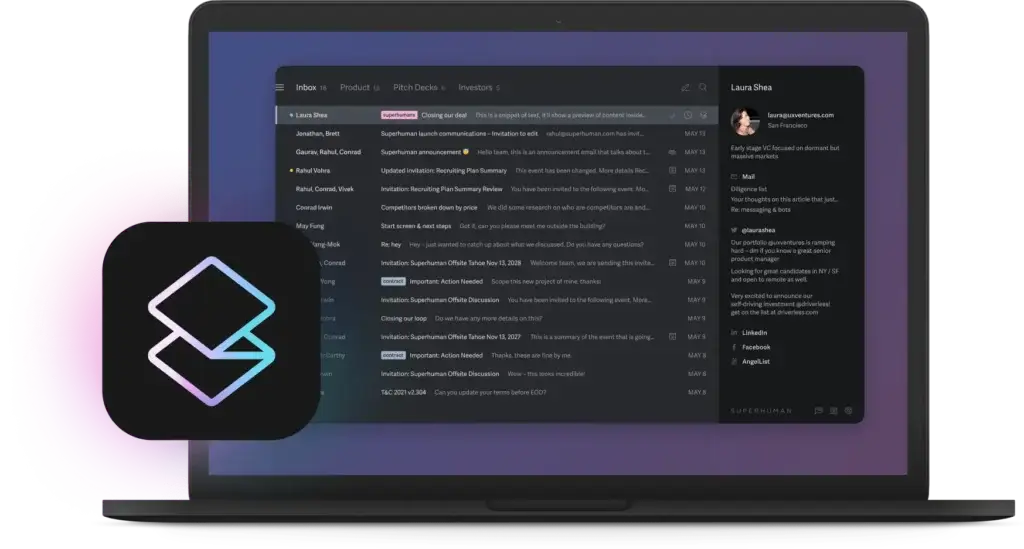
Speed, Shortcuts, and Inbox Workflow
The first thing that sets Superhuman Mail apart is speed. The product is built around keyboard-first navigation, fast triage, and a cleaner workflow for reaching inbox zero. That is the real product here, not just a prettier email client.
- Keyboard-driven workflow: Move, archive, reply, search, and navigate without relying heavily on your mouse.
- Split Inbox: Separate important messages from lower-priority email so you can focus on what matters first.
- Fast command bar: Jump into actions, settings, and navigation quickly from one central shortcut layer.
- Read status signals: Get more visibility into when messages are opened and how conversations are progressing.
- Reminders and follow-ups: Reduce the risk of dropped conversations and missed replies.
AI Features and Email Assistance
Superhuman Mail has pushed deeper into AI than most traditional email clients. Its AI features are not just about rewriting sentences. They are increasingly woven into drafting, summarizing, scheduling, and inbox organization.
- Write with AI: Turn rough thoughts into polished email drafts faster.
- Auto Summarize: Get quick summaries of long threads to reduce context-switching.
- Instant Reply: Generate response suggestions when you need to move quickly.
- Ask AI: Use natural language to interact with your inbox and workflow.
- Auto Drafts and Auto Reminders: Automate routine communication and follow-up tasks.
Organization and Prioritization
Superhuman is strongest when you are handling a high volume of email and need better prioritization. It offers more structure than a default Gmail or Outlook setup, especially once you invest time into customizing your workflow.
- Auto Labels: Automatically categorize incoming email using built-in and custom rules.
- Custom Splits: Build your own inbox sections based on search criteria or labels.
- Search and command tools: Find messages and actions quickly without digging through menus.
- Snippets: Reuse common responses to save time on repetitive communication.
- Focused triage: Process your inbox in a more structured order instead of reacting to every message equally.
Calendar and Scheduling Features
Superhuman Mail also tries to reduce the back-and-forth that often surrounds scheduling. This matters if you use email as the center of sales outreach, business development, recruiting, or executive communication.
- Scheduling from inbox: Manage meetings without constantly leaving your email workflow.
- Find Time: Surface available times faster when coordinating meetings.
- Share Availability: Reduce manual scheduling conversations.
- Instant Event creation: Draft events directly through AI on supported plans.
- Calendar visibility: Keep meetings and inbox activity closer together in one workflow.
Team Collaboration Features
While Superhuman is often seen as an individual productivity app, its team features make it more relevant for sales teams, founders, executives, and fast-moving internal teams that collaborate heavily over email.
- Shared Conversations: Collaborate on emails without excessive forwarding and Bcc workarounds.
- Team Comments: Add internal context directly inside email workflows.
- Team Snippets: Standardize common messages and team language.
- Team Read Statuses: Share read insights across relevant teammates.
- Team Scheduling: See colleague availability and coordinate meetings more efficiently.
Pros and Cons
Benefits and Limitations of Superhuman Mail
Positive
✅ Exceptionally fast workflow
✅ Excellent for high-volume users
✅ Thoughtful AI implementation
✅ Strong team collaboration tools
Negative
❌ Premium pricing
❌ Not ideal for light users
❌ Learning curve for shortcut-first workflow
❌ Some buyers may want broader mailbox management
Superhuman Mail is one of the few email tools that can genuinely change how you work, but only if email is already central to your day. That is why it inspires strong loyalty from some users and feels unnecessary to others.
✅ Pros
- Exceptionally fast workflow: Superhuman Mail stands out because it makes routine inbox actions feel meaningfully quicker than standard Gmail or Outlook use.
- Excellent for high-volume users: If you live in email, the time savings compound quickly.
- Thoughtful AI implementation: Its AI tools go beyond surface-level rewriting and support drafting, summarizing, organization, and scheduling.
- Strong team collaboration tools: Shared Conversations, comments, team snippets, and scheduling add real value for collaborative users.
❌ Cons
- Premium pricing: Superhuman is noticeably more expensive than a standard email workflow.
- Not ideal for light users: If email is not a core part of your workday, the value proposition becomes weaker.
- Learning curve for shortcut-first workflow: You will get the most value only if you commit to the shortcut-driven workflow.
- Some buyers may want broader mailbox management: Compared with shared inbox specialists, Superhuman still leans more toward productivity than support-style operations.
User Experience
User Interface and Experience
Onboarding and First Impressions
Superhuman Mail makes a strong first impression because the product feels deliberate from the start. It does not present itself like a generic mailbox. The onboarding guides you toward shortcuts, triage habits, and inbox structure, which is important because the product only becomes valuable when you adopt its workflow.
Interface and Navigation
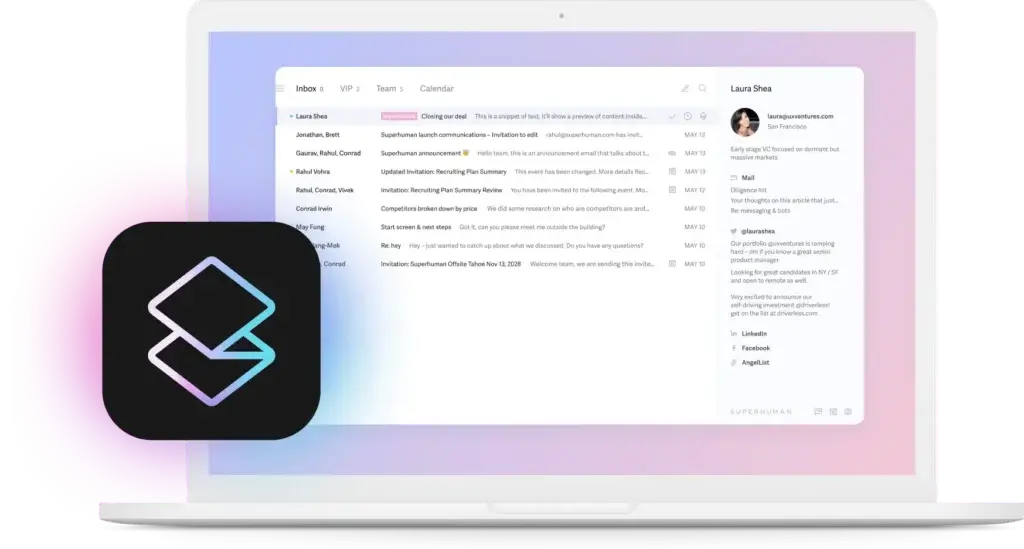
The interface is one of Superhuman’s biggest strengths. It is cleaner than traditional email clients, faster to move through, and far less cluttered than many enterprise inbox tools. Still, the experience is built around speed and commands, so new users may need a short adjustment period before it feels natural.
Day-to-Day Usability
Once the workflow clicks, Superhuman feels unusually efficient. This is especially true if you manage a busy inbox, send many repetitive emails, or rely on fast context switching throughout the day. For lighter users, the difference may feel less dramatic.
Mobile and Cross-Platform Experience
Superhuman’s value is strongest on desktop, where the shortcut-heavy design can shine. That said, the broader experience works best when your inbox, calendar, and follow-up habits are aligned across devices rather than treated as isolated touchpoints.
Pricing and Plans
How Much Does Superhuman Mail Cost?
Superhuman Mail is clearly positioned as a premium email product. It is not trying to win on low entry pricing. Instead, it sells on time savings, better email workflow, and higher productivity for people who spend a substantial amount of time in their inbox.
| Plan | Best For | Starting Price |
| Starter | Individual professionals who want Superhuman’s core email workflow | $30/month or $300/year |
| Business | Users and teams that need more advanced workflow and AI support | $40/month or $396/year |
| Enterprise | Larger teams that need tailored rollout, controls, and support | Custom pricing |
Pricing is one of the most important parts of the Superhuman decision. The product can absolutely justify itself for founders, operators, executives, recruiters, and sales professionals who live in email. But for occasional inbox users, the premium is much harder to defend.
Is Superhuman Mail a good value?
That depends almost entirely on how much email shapes your workday. If email is where you spend hours each week, Superhuman Mailcan feel worthwhile because it reduces friction in a core workflow. If email is only one minor communication channel among many, the value is less compelling.
Use Cases & Suitable Users
Who Should Use Superhuman Mail
Superhuman Mail is best for professionals and teams that treat email as a serious work surface, not just a message archive.
- Founders and executives: Strong fit for people who handle a large volume of important conversations.
- Sales professionals: Useful for fast outreach, follow-ups, scheduling, and repetitive messaging.
- Recruiters and hiring teams: Helpful when communication speed and template consistency matter.
- Client-facing professionals: Good for consultants, operators, and managers who coordinate heavily over email.
- Teams working in shared communication flows: Valuable when collaboration on conversations happens frequently.
It is less convincing for casual email users, budget-sensitive teams, or anyone who mainly wants a basic mailbox with a few upgrades.
Comparison with Alternatives
How Superhuman Mail Compares to Alternatives
Superhuman Mail occupies a distinct place in the market. It is more premium and workflow-focused than standard email clients, but it is not a full customer support inbox in the way some collaboration-heavy tools are.
Superhuman vs Gmail
Gmail remains the default option for many teams because it is familiar, flexible, and included in Google Workspace. But Gmail alone does not deliver the same speed, polish, or deliberate inbox workflow. Superhuman is the stronger choice if you want a dramatically better daily email experience rather than a standard email foundation.
Superhuman vs Outlook
Outlook is still deeply embedded in many organizations, especially enterprise environments. It is capable, but it rarely feels elegant. Superhuman is much more appealing if your goal is speed and focus, while Outlook is the safer default if your priority is traditional enterprise alignment.
Superhuman vs Front
Front is better suited for teams that need heavier shared inbox operations, assignments, and customer communication management. Superhuman is better when the main goal is individual and team email productivity rather than support-style collaboration.
Superhuman vs Missive
Missive is a strong alternative for collaborative email and chat-style teamwork. Superhuman feels more refined and faster for personal productivity, while Missive can be more flexible if your team wants a broader collaborative workspace around communication.
Superhuman vs Spark
Spark is often easier to justify on price and offers a lighter collaboration layer. Superhuman is still the more premium, more polished option for people who want maximum speed and a stronger sense of workflow discipline.
Best Use Tips
Best Practices for Getting Value from Superhuman Mail
To justify Superhuman’s price, you need to use it intentionally. This is not a product that should be evaluated after a few shallow sessions.
- Commit to shortcuts early: The product becomes meaningfully better once you stop treating it like normal email.
- Set up Split Inbox properly: This is one of the most important parts of reducing inbox chaos.
- Use Snippets for repeated communication: This is especially valuable for sales, recruiting, and client work.
- Turn on AI features selectively: Use them where they genuinely save time instead of forcing AI into every reply.
- Build Auto Labels around your real workflow: The more your inbox reflects your priorities, the more valuable Superhuman becomes.
- Use reminders aggressively: This helps protect important conversations from being buried.
- Review your ROI after a few weeks: The product should earn its place through time savings, not novelty.
Conclusion
Final thoughts
Superhuman Mail is one of the rare email tools that feels meaningfully different from the default experience. It is faster, more polished, and much more intentional about how you move through your inbox. For the right type of user, that can translate into real productivity gains.
Its biggest strength is also what makes it niche. Superhuman Mail is best when email is a central part of your job. If you live in your inbox, manage many conversations, and care about every layer of workflow efficiency, it is one of the strongest premium options on the market.
If you only check email occasionally, it will probably feel expensive for what it does. But if your inbox drives a large share of your work, Superhuman is absolutely worth serious consideration in 2026.
Have more questions
Frequently Asked Questions
What is Superhuman Mail used for?
Superhuman is used for faster email management, inbox prioritization, AI-assisted drafting, scheduling, and team email collaboration.
Is Superhuman Mail just for Gmail users?
No. Superhuman works with both Gmail and Outlook environments, which broadens its appeal for different business setups.
Does Superhuman Mail have AI features?
Yes. Superhuman includes AI tools for writing, summarizing, reply assistance, inbox organization, and certain scheduling workflows.
What makes Superhuman Mail different from Gmail?
The biggest difference is workflow speed. Superhuman is built around shortcuts, prioritization, and a more intentional inbox experience rather than a standard mailbox interface.
Is Superhuman worth the price?
It can be, but mainly for people who spend a lot of time in email. The heavier your inbox workload, the easier it is to justify.
Does Superhuman help with inbox zero?
Yes. Features like Split Inbox, reminders, shortcuts, Auto Labels, and focused triage are designed to help you process email more efficiently.
Is Superhuman good for teams?
Yes. It includes collaboration features such as Shared Conversations, Team Comments, Team Snippets, and team scheduling support.
Is there a free version of Superhuman?
No. Superhuman is a premium product and is generally positioned around paid plans rather than a free version.
Who should not buy Superhuman?
If you are a light email user or mainly want a standard inbox with minimal upgrades, Superhuman may feel unnecessary and too expensive.
What is Superhuman best at?
Its biggest strength is making email feel faster, cleaner, and more manageable for professionals who rely heavily on inbox communication every day.








