
Introduction
Choosing the right endpoint protection for your business is no longer optional. Cyber threats are more advanced, ransomware attacks target small companies as often as enterprises, and employees work across multiple devices and networks. Your antivirus solution must protect without slowing productivity.
In this Avira Antivirus review June 2026, you’ll get a complete, up‑to‑date analysis of Avira’s security capabilities, pricing structure, performance impact, and suitability for business environments. With more than 35 years in cybersecurity and now operating under Gen Digital, Avira continues to evolve its product lineup with tools like unlimited VPN access, identity monitoring, Safe Shopping browser protection, and device optimization features.
This review covers:
- ✔️ Avira security features and threat protection layers
- ✔️ Independent lab test performance and real‑world detection rates
- ✔️ System impact and usability across business devices
- ✔️ Updated pricing, renewal costs, and value for money
- ✔️ Avira pros and cons for small and mid-sized businesses
You’ll also see how Avira compares with competitors such as Bitdefender and Norton, especially in areas that matter for B2B users: deployment simplicity, cost efficiency, and device coverage.
If you are exploring broader options, you can also review our complete guide to the best antivirus software for 2026 to compare leading business security solutions side by side.
Let’s break down whether Avira is the right cybersecurity investment for your organization this year.
Overview
Avira Antivirus Overview
Avira has been a well-known name in the antivirus space since 1986. Headquartered in Germany and now part of the Gen Digital group (alongside Norton, Avast, and AVG), the company combines decades of cybersecurity expertise with a growing focus on privacy and lightweight performance.
Over time, it has expanded beyond basic malware protection to become a full-featured security suite, appealing to businesses that want simplicity without sacrificing security. Its product line now includes tools like identity monitoring, device tune-up utilities, a secure VPN, and browser-based protections, all delivered through a clean, user-friendly interface.
Product Suites for 2026
Avira’s plans are tailored for different needs, with a clear upgrade path for growing businesses:
- Free Security Suite – Entry-level protection with antivirus and limited VPN (500MB/month).
- Antivirus Pro – Essential malware and ransomware defense with email and web protection.
- Internet Security – Adds a premium password manager and automatic software updates.
- Avira Prime – Full access to all features, including unlimited VPN, dark web monitoring, and device optimization tools.
All paid plans are available for Windows and macOS desktops, as well as Android and iOS mobile devices. Prime licenses can cover up to 5 devices by default, with the “Prime Family” plan supporting up to 25 devices, ideal for multi-user teams or hybrid office setups.
For teams that want quick deployment without managing complex dashboards or compliance modules, Avira’s flexible suite structure makes it a compelling alternative to more enterprise-heavy solutions.
Software Specification
Core Features and Security Tools
Avira’s strength lies in delivering a broad set of protective features while keeping the interface streamlined and the software lightweight. For small and midsize businesses, it offers the right mix of proactive security, privacy enhancement, and system optimization, all bundled in a single platform.
Malware and Threat Protection
At the core of the suite is real-time protection against a full spectrum of threats, including:
- Viruses and Trojans
- Ransomware and spyware
- Rootkits and adware
- Phishing and malicious websites
Avira uses a combination of signature-based detection and cloud-powered heuristics to stay updated on emerging threats. Its real-time engine scans files, downloads, and running processes as they’re accessed, all while maintaining a low system footprint.
Additional Tools and Features
Beyond core malware protection, Avira includes a growing number of tools designed to support privacy, productivity, and safer web use.
Firewall & Wi-Fi Protection
Avira manages system firewall settings and monitors suspicious network activity, which is especially helpful for remote teams working over public Wi-Fi or unsecured connections.
VPN (Unlimited in Prime)
The built-in VPN encrypts traffic and hides IP addresses to ensure privacy online. The free plan offers 500MB/month, while Prime unlocks unlimited usage with access to hundreds of servers worldwide, ideal for remote access or securing travel connections.
Password Manager
Included in Internet Security and Prime, the password manager securely stores and autofills credentials across devices. It helps enforce strong, unique passwords and supports two-factor authentication.
Identity Assistant & Dark Web Monitoring
A standout feature in 2026, the Identity Assistant scans dark web forums and breach databases to alert you when business or employee credentials are leaked. It’s a valuable tool for early threat detection, especially for teams handling sensitive client data.
Safe Shopping Browser Extension
This free browser tool blocks fake or malicious e-commerce websites and flags dangerous URLs. It also automatically applies coupon codes when available, which can be a nice bonus for procurement or purchasing teams.
PC Optimization Tools
Included in Prime, these tools help clean junk files, manage startup apps, and speed up device performance, particularly helpful for businesses relying on older machines or shared systems.
Pros and Cons
Advantages and Disadvantages
Positive
✅ Top-tier malware detection
✅ Lightweight and fast performance
✅ Bundled tools add real value
✅ New privacy tools: Identity Assistant & Safe Shopping
Negatives
❌ No centralized admin dashboard
❌ Higher false-positive rate
❌ VPN restricted to higher plans
❌ No compliance-specific features
Choosing antivirus software for business use means balancing security, performance, usability, and administrative control. Here’s a breakdown of the key advantages and drawbacks of using Avira in a small to midsize business setting.
✅ Pros
1. Top-tier malware detection
Avira scores consistently well in independent lab tests. In AV-Test’s recent evaluations, it earned 6/6 for Protection and blocked 100% of both zero-day and widespread malware threats.
2. Lightweight and fast performance
One of Avira’s strongest points is how little system impact it has, even during full scans. It runs quietly in the background without slowing down employee devices, ideal for distributed or remote teams.
3. Bundled tools add real value
With plans like Internet Security and Prime, you get more than just antivirus. Included tools like a password manager, VPN, and device optimization suite reduce the need for separate subscriptions or IT oversight.
4. New privacy tools: Identity Assistant & Safe Shopping
In 2026, Avira added an Identity Assistant that monitors for leaked business credentials and alerts users in real-time. Paired with the Safe Shopping browser extension, it strengthens online safety and protects from scams – useful even in non-retail businesses.
❌ Cons
1. No centralized admin dashboard
Unlike platforms like Bitdefender GravityZone or Norton for Business, Avira lacks a cloud-based portal for managing devices, scanning schedules, or security policies at scale. This can be limiting for IT leads managing larger teams.
2. Higher false-positive rate
According to AV-Comparatives, Avira’s detection engine is slightly overzealous, flagging more safe programs as threats than competitors. This can interrupt workflows if IT staff constantly need to whitelist trusted tools.
3. VPN restricted to higher plans
Only the Prime plan includes unlimited VPN access. Lower-tier users are limited to 500MB/month or must upgrade, a downside for businesses that require encrypted browsing for all staff.
4. No compliance-specific features
Avira doesn’t include built-in features for industry regulations like HIPAA, PCI-DSS, or GDPR audit logs. While it’s suitable for general business protection, compliance-heavy sectors may need more advanced platforms.
Summary:
Avira is ideal for lean teams, freelancers, and SMBs who want strong protection, useful extras, and low system impact without enterprise complexity. But if your business needs centralized controls or advanced compliance tools, more robust platforms may be a better fit.
Software Capabilities
Performance and User Experience
Security should never come at the expense of productivity. One of the strongest selling points of Avira’s antivirus software is how it performs during everyday use, especially for teams without dedicated IT support.
System Impact: Lightweight and Reliable
Whether you’re running on a high-powered workstation or a modest laptop, Avira maintains an impressively low system footprint. During idle periods, CPU usage remains barely noticeable (under 1%), and even during full system scans, usage stays around 10–15% on average.
- Quick Scan Time: ~3–4 minutes
- Full System Scan: ~20–25 minutes on average business setups
- Idle Performance: No background lag or RAM spikes
This makes it an excellent fit for hybrid teams or companies using a mix of older and newer hardware. Your team can continue using CRM software, design tools, or cloud platforms uninterrupted, even while scans are running in the background.
Ease of Setup and Navigation
Avira’s installation process is simple and can be completed in under 10 minutes, with no onboarding wizard or complex registration. After downloading the installer, users are guided through a brief configuration and are protected immediately after login.
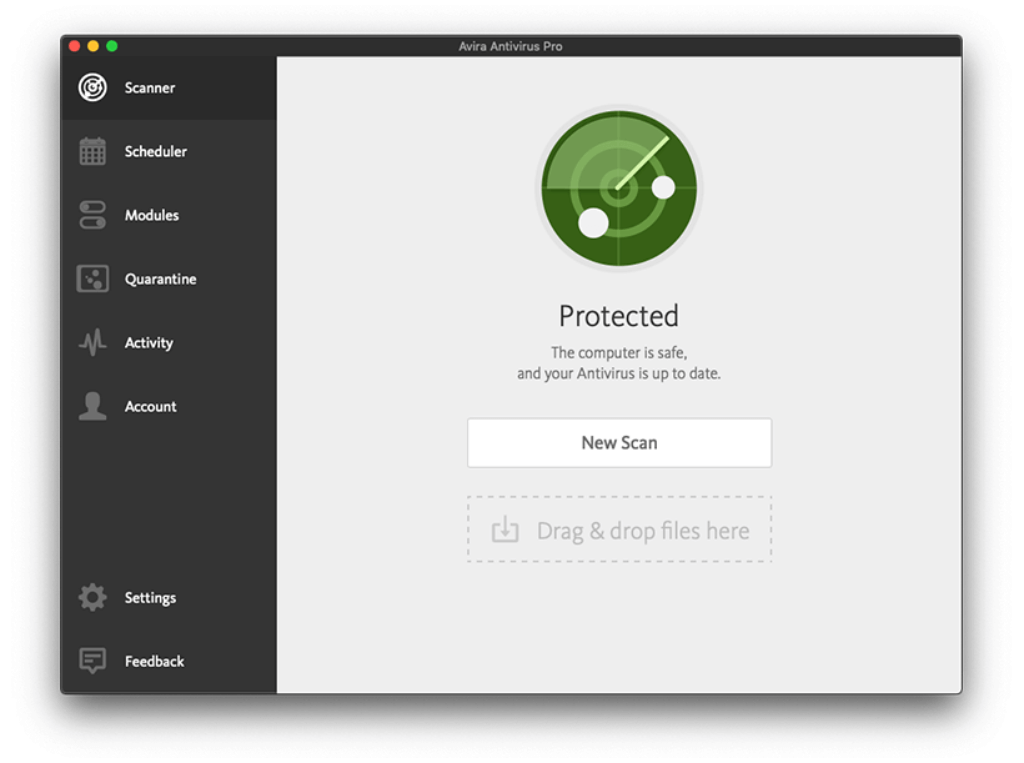
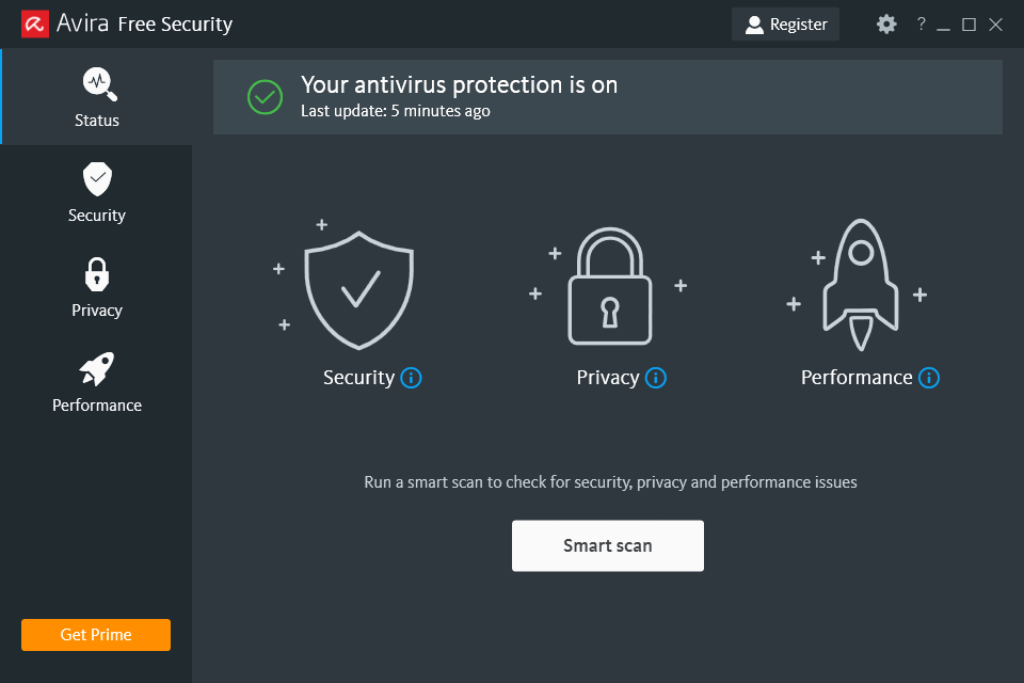
The dashboard interface is clean and modern, displaying your protection status front and center. Key functions like launching a scan, activating the VPN, or optimizing device performance are easy to access, even for non-technical users.
- No learning curve for basic functions
- Clear color-coded indicators for security status
- Advanced settings available but non-intrusive
It strikes the right balance: minimal setup for employees, and enough control for tech-savvy users who want to customize features.
Mobile App Experience
Avira’s mobile apps (iOS and Android) are well-designed for remote workers or BYOD setups. Key features include:
- Malware scanning for downloads and installed apps
- Safe browsing with web protection
- VPN access (unlimited in Prime)
- Identity protection alerts
The apps are lightweight and don’t drain battery or interfere with app usage, which makes them viable for employee-issued phones or personal devices with security requirements.
User Experience for Teams
For business users, one of Avira’s biggest strengths is how low-maintenance it is. It runs in the background, updates automatically, and rarely needs manual intervention. Employees won’t face constant pop-ups or forced actions unless a real threat is detected.
The lack of a central admin console might be a downside for IT teams managing 10+ endpoints, but for smaller offices or remote-first companies, the hands-off design is a productivity win.
Lab Results
Independent Test Lab Results
Independent testing labs like AV-Test and AV-Comparatives provide the most objective and rigorous assessments of antivirus performance. Their data helps validate whether a security product delivers on its marketing promises, especially when it comes to detection rates, usability, and system impact.
Avira continues to perform well in these evaluations, confirming its status as a reliable option for business users.
AV-Test Results (2026)
In AV-Test’s most recent Windows assessment of Avira Internet Security 1.1, the product scored near-perfect marks:
- Protection: 6 out of 6
- Performance: 6 out of 6
- Usability: 5.5 out of 6
It achieved 100% detection of both zero-day threats and widespread malware, putting it in the top tier of antivirus software tested during this period.
False positives were minimal, but not zero, one of the only areas preventing a perfect usability score. Still, this remains well within acceptable ranges for business environments where avoiding missed detections is more important than occasional extra caution.
AV-Comparatives Results (2026)
AV-Comparatives’ Malware Protection Test (June 2026) evaluated how antivirus tools defend against malware that enters the system via local vectors (e.g., USB, local files).
- Protection rate: 99.99%
- False positives: 45
- Award level: Advanced+ (the highest tier)
In its 2026 Summary Report, Avira received the Advanced+ Award for Real-World Protection and Advanced for Performance, with its lightweight design consistently praised. However, its relatively high rate of false alarms was called out again, an area where competitors like Bitdefender or ESET tend to outperform.
Detection Rate Comparison
| Metric | Avira | Industry Average |
| Zero-Day Detection | 100% | 98.2% |
| Widespread Malware | 100% | 99.4% |
| False Positives (AV-C) | 45 | Low-to-Medium |
Bottom Line:
Avira continues to rank among the top antivirus solutions in independent testing. For small businesses and hybrid teams, its excellent protection and low performance impact provide real-world value. Just be aware of its higher rate of false positives, which may require some manual oversight when using unfamiliar apps or software tools.
Pricing
Pricing and Plans
Avira offers flexible pricing for individuals, families, and small businesses. While it doesn’t market specific business plans, its multi-device coverage, bundled tools, and affordable pricing make it a strong contender for startups, remote teams, and small offices that want solid protection without overpaying for unused enterprise features.
Overview of Avira Plans (2026)
Avira’s paid tiers are structured to grow with your needs, starting from basic protection and scaling up to a full security and performance suite.
| Plan | First-Year Price* | Devices | Key Features |
| Free Security | $0 | 1 | Basic malware scanner, real-time protection, 500MB VPN |
| Antivirus Pro | $26.99 | 1 (up to 5 via upgrade) | Email & web protection, ransomware shield |
| Internet Security | $34.99 | 1 (multi-device optional) | + Password manager, auto software updater |
| Prime | $59.99 | Up to 5 | + Unlimited VPN, PC optimizer, Identity Assistant |
Business Value and Device Coverage
- Free Security: Ideal for testing or very light personal use – not suitable for business environments due to ads and VPN limits.
- Antivirus Pro: Basic protection for one PC – best suited for solo professionals or freelancers.
- Internet Security: Adds key business utilities like a password manager and patch automation. Supports multi-device setups if upgraded.
- Avira Prime: The most complete solution for SMBs, offering unlimited VPN access, identity breach monitoring, and device tune-up tools. Prime covers up to 5 devices by default, or 25 devices with the Prime Family plan.
Free Trial and Guarantee
Avira doesn’t offer a full-featured free trial of its premium plans, but its Free Security version lets you test the core antivirus engine and interface. All paid plans come with a generous 60-day money-back guarantee, allowing businesses to test before committing long-term.
Final Pricing Verdict
For under $60/year (intro price), Avira Prime is an excellent value for businesses needing multi-device protection, privacy tools, and system optimization in one bundle. While it lacks central admin control, the toolset and user experience are strong enough to justify the cost for small teams or remote-first companies.
Feedbacks
User Feedback and Reviews
To understand how Avira performs in real-world use, it’s important to look beyond lab results. What do actual business users say about Avira? The consensus from both customer reviews and independent tech platforms is clear: Avira delivers solid protection in a lightweight, easy-to-use package, though it may not be the best fit for larger IT environments.
Common Praise from Users
✅ Lightweight and efficient
One of the most repeated positives is Avira’s low system impact. Users frequently report that it runs smoothly in the background with no noticeable slowdown, even during full scans, an essential factor for businesses with older devices or limited RAM.
✅ User-friendly interface
Business users and non-technical employees alike appreciate the clean, intuitive dashboard. Even without IT support, staff can easily manage scans, enable the VPN, or update software.
✅ Feature-rich for the price
Users on Avira Prime often highlight how many tools are bundled in for the cost: VPN, password manager, dark web monitoring, and system optimizer, reducing the need to buy separate subscriptions.
✅ Reliable protection
Many reviewers praise the consistent virus detection and smooth automatic updates, noting that the software “just works” without needing hands-on attention after setup.
Common Complaints from Users
❌ No centralized device management
This is the most cited drawback from IT professionals. Without a central admin portal, managing multiple employee devices becomes tedious for growing teams or businesses with strict compliance needs.
❌ False positives can be annoying
Some users report Avira occasionally flags harmless programs (e.g., custom scripts or lesser-known business tools), which can disrupt workflows if not whitelisted properly.
❌ Limited value at lower tiers
Lower-tier plans like Antivirus Pro lack key features (e.g., VPN, dark web monitoring), which pushes users to upgrade to Prime, a point some view as too aggressive upselling.
❌ Ad prompts in free version
Free users note that the antivirus includes frequent reminders to upgrade. While expected in free software, it may feel unprofessional in business settings.
Ratings from Trusted Platforms
| Platform | Rating | Top User Feedback |
| Trustpilot | 4.1 / 5 | Lightweight, reliable, easy for non-tech users |
| G2 | 4.3 / 5 | Strong core protection, intuitive UI |
| PCMag | 3.5 / 5 | Good value, but lacks business-level controls |
| TechRadar | 4.0 / 5 | Great for SMBs, strong security suite |
B2B Takeaway:
Avira is praised for being easy to deploy, easy to use, and budget-friendly, all critical traits for small businesses and hybrid teams. However, if your team needs centralized control or role-based access management, this may not be the best long-term fit.
Avira VS. Alternatives
Comparison with Other Antivirus Software
Choosing antivirus software for your business means finding the right balance between security, usability, scalability, and cost-efficiency. While Avira holds its own in several areas, how does it compare to top contenders like Norton, Bitdefender, and Avast?
Here’s a breakdown of strengths, weaknesses, and ideal use cases to help you decide.
Avira vs Norton
Norton is a heavyweight in the cybersecurity space, offering a deep suite of tools designed for both individuals and businesses.
What Norton does better:
- Centralized admin tools for managing multiple users
- Strong identity protection and LifeLock integration (US only)
- Excellent customer support and business onboarding options
Where Avira wins:
- Lighter on system resources
- Faster scan speeds
- More affordable for small teams or solopreneurs
Bottom line:
If you run a larger business with compliance needs, Norton may offer the administrative controls you need. But for leaner teams that want efficient security without the bulk or price tag, Avira is the simpler, lighter option.
Avira vs Bitdefender
Bitdefender is often the benchmark for antivirus protection, especially in business environments. Its detection rates are top-tier, and it offers endpoint-level visibility for teams.
Bitdefender advantages:
- Industry-leading malware detection rates
- Centralized security management via GravityZone
- Broad OS support (Linux, macOS, Windows)
Avira advantages:
- Faster setup with lower learning curve
- More affordable at entry-level
- Includes VPN in higher plans (Bitdefender sells separately)
Bottom line:
Bitdefender is a powerful enterprise-grade solution with advanced policy controls, ideal for IT-managed environments. Avira is better suited for non-technical teams and small offices that value simplicity and fast deployment.
Avira vs Avast
Avast offers a mix of free and premium solutions, and like Avira, it’s known for its lightweight design.
Where Avast excels:
- Strong free antivirus version with basic tools
- Secure Browser and network scanner
- Enterprise products via Avast Business
Where Avira pulls ahead:
- Fewer upsells and upgrade nags in paid plans
- More consistent third-party lab results
- Smoother user interface and performance
Verdict:
Both tools are beginner-friendly, but Avira’s Prime suite provides more features for the price and better real-world protection scores. If you’re avoiding ads and want a cleaner experience, Avira has the edge.
Quick Comparison Table
| Antivirus | Best For | Strengths | Drawbacks |
| Avira | Small teams, remote-first | Fast, light, affordable, VPN included | No central admin for IT teams |
| Norton | Mid-sized businesses | Identity theft tools, strong admin console | Heavier footprint, expensive |
| Bitdefender | Enterprise/IT-led teams | Top security scores, admin dashboard | Higher cost, steeper learning curve |
| Avast | Freelancers, startups | Solid free version, simple UI | Too many upgrade prompts, privacy concerns |
Final Note for B2B Buyers:
Avira stands out with its ease of use, affordability, and all-in-one security toolkit, especially for teams that don’t have full-time IT staff. It may not match the advanced management capabilities of Bitdefender or Norton, but it offers more value and peace of mind for startups, freelancers, and small businesses looking for reliable, low-maintenance protection.
Conclusion
Is Avira Worth It for Your Business?
⭐ Overall Rating: 8.5/10
After thoroughly testing its features, performance, and pricing, this Avira Antivirus review reveals a solution that prioritizes speed, simplicity, and value, without compromising on essential protection.
Whether you’re an individual looking for lightweight security or a small business aiming for comprehensive multi-device coverage, Avira delivers a strong balance of usability, affordability, and performance.
Is It Worth It for Personal Use?
✅ Yes, for most users.
If you want a no-fuss antivirus that protects your device without slowing it down, Avira is a top-tier choice. The free plan is surprisingly generous for basic protection, and Avira Prime adds a VPN, password manager, and performance tools at a very competitive price point.
It’s especially great for:
- Students
- Freelancers
- Remote workers
- Families with up to 5 devices
Is It Worth It for Business Use?
✅ Yes, for small businesses and startups.
While Avira doesn’t offer enterprise-grade management tools like Bitdefender or Norton, its simplicity is a strength. If you’re a small team without an in-house IT department, Avira for business use gives you strong malware protection, phishing defense, identity monitoring, and a built-in VPN, all manageable without a learning curve.
Best suited for:
- Solopreneurs and consultants
- Remote-first teams
- SMBs that want protection without bloat
Not ideal for:
- Large enterprises
- IT-led teams requiring centralized dashboards or role-based access
Recap of Key Points
- Strong malware protection with solid AV-Test scores and real-world reliability
- Minimal system impact, even on older or low-powered devices
- Useful bonus tools: VPN, password manager, file shredder, software updater
- Excellent value with generous pricing for multi-device setups
- Limited admin control makes it less suitable for corporate environments
Final Thoughts
This Avira Antivirus review 2026 confirms it’s a well-rounded, user-friendly antivirus solution that punches above its weight. While it’s not built for large IT teams, it hits the sweet spot for individuals and smaller companies who want solid protection without the hassle.
🔗 Ready to compare more solutions?
Explore our full breakdown of the best antivirus software for 2026
🔗 Want to explore plans directly?
Visit the official Avira website for current offers.
Have more questions?
Frequently Asked Questions
Does the antivirus work on macOS and Linux?
Yes, it’s compatible with macOS, and it offers strong malware protection for Mac users. While Linux support exists, it’s more limited and may not include the same interface or features as the Windows and Mac versions.
Can this software be used for servers or only desktops?
It’s primarily designed for desktops, laptops, and mobile devices. If you’re looking for server-specific protection, especially in enterprise environments, you’ll likely need a more robust endpoint security solution with server coverage.
Does it include browser protection for phishing or malicious sites?
Yes, it provides real-time protection against phishing links, drive-by downloads, and malicious websites. The browser extension also adds tools like tracker blocking and safer shopping alerts.
How does the VPN work, and is it unlimited?
The VPN included in the higher-tier plans offers unlimited bandwidth and can be used to secure public Wi-Fi, bypass geo-blocks, and encrypt internet traffic. However, it lacks the advanced location control or streaming support of standalone VPNs.
Is there a firewall included?
No traditional firewall is bundled in the antivirus software. It relies on the built-in Windows Firewall and enhances it with additional network protections, such as Wi-Fi threat detection and smart blocking of suspicious connections.
Can you manage multiple devices under one account?
Yes. The premium plans allow protection for multiple devices, up to 5 with the Prime plan. All devices can be monitored and managed from a single dashboard, making it suitable for households or small teams.
Is the free version enough for basic use?
For individual users who just need antivirus and don’t require VPN or optimization tools, the free version provides solid protection. However, for businesses or those wanting extras like identity monitoring, upgrading is highly recommended.
How often are threat definitions and updates released?
The software updates its virus definitions several times per day in the background. Automatic updates ensure you’re protected against new threats without needing to take action.
Does the mobile version offer full protection?
The mobile apps for Android and iOS include malware scanning, safe browsing, app privacy ratings, and theft protection. Android versions are more feature-rich due to OS permissions, while iOS focuses more on VPN and browsing safety.
What happens after the subscription ends?
Once the subscription expires, your device remains protected from known threats using the last update, but new updates and premium features (like the VPN or password manager) are locked. You’ll be prompted to renew or downgrade to the free version.