Introduction
As a business owner, keeping your company’s digital environment secure is no longer optional. Cyber threats are getting smarter, and your systems need to be one step ahead. Whether you’re managing remote teams, protecting customer data, or running cloud-based operations, the right antivirus software can make or break your security posture.
Business-focused antivirus solutions aren’t just about blocking viruses. They help you manage multiple endpoints, monitor threats in real-time, and stay compliant with industry regulations like GDPR or HIPAA. They also provide centralized control, so your IT team (or managed service provider) can oversee every device from a single dashboard.
This guide walks you through the best business antivirus software in 2026. We’ll break down what each solution offers, how it fits different company sizes, and which tools are best for your security goals.
Choosing the right business antivirus software isn’t just about stopping malware – it’s about securing your enterprise antivirus environment, managing devices across offices, and meeting compliance requirements for your industry. In this guide, we compare leading antivirus solutions for business in 2026, including emerging tools like Microsoft Defender for Business, and outline which platforms are best for small businesses versus large enterprises.
🔍 If you’re looking for personal use or basic family protection, you might want to explore our best antivirus software guide. But if you’re here to protect your business, whether you’re a startup, a growing SMB, or a global team, this comparison is tailored just for you.
Criteria of Evaluation
Choosing the right antivirus for your company isn’t just about blocking malware. It’s about building a smarter, more secure workplace. Here’s what you need to keep in mind before investing in any solution:
🔄 1. Scalability and Device Coverage
You need software that grows with your team. Whether you’re protecting 10 devices or 10,000, the antivirus must handle:
- Unlimited or tiered device licenses
- Remote workforce support
- Automatic onboarding for new endpoints
Look for platforms that offer flexible licensing and bulk deployment tools.
🧠 2. Centralized Management
Business antivirus tools should give your IT team full control. A centralized dashboard makes it easy to:
- View security status across all devices
- Apply security policies company-wide
- Automate updates and scans
This kind of control saves time and reduces human error.
🧩 3. Integration With Existing Tools
The best antivirus fits into your workflow without creating friction. That means:
- Compatibility with tools like Microsoft 365, Google Workspace, and remote desktop services
- API access for advanced setups
- Seamless integration with SIEM or endpoint detection systems
The smoother the integration, the faster you can deploy and act on threats.
📜 4. Compliance and Regulations
Industries like healthcare, finance, and SaaS must meet strict compliance standards. Your antivirus should support:
- GDPR, HIPAA, PCI-DSS, and ISO standards
- Role-based access control (RBAC)
- Audit logs and reporting for compliance reviews
Security isn’t just technical – it’s legal.
🤝 5. Support and SLAs (Service Level Agreements)
You don’t want to be left waiting when you need help fast. B2B antivirus software should offer:
- 24/7 customer support via chat, phone, or email
- Fast response time SLAs
- Dedicated account managers for larger teams
Top Business Antivirus Solutions in 2026
Bitdefender
Unique Features
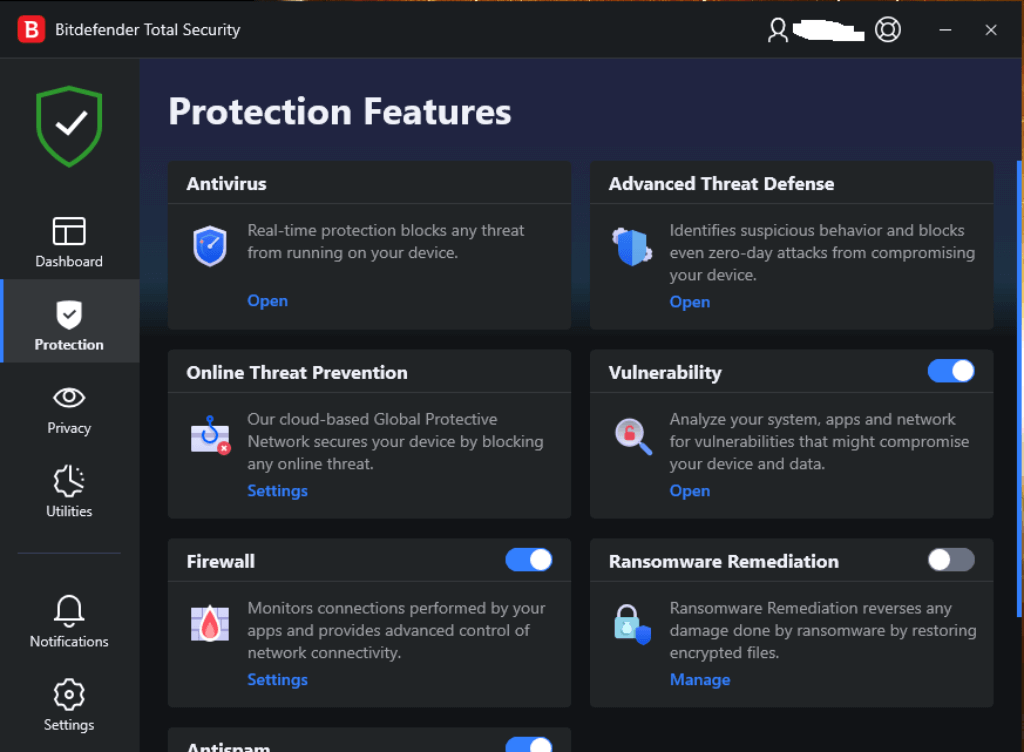
- ✅ Centralized Cloud Console – Manage all endpoints from a single dashboard, whether on-site or remote.
- ✅ AI-Powered Threat Detection – Uses machine learning to identify and neutralize zero-day threats.
- ✅ Risk Analytics Engine – Scores vulnerabilities across your network and recommends fixes.
- ✅ Breach Path visualizations: Bitdefender’s new “Breach Path” feature correlates endpoint data and cloud security posture to visualize potential attack paths and help reduce your attack surface.
- ✅ Enhanced PHASR (Proactive Hardening & Attack Surface Reduction) – The updated PHASR dashboard now has a dynamic interface, Smart Views, and improved reliability for faster identification and remediation of vulnerabilities.
- ✅ Office 365 Sensor with bulk email remediation – A new sensor lets you bulk delete malicious emails directly from the GravityZone console to cut mean time to respond.
- ✅ Stand-alone PHASR product– Bitdefender launched a stand‑alone version of PHASR – the first solution to combine dynamic security hardening with real‑time threat intelligence.
In-Depth Analysis
Bitdefender GravityZone stands out as one of the most powerful enterprise antivirus platforms in 2026. It combines endpoint protection, risk analytics, and system hardening into one cohesive solution. Everything is handled through a unified cloud-based console, making it ideal for IT departments juggling multiple locations and remote users.
The platform uses a layered defense strategy. Real-time detection is powered by behavioral analytics, heuristics, and threat intelligence from Bitdefender Labs. It proactively blocks advanced malware, ransomware, and exploits before they hit your endpoints.
Deployment is straightforward. You can roll out agents via email or scripts, and then monitor all devices from the dashboard. Admins can group policies by department, automate scans, and track incident reports with minimal friction.
Top Traits
- Scalability – Handles anywhere from 10 to 100,000+ endpoints
- Granular Policy Control – Segment devices by team, usage type, or risk level
- Low System Impact – Optimized to run in the background without slowing devices
- Strong Compliance Tools – Supports GDPR, HIPAA, and PCI-DSS readiness
- Proactive Ransomware Defense – Blocks file encryption and alerts users in real-time
Why Choose Bitdefender GravityZone
If you’re managing a hybrid or distributed workforce, GravityZone gives your team full visibility and control without needing to babysit every endpoint. The AI-driven engine helps you stay ahead of new threats, while the policy engine ensures consistent security across the board.
Bitdefender is especially strong for companies in regulated industries, like finance and healthcare. With built-in compliance features and detailed reporting, it helps simplify your audits and safeguard sensitive data.
It’s also one of the most performance-friendly platforms out there. You won’t hear complaints from employees about sluggish machines, something your IT team will thank you for.
Pros and Cons
Positive
✅ Top-tier detection
✅ Low System Impact
✅ Scalable admin console
✅ Excellent lab scores
Negatives
❌ Limited VPN traffic
❌ Can flag safe apps
❌ Advanced UI may overwhelm
❌ Premium pricing
💵 Pricing Overview
Pricing starts at ~$85 per year for GravityZone Small Business Security and ~$95 per year for GravityZone Business Security (approximate 50 % first‑year discount), while the Business Security Premium plan starts at ~$222.50. Contact sales for custom enterprise quotes.
🎯 Overall Assessment
Bitdefender GravityZone delivers enterprise-grade protection with intelligent automation and layered threat defense. It’s a top-tier solution for IT teams managing hybrid environments and strict compliance needs.
Editor’s Score: 9.8 / 10
ESET

Unique Features
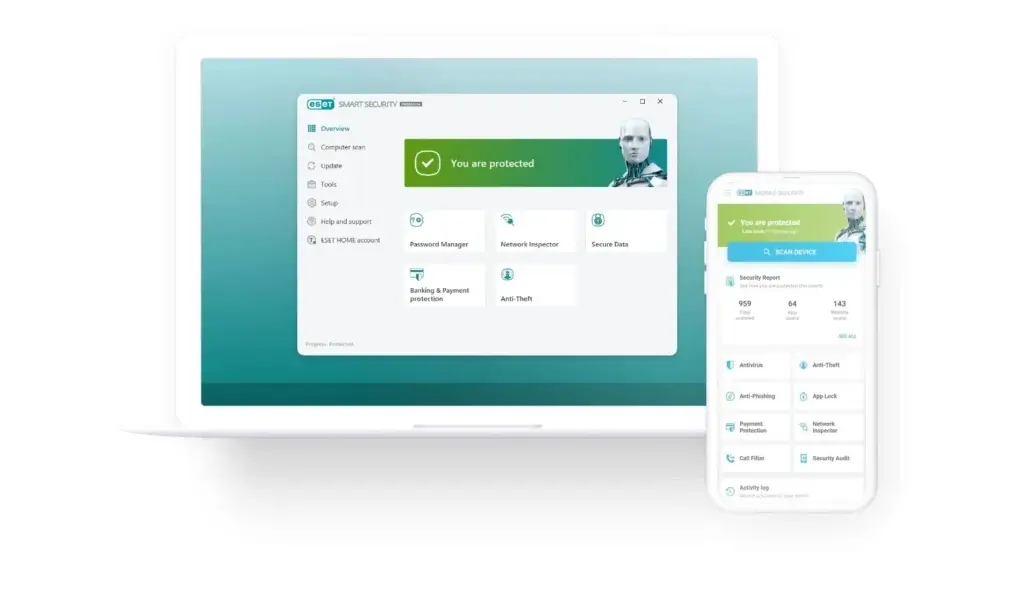
- ✅ Web-Based Admin Console – Manage security across devices from a browser, no hardware needed.
- ✅ Ransomware Shield – Stops file-encrypting attacks and unauthorized process activity.
- ✅ Cloud Sandbox – Detonates suspicious files in a secure environment before they reach endpoints.
- ✅ Mail Security Add-on – Filters spam, phishing, and malware across Microsoft Exchange or other mail servers.
- ✅ Lightweight Engine – Uses minimal system resources to maintain device speed and responsiveness.
- ✅ Protect MDR add‑on – ESET launched Protect MDR, an optional managed detection and response service that boasts response times as low as 20 minutes, plus proactive threat hunting and access to ESET’s research and threat intelligence.
In-Depth Analysis
ESET PROTECT Advanced is built for growing teams that want advanced protection without a heavy IT burden. Its web-based console makes setup, monitoring, and maintenance straightforward, even for lean IT departments or MSPs supporting multiple clients.
Unlike heavier enterprise platforms, ESET focuses on keeping endpoints fast and unobtrusive. Its anti-malware engine is known for speed, scoring high in independent lab tests for detection and system performance. You get real-time protection against ransomware, fileless attacks, and brute-force intrusions – all while keeping user productivity intact.
For added protection, the cloud sandbox feature scans unknown or suspicious files outside your network before allowing execution. This is especially useful for remote teams where USBs, file downloads, and external links increase exposure.
Top Traits
- Remote Management – Cloud console for full visibility over remote and office devices
- High-Speed Scans – Minimal system slowdown even on older machines
- Effective Email Security – Filters malicious attachments and suspicious senders
- Easy Policy Deployment – Push security rules by department or location
- Affordable Plans – Great balance of features and cost for SMBs
Why Choose ESET PROTECT Advanced
If you’re a growing business with 10 to 500 employees, ESET gives you peace of mind without overwhelming your IT team. It checks all the boxes: ransomware defense, web control, patch alerts, and cloud-based dashboards – all delivered in an easy-to-navigate package.
Unlike some competitors that demand extensive configuration, ESET offers pre-built policies and automated reporting right out of the box. It’s great for industries like education, healthcare, legal, and agencies where uptime and budget efficiency matter.
Plus, the optional email protection makes it an excellent all-in-one solution for SMBs who don’t want to manage separate security tools.
Pros and Cons
Positive
✅ Low system impact
✅ Advanced threat detection
✅ Scalable for SMBs
✅ Centralized cloud console
Negatives
❌ VPN not included by default
❌ Interface slightly outdated
❌ No native macOS firewall
❌ Fewer bundled extras
💵 Pricing Overview
- PROTECT Entry: Starts at $190.00/year for 5 devices
- PROTECT Advanced: Starts at $239.00/year for 5 devices
- PROTECT Complete: Adds email and cloud security, starting at $299.00/year
🎯 Overall Assessment
ESET PROTECT Advanced strikes the perfect balance between strong protection and simplicity, making it a top-tier solution for small and midsize businesses. Its cloud console and low system impact are ideal for lean IT teams managing multiple devices.
Editor’s Score: 9.6 / 10
Norton
Unique Features
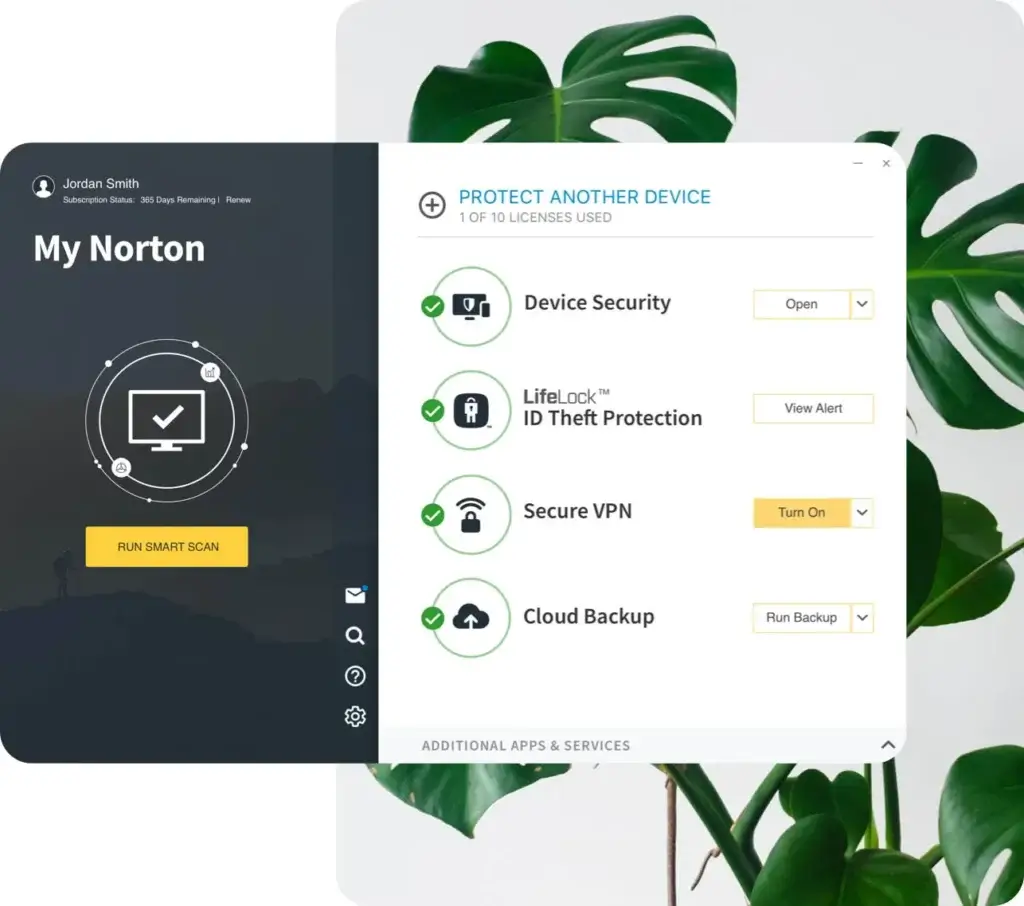
- ✅ Device Security for PC, Mac, and Mobile – Installs on any employee device.
- ✅ Automatic Cloud Backup – Protects important files against ransomware and hardware failure.
- ✅ Wi-Fi Security Alerts – Detects unsecured or suspicious networks.
- ✅ User-Based Licensing – Protect multiple devices per user with one license.
- ✅ Email Notifications and Reporting – Get alerts about threats, updates, and subscription status.
In-Depth Analysis
Norton Small Business was designed with simplicity in mind. It’s ideal for business owners or managers who don’t have the time or technical background to set up and maintain a complex endpoint solution.
The cloud-based deployment is seamless. You send an invite to team members, they install it on their devices, and that’s it. Norton takes care of updates, scans, and alerts without needing much intervention.
It offers a nice bonus that many other small-business solutions don’t: automatic cloud backups. This is useful for local files, spreadsheets, contracts, or client documents that may not be stored in the cloud elsewhere. Plus, you’ll get Wi-Fi protection alerts and mobile device support, which is increasingly important for modern teams.
Top Traits
- Hassle-Free Deployment – Quick to install across devices with minimal admin work
- Cloud Backup – Helps mitigate damage from ransomware or hardware loss
- Trusted Brand – Recognized for consistent performance and threat detection
- User-Centric Pricing – One license covers multiple devices per team member
- Great for Small Teams – No need for a dedicated IT team
Why Choose Norton Small Business
If you’re a startup or small agency, Norton gives you trusted protection with a super simple setup. You don’t need advanced dashboards or security playbooks, just install it and let it work.
Its cloud backup and multi-device support make it a practical option for teams that work from home, travel, or operate with freelancers. You also get access to 24/7 support, which is a big plus if something ever goes wrong.
Pros and Cons
Positive
✅ Comprehensive threat protection
✅ Real-time monitoring
✅ Smart firewall
✅ Additional security tools
Negatives
❌ Higher price point
❌ Can impact system performance
❌ Complex interface for beginners
❌ Occasional false positives
💵 Pricing Overview
- 5 Devices: $99.99/year
- 10 Devices: $149.99/year
- 20 Devices: $249.99/year
🎯 Overall Assessment
Norton Small Business offers solid, hassle-free protection for teams that want to set it and forget it. It’s ideal for startups or non-technical users who still need strong, multi-device coverage and data backup.
Editor’s Score: 9.5 / 10
Avast
Unique Features
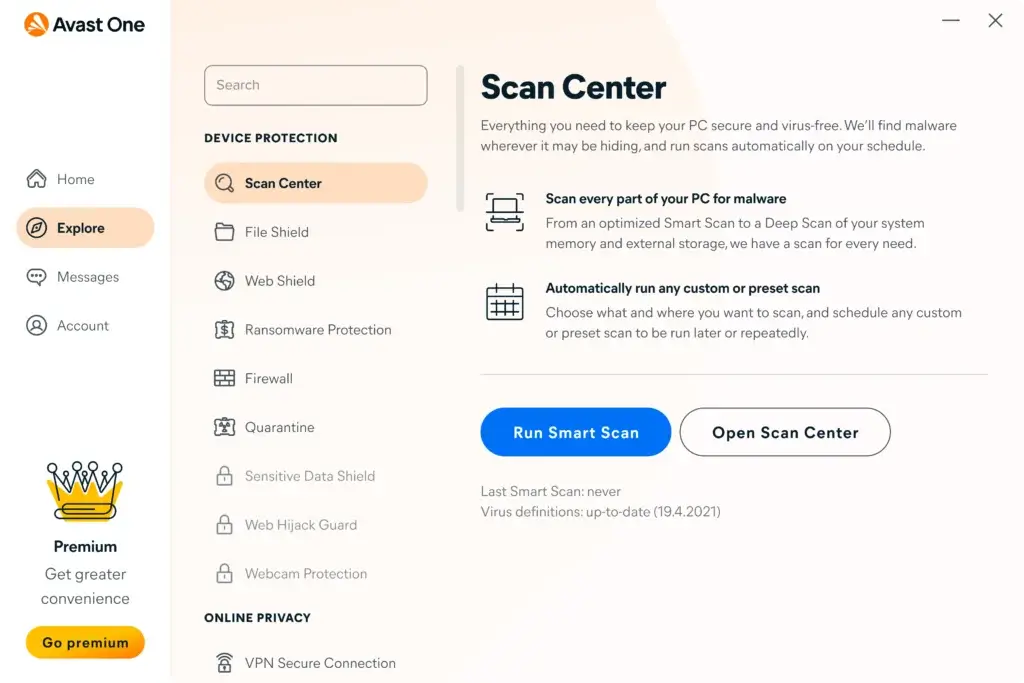
- ✅ Real-Time Malware Protection – Stops viruses, ransomware, and spyware across all endpoints.
- ✅ Data Shredder – Permanently deletes sensitive files to prevent recovery.
- ✅ Patch Management (Add-on) – Keeps third-party apps and OS up to date automatically.
- ✅ Email Shield and Anti-Spam – Scans incoming mail for malicious attachments or phishing links.
- ✅ Integrated VPN – Encrypts web traffic on public Wi-Fi, ideal for hybrid or remote teams.
In-Depth Analysis
Avast Business Antivirus Pro Plus brings a smart mix of consumer-level simplicity and small-business-focused features. While it may not be built for complex enterprise deployments, it checks all the boxes for SMBs that want reliable protection with minimal IT overhead.
The standout feature is the Avast Business Hub, a cloud-based console that lets admins monitor security status, trigger remote scans, and apply policies, all from a clean dashboard. This is perfect if you’re managing several endpoints in different locations.
Built-in productivity tools like the VPN, firewall, and sandboxing feature add extra value, especially for businesses with remote workers or BYOD policies. You also get web protection, behavioral shields, and anti-spam filters to round out endpoint defense.
Top Traits
- Easy Remote Management – Set up and control endpoints from the cloud
- All-in-One Suite – Includes tools like VPN, file shredder, and sandbox
- Affordable for SMBs – Strong value at lower licensing tiers
- Lightweight Agent – Doesn’t slow down user productivity
- Regular Signature Updates – Keeps threat database fresh
Why Choose Avast Business Antivirus Pro Plus
If your team works from multiple locations and you need protection that’s reliable but doesn’t require a full-time IT manager, Avast fits the bill. Its Business Hub console offers visibility and control without the complexity of EDR solutions.
The built-in VPN and file shredder are particularly useful for teams dealing with client data, contracts, or legal documents. Plus, the pricing is very friendly for startups and mid-sized businesses trying to stay lean without compromising security.
Pros and Cons
Positive
✅ Strong malware detection
✅ Cloud-based management
✅ Low system impact
✅ Built-in VPN available
Negatives
❌ Upselling in dashboard
❌ VPN lacks split tunneling
❌ Some features Windows-only
❌ No true password manager
Pricing Overview
- 1 Device: $69.99/year
- 10 Devices: Around $319.99/year
- Add-ons (VPN, Patch Management): Available at extra cost per device
🎯 Overall Assessment
Avast Business Antivirus Pro Plus is a well-rounded, affordable solution for SMBs that need security with minimal fuss. Its cloud-based control and bundled VPN make it perfect for remote or hybrid teams that value simplicity and productivity.
Editor’s Score: 9.1 / 10
CrowdStrike Falcon
Unique Features
- ✅Cloud-Native Architecture – Lightweight agent with zero on-premise infrastructure required.
- ✅Real-Time EDR (Endpoint Detection & Response) – Instantly identifies, investigates, and responds to active threats.
- ✅AI-Powered Threat Intelligence – Leverages behavior analytics and global telemetry to catch sophisticated attacks.
- ✅Managed Threat Hunting (Falcon OverWatch) – 24/7 expert monitoring and support from CrowdStrike’s elite team.
- ✅Automatic Threat Containment – Isolates infected endpoints to prevent lateral spread before damage occurs.
- ✅Falcon AI Detection and Response (AIDR) – Released in 2026, AIDR provides deeper visibility into AI usage and protects against risky AI prompts by blocking malicious interactions in real time.
In-Depth Analysis
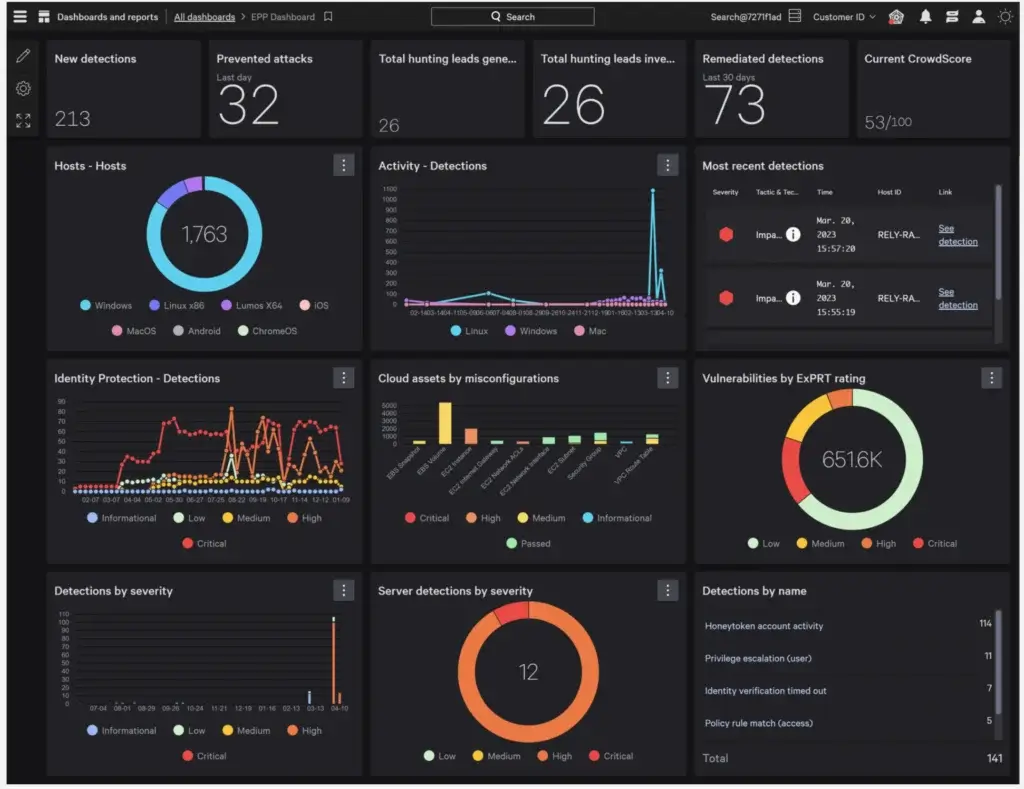
CrowdStrike Falcon is one of the most advanced endpoint protection platforms on the market. It’s not just antivirus, it’s full-scale EDR and threat intelligence built for fast-moving enterprises. With its lightweight agent and cloud-native backend, it deploys in minutes and scales effortlessly.
The standout feature is Falcon’s real-time response. You get deep forensic visibility into every endpoint, letting you trace attack vectors, isolate hosts, and remediate threats remotely – all from a single pane of glass. It’s a powerful tool for security operations teams who need speed and detail.
Falcon also includes one of the best MDR (Managed Detection and Response) services in the business. With Falcon OverWatch, security professionals monitor your environment around the clock, acting as an extension of your team and reducing response times dramatically.
With the introduction of Falcon AIDR, CrowdStrike now offers unified prompt‑layer protection and real‑time blocking of risky AI interactions, bringing deeper visibility into how employees use AI
Top Traits
- Real-Time EDR – See and respond to threats the moment they happen
- Cloud-Native Agent – Minimal impact on system performance
- Global Threat Intelligence – Pulls from trillions of events daily for unmatched accuracy
- Zero Trust Readiness – Works well in advanced security stacks
- Excellent Compliance Support – Built for financial services, government, and healthcare sectors
Why Choose CrowdStrike Falcon
If you handle sensitive data or operate in a high-risk industry, Falcon gives you unmatched control and insight. It’s especially ideal for large businesses that can’t afford a single missed alert.
While some antivirus platforms focus only on prevention, Falcon excels in detection and response. It doesn’t just stop the threat, it helps you understand it, so you can strengthen your security posture over time.
CrowdStrike’s platform is also future-ready. It integrates seamlessly with your SIEM or XDR environment, making it a perfect fit for teams following zero-trust frameworks or undergoing digital transformation.
Pros and Cons
Positive
✅ Elite-level EDR and threat hunting
✅ Extremely fast deployment
✅ Cloud-based for easy scaling
✅ Integrates with SIEM and third-party tools
Negatives
❌ Premium pricing (especially with add-ons)
❌ May be too complex for smaller teams
❌ Limited offline protection
❌ Requires trained staff to use full capabilities
💵 Pricing Overview
- Falcon Prevent (NGAV only): Starts at $8.99/device/month
- Falcon Insight (with EDR): From $16.99/device/month
- Falcon Complete (MDR + full stack): Custom pricing for enterprise use
🎯 Overall Assessment
CrowdStrike Falcon sets the standard for modern endpoint protection, combining elite threat detection with rapid response and global intelligence. It’s a powerhouse for large enterprises with mature security teams and critical data to defend.
Editor’s Score: 8.9 / 10
Sophos Intercept X

Unique Features
- ✅ Deep Learning AI Engine – Detects and blocks threats without relying on signature databases.
- ✅ CryptoGuard Ransomware Protection – Stops file encryption instantly and rolls back changes.
- ✅ Exploit Prevention – Blocks common attack techniques like code injection and privilege escalation.
- ✅ Web Filtering and App Control – Restrict malicious sites and risky applications across your network.
- ✅ Synchronized Security – Shares threat data across Sophos firewall, email, and endpoint systems in real-time.
- ✅ Secureworks integration for vulnerability & identity threat detection – Following Sophos’ integration of Secureworks’ capabilities in 2026, Intercept X now includes advanced vulnerability detection and identity threat detection features.
In-Depth Analysis
Sophos Intercept X is a strong all-around solution for companies that want proactive security without needing a dedicated security analyst on staff. Its strength lies in how it uses AI and behavioral analysis to stop threats before they can execute, making it an excellent defense against zero-day malware, ransomware, and fileless attacks.
Its CryptoGuard feature is particularly valuable in 2026, as ransomware attacks continue to rise in frequency and severity. It automatically detects suspicious file encryption and reverts systems to a safe state, minimizing data loss and downtime.
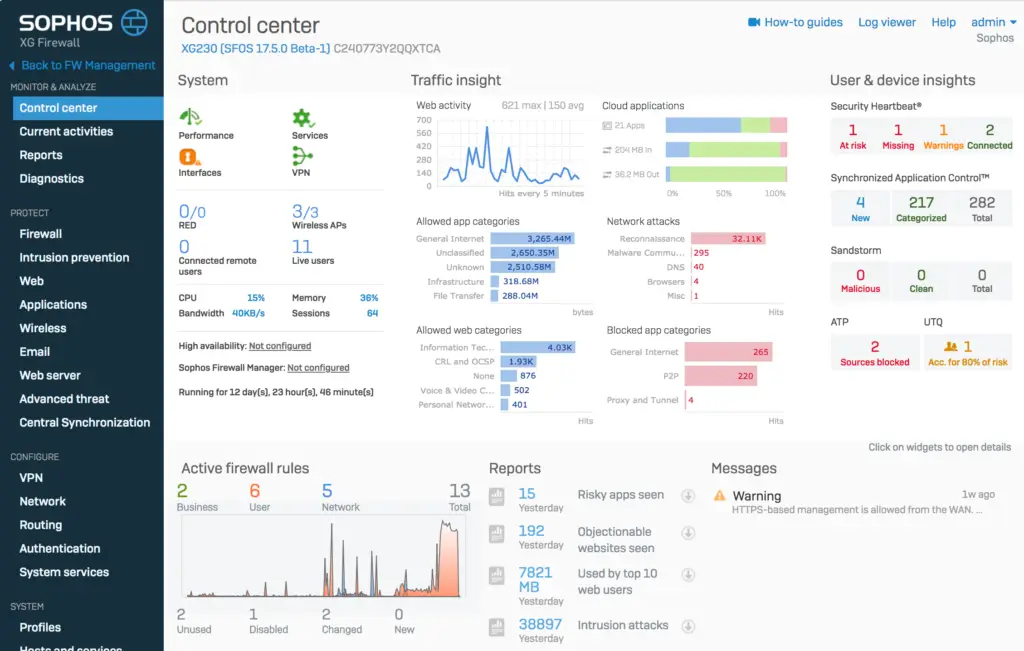
What makes Sophos stand out even more is its “synchronized security” approach. If you’re using a Sophos firewall or email gateway, all components communicate in real time to isolate threats and share telemetry, creating a truly unified defense strategy.
The management console is clean, web-based, and intuitive. Policies are easy to set up, and threat insights are presented in a visual, easy-to-understand dashboard. It’s friendly for both small IT teams and larger enterprises.
Top Traits
- Advanced Threat Prevention – Built-in AI stops both known and unknown threats
- Strong Ransomware Defense – CryptoGuard rollback protects your business-critical files
- Unified Security Ecosystem – Endpoint, firewall, and email all work together
- Remote Deployment – Cloud-based setup across all devices
- Detailed Threat Reports – Drill down into incident origins and device exposure
Why Choose Sophos Intercept X
Intercept X is ideal for companies that want a “set it and forget it” security solution that still packs a punch. With AI-driven detection, it removes the burden of constant signature updates and reduces your exposure to emerging threats.
If you’re already in the Sophos ecosystem, or planning to be, it’s a no-brainer. The level of threat visibility and integration you get from its security fabric rivals much more expensive platforms.
Even without extra tools, Sophos Intercept X gives you protection that feels enterprise-grade but is still accessible for SMBs.
Pros and Cons
Positive
✅ One of the best ransomware defenses available
✅ Easy to manage for IT teams
✅ AI-based detection
✅ Integrates with other Sophos products
Negatives
❌ Some features require Sophos XG firewall
❌ Pricing can be high with add-ons
❌ May be overkill for very small businesses
❌ UI customization is somewhat limited
💵 Pricing Overview
- Intercept X Essentials: Starts around $28/user/year
- Intercept X Advanced: Includes deep learning and exploit prevention from $44/user/year
- Intercept X with EDR: From $58/user/year
- Intercept X Advanced with XDR: Pricing typically $70+/user/year
🎯 Overall Assessment
Sophos Intercept X offers enterprise-grade security in an approachable package, combining deep learning and ransomware rollback to stay ahead of advanced threats. It’s a smart choice for growing businesses that want high-end protection without the complexity.
Editor’s Score: 8.5 / 10
Microsoft Defender for Business
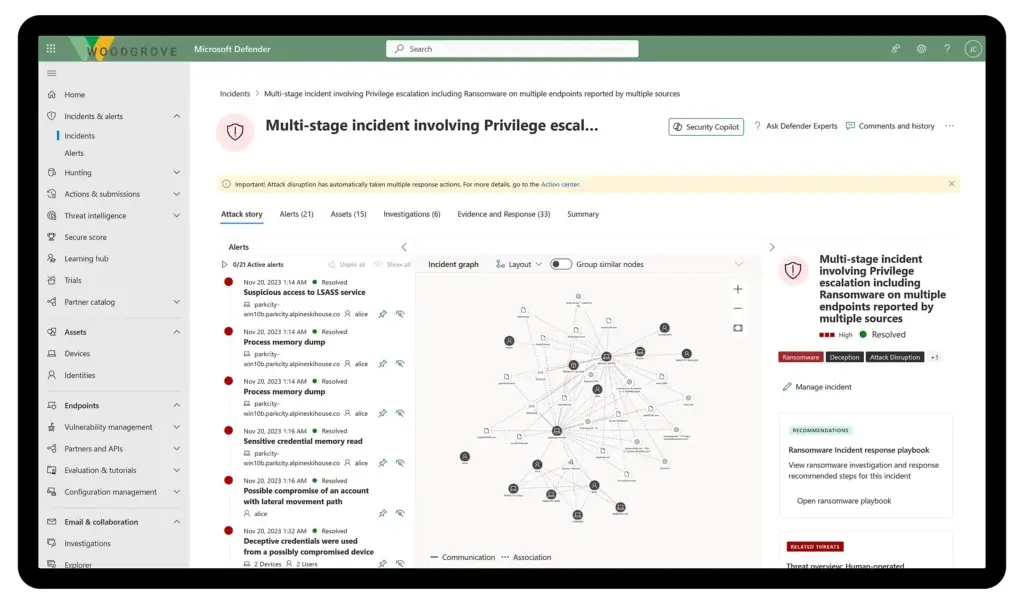
Unique Features
- ✅Enterprise‑grade protection: Defender for Business brings endpoint detection and response, attack surface reduction, and automated investigation and remediation into a single solution.
- ✅Cross‑platform support: Protects Windows, macOS, iOS, and Android devices.
- ✅ Simplified onboarding: Admins can deploy policies and monitor devices from a unified console.
- ✅ Device & user limits: Each license covers up to 5 devices per user and allows server protection via an add‑on.
- ✅Affordable pricing: Priced around $3/user/month (annual payment).
In-Depth Analysis
Microsoft Defender for Business is not a basic antivirus repackaged for companies. It is a streamlined version of Microsoft Defender for Endpoint, designed specifically for SMBs.
You get AI-powered detection backed by Microsoft’s global threat intelligence network. That means your devices benefit from telemetry gathered across millions of endpoints worldwide.
One of its strongest advantages is automation. When a suspicious file or process is detected, Defender can isolate the device, investigate the issue, and remediate it automatically. This dramatically reduces response time and removes pressure from small IT teams.
The attack surface reduction policies are also powerful. You can block macros from running, restrict credential theft techniques, and prevent common ransomware behaviors before damage occurs.
Top Traits
- Affordable enterprise-level protection
- AI-powered detection and automated response
- Seamless integration with Microsoft ecosystem
- Strong ransomware and exploit protection
- Ideal for hybrid work environments
Why Choose Microsoft Defender for Business
If your company runs on Microsoft 365, choosing Defender reduces friction.
You avoid third-party integrations. You manage security within the same ecosystem. And you benefit from native policy control across users and devices.
For companies without in-house cybersecurity specialists, automated investigation and remediation is a major advantage. It minimizes downtime and reduces human error.
However, if you operate in a highly regulated industry or require advanced threat hunting capabilities, platforms like CrowdStrike or Bitdefender GravityZone may offer deeper visibility.
Pros and Cons
Positive
✅ Affordable per-user pricing
✅ Built-in EDR and attack surface reduction
✅ Strong ransomware protection
✅ Excellent integration with Microsoft 365
Negatives
❌ Best experience requires Microsoft ecosystem
❌ Interface can feel technical for non-IT admins
❌ Advanced enterprise analytics require upgrade to Defender for Endpoint
💵 Pricing Overview
🎯 Overall Assessment
Microsoft Defender for Business is one of the strongest business antivirus software options for SMBs in 2026.
It delivers enterprise-grade protection, AI-driven detection, and automated response at a very competitive price. If you are already using Microsoft 365, it becomes an obvious choice.
For growing businesses that want strong security without deploying a complex enterprise antivirus platform, Defender strikes an excellent balance between cost, protection, and usability.
Editor’s Score: 8.3 / 10
Comparing Table
| Antivirus | Best For | Key Features | Starting Price | IT Skill Level |
| Bitdefender GravityZone | Mid to large enterprises | AI threat detection, risk analytics, centralized control | ~$25/device/year | Medium to High |
| ESET PROTECT Advanced | SMBs & lean IT teams | Cloud console, ransomware shield, email security | ~$30/device/year | Low to Medium |
| Norton Small Business | Freelancers & very small teams | Cloud backup, mobile support, Wi-Fi threat alerts | ~$99.99/year for 5 devices | Low |
| Avast Business Pro Plus | SMBs with remote teams | Built-in VPN, email shield, file shredder, cloud console | ~$49.99/device/year | Low to Medium |
| CrowdStrike Falcon | Enterprises & regulated industries | Cloud-native EDR, threat intelligence, managed hunting | Contact sales | High |
| Sophos Intercept X | SMBs to large companies | AI engine, CryptoGuard rollback, unified security | ~$36/device/year | Low to Medium |
How to Choose the Right Antivirus for Your Business
Finding the best antivirus software for your company isn’t just about picking the highest-rated tool. It’s about choosing the solution that fits your operations, resources, and future growth. Here’s how to approach the decision like a pro:
🧠 1. Assess Your Business Needs
Start by identifying how your team works and what needs protecting.
- Do you have remote or hybrid employees?
- Are you dealing with sensitive customer data or intellectual property?
- Do you need mobile device protection or just desktop coverage?
Tip: If you’re managing a fully remote team, prioritize tools with a centralized cloud dashboard and VPN integration.
⚙️ 2. Know Your IT Capacity
Not every business has a dedicated cybersecurity team, and that’s okay. Some antivirus tools (like Norton or ESET) are easy to install and manage with minimal expertise. Others (like CrowdStrike) offer powerful EDR features but require deeper security knowledge.
Tip: If you don’t have in-house IT, avoid platforms that demand ongoing threat analysis or scripting.
💵 3. Match Features to Your Budget
Advanced platforms offer premium features, but you may not need all of them right away. Focus on essentials:
- Real-time malware protection
- Ransomware shielding
- Central management
- Email and web protection
- Regular updates and threat intelligence
Tip: Choose a provider that offers flexible pricing tiers so you can scale up as your business grows.
🔐 4. Consider Compliance Requirements
If you’re in a regulated industry (like finance, healthcare, or legal), your antivirus must support compliance:
- GDPR
- HIPAA
- PCI-DSS
- ISO 27001
Tip: Look for software with audit logs, role-based access, and data loss prevention built in.
🧪 5. Take Advantage of Free Trials and Demos
Most business antivirus vendors offer trial periods or demos. Use these to:
- Test usability for your team
- Measure system performance impact
- Check compatibility with your existing tools
Tip: Even just a 7-day trial can reveal how the software handles real-world threats and day-to-day operations.
By matching your cybersecurity priorities with the right feature set, you can protect your business effectively without overspending or overcomplicating your tech stack.
Conclusion
Choosing the right antivirus for your business in 2026 is about more than just blocking threats. It’s about building a secure, scalable foundation for your operations, whether you’re managing a small team, running a hybrid office, or securing sensitive customer data across multiple locations.
If you’re a growing company with lean IT resources, solutions like ESET PROTECT Advanced or Avast Business Pro Plus give you the essential tools you need without overwhelming complexity. For security-driven teams or industries with compliance demands, Bitdefender GravityZone or CrowdStrike Falcon offers advanced defense with centralized control. And if you’re just getting started, Norton Small Business delivers reliable protection with minimal setup.
Ultimately, the best antivirus for your business is the one that balances protection, usability, and growth potential.
FAQs
What is the best business antivirus software?
The best business antivirus software depends on your needs. Bitdefender GravityZone and CrowdStrike Falcon are ideal for enterprises, while ESET Protect and Microsoft Defender for Business are excellent for small to mid-sized companies.
What is the difference between business antivirus and personal antivirus?
Business antivirus software includes centralized management, endpoint protection across multiple devices, compliance features, and advanced threat detection. Personal antivirus is designed for individual users and lacks enterprise-level controls.
Do small businesses really need antivirus software?
Yes. Small businesses are frequent targets of cyberattacks due to weaker security. A business antivirus solution protects sensitive data, customer information, and company devices from malware and ransomware.
What features should I look for in business antivirus software?
Key features include real-time threat protection, ransomware defense, centralized management, endpoint detection and response (EDR), email and web protection, and compliance support for standards like GDPR or HIPAA.
Is Microsoft Defender for Business enough for companies?
Microsoft Defender for Business is a strong solution for small and mid-sized companies, especially those using Microsoft 365. It offers AI-powered detection, automated response, and endpoint protection, but large enterprises may require more advanced tools.
What is endpoint detection and response (EDR)?
EDR is an advanced security feature that monitors endpoint activity, detects suspicious behavior, and helps respond to threats in real time. Solutions like CrowdStrike Falcon and Sophos Intercept X provide strong EDR capabilities.
How much does business antivirus software cost?
Pricing varies by provider and features. Entry-level business antivirus plans can start at around $30 per device per year, while advanced enterprise solutions may require custom pricing based on the number of users and endpoints.
Can business antivirus software help with compliance?
Yes. Many business antivirus solutions support compliance with standards like GDPR, HIPAA, and PCI-DSS by providing logging, access control, and data protection features.
Is a VPN necessary for business antivirus?
A VPN is highly recommended for businesses with remote or hybrid teams. It encrypts internet traffic and reduces the risk of data exposure when using public or unsecured networks.
Which antivirus is best for small businesses?
For small businesses, ESET Protect, Avast Business Antivirus, and Microsoft Defender for Business are among the best options. They offer strong protection, easy deployment, and affordable pricing.