
Introduction
ClickUp Chat is ClickUp’s built-in team messaging feature, designed to connect conversations with the tasks, Docs, projects, and workflows your team already uses every day.
Unlike standalone chat tools such as Slack or Microsoft Teams, ClickUp Chat does not sit beside your work. It lives inside the same workspace where you plan projects, assign tasks, review Docs, and manage team execution.
That makes it a strong option if you already use ClickUp and want fewer disconnected tools in your daily stack.
Still, ClickUp Chat is not the best fit for every team. It is excellent when your conversations need to become action items, but it is less mature than dedicated messaging platforms when it comes to advanced chat controls, app ecosystems, and communication-first workflows.
In this ClickUp Chat review for 2026, you’ll learn:
- How ClickUp Chat works inside the ClickUp workspace
- Which features matter most for task-based collaboration
- How ClickUp AI, Catch Me Up, SyncUps, and Agents work
- What limits apply to the Free Forever plan
- How ClickUp Chat compares with Slack, Teams, Zenzap, Pumble, and Google Chat
If you are already managing projects in ClickUp, Chat can become a practical way to reduce context switching. If you need a standalone company messenger, you may still prefer a dedicated business chat app.
Overview
What is ClickUp Chat?
ClickUp Chat is the built-in messaging system inside ClickUp. It allows you to send messages, create Channels, use direct messages, reply in threads, publish Posts, start SyncUps, and use AI to summarize or act on conversations.
The key difference is context.
In a traditional chat app, your project conversation often happens in one place while the actual work sits somewhere else. In ClickUp Chat, the conversation can live closer to the task, Doc, Space, project, or workflow it belongs to.
This makes ClickUp Chat especially useful for project-focused teams that want to reduce tool switching.
Key things to know about ClickUp Chat
- It is included across ClickUp plans, including Free Forever
- Free Forever has usage limits, including message and history restrictions
- Paid plans unlock stronger Chat usage for ongoing teams
- Chat includes Channels, DMs, threads, Posts, and scheduled messages on eligible plans
- SyncUps add voice, video, screen sharing, and meeting follow-up options
- ClickUp AI can summarize messages, create tasks, write replies, and help you catch up
- Agents in Chat add a more advanced automation layer for AI-assisted teamwork
For teams that already use ClickUp, this can turn Chat into more than a messaging tool. It becomes a place where updates, decisions, action items, and project context stay connected.
ClickUp Chat Review: Quick Summary
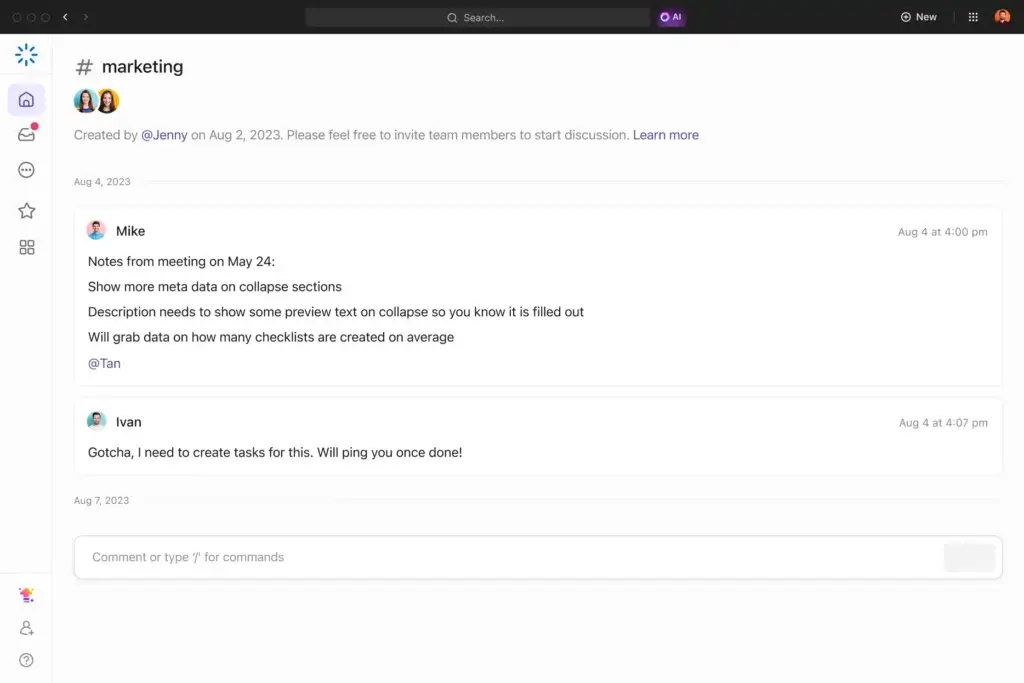
ClickUp Chat is best understood as a work-connected communication layer, not just another team messenger. Its biggest advantage is that messages can stay connected to tasks, Docs, Posts, SyncUps, and AI-powered follow-ups.
| Category | ClickUp Chat Review Summary |
| Best For | Teams already using ClickUp for project management and task execution |
| Not Ideal For | Teams that need a standalone enterprise chat platform with deep app workflows |
| Free Plan | Available, but limited to 1,000 Workspace messages and 90-day history |
| Strongest Feature | Turning conversations into tasks, Docs, follow-ups, and project context |
| Best AI Feature | Catch Me Up, channel summaries, task creation, and Agents in Chat |
| Main Limitation | Less mature than Slack or Microsoft Teams for pure messaging workflows |
| Best Alternatives | Slack, Microsoft Teams, Pumble, Zenzap, and Google Chat |
My opinion: ClickUp Chat is a very strong add-on for ClickUp users, but it should not be evaluated like a normal chat app. Its value comes from how closely it connects communication with work execution.
Software Specification
ClickUp Chat Core Features
ClickUp Chat includes many features you would expect from a modern team communication tool, but its real strength is how those features connect with ClickUp’s broader workspace.
Here are the most important ClickUp Chat features to know before deciding whether it can replace or reduce your dependence on Slack, Microsoft Teams, or Google Chat.
1. Channels and Direct Messages
ClickUp Chat supports Channels for team or topic-based conversations and direct messages for private communication.
You can use Channels for departments, clients, projects, campaigns, product launches, or internal updates. This gives your team a familiar messaging structure while keeping communication inside ClickUp.
- Create Channels for teams, projects, or topics
- Send direct messages to teammates
- Use threads to keep related replies grouped
- Mention teammates where action is needed
This structure is useful for teams that want a clean messaging layer without adopting another full communication platform.
2. Posts for Announcements and Async Updates
Posts are one of the most important ClickUp Chat features to include in your evaluation.
Instead of using fast-moving chat messages for everything, Posts give you a more structured way to share announcements, project updates, ideas, and longer internal discussions.
This makes ClickUp Chat more useful for async teams because important updates do not need to disappear inside a busy message feed.
- Share company or team announcements
- Publish project updates
- Document decisions and ideas
- Keep longer discussions separate from quick chat
On the Free Forever plan, ClickUp currently limits Posts to 30 per Workspace, and this limit does not reset. Paid plans remove that restriction.
3. Threads and Focused Replies
Threads help keep conversations organized inside busy Channels or direct messages.
This matters when your team discusses multiple project details in the same space. Instead of creating a long stream of disconnected replies, you can keep follow-up comments grouped under the original message.
That said, ClickUp’s threading is still not as mature as Slack’s. If your team relies heavily on advanced thread behavior, deep message search, and complex channel organization, Slack will still feel more complete.
4. Task Creation From Chat Messages
This is where ClickUp Chat becomes more valuable than a basic messaging app.
When a conversation creates an action item, you can turn a message into a task. This helps prevent the common problem where decisions are made in chat but never converted into assigned work.
For project managers, marketing teams, agencies, and product teams, this feature can reduce follow-up friction significantly.
- Turn messages into tasks
- Keep task context connected to the original conversation
- Assign owners and due dates from the same workflow
- Reduce manual copy-pasting between chat and task tools
This is the strongest reason to use ClickUp Chat if ClickUp is already your project management system.
5. Assigned Messages and Follow-Ups
ClickUp Chat also supports a more accountable way to manage conversation-based work.
Instead of relying on someone to remember a message, you can assign messages or use AI to help assign follow-up items. This makes Chat more operational than a normal team messenger.
For example, if someone posts “Can you review the landing page before Thursday?”, the message can become a visible follow-up instead of being buried in the conversation.
This is especially helpful for managers who want communication to lead to clear ownership.
6. Scheduled Messages
Scheduled messages are useful for async teams, global teams, and managers who want to avoid sending notifications outside working hours.
You can write a message and schedule it to send later, which helps teams communicate across time zones without creating unnecessary interruptions.
However, this feature is not available on the Free Forever plan. If scheduled messaging is important for your team, you will need a paid ClickUp plan.
7. SyncUps for Voice, Video, and Screen Sharing
SyncUps are ClickUp’s built-in voice and video meetings.
Instead of switching to Zoom, Google Meet, or Microsoft Teams for every quick conversation, you can start a SyncUp directly from ClickUp Chat.
SyncUps support audio, video, screen sharing, and meeting-related follow-up. ClickUp currently allows up to 200 people in a SyncUp, with up to 24 people speaking at once.
- Start voice and video calls from Chat
- Use screen sharing for visual context
- Connect meetings with tasks and Docs
- Use AI Notetaker and recordings where available
This is valuable for remote teams that need quick project discussions without leaving the workspace.
8. ClickUp AI in Chat
ClickUp AI is one of the biggest reasons ClickUp Chat deserves a fresh review in 2026.
Inside Chat, AI can summarize conversations, answer questions about a Channel, help write messages, create tasks, find related tasks, find related Docs, and find related Chats.
The most practical feature is Catch Me Up. When you have unread messages, ClickUp AI can summarize what you missed over a selected time range, which is useful after meetings, vacations, deep work blocks, or time-zone gaps.
- Summarize a Channel or message thread
- Use Catch Me Up for unread messages
- Create tasks from messages or summaries
- Find related Docs, tasks, and Chats
- Draft or improve replies with AI
This makes ClickUp Chat more useful for async communication because you can understand the context faster without reading every message manually.
9. ClickUp Agents in Chat
ClickUp has expanded beyond simple AI summaries with Agents in Chat.
Super Agents and Autopilot Agents can help perform tasks inside ClickUp. In Chat, Agents can post messages, update or assign messages, reply to threads, and summarize what happened in a Channel.
Autopilot Agents can also be triggered when a message is posted in a Channel, allowing more automated workflows inside your communication system.
This is still an advanced feature, and not every team will need it immediately. But it gives ClickUp Chat a stronger long-term position than basic team messengers that only support manual communication.
10. Mobile Experience
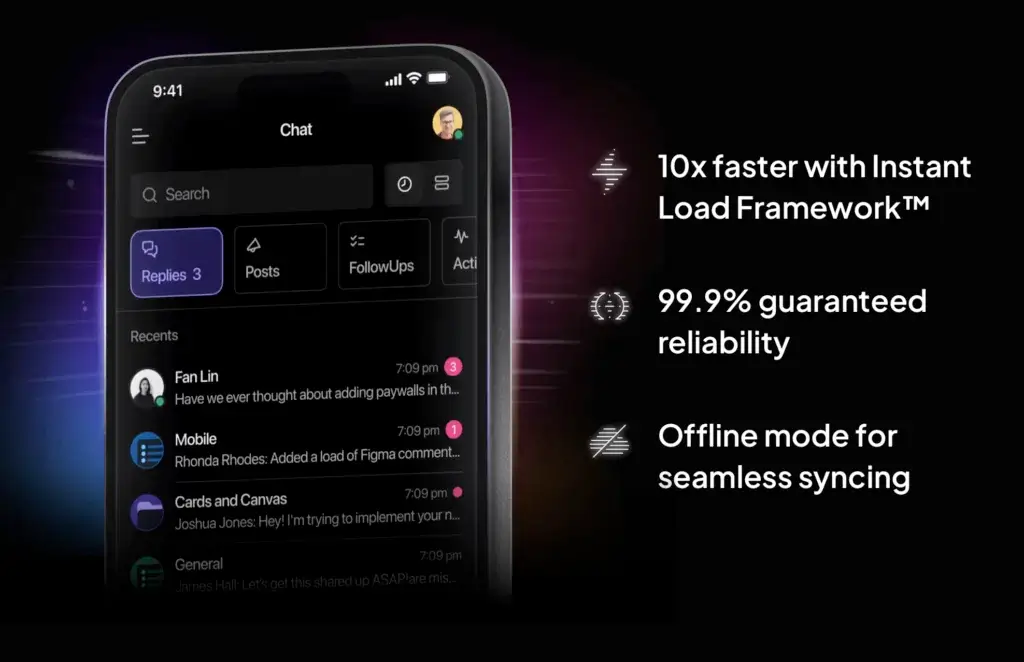
ClickUp Chat works across desktop, web, and mobile, which makes it practical for distributed teams.
On mobile, you can respond to messages, review updates, access task context, and participate in communication without opening a separate chat app.
The mobile experience is most valuable for managers, client-facing teams, and remote workers who need to stay connected without losing project context.
Pros and Cons
Advantages and Disadvantages
ClickUp Chat has a clear advantage for teams already working inside ClickUp. It brings messaging, tasks, Docs, meetings, and AI closer together. However, it is not as mature as Slack or Microsoft Teams if your main priority is a dedicated communication platform.
Positive
✅ Deep connection with ClickUp tasks and Docs
✅ Strong AI support for summaries and follow-ups
✅ Built-in SyncUps for calls and screen sharing
✅ Posts help structure async updates
✅ Good fit for remote and hybrid teams
✅ Available on the Free Forever plan
Negative
❌ Free plan has strict message and history limits
❌ Less mature than Slack for pure chat workflows
❌ AI features require separate pricing or credits
❌ Can feel dense for new ClickUp users
❌ Not ideal as a standalone company messenger
Pros
- Excellent for task-connected communication
ClickUp Chat is strongest when messages need to turn into tasks, assignments, Docs, updates, or project decisions. - Useful AI features
Catch Me Up, summaries, AI task creation, and related work suggestions make it easier to manage busy conversations. - Built-in voice and video with SyncUps
Teams can start quick meetings without leaving ClickUp, which helps reduce reliance on separate meeting tools. - Posts improve async communication
Posts give teams a better place for longer updates, announcements, and decisions that should not get buried in chat. - Good value for ClickUp users
If your team already pays for ClickUp, Chat adds communication functionality without adding another major software subscription.
Cons
- The Free Forever plan is limited
The 1,000-message Workspace limit and 90-day history limit make the free plan better for testing than long-term team communication. - Not as advanced as Slack
Slack still wins for deep app integrations, mature channel control, and a communication-first experience. - AI can increase the real cost
ClickUp’s AI features are powerful, but teams should include Brain AI or Everything AI pricing in their budget calculations. - New users may feel overwhelmed
Because Chat lives inside the broader ClickUp workspace, teams unfamiliar with ClickUp may need onboarding. - Not a true standalone chat platform
ClickUp Chat is most valuable when used with ClickUp’s project management system. It is not designed to be a separate messenger.
User Experience
User Interface and Experience
The ClickUp Chat interface feels most natural when you already understand ClickUp’s workspace structure. If your team already uses Spaces, Lists, tasks, Docs, and comments, Chat feels like a logical extension of the same environment.
Instead of switching from a task to Slack, then back to ClickUp, you can keep the conversation closer to the work itself.
Smooth for existing ClickUp users
For current ClickUp users, the experience is practical. You can move between tasks, Docs, messages, and project updates without opening another platform.
This helps reduce context switching, especially for teams that already manage most of their work inside ClickUp.
More complex for new users
For new users, the experience can feel busy at first.
ClickUp is a broad platform, and Chat is only one part of it. If your team is moving from a simple messenger like Slack, Pumble, or Google Chat, users may need time to understand where Channels, task comments, Docs, Posts, and Chat messages fit together.
This is not a deal-breaker, but it matters for onboarding.
Mobile and remote work experience
ClickUp Chat works well for distributed teams that need to communicate while staying close to project work.
On mobile, users can respond to messages, review updates, launch SyncUps, and access connected work. This makes it useful for remote teams, client-facing teams, and managers who need quick visibility while away from their desk.
What could be better?
ClickUp Chat still has room to improve when compared with dedicated messaging tools.
Search, notification customization, channel administration, and advanced workflow integrations are areas where Slack and Microsoft Teams remain stronger.
For small and mid-sized teams using ClickUp heavily, these limitations may be acceptable. For large organizations that treat chat as a mission-critical communication hub, they are more important.
Pricing and Packages
Pricing and Plans for ClickUp Chat
ClickUp Chat is included in ClickUp, but the experience changes depending on your plan. This is one of the most important updates to understand before using it as your main team messaging tool.
The Free Forever plan is useful for testing ClickUp Chat, but it is not unlimited. If your team plans to use Chat every day, you will likely need a paid ClickUp plan.
ClickUp Chat pricing and limits
| Plan | Price | ClickUp Chat Access | Important Chat Limits |
| Free Forever | $0 | Included | 1,000 Workspace messages, 90-day history, no scheduled messages, 30 Posts |
| Unlimited | $7/user/month billed yearly | Included | Unlimited message history and scheduled messages |
| Business | $12/user/month billed yearly | Included | Unlimited message history and stronger workspace controls |
| Enterprise | Custom pricing | Included | Enterprise governance, security, and Chat data retention options |
Pricing can change, so you should always confirm the latest plan details on the official ClickUp pricing page before publishing or purchasing.
How much does ClickUp AI cost?
ClickUp AI pricing should be treated separately from ClickUp Chat pricing.
ClickUp currently offers AI options such as Brain AI and Everything AI. Brain AI is listed at $9 per user/month, while Everything AI is listed at $28 per user/month. ClickUp also uses AI Super Credits for certain advanced AI features, including Agents, Automations, and more.
| AI Option | Price | Best For |
| Free AI Trial | $0 | Testing AI across Chat, tasks, and Docs |
| Brain AI | $9/user/month | AI assistant, AI writing, AI chat, @Brain Agent, and workspace search |
| Everything AI | $28/user/month | Full AI suite, including stronger Agent usage and advanced AI features |
| AI Super Credits | Usage-based add-on | Super Agents, AI Fields, Automations, image generation, and other advanced features |
This matters because ClickUp Chat can look very affordable at the base plan level, but the cost changes if your team wants heavy AI usage.
Is ClickUp Chat worth the price?
ClickUp Chat is worth it if your team already uses ClickUp as the main place for project management.
In that situation, you are not just buying a chat tool. You are adding communication directly to the place where work gets assigned, tracked, discussed, and completed.
However, if your team does not use ClickUp for project management, the value is weaker. In that case, Slack, Microsoft Teams, Pumble, or Zenzap may be more natural options.
Feedback
User Feedback and Reviews
What Teams Are Saying About ClickUp Chat
User feedback around ClickUp Chat is generally positive among teams that already use ClickUp heavily. These users appreciate that conversations, tasks, Docs, and follow-ups are closer together.
The criticism usually comes from teams comparing ClickUp Chat directly with Slack or Microsoft Teams. In that comparison, ClickUp Chat can feel lighter, less customizable, and less advanced as a pure communication tool.
What users tend to appreciate
- Better connection between messages and work
Teams like that action items can move from conversation to task without jumping between tools. - AI summaries reduce message overload
Catch Me Up and channel summaries are useful for async teams and busy managers. - SyncUps reduce tool switching
Quick voice or video calls inside ClickUp make it easier to discuss project work in context. - Good value for current ClickUp customers
For teams already paying for ClickUp, Chat can reduce the need for another communication subscription.
What users may want improved
- More advanced notification controls
Teams with busy Channels may want more granular notification management. - Better search and message discovery
Dedicated chat tools still feel stronger when searching large volumes of old conversations. - More mature chat-specific workflows
Slack and Teams offer deeper app ecosystems and more established communication workflows. - Simpler onboarding
New ClickUp users may need guidance on the difference between Chat, task comments, Docs, and Posts.
General sentiment
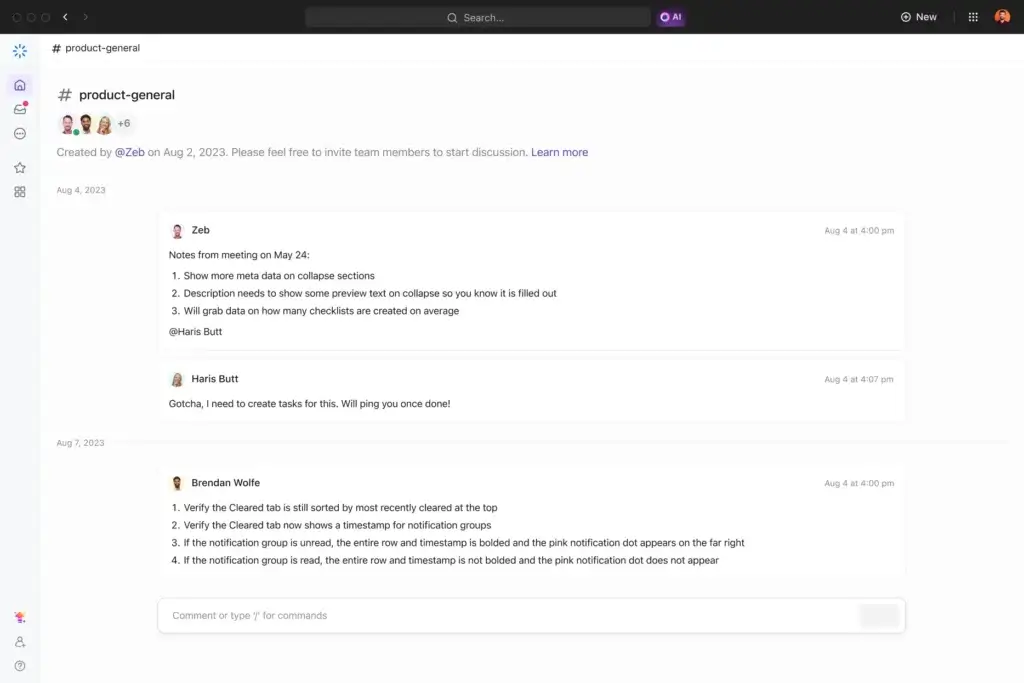
The overall sentiment is strongest among ClickUp-first teams. If your projects, workflows, Docs, and tasks already live inside ClickUp, Chat feels like a useful productivity layer.
If your team mainly wants a dedicated messenger, ClickUp Chat may feel more limited. That does not make it weak, but it does mean you should judge it based on its real purpose: connecting communication with work.
ClickUp Chat VS Alternatives
Comparison with Other Chat Software
Choosing the right chat software depends on how your team works. If messages are mostly quick conversations, Slack, Teams, Pumble, or Google Chat may be enough. If conversations regularly become tasks, Docs, project updates, or decisions, ClickUp Chat has a stronger case.
Here is how ClickUp Chat compares with popular alternatives.
ClickUp Chat vs Slack
Slack is stronger as a communication-first platform. It has a mature app ecosystem, excellent channel management, strong search, workflow automation, and a familiar interface for companies that live in chat.
ClickUp Chat is stronger when messages need to connect directly with project execution.
Choose ClickUp Chat if your team already works in ClickUp and wants fewer tool switches. Choose Slack if communication is your central operating layer and you need deep integrations.
👉🏼 Read the FULL Slack Review here
ClickUp Chat vs Microsoft Teams
Microsoft Teams is a better fit for organizations standardized on Microsoft 365. It combines chat, meetings, files, calendars, and enterprise administration in one system.
ClickUp Chat is better for teams that care more about connecting conversations with tasks, project boards, Docs, and workflows.
Choose Teams if your company already depends on Outlook, SharePoint, and Microsoft 365 governance. Choose ClickUp Chat if your team’s work execution already happens in ClickUp.
ClickUp Chat vs Zenzap
Zenzap is positioned more directly as a business messaging and team communication tool. It is a better option if you want a focused business chat experience without adopting a full project management platform.
ClickUp Chat is stronger if your team wants communication tied to task management, Docs, AI summaries, and workspace execution.
👉🏼 Read the FULL Zenzap Review here
ClickUp Chat vs Pumble
Pumble is a lightweight Slack-style chat tool. It is simple, affordable, and easier to understand if all you need is team messaging.
ClickUp Chat is more valuable when conversations need to become tasks, updates, and work records inside ClickUp.
👉🏼 Read the FULL Pumble Review here
ClickUp Chat vs Google Chat
Google Chat is convenient for teams already using Google Workspace. It is simple, accessible, and easy to use alongside Gmail, Drive, Calendar, and Meet.
ClickUp Chat is stronger for project execution. It gives you a clearer path from message to task, from discussion to Doc, and from update to ownership.
ClickUp Chat alternatives comparison table
| Tool | Best For | Main Strength | Main Weakness |
| ClickUp Chat | Teams already using ClickUp | Connects messages with tasks, Docs, AI, and SyncUps | Less mature as a standalone chat tool |
| Slack | Communication-first teams | Deep integrations, workflows, channels, and app ecosystem | Work can become disconnected from tasks |
| Microsoft Teams | Microsoft 365 organizations | Meetings, files, admin controls, and Office integration | Can feel heavy for project-focused teams |
| Zenzap | Business messaging and team communication | Clean business-focused chat experience | Smaller ecosystem than Slack or Teams |
| Pumble | Budget-friendly team chat | Simple messaging and strong free-plan appeal | Less connected to task execution |
| Google Chat | Google Workspace users | Easy internal messaging with Google tools | Less advanced for project-based execution |
If you want a broader comparison, visit our Best Business Chat Comparison.
Conclusion
Is ClickUp Chat the Right Fit for Your Business?
ClickUp Chat is the right fit if your team already uses ClickUp as a central workspace for tasks, Docs, project management, and collaboration.
Its biggest advantage is not that it replaces every chat feature in Slack or Teams. Its biggest advantage is that it keeps communication close to execution.
When a message can become a task, a thread can become a summary, a Channel can be summarized with AI, and a SyncUp can stay connected to project work, your team spends less time chasing context.
Who ClickUp Chat is best for
- Teams already managing work inside ClickUp
- Project-focused teams that want fewer apps
- Remote and hybrid teams using async communication
- Managers who want conversations tied to ownership
- Startups and small teams testing an all-in-one workspace
Who should consider another tool
- Teams that need Slack-level integrations and workflows
- Companies standardized on Microsoft 365 and Teams
- Organizations that do not use ClickUp for project management
- Enterprises needing advanced chat governance outside ClickUp
- Teams looking for a simple standalone messenger
Bottom line: ClickUp Chat is not the best pure chat app. It is one of the best communication layers for teams already working in ClickUp.
If your team wants messaging, task management, Docs, AI summaries, Agents, and quick meetings in one workspace, ClickUp Chat is worth testing. If you mainly need a dedicated messenger, compare it against Slack, Microsoft Teams, Pumble, Zenzap, and Google Chat before switching.
Frequently Asked Questions
Have more questions?
What is ClickUp Chat?
ClickUp Chat is the built-in messaging feature inside ClickUp. It lets teams use Channels, direct messages, threads, Posts, SyncUps, AI summaries, and task-connected conversations inside the same workspace where they manage projects and tasks.
Is ClickUp Chat free?
Yes, ClickUp Chat is available on the Free Forever plan. However, the free plan has important limits, including a 1,000-message Workspace limit, 90-day message history, no scheduled messages, and a 30-Post limit.
Can ClickUp Chat replace Slack?
ClickUp Chat can replace Slack for some teams already using ClickUp heavily. It is better for task-connected communication, but Slack is still stronger for deep integrations, advanced channel control, workflow automation, and communication-first teams.
Does ClickUp Chat include AI?
Yes. ClickUp AI can summarize Channels, summarize threads, create tasks, help write messages, find related tasks, find related Docs, and generate Catch Me Up summaries for unread messages.
How much does ClickUp AI cost?
ClickUp AI pricing is separate from standard ClickUp workspace pricing. Brain AI is listed at $9 per user/month, while Everything AI is listed at $28 per user/month. Teams should confirm current pricing before purchasing.
Can you create tasks from ClickUp Chat messages?
Yes. You can turn ClickUp Chat messages into tasks, which helps teams move from discussion to ownership without manually copying details into a separate task management system.
What are ClickUp SyncUps?
SyncUps are ClickUp’s built-in voice and video meetings. They allow teams to start calls from ClickUp, share screens, discuss project work, and connect meeting context with tasks and Docs.
Does ClickUp Chat support scheduled messages?
Yes, ClickUp supports scheduled Chat messages on eligible paid plans. Scheduled messages are not available on the Free Forever plan.
What are ClickUp Agents in Chat?
ClickUp Agents in Chat are AI-powered tools that can help post messages, update or assign messages, reply to threads, summarize Channel activity, and support automated workflows based on Chat triggers.
Who should use ClickUp Chat?
ClickUp Chat is best for teams already using ClickUp for project management, task tracking, Docs, and collaboration. It is less ideal for teams that only need a standalone business chat app.