
Introduction
If your team is tired of scattered WhatsApp groups, noisy Slack channels, missed tasks, and endless follow-ups, Zenzap is worth a closer look.
Zenzap is a professional work chat app built for business communication. It combines team messaging, built-in to-dos, calendar integration, AI agents, file sharing, admin controls, and work-life boundary features in one secure workspace.
Unlike traditional chat apps that focus only on messages, Zenzap is designed to help teams turn conversations into action. You can discuss work, assign tasks, schedule follow-ups, share files, and keep business data inside a controlled company environment.
In this Zenzap review, you’ll learn:
- What Zenzap is and how it works
- How its messaging, tasks, calendar, and AI features perform
- What Zenzap costs and which plan makes the most sense
- Where Zenzap is stronger than Slack, Pumble, ClickUp Chat, and Freshchat
- Who should use Zenzap, and who may need a different tool
Whether you manage a small business, a distributed team, a franchise, a healthcare clinic, or a field-based operation, Zenzap gives you a more structured way to keep everyone aligned without turning communication into another productivity problem.
Overview
What is Zenzap?
Zenzap is a business messaging and work chat platform that helps teams communicate, organize tasks, manage schedules, and protect company conversations in one place.
It is built for teams that want the ease of texting, but with the structure, security, and accountability that consumer messaging apps cannot provide. Instead of spreading work across personal WhatsApp groups, separate task boards, shared calendars, and random file threads, Zenzap brings those daily workflows into a dedicated business workspace.
The platform combines elements of Slack, Trello, and calendar tools, but with a simpler experience. It is not trying to become a full project management suite. Its main goal is to make everyday team communication more organized, trackable, and secure.
That makes Zenzap especially useful for small and mid-sized businesses, frontline teams, hybrid teams, franchises, clinics, retail operations, agencies, and companies that still rely on informal messaging apps for work.
Company Background
Zenzap is developed as a modern SaaS platform for professional work communication. The company positions the tool as a business-first alternative to personal messaging apps and noisy collaboration platforms.
Its core message is simple: business conversations should not live in unmanaged personal apps. Zenzap gives companies a central place for chat history, files, tasks, permissions, and work-related updates, so communication remains accessible to the business even when employees change roles or leave.
The product has also moved strongly into AI-assisted work chat. Current plans include AI agents that help teams work with information inside conversations, documents, files, and shared knowledge.
Plans and Product Tiers
Zenzap currently offers four main plans:
- Free Forever – For teams that need professional work chat, built-in to-dos, calendar integration, and basic AI agents.
- Pro – For teams that need stronger task management, privacy controls, admin permissions, malware scanning, and more storage.
- Business+ – For teams that need integrations, API access, advanced analytics, unlimited secure storage, HIPAA compliance, and more AI capacity.
- Enterprise – For larger organizations that need custom integrations, SSO, SAML, SCIM, audit logs, encryption key management, and tailored onboarding.
Zenzap offers both fixed package pricing and per-user pricing on selected plans. Pricing can change depending on billing cycle, team size, and package structure, so always check the official pricing page before purchasing.
Device and OS Compatibility
Zenzap is built for teams that work across devices. You can use it on mobile, desktop, and web, which is important for teams that include both office employees and frontline workers.
- Web browser access
- iOS app
- Android app
- Desktop access for laptop-based teams
- Cross-device syncing for messages, tasks, files, and notifications
The mobile experience is especially important because Zenzap competes directly with personal messaging habits. For many teams, the point is not only to add another software tool, but to give employees a professional app that feels as easy as messaging while keeping work data under company control.
Software Specification
Zenzap’s Core Features
Zenzap’s feature set is focused on one practical problem: helping teams communicate and execute without losing context.
Instead of separating chat, tasks, calendar events, files, and admin controls into different tools, Zenzap keeps them connected inside the same work environment.
Professional Team Chat
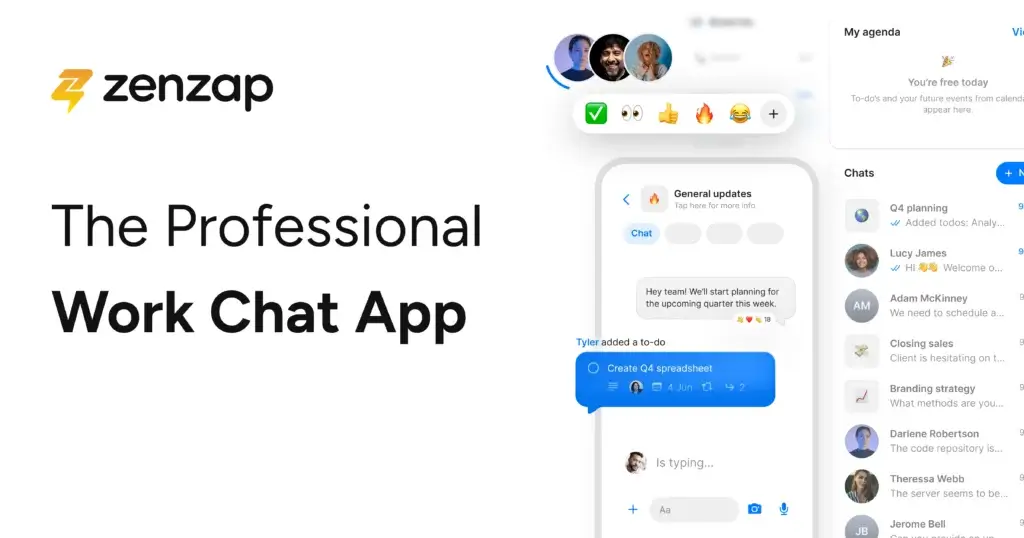
Zenzap starts with familiar team messaging. You can create group chats, project channels, team channels, and direct conversations. The experience feels close enough to standard messaging that non-technical users can adopt it quickly.
The important difference is structure. Zenzap is designed for work, not casual personal conversations. Teams can create spaces by department, location, project, shift, customer account, or operational topic. This keeps important updates easier to find later.
For managers, this matters because workplace communication often becomes fragmented. One employee sends updates in WhatsApp, another shares files by email, and a third follows up in a task tool. Zenzap reduces that fragmentation by making the chat itself the center of the workflow.
Built-In To-Dos and Task Management
One of Zenzap’s most useful features is the ability to turn messages into tasks. If someone asks for a follow-up, posts a request, or shares an operational issue, you can convert that conversation into an actionable to-do.
You can assign tasks, set due dates, track completion, add sub-tasks on higher plans, and keep task discussions connected to the original message. This is a major advantage over basic chat apps because it prevents work from disappearing inside fast-moving conversations.
Zenzap is not as advanced as dedicated project management software like ClickUp, Asana, or monday.com. However, that is not necessarily a weakness. For many teams, the goal is not complex project planning. The goal is simple accountability inside everyday communication.
Calendar Integration and Scheduling
Zenzap includes calendar integration, including support for Google Calendar and Outlook-style scheduling workflows. This helps you connect communication with time-sensitive work.
For example, a team can discuss a task, assign the owner, connect it to a due date, and keep that deadline visible through calendar sync. This reduces the risk of decisions being made in chat but forgotten when the day gets busy.
Calendar integration is particularly helpful for managers who need to coordinate meetings, deadlines, shifts, follow-ups, and recurring work. Instead of forcing employees to check several tools, Zenzap gives them a clearer view of what needs attention.
AI Agents and Knowledge Search
Zenzap’s newer positioning focuses heavily on AI-powered work chat. Its plans include AI agents, with more capacity available on higher tiers.
In practical terms, AI agents can help teams work with the information already inside their workspace. This is valuable because business knowledge often gets buried inside old messages, documents, images, voice notes, and shared files.
For growing teams, this can save time. Instead of asking the same questions repeatedly or searching through long chat histories manually, users can get faster answers from the company’s shared communication history and knowledge base.
This does not make Zenzap a full automation platform like Zapier or a full AI project management system. However, it gives the platform a clear advantage over basic chat apps that only store messages without helping users understand or reuse them.
WhatsApp Group Migration
Zenzap’s WhatsApp migration feature is one of its strongest differentiators. Many small businesses rely on WhatsApp because employees already know how to use it. The problem is that WhatsApp is not built for company ownership, access control, structured tasks, or long-term operational visibility.
Zenzap helps teams move work conversations into a professional environment while preserving the easy messaging experience people are used to. This is especially relevant for restaurants, clinics, franchises, construction teams, hospitality groups, field service teams, and other businesses where employees may not sit at a desk all day.
If your team currently runs important work through personal messaging apps, this feature should be one of the main reasons to consider Zenzap.
File Sharing and Organized Work History
Zenzap supports file sharing and keeps conversations, files, links, and updates organized inside the right channels. This makes it easier to find documents, images, policies, shift updates, and project details later.
The advantage is not just storage. The advantage is context. A file shared inside a channel remains connected to the team, project, or discussion where it belongs. This is more useful than searching through email attachments or personal chat histories.
Security, Permissions, and Admin Controls
Zenzap is built around the idea that company communication should be controlled by the business, not scattered across personal devices and private accounts.
Depending on the plan, Zenzap includes privacy controls, media sharing controls, access permissions, admin moderation, malware scanning, data archiving, audit logs, SSO, SCIM, SAML, and enterprise encryption key management.
This matters for businesses that need to offboard employees, restrict sensitive conversations, prevent uncontrolled file sharing, or maintain a clearer audit trail. Zenzap is also positioned around compliance needs, including SOC 2 and GDPR, with more advanced compliance features available on higher tiers.
Working Hours and Work-Life Boundaries
Zenzap includes working hours and scheduled messages, which are useful for reducing after-hours communication pressure.
This is a small feature with a large cultural impact. If your team is using WhatsApp or personal texting for work, employees may feel that they are always reachable. Zenzap helps separate work communication from personal life while still giving managers a reliable way to reach the right people during working hours.
For distributed teams, this also supports asynchronous communication. Messages can be scheduled, notifications can be controlled, and employees can catch up without feeling forced to respond instantly.

Pros and Cons
Advantages and Disadvantages
Positive
✅ Work chat, tasks, calendar, and AI in one place
✅ Strong fit for WhatsApp-to-business migration
✅ Easy onboarding for non-technical teams
✅ Useful admin, privacy, and security controls
Negatives
❌ Not built for customer-facing live chat
❌ Integrations are stronger on higher plans
❌ Not a full project management platform
❌ Advanced governance may require Business+ or Enterprise
✅ Pros
Work Chat, Tasks, Calendar, and AI in One Place
Zenzap’s biggest advantage is that it connects the daily pieces of work communication. Your team can chat, create to-dos, assign owners, sync deadlines with calendars, share files, and use AI agents without constantly switching between apps.
This is especially useful for small and mid-sized teams that do not want a complex project management system but still need accountability. Instead of asking, “Who is handling this?” after every conversation, you can turn messages into assigned work immediately.
Strong Fit for WhatsApp-to-Business Migration
Many businesses use WhatsApp because it is simple, familiar, and fast. The problem is that it creates major operational risks: work data sits in personal accounts, managers lose visibility, and offboarding employees becomes messy.
Zenzap solves this by offering a professional messaging environment that still feels easy to use. If your team already works through informal chat groups, Zenzap gives you a more secure and structured upgrade path.
Easy Onboarding for Non-Technical Teams
Zenzap is built to feel familiar. Employees do not need to understand complex boards, database views, automation builders, or project hierarchies before they can communicate.
This matters for frontline teams, hospitality teams, healthcare teams, retail teams, and field operations where adoption is often the hardest part of rolling out new software. If users can send a message, upload a file, and check a task, they can usually understand the basics quickly.
Useful Admin, Privacy, and Security Controls
Zenzap gives managers more control than consumer messaging apps. Depending on the plan, you can manage permissions, restrict media sharing, moderate content, revoke access, archive data, review activity, and use enterprise controls such as SSO and audit logs.
For businesses handling sensitive information, this makes Zenzap more suitable than informal chat apps. It gives you a clearer structure for data ownership, employee access, and communication governance.
❌ Cons
Not Built for Customer-Facing Live Chat
Zenzap is designed for internal team communication. It is not a replacement for Freshchat, Intercom, Zendesk, or other customer support platforms.
If your main need is website chat, customer support automation, omnichannel inboxes, or external customer conversations, Zenzap is not the right primary tool. It should be used for internal work chat, not customer messaging.
Integrations Are Stronger on Higher Plans
Zenzap includes core productivity features directly in the platform, but integrations and API access become more important as your team grows.
If your workflow depends heavily on Jira, Notion, HubSpot, Salesforce, advanced Zapier automations, or custom internal systems, you may need Business+ or Enterprise. Smaller teams may be fine with the built-in chat, task, calendar, and file features, but more complex teams should review integration availability carefully.
Not a Full Project Management Platform
Zenzap includes built-in to-dos, task ownership, due dates, and task discussions. However, it is not designed to replace advanced project management software for teams that need portfolio planning, workload views, dependencies, time tracking, resource forecasting, or advanced reporting.
If your team needs detailed project planning, ClickUp Chat inside ClickUp may be a better fit. Zenzap is stronger when your main problem is communication and task accountability, not complex project planning.
Advanced Governance May Require Business+ or Enterprise
Zenzap offers strong business communication controls, but the deepest governance features sit in higher tiers. Features such as API access, advanced analytics, HIPAA support, SSO, SCIM, SAML, custom integrations, audit logs, and encryption key management are more relevant to larger organizations.
For small teams, this may not be a problem. For regulated companies, healthcare teams, and enterprises, it is important to match the plan to your compliance and admin requirements before rolling it out company-wide.
User Experience
User Interface and Experience
User Interface and Design
Zenzap’s interface is clean, familiar, and easy to understand. It uses the simplicity of modern messaging apps but adds business-focused structure through channels, tasks, file organization, calendar visibility, and admin controls.
The design works well because it does not try to overwhelm users with every productivity feature at once. Messages stay central, while tasks, files, and scheduling features sit close enough to be useful without creating clutter.
For teams moving away from WhatsApp, this is a major advantage. Employees do not feel like they are learning a heavy productivity platform. They are simply moving their work communication into a more professional and organized environment.
System Performance
Zenzap is designed for fast communication across mobile and desktop. The experience is lightweight compared to broader collaboration suites that include chat, docs, video meetings, complex project views, and large app marketplaces.
Performance matters because work chat is something employees use all day. If the app feels slow, bloated, or unreliable, teams will return to personal messaging apps. Zenzap’s advantage is that it keeps the core experience focused on fast messaging, quick task creation, and easy navigation.
Mobile App Usability
Zenzap’s mobile experience is one of the most important parts of the platform. Many of its ideal users are not sitting at a desk all day. They may be in a clinic, store, restaurant, warehouse, construction site, hotel, or field location.
On mobile, users can send messages, check channels, respond to tasks, receive notifications, view files, and stay aligned with their teams. Working hours and notification controls also help prevent the app from becoming another source of after-hours pressure.
This makes Zenzap a practical option for companies that need business-grade communication without forcing every employee into a desktop-heavy collaboration suite.
Onboarding and Setup
Zenzap is built for quick adoption. Admins can create workspaces, invite users, organize channels, set permissions, and start moving work conversations into the app without a long implementation cycle.
The shallow learning curve is one of Zenzap’s biggest strengths. If your team has struggled to adopt complex collaboration tools, Zenzap’s messaging-first design can reduce resistance.
That said, larger organizations should still plan the rollout carefully. Before migrating important communication, define your channel structure, user roles, working hours, task ownership rules, and offboarding process. This keeps the workspace clean as adoption grows.
Best User Experience Use Cases
| Use Case | How Zenzap Helps | Why It Matters |
| Small business communication | Creates a central work chat with tasks, files, and calendar visibility | Reduces scattered updates across WhatsApp, email, and personal texts |
| Remote and hybrid teams | Supports async updates, scheduled messages, and structured channels | Helps teams stay aligned across locations and schedules |
| Frontline operations | Provides mobile-first messaging and simple task tracking | Works well for employees who do not live inside desktop software |
| Managers and team leads | Turns messages into assigned tasks with clearer accountability | Reduces missed follow-ups and repeated reminders |
| Security-conscious businesses | Adds admin controls, access management, and company-owned communication history | Improves governance compared to consumer messaging apps |
Pricing and Packages
Pricing and Plans for Zenzap
Zenzap offers a flexible pricing structure for small teams, growing businesses, and larger organizations. The platform includes a Free Forever plan, paid Pro and Business+ tiers, and a custom Enterprise plan.
The pricing model can include fixed packages or per-user pricing, depending on the plan and billing cycle. Because plan details can change, use the table below as a practical guide and confirm the latest details on Zenzap’s official pricing page before buying.
Zenzap Pricing Plans Overview
| Plan | Best For | Key Features | Pricing Notes |
| Free Forever | Small teams testing professional work chat | Unlimited group chats, built-in to-dos, admin moderation, working hours, scheduled messages, chat calendar integration, WhatsApp migration, 1 GB secure storage, up to 5 AI agents | $0 |
| Pro | Teams needing stronger task management and admin control | Everything in Free, plus privacy controls, media sharing controls, group chat creation permissions, workspace invite controls, task checklist templates, tasks-to-calendar sync, sub-tasks, smart task sorting, malware scanning, 100 GB storage, up to 15 AI agents | Available as fixed package or per-user pricing |
| Business+ | Teams needing integrations, API access, AI, and workflow control | Everything in Pro, plus integrations, API access, unlimited secure storage, enhanced privacy controls, data archiving, admin analytics dashboard, HIPAA compliance, up to 100 AI agents | Available as fixed package or per-user pricing |
| Enterprise | Larger organizations needing custom security and onboarding | Custom integrations, SAML, SCIM, SSO, organization chart, phone book, enterprise encryption key management, audit logs, 24/7 customer success, tailored onboarding | Custom pricing |
Which Zenzap Plan Should You Choose?
Choose Free Forever if you want to test Zenzap with a small team or move basic work conversations out of WhatsApp. It is surprisingly useful because it includes group chats, to-dos, scheduled messages, calendar integration, WhatsApp migration, and AI agents.
Choose Pro if your team needs stronger task execution, privacy, admin permissions, malware scanning, sub-tasks, and more secure storage. This is likely the best plan for many growing teams because it adds practical controls without jumping straight into enterprise complexity.
Choose Business+ if you need integrations, API access, more AI capacity, admin analytics, data archiving, HIPAA support, and unlimited secure storage. This tier is better for companies that want Zenzap to become part of a broader operational workflow.
Choose Enterprise if your organization needs SSO, SCIM, SAML, audit logs, custom integrations, enterprise encryption controls, and tailored onboarding. This is the plan for larger or regulated organizations that need deeper IT and compliance alignment.
Pricing Takeaway
Zenzap is competitively positioned because its Free plan already includes meaningful business features, not just limited trial functionality. The paid plans become more valuable as you need stronger admin control, security, AI capacity, integrations, and compliance features.
For most small and mid-sized teams, Pro is likely the best starting point. For regulated or multi-location businesses, Business+ is more realistic because it adds more governance, integrations, analytics, and storage flexibility.
Feedbacks
User Feedback and Reviews
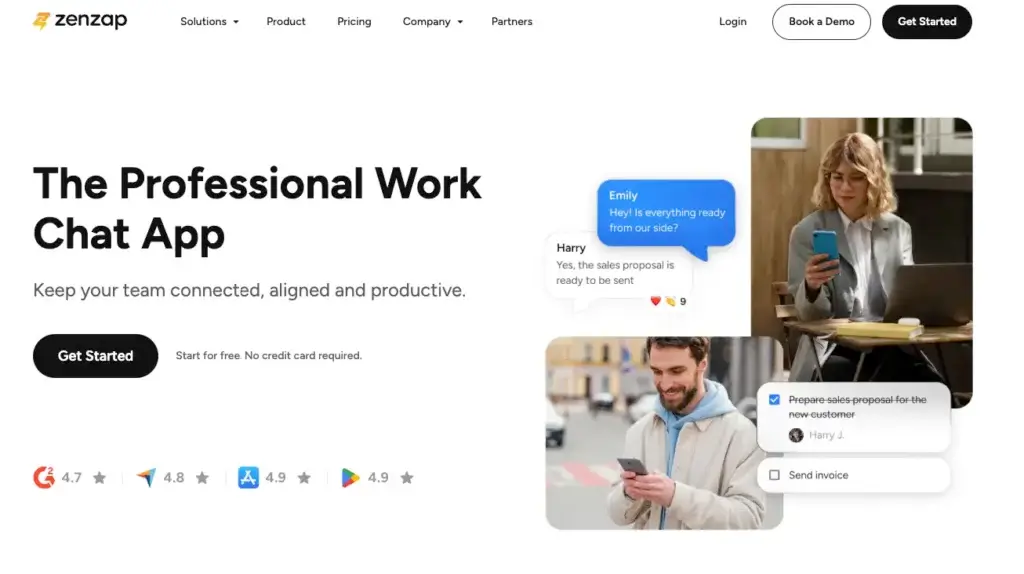
User feedback for Zenzap is generally positive, especially around ease of use, communication structure, and the ability to separate work messaging from personal messaging.
Third-party review platforms also show strong ratings, though the exact number of reviews and average scores may change over time. Always check current review pages before making a final buying decision.
Average Ratings on Review Sites
| Review Platform | Current Rating Snapshot | Common Positive Themes | Common Concerns |
| G2 | Rated highly across verified reviews | Ease of use, intuitive interface, organized communication | Some users mention glitches with notifications or uploads |
| Capterra | Strong overall rating from user reviews | Simple setup, useful task organization, productivity gains | Some users want more customization and speed improvements |
| GetApp | Positive review sentiment | Centralized tasks, team organization, familiar user experience | Some users mention a short learning curve |
What Users Like Most
Users often praise Zenzap for making work communication feel more organized without becoming too complex. The ability to keep chat, tasks, files, and scheduling in one place is one of the most repeated strengths.
Teams moving from WhatsApp or informal group chats also appreciate that Zenzap feels familiar while giving managers more structure and control.
What Users Complain About
The most common complaints are around integrations, occasional app performance issues, and the need for more advanced customization. These concerns are not unusual for a platform that is still expanding its ecosystem.
The key point is that Zenzap is strongest for teams that want simple, structured, business-owned communication. If your team needs highly complex workflows, large integration libraries, or advanced project management views, you should compare it carefully against larger platforms.
Zenzap VS Alternatives
Comparison with Other Chat Software
Zenzap is not the only work chat tool on the market. Its biggest competitors include Slack, Microsoft Teams, ClickUp Chat, Pumble, and Freshchat. The right choice depends on whether your main priority is internal communication, project management, customer messaging, integrations, or enterprise collaboration.
Feature-by-Feature Comparison
| Feature | Zenzap | Slack | ClickUp Chat | Pumble | Freshchat |
| Best For | Professional internal work chat with tasks and business control | Teams needing a large integration ecosystem | Teams already managing projects in ClickUp | Budget-friendly Slack-style messaging | Customer-facing chat and support teams |
| Built-in Tasks | Yes, native built-in to-dos | Limited, usually via integrations | Yes, deeply connected to ClickUp tasks | No full native task manager | No, focused on customer conversations |
| Calendar Integration | Yes, including task and scheduling workflows | Yes, through integrations | Yes, within ClickUp ecosystem | Limited compared to Zenzap | Not the main focus |
| AI Features | AI agents available across plans | AI features available depending on plan and setup | AI available in ClickUp ecosystem | More limited | AI chatbots and support automation |
| Customer Messaging | No, internal teams only | Mostly internal | Internal project communication | Internal team chat | Yes, built for customer support and sales |
| WhatsApp Migration | Yes | No direct focus | No direct focus | No direct focus | WhatsApp can be part of customer support workflows |
| Security and Admin Control | Strong business controls, higher tiers add enterprise governance | Strong on business and enterprise plans | Strong inside ClickUp admin settings | Good for standard teams | Strong for support operations |
| Best Fit | SMBs, frontline teams, remote teams, and businesses replacing WhatsApp | Tech teams and companies needing many integrations | Project-heavy teams already using ClickUp | Teams that want simple, affordable chat | Support and sales teams handling external conversations |
Zenzap vs Slack
Slack is still one of the strongest tools for app integrations, developer communities, advanced workflows, and large ecosystem flexibility. If your company relies heavily on connected SaaS tools, Slack has a clear advantage.
Zenzap is better when your main issue is not a lack of integrations, but too much scattered communication. It gives you built-in tasks, calendar workflows, WhatsApp migration, work-life controls, and business-owned communication history in a simpler package.
Choose Zenzap if you want a cleaner internal work chat app with task accountability. Choose Slack if integrations and workflow customization are your top priority.
Zenzap vs Microsoft Teams
Microsoft Teams is a natural choice for companies already standardized on Microsoft 365. It is strong for meetings, Office documents, enterprise identity, SharePoint, and organization-wide collaboration.
Zenzap is lighter, simpler, and easier for teams that do not need the full Microsoft ecosystem. It is also more focused on replacing informal work messaging and adding task accountability directly inside chat.
Choose Zenzap if your team wants simple work chat without Microsoft complexity. Choose Microsoft Teams if your organization already runs deeply on Microsoft 365.
Zenzap vs ClickUp Chat
ClickUp Chat makes the most sense if ClickUp is already your main project management platform. It connects conversations to tasks, docs, goals, and project workflows inside one large productivity suite.
Zenzap is more focused and easier to adopt as a standalone communication platform. It is better when your team needs professional work chat, simple tasks, calendar sync, and secure communication without committing to a full project management system.
Choose Zenzap if communication is the main problem. Choose ClickUp Chat if your team already manages most work inside ClickUp.
Zenzap vs Pumble
Pumble is a strong budget-friendly Slack alternative. It offers familiar team messaging, channels, direct messages, and a generous free plan.
Zenzap is more business-operation focused. It adds built-in to-dos, calendar integration, WhatsApp migration, AI agents, working hours, and stronger company control over work communication.
Choose Zenzap if you want messaging plus accountability. Choose Pumble if you mainly need a simple chat app at a low cost.
Zenzap vs Freshchat
Freshchat is a customer communication tool. It is built for live chat, sales conversations, support automation, chatbots, and omnichannel customer engagement.
Zenzap is not built for customer support. It is built for internal team communication, task coordination, and company-owned work chat.
Choose Zenzap for internal team collaboration. Choose Freshchat if your priority is customer-facing chat, bots, and support workflows.
Conclusion
Is Zenzap the Right Fit for Your Business?
Zenzap is one of the more practical work chat tools for teams that want to move beyond personal messaging apps and noisy communication channels.
Its main strength is not that it has the largest feature list. Its strength is that it connects the features many teams need every day: messaging, tasks, calendar sync, AI agents, files, permissions, and work-life boundaries.
Who Is Zenzap Best For?
Zenzap is a strong fit for:
- Small and mid-sized businesses replacing WhatsApp for work
- Remote and hybrid teams that need async communication
- Frontline teams that need mobile-first work messaging
- Managers who want task accountability inside chat
- Franchises, clinics, retail teams, restaurants, and field teams
- Companies that want business-owned communication history
Who Should Look Elsewhere?
Zenzap may not be the best fit if:
- You need customer-facing live chat or chatbot support
- You already rely heavily on Microsoft Teams or Slack integrations
- You need advanced project portfolio management
- You require complex automation across many business systems
- You need enterprise governance but are not ready for higher-tier plans
Bottom Line
Zenzap is a strong choice if your biggest communication problem is scattered, uncontrolled, informal work chat. It gives your team a professional workspace that feels simple enough for daily use while adding the structure, security, and accountability your business needs.
For most growing teams, Zenzap is best understood as a bridge between messaging and work management. It is easier than a full project management system, more structured than WhatsApp, and calmer than traditional chat platforms.
If your team wants to communicate clearly, assign work faster, and keep business data protected in 2026, Zenzap is absolutely worth testing.
Frequently Asked Questions
Have more questions?
What is Zenzap used for?
Zenzap is used for professional team communication. It helps businesses manage internal work chat, assign tasks, share files, sync calendars, use AI agents, and keep company conversations inside a secure workspace.
Is Zenzap free?
Yes. Zenzap offers a Free Forever plan that includes core work chat features, unlimited group chats, built-in to-dos, calendar integration, WhatsApp migration, secure storage, and a limited number of AI agents.
How much does Zenzap cost?
Zenzap offers Free Forever, Pro, Business+, and Enterprise plans. Paid pricing can vary by billing cycle, package type, and user count, so it is best to confirm the latest details on Zenzap’s official pricing page before purchasing.
Is Zenzap better than Slack?
Zenzap can be better than Slack if your team wants simpler work chat with built-in tasks, calendar integration, WhatsApp migration, AI agents, and stronger separation between work and personal communication. Slack is still stronger for large app ecosystems and advanced integrations.
Does Zenzap have task management?
Yes. Zenzap includes built-in to-dos and task management features. You can turn messages into tasks, assign owners, add due dates, track progress, and keep task discussions connected to the original conversation.
Does Zenzap integrate with Google Calendar?
Yes. Zenzap supports calendar integration, including Google Calendar workflows. This helps teams connect chat conversations with meetings, task deadlines, reminders, and daily schedules.
Does Zenzap support AI?
Yes. Zenzap includes AI agents across its plans, with higher limits on paid tiers. These AI features help teams work with information across messages, files, documents, images, and shared knowledge inside the workspace.
Is Zenzap secure for business communication?
Zenzap is designed for secure business communication. Depending on the plan, it includes admin controls, privacy settings, access management, malware scanning, audit logs, SSO, SCIM, SAML, data archiving, and compliance-focused features.
Can Zenzap replace WhatsApp for work?
Yes. Zenzap is a strong option for teams replacing WhatsApp for work. It offers familiar messaging, but adds company-owned communication history, task management, calendar integration, admin controls, and WhatsApp migration support.
Who should use Zenzap?
Zenzap is best for small businesses, remote teams, frontline teams, franchises, clinics, retail teams, hospitality teams, and managers who need structured internal communication with task accountability and business data control.