
Introduction
Managing social media accounts at scale requires more than creativity and an internet connection. You need systems to plan, draft, schedule, publish, and track content across multiple networks. A solid social media content management tool becomes your command center. It helps you automate repetitive tasks, coordinate with teammates, capture analytics, and refine your strategy over time.
How to Evaluate Social Media Management Platforms
Before diving into the individual tools, it’s important to know what makes a platform truly useful for social media teams. When evaluating your options, keep these factors in mind:
Automation and Scheduling
The core value of a content management tool lies in its ability to schedule posts ahead of time. Look for platforms that support recurring schedules, evergreen reposting, and publishing to multiple networks from a single dashboard. Advanced tools offer AI assistance to suggest optimal posting times and even generate copy or creative assets.
Content Organization
An effective content calendar should allow you to organize posts by campaign, platform, status, and publish date. Tagging and categorization features make it easy to track where a piece of content is in the workflow, from ideation to approval and publication. Look for templates or boards tailored for social media planning.
Collaboration and Approval Workflows
Most marketing teams involve multiple people, from copywriters and designers to managers and clients. Your tool should support collaboration with shared comments, version history, and permissions to ensure only approved content goes live. Some platforms provide proofing features for reviewing images or videos and tracking feedback directly on assets.
Analytics and Reporting
Publishing is only half the job. Robust analytics help you understand which posts resonate and why. Key metrics include impressions, reach, engagement rates, follower growth, click-throughs, and demographics. Automated reporting and competitor benchmarking can save hours and guide data-driven decisions.
Integrations and Extensibility
No tool lives in isolation. Integrations with design tools like Canva, marketing automation platforms, and CRM systems ensure your social workflows connect with broader marketing efforts. Consider whether you need direct publishing integrations for all major networks, AI enhancements, or third‑party app marketplaces.
Pricing and Scalability
Finally, consider the total cost and how pricing scales as your team grows. Some tools charge per user, others per social profile. Features like advanced analytics or extra seats may be restricted to higher tiers. Choose a platform that fits your budget now and can grow with your needs.
With these evaluation criteria in mind, let’s explore each platform in detail.

Features & Benefits
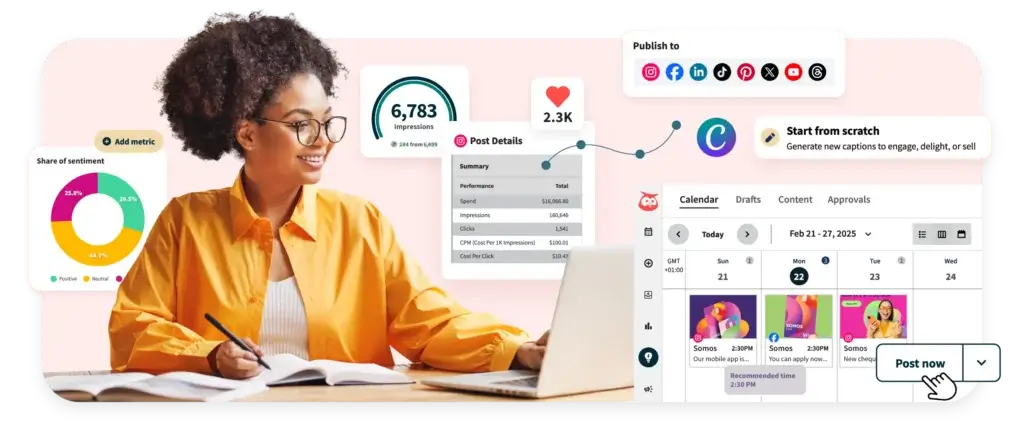
Hootsuite is one of the most established names in social media management. Its dashboard supports publishing, scheduling, engagement, and analytics across all major social networks. A built‑in content calendar makes it easy to plan campaigns and view scheduled posts by date or network. Hootsuite’s AI‑powered “OwlyWriter” assistant generates captions and suggests images based on your prompts. The platform integrates with Canva, Google Drive, and Dropbox for creative asset management. Social listening features allow you to monitor brand mentions, keywords, and sentiment in real time, and an inbox centralizes comments and messages from all connected profiles.
For teams, Hootsuite offers collaborative features like approval workflows, team assignments, and saved replies. You can create customizable dashboards that track key metrics such as follower growth, engagement rates, click‑throughs, and conversions. Advanced plans include employee advocacy tools, ad campaign management, and comprehensive competitor analysis.
Pricing & Plans
Hootsuite has three main plans. The Standard plan is roughly $99 per month (billed annually) and includes one user, up to 10 social accounts, unlimited scheduling, AI assistance, and best‑time recommendations. The Advanced plan costs about $249 per month and allows multiple users, unlimited social accounts, customizable analytics reports, team workflows, and deeper social listening with 30‑day search windows. Enterprise pricing is custom and includes features like employee advocacy, advanced reporting, dedicated support, and AI‑based chatbots.
Pros & Cons
Pros
- Robust scheduling and publishing tools covering all major networks
- AI assistance for content creation and performance optimization
- Unified inbox and comprehensive social listening capabilities
- Team collaboration features such as workflows and saved replies
Cons
- Pricing scales quickly as you add users or advanced features
- Basic analytics are limited on lower plans; custom reports require higher tiers
- Interface can feel cluttered for new users
Social Bee

Features & Benefits
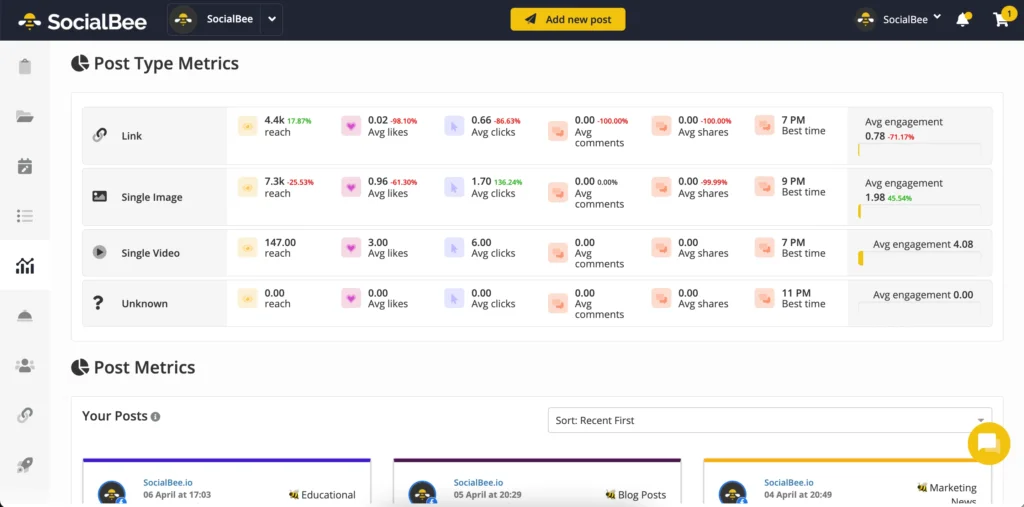
Social Bee is a content scheduling tool designed for small to mid‑sized teams. It organizes posts into categories, making it easier to maintain a balanced mix of promotional, educational, and curated content. An AI assistant helps you draft captions and generate post variations, while integrations with Canva, Unsplash, and Giphy streamline asset creation. The platform supports evergreen recycling, allowing high‑performing posts to be automatically rescheduled to maximize engagement. You can also add alt text to images, insert hashtags, mention accounts, and schedule the first comment on Instagram posts, all from one interface.
Key benefits include:
- Category‑based content queues for balanced scheduling
- AI caption generator and social media copilot to save time
- Built‑in integrations with Canva, Unsplash and Giphy
- Support for evergreen recycling and variations of a single post
- Cross‑platform publishing to Facebook, Instagram, LinkedIn, Twitter, TikTok, and Pinterest
- Centralized analytics showing engagement, followers and reach by platform
In practice, Social Bee’s interface feels intuitive, especially for solo marketers and lean teams who need to publish consistently without dedicating hours each day to social media.
Pricing & Plans
Social Bee offers three primary plans. The Bootstrap plan is designed for freelancers managing up to five social profiles and costs roughly $29 per month with annual billing. The Accelerate plan supports ten profiles and more users, priced at around $49 per month. Larger teams can opt for the Pro plan, which allows up to 25 profiles and multiple workspaces at around $82 per month. Each tier includes a discount for annual billing and comes with a 14‑day free trial.
Pros & Cons
Pros
- Simple category system ensures balanced content distribution
- AI features and integrations reduce time spent drafting and designing posts
- Supports evergreen recycling for long‑term engagement
- Competitively priced for the feature set
Cons
- Limited social listening and sentiment analysis
- Analytics are less granular than enterprise‑level tools
- Learning curve for setting up categories and queues
Overall, Social Bee is an excellent option if you want a straightforward scheduler with AI assistance and content recycling without breaking the bank.
Iconosquare

Features & Benefits
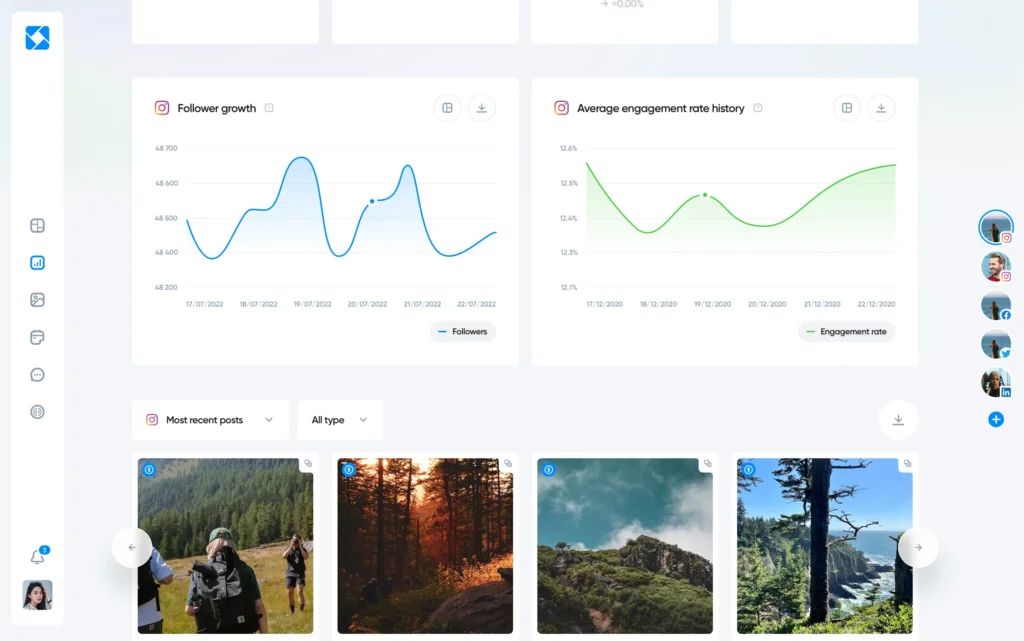
Iconosquare began as an Instagram analytics tool and has grown into a multi‑platform social management suite. It offers an analytics dashboard with more than 100 metrics across Instagram, Facebook, Twitter, and LinkedIn. You can track follower growth, engagement rates, reach, impressions, post saves, and story performance. A “best time to post” feature suggests optimal publishing times based on your audience’s activity. Competitive benchmarking tools let you compare your performance against up to four competitors, while hashtag analysis helps you understand which tags drive the most engagement. Automated reports, delivered via email in PDF or Excel format, streamline performance tracking.
In addition to analytics, Iconosquare includes publishing capabilities. You can schedule posts, stories, and carousels, preview your feed before posting, and save caption templates. The platform also offers a social inbox for Instagram, allowing you to manage comments and direct messages without leaving the dashboard.
Pricing & Plans
Iconosquare’s pricing is straightforward. The Single plan costs around $59 per month and supports one user with data retention for 12 months. The Teams plan starts at $99 per month and allows up to five or ten users with 24‑month data retention. Larger organizations can request custom pricing for additional users, extended data history, and advanced support. A 14‑day free trial is available for all plans.
Pros & Cons
Pros
- Comprehensive analytics with over 100 metrics and competitor benchmarking
- Best‑time‑to‑post recommendations and hashtag analysis
- Easy‑to‑use scheduler with feed preview and caption templates
- Responsive mobile app for tracking performance on the go
Cons
- Social inbox is limited primarily to Instagram; other networks must be managed separately
- PDF reporting is only included in higher tiers
- Lack of social listening beyond competitive metrics
Iconosquare is ideal if analytics are your top priority. It provides deep performance insights and useful scheduling tools, although its social inbox and listening capabilities could be more comprehensive.
Vista Social

Features & Benefits
Vista Social is a modern social media management platform built for brands and agencies that need strong publishing and engagement capabilities. It stands out with its deep support for visual platforms like Instagram and TikTok, making it a strong choice if your strategy relies heavily on short-form content.
You can plan, preview, and schedule posts across multiple networks from a unified dashboard. The platform includes a visual content calendar that allows you to see exactly how your feed will look before publishing. This is especially useful for maintaining a consistent brand aesthetic.
Vista Social also offers a powerful social inbox that centralizes messages, comments, and mentions across platforms. You can respond quickly, assign conversations to team members, and track engagement without switching tools.
Key benefits include:
- Advanced scheduling with platform-specific customization
- Visual feed planner for Instagram and TikTok
- Unified social inbox for comments and messages
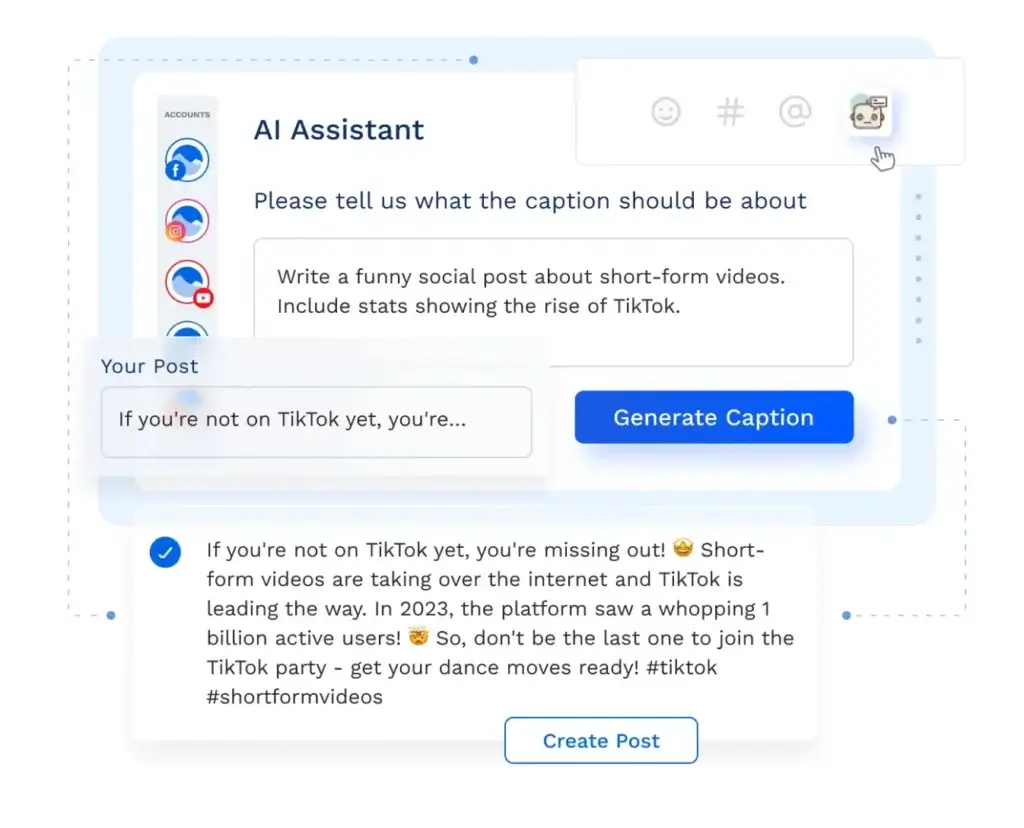
- AI-powered caption suggestions and content ideas
- Built-in analytics to track engagement and performance
- Strong support for TikTok publishing and automation
Overall, Vista Social combines ease of use with powerful features, making it a great option for growing teams that want both scheduling and engagement in one place.
Pricing & Plans
Vista Social offers a flexible pricing model that scales with your needs. The Starter plan is designed for individuals and small teams, while higher-tier plans unlock additional users, social profiles, and advanced features like reporting and automation.
Pricing typically starts around $39 per month, with more advanced plans ranging between $79 and $149 per month depending on team size and feature requirements. A free plan is also available with limited capabilities, making it easy to test the platform before upgrading.
Pros & Cons
Pros
- Excellent support for Instagram and TikTok workflows
- Strong engagement tools with unified inbox
- Visual planner improves content consistency
- Competitive pricing compared to enterprise tools
Cons
- Reporting is less advanced than analytics-focused tools like Iconosquare
- Some advanced features require higher-tier plans
- Interface can feel dense for first-time users
Pallyy

Features & Benefits
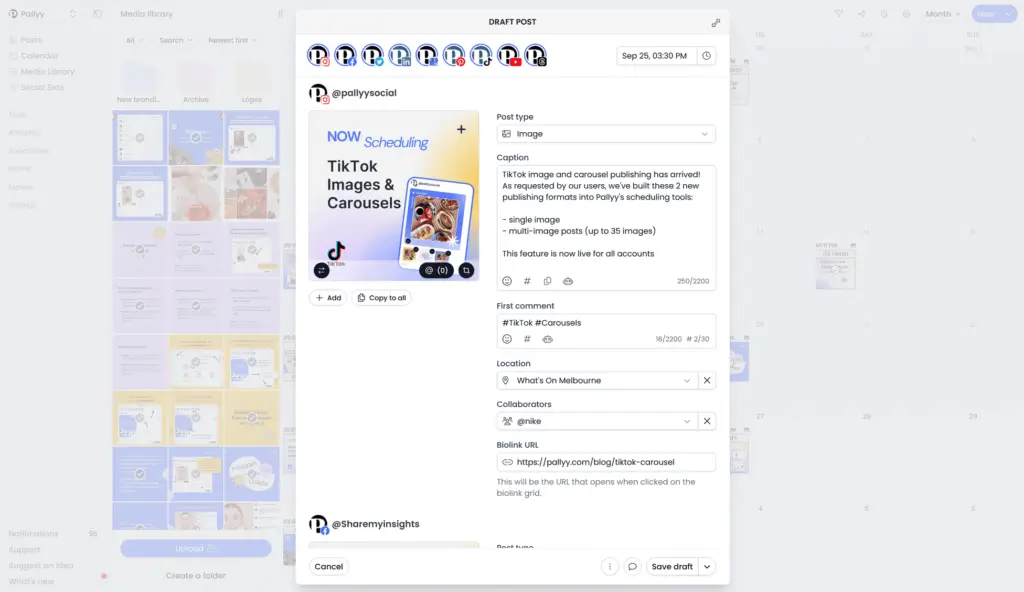
Pallyy is a social media management tool designed with visual-first platforms in mind. If your focus is Instagram, TikTok, or visually driven content, Pallyy offers one of the simplest and most intuitive scheduling experiences available.
The platform’s drag-and-drop calendar makes it easy to plan your content weeks or months in advance. You can preview your Instagram grid, ensuring that your posts align visually before they go live. This is particularly valuable for brands that rely on aesthetics, such as fashion, travel, or lifestyle businesses.
Pallyy also includes a social inbox for managing comments and messages, as well as basic analytics to track engagement. While it doesn’t aim to compete with enterprise-level tools, it provides everything you need to maintain a consistent posting schedule and engage with your audience.
Key benefits include:
- Visual content calendar with drag-and-drop scheduling
- Instagram grid preview for aesthetic planning
- Simple social inbox for comments and messages
- Built-in media library for storing content
- Affordable pricing for creators and small teams
Pallyy focuses on simplicity and usability, making it a great choice if you want to avoid the complexity of larger platforms.
Pricing & Plans
Pallyy offers one of the most affordable pricing models in this category. The platform includes a free plan with limited features, allowing you to manage one social set.
Paid plans start at around $15 per month per social set, which includes access to scheduling, analytics, and the social inbox. This pricing structure is especially appealing for freelancers and creators managing a small number of accounts.
Pros & Cons
Pros
- Extremely easy to use with minimal learning curve
- Strong visual planning tools for Instagram
- Affordable pricing for individuals and small teams
- Clean and intuitive interface
Cons
- Limited analytics compared to advanced tools
- Fewer integrations than larger platforms
- Not ideal for large teams or complex workflows
Sendible

Features & Benefits
ClickUp markets itself as an “everything” app for work, and its flexible structure makes it useful for social media management. The platform offers prebuilt templates like the Social Media Posting Schedule and Modern Social Media Calendar to help you plan, schedule, and analyze content across platforms. These templates provide custom statuses (such as Draft, Scheduled, Published), custom fields (for platforms, themes, publish dates, and hashtags), and custom views like calendar, list, board, and by‑platform views. Time tracking, dependencies and tags improve task management, while ClickUp Docs allows you to write scripts and collaborate in real time. Proofing capabilities enable stakeholders to comment directly on images or videos during review.
ClickUp’s AI features can generate post ideas, improve captions, and search your connected apps for inspiration. Integrations with Google Drive, Dropbox, Figma, and Zapier centralize assets and automate workflows. For internal communications, the ClickUp Chat tool lets you create channels, send direct messages, and convert conversations into tasks.
Pricing & Plans
ClickUp’s pricing starts with a Free plan that includes 60 MB of storage, unlimited tasks and members, Kanban boards, sprint management, calendar views, and basic custom fields. The Unlimited plan is about $7 per user per month (annual billing) and adds unlimited storage, integrations, Gantt charts, custom fields, chat, time tracking, and goals. The Business plan at roughly $12 per user per month adds Google SSO, unlimited timelines and dashboards, workload management, advanced automation, and conditional logic. Enterprise plans offer advanced security, white labeling, custom roles, and priority support. A 15‑day free trial is available on paid tiers.
Pros & Cons
Pros
- Versatile templates for social media calendars and posting schedules
- Rich collaboration features, including Docs, Proofing and Chat
- AI assistance for ideation and writing
- Affordable pricing with a generous free tier
Cons
- No native publishing to social networks; scheduling requires third‑party integrations
- The platform’s flexibility can be overwhelming for new users
- Some advanced automations are locked behind higher‑tier plans
ClickUp is a strong choice if you need a customizable workspace that goes beyond social media and integrates with other business processes. Its templates and AI tools make planning and collaboration efficient, although you’ll need additional integrations to publish posts directly.
SocialRails
Features & Benefits
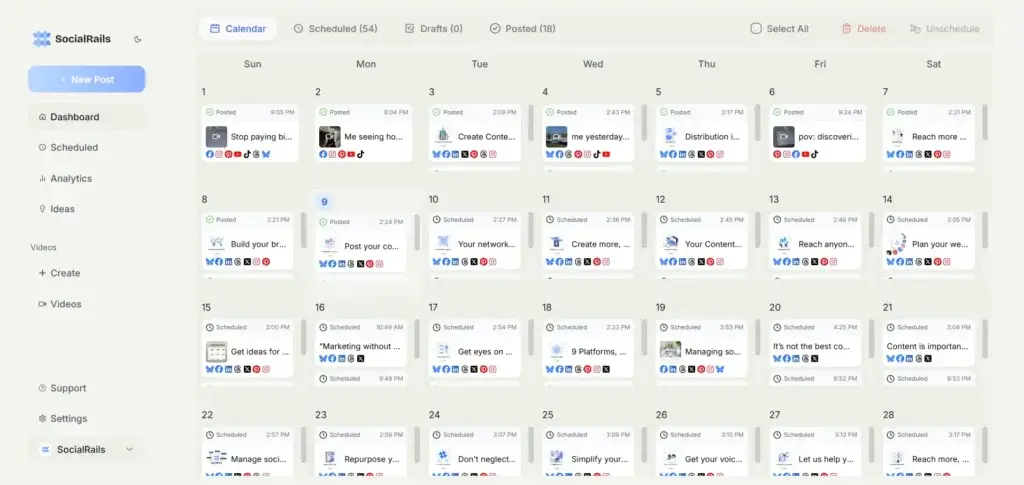
SocialRails is a social media management tool built for small to medium businesses, solo creators, and agencies. It covers scheduling, content creation, and publishing from one dashboard, without needing separate tools for each task. It publishes across 9 platforms including Instagram, Facebook, LinkedIn, TikTok, YouTube, Pinterest, Bluesky, and Threads. The built-in image editor includes crop, filters, frames, annotations, and redact tools. AI-powered content generation helps draft captions and post ideas. For video, 350+ templates make short-form content creation quick and straightforward. Agencies benefit from multi-workspace support, with up to 25 separate brand accounts manageable from one login.
Pricing & Plans
SocialRails’ pricing starts at $29 per month for the Creator plan, which includes unlimited posts, AI captions, analytics, API access, and up to 27 social media connections. The Business plan costs $49 per month and adds more social accounts, workspaces, team members, and unlimited AI Assistant access. The Agency plan is $99 per month and is built for larger teams that need higher usage limits and more workspaces. All paid plans include a 3-day free trial.
Pros & Cons
Pros
- Scheduling across 9 platforms from one dashboard
- Built-in image editor removes need for external design tools
- AI content generation and 350+ video templates included
- Affordable flat-rate pricing with multi-workspace support
Cons
- Newer platform with a smaller user base than established tools
- Analytics less advanced than enterprise-level alternatives
SocialRails is a great fit if you want an affordable social media scheduling tool that also includes built-in AI content creation, video templates, and multi-workspace support. It is especially relevant for solo creators, small businesses, and agencies that want to manage publishing across multiple platforms without paying for a more complex enterprise tool.
Comparing the Tools
Each of these platforms caters to different needs and budgets. Social Bee and Iconosquare shine for their simplicity and analytics, respectively. Social Bee is best for smaller teams looking for an easy way to schedule content with AI assistance and evergreen recycling. Iconosquare offers deep metrics and competitor benchmarking that appeal to data-driven marketers who want to optimize performance.
Hootsuite provides an all-in-one environment with robust publishing, engagement, and social listening capabilities, but comes at a higher cost, making it more suitable for larger teams or agencies.
Vista Social stands out as a strong all-around alternative, combining powerful scheduling, a unified inbox, and solid support for Instagram and TikTok, making it ideal for growing brands focused on engagement and content consistency.
Pallyy is designed for simplicity and visual planning. It is especially effective if your strategy revolves around Instagram or TikTok and you want an easy-to-use, affordable tool without unnecessary complexity.
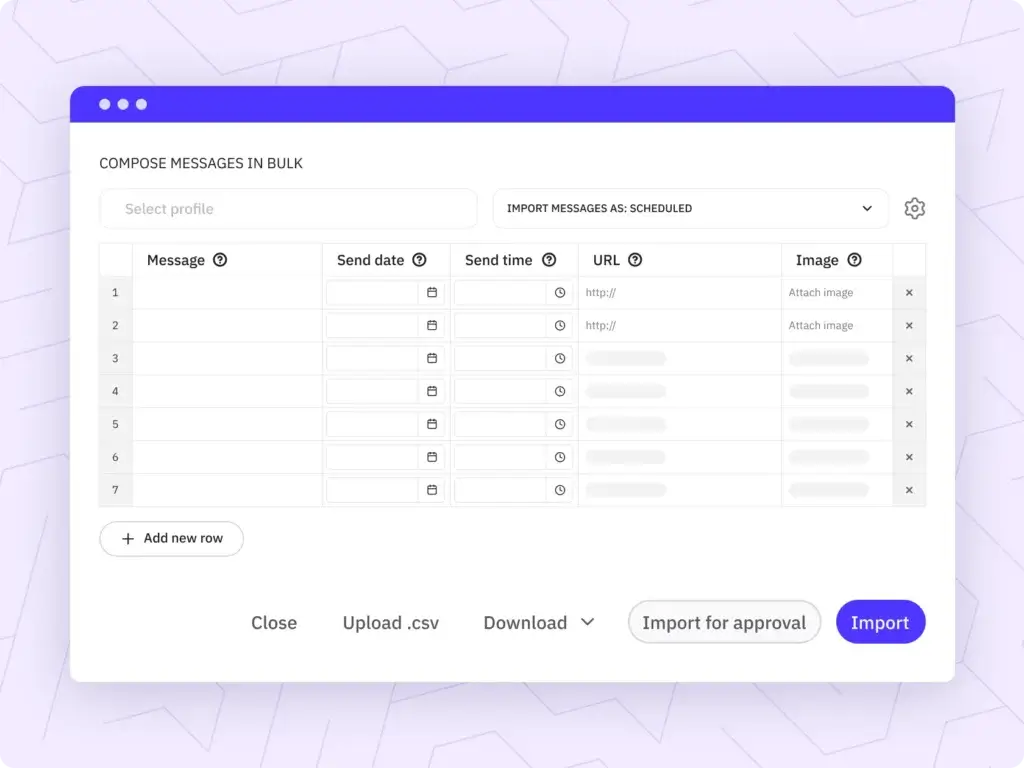
Sendible is built for agencies and teams managing multiple clients. Its white-label reporting, collaboration tools, and multi-channel publishing make it a great choice for scaling operations while maintaining professional client communication.
When choosing a platform, evaluate how each aligns with your workflow, team size, content strategy, and budget. You may even combine tools. For example, using Social Bee for scheduling and Iconosquare for analytics can help you balance efficiency with deeper insights.
| Feature Type | Social Bee | Iconosquare | Hootsuite | Vista Social | Pallyy |
| Scheduling & Publishing | Category queues, evergreen posts | Smart scheduling, feed preview | Bulk scheduling across networks | Advanced scheduling with post customization | Visual planner for Instagram & TikTok |
| AI Capabilities | Caption generator, variations | Analytics-based optimization | AI content assistant | AI caption suggestions & automation | Basic caption assistance |
| Analytics Depth | Core analytics dashboard | Deep analytics + competitors | Advanced cross-channel reports | Strong performance tracking | Basic engagement analytics |
| Social Inbox | Basic engagement tools | Instagram-focused inbox | Unified inbox across platforms | Full social inbox & engagement tools | Simple comment management |
| Collaboration | Basic team roles | Limited collaboration tools | Advanced team workflows | Strong collaboration & approvals | Minimal collaboration features |
| Best For | SMBs and solo marketers | Analytics-focused marketers | Large teams and enterprises | Growing brands & agencies | Creators and visual brands |
| Standout Feature | Evergreen content recycling | Best-time-to-post insights | Social listening + integrations | TikTok & IG publishing strength | Visual content calendar |
Conclusion
Choosing the best social media content management tools depends on how you plan, publish, and scale your content strategy.
If your priority is consistent posting with minimal effort, Social Bee offers one of the easiest ways to maintain an active presence with category-based scheduling and evergreen recycling.
For data-driven decisions, Iconosquare stands out with advanced analytics and competitor tracking that help you refine your strategy over time.
If you need a complete all-in-one platform, Hootsuite remains a strong option, especially for larger teams that require scheduling, engagement, and social listening in a single dashboard.
Vista Social strikes a great balance between publishing and engagement, making it ideal for growing brands that rely heavily on Instagram and TikTok.
Pallyy is the best choice if you focus on visual content and want a simple, affordable tool for planning your feed and staying consistent.
Sendible is built for agencies and teams managing multiple clients, offering white-label reporting and scalable workflows that simplify client management.
The right tool is not necessarily the most feature-rich. It is the one that fits your workflow, team size, and content goals.
Start by identifying your biggest bottleneck, whether it is scheduling, analytics, collaboration, or reporting. Then choose the platform that solves that problem most effectively.
With the right system in place, you will save time, improve consistency, and turn your social media into a reliable growth channel.
Frequently Asked Questions
What are social media content management tools?
Social media content management tools are platforms that help you plan, schedule, publish, and analyze content across multiple social networks from one place. They streamline workflows and improve consistency.
Which social media management tool is best for beginners?
Pallyy and Social Bee are excellent choices for beginners. They offer simple interfaces, easy scheduling, and affordable pricing without overwhelming features.
Which tool is best for Instagram and TikTok?
Vista Social and Pallyy are particularly strong for visual platforms. They offer feed previews, visual planners, and features tailored for Instagram and TikTok content.
What tool offers the best analytics?
Iconosquare provides some of the most advanced analytics in this category, including competitor tracking, hashtag performance, and detailed engagement insights.
Which platform is best for agencies?
Sendible is designed specifically for agencies. It offers client management tools, white-label reporting, and scalable workflows that make handling multiple accounts easier.
Do these tools support multiple social media platforms?
Yes, most tools on this list support multiple platforms such as Facebook, Instagram, LinkedIn, and Twitter. Some also support TikTok and Google Business profiles.
Are there free social media management tools?
Some tools offer free plans or trials. Pallyy and Vista Social have free options with limited features, while others provide trial periods to test their capabilities.
Can I schedule posts in advance?
Yes, scheduling is a core feature of all these tools. You can plan posts days, weeks, or even months in advance to maintain consistency.
Do I need AI features in a social media tool?
AI features are not required, but they can save time by helping generate captions, suggest content ideas, and optimize posting schedules.
How do I choose the right tool?
Start by identifying your main need. If you need simplicity, go with Pallyy or Social Bee. If you need analytics, choose Iconosquare. If you need an all-in-one solution, Hootsuite or Vista Social are strong options. If you manage clients, Sendible is the best fit.