
Introduction
Choosing a web host is one of the most important decisions you make for your website. Your hosting provider affects speed, uptime, security, support quality, and how easy it is to scale as your traffic grows. In this Hostinger review, you will get a detailed look at what the platform offers, where it performs well, where it falls short, and which type of user will benefit most from it. By the end, you should have a clear understanding of whether Hostinger is the right fit for your next site.
What Is Hostinger?
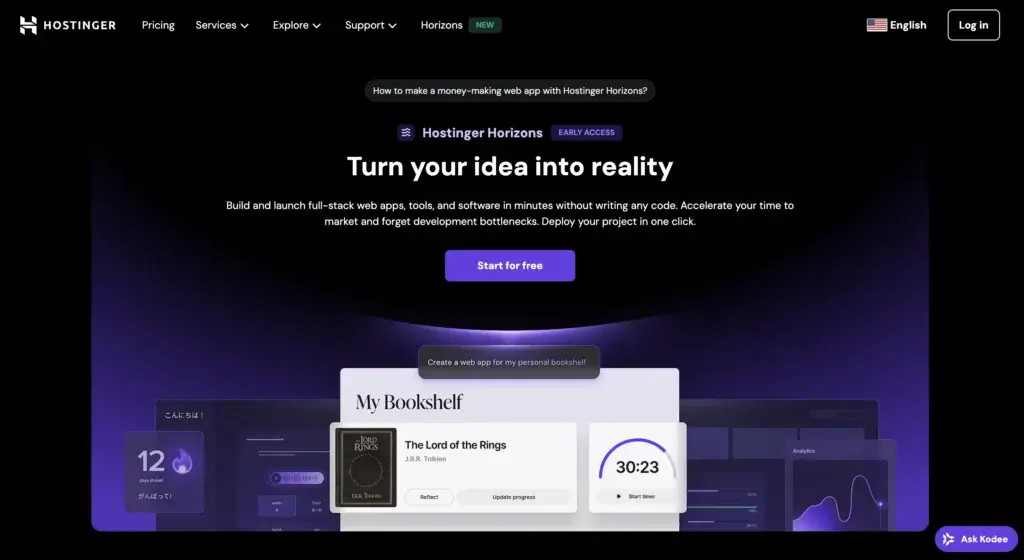
Hostinger is a web hosting company that offers shared hosting, managed WordPress hosting, cloud hosting, VPS hosting, domain registration, business email, and a website builder. It is best known for affordable entry pricing, a custom control panel called hPanel, and a product lineup designed to be approachable for beginners while still offering enough flexibility for more advanced users.
Background and Evolution
Hostinger started as a budget-friendly hosting provider, but it has expanded into a much broader website platform. What once looked like a low-cost shared hosting brand now includes cloud infrastructure, developer tools, AI-powered website features, managed WordPress capabilities, and additional products for email and domains. In 2026, Hostinger continues to position itself as a value-focused provider that gives you more than just server space, it gives you a full environment to launch and manage websites with less technical friction.
Target Users and Use Cases
Hostinger appeals to several different audiences:
- Beginners and first-time website owners – You get a clean dashboard, guided setup, and low-cost plans that reduce the barrier to launching your first site.
- Bloggers and affiliate marketers – The platform is affordable, fast enough for most content sites, and easy to scale from a starter plan to a stronger one later.
- Small businesses – You can host a business website, connect a professional email, manage domains, and use backups and security tools from one account.
- WordPress users – Managed WordPress features, staging on eligible plans, caching support, and a simple admin experience make it appealing for WordPress-based sites.
- Developers and advanced users – SSH access, Git deployment, VPS hosting, and other technical options give you more control when shared hosting is no longer enough.
That said, Hostinger is not equally strong for every use case. It is more compelling for price-conscious users than for buyers who prioritize premium support or enterprise-grade infrastructure.
How Does It Work?
Key Features of Hostinger
Hostinger offers more than entry-level shared hosting. Its core strengths come from combining low introductory pricing with a feature set that covers most of what website owners need to launch and maintain a modern site.
Hosting Plans for Different Growth Stages
One of Hostinger’s strongest advantages is that it gives you several upgrade paths inside the same ecosystem. You can start with shared hosting if your site is new, move to Business hosting when you need more resources and daily backups, upgrade to cloud hosting when performance demands increase, or switch to VPS if you want more control.
This progression matters because many site owners begin with a small blog or business website, then need more performance later. Hostinger makes that path relatively straightforward, which is one reason it appeals to both beginners and growing online businesses.
hPanel Instead of cPanel
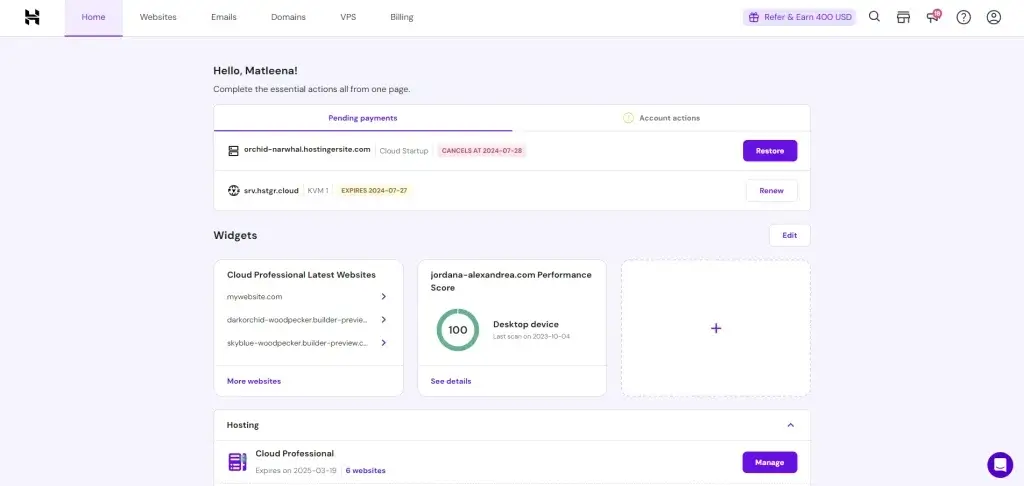
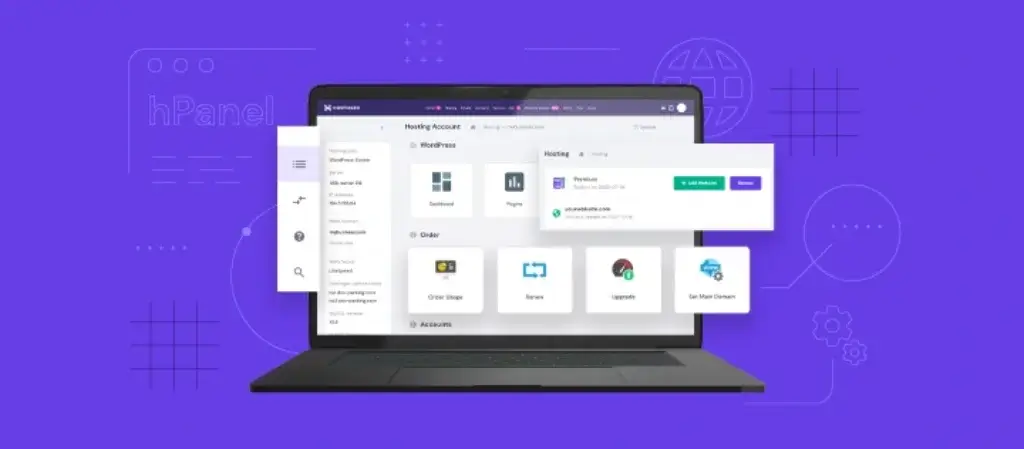
Rather than using the standard cPanel interface, Hostinger uses its own custom dashboard called hPanel. This is a key part of the product experience. hPanel is cleaner and more modern than many legacy hosting dashboards, and it is structured around the tasks most users actually perform, such as installing WordPress, managing domains, setting up email, accessing files, enabling SSL, and viewing backups.
The benefit is ease of use. The drawback is that advanced users already familiar with cPanel may need time to adjust. Even so, for most non-technical users, hPanel is a genuine strength rather than a compromise.
Managed WordPress Features
Hostinger is especially relevant if you plan to run WordPress. The platform includes one-click WordPress installation, automatic updates, performance optimizations, and WordPress-focused tools inside hPanel. Higher-tier plans also make staging more accessible, which is useful when you want to test plugin or theme changes before pushing them live.
This makes Hostinger more attractive than generic budget hosting providers that only give you server space without meaningful WordPress-focused usability improvements.
Performance Tools and Caching
Performance is one of the most important parts of any hosting review, and Hostinger performs well for the price category it serves. It offers LiteSpeed-based performance on many plans, caching support, CDN availability on higher plans, and data center choices in multiple regions. These factors help reduce loading times and improve the experience for both users and search engines.
You should still keep expectations realistic. Hostinger is not positioned as an ultra-premium managed host for mission-critical enterprise workloads. But for bloggers, affiliate sites, portfolio websites, and small business pages, it delivers solid real-world performance when configured properly.
Security and Backup Tools
Hostinger includes essential security features such as free SSL, account protections, and backup options. Business and higher plans are especially attractive because they offer stronger backup positioning and more feature depth. This is important because backups are one of the most overlooked parts of hosting until something goes wrong.
Security is not fully automatic, though. Like any hosting provider, Hostinger gives you tools, but you are still responsible for site-level best practices such as strong passwords, updated plugins, safe downloads, and secure admin workflows.
Website Builder, Domains, and Email
Hostinger also goes beyond hosting by offering a website builder, domain registration, and business email. This all-in-one setup is useful for users who want fewer moving parts. If you are building a small business site from scratch, you can register your domain, buy hosting, launch a website, and manage email from one account.
That convenience is valuable, especially for non-technical users who want a faster launch process without juggling multiple vendors.
Pros and Cons
Benefits and Limitations of Using Hostinger
Positive
✅ Strong value pricing
✅ Easy-to-use hPanel
✅ Good performance for the price
✅ Broad all-in-one ecosystem
Negative
❌ Higher renewal pricing
❌ No phone support
❌ Entry-tier compromises
❌ Not a premium managed host
Strengths & Benefits
Hostinger gets a lot right, especially for users who want good performance without paying premium managed hosting prices.
- Strong value pricing – Introductory pricing is highly competitive, making Hostinger one of the most appealing entry points for new site owners.
- Easy-to-use hPanel – hPanel is simple, modern, and more intuitive than many older hosting dashboards.
- Good performance for the price – Real-world performance is solid for blogs, small business sites, and most WordPress projects.
- Broad all-in-one ecosystem – Domains, email, hosting, site builder, and WordPress tools are all available in one place.
Limitations & Drawbacks
Hostinger is a strong value provider, but it is not flawless. There are several tradeoffs you should understand before you buy.
- Higher renewal pricing – The promotional rates are attractive, but renewals are much higher, so long-term cost is less impressive than the first headline price suggests.
- No phone support – Users who prefer immediate phone assistance may find this frustrating, especially during urgent issues.
- Entry-tier compromises – The cheapest plans are not always the best choice for serious business sites, growing traffic, or ecommerce.
- Not a premium managed host – While Hostinger performs well for the price, it is not designed to compete directly with top-tier managed hosting providers focused on white-glove support.
Use Cases
Who Should Use Hostinger?
Hostinger is not a one-size-fits-all solution, but it is a very strong option for several important audiences.
Beginners Launching Their First Website
If this is your first website, Hostinger is one of the easier platforms to start with. The onboarding is simple, the dashboard is approachable, and the pricing reduces risk. You can get a site online quickly without dealing with an overly technical environment.
Bloggers, Creators, and Affiliate Sites
Hostinger is particularly compelling for content websites that need a low starting cost and decent speed. If you run a blog, niche site, or affiliate website, the combination of pricing, WordPress support, and acceptable performance makes it a practical choice.
Small Businesses
Small businesses that want a professional site, business email, and a straightforward admin experience will likely find Hostinger attractive. Business hosting is often the better choice here because it gives you a stronger feature set than the cheapest plan.
Developers Who Want Budget-Friendly Infrastructure
If you need SSH, Git deployment, or VPS-level control, Hostinger can still be relevant. It is not the most advanced developer platform on the market, but it can serve as a low-cost option for smaller projects and straightforward deployments.
When Hostinger Might Not Be the Right Fit
Hostinger may not be ideal if you need phone support, premium concierge-style help, or infrastructure tailored for highly demanding enterprise applications. It is also less attractive if you dislike long commitments and want the best price without locking in for years.
Pricing
Hostinger’s Pricing & Plans
Pricing is one of Hostinger’s biggest selling points, but it is also one of the areas where you need to read carefully. The promotional price is often extremely attractive, especially on long terms, while the renewal price is significantly higher. That does not make Hostinger a bad value, but it does mean you should evaluate the full lifecycle cost instead of only the starting rate.
Premium Plan
The Premium plan is the logical entry point for most users. It is built for personal websites, smaller blogs, and users who want a low-cost way to launch multiple basic sites. This plan is attractive because the headline price is very low on long commitments, but it is still a starter tier. If your site is business-critical or you expect stronger traffic, this should be viewed as a starting point rather than a forever plan.
Business Plan
The Business plan is usually the better overall choice for serious users. It typically adds more resources, better backup coverage, and stronger performance positioning. If you are running a business website, a monetized blog, or a growing WordPress site, this plan often delivers better long-term value than choosing the cheapest option and running into limits later.
Cloud Hosting
Cloud hosting is a better fit when shared hosting starts to feel restrictive but you do not want the complexity of managing a VPS. It gives you more dedicated resources and is a strong option for growing websites, WooCommerce stores, and sites that need stronger consistency under heavier traffic.
VPS Hosting
VPS hosting is designed for users who need more control, server-level access, and the ability to configure their own environment more deeply. This is not the typical plan for beginners, but it becomes relevant for developers, custom stacks, and more demanding technical projects.
Pricing Table
The table below gives a practical summary of how the main hosting tiers differ.
| Plan | Premium | Business | Cloud Startup |
| Best for | Starter websites | Small businesses and serious blogs | Growing websites and ecommerce |
| Intro pricing appeal | Very strong | Strong | Moderate |
| Renewal sensitivity | High | High | Moderate to high |
| Performance level | Good for basics | Better resource allocation | Stronger and more scalable |
| Backup position | More limited | Stronger | Strong |
| CDN/performance extras | More limited | Better positioned | Better positioned |
| Recommended for | Low-risk projects | Most users | Higher-growth projects |
For most readers, the Business plan is the sweet spot. The Premium plan is excellent for minimizing upfront cost, but the Business plan usually makes more sense when you want a more future-proof setup. Cloud hosting is the better move once traffic, revenue, or performance expectations justify the higher spend.
Competitors
Competitor Alternatives to Hostinger
Hostinger competes with several well-known hosting providers. The right alternative depends on whether you care most about price, support, WordPress tooling, or higher-end performance.
| Feature Type | Hostinger | Bluehost | SiteGround |
| Core focus | Value and ease of use | Beginner WordPress hosting | Performance and support |
| Starting appeal | Low intro pricing | Mainstream beginner brand | Premium shared hosting |
| Dashboard | Custom hPanel | Custom + cPanel-style familiarity | Custom Site Tools |
| Best for | Budget-conscious users | First WordPress site | Growing business sites |
| Renewal sensitivity | High | Moderate to high | High |
| Phone support | No | Usually available | Limited by plan/channel |
| Performance level | Strong for the price | Adequate | Very strong |
| Premium feel | Moderate | Moderate | Higher |
Bluehost is often recommended to beginners, especially for WordPress, but Hostinger generally offers a stronger value proposition and a more modern dashboard. SiteGround is a better fit when you are willing to pay more for stronger support perception and a more premium overall experience. In most price-sensitive scenarios, Hostinger is the better buy. If your site is more business-critical and you are comfortable spending more, SiteGround becomes a serious alternative.
Best Practices
Getting Started with Hostinger
To get the most value from Hostinger, you should approach setup strategically instead of only choosing the lowest price.
Choose the Right Plan for Your Real Needs
The biggest mistake many buyers make is choosing the cheapest plan first and then discovering they actually needed more resources, better backups, or stronger performance features. If your site matters to your income or business, start with Business instead of forcing Premium to do more than it should.
Select the Nearest Data Center
Performance depends partly on where your server is located. Choose the data center closest to your primary audience whenever possible. This simple decision can improve page speed and create a better experience for visitors.
Enable SSL, Caching, and Backups Early
Do not treat these as optional extras. SSL is essential, caching helps performance, and backups protect your work. A lot of hosting problems are manageable if you have a reliable backup and basic optimization in place from day one.
Use Staging Before Major Changes
If your plan supports staging, use it. Testing updates before pushing them live is one of the easiest ways to avoid downtime, plugin conflicts, or broken layouts, especially on WordPress sites.
Monitor Renewal Dates and Long-Term Cost
Hostinger’s intro pricing is compelling, but the renewal jump is real. Keep track of when your term ends so you are not surprised later. It is always better to understand your future cost structure before the initial term runs out.
Conclusion
Final Thoughts
Hostinger remains one of the strongest value-focused hosting providers you can choose in 2026. Its biggest strengths are affordability, ease of use, solid performance for the price, and a product ecosystem that makes launching and managing websites easier than many older hosting platforms. It is especially attractive for beginners, bloggers, affiliate marketers, small businesses, and WordPress users who want a modern dashboard and a practical upgrade path.
The main caution is pricing transparency over time. The low entry price is real, but renewals are materially higher, so you should evaluate Hostinger based on both the first term and the long-term cost. If you are comfortable with that tradeoff, Hostinger is a very competitive option. If you want premium support, phone access, or a more high-end managed hosting experience, there are better alternatives, but they usually cost more.
Overall, Hostinger is a strong recommendation for users who want to balance cost, usability, and performance without stepping into a premium price bracket too early.
Have more questions?
Frequently Asked Questions
Is Hostinger good for beginners?
Yes. It is one of the easier hosting platforms for beginners because of its guided setup, clean dashboard, and low entry pricing.
Is Hostinger good for WordPress?
Yes. It is a strong option for WordPress users because it offers simple installation, managed features, and helpful performance tools.
What is the difference between Hostinger Premium and Business?
Premium is better for starter projects and smaller sites, while Business is the better option for serious blogs, business websites, and users who want a stronger overall feature set.
Does Hostinger offer free SSL?
Yes. SSL is included, which is important for security, trust, and SEO.
Is Hostinger fast enough for SEO?
For most small and mid-sized websites, yes. It offers solid performance for the price, especially when you choose a nearby data center and use caching properly.
Does Hostinger have phone support?
No. This is one of its main weaknesses for users who prefer immediate phone-based assistance.
Is Hostinger good for ecommerce?
It can be, especially on Business or Cloud plans. For small and growing ecommerce stores, those tiers are more suitable than the cheapest shared option.
Are Hostinger renewals expensive?
Renewal pricing is significantly higher than the promotional starting rate, so it is important to evaluate the long-term cost before purchasing.
Can developers use Hostinger?
Yes. Hostinger supports more advanced use cases through SSH, Git deployment, VPS hosting, and additional technical controls.
Is Hostinger worth it overall?
Yes, especially if you want a balance of affordability, usability, and solid performance. It is one of the better value-driven hosting choices on the market.