
Introduction
Choosing the best web hosting service has a direct impact on your website’s speed, uptime, security, and long-term growth. Whether you are launching a personal blog, a company website, a portfolio, or an online store, your hosting provider will shape how reliable your site feels to visitors and how easy it is for you to manage everything behind the scenes.
In this guide, you’ll discover how Hostinger, GoDaddy, Bluehost, IONOS, and SiteGround compare across pricing, performance, ease of use, support, and core hosting features. You’ll see which provider makes the most sense for beginners, WordPress users, budget-conscious site owners, and businesses that need stronger performance and reliability.
What to look for in a web hosting service
Before you choose a hosting provider, focus on the factors that have the biggest effect on your site’s success:
- Performance and speed – Fast loading times improve user experience, SEO, and conversions.
- Uptime and reliability – A strong uptime record helps keep your website available around the clock.
- Ease of use – A simple dashboard, one-click installs, and clear setup tools save time.
- Security features – Look for SSL, backups, malware protection, and account isolation.
- Customer support – Responsive support is critical when your website runs into technical issues.
- Scalability – Your host should support growth, whether that means more traffic, more storage, or better server resources.
- Pricing and renewal costs – Introductory prices matter, but renewal rates matter just as much.
With those criteria in mind, here are the best web hosting services to consider in 2026.
Hostinger

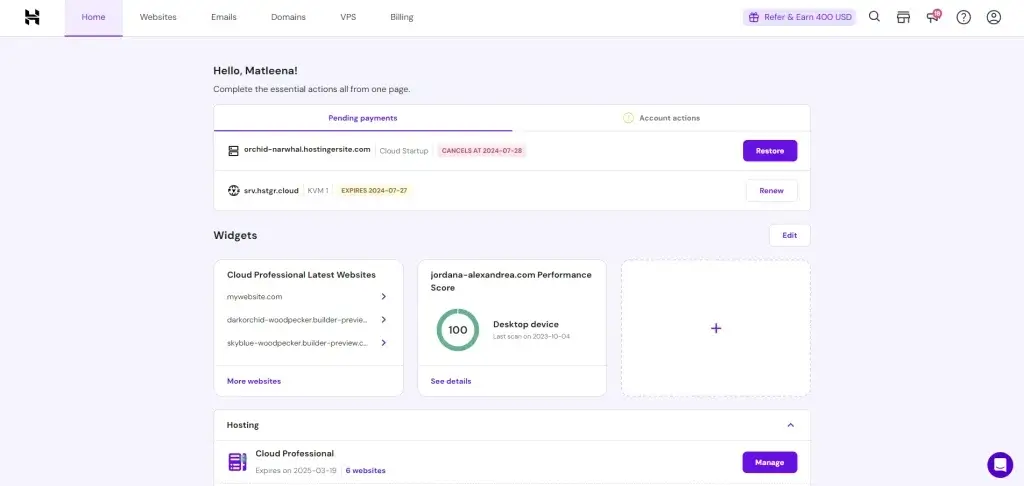
Hostinger is one of the strongest options for anyone looking for a balance between low pricing, solid speed, and beginner-friendly site management. It has built a strong reputation by offering affordable shared hosting plans without making the experience feel stripped down. You still get modern infrastructure, a clean custom dashboard, and useful extras like free SSL, managed WordPress tools, and global data center coverage.
For many users, Hostinger stands out because it keeps things simple. Its custom hPanel is easier to navigate than some legacy control panels, and the onboarding flow makes it easy to connect a domain, install WordPress, create email accounts, and manage performance settings. If you want a host that feels modern and accessible without losing core capabilities, Hostinger is a strong place to start.
Core features and capabilities
- Affordable shared hosting – Entry pricing is usually among the lowest in the market.
- Custom hPanel – A cleaner alternative to traditional hosting dashboards.
- Free SSL and CDN support – Helps improve security and global site delivery.
- Managed WordPress tools – Easy installs, updates, and optimization features.
- Global data centers – Useful for reducing latency for international audiences.
- Website builder option – Helpful if you want a site without relying only on WordPress.
Ideal use cases
Hostinger is best for users who want strong value without a steep learning curve. It works especially well for:
- Beginners launching their first website or blog
- Freelancers and small businesses looking for low-cost hosting
- WordPress users who want an easy setup experience
- Growing sites that may later need cloud or VPS upgrades
Strengths and limitations
Strengths:
- Very competitive introductory pricing
- Clean dashboard and simple setup flow
- Good performance for the price
- Strong fit for WordPress beginners
Limitations:
- Lowest-tier plans can feel restrictive on resources
- Renewal pricing is higher than the entry offer
- Advanced users may prefer a more traditional control panel
Pricing and plans
Hostinger usually offers several tiers for shared hosting, cloud hosting, WordPress hosting, and VPS. The shared plans are the main reason it appears so often in best web hosting lists.
- Premium Shared Hosting – Best for smaller sites and personal projects
- Business Shared Hosting – Better for websites that need stronger performance
- Cloud Hosting – A good step up for growing business websites
- VPS Hosting – Better suited for developers and advanced users
Hostinger is an excellent fit when you want to keep costs low without settling for an outdated or overly limited experience.
GoDaddy

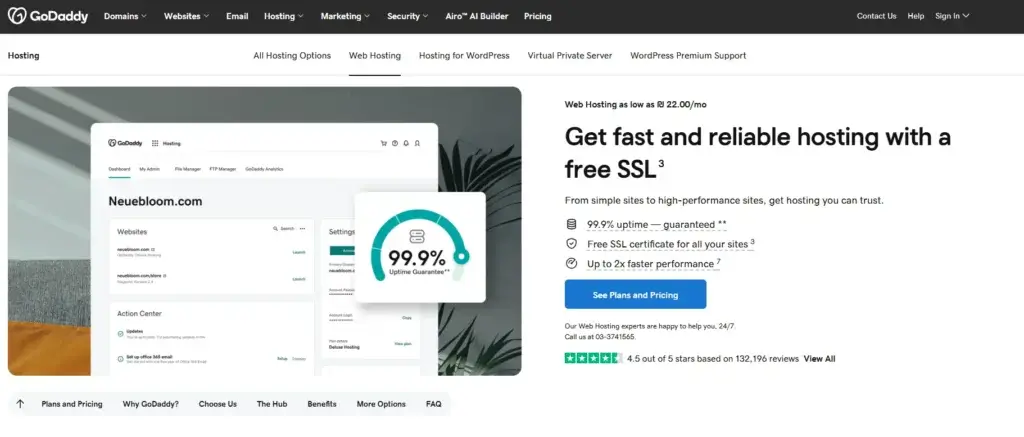
GoDaddy remains one of the most recognizable names in web hosting, largely because it offers more than just hosting. It combines domain registration, website building, professional email, online marketing tools, and hosting under one brand. For users who want to manage everything in one place, that convenience can be a real advantage.
That said, GoDaddy is not always the strongest choice on value. It is often easier for beginners to understand than some more technical providers, but the platform also leans heavily on upsells and add-ons. You may start with a simple hosting plan, then quickly see offers for backups, security tools, SEO add-ons, Microsoft 365, and other extras. For some users that ecosystem is helpful. For others, it feels more expensive than necessary.
Core features and capabilities
- All-in-one platform – Hosting, domains, email, and website tools under one roof.
- Beginner-friendly onboarding – Straightforward setup for new site owners.
- Website builder integration – Helpful for users who do not want WordPress.
- Domain management – One of GoDaddy’s biggest strengths.
- Business and commerce tools – Useful for small business websites and online stores.
- 24/7 support – Available across major hosting products.
Ideal use cases
GoDaddy makes the most sense if you want convenience more than deep technical control. It is a reasonable option for:
- Small businesses that want hosting and domains in one account
- First-time website owners who prefer a guided setup
- Users building simple business sites with minimal technical work
- People who already use GoDaddy domains and want fewer separate vendors
Strengths and limitations
Strengths:
- Simple all-in-one ecosystem
- Strong domain management tools
- Easy for beginners to get started
- Useful add-ons for business users
Limitations:
- Renewal costs and add-ons can get expensive
- Not usually the best value for performance
- Frequent upsells during checkout and setup
- Better suited to simplicity than advanced hosting needs
Pricing and plans
GoDaddy offers several website hosting paths, including shared hosting, managed WordPress hosting, website builder plans, and more advanced infrastructure products.
- Web Hosting Economy – Suitable for a single starter site
- Deluxe and Ultimate – Better for more resources and multiple sites
- Managed WordPress Hosting – Easier WordPress maintenance and setup
- Business Hosting and VPS – Better for heavier traffic or custom needs
GoDaddy is best when convenience is your top priority, but it is less compelling when pure hosting value is the main goal.
Bluehost

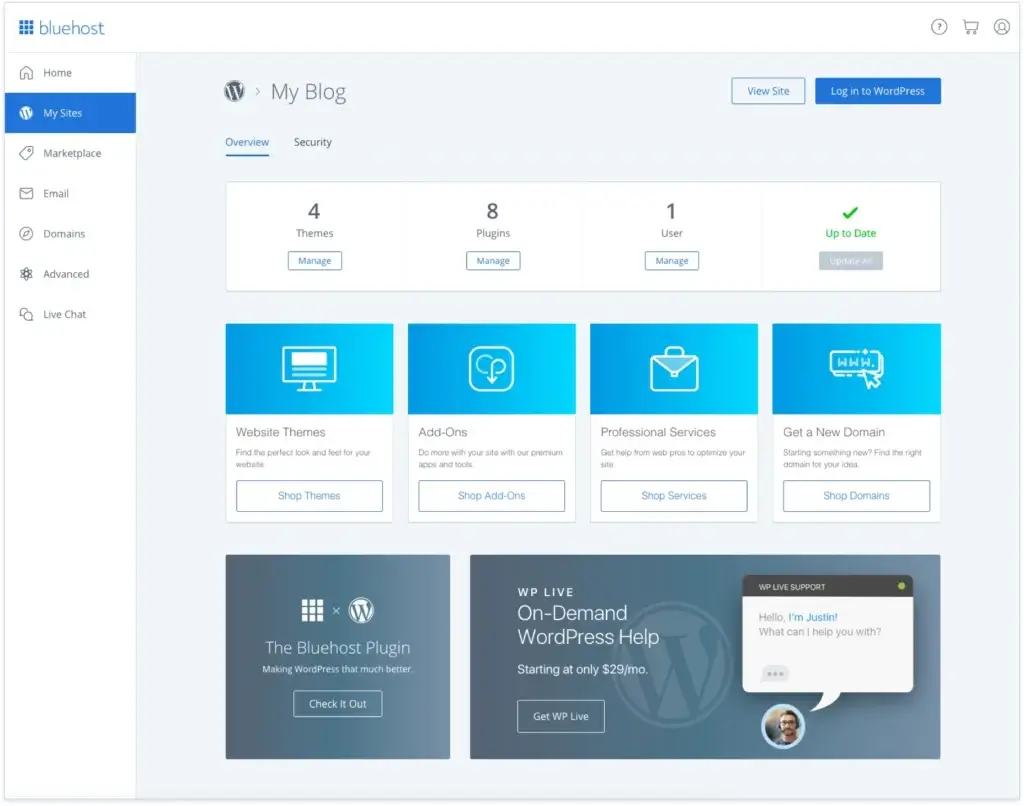
Bluehost has been a long-time default recommendation for many WordPress users, and it still appeals to beginners who want a familiar name with easy WordPress onboarding. Its dashboard, setup flow, and bundled features are clearly designed to help new users launch a site without dealing with too much technical friction.
One of Bluehost’s biggest advantages is how approachable it feels for first-time WordPress site owners. You can register a domain, install WordPress, activate themes, and start building pages from one interface. That makes it a practical hosting choice for blogs, portfolios, and small business sites that prioritize convenience over cutting-edge performance.
Core features and capabilities
- WordPress-focused hosting – One of Bluehost’s strongest selling points.
- Free domain for the first year – Helps reduce launch costs.
- Free SSL certificate – Standard security feature for new websites.
- Beginner-friendly dashboard – Good for users with limited hosting experience.
- Marketing and commerce tools – Helpful for bloggers and small business websites.
- 24/7 support – Important for new users who need help fast.
Ideal use cases
Bluehost is a strong fit if your main goal is to launch a WordPress site with as little friction as possible. It works well for:
- First-time bloggers starting a personal or niche site
- Small business owners building a basic online presence
- Portfolio websites that do not need advanced hosting resources
- Users who prefer guided WordPress setup over deeper server control
Strengths and limitations
Strengths:
- Good beginner experience for WordPress
- Bundled features that simplify site launch
- Well-known brand with broad support resources
- Suitable for small to medium websites
Limitations:
- Performance is not always as strong as top competitors
- Upsells can increase the total cost
- Entry pricing looks better than renewal pricing
- Less appealing for advanced or performance-heavy projects
Pricing and plans
Bluehost’s core offers usually center on shared hosting, managed WordPress hosting, WooCommerce hosting, VPS, and dedicated hosting.
- Basic – Best for a small starter website
- Choice Plus – Better for users who want more flexibility
- Online Store – Built for WooCommerce-focused selling
- VPS and Dedicated – Better for larger or more demanding projects
If you are creating a WordPress site for the first time, Bluehost is still one of the easiest entry points, though not necessarily the best option for long-term value once your site grows.
IONOS

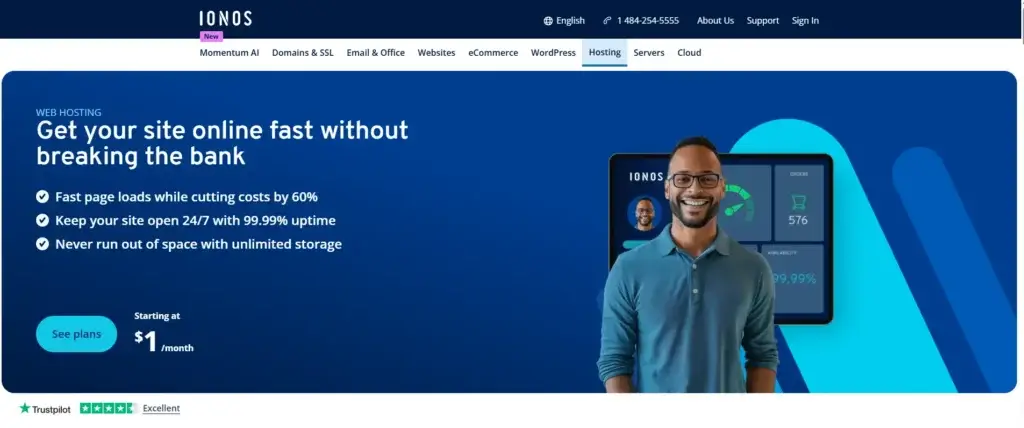
IONOS is one of the most aggressive players on price. Its introductory offers are often among the lowest available, which makes it attractive for users who want to launch a website with minimal upfront cost. It also tends to bundle in features that matter for small businesses, including domain registration, email, and business-oriented hosting packages.
Where IONOS feels different is in its positioning. Instead of focusing only on website hosting, it presents itself as a broader digital infrastructure provider for freelancers, entrepreneurs, and small businesses. That can be useful if you want one account for web hosting, business email, domains, and cloud products. The trade-off is that the interface and overall experience may feel less polished than some of the most beginner-friendly hosts on this list.
Core features and capabilities
- Very low entry pricing – One of the biggest reasons people consider IONOS.
- Business email and domain bundles – Useful for professional websites.
- Shared, WordPress, VPS, and cloud hosting – Covers a wide range of needs.
- Security tools – SSL and other protective features are commonly included.
- Flexible product range – Helpful if you expect your site to grow.
- Business-oriented ecosystem – Good fit for solo professionals and SMBs.
Ideal use cases
IONOS is best for users who want low startup costs and bundled business functionality. It makes sense for:
- Freelancers building a professional web presence
- Small businesses that also need email and domain services
- Budget-focused users comparing the cheapest hosting offers
- Users open to a less common dashboard in exchange for pricing value
Strengths and limitations
Strengths:
- Among the cheapest introductory hosting options
- Good bundled value for business users
- Wide product catalog for scaling
- Solid entry point for basic websites
Limitations:
- Dashboard and workflow are not as intuitive as top beginner hosts
- Support experience can feel less seamless
- Performance is acceptable rather than standout
- Less appealing if you want the smoothest beginner UX
Pricing and plans
IONOS usually offers affordable shared hosting, WordPress hosting, VPS, cloud servers, and dedicated infrastructure products.
- Essential – Basic hosting for simple websites
- Starter and Plus – Better for business sites needing more flexibility
- WordPress Hosting – Good for users who prefer a managed WP path
- VPS and Cloud – Better for heavier workloads and scaling
IONOS is easy to recommend when introductory pricing is the deciding factor, but it is not my first choice for users who care most about simplicity or premium support.


SiteGround is the premium option in this comparison. It is rarely the cheapest host, but it consistently earns strong feedback for performance, support quality, security, and WordPress optimization. If you care about stability more than rock-bottom pricing, SiteGround deserves serious attention.
What makes SiteGround stand out is how polished the experience feels. Its custom Site Tools dashboard is easier to work with than many traditional hosting panels, and the platform includes useful features like daily backups, caching tools, staging environments, and strong support. That makes it especially attractive for business websites, publishers, and WordPress users who want a hosting environment that feels more refined and proactive.
Core features and capabilities
- Strong uptime and reliability – A major reason SiteGround remains so highly rated.
- Daily backups – Valuable for peace of mind and site recovery.
- WordPress optimization tools – Including caching and performance features.
- Custom Site Tools dashboard – Clean, modern, and easier to use than older panels.
- Free SSL and CDN integration – Supports speed and security.
- High-quality support – One of SiteGround’s strongest advantages.
Ideal use cases
SiteGround is best for users who value reliability, support, and performance over bargain pricing. It is a strong option for:
- Business websites where uptime and support matter
- WordPress publishers who want better optimization tools
- Agencies and freelancers managing client websites
- Growing sites that need better stability than low-end shared hosting
Strengths and limitations
Strengths:
- Strong support reputation
- Reliable performance and uptime
- Useful backup and optimization features
- Excellent overall WordPress hosting experience
Limitations:
- Higher pricing than budget-focused rivals
- Renewal costs can be steep
- Lower storage on entry plans than some users expect
- Less attractive if price is your main concern
Pricing and plans
SiteGround’s hosting lineup typically focuses on shared hosting, managed WordPress hosting, WooCommerce hosting, cloud hosting, and reseller-oriented options.
- StartUp – Best for one website with moderate traffic
- GrowBig – Better for multiple sites and extra performance features
- GoGeek – Designed for more demanding projects and staging workflows
- Cloud Hosting – Suitable for larger business or application needs
SiteGround is not the cheapest option here, but it is one of the strongest choices if you want a more premium hosting experience with dependable support behind it.
How to choose the right web hosting service for your website
The best web hosting service depends on what you are building, how much traffic you expect, and how much support you need. There is no single provider that is perfect for every use case, which is why understanding your priorities matters more than chasing the lowest price.
Key decision factors
- Choose Hostinger if you want the best mix of price, usability, and overall value.
- Choose GoDaddy if you prefer an all-in-one ecosystem with domains and website tools.
- Choose Bluehost if you are a beginner building a WordPress site.
- Choose IONOS if your goal is the lowest possible intro price with business extras.
- Choose SiteGround if you want better support, stronger reliability, and a more premium experience.
Quick comparison table
| Feature Type | Hostinger | GoDaddy | Bluehost | IONOS | SiteGround |
| Best For | Affordable all-around hosting | All-in-one setup | WordPress beginners | Low-cost business hosting | Premium support and performance |
| Main Strength | Value for money | Convenience | Easy WordPress onboarding | Very low intro pricing | Reliability and support |
| Main Limitation | Higher renewals | Upsells and cost | Average performance | Less polished UX | More expensive |
| Beginner Friendly | Yes | Yes | Yes | Moderately | Yes |
| WordPress Focus | Strong | Moderate | Strong | Moderate | Strong |
| Best Value | Excellent | Average | Good | Very good upfront | Good premium value |
Conclusion
If you want the best web hosting service for most users, Hostinger is the strongest overall choice in this list. It delivers the best balance of affordability, usability, and solid performance, which makes it an easy recommendation for beginners, bloggers, small businesses, and users launching a WordPress site without a large budget.
GoDaddy is a practical option if you value convenience and want to manage domains, hosting, and site tools in one place. Bluehost still works well for WordPress beginners who want an easy launch path. IONOS stands out for users who care most about the cheapest starting price and bundled business features. SiteGround is the premium option if you want stronger support, better reliability, and a more polished hosting experience.
Your best next step is to match the host to your real priorities. If price matters most, start with Hostinger or IONOS. If support and stability matter more, SiteGround is the smarter long-term choice. If you are building your first WordPress site, Bluehost remains one of the easiest places to begin.
FAQs
1. What is the best web hosting service for beginners?
Hostinger and Bluehost are the best starting points for most beginners. Hostinger offers excellent value and a simple dashboard, while Bluehost is especially approachable for WordPress users.
2. Which hosting provider is best for WordPress?
Bluehost and SiteGround are both strong WordPress hosting choices. Bluehost is better for beginners, while SiteGround is better for users who want stronger support and more advanced performance tools.
3. Is Hostinger better than GoDaddy?
For most users, yes. Hostinger usually offers better value, a cleaner user experience, and stronger overall affordability. GoDaddy is more appealing if you want an all-in-one platform for domains, hosting, and business tools.
4. Is cheap web hosting worth it?
Cheap web hosting can absolutely be worth it if your site is small or new. The key is to look beyond the intro price and understand renewal rates, storage limits, and support quality before committing.
5. What is the difference between shared hosting and WordPress hosting?
Shared hosting is a general hosting environment designed for many types of websites. WordPress hosting is usually optimized specifically for WordPress, often with easier setup, updates, caching, and support.
6. Which web hosting service is best for small businesses?
Hostinger is a great all-around choice for small businesses, while SiteGround is the better pick if uptime, support, and long-term reliability are more important than low pricing.
7. Does web hosting affect SEO?
Yes, web hosting affects SEO through speed, uptime, security, and overall user experience. A slow or unreliable host can hurt rankings indirectly by creating a worse experience for visitors.
8. Which hosting provider has the best customer support?
SiteGround has one of the strongest reputations for customer support in this group. Bluehost also offers broad support access, while Hostinger provides a solid support experience for most standard hosting needs.
9. Can I switch hosting providers later?
Yes, you can migrate your website to another hosting provider later. Many hosts offer migration tools or support, though the ease of migration depends on the type of website you run and the platform you use.
10. Should I choose based on the intro price or renewal price?
You should consider both, but the renewal price is often more important. Intro offers look attractive, but the real long-term cost becomes clear once the first billing period ends.