Introduction
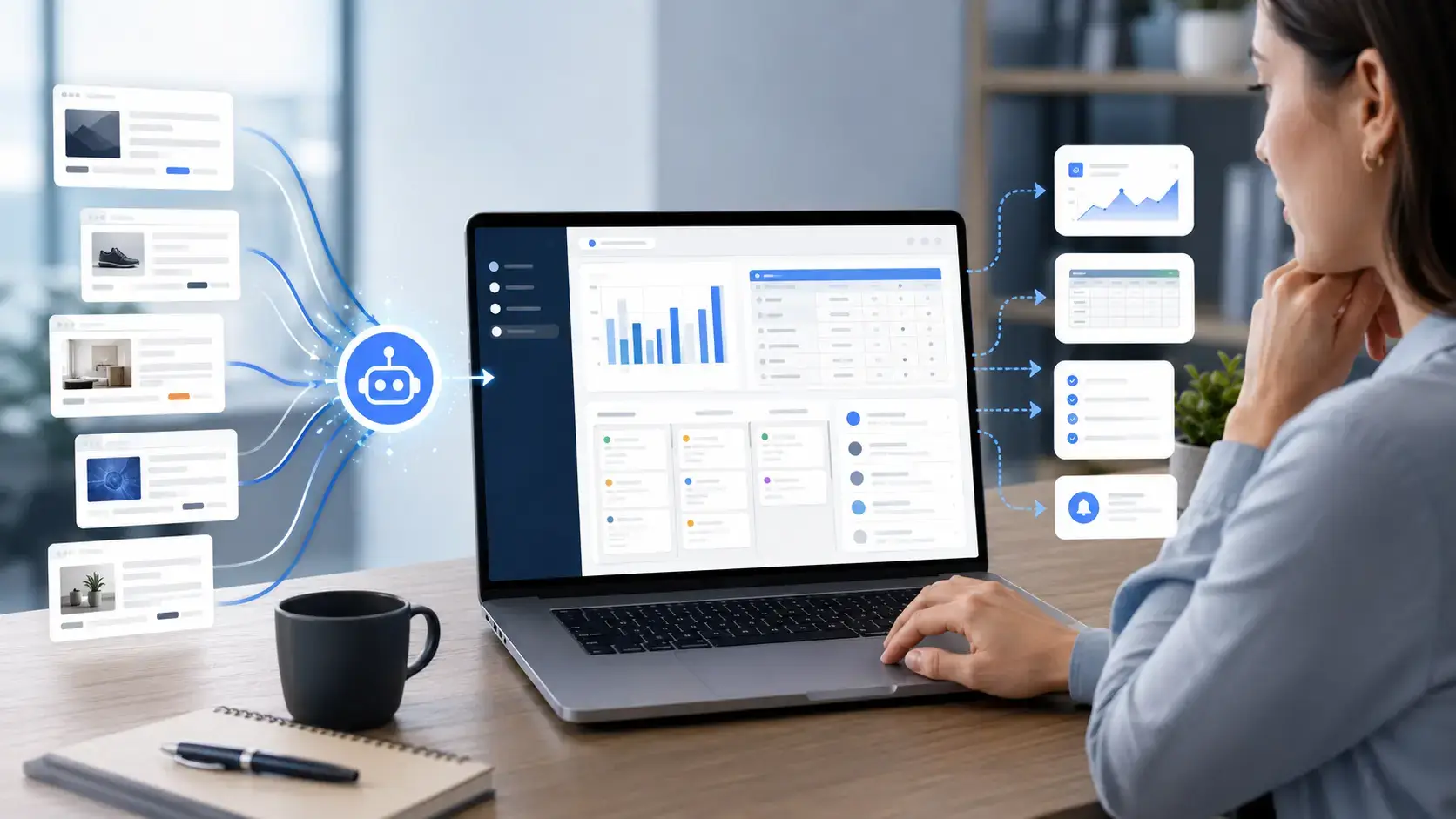
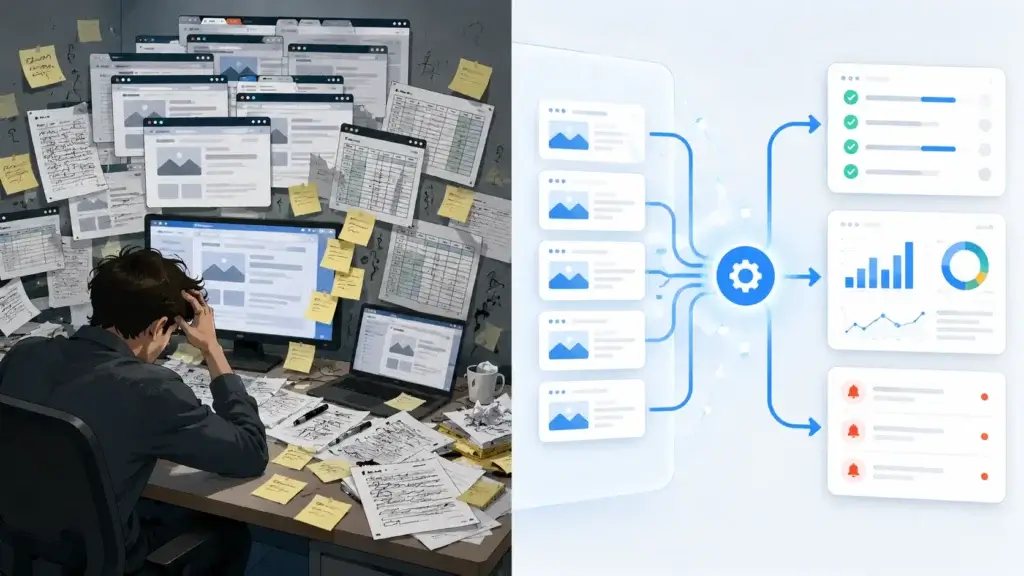
The best web scrapers for work management do more than copy information from a website into a spreadsheet. They help you collect external data, structure it, monitor changes, and move useful findings into the systems where your team plans and completes work.
You might use a web scraper to monitor competitor pricing, collect supplier information, track job listings, build prospect lists, review customer feedback, research potential partners, or identify changes across dozens of websites. The real value appears when that information automatically creates a task, updates a database, triggers an alert, or becomes part of a recurring report.
This matters because information discovery consumes a significant part of the workweek. Atlassian’s State of Teams 2025 research, based on a survey of 12,000 knowledge workers and 200 executives, found that teams and leaders spend 25% of their time searching for answers.
A web scraper will not solve every knowledge-management problem, but it can reduce repetitive external research. Instead of asking someone to check the same directory, marketplace, pricing page, or public database each week, you can build a controlled process that collects the relevant information and routes it to the right owner.
This guide compares eight platforms: Thunderbit, Browse AI, Octoparse, Bardeen, Apify, Bright Data, ParseHub, and Web Scraper. Each serves a different operating model, from fast browser-based extraction for non-technical teams to developer-managed data pipelines and enterprise scraping infrastructure.
How to Evaluate Web Scrapers for Work Management
The strongest web scraper is not always the platform that can extract the most pages. For work management, the better choice is usually the tool that produces dependable data with the least ongoing effort and delivers it somewhere your team can use it.
Setup and maintenance requirements
AI-powered scrapers can identify fields and create a table from natural-language instructions. Visual no-code tools give you more control but may require selectors, workflows, pagination rules, or page templates. Developer platforms offer the greatest flexibility, although your technical team becomes responsible for configuration, testing, and maintenance.
Support for dynamic websites
Modern websites frequently load content through JavaScript, infinite scrolling, expandable panels, login sessions, and interactive filters. A scraper that works on a simple directory may fail on a complex marketplace or application-style website.
Test each platform against the websites you actually need. Marketing claims such as “scrape any website” should not replace a realistic proof of concept.
Scheduling and website monitoring
A one-time export is useful for research, but recurring collection creates more operational value. Look for scheduling, change detection, cloud execution, run history, failure alerts, and clear methods for updating an existing dataset.
Integrations and data delivery
CSV exports are sufficient for occasional projects. Recurring workflows benefit from direct connections with Google Sheets, Airtable, Notion, cloud storage, databases, APIs, webhooks, and automation platforms.
The destination matters because scraped data should not become another disconnected file. It should support a report, decision, task, workflow, or system of record.
Pricing predictability
Scraping platforms charge by rows, records, pages, credits, compute units, browser sessions, proxy bandwidth, or task runs. Two plans with similar monthly prices can produce very different costs at scale.
Estimate how many pages you will visit, how many records you expect, how often the scraper will run, and whether detail-page extraction multiplies usage. Prices and allowances can change, so confirm the current figures before purchasing.
Governance and ownership
Every recurring scraper should have an owner, approved source list, defined fields, refresh schedule, retention policy, and failure process. Without these controls, teams can make decisions using incomplete, duplicated, outdated, or improperly collected information.
Best Web Scrapers for Work Management
The ranking below prioritizes usability, repeatable automation, work-app connectivity, maintainability, and practical value for business teams. It does not assume that every buyer needs enterprise-scale infrastructure.
Thunderbit

Features & Benefits
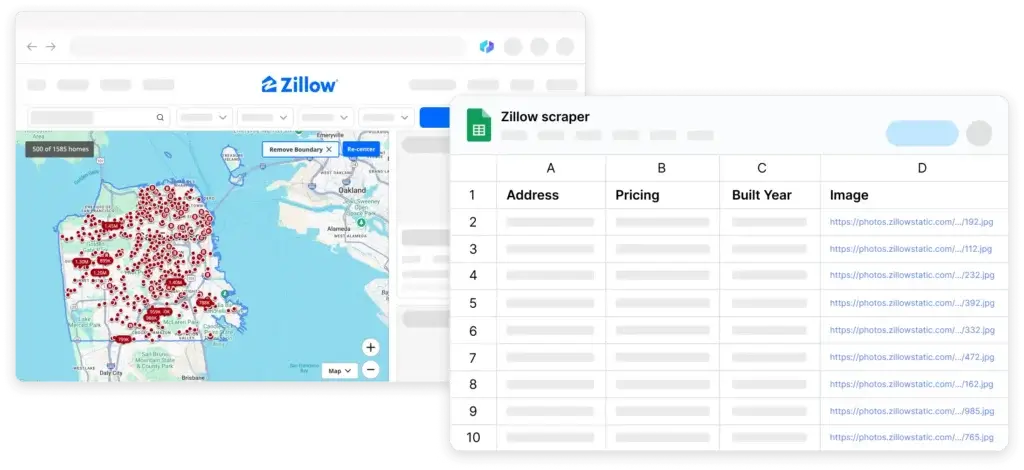
Thunderbit is the strongest overall option for business users who want to move quickly from a website to a structured table. Its AI Suggest Fields feature analyzes the current page and proposes relevant columns, reducing the need to configure CSS selectors or build a detailed visual workflow.
The platform supports pagination, linked subpage extraction, scheduled scraping, field transformation, and direct exports to Excel, Google Sheets, Airtable, and Notion. This makes it particularly useful for sales operations, procurement research, market monitoring, directory extraction, and supplier tracking.
Thunderbit is easier to adopt than traditional visual scrapers, although complex websites can still require field instructions, testing, or a more advanced platform.
Pricing & Plans
Thunderbit provides limited free usage. Its Starter plan begins at $15 per month with 500 credits, while larger plans increase monthly credit allowances. The Starter tier also supports scheduled scrapers. Review the official Thunderbit pricing page before estimating a recurring workflow.
Pros & Cons
Pros
- Fast AI-assisted field detection
- Supports pagination and linked subpages
- Direct exports to popular work tools
- Accessible pricing for smaller teams
Cons
- Credit usage grows with output volume
- Complex sites may need extra instructions
- Browser-led workflows are not ideal for every pipeline
- Less granular than developer-owned scraping code
Browse AI

Features & Benefits
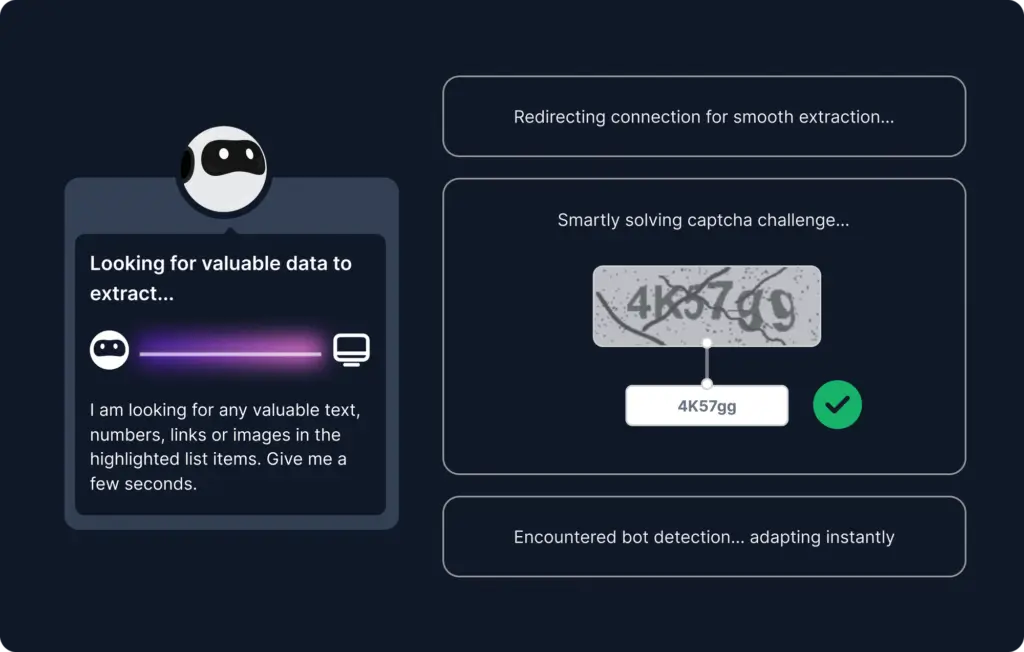
Browse AI is particularly effective when your workflow depends on monitoring the same websites repeatedly. You train a robot by demonstrating the process in a browser, then use it to extract lists, capture details, or watch pages for changes.
Its strongest work management use cases include competitor price monitoring, inventory checks, job-listing tracking, marketplace research, regulatory monitoring, and recurring data feeds. Robots can connect with Google Sheets, Airtable, Make, Zapier, webhooks, REST APIs, and Amazon S3.
Browse AI offers a cleaner monitoring experience than many traditional scrapers. However, its website and credit limits require careful planning when you want to monitor many domains.
Pricing & Plans
The free plan includes 50 monthly credits. Personal starts at $19 per month when billed annually, Professional starts at $69 per month when billed annually, and managed Premium plans begin at $500 per month. Check the official Browse AI pricing page for current allowances.
Pros & Cons
Pros
- Strong recurring monitoring capabilities
- No-code robot training process
- Broad integration and webhook options
- Useful change-detection workflows
Cons
- Credits can be difficult to estimate initially
- Plans limit the number of monitored websites
- Robots may need retraining after major layout changes
- Large managed workflows become expensive
Octoparse

Features & Benefits
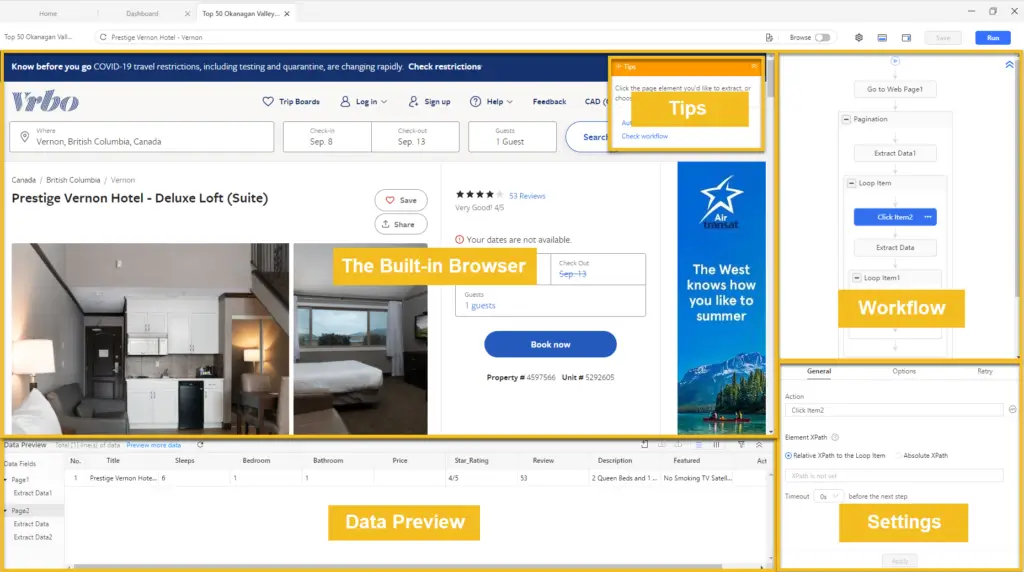
Octoparse provides more extraction control than most AI-first browser extensions. You can build workflows visually, handle pagination and dynamic content, use preset templates, clean fields, schedule tasks, and run projects in the cloud.
It is a strong option for analysts and operations teams that need repeatable extraction from complex listings, marketplaces, directories, and multi-page websites. Paid plans add cloud execution, IP rotation, API access, scheduling, residential proxies, and CAPTCHA-related capabilities.
The additional control creates a steeper learning curve. Octoparse is better suited to recurring data projects than quick one-page exports.
Pricing & Plans
A free plan supports local extraction with limitations. Standard starts at $69 per month, while Professional starts at $249 per month. The Octoparse pricing page lists current task, cloud, proxy, scheduling, and export allowances.
Pros & Cons
Pros
- Powerful visual workflow builder
- Cloud scheduling and parallel processing
- Supports complex and dynamic websites
- Extensive templates and export options
Cons
- Requires more learning than AI-first tools
- Desktop configuration can feel complex
- Advanced capabilities require paid plans
- Add-ons can increase total costs
Bardeen

Features & Benefits
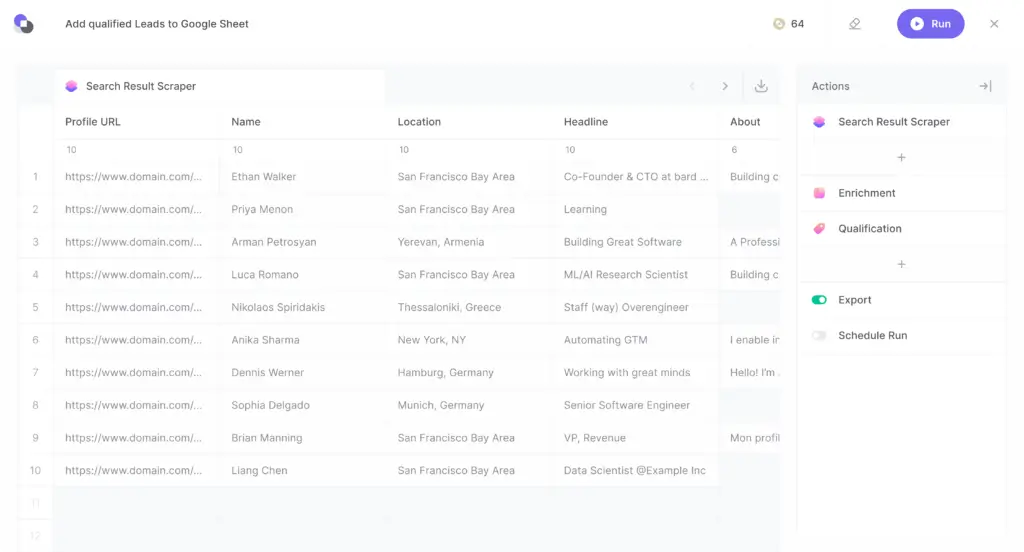
Bardeen combines web scraping with browser automation, enrichment, AI actions, and app integrations. Instead of stopping after extraction, you can create a workflow that collects information, validates or transforms it, qualifies records, and sends the output to another business system.
This approach is valuable for sales operations, recruiting, customer success, competitive research, and repetitive browser tasks. Data can be exported to Google Sheets, Airtable, Notion, or CSV, while broader integrations help connect research with CRM and workflow processes.
Bardeen is less suitable for large crawling projects than Apify or Bright Data. Its advantage is connecting smaller, targeted scraping actions with downstream work.
Pricing & Plans
Basic starts at $10 per month with 100 monthly credits. Premium starts at $50 per month with 1,000 monthly credits, or $480 annually. Scraping generally costs one credit per output row, while enrichment costs more. Review the official pricing calculator for your proposed workflow.
Pros & Cons
Pros
- Combines scraping with workflow automation
- Strong connections to business applications
- Useful AI transformation and qualification actions
- Good fit for targeted operational workflows
Cons
- Not designed for massive crawling projects
- Multi-step workflows consume credits quickly
- More focused on go-to-market operations
- Browser automations require ongoing testing
Apify

Features & Benefits
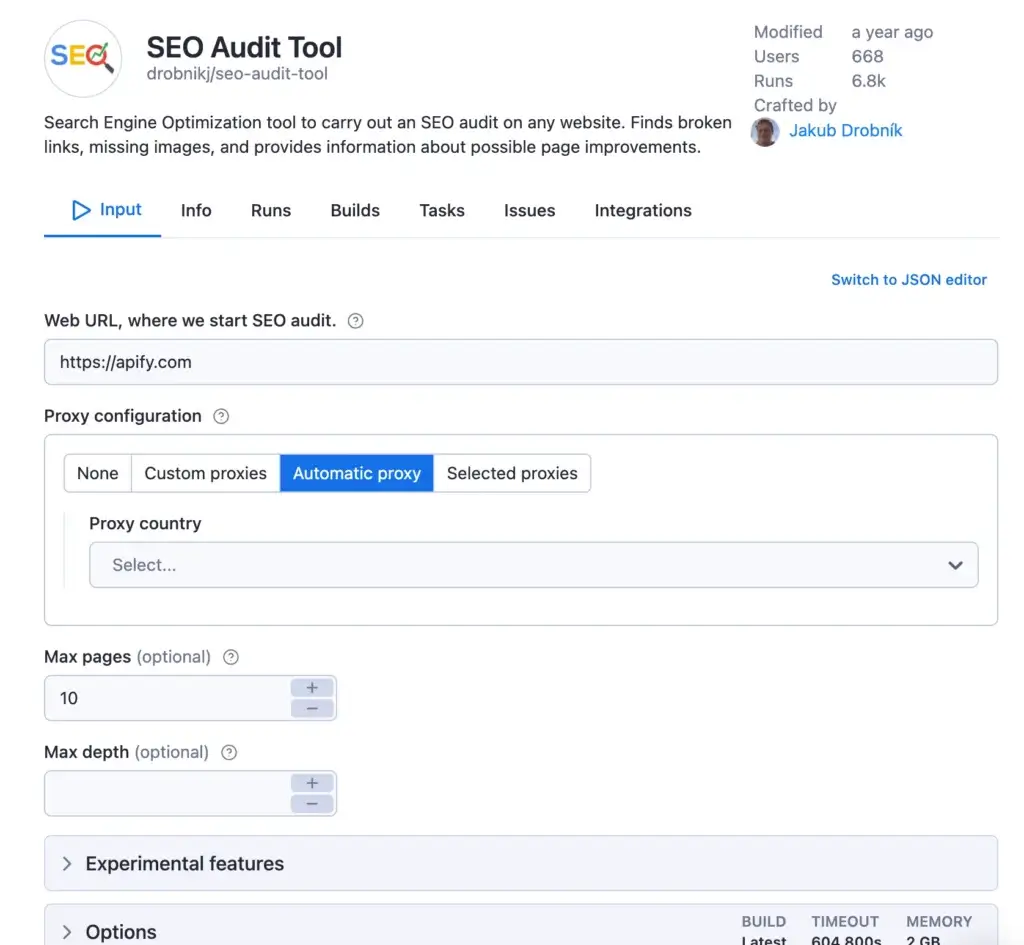
Apify is a cloud platform for running reusable web data automations called Actors. You can select a ready-made Actor from its large marketplace, customize an existing tool, or build a scraper using JavaScript, Python, TypeScript, Crawlee, APIs, and command-line tools.
Actors can run on schedules, save structured datasets, trigger webhooks, and connect with other systems. This makes Apify suitable for engineering-supported market research, price tracking, SEO monitoring, lead collection, AI data pipelines, and application integrations.
The platform is flexible, but costs depend on compute, Actor pricing, proxies, memory, and concurrency. Business users without technical support may find a no-code scraper easier to manage.
Pricing & Plans
The free plan includes $5 of monthly platform usage. Starter costs $29 per month plus usage, Scale costs $199, and Business costs $999. The Apify pricing page explains compute units, proxy costs, Actor charges, and included allowances.
Pros & Cons
Pros
- Large marketplace of ready-made Actors
- Strong scheduling, API, and webhook support
- Highly customizable for technical teams
- Suitable for production data pipelines
Cons
- Usage-based pricing requires close monitoring
- Community Actors vary in quality
- Technical knowledge improves results significantly
- Maintenance remains an internal responsibility
Bright Data
Features & Benefits
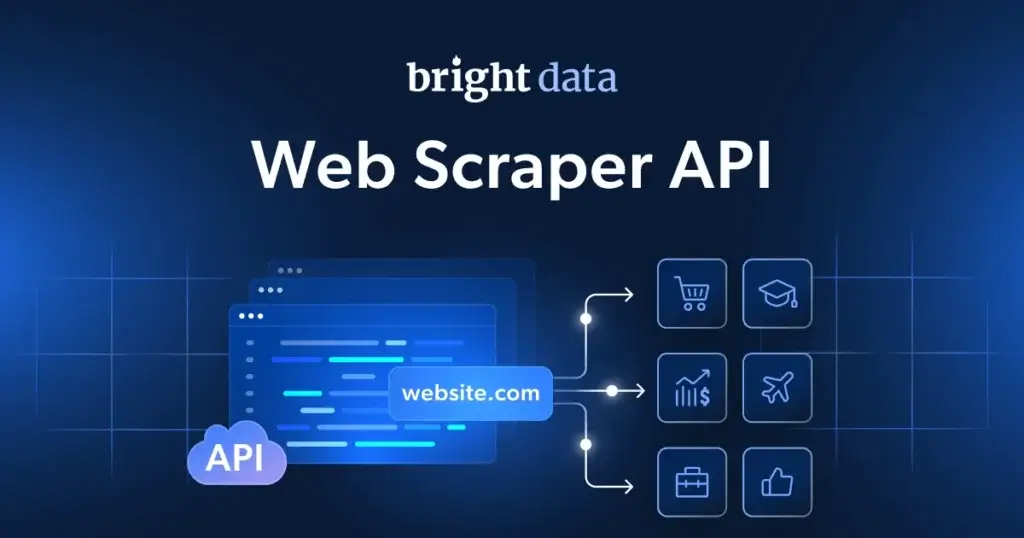
Bright Data is designed for organizations that need reliable public web data at scale. Its offering includes pre-built scrapers, Scraper Studio, browser and proxy infrastructure, unblocking services, datasets, APIs, and enterprise delivery methods.
The platform can return structured JSON or CSV without requiring your team to manage browsers, proxies, anti-bot logic, or parsers. Data can also be delivered through cloud storage, Snowflake, SFTP, and other enterprise systems.
Bright Data is usually excessive for a small team collecting a few hundred rows. It becomes more compelling when reliability, protected websites, geographic targeting, concurrency, compliance review, and service-level requirements matter.
Pricing & Plans
The Web Scraper API includes 5,000 free monthly records. Pay-as-you-go pricing begins at $1.50 per 1,000 successfully delivered records, while Scale plans begin at $499 per month. Confirm details on the official pricing page.
Pros & Cons
Pros
- Strong enterprise extraction infrastructure
- Built-in proxy and unblocking capabilities
- Flexible APIs and delivery destinations
- Dedicated compliance and support resources
Cons
- More complex than most no-code products
- Enterprise configurations can be expensive
- Multiple products complicate initial selection
- Unnecessary for lightweight scraping tasks

Features & Benefits
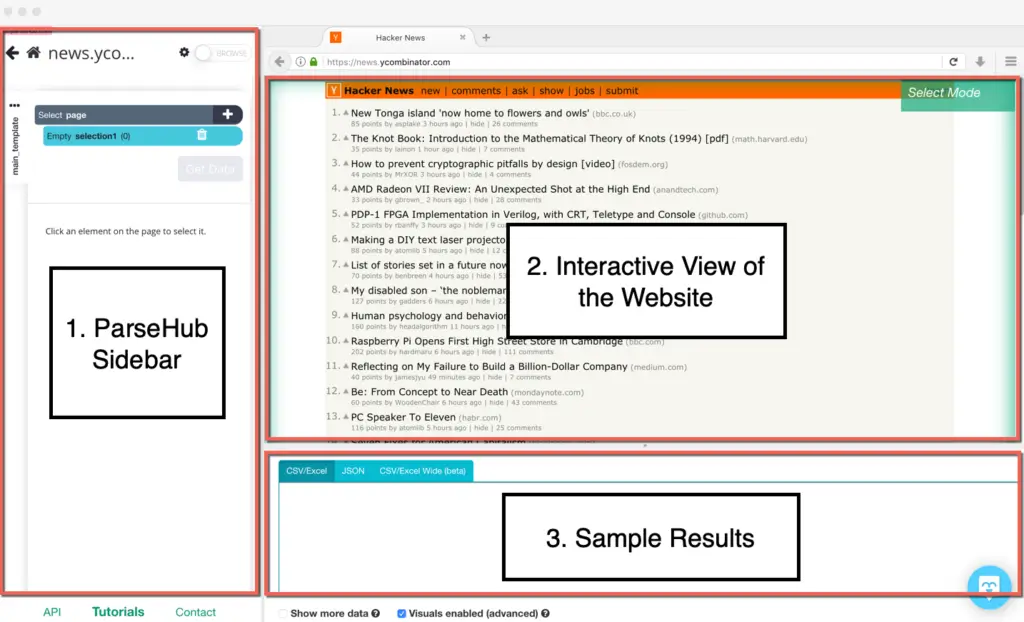
ParseHub is a desktop application for Windows, macOS, and Linux that lets you select website elements visually and turn them into structured projects. It supports JavaScript pages, pagination, conditional logic, forms, maps, infinite scrolling, and multi-level navigation.
Its visual workflow is useful when a simple AI field detector cannot express the steps required to reach the data. Paid plans add scheduling, API access, IP rotation, private projects, faster processing, and larger page limits.
ParseHub remains capable, but its interface requires more setup than newer AI-first products. Its paid tiers are also relatively expensive for small teams.
Pricing & Plans
A free plan supports limited public projects and page volumes. Paid subscriptions start at $189 per month, while Professional costs $599 per month. Review project, page, scheduling, worker, and retention limits on the ParseHub pricing page.
Pros & Cons
Pros
- Detailed visual extraction controls
- Works with many JavaScript-heavy pages
- Supports conditional and multi-step navigation
- Available across major desktop operating systems
Cons
- Higher learning curve than AI scrapers
- Paid plans are relatively expensive
- Free projects are not private
- Complex projects take time to troubleshoot
Web Scraper
Features & Benefits
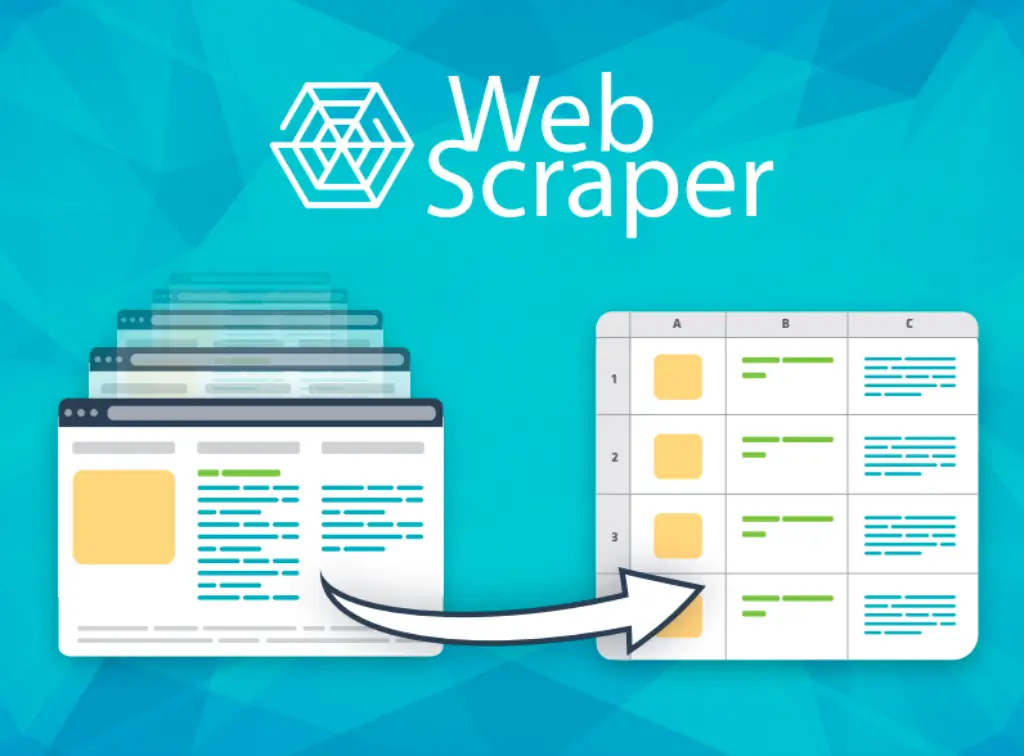
Web Scraper provides a free browser extension with a point-and-click interface for creating extraction sitemaps. It can navigate multi-level websites, execute JavaScript, wait for AJAX content, and use different selectors for text, links, images, tables, and nested pages.
The free extension is suitable for local research and occasional exports. Paid Cloud Scraper plans add proxies, scheduling, APIs, automatic exports, parser functions, alerts, data-quality monitoring, and sitemap synchronization.
The sitemap model offers useful control, but it is less intuitive than natural-language AI extraction. Teams must also understand how page credits are consumed when projects navigate through multiple URLs.
Pricing & Plans
The browser extension is free. Cloud plans begin at $50 per month for Project, $100 for Professional, and $200 for Scale. Visit the official Web Scraper pricing page for current URL credits, concurrency, API, scheduler, and retention limits.
Pros & Cons
Pros
- Free browser extension for local use
- Flexible sitemap and selector model
- Supports JavaScript and nested navigation
- Cloud upgrade adds scheduling and APIs
Cons
- Sitemap configuration takes practice
- Local projects require the browser to run
- Cloud automation starts at a higher price
- Not as fast to configure as AI-first tools
Comparing the Best Web Scrapers for Work Management
Thunderbit provides the fastest path from a page to a usable business table. Browse AI is stronger for recurring no-code monitoring, while Octoparse provides more visual control for complex websites.
Bardeen stands out when scraped information must immediately move into another workflow. Apify and Bright Data are stronger for technical or enterprise pipelines. ParseHub and Web Scraper remain useful when you want detailed visual configuration without writing a scraper from scratch.
| Tool | Best For | Setup Style | Recurring Automation | Starting Price |
| Thunderbit | Fast business data extraction | AI-assisted browser extension | Scheduled scrapers | Free use, paid from $15/month |
| Browse AI | Monitoring websites for changes | Recorded no-code robots | Strong monitoring and scheduling | Free, paid from $19/month annually |
| Octoparse | Complex no-code extraction | Visual workflow builder | Cloud scheduling and APIs | Free, paid from $69/month |
| Bardeen | Scraping into business workflows | Browser automation and AI | Workflow and app automations | Paid from $10/month |
| Apify | Developer-managed pipelines | Actors, code, APIs, templates | Schedules and webhooks | Free usage, paid from $29/month |
| Bright Data | Enterprise-scale public web data | APIs, pre-built and custom scrapers | Enterprise delivery pipelines | Free tier, pay as you go available |
| ParseHub | Detailed visual navigation | Desktop visual projects | Scheduling on paid plans | Free, paid from $189/month |
| Web Scraper | Free local and sitemap scraping | Browser extension and sitemaps | Cloud scheduler on paid plans | Free extension, cloud from $50/month |
Practical Web Scraping Workflows for Business Teams
A scraper becomes a work management tool when its output is connected to a repeatable decision or action. The following workflows illustrate how teams can move beyond downloading occasional spreadsheets.
Competitive and market monitoring
Collect product names, pricing, promotions, plan descriptions, feature updates, review scores, or availability information. Store each scheduled result with a timestamp, compare it with the previous run, and assign meaningful changes to a product, marketing, or commercial owner.
Lead and partner research
Extract public company details from directories, event pages, association listings, or approved marketplaces. Send the initial list to a review queue before using an email finder tool, enrichment service, or CRM.
For multi-source enrichment, the workflows described in the Clay review can help you understand how scraped records may be combined with additional data providers.
Supplier and procurement tracking
Monitor public catalogs, stock indicators, delivery information, certifications, pricing, and product specifications. Create an alert only when a change exceeds an agreed threshold, rather than sending every scraped row to the procurement team.
Content and SEO research
Collect article titles, publication dates, categories, headings, author information, or search-result data. Use the output to identify content gaps, outdated resources, recurring questions, and competitor publishing patterns.
Recruitment and workforce planning
Track public job listings by role, location, department, seniority, and posting date. The resulting dataset can support hiring-market research without becoming a substitute for a proper applicant tracking or recruitment system.
Project and task intake
Use an automation platform or webhook to create a task only when a scraped record meets defined conditions. For example, a new partnership opportunity may create a CRM record, while a major pricing change may generate a task for the product marketing team.
Teams building broader prospecting processes can also compare the platforms in the best lead generation tools guide or review how automation fits into an AI-powered CRM strategy.
How to Choose the Right Web Scraping Platform
Start with the recurring decision
Do not begin by asking how many pages a platform can scrape. Begin with the decision the data should support. A supplier availability alert, weekly competitor report, lead-research queue, and application data feed require different levels of accuracy, speed, and technical control.
Map the complete data route
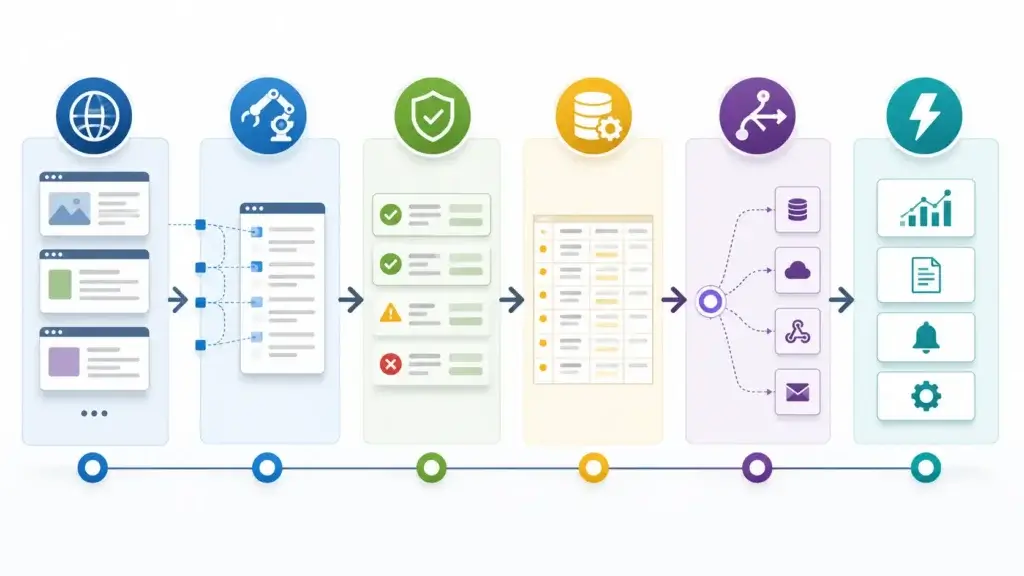
Define the source, required fields, extraction frequency, transformation rules, destination, owner, and follow-up action. This reveals whether you need a simple browser extension, a scheduled no-code robot, an automation platform, or a developer-managed API.
Run a representative test
Test two or three platforms against the same websites. Include pagination, detail pages, missing values, dynamic content, and at least one scheduled rerun. Compare setup time, extraction accuracy, failure handling, and the amount of cleanup required.
Calculate cost per usable outcome
A low subscription price does not guarantee a low operating cost. Calculate the total cost of extracting, cleaning, reviewing, and delivering the records your team can actually use.
Include rows or page credits, proxy costs, AI actions, compute usage, team seats, failed runs, and staff maintenance time. The right metric may be cost per monitored website, qualified company, validated product, or completed weekly report.
Assign ownership before scaling
A recurring scraper is an operational system. Assign someone to review failures, approve field changes, monitor usage, validate quality, and communicate when the source website changes.
How to Scrape Websites Responsibly
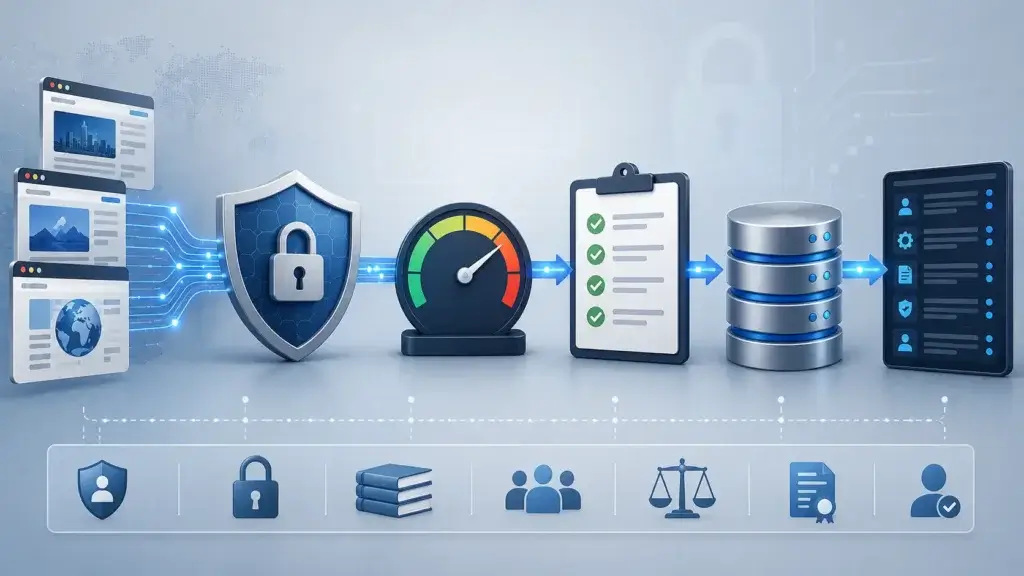
Web scraping is a method of data collection, not an exemption from legal, contractual, privacy, or ethical responsibilities. Requirements differ by website, data type, location, intended use, and relationship between the collector and the source.
- Review the website’s terms, access rules, and published policies
- Collect only the fields required for a legitimate business purpose
- Avoid restricted, private, authenticated, or paywalled information
- Use reasonable request rates and avoid disrupting the website
- Apply privacy, retention, security, and deletion controls
- Maintain a record of approved sources and data owners
Bright Data provides an ethical web scraping checklist covering data minimization, privacy, rate limits, transparency, and governance. Bardeen also advises users to respect terms of service, limit request volumes, and consider data privacy.
For sensitive, regulated, or high-volume projects, obtain qualified legal and privacy guidance before launch.
Conclusion
The best web scrapers for work management are the platforms that connect external information with a controlled business process. Extraction speed matters, but maintainability, scheduling, ownership, integrations, and data quality usually have a greater effect on long-term value.
Thunderbit is the strongest overall choice for business teams that want fast AI-assisted extraction and direct exports to familiar work tools. Browse AI is better for recurring no-code monitoring, while Octoparse provides more control for complex visual workflows.
Bardeen is the better option when scraping is one step inside a broader browser and app automation. Apify is more suitable for developer-managed pipelines, and Bright Data is designed for enterprise-scale infrastructure. ParseHub and Web Scraper remain capable visual tools for teams prepared to configure their extraction logic manually.
Before purchasing a plan, run a representative test using your actual sources and downstream workflow. The best platform is the one that consistently produces useful, governed data without creating a new maintenance burden for your team.
Frequently Asked Questions
What is a web scraper?
A web scraper is software that visits web pages, identifies selected information, and converts it into structured data such as rows, records, JSON, or spreadsheet columns. Scrapers can run manually, on a schedule, through an API, or as part of an automated workflow.
What is the best web scraper for work management?
Thunderbit is the best overall option for many business teams because it combines AI-assisted field detection, pagination, subpage extraction, scheduling, and direct exports to Google Sheets, Airtable, Notion, and Excel.
What is the best no-code web scraper?
Browse AI is a strong no-code choice for recurring website monitoring, while Octoparse is better when you need more control over complex navigation, dynamic pages, cloud execution, and data extraction workflows.
Can a web scraper create tasks automatically?
Yes. A scraper can send data through an integration, API, webhook, or automation platform. You can then create a task, update a database, send an alert, or trigger an approval when a record meets predefined conditions.
What is the difference between web scraping and using an API?
An API provides structured access intentionally offered by the data provider. Web scraping extracts information from website pages. APIs are generally more stable, while scraping is useful when a suitable API does not exist or does not expose the required public information.
Is web scraping legal?
Web scraping can be lawful, but the answer depends on the website, data, jurisdiction, access method, terms, privacy obligations, and intended use. Review applicable requirements and obtain legal guidance for sensitive or high-volume projects.
Can web scrapers extract data from dynamic websites?
Many modern scrapers can render JavaScript, wait for dynamic content, click buttons, handle pagination, scroll pages, and follow linked detail pages. Performance still varies by website, so you should test the target source before purchasing.
How often should a web scraper run?
The schedule should match how quickly the source changes and how urgently your team needs the information. Supplier availability may require frequent checks, while competitor research or job-market analysis may only need weekly updates.
How should you compare web scraper pricing?
Compare the cost per usable outcome, not only the subscription price. Include page or row credits, browser sessions, proxies, compute usage, AI actions, team seats, failed runs, cleanup time, and maintenance requirements.
What business data can you collect with a web scraper?
Teams commonly collect public pricing, product details, availability, job listings, company information, directory entries, reviews, content metadata, supplier data, market signals, and competitor updates, subject to applicable rules and permissions.