Introduction
A project retrospective only works when your team can do three things well: capture honest feedback, turn ideas into clear actions, and follow up before the next project or sprint starts. That is why the software you use matters more than many teams expect.
The best tools for running a project retrospective do more than give you a blank page. They help you collect input in real time, support async participation, organize ideas, assign next steps, and keep decisions connected to the work itself. If your retrospective tool stops at brainstorming, you may end up with a good conversation and weak follow-through.
In this guide, you will find four of the best tools for running a project retrospective: monday.com, ClickUp, Miro, and Notion. Each one can support retrospectives, but they do it in very different ways. Some are stronger for facilitation and workshop energy, while others are better for documentation, recurring processes, and turning lessons learned into action items.
For most teams, monday.com is the strongest overall choice because it balances structure, collaboration, and execution especially well. It gives you templates, boards, docs, automations, and dashboards in one system, so your retrospective does not live in isolation from the work that follows. Still, the best fit depends on your team’s workflow, meeting style, and level of process maturity.
Top 4 best project retrospective tools
The right platform depends on how you run retrospectives today and where your biggest friction sits. Some teams need a visual whiteboard. Others need better documentation, stronger accountability, or an easier way to track improvement actions over time.
monday.com

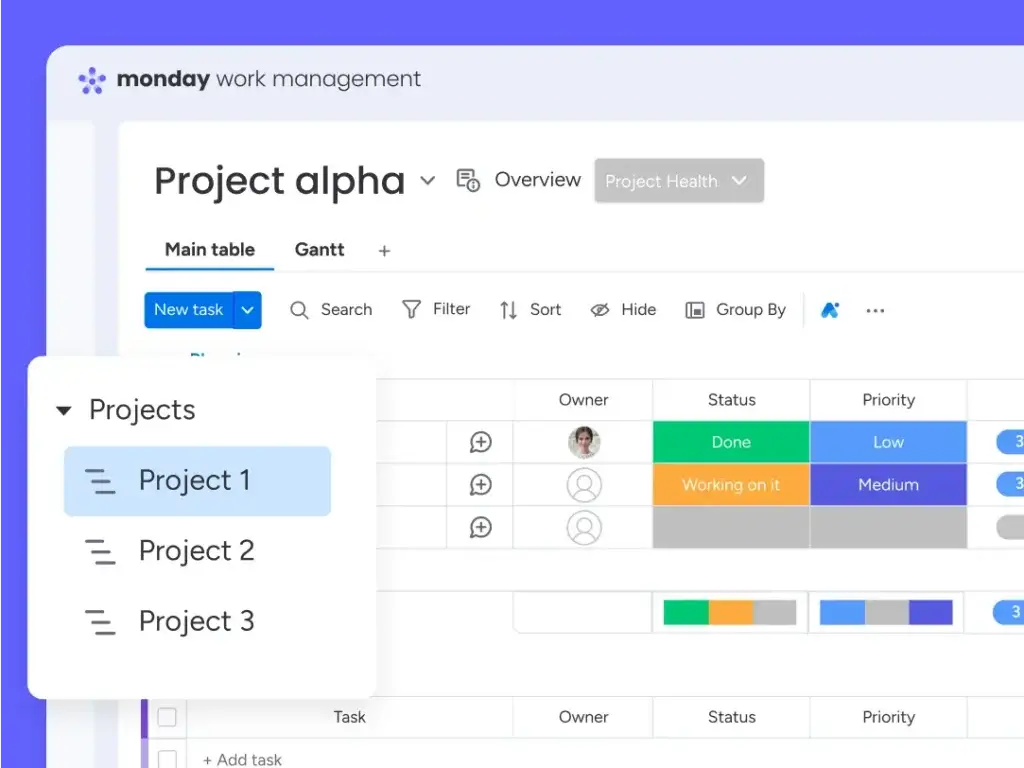
monday.com is the best tool for teams that want retrospectives to be repeatable, collaborative, and action-oriented. Instead of treating a retrospective as a one-time discussion, monday.com makes it easier to build a recurring workflow around reflection, prioritization, ownership, and improvement tracking.
Its biggest advantage is that it combines multiple layers of retrospective work in one place. You can collect feedback on a board, add context inside Workdocs, vote on themes, assign owners to improvement items, and then connect those items directly to future project work. That makes it especially useful for operations teams, product teams, marketing teams, and cross-functional groups that need more than sticky notes.
For teams that already work in monday.com, the case is even stronger. Retrospective feedback does not need to be copied into another system after the meeting. The decisions can immediately become tasks, status items, or tracked initiatives inside the same workspace.
Top Benefits & Features:
- Retrospective-ready templates for sprint and project review workflows.
- Workdocs and boards together for notes, discussion, and action planning.
- Automations for reminders, ownership, and follow-up tasks.
- Dashboards to track recurring issues and improvement progress.
- Flexible views including Kanban, timeline, and workload style organization.
- Strong integration ecosystem for connecting retrospectives with the rest of your stack.
Why Choose monday.com for retrospectives?
monday.com is the best fit when you want a retrospective process that feels structured without becoming rigid. You can create a standard board for every sprint or project, keep columns for wins, blockers, ideas, and action items, and then automate the repetitive steps that usually slow teams down. For example, once a retro action item is marked approved, you can route it to the right owner or workflow without manual cleanup.
It is also the strongest option here for teams that care about follow-through. That is the part many retrospective tools underdeliver on. monday.com makes it easier to keep action items visible after the meeting, which is one of the biggest differences between a useful retrospective and a symbolic one.
Another major plus is usability. You get enough structure for managers and process owners, but the interface is still accessible for broader teams. In practice, that matters because a retrospective tool only works when people actually participate.
Considerations:
- It can take some setup time to design the ideal recurring retrospective workflow.
- Teams looking for a pure whiteboard-first experience may prefer Miro for facilitation alone.
ClickUp

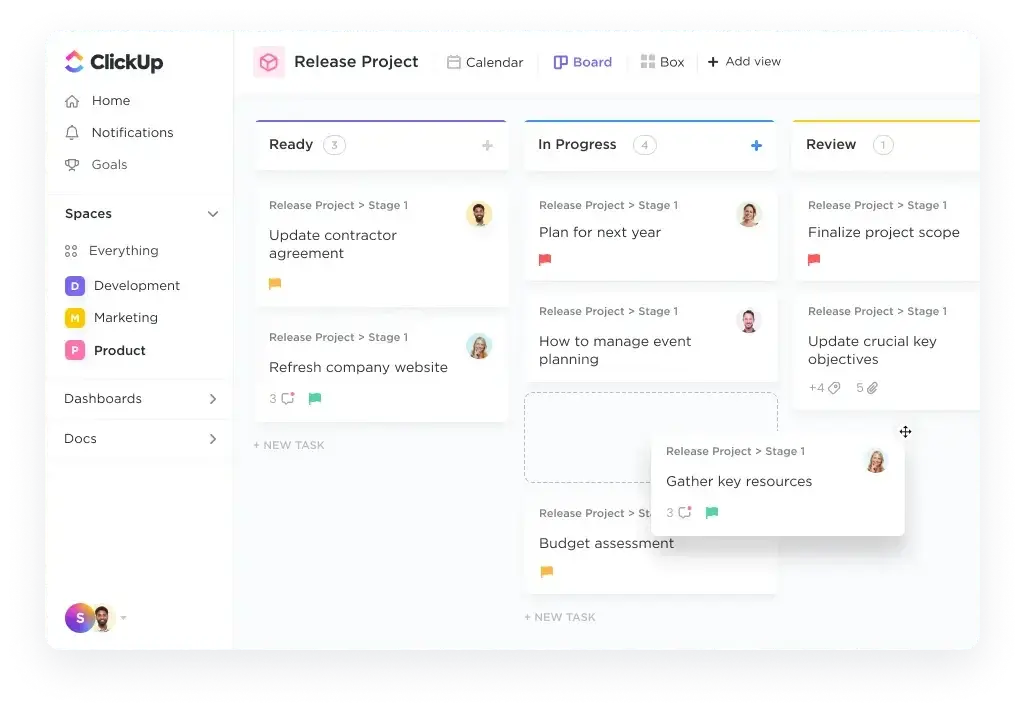
ClickUp is a strong choice for teams that want to run retrospectives inside a broader all-in-one work management system. It combines tasks, docs, whiteboards, chat, goals, and templates, which gives teams a lot of flexibility in how they run review sessions and what they do with the outcome.
Its strength is depth. If your team likes to brainstorm visually but also wants detailed documentation and task-level follow-up, ClickUp can cover both. You can use a whiteboard for live collaboration, move insights into a doc, and then convert ideas into tracked tasks with owners and due dates. That gives it real value for Agile teams, PMOs, and teams that run recurring sprint retrospectives.
ClickUp also works well for teams that want to standardize a retrospective process across departments without forcing everyone into the exact same meeting format. You can build templates for project retros, sprint retros, 4Ls, start-stop-continue, or other formats and keep them in the same workspace.
Top Benefits & Features:
- Retrospective templates for docs and whiteboard-style workflows.
- Whiteboards connected to tasks and docs for easy transition from ideas to action.
- Docs for agendas, notes, and lessons learned.
- Task conversion to turn discussion points into accountable work items.
- Custom views and hierarchy for teams with complex project structures.
- Broad feature set for teams that want one platform for work and reflection.
Why Choose ClickUp for retrospectives?
ClickUp makes sense when your team wants retrospectives to live close to everyday execution. That is especially useful for software, product, operations, and agency teams that already manage work there. Instead of reviewing one tool and acting in another, you can keep everything in a shared system.
I would rate ClickUp especially highly for teams that want customization and depth. It can handle simple retrospectives well, but it becomes more valuable as your process gets more detailed. You can store recurring templates, create custom statuses for retro action items, and build a broader improvement loop around sprint planning and delivery.
That said, ClickUp is not always the easiest option for smaller teams that just want something simple and fast. It is powerful, but that power can feel heavy if your only need is a lightweight retrospective board.
Considerations:
- The platform can feel crowded for teams that prefer a more streamlined interface.
- Some teams will need onboarding before they use its full retrospective workflow well.
Miro
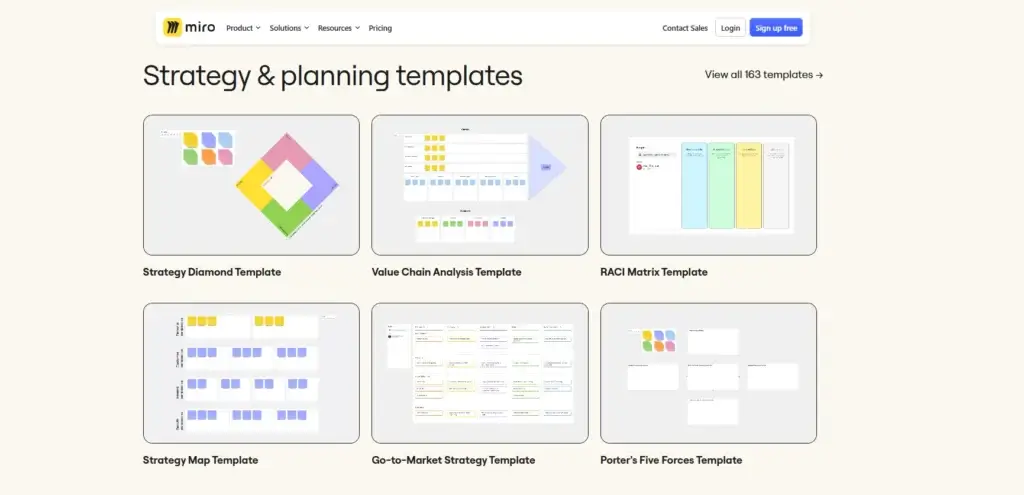
Miro is the best tool on this list for the live retrospective experience itself. If your priority is running an engaging, visual, workshop-style session, Miro is hard to beat. Its template library, sticky-note workflow, clustering, timer, voting, and presentation features make it extremely effective for group reflection.
This is the platform I would choose first for distributed teams that want a strong facilitation environment. Miro is built for collaborative thinking. That makes it excellent for retrospectives where participation, visual sorting, and fast consensus matter more than deep project management structure.
It is also one of the easiest tools for switching between retrospective formats. You can run start-stop-continue, mad-sad-glad, 4Ls, sailboat, or a custom board without much effort. For teams that like to keep retrospectives fresh, that matters.
Top Benefits & Features:
- Large retrospective template library with many formats and workshop styles.
- Sticky-note collaboration that feels natural for group ideation.
- Voting to prioritize ideas quickly and transparently.
- Timer to keep sessions focused and timeboxed.
- Presentation mode for smoother facilitation.
- Visual clustering and board organization for synthesizing feedback fast.
Why Choose Miro for retrospectives?
Miro shines when the main challenge is getting people to contribute. Some tools are better for documentation, but Miro is better for energy, interaction, and visual flow. It creates a workshop environment that helps teams think together instead of just filling out a form.
It is especially effective for product, design, Agile, and innovation teams that already use visual collaboration heavily. Facilitators can guide the session, group patterns, run dot voting, and keep the meeting moving without leaving the board.
The tradeoff is that Miro is not as strong as monday.com or ClickUp when it comes to turning retrospective outcomes into an ongoing operational process. You can absolutely document next steps in Miro, but if your team struggles more with execution than participation, you may want a tool with stronger workflow management behind it.
Considerations:
- Miro is excellent for facilitation, but weaker for long-term action tracking on its own.
- Teams may need another tool to manage improvement work after the meeting ends.
Notion
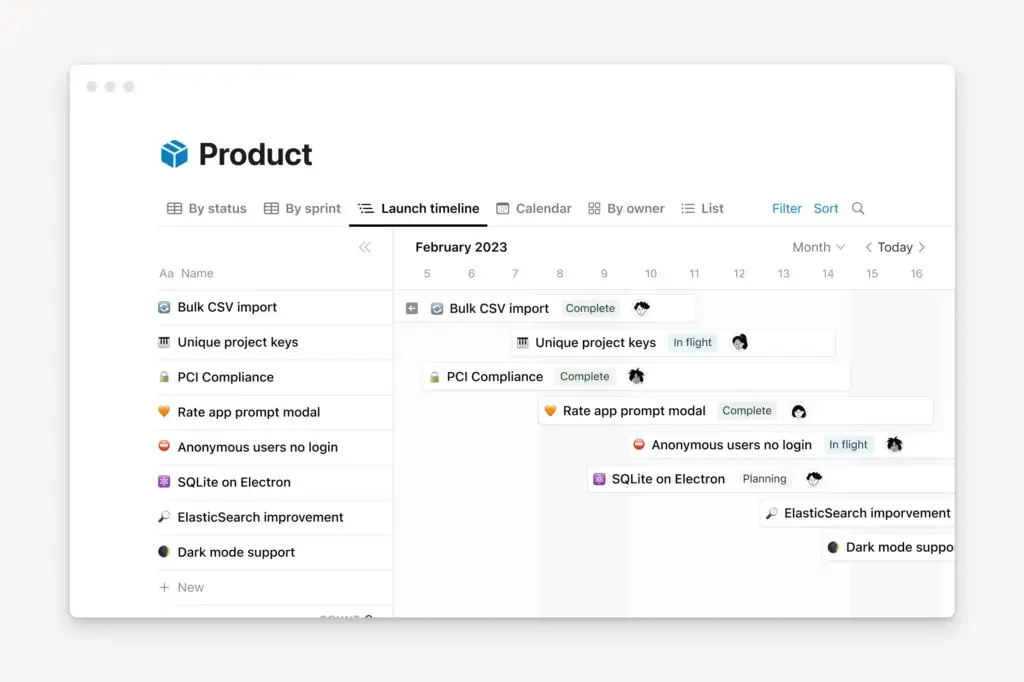
Notion is the best choice for teams that approach retrospectives as part of a broader documentation and knowledge management process. It is less workshop-driven than Miro and less workflow-driven than monday.com, but it is excellent for organizing notes, themes, decisions, and lessons learned over time.
That makes it a very good fit for editorial teams, startup teams, product teams, and smaller cross-functional teams that want a clean, flexible space for structured reflection. You can build retro templates, keep databases of recurring issues, link meeting notes to projects, and maintain a searchable record of improvements across quarters or launches.
Notion is also useful for async retrospectives. Team members can add reflections before or after a meeting, comment on themes, and update a shared page without needing to participate in a live workshop environment.
Top Benefits & Features:
- Retrospective templates for repeatable review formats.
- Docs and databases to store lessons learned in a structured way.
- Connected projects and tasks beside notes and meeting records.
- Comments and mentions for collaborative review and follow-up.
- Strong async workflow potential for distributed teams.
- AI meeting notes capabilities for teams that want extra documentation support.
Why Choose Notion for retrospectives?
Notion is ideal when your team values clarity, written thinking, and long-term knowledge capture. It is a very good retrospective tool when the objective is not just to talk about what happened, but to create a reusable record of what the team learned and how those lessons connect to future planning.
I would recommend it most for teams that are already document-heavy. If your team naturally works in pages, databases, linked references, and written summaries, Notion feels intuitive. It also works well for leaders who want to spot patterns across retrospectives instead of looking at isolated meeting notes.
Where Notion is weaker is live facilitation. It can support discussion well, but it does not deliver the same visual energy as Miro or the same built-in action workflow strength as monday.com.
Considerations:
- Notion is better for documenting and organizing retrospectives than energizing live sessions.
- Teams wanting more visual facilitation or automation may outgrow it for this use case.
Which project retrospective tool is best for your team?
All four tools can support retrospectives well, but they solve different problems. The easiest way to choose is to ask what usually breaks down in your current process.
| Need | Best Tool | Why |
| Best overall retrospective workflow | monday.com | Combines templates, collaboration, action tracking, and follow-through in one system |
| Deep connection to tasks and execution | ClickUp | Strong mix of docs, whiteboards, tasks, and customizable workflows |
| Most engaging live retrospective session | Miro | Excellent for visual facilitation, voting, timeboxing, and workshop flow |
| Best for documentation and lessons learned | Notion | Great for structured notes, connected databases, and async collaboration |
| Best for async retrospectives | Notion | Easy to gather written input before and after meetings |
| Best for recurring improvement tracking | monday.com | Keeps retro actions visible and connected to future work |
Choose monday.com if you want the most balanced option. It is the best fit for teams that need a clear process before, during, and after the retrospective.
Choose ClickUp if your team already manages work there and wants a highly flexible retro setup tied tightly to tasks, docs, and broader project execution.
Choose Miro if the quality of the live session is your top priority. It is the strongest tool here for facilitation and engagement.
Choose Notion if retrospectives are more about reflection, documentation, and knowledge building than workshop-style collaboration.
Conclusion
The best tools for running a project retrospective are the ones that help your team move from reflection to improvement. That sounds obvious, but many teams still use tools that are good for talking and weak for acting.
For most teams, monday.com is the strongest option because it supports the full retrospective cycle. You can gather input, organize themes, assign action items, and track what actually changed afterward. That makes it the most practical choice for teams that want retrospectives to create visible progress, not just conversation.
ClickUp is a close alternative for teams that want more customization and a deeper connection between retrospective insights and task execution. Miro is the top option for highly visual sessions and facilitator-led workshops. Notion is best when your retrospective process is documentation-first and built around shared knowledge.
If your current retrospectives feel repetitive, vague, or disconnected from real improvement, changing the software can make a bigger difference than changing the questions. The right platform helps your team speak honestly, identify patterns, and most importantly, do something useful with what they learned.
FAQs
What is the best tool for running a project retrospective?
For most teams, monday.com is the best tool for running a project retrospective because it combines collaboration, templates, documentation, and follow-up tracking in one place. It is especially strong when you want retrospective action items to turn into real work instead of getting lost after the meeting.
Which retrospective tool is best for Agile teams?
Miro and ClickUp are both strong for Agile teams. Miro is better for highly interactive sprint retrospectives, while ClickUp is better when you want your retro outcomes connected directly to sprint tasks, docs, and ongoing execution.
Is Miro good for project retrospectives?
Yes, Miro is excellent for project retrospectives, especially when you want a visual and engaging workshop experience. It is one of the best tools for brainstorming, clustering feedback, voting on priorities, and facilitating team discussion in real time.
Is Notion good for project retrospectives?
Yes, Notion is a good fit for project retrospectives when your team prefers written reflection, structured notes, and long-term knowledge capture. It works especially well for async retrospectives and teams that want searchable documentation over time.
Can monday.com be used for sprint retrospectives?
Yes, monday.com can be used for sprint retrospectives as well as broader project retrospectives. It works well for teams that want a repeatable process with boards, docs, ownership, and improvement tracking built into the same platform.
What should a project retrospective tool include?
A strong project retrospective tool should support feedback collection, collaboration, prioritization, action item ownership, and follow-up tracking. Templates, commenting, documentation, and integrations are also useful, especially for recurring team reviews.
Which tool is best for async retrospectives?
Notion is one of the best tools for async retrospectives because it makes it easy for team members to add thoughts before or after a meeting, comment on key issues, and maintain a structured record of lessons learned.
Which tool is best for turning retrospective ideas into tasks?
monday.com and ClickUp are the strongest options for this. Both tools make it easier to move from discussion into execution, but monday.com has the slight edge for teams that want a simpler, more structured improvement workflow.
Are retrospective templates worth using?
Yes, retrospective templates save time and improve consistency. They help teams avoid starting from scratch, keep meetings focused, and create a repeatable structure that makes it easier to compare insights across projects or sprints.
What is the difference between a retrospective tool and a whiteboard tool?
A whiteboard tool mainly helps teams brainstorm and collaborate visually during the session. A retrospective tool may include whiteboarding, but it also helps document lessons, assign next steps, and track improvements after the meeting. That is why some teams use Miro for facilitation and a work management platform for follow-through.