
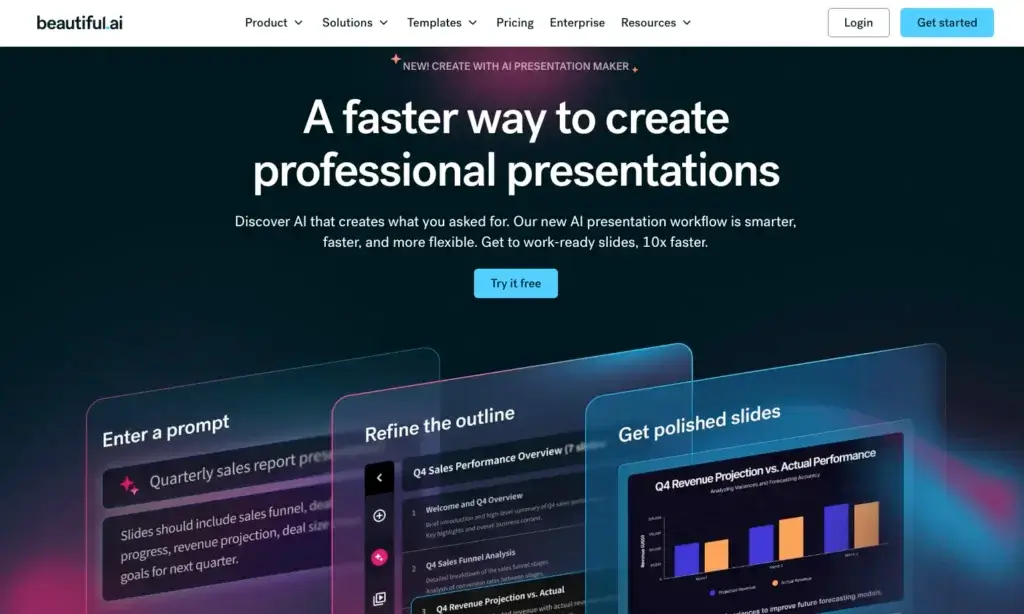
Beautiful.ai approaches that problem differently. Instead of asking users to design each slide from scratch, it uses smart templates, AI-assisted generation, and automated formatting to help presentations look polished with far less manual work.
What makes Beautiful.ai stand out is its focus on structured, brand-friendly presentation building. The platform is built around Smart Slides that automatically adapt as content changes, which makes it especially useful for business decks, sales presentations, marketing reports, investor updates, training materials, and other work where clarity and consistency matter more than highly custom visual experimentation.
In this review, you will get a full overview of Beautiful.ai’s core features, pricing, strengths and weaknesses, ideal use cases, and how it compares to other presentation tools. You will also see where Beautiful.ai performs especially well, and where tools like PowerPoint, Canva, or Gamma may still be the better fit depending on your workflow.
Software Specification
Beautiful.ai’s Core Features
AI-generated presentations with business-focused structure
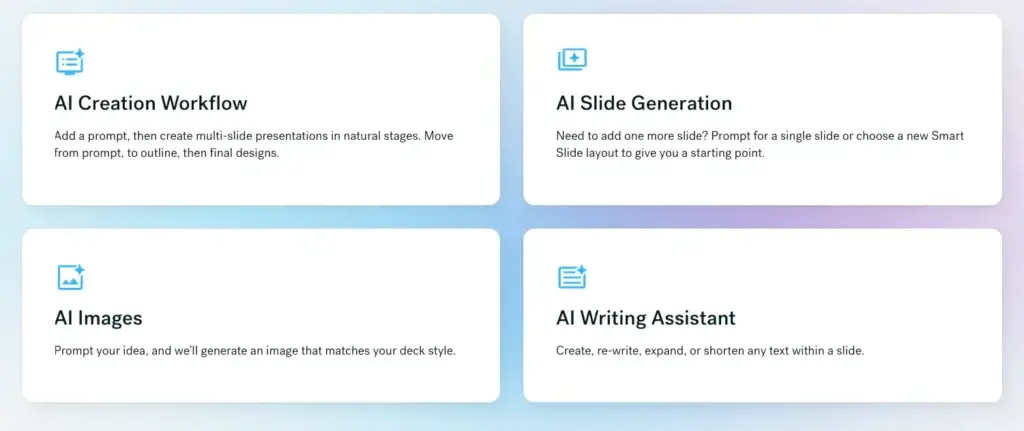
Beautiful.ai includes AI-powered presentation generation designed to help users move from idea to deck much faster. You can generate content, build slides from prompts, and add extra context from files or links, which makes the platform more practical than a simple template library. For business users who need first drafts quickly, this is one of Beautiful.ai’s strongest advantages.
Smart Slides that auto-format as you work
The defining feature of Beautiful.ai is its Smart Slides system. Instead of placing every object manually, users work inside intelligent slide layouts that automatically realign, resize, and format content as it is added or edited. This saves a significant amount of time and helps presentations stay visually consistent without requiring design expertise.
Strong branding and theme controls
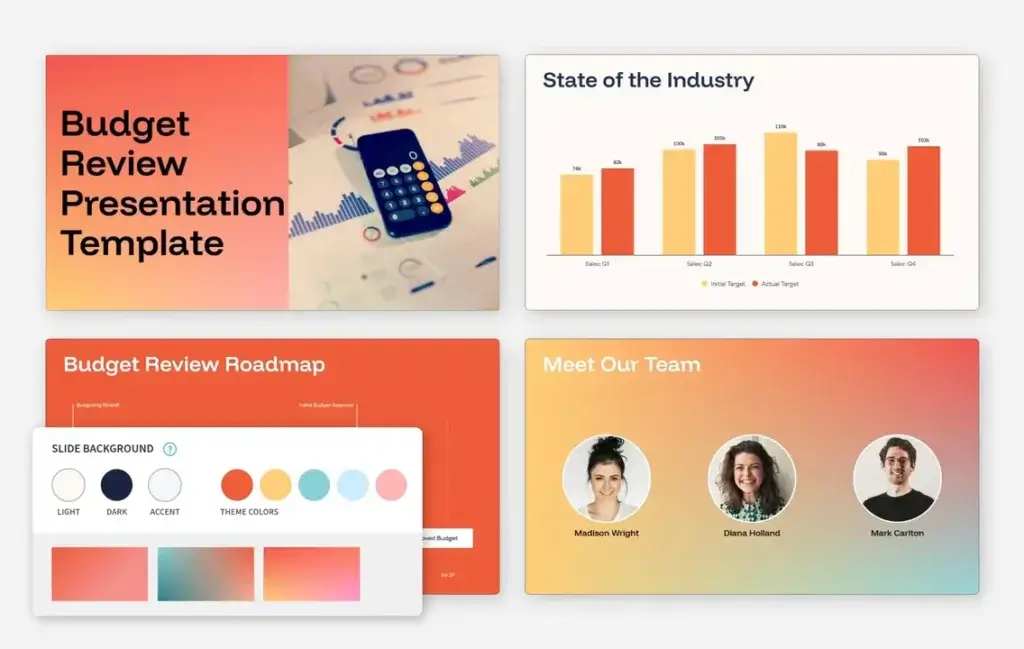
Beautiful.ai is particularly strong when brand consistency matters. The platform lets users define colors, fonts, logos, icons, and footers through custom themes, then apply those settings across decks. For teams, this becomes even more valuable because it helps keep presentations on-brand without constant manual review.
Live collaboration and shared team assets
Beautiful.ai supports real-time collaborative editing and gives teams access to centralized slide libraries, shared templates, shared assets, and workspace controls. Higher-tier plans also include locked slides, version control, and permission settings. This makes the product more useful for organizations that need repeatable, approved presentation workflows rather than one-off slide creation.
Viewer analytics and engagement tracking
One of Beautiful.ai’s more practical business features is presentation analytics. Users can track deck views, slide-level engagement, and related activity, which is especially useful for sales teams, consultants, and marketers sharing decks externally. In real business use, this can make Beautiful.ai feel more like a presentation enablement tool than just a design platform.
PowerPoint import, export, and add-in support
Beautiful.ai works well alongside PowerPoint rather than pretending PowerPoint no longer exists. It supports PowerPoint import and export, and it also offers a PowerPoint add-in for users who still need to work inside Microsoft’s ecosystem. That makes it more flexible than some newer AI presentation tools that are much more closed off once a deck leaves their native environment.
Data visualization and media support
The platform includes dynamic data visualizations, chart tools, embedded media support, slide transitions, and access to image and icon libraries. These features help Beautiful.ai cover the core needs of modern business presentations without making users hunt for too many outside design tools just to complete a deck.
Classic Slides for users who want more freedom
Although Beautiful.ai is best known for automation and design guardrails, it also offers Classic Slides for users who want more creative freedom. This is an important detail because it gives users some room to move beyond rigid smart layouts when needed, even if the platform is still clearly optimized for structured presentation design rather than full freeform creativity.
Pros and Cons
Advantages and Disadvantages
Positive
✅ Excellent automatic slide formatting
✅ Strong brand consistency tools
✅ Great for teams and business decks
✅ PowerPoint-friendly workflow options
Negative
❌ Less freeform than Canva or PowerPoint
❌ Team pricing can get expensive
❌ Best features sit behind paid plans
❌ Not ideal for highly custom storytelling decks
Pros
✅ Excellent automatic slide formatting
Beautiful.ai’s biggest strength is how much design work it removes. Smart Slides automatically align and adapt content as you edit, which helps users create polished decks much faster than in traditional slide editors. For professionals who build presentations regularly, this can save a serious amount of time.
✅ Strong brand consistency tools
The platform is one of the better options in this category for teams that need on-brand presentations at scale. Custom themes, shared assets, locked styles, and reusable slide libraries make it easier to keep every deck visually aligned without requiring every team member to be a designer.
✅ Great for teams and business decks
Beautiful.ai feels especially well suited to business use. Its collaboration tools, workspace controls, analytics, and template-driven structure make it a strong fit for sales, marketing, consulting, enablement, and internal communications. It is much more business-oriented than many visually flashy AI presentation tools.
✅ PowerPoint-friendly workflow options
Beautiful.ai does not force users to abandon PowerPoint workflows completely. Import, export, and PowerPoint add-in support make it easier to work across teams that still rely on Microsoft’s ecosystem. That gives the product a practical advantage for companies that want automation without fully changing how presentations are shared.
Cons
❌ Less freeform than Canva or PowerPoint
Beautiful.ai is strongest when users accept its design logic. If you want full manual control over object placement, highly unconventional layouts, or artistic experimentation, the platform can feel restrictive. It is built for speed and consistency more than creative freedom.
❌ Team pricing can get expensive
For solo users, the Pro plan is fairly accessible, but team pricing rises quickly once multiple users are involved. For smaller companies that only build presentations occasionally, the cost may feel harder to justify compared with more general-purpose design tools.
❌ Best features sit behind paid plans
Beautiful.ai’s most compelling capabilities, including custom branding, analytics, advanced collaboration, and broader business workflows, are tied to paid plans. That means the real value of the platform becomes much clearer only once you move beyond basic trial-level use.
❌ Not ideal for highly custom storytelling decks
Beautiful.ai is excellent for structured business presentations, but it is less distinctive when the goal is visual storytelling with unusual pacing, movement, or narrative style. In those cases, Prezi or a highly customized PowerPoint deck may still be the better route.
User Experience
Fast, Structured, and Built for Business
Beautiful.ai delivers one of the more business-focused user experiences in the presentation software market. The interface is clean and approachable, but the real value comes from how the product guides users toward polished output without requiring them to think like professional slide designers.
Smart Slide workflow
The user experience is centered around Smart Slides, and that changes how the product feels compared with PowerPoint or Google Slides. Instead of managing every visual detail, users choose a slide type, add content, and let the platform handle much of the formatting. This makes presentation building feel more structured, faster, and less error-prone.
AI assistance that supports, rather than replaces, the workflow
Beautiful.ai’s AI features feel most useful when they accelerate existing presentation work rather than trying to generate everything blindly. AI content generation, AI writing assistance, AI image creation, and language translation all help reduce friction, but the core value still comes from the platform’s strong slide framework and business usability.
Editing and refinement
Editing is generally smooth, especially for users who prioritize message clarity over total visual control. You can update content, switch themes, reuse templates, manage brand styling, and refine deck structure quickly. Users who like strong design guardrails will likely find this very efficient, while more design-heavy users may sometimes find it limiting.
Collaboration and governance
For teams, Beautiful.ai offers a more mature collaboration experience than many AI-first presentation tools. Real-time editing, shared libraries, locked slides, version control, and permissions all help teams produce repeatable content more reliably. This is one of the areas where Beautiful.ai feels particularly strong for company-wide use.
Presentation delivery
Beautiful.ai is effective both for deck creation and for the business workflow around deck sharing. Viewer analytics, engagement tracking, and secure sharing controls make it useful for customer-facing presentations, sales follow-up, and executive reporting. In practice, that gives it more business value than a tool that only helps you build attractive slides.
Best Use Cases
Who Should Use Beautiful.ai
Beautiful.ai is not the perfect fit for every type of presentation creator, but it is one of the strongest options for users who need consistent, professional business decks without spending unnecessary time on design.
Sales and marketing teams
Beautiful.ai is a particularly strong fit for sales and marketing teams that create proposals, pitch decks, reports, client presentations, battlecards, and internal updates. The combination of brand controls, analytics, and reusable templates makes it highly practical in these workflows.
Consultants and agencies
Consultants and agencies often need presentations that look polished, branded, and client-ready under tight deadlines. Beautiful.ai is very effective here because it speeds up production while keeping visual standards high. For client-facing work, that balance is a major advantage.
Small and mid-sized businesses
Smaller businesses that want a more professional visual identity without hiring dedicated design support can get a lot of value from Beautiful.ai. It helps companies look more consistent and established, especially when multiple people are creating decks across the business.
Non-designers who still need strong output
Beautiful.ai is ideal for users who care about presentation quality but do not want to master slide design. If you regularly present to stakeholders, prospects, customers, or leadership and need something that looks polished quickly, the tool is very appealing.
Teams that need presentation governance
If your organization wants presentation templates, approved slides, shared assets, locked branding, and permission-based collaboration, Beautiful.ai is one of the better solutions in this category. It is more structured and governance-friendly than many AI presentation platforms aimed mostly at solo creators.
Compare with Others
Alternatives to Beautiful.ai
Beautiful.ai is one of the strongest options for structured, on-brand business presentations, but it is not the only compelling tool in this category. The better choice depends on whether you care most about brand consistency, live presentation impact, collaborative deck building, or fast AI-powered content generation. Gamma emphasizes web-native, AI-first creation and link sharing, Prezi focuses on visual storytelling through its zoomable presentation format, and Pitch is built around collaborative slide workflows for modern teams.
| Feature Type | Beautiful.ai | Gamma | Prezi | Pitch |
| Best for | Structured, on-brand business presentations | Fast AI-generated decks and async sharing | Dynamic storytelling and more engaging live presentations | Collaborative team deck creation and polished slide workflows |
| Core format | Smart Slides with auto-formatting layouts | Card-based, web-native presentations | Zoomable canvas presentation format | Traditional slide-based collaborative workspace |
| AI strength | Strong for guided deck creation and design consistency | Excellent for fast first-draft generation from prompts or files | Strong for turning prompts or uploaded content into visual story-driven decks | Good for generating on-brand drafts inside a team presentation workflow |
| Collaboration | Strong team libraries, shared assets, and permissions | Good collaborative editing with strong sharing workflows | Good collaboration, but more presentation-style specific | Excellent for team collaboration, feedback, and shared templates |
| Sharing style | Business-focused sharing with analytics | Excellent live-link sharing and web-first viewing | Best for live delivery and visual audience engagement | Strong sharing and presentation delivery for team environments |
| Best tradeoff | Consistency plus business polish | Speed plus modern link-based output | Storytelling plus presentation motion | Collaboration plus slide flexibility |
When to choose another tool
- Choose Gamma if you want the fastest route from prompt to finished presentation and prefer a web-native format that works especially well for async sharing. Gamma is the better option when speed and link-based delivery matter more than strict slide structure.
- Choose Prezi if your priority is more dynamic storytelling during live presentations. Prezi stands out when you want movement, narrative flow, and a more memorable presentation style than a standard business slide deck.
- Choose Pitch if your team builds presentations collaboratively and wants a more flexible slide-based workspace with templates, sharing, analytics, and AI support built around modern team workflows.
- Choose Beautiful.ai if your main goal is creating polished, consistent, on-brand business presentations with less formatting effort. In my opinion, Beautiful.ai is the better fit for teams that want stronger design guardrails and more predictable presentation quality across the organization.
Pricing & Plans
Find the Right Fit for Your Team
Beautiful.ai has a simpler pricing structure than some AI presentation competitors, but the platform is clearly designed to scale from solo professionals to larger teams. The main differences between plans come down to collaboration, brand control, analytics, and administrative features.
Individual plan
- Pro – Starts at $12 per month billed annually. This plan is designed for individual users and includes unlimited slides, AI-powered content generation, custom branding, PowerPoint import and export, viewer analytics, Smart Slide design features, image and icon libraries, dynamic data visualizations, embedded media, and access to presentation templates.
Team plan
- Team – Starts at $40 per user per month billed annually, or $50 per user per month billed monthly, for teams of 2 to 20 seats. It includes everything in Pro plus real-time collaboration, centralized slide and template libraries, version control, locked slides, custom branded themes, shared asset libraries, live data linking, viewer and slide analytics, engagement alerts, and view/edit management.
Enterprise plan
- Enterprise – Custom pricing for larger organizations. This tier is designed for teams with more advanced onboarding, governance, and security requirements. Enterprise capabilities include broader brand controls, shared workspaces, secure sharing, presentation governance, and access to more advanced security and identity features.
Free trial and other options
Beautiful.ai offers a 14-day free trial for Pro and Team plans, and the trial includes access to plan features such as unlimited slides and analytics. The company also references a one-off single-presentation purchase option and offers education access for eligible students, but the core pricing structure is clearly centered around Pro, Team, and Enterprise tiers.
| Plan | Starting Price | Best For | Key Benefits |
| Pro | $12/month billed annually | Individuals | Unlimited slides, AI content generation, custom branding, PowerPoint import/export, viewer analytics |
| Team | $40/user/month billed annually or $50/user/month billed monthly | Teams of 2-20 | Everything in Pro, plus collaboration, shared libraries, locked slides, shared assets, engagement tracking |
| Enterprise | Custom pricing | Larger organizations | Advanced governance, security, shared workspaces, brand controls, enterprise onboarding |
| Trial | 14 days | Evaluation | Access to Pro or Team features before purchase |
How to Use Beautiful.ai
A Step-by-Step Guide
Beautiful.ai is relatively easy to start using, especially for users who want a more guided workflow than traditional slide software. A typical process looks like this:
Start with a new presentation or template
- Open a new deck and choose whether to start from a blank presentation, a template, or an AI-assisted workflow.
- Select a Smart Slide layout or use AI tools to generate your first draft.
- Add your content and let the platform automatically format the slide structure as you go.
Build the narrative
Once the initial structure is in place, refine the sequence of slides, rewrite copy, add visuals, and tighten the messaging. Beautiful.ai is especially effective when you already know the business story you want to tell and want the tool to help package it well.
Apply branding and themes
Next, customize the deck using your brand colors, fonts, logos, icons, and other theme settings. For teams, this is where Beautiful.ai becomes particularly useful because reusable themes and libraries can keep every deck aligned to company standards.
Collaborate if needed
If you are working with others, use live collaboration, shared slide libraries, and permissions to keep work coordinated. Team users can also take advantage of version control, locked slides, and approved assets for more structured presentation workflows.
Share, present, or export
When the deck is ready, you can present it, share it with viewers, or export it for PowerPoint-based workflows. If the presentation is being sent externally, analytics and engagement tracking can also help you understand how it performed after sharing.
Conclusion
Final Thoughts
Beautiful.ai has earned a strong position in the presentation software market because it solves a very practical business problem. It helps teams and professionals create cleaner, more consistent presentations with far less formatting effort than traditional slide tools usually require.
Its biggest strength is not just AI. It is the combination of AI assistance, Smart Slide automation, and strong brand controls that makes the platform genuinely useful. Many AI presentation tools are impressive for quick demos, but Beautiful.ai feels more grounded in the real needs of sales teams, consultants, marketers, and organizations that create business presentations repeatedly.
At the same time, Beautiful.ai is not the ideal choice for every workflow. Users who need complete design freedom, unusual storytelling structures, or pixel-level control may still prefer Canva or PowerPoint. It also becomes more expensive as team usage scales, so it makes the most sense when presentation creation is a frequent and important part of the business.
In my opinion, Beautiful.ai is best for professionals and teams that want presentation quality, brand consistency, and speed without turning slide design into a major project every time. For business presentation workflows specifically, it is one of the strongest and most practical tools to consider today.
Have more questions?
Frequently Asked Questions
What is Beautiful.ai?
Beautiful.ai is an AI-powered presentation maker that helps you create polished slides faster using Smart Slides, automated formatting, templates, branding controls, and AI-assisted content generation.
How is Beautiful.ai different from PowerPoint?
Beautiful.ai is more guided and automated than PowerPoint. It is built to help you create polished business presentations quickly with smart layouts and design guardrails, while PowerPoint gives you more manual control and layout flexibility.
Does Beautiful.ai use AI to create presentations?
Yes. Beautiful.ai includes AI tools for presentation creation, including AI-generated slides, writing assistance, image generation, and translation features that help speed up the presentation-building process.
Can Beautiful.ai export to PowerPoint?
Yes. Beautiful.ai supports PowerPoint import and export, and it also offers a PowerPoint add-in for teams that want to use Beautiful.ai features inside Microsoft workflows.
Is Beautiful.ai good for teams?
Yes. Beautiful.ai is a strong choice for teams that need collaboration, shared templates, brand consistency, slide libraries, permissions, and analytics. Its Team and Enterprise plans are designed for business use.
Is Beautiful.ai free?
Beautiful.ai is primarily a paid presentation tool, but it offers a 14-day free trial for its Pro and Team plans. It also provides education access for eligible students.
How much does Beautiful.ai cost?
Beautiful.ai’s Pro plan starts at $12 per month billed annually. The Team plan starts at $40 per user per month billed annually, or $50 per user per month billed monthly. Enterprise pricing is custom.
Is Beautiful.ai secure?
Beautiful.ai states that it supports SOC 2 Type II compliance, annual penetration testing, and encryption both at rest and in transit. Higher-tier plans are built to support more advanced business security requirements.
Who should use Beautiful.ai?
Beautiful.ai is best for sales teams, marketers, consultants, agencies, and business professionals who want polished, on-brand presentations without spending too much time on manual slide design.
What are the main limitations of Beautiful.ai?
Beautiful.ai is less flexible than tools like PowerPoint or Canva when you want full creative control. It is best for structured business presentations, but less ideal for highly custom visual storytelling or unusual slide layouts.