Introduction
Choosing between Granola and Fathom is not simply a matter of comparing two AI meeting note takers. Both platforms can transcribe conversations and generate useful summaries, but they are designed around different meeting workflows.
Granola is a bot-free AI notepad that combines automatic transcription with the notes you write during a meeting. It runs on your device, works across major meeting platforms, and turns your notes and the meeting transcript into a structured document after the conversation ends.
Fathom is a broader AI meeting assistant built around recording, transcription, summaries, clips, highlights, action items, and workflow automation. It is particularly strong for sales, customer success, recruiting, and other teams that want to revisit or share specific moments from recorded calls.
The practical difference is straightforward. Granola feels more like an intelligent meeting notebook. Fathom feels more like a meeting recording and conversation intelligence platform.
This Granola vs Fathom comparison examines note quality, recording methods, collaboration, AI features, integrations, pricing, privacy, and the use cases each platform handles best.
What Is Granola?
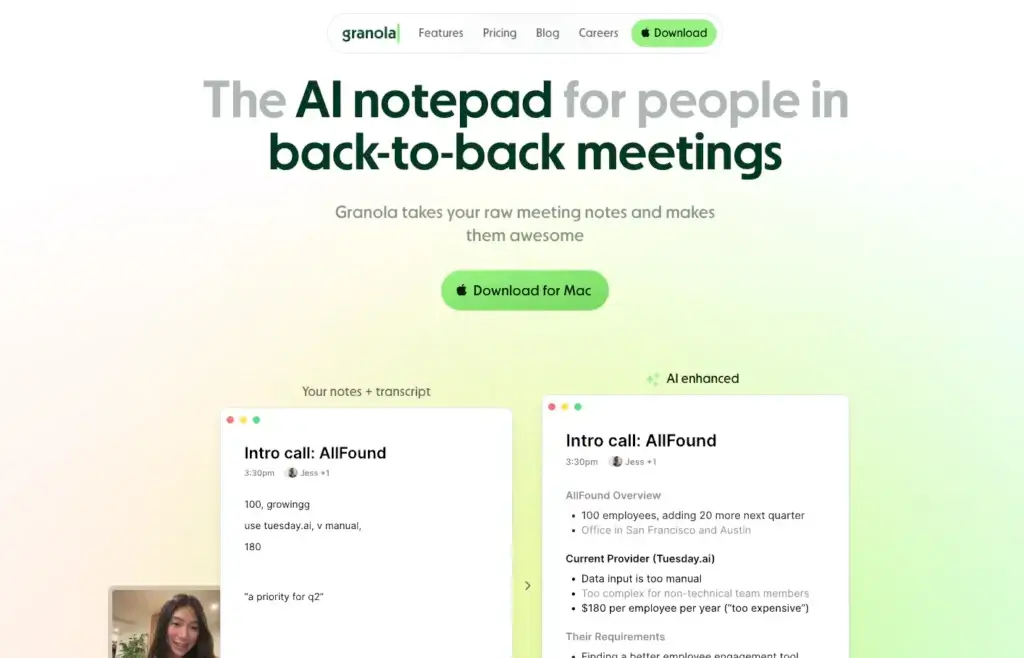
Granola is an AI-powered meeting notepad designed to help you remain present in conversations while still producing structured, detailed meeting notes.
Unlike many AI note takers, Granola does not normally send a visible meeting bot into your call. Its desktop application accesses your microphone and computer audio, transcribes the conversation, and combines that transcript with any notes you type during the meeting.
After the conversation, Granola enhances your notes instead of simply presenting a raw transcript. It can organize key themes, decisions, questions, risks, follow-up items, and action points using customizable meeting templates.
Granola works across meeting platforms because it captures audio from your device rather than depending entirely on a native Zoom, Google Meet, or Microsoft Teams bot. It is therefore useful when you move between different meeting tools or regularly join calls hosted by external organizations.
Granola’s main capabilities include:
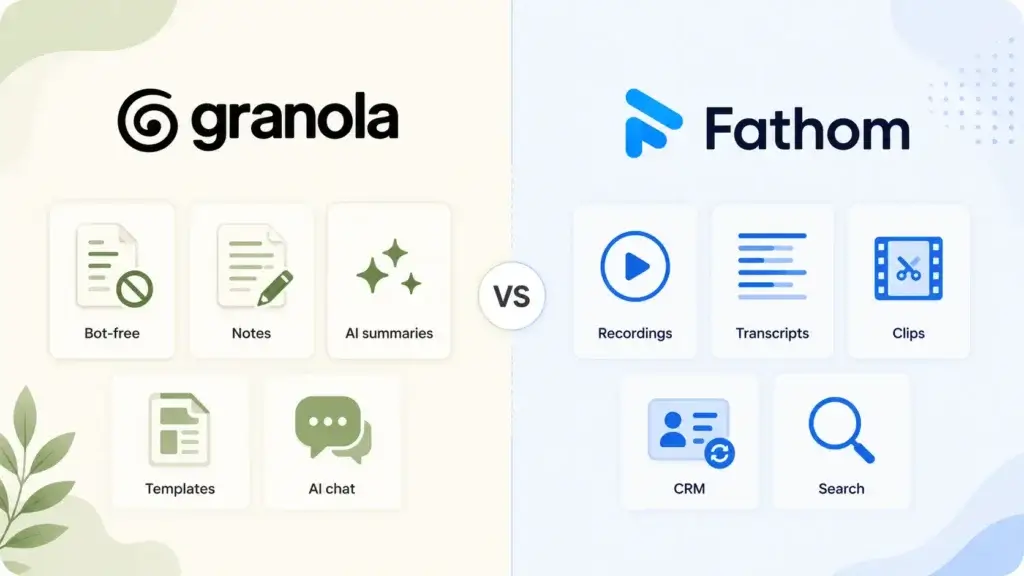
- Bot-free meeting transcription
- AI-enhanced meeting notes
- Editable notes during and after calls
- Customized note templates
- AI chat across individual or multiple meetings
- Shared folders and collaborative notes
- People and company-based meeting organization
- Desktop and mobile meeting capture
- Slack, Notion, HubSpot, Attio, Affinity, and Zapier integrations
- API and MCP access on paid plans
Granola is particularly well suited to executives, product managers, consultants, researchers, investors, recruiters, and founders who want polished meeting notes without placing a bot inside every call.
What Is Fathom?
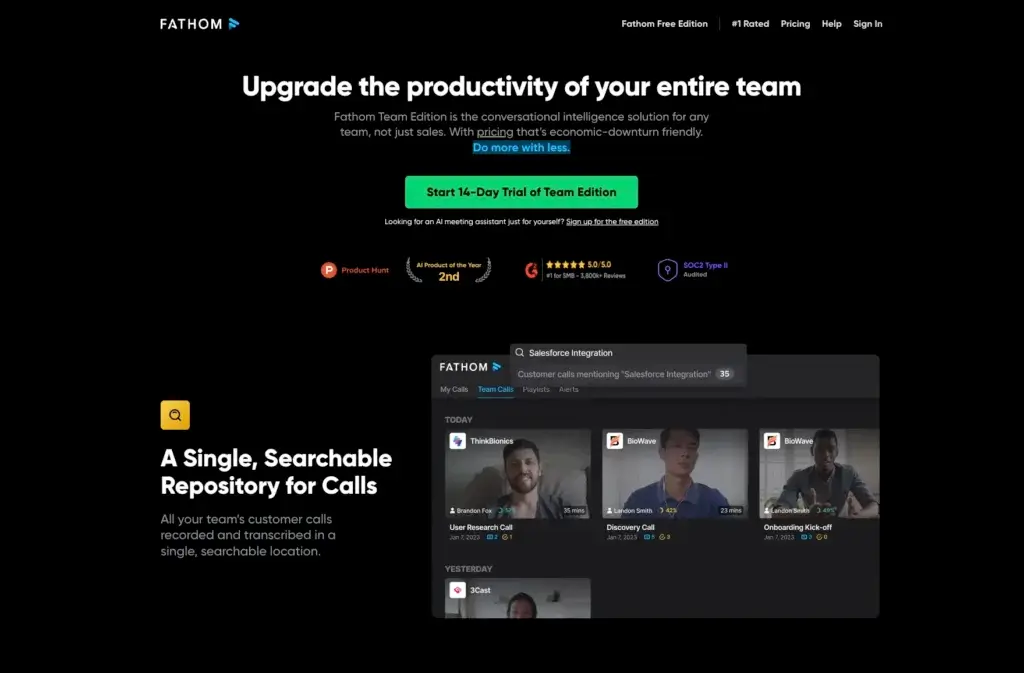
Fathom is an AI meeting assistant that records, transcribes, summarizes, and organizes online meetings. It is designed to reduce manual note-taking while giving you a searchable record of what happened during each conversation.
Fathom traditionally uses a meeting bot that joins supported video calls, although the platform has also introduced a bot-free capture option for compatible Mac workflows. It works with Zoom, Google Meet, and Microsoft Teams.
Where Granola focuses on creating a polished note document, Fathom preserves more of the original meeting experience. You can access recordings, review transcripts, create clips, collect highlights, search conversations, and share specific moments with colleagues.
Fathom can automatically generate summaries, action items, and follow-up emails. Paid plans add advanced summary templates, a conversational meeting assistant, custom meeting bots, global team search, playlists, comments, folders, keyword alerts, and broader administration.
Its integration ecosystem is another important strength. Fathom connects with tools such as HubSpot, Salesforce, Close, Slack, Asana, Zapier, ChatGPT, and Claude. This makes it useful when meeting insights must move into CRM records, project tasks, sales follow-ups, or team collaboration systems.
Fathom is particularly relevant for sales representatives, account managers, customer success teams, recruiters, agencies, and managers who need recordings and reusable conversation evidence, not only written notes.
Granola vs Fathom: Quick Comparison
| Category | Better Fit | Why |
| Bot-free experience | Granola | Bot-free capture is central to the product |
| Editable meeting notes | Granola | Combines personal notes with AI enhancement |
| Meeting recordings | Fathom | Unlimited recordings and call storage |
| Video clips and highlights | Fathom | Built-in clips, playlists, and shareable moments |
| CRM workflows | Fathom | Stronger sales and CRM synchronization |
| Cross-platform capture | Granola | Works through device audio across meeting tools |
| Team conversation intelligence | Fathom | Global search, keyword alerts, and team playlists |
| Notes-first user experience | Granola | Feels like an AI-powered document workspace |
| Free recording allowance | Fathom | Unlimited recordings, storage, and transcription |
| Lower-priced paid team plan | Granola | Business plan listed at $14 per user monthly |
Core Feature Comparison
Meeting Capture and Bot-Free Note Taking
The way each platform enters and captures a meeting is one of the most important differences between Granola and Fathom.
Granola is designed around a bot-free workflow. You manually start the application when a meeting begins, and it captures your microphone and computer audio. No additional participant normally appears inside the call.
This creates a more natural meeting experience, particularly for external interviews, executive calls, consulting sessions, sensitive conversations, and meetings where an unfamiliar recording bot could become distracting.
Granola also works independently of the conferencing provider. You can use it with Zoom, Google Meet, Microsoft Teams, Slack Huddles, or another platform that sends audio through your computer.
Fathom has traditionally relied on a meeting participant that joins the call, records the conversation, and makes the recording available afterward. This approach is more visible, but it gives Fathom a complete recording that can be replayed, clipped, and shared.
Fathom has also introduced bot-free capture as a beta option for supported Mac configurations. However, its deeper product experience still emphasizes recordings, highlights, and stored meeting content.
Granola is the better fit when an unobtrusive, bot-free note-taking experience is the priority. Fathom is stronger when retaining and reusing the complete meeting recording matters more.
AI Meeting Notes and Summary Quality
Both products generate AI meeting summaries, but they approach note creation differently.
Granola combines the full transcript with notes you type during the meeting. Your manual input gives the AI additional context about which topics, questions, and decisions matter most.
This human-assisted approach is particularly useful when meetings are complex. A product manager can flag a customer complaint, an investor can note an important risk, or a consultant can type the name of a recommendation that requires more detail. Granola can then build those signals into the enhanced notes.
You can also select or customize templates for different meeting types. The output generally resembles a polished working document rather than a generic call recap.
Fathom automatically produces chronological and enhanced summaries. Paid plans add advanced templates for meeting types and frameworks, including sales-oriented structures. It can also identify action items, generate follow-up emails, and answer questions about the conversation through Ask Fathom.
Fathom’s automatic output requires less involvement during the call. Granola gives you more influence over the final document.
Granola is stronger for people who want to shape and edit their notes. Fathom is stronger for people who want the system to automatically capture, summarize, and distribute meeting outcomes.
Recordings, Transcripts, Clips, and Highlights
Fathom has the clear advantage when meetings must be replayed or shared visually.
Its free and paid plans include unlimited recordings, storage, and transcription. You can create clips from important moments, organize highlights into playlists, download calls, and share specific segments with coworkers.
This is valuable for sales coaching, customer research, recruiting reviews, quality assurance, and account handoffs. Instead of asking a colleague to read a complete transcript, you can send the exact two-minute section where a prospect explained an objection.
Granola intentionally does not store complete meeting audio recordings. It stores transcripts and notes, but its main purpose is creating an accurate written record.
This can reduce the amount of sensitive audio retained by the platform, but it also means you cannot return to the original recording to verify tone, review a precise quote, or create video highlights.
Choose Fathom when recordings and shareable clips are operational requirements. Choose Granola when the written meeting record is enough.
AI Chat and Cross-Meeting Intelligence
Both platforms now go beyond one-meeting summaries by allowing you to query broader meeting history.
Granola includes AI chat within and across meetings. You can ask questions about a conversation, identify recurring themes, summarize feedback from a customer, or compare what different contacts said about the same topic.
Its People and Companies views can also help organize related conversations. This makes Granola useful as a contextual memory system for executives, researchers, investors, recruiters, and product teams.
Fathom offers Ask Fathom and account-wide search capabilities. Team plans support global search across calls, folders, playlists, comments, and keyword alerts.
Fathom’s team intelligence is especially useful when managers need visibility across many customer-facing conversations. A sales leader can search objections across calls, while a customer success manager can identify mentions of churn, pricing, integrations, or product problems.
Granola provides a cleaner knowledge workspace around notes. Fathom provides deeper conversation intelligence around recorded calls.
Integrations and Workflow Automation
Granola integrates with several popular workplace systems, including Notion, Slack, HubSpot, Attio, Affinity, and Zapier. Its Business plan also includes API and MCP access.
These integrations allow you to send notes to shared documentation, customer records, communication channels, and automated workflows. Granola is particularly attractive for teams using modern tools such as Attio or Affinity alongside Notion and Slack.
Fathom offers a broader set of mature customer-facing workflows. It can synchronize meeting summaries and highlights with CRM records, create Asana tasks, send highlights to Slack, and connect with thousands of applications through Zapier.
Its direct integrations include HubSpot, Salesforce, Close, Asana, Slack, ChatGPT, Claude, Google Meet, Zoom, Microsoft Teams, and developer tools such as its public API and MCP support.
Fathom is therefore better suited to sales and customer success workflows where meeting data must automatically update opportunities, contacts, accounts, and follow-up processes.
Granola’s integrations are strong enough for general productivity and knowledge management. Fathom has the advantage for structured revenue workflows.
Team Collaboration and Knowledge Sharing
Granola supports shared folders, collaborative notes, customized templates, centralized billing, and user management. Team members can share selected notes while keeping other conversations private.
This model works well when the meeting note itself is the main collaborative object. A team can edit the document, add context, and use it as the written source for decisions or follow-up work.
Fathom supports folders, comments, playlists, global search, keyword alerts, team sharing, and centralized administration. Its collaboration features are built around both written summaries and recorded meeting moments.
This makes Fathom more useful for managers who need to inspect calls across a team, create coaching libraries, share examples, and monitor important keywords.
Granola is better for collaborative documentation. Fathom is better for collaborative review of conversations.
Privacy, Security, and Meeting Consent
Privacy should be a central part of any AI note taker evaluation because these platforms process conversations that may contain customer data, employee information, financial details, or confidential business decisions.
Granola does not store meeting audio from its desktop application. It transcribes calls and stores the resulting transcript and notes. Granola states that notes are private by default and encrypted at rest and in transit.
Granola does not permit third-party model providers to train on customer data. However, Granola may use anonymized data to improve its own models unless the user opts out. Model training is turned off by default for Enterprise customers.
Fathom stores recordings, transcripts, summaries, and associated meeting information because replayable recordings are a core part of its service. It states that customer information is stored in the United States and that deleted recording data is removed from active systems and subsequently from backups.
Fathom also states that it does not sell customer data and does not permit AI subprocessors to train their models on user data. It may use de-identified information to improve proprietary models, with opt-out controls available.
Fathom reports SOC 2 Type II, GDPR, and HIPAA compliance. Organizations with specific regulatory requirements should still confirm the available contracts, business associate agreements, retention controls, and plan-level security options before implementation.
Regardless of which product you select, you should inform participants when meetings are being transcribed or recorded and follow applicable company policies and local consent laws. Granola’s lack of a visible bot does not remove the responsibility to obtain appropriate permission.
Granola vs Fathom Pricing
Both platforms offer free access, but they place their strongest limitations in different areas.
Granola’s Basic plan is free and includes AI meeting notes, limited meeting history, AI chat, shared folders, customized templates, multilingual support, and the ability to opt out of model training.
Granola Business is listed at $14 per user per month. It adds unlimited meeting notes and history, advanced AI models, integrations, centralized billing, user management, API access, and MCP integration.
Granola Enterprise is listed at $35 per user per month. It adds enterprise security and administration, SSO, priority support, usage analytics, organization-wide deletion policies, sharing controls, API controls, and team-wide model training preferences.
Fathom’s free plan provides unlimited recordings, storage, and transcription. The main restrictions apply to advanced AI summaries and premium AI capabilities. Free users receive a limited number of advanced summaries each month before reverting to the standard summary format.
Fathom Premium is listed at approximately $20 per user per month when paid monthly, with a lower effective price available through annual billing. It adds unlimited advanced summaries, AI action items, follow-up emails, Ask Fathom, and customization options.
Fathom’s Team plan is listed at approximately $19 per user per month on monthly billing, with a minimum of two users and lower annual pricing. It adds global search, playlists, comments, folders, keyword alerts, and broader team collaboration.
Fathom also offers higher Business and Enterprise tiers for organizations requiring expanded administration, security, coaching, integrations, or revenue intelligence.
| Pricing Area | Granola | Fathom |
| Free plan | Available | Available |
| Free transcription | Included with limited history | Unlimited |
| Free recordings | No stored audio recordings | Unlimited |
| Individual paid plan | Business at $14/user/month | Premium around $20/user/month |
| Team plan | Business at $14/user/month | Team around $19/user/month |
| Enterprise plan | $35/user/month | Custom pricing |
| Best pricing fit | Notes-first individuals and teams | Recording-heavy users and revenue teams |
Granola generally offers better paid-plan value when you mainly need high-quality notes, cross-meeting AI, collaboration, and integrations.
Fathom’s free plan is more generous for users who need unlimited recorded meetings and transcripts. Its paid plans become more valuable when advanced summaries, action items, clips, CRM synchronization, and team conversation intelligence are central to the workflow.
Granola vs Fathom Pros and Cons
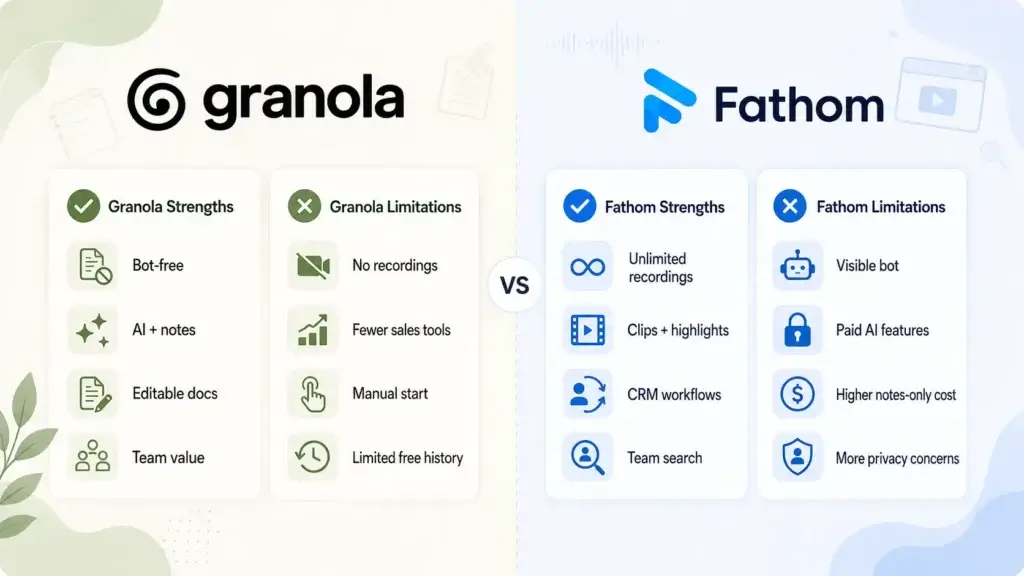
Granola Strengths
✅ Unobtrusive bot-free meeting capture
✅ Combines personal notes with AI
✅ Polished and editable meeting documents
✅ Competitive paid plan for teams
Granola Limitations
❌ Does not store complete meeting recordings
❌ Fewer sales-focused workflow features
❌ Meetings must be started manually
❌ Free plan limits meeting history
Granola Pros
Unobtrusive bot-free meeting capture
Granola captures computer and microphone audio without sending an additional participant into the meeting. This makes calls feel more natural and avoids the disruption caused by unfamiliar meeting bots.
Combines personal notes with AI
You can type your own observations while Granola transcribes the conversation. The platform then uses both sources to create a more relevant and personalized meeting document.
Polished and editable meeting documents
Granola’s output feels like a structured working document rather than a fixed automated summary. You can edit the content, apply templates, add context, and share the finished notes with colleagues.
Competitive paid plan for teams
The Business plan includes unlimited history, advanced AI, integrations, user management, API access, and MCP support at a competitive per-user price.
Granola Cons
Does not store complete meeting recordings
Granola stores transcripts and notes rather than complete desktop meeting audio. You cannot replay the original call, verify exact vocal delivery, or create video clips from important moments.
Fewer sales-focused workflow features
Granola offers useful CRM and automation integrations, but Fathom provides a more mature workflow for recordings, call highlights, sales templates, CRM synchronization, and team coaching.
Meetings must be started manually
Granola does not automatically join or record every calendar meeting. Manual activation offers more control, but it also creates a risk that you may forget to start the note taker.
Free plan limits meeting history
The free plan supports AI notes and chat but only provides access to limited meeting history. Frequent users may need the Business plan to maintain a complete searchable archive.
Fathom Strengths
✅ Unlimited recordings and transcripts
✅ Strong clips and meeting highlights
✅ Advanced CRM and workflow integrations
✅ Powerful team-wide conversation search
Fathom Limitations
❌ Visible meeting bot may feel intrusive
❌ Advanced AI features require paid plans
❌ Higher cost for notes-only users
❌ Recording storage creates additional privacy considerations
Fathom Pros
Unlimited recordings and transcripts
Fathom offers unlimited meeting recordings, storage, and transcripts, including on its free plan. This makes it highly valuable for users who attend many recorded customer or internal meetings.
Strong clips and meeting highlights
You can create clips, collect highlights, build playlists, and share exact conversation moments. These features are useful for coaching, research, handoffs, and internal communication.
Advanced CRM and workflow integrations
Fathom connects meeting information with HubSpot, Salesforce, Close, Asana, Slack, Zapier, ChatGPT, Claude, and other tools. This reduces manual data entry and improves follow-up consistency.
Powerful team-wide conversation search
Team plans provide global call search, folders, comments, keyword alerts, and shared playlists. Managers can find themes across calls rather than reviewing every recording separately.
Fathom Cons
Visible meeting bot may feel intrusive
Fathom’s standard capture method adds a participant to the meeting. Although transparent recording can be beneficial, external guests may find the bot distracting or may not want it present.
Advanced AI features require paid plans
The free plan includes unlimited transcription and standard summaries, but advanced summaries, action items, follow-up emails, custom templates, and Ask Fathom require Premium access after limited free usage.
Higher cost for notes-only users
Users who only need concise written meeting notes may pay for recording, clip, and collaboration features they do not regularly use. Granola’s Business plan can be more economical for this workflow.
Recording storage creates additional privacy considerations
Stored audio and video provide valuable evidence, but they also increase the amount of sensitive meeting data retained. Organizations may need stricter consent, retention, sharing, and deletion policies.
Detailed Buying Scenarios
Scenario 1: You Do Not Want a Bot Joining Client Meetings
Granola is the better choice.
Granola’s bot-free desktop capture keeps the meeting participant list clean and reduces the likelihood that clients will become distracted by an unfamiliar recording assistant.
This makes it especially suitable for consultants, executives, investors, recruiters, researchers, and agency professionals who regularly attend externally hosted calls.
Scenario 2: You Need to Replay and Share Important Call Moments
Fathom is the better choice.
Fathom stores full recordings and allows you to create clips and playlists. A manager can share a strong sales example, a product team can review exact customer feedback, and a recruiter can revisit a candidate answer.
Granola cannot provide the same workflow because it does not store complete desktop call recordings.
Scenario 3: You Want AI to Improve Notes You Write Yourself
Granola is the better choice.
Granola is not designed to remove you from the note-taking process completely. Instead, it uses your notes as signals and enriches them with transcript context.
This is valuable when professional judgment matters and an automatic summary may not identify the details you consider most important.
Scenario 4: You Manage a Sales or Customer Success Team
Fathom is the better choice.
Fathom provides CRM synchronization, sales summary templates, clips, playlists, keyword alerts, team-wide search, action items, and follow-up content.
These capabilities make it easier to inspect customer conversations, coach representatives, identify objections, and keep CRM records updated.
Scenario 5: You Need an AI Meeting Memory Across Many Conversations
The better choice depends on the type of memory you need.
Choose Granola when you want a clean, notes-based knowledge system organized around people, companies, projects, and editable documents.
Choose Fathom when you want to search complete recorded conversations, locate exact moments, receive keyword alerts, and analyze activity across customer-facing teams.
Scenario 6: You Want the Most Useful Free Plan
Fathom is generally better for recording-heavy users.
Its free plan includes unlimited recordings, storage, and transcription, although advanced AI features are limited.
Granola’s free plan is still attractive for bot-free AI notes, templates, collaboration, and chat, but limited meeting history can become restrictive for frequent users.
Final Recommendation
For most professionals who want a discreet and highly usable AI meeting notebook, Granola is the stronger choice.
Granola provides a cleaner notes-first experience. It stays out of the participant list, combines your observations with the transcript, and produces polished documents that can become part of your team’s written knowledge base.
Its Business plan also offers strong value for individuals and smaller teams that need unlimited history, AI chat, integrations, shared folders, API access, and advanced AI capabilities without purchasing a broader conversation intelligence platform.
Fathom is the better option when recordings are essential. Its unlimited recording allowance, transcripts, clips, playlists, CRM integrations, action items, follow-up automation, and team-wide search make it more capable for sales, customer success, recruiting, and coaching workflows.
The deciding question is therefore not which AI note taker has the longest feature list.
Choose Granola when you want better meeting notes without a visible bot. Choose Fathom when you want a complete, recorded, searchable, and shareable history of customer and team conversations.
FAQ
What is the main difference between Granola and Fathom?
Granola is a bot-free AI notepad that combines your written notes with meeting transcription. Fathom is a meeting recording and conversation intelligence platform with transcripts, summaries, clips, CRM integrations, and team-wide search.
Is Granola better than Fathom?
Granola is better when you want unobtrusive bot-free capture, editable notes, and a polished meeting document. Fathom is better when you need recordings, clips, CRM automation, and conversation intelligence across a team.
Does Granola record meetings?
Granola captures meeting audio to create a real-time transcript, but its desktop product does not store the complete audio recording. It stores the transcript and meeting notes instead.
Does Fathom join meetings as a bot?
Fathom traditionally joins Zoom, Google Meet, and Microsoft Teams calls as a visible participant. It has also introduced a bot-free capture option in beta for compatible Mac workflows.
Which AI note taker is better for sales teams?
Fathom is generally better for sales teams because it offers recorded calls, clips, playlists, sales summary templates, follow-up automation, CRM synchronization, keyword alerts, and team-wide conversation search.
Which platform has the better free plan?
Fathom has the stronger free plan for unlimited recordings, storage, and transcription. Granola’s free plan is more attractive when you prioritize bot-free notes, templates, shared folders, and AI chat instead of recordings.
Can Granola and Fathom integrate with CRM software?
Yes. Granola supports integrations including HubSpot, Attio, Affinity, Notion, Slack, and Zapier. Fathom connects with CRM and workflow platforms such as HubSpot, Salesforce, Close, Asana, Slack, and Zapier.
Which is better for meeting privacy, Granola or Fathom?
Granola retains less audio data because it does not store complete desktop meeting recordings. Fathom offers strong compliance controls but stores recordings as part of its service. In both cases, participants should be informed and applicable consent rules must be followed.
Can Fathom create action items and follow-up emails?
Yes. Fathom’s paid individual and team plans can generate AI action items, follow-up emails, advanced summaries, and answers through the Ask Fathom conversational assistant.
Should you choose Granola or Fathom?
Choose Granola for bot-free, editable, notes-first meeting documentation. Choose Fathom for recordings, clips, CRM workflows, sales coaching, and searchable conversation intelligence across a team.