Introduction
If you’re searching for an affordable yet capable cybersecurity solution, this TotalAV review will help you decide whether it truly fits your needs.
TotalAV has grown rapidly over the past few years, earning recognition from independent testing labs for malware detection, real-time protection, and overall performance. What started as a consumer-focused antivirus has evolved into a multi-device security suite that now appeals to both individuals and small businesses.
But is it strong enough for your environment?
In this updated 2026 review, you’ll discover:
- How well TotalAV protects against malware, ransomware, and phishing
- Whether its performance impacts system speed
- What features are included in each plan
- If it works for small businesses and remote teams
- How it compares to competitors like Bitdefender and McAfee
Whether you’re protecting your personal laptop, your family’s devices, or a growing team of employees, you need antivirus software that balances security, usability, and cost.
TotalAV positions itself as a lightweight, easy-to-manage solution with built-in extras like VPN, password management, and data breach monitoring. That combination makes it especially attractive for small teams without dedicated IT staff.
However, it does have limitations, particularly if you require centralized endpoint management or enterprise-level controls.
In this comprehensive review, you’ll get a clear, expert-backed breakdown of where TotalAV excels, where it falls short, and who should consider it in 2026.
Overview
TotalAV Antivirus Overview
TotalAV is a cross-platform antivirus solution designed to protect Windows, macOS, Android, and iOS devices. While it is often marketed to home users, its multi-device coverage and built-in privacy tools make it a viable option for freelancers, remote teams, and small businesses.
Founded under the Total Security brand umbrella, the company has expanded its feature set significantly in recent years. It now offers real-time malware protection, ransomware defense, phishing protection, system optimization tools, VPN access, and data breach monitoring.
Unlike enterprise-focused antivirus platforms, TotalAV emphasizes simplicity. You install it, activate protection, and the software handles most security tasks automatically in the background.
For many small organizations without a dedicated IT department, that hands-off approach is a benefit.
Available Plans and Product Structure
TotalAV currently offers three primary tiers:
- Antivirus Pro – Core real-time protection and system cleanup tools for up to 3 devices
- Internet Security – Adds VPN protection and expands coverage to 6 devices
- Total Security – Includes password manager, ad blocker, identity monitoring, and covers up to 8 devices
Each plan includes malware scanning, ransomware protection, phishing defense, and zero-day cloud scanning. Higher-tier plans expand privacy and identity features rather than core antivirus capability.
This structure makes it easy to scale protection as your needs grow.
Device Compatibility and Deployment
TotalAV supports:
- Windows PCs
- Mac computers
- Android smartphones and tablets
- iPhones and iPads
Installation takes only a few minutes. There is no complex configuration required, which reduces onboarding friction for both individuals and business users.
However, it’s important to note that TotalAV does not offer a centralized management console. If you manage multiple employees, each device must be installed and maintained individually.
For a 3–8 device environment, this is manageable. For larger teams, it may become inefficient.
Where TotalAV Fits Best
TotalAV works best for:
- Home users seeking affordable all-in-one protection
- Freelancers handling client data
- Remote workers needing VPN and endpoint security
- Small teams with fewer than 10 devices
If your organization requires endpoint policy control, remote device management, or SIEM integrations, you may need a more enterprise-focused solution.
But if your priority is reliable protection, ease of use, and strong value in year one, TotalAV remains a competitive option in 2026.
Software Specification
Core Features and Security Tools
When evaluating any antivirus solution, features matter less than execution. In this TotalAV review, the focus is not just on what is included, but how well those tools perform in real-world environments.
TotalAV delivers a solid mix of protection, privacy, and performance tools. It is not built for complex enterprise environments, but for individuals and small teams; it offers meaningful coverage.
Malware and Threat Protection
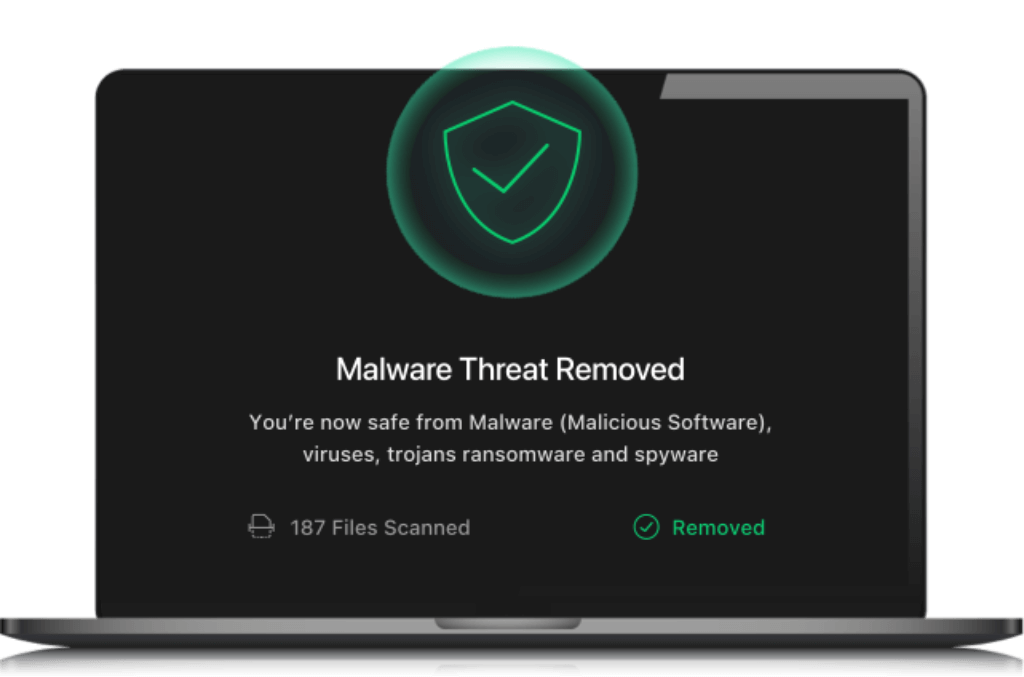
At its core, TotalAV provides real-time antivirus protection designed to stop threats before they execute.
The software scans downloads, installed applications, and running processes automatically. This helps prevent viruses, trojans, spyware, and ransomware from spreading across your device.
Key protection capabilities include:
- Real-time malware detection
- Ransomware protection
- Phishing scam protection
- Potentially unwanted application, PUA, blocking
- Zero-day cloud scanning
The cloud-based scanning engine is particularly important. It reduces strain on local resources while improving detection speed for emerging threats.
For small businesses, this means you can protect multiple devices without slowing down productivity.
Independent testing labs have consistently awarded high scores for malware detection and real-world protection. That level of performance makes it competitive with more established brands in its price tier.
Web Protection and Anti-Phishing
Cyber threats increasingly originate from web browsing and email links.
TotalAV includes WebShield technology to block malicious websites before they load. Phishing detection works in real time and prevents credential theft attempts.
For remote workers and freelancers handling sensitive client data, this layer of protection is critical.
However, it is worth noting that the software does not include a dedicated email security module. Protection focuses primarily on browser-level and system-level detection.
Ransomware and Data Breach Monitoring
Ransomware remains one of the most damaging cyber threats for both individuals and small companies.
TotalAV actively monitors suspicious file behavior to prevent encryption-based attacks. In addition, higher-tier plans include data breach monitoring.
This feature scans known breach databases and alerts you if your email address appears in leaked records. For small businesses, this helps you respond quickly to compromised credentials.
While not a full identity restoration service, it adds an important layer of awareness.
VPN and Privacy Tools
Privacy tools are included in the Internet Security and Total Security plans.
The built-in VPN uses AES-256 encryption to secure your internet connection. This is particularly useful for:
- Remote employees working on public Wi-Fi
- Business travel
- Accessing region-restricted services
Unlike some competitors, VPN bandwidth is not severely restricted in premium plans.
Total Security also includes:
- Password manager with encrypted vault
- Ad blocker
- Browser cleanup tools
- Disk cleaner and system optimization utilities
For individuals, these tools reduce the need for multiple subscriptions. For small teams, they simplify digital hygiene without requiring third-party software.
System Optimization and Performance Tools
In addition to security, TotalAV includes system tune-up features.
These tools allow you to remove junk files, clear tracking cookies, manage startup programs, and uninstall unused applications.
While not strictly security features, they help maintain performance over time.
For small businesses using older hardware, this can extend device usability and reduce IT maintenance needs.
What You Should Know
TotalAV delivers strong core antivirus protection and useful privacy features.
However, it does not include:
- Advanced firewall management
- Endpoint policy control
- Centralized device administration
If you require enterprise-level monitoring, you may need a more advanced solution.
If your priority is affordable, reliable protection for up to 8 devices, it remains a practical choice in 2026.
Pros and Cons
Advantages and Disadvantages
Positive
✅ Simple and Clean Interface
✅ Affordable Business Protection
✅ Strong Real-Time Detection
✅ Built-in VPN and Privacy Tools
Negatives
❌ Limited Centralized Management
❌ Lacks Integration Features
❌ Upselling Can Be Annoying
❌ No Cloud Backup or Email Protection
TotalAV has strengths that make it appealing to small business owners and remote teams, especially when simplicity and speed are key. However, there are limitations if you’re looking for enterprise-grade control or integrations.
✅ Pros
1. Simple and Clean Interface
TotalAV’s dashboard is intuitive even for non-technical users, making it easy for teams to stay protected without constant IT supervision.
2. Affordable Business Protection
For teams with under 10 devices, TotalAV offers excellent protection without the high costs of traditional enterprise antivirus suites.
3. Strong Real-Time Detection
Malware, ransomware, and phishing defenses perform well in independent tests, giving you peace of mind across devices.
4. Built-in VPN and Privacy Tools
TotalAV includes extras like a VPN, ad blocker, and password vault, tools that many competitors charge extra for.
❌ Cons
1. Limited Centralized Management
There’s no true admin console for managing multiple users or policies, which can be a downside for growing teams.
2. Lacks Integration Features
You won’t find integrations with remote monitoring or SIEM tools, making it less ideal for advanced IT environments.
3. Upselling Can Be Annoying
Some users report frequent upgrade prompts and ads within the app, which can distract from productivity.
4. No Cloud Backup or Email Protection
Missing features like cloud backup or email scanning, which are often needed in more robust business environments.
Software Capabilities
Performance and User Experience
Security is only valuable if it does not slow down your work.
In this TotalAV review, performance is one of the strongest selling points. The software is designed to deliver real-time protection while maintaining system responsiveness.
For individuals and small businesses, that balance is critical.
System Impact and Resource Usage
TotalAV runs quietly in the background with minimal CPU and RAM consumption during everyday tasks.
Independent testing labs such as AV-Test have awarded high scores for performance, indicating limited system slowdown during:
- Software installation
- File downloads
- Website browsing
- Application launches
In practical terms, this means your employees can continue working without interruptions during active protection.
Full system scans consume more resources, as expected, but even then, device responsiveness remains acceptable on modern hardware.
For small businesses without high-end machines, this efficiency matters.
Scan Speed and Efficiency
TotalAV offers multiple scan modes:
- Quick Scan
- Full System Scan
- Scheduled Scan
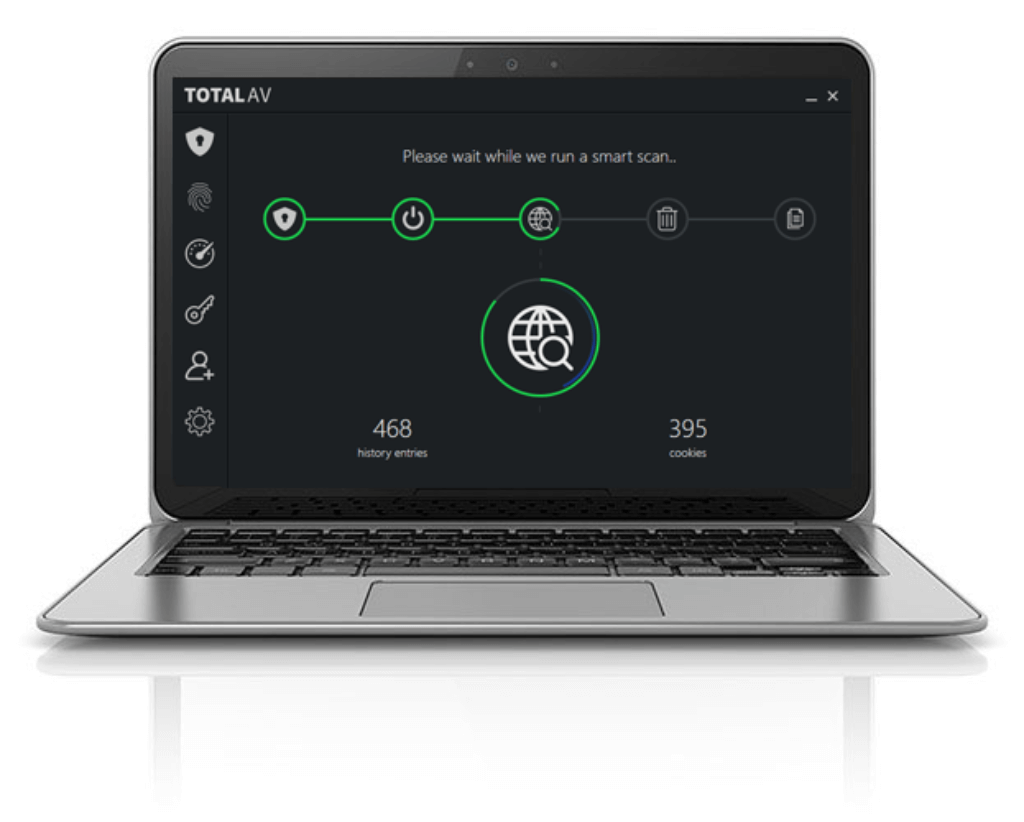
- Smart Scan
- Custom Scan (Windows)
Quick scans typically complete in under five minutes, depending on system size. Full scans can take 20–30 minutes but are thorough.
The Smart Scan is particularly useful. It combines malware detection with privacy checks and system cleanup in one pass. For small teams, this simplifies maintenance.
Compared to heavier competitors like McAfee, TotalAV generally feels lighter. However, Bitdefender still has a slight edge in raw scanning efficiency and behavioral detection depth.
Real-World Protection Performance
According to recent independent lab results:
- Protection scores consistently reach near-perfect levels
- Real-world malware blocking is competitive with top-tier brands
- False positive rates remain low
While it may not outperform enterprise-grade engines in advanced behavioral analysis, its real-time blocking effectiveness remains strong for its price category.
For freelancers, remote workers, and small teams, that level of protection is typically more than sufficient.
Ease of Setup and Daily Use
One of TotalAV’s strongest performance advantages is simplicity.
Installation takes only a few minutes. The interface is clean, modern, and easy to navigate.
You do not need advanced configuration to activate full protection. Most features work automatically after installation.
For small businesses without dedicated IT staff, this reduces operational friction.
Mobile Performance
The Android and iOS apps extend protection to mobile devices. While mobile detection depth is more limited compared to desktop versions, performance remains smooth.
Battery impact is minimal, and VPN activation is simple.
For remote teams relying on smartphones for communication and access, this adds practical value.
Lab Results
Independent Test Lab Results
Marketing claims mean very little without third-party validation.
To properly evaluate this antivirus, you need to look at independent testing organizations such as AV-Test and AV-Comparatives, which simulate real-world attack scenarios and measure detection accuracy, performance impact, and false positives.
Here’s how TotalAV performs in July 2026.
AV-Test Results (Windows)
AV-Test evaluates antivirus software across three main categories:
- Protection
- Performance
- Usability
Each category is scored out of 6 points.
Recent results show:
- Protection: 6 / 6
Blocked 100% of widespread malware and zero-day threats during testing. - Performance: 5.5–6 / 6
Minimal slowdown during software installation, downloads, and browsing. - Usability: 6 / 6
Very low false-positive rate during normal business operations.
This places TotalAV within the “Top Product” tier, alongside more established names.
For small businesses, a low false-positive rate is especially important. It reduces workflow interruptions and unnecessary IT troubleshooting.
AV-Comparatives Real-World Protection Test
AV-Comparatives runs large-scale real-world simulations using live web-based threats.
Recent protection test data shows:
- Real-world protection rate: ~99%
- False alarm rate: Low
- Certified as “Advanced” or higher in multiple test rounds
While it may not always outperform engines like Bitdefender in behavioral detection, the gap is small in practical use cases.
For personal users and small teams, this difference is rarely noticeable.
Malware Protection and Offline Detection
In malware-focused testing, which evaluates detection of known threats:
- Detection rates remain above 99%
- Cloud-assisted scanning improves zero-day response
- PUA detection is enabled by default
This level of consistency makes it reliable for:
- Protecting remote endpoints
- Securing small office environments
- Blocking ransomware attempts
However, it does not include advanced behavioral AI layers found in enterprise-grade endpoint security suites.
How It Compares to Industry Leaders
Here is a simplified comparison snapshot:
| Test Category | TotalAV | Top Enterprise Average |
| Protection | 6 / 6 | 6 / 6 |
| Performance Impact | Low | Low–Moderate |
| False Positives | Very Low | Low |
| Behavioral AI Depth | Moderate | High |
Pricing
Pricing and Plans
Pricing is one of the main reasons people consider TotalAV in the first place.
It consistently ranks among the most affordable premium antivirus solutions in its first year. However, renewal pricing requires careful attention.
Here’s how the plans break down in 2026.
Current Plan Structure
| Plan | Devices | First-Year Price |
| Antivirus Pro (Premium) | Up to 3 devices | $19–$29 / year |
| Internet Security | Up to 6 devices | $39 / year |
| Total Security | Up to 8 devices | $49 / year |
What Each Plan Includes
Antivirus Pro
- Real-time malware protection
- Ransomware defense
- Anti-phishing protection
- System cleanup tools
- WebShield protection
Internet Security
- Everything in Antivirus Pro
- VPN with AES-256 encryption
- Expanded device coverage
Total Security
- Everything above
- Password manager
- Ad blocker
- Data breach monitoring
For most small businesses, the Internet Security plan delivers the best balance of price and functionality.
If you manage client credentials or sensitive data, the Total Security plan adds meaningful value through password management and breach alerts.
Renewal Pricing – What You Should Know
Introductory pricing is highly competitive.
However, renewal rates increase significantly:
- Antivirus Pro renews around $99 / year
- Internet Security renews around $129 / year
- Total Security renews around $149 / year
This pricing model is standard in the antivirus industry. Competitors like McAfee and Norton follow similar structures.
Still, you should factor this into long-term budgeting.
Money-Back Guarantee and Risk-Free Trial
All paid plans include:
- 30-day money-back guarantee
- Monthly, quarterly, or annual billing options
- Simple cancellation via online dashboard
There is also a limited free version available in select regions, though it lacks real-time protection.
For serious protection, the premium plans are the practical choice.
Pricing Strategy for Personal vs Business Use
For Personal Use
If you protect 1–3 devices, Antivirus Pro offers strong value in year one. It covers essential threats without overpaying for features you may not need.
For Small Businesses
If you manage 4–8 devices, Internet Security or Total Security provides better cost-per-device value.
For under $50 in the first year, you can protect multiple endpoints, enable VPN encryption, and add password management. That is difficult to beat at this price tier.
However, if you require centralized administration or endpoint policy management, you will need an enterprise-grade solution instead.
Feedbacks
User Feedback and Reviews
TotalAV receives mixed but increasingly positive reviews across major platforms, especially from users who value simplicity and speed over deep configuration. For small business teams without dedicated IT staff, this lightweight approach is often exactly what’s needed.
What Business Users Like
- Easy to use for non-technical staff
Many reviewers highlight TotalAV’s clean interface and intuitive controls, making it ideal for small teams or distributed workforces. - Affordable entry cost
Businesses appreciate the low first-year pricing, especially when covering multiple devices for employees. - All-in-one features
Positive comments often mention how TotalAV bundles antivirus, VPN, system cleaner, and password manager into one platform, reducing tool sprawl. - Low impact on system performance
Several users note that scans and real-time protection don’t slow down machines, which is crucial for business productivity.
Common Complaints
- Aggressive upselling
Users frequently report pop-ups suggesting upgrades or add-ons, which can feel intrusive during work hours. - Price increases after year one
Many negative reviews center around the steep renewal costs, especially for users who didn’t realize the price jump. - Limited advanced controls
Some business buyers find the software too basic for large teams or tech-heavy operations that require granular policy management.
Ratings from Review Platforms
Here’s how TotalAV scores across trusted review sites:
| Platform | User Rating | Summary |
| Trustpilot | 4.5 / 5 (75,000+ reviews) | Highly rated for ease of use and support |
| Google Play Store | 4.6 / 5 | Praised for mobile performance and simplicity |
| Apple App Store | 4.4 / 5 | Reliable but limited mobile features |
| G2 | 3.9 / 5 | Positive for small business use, lacks enterprise controls |
Final Thought on Reviews
If your business prioritizes simplicity, affordability, and essential coverage, TotalAV receives strong marks from users like you. Just be sure to weigh the renewal pricing and feature limitations against your long-term needs.
TotalAV VS. Alternatives
Comparison with Other Antivirus Software
Choosing antivirus software is rarely about features alone. It’s about fit.
In this section, you’ll see how TotalAV compares to three major competitors: Norton, Bitdefender, and Avast.
Each targets slightly different users.
Feature Comparison Snapshot
| Feature | TotalAV | Norton 360 | Bitdefender | Avast |
| Malware Protection | Excellent | Excellent | Excellent | Very Good |
| Real-Time Protection | Yes | Yes | Yes | Yes |
| Advanced Firewall | No | Yes | Yes | Yes |
| VPN Included | Yes (higher plans) | Yes | Limited | Limited |
| Password Manager | Yes (top plan) | Yes | Yes | Yes |
| Centralized Management | No | Limited | Yes (Business) | Yes (Business) |
| Best For | Small teams | Families & SMB | Advanced users & SMB | Budget users |
TotalAV vs Norton 360
Norton 360 remains one of the most complete consumer security suites available.
Where Norton wins:
- Advanced firewall included
- Strong identity theft protection
- Dark web monitoring
- Cloud backup included
- More mature ecosystem
Where TotalAV wins:
- Lower first-year pricing
- Lighter system footprint
- Simpler interface
If you want a more robust, layered security suite with backup and identity protection, Norton is stronger (full review here).
If your priority is affordable, lightweight protection for under 8 devices, TotalAV remains competitive.
For small businesses without IT staff, TotalAV’s simplicity can actually be an advantage.
TotalAV vs Bitdefender
Bitdefender is widely considered one of the most technically advanced antivirus engines available.
Where Bitdefender wins:
- Strong behavioral AI detection
- Advanced ransomware remediation
- Full-featured firewall
- Dedicated business product line
- Centralized admin console
Where TotalAV wins:
- Easier onboarding
- More aggressive introductory pricing
- Simpler dashboard
If you manage multiple employees and want centralized endpoint control, Bitdefender is clearly superior (full review here).
If you are a freelancer, consultant, or small remote team with fewer than 8 devices, TotalAV provides sufficient protection at a lower cost.
TotalAV vs Avast
Avast targets budget-conscious users and has a strong free tier.
Where Avast wins:
- More advanced firewall controls
- Strong free version
- Wider brand recognition
Where TotalAV wins:
- Cleaner interface
- Fewer aggressive upsells in paid tiers
- Better bundled VPN integration
- Lower false-positive rates in recent testing
Avast is solid for individual home users (full review here).
TotalAV tends to feel more streamlined and cohesive across its paid plans.
Which One Should You Choose?
Choose TotalAV if you:
- Protect up to 8 devices
- Want simple, set-and-forget protection
- Value strong lab scores at low first-year cost
- Do not need centralized management
Choose Norton if you:
- Want identity protection and cloud backup
- Need more layered consumer security
Choose Bitdefender if you:
- Run a small to medium business
- Require advanced threat intelligence
- Need endpoint policy control
Choose Avast if you:
- Want a capable free solution
- Are protecting a single device
Conclusion
Is TotalAV Worth It in2026?
⭐ Overall Rating: 8.4/10
After testing its protection, performance, pricing structure, and independent lab results, this TotalAV review confirms one thing:
It delivers strong real-time protection at one of the lowest entry prices in the premium antivirus market.
If you are protecting personal devices, freelancing with sensitive client data, or managing a small team of under 8 devices, TotalAV offers an excellent balance of:
- Malware and ransomware defense
- Lightweight system performance
- Built-in VPN and privacy tools
- Simple setup with minimal configuration
- Competitive first-year pricing
For most individuals and very small businesses, that is more than enough.
However, you should be realistic about your needs.
If you require:
- Centralized endpoint management
- Advanced firewall configuration
- Enterprise policy enforcement
- Large-scale device control
Then you will be better served by a business-focused platform like Bitdefender or Norton.
But if your priority is reliable protection without complexity, TotalAV remains one of the most practical options available in 2026.
Is It Worth It?
For personal use: Yes.
For freelancers and consultants: Yes.
For small remote teams: Yes, if you do not require centralized management.
For medium to large businesses: Consider alternatives.
Have more questions?
Frequently Asked Questions
Is TotalAV good for small businesses?
Yes. It’s ideal for small teams that need strong protection without complex deployment. It’s easy to use, lightweight, and includes useful extras like a VPN and password vault.
Does TotalAV offer centralized management for multiple devices?
No. There’s currently no admin console for managing multiple endpoints or user policies, which may be a drawback for growing teams or IT administrators.
How much does TotalAV cost for business use?
Pricing starts at $19/year for Antivirus Pro (3 devices), with higher plans covering more devices and adding features. Renewal prices are higher, so plan accordingly.
Is TotalAV compatible with Windows and Mac?
Yes. The software works across Windows, macOS, Android, and iOS, making it suitable for teams using different operating systems.
Does TotalAV include a VPN?
Yes. TotalAV’s Internet Security and Total Security plans include a built-in VPN (Safe Browsing) to encrypt your traffic, helpful for remote teams or public Wi-Fi use.
Can I use TotalAV for remote employees?
Absolutely. You can install it on remote devices, although managing updates and policies needs to be done individually due to the lack of centralized tools.
How reliable is TotalAV’s malware protection?
Independent tests from AV-Test and AV-Comparatives show excellent malware detection rates, often on par with more expensive providers.
Does TotalAV offer a free trial?
Yes. Select plans include a 7-day free trial, and all paid options are backed by a 30-day money-back guarantee.
Are there hidden costs with TotalAV?
Not exactly, but renewal prices are significantly higher than year-one promos. Always review the pricing page carefully before subscribing.
How does TotalAV compare to Bitdefender or McAfee?
It’s more affordable and beginner-friendly, but lacks advanced features like remote monitoring and policy control. For larger teams, Bitdefender or McAfee may be better suited