Introduction
Android phones are safer than they used to be, but they are still a major target for scammers, phishing campaigns, fake apps, spyware, and malicious links. If you use your phone for banking, shopping, work logins, or storing private photos and messages, mobile security is no longer optional.
Google Play Protect gives you a useful baseline, but it does not replace the extra layers that premium Android security apps can add, such as scam link detection, Wi-Fi risk alerts, anti-theft tools, app privacy analysis, VPN access, and identity monitoring.
This guide will help you choose the best antivirus for Android in 2026. We reviewed the leading options based on Android-specific protection, independent lab results, ease of use, scam prevention, privacy tools, and value for money.
🔍 If you’re also protecting laptops and work devices, you may want to explore our best antivirus software for your business guide. But if your main priority is securing your Android phone or tablet, this comparison is built for that use case.
Criteria for Evaluation
Not all antivirus apps are equally useful on Android. In 2026, the best tools need to do much more than scan for malware.
⚡ 1. Real-Time Threat and Scam Protection
The best Android antivirus should block threats before they cause damage. That includes classic malware, but also newer mobile risks like phishing links, scam texts, malicious QR redirects, and unsafe downloads.
- Malware and ransomware detection
- Phishing and malicious link blocking
- Scam SMS, scam call, or unsafe site protection
📱 2. Android-Specific Features
A strong Android security app should understand how people actually use their phones. That means looking beyond virus scanning.
- App privacy and permission audits
- Anti-theft tools and remote lock support
- Protection for sideloaded APK installs
🔒 3. Privacy and Identity Protection
Many top Android antivirus apps now include tools that help protect your identity and private data, especially when you use public Wi-Fi or sign in across multiple apps.
- VPN or secure browsing tools
- Password or identity monitoring features
- Protection for financial and payment apps
🧽 4. Low Battery and Performance Impact
Mobile security should not drain your battery or slow your phone to a crawl. We favored products with lightweight protection and strong results in independent tests.
- Minimal battery drain
- Light background activity
- Fast scans with low system impact
🧠 5. Trust, Testing, and Brand Reputation
Android is full of low-quality “cleaner” and “antivirus” apps. We prioritized reputable vendors with recent Android test results, transparent feature sets, and strong consumer trust.
- Recent AV-TEST or AV-Comparatives results
- Clear feature descriptions
- Reliable support and update history
Top Android Antivirus Solutions (Updated March 2026)
Norton Mobile Security

Unique Features
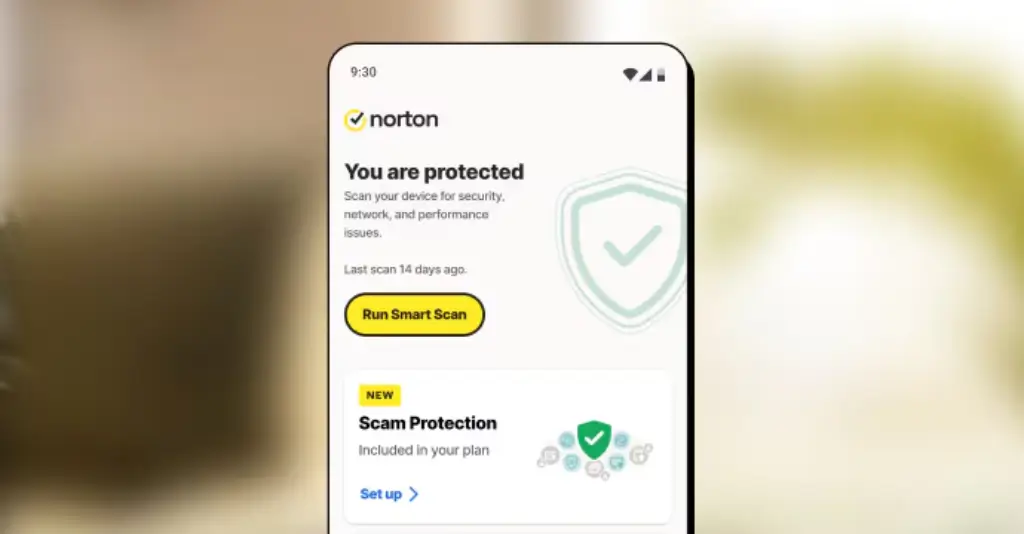
✅ AI-Powered Scam Protection – Helps detect scam links, unsafe sites, and suspicious activity before you interact with them.
✅ App Advisor – Reviews apps and updates for privacy risks, intrusive behavior, and potential malware.
✅ Wi-Fi Security – Alerts you when you connect to risky or compromised networks.
✅ Secure VPN – Adds privacy when browsing on public Wi-Fi.
✅ Dark Web and Identity Alerts – Available in broader Norton plans for users who want more than device security.
How It Protects You
Norton is the best fit for most Android users because it does more than basic malware detection. Its biggest advantage in 2026 is how strongly it focuses on scams, risky apps, and unsafe browsing, which are now the most common mobile threats for everyday users.
The App Advisor feature is especially useful if you install new apps frequently. It helps flag suspicious permissions, privacy concerns, and unsafe behavior before you trust an app with your data.
If you want a cleaner, more mainstream mobile security experience, Norton is one of the easiest apps to recommend. It is polished, simple to manage, and backed by excellent recent Android lab scores.
Extra Tools You’ll Appreciate
- Web protection
- Device security dashboard
- Wi-Fi risk history
- Privacy monitoring
- VPN in supported plans
Pros and Cons
Positive
✅ Excellent scam protection
✅ Strong app advisor tools
✅ Easy Android experience
✅ Strong privacy extras
Negatives
❌ Premium pricing
❌ Some extras depend on plan
❌ Identity tools vary by region
❌ Best value in larger bundles
💡 Who It’s Best For
Norton is the best choice if you want a premium Android antivirus that feels modern and practical. It is ideal for people who worry more about scam texts, unsafe apps, phishing pages, and privacy risks than about old-school “phone viruses” alone.
💵 Pricing Overview
- Mobile-focused protection: Often available through Norton Mobile Security or Norton 360 mobile offers
- Broader 360 plans: Better if you also want VPN, identity monitoring, or desktop protection
- Trial option: Norton commonly promotes a mobile free trial, though the duration can vary by region
Overall Assessment of Norton Mobile Security 🏆
Norton is our top Android antivirus pick in 2026 because it combines strong independent test performance with some of the best anti-scam and app risk features on the market.
Bitdefender Mobile Security
Unique Features
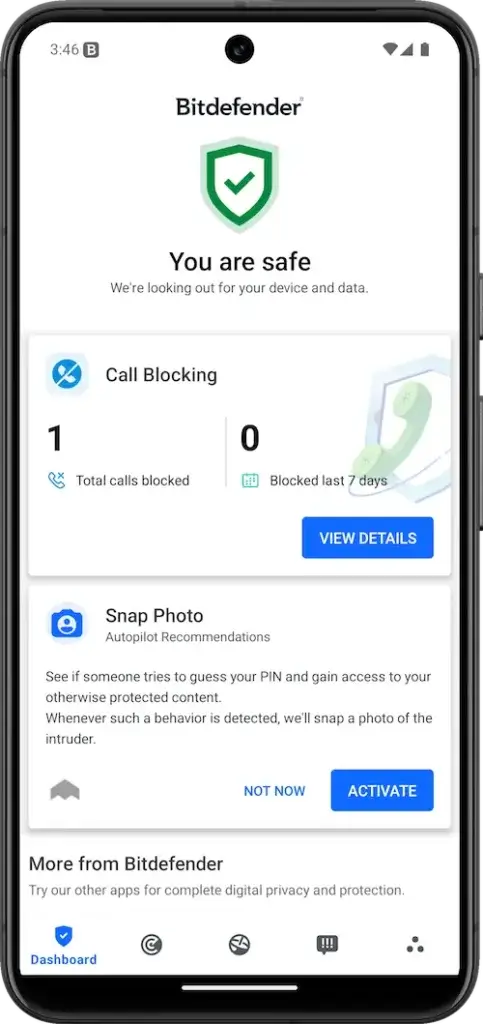
✅ Scam Alert – Detects malicious links sent through SMS, messages, and notifications.
✅ Web Protection – Blocks phishing, fraud pages, and dangerous browsing sessions.
✅ App Anomaly Detection – Helps identify risky behavior and suspicious apps.
✅ Anti-Theft – Adds remote device security tools for Android users.
✅ Low Battery Impact – Built to stay light in the background.
How It Protects You
Bitdefender is the strongest choice if you care most about raw protection quality. It consistently performs at the top in independent Android testing, and it does a great job translating that protection into real-world mobile threats like scam links and phishing pages.
Its Android app feels streamlined rather than bloated. You get strong protection without constant interruptions, and that matters on mobile where battery life and responsiveness are just as important as detection.
Bitdefender also stands out for users who install apps outside the Play Store from time to time. If sideloading is part of your workflow, Bitdefender is one of the safest choices.
Extra Tools You’ll Appreciate
- VPN access
- Scam link alerts
- Anti-theft features
- Account privacy monitoring
- Wear OS support in some flows
Pros and Cons
Positive
✅ Excellent malware detection
✅ Very light on battery
✅ Strong scam alert tools
✅ Great for sideloading risk
Negatives
❌ VPN is limited on some plans
❌ Fewer identity extras
❌ Premium-focused pricing
❌ Best tools need paid tier
💡 Who It’s Best For
Bitdefender is ideal if your top priority is protection quality. It is a particularly strong fit for Android users who want excellent malware defense, scam link blocking, and minimal battery impact.
💵 Pricing Overview
- Mobile Security plan: Best if you only want Android protection
- Total Security bundles: Better if you also protect laptops and other devices
- Trial option: Bitdefender often offers a 14-day Android trial
Overall Assessment of Bitdefender Mobile Security 🏆
Bitdefender is the best Android antivirus for users who prioritize independent test strength and lightweight protection without sacrificing scam defense.
Avast Mobile Security

Unique Features
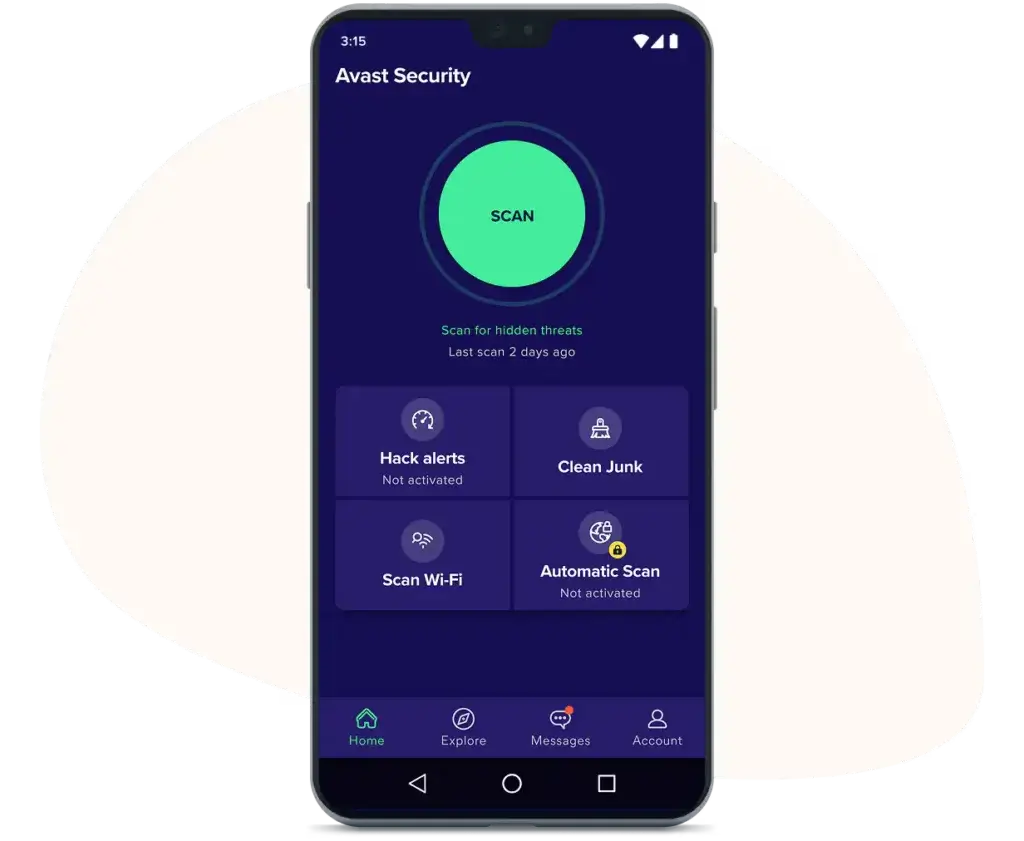
✅ Free Android Protection – One of the strongest reputable free antivirus options for Android.
✅ Wi-Fi Security – Helps identify insecure or compromised networks.
✅ Hack Alerts – Checks whether your email appears in known breaches.
✅ Photo Vault and Privacy Tools – Adds light privacy features beyond scanning.
✅ Junk and App Cleanup Tools – Useful for casual users who want an all-in-one mobile utility.
How It Protects You
Avast is the easiest free recommendation for Android users who want more than the Play Store’s default protections without committing to a paid plan immediately.
It handles malware detection well, adds Wi-Fi and privacy checks, and gives users a gentler on-ramp into mobile security than many paid-only products. That makes it especially attractive for students, casual users, and families who want a no-cost starting point.
The premium version adds more depth, but the free tier is already useful enough to deserve a place high in this ranking.
Extra Tools You’ll Appreciate
- Email breach alerts
- Photo vault
- Wi-Fi scan tools
- Privacy advisor
- Junk cleanup
Pros and Cons
Positive
✅ Strong free version
✅ Easy for beginners
✅ Useful Wi-Fi checks
✅ Helpful privacy extras
Negatives
❌ Upsell prompts in free tier
❌ Some tools feel secondary
❌ Premium needed for full value
❌ Less polished than Norton
💡 Who It’s Best For
Avast is best for Android users who want a trustworthy free antivirus app with meaningful features and an easy upgrade path if they later want more privacy or security tools.
💵 Pricing Overview
- Free plan: Best for essential Android protection
- Premium Security: Better if you want more complete protection across devices
- Trial option: Avast often promotes a free premium trial depending on region
Overall Assessment of Avast Mobile Security 🏆
Avast is still one of the best free antivirus choices for Android, and it remains a smart option for users who want more tools than Google Play Protect alone offers.
ESET Mobile Security

Unique Features
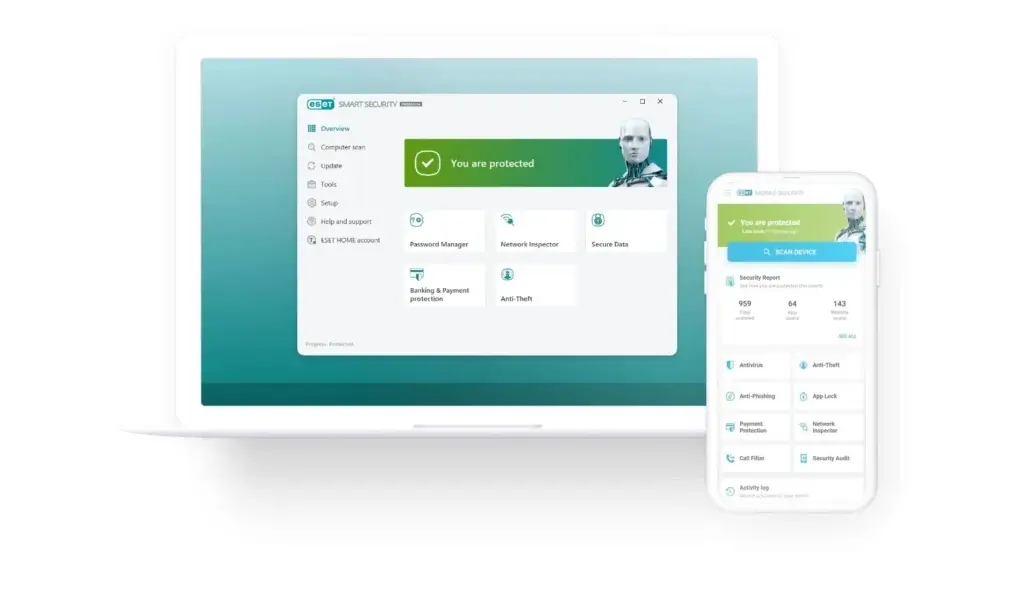
✅ Payment Protection – Adds extra security for banking and shopping activity on Android.
✅ Anti-Theft – Helps locate, secure, and recover a lost device.
✅ App Lock – Lets you add a privacy layer to sensitive apps.
✅ Security Audit – Reviews permissions and device security settings.
✅ Anti-Phishing – Blocks scam pages that try to steal credentials.
How It Protects You
ESET is one of the most practical Android security apps for users who rely on their phone for payments, online shopping, and sensitive logins. Its payment protection and anti-theft capabilities make it feel very well-suited to the way modern Android users work.
It also offers more manual control than many mainstream competitors. That gives advanced users a bit more flexibility without making the product hard to understand.
If your phone is central to banking, payments, or business travel, ESET is one of the smartest options in this list.
Extra Tools You’ll Appreciate
- App lock
- Security audit
- Proactive anti-theft
- Safe browsing
- Phishing defense
Pros and Cons
Positive
✅ Strong anti-theft tools
✅ Excellent payment protection
✅ Useful app lock feature
✅ Great for security-focused users
Negatives
❌ Interface feels more functional
❌ Fewer lifestyle extras
❌ Less mainstream brand appeal
❌ Full value needs premium plan
💡 Who It’s Best For
ESET is best for Android users who care about financial security, anti-theft controls, and a more serious mobile protection setup without too much unnecessary clutter.
💵 Pricing Overview
- Free version: Good for basic scanning and entry-level protection
- Premium version: Needed for payment protection, anti-phishing, and advanced anti-theft
- Trial option: ESET commonly offers a 30-day premium trial
Overall Assessment of ESET Mobile Security 🏆
ESET is one of the most practical Android antivirus apps for people who use their phone for money, travel, and sensitive logins. It is especially strong for anti-theft and payment protection.
Kaspersky for Android

Unique Features
✅ Anti-Phishing – Blocks fake pages and malicious links.
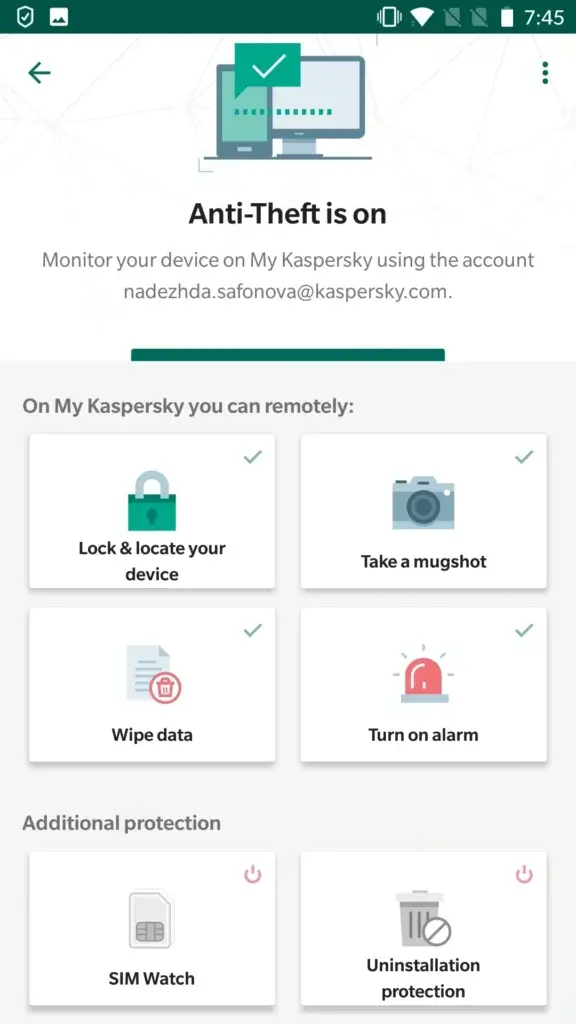
✅ App Lock – Adds biometric or code-based protection to sensitive apps.
✅ Privacy Tools – Helps secure messages, apps, and personal information.
✅ Anti-Theft – Helps secure a lost or stolen device.
✅ High Lab Performance – Continues to perform well in independent Android tests.
How It Protects You
Kaspersky still delivers strong Android protection and remains a technically capable choice in markets where it is fully available. It covers phishing, malicious links, privacy controls, and anti-theft well, and its Android app remains feature-rich.
That said, this is not a universally simple recommendation. If your audience includes US readers, you should place a clear note here that Kaspersky is restricted in the United States and should not be the default recommendation for US-based buyers.
For readers outside the US, it remains a strong Android security suite. For US readers, it is better to choose Norton, Bitdefender, or ESET.
Extra Tools You’ll Appreciate
- App lock
- Call and privacy controls
- Anti-theft support
- Safe browsing
- Premium privacy features
Pros and Cons
Positive
✅ Strong Android protection
✅ Good privacy controls
✅ Useful app lock tools
✅ Solid anti-phishing coverage
Negatives
❌ Not ideal for US buyers
❌ Availability varies by region
❌ Trust concerns for some users
❌ Recommendation needs caveat
💡 Who It’s Best For
Kaspersky is best for Android users outside the US who want strong security and privacy tools in one app. It should be presented with a clear regional caveat.
💵 Pricing Overview
- Standard and premium tiers: Vary by region and offer path
- Premium bundles: Better for broader privacy and identity tools
- Trial option: Kaspersky commonly promotes a free premium trial in supported markets
Overall Assessment of Kaspersky for Android
Kaspersky remains a capable Android antivirus product, but its recommendation depends heavily on region. It is strong technically, but not a clean fit for US-focused buyers.
Important availability note: If you are in the United States, choose another option from this list. Norton, Bitdefender, and ESET are safer alternatives for US-based readers.
How to Choose the Right Android Antivirus
Choosing the right Android antivirus is less about finding the app with the most features and more about matching the product to the way you use your phone.
💡 1. Think About Your Real Mobile Risk
If you mostly install apps from Google Play and keep your phone updated, your risk is lower. But if you bank on your phone, travel often, click links from messages, or sideload apps, you need more protection.
- For most users: Norton or Bitdefender
- For free protection: Avast
- For banking and anti-theft: ESET
- For spyware and stalkerware concerns: Malwarebytes
🔒 2. Decide Whether You Need More Than Malware Scanning
On Android, many modern threats are scams rather than classic viruses. That is why features like scam link detection, app analysis, web protection, and anti-theft matter so much.
Look for features like:
- Scam text and phishing protection
- App risk analysis
- Anti-theft and remote security tools
- Payment or banking protection
📦 3. Don’t Ignore Sideloading Risk
If you ever install APKs outside the Play Store, you should treat Android security more seriously. In that situation, Bitdefender, Norton, and ESET become much more compelling than basic free tools.
🌐 4. Check the Privacy Extras
Some Android antivirus apps now function more like compact security suites. VPN access, identity monitoring, breach alerts, and privacy audits can all be useful if your phone is central to your online life.
- Best privacy bundle: Norton
- Best protection-focused bundle: Bitdefender
- Best identity angle: McAfee
- Best scam-focused angle: Trend Micro
💸 5. Be Careful with Trials and Renewals
Mobile antivirus apps often promote attractive trials, but the exact offer can depend on your country, app store path, or bundle. Before buying, check:
- How long the trial lasts
- What features are included
- Whether renewal happens automatically
- Whether the plan is mobile-only or multi-device
✅ Quick Checklist Before You Buy
- Real-time Android protection included
- Scam and phishing blocking available
- Low battery and performance impact
- Good recent lab test history
- Useful anti-theft or privacy features
- Clear pricing and renewal terms
Conclusion
All of the Android antivirus apps in this guide can improve your mobile security, but the best choice depends on the kind of risk you want to reduce.
- Choose Norton Mobile Security if you want the best overall balance of scam protection, app safety, privacy, and usability.
- Go with Bitdefender Mobile Security if you want the strongest protection-first option with excellent Android lab performance.
- Pick Avast Mobile Security if you want one of the best free Android antivirus options available.
- Select ESET Mobile Security if you care most about banking, anti-theft, and Android device control.
For most Android users in 2026, Norton is the strongest overall recommendation, with Bitdefender close behind for protection-focused buyers and Avast leading the free category.
FAQ
Do Android phones really need antivirus in 2026?
Some users can rely mainly on Google Play Protect and safe habits, but an extra security app is worthwhile if you click links in messages, use public Wi-Fi, sideload APKs, bank on your phone, or want more scam protection.
What is the best antivirus for Android overall?
Our top pick is Norton because it combines strong Android protection, scam prevention, app analysis, privacy features, and an easy user experience.
Is Bitdefender better than Norton on Android?
Bitdefender is stronger if you care most about protection quality and lightweight performance. Norton is better if you want a broader anti-scam and privacy package.
What is the best free antivirus for Android?
Avast is the strongest free-friendly option in this list. It gives you meaningful protection without forcing you into a paid plan immediately.
Is Google Play Protect enough?
It is a good baseline, but it does not replace the extra value of anti-phishing, scam link detection, app privacy analysis, anti-theft tools, and broader privacy protection.
Which Android antivirus is best for banking and payments?
ESET stands out here because of its payment protection, anti-phishing tools, and practical anti-theft support.
Which antivirus is best for spyware or stalkerware on Android?
Malwarebytes is one of the most relevant choices if spyware and stalkerware detection matter to you, and it is a strong option for privacy-focused users.
Can antivirus apps protect me from scam texts and malicious links?
Yes, some of the best Android security apps now focus heavily on this. Norton, Bitdefender, McAfee, and Trend Micro all have strong scam-related positioning.
Will Android antivirus drain my battery?
Not usually. The better Android security apps are designed to run lightly in the background, and recent independent tests show only minor battery impact across leading products.
Should US readers buy Kaspersky for Android?
No. If you are targeting US-based readers, it is safer to recommend Norton, Bitdefender, or ESET instead.