
Introduction
Building a reliable outbound sales process often requires several separate tools. You may need one platform to find business contacts, another to verify email addresses, a third to warm up mailboxes, and a fourth to automate follow-ups.
Snov.io attempts to bring those workflows together. It is a B2B lead generation and multichannel outreach platform that combines prospect discovery, email verification, deliverability tools, cold email campaigns, LinkedIn automation, reply management, AI assistance, integrations, and lightweight CRM functionality.
That combination makes Snov.io particularly relevant for startups, sales development teams, agencies, recruiters, and founders that want to build outbound pipeline without maintaining a complicated collection of disconnected software.
In this Snov.io review, you will learn how its prospecting, verification, campaign automation, CRM, deliverability, pricing, integrations, and security features work. You will also see where Snov.io performs well, where it has limitations, and how it compares with Apollo.io, lemlist, Smartlead, and Woodpecker.
Snov.io is a strong choice if you want to find prospects and contact them from one platform. It is less suitable if you need deep buyer intent data, advanced enterprise sales intelligence, sophisticated revenue forecasting, or a complete post-sale CRM.
Snov.io Review: Quick Summary
Snov.io is best understood as an outbound sales platform rather than a traditional CRM. Its main value comes from connecting the early stages of the sales process, from identifying a potential buyer to verifying their contact details, preparing sending accounts, launching personalized sequences, and tracking replies.
| Category | Snov.io Review Summary |
| Best For | Startups, agencies, SDR teams, recruiters, and B2B companies running outbound prospecting |
| Starting Price | Free Trial account, with paid Sales Suite plans starting at $39 per month |
| Core Strength | Connects email finding, verification, deliverability, campaigns, LinkedIn outreach, and CRM workflows |
| Main Limitation | Credits, recipient quotas, and separately priced add-ons can make total costs harder to compare |
| CRM Depth | Useful for lightweight deal tracking, but not a complete replacement for an advanced CRM |
| Best Alternative | Apollo.io for sales data, lemlist for personalization, Smartlead for scale, and Woodpecker for controlled cold email |
The biggest reason to consider Snov.io is workflow consolidation. Instead of exporting contacts between several tools, you can find prospects, verify their addresses, place them into campaigns, monitor engagement, and create CRM deals within the same environment.
The tradeoff is that Snov.io covers many areas without necessarily matching the depth of every specialist platform. Its CRM is lighter than HubSpot or Pipedrive, its sales intelligence is less extensive than enterprise data providers, and its large-scale sending infrastructure may not suit every agency as well as a dedicated cold email platform.
Key Features
Snov.io Software Specification
Snov.io covers four connected parts of outbound sales: finding prospects, validating contact data, preparing sending infrastructure, and automating engagement. This makes it broader than a standalone email finder or verifier.
AI-powered B2B database and Email Finder
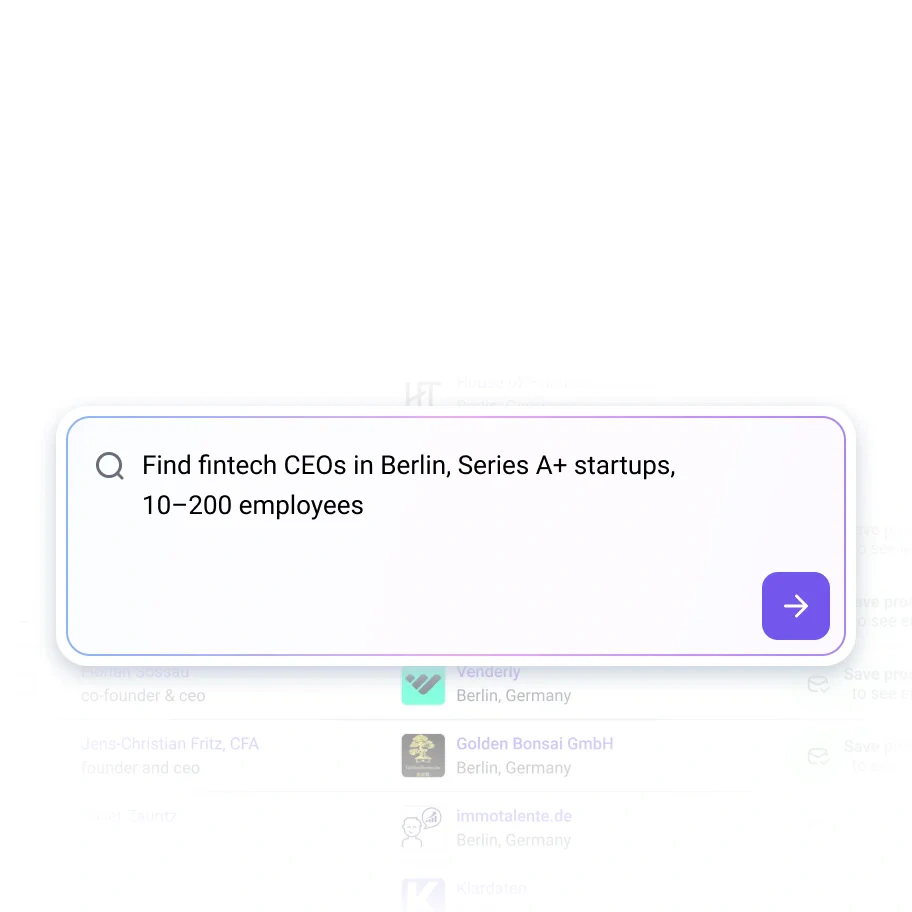
Snov.io’s Email Finder helps you identify professional contacts by name, company, domain, role, location, industry, and other business attributes. Its database search can also help you build prospect lists around an ideal customer profile.
The company currently promotes access to more than 500 million B2B contacts. You can search through the web application, upload data for bulk processing, use browser extensions, or connect the finder to another application through the API.
- Search prospects by name, company, domain, role, or location.
- Build lists with company and contact-level filters.
- Find contacts directly from company websites and search results.
- Upload names and domains for bulk email discovery.
- Use LinkedIn URLs to collect and enrich prospect records.
The main advantage is that discovered prospects can move directly into Snov.io lists, campaigns, and CRM records. This reduces the manual exporting and importing required when you use separate data and outreach platforms.
However, Snov.io should not be treated as an infallible source of contact data. Job changes, company restructures, catch-all domains, regional coverage, and outdated public records can still affect results. Test the platform with contacts from your actual target market before purchasing a high-volume plan.
Seven-tier email verification
Snov.io includes a built-in Email Verifier for checking individual addresses, uploaded lists, and contacts collected from other sources. Verification is also available through an API for teams that want to validate data inside forms, applications, or automated workflows.
The verification process checks factors such as syntax, domain validity, mail exchange records, server response, mailbox existence, disposable addresses, and catch-all behavior. Results are classified to help you separate valid, invalid, and uncertain addresses.
Snov.io advertises an accuracy rate above 98 percent. That figure should be treated as a vendor claim rather than a guarantee that every verified email will be delivered. Temporary server problems, mailbox limits, spam filtering, and recipient-side policies can still cause a valid address to bounce.
The verifier is nevertheless valuable because it places list hygiene directly before campaign enrollment. You can avoid adding clearly invalid addresses to a sequence and reduce unnecessary damage to your sender reputation.
Email and LinkedIn prospecting
Snov.io supports LinkedIn-based prospecting through its search tools and browser extensions. You can collect profile information, find associated business emails, and save prospects while researching potential buyers.
LinkedIn Automation expands this workflow by adding actions such as profile visits, post likes, connection requests, messages, InMail, endorsements, and follow-ups. These actions can be combined with email steps in the same sequence.
This is useful when you do not want a prospect’s experience to depend entirely on cold email. A profile visit or relevant connection request can create familiarity before an email arrives, while an email can continue the conversation if a LinkedIn message receives no response.
LinkedIn Automation is priced separately from the core Sales Suite. You should therefore calculate the number of LinkedIn account slots your team needs before comparing Snov.io with platforms that include LinkedIn tasks or integrations within their standard plan.
Multichannel outreach campaigns
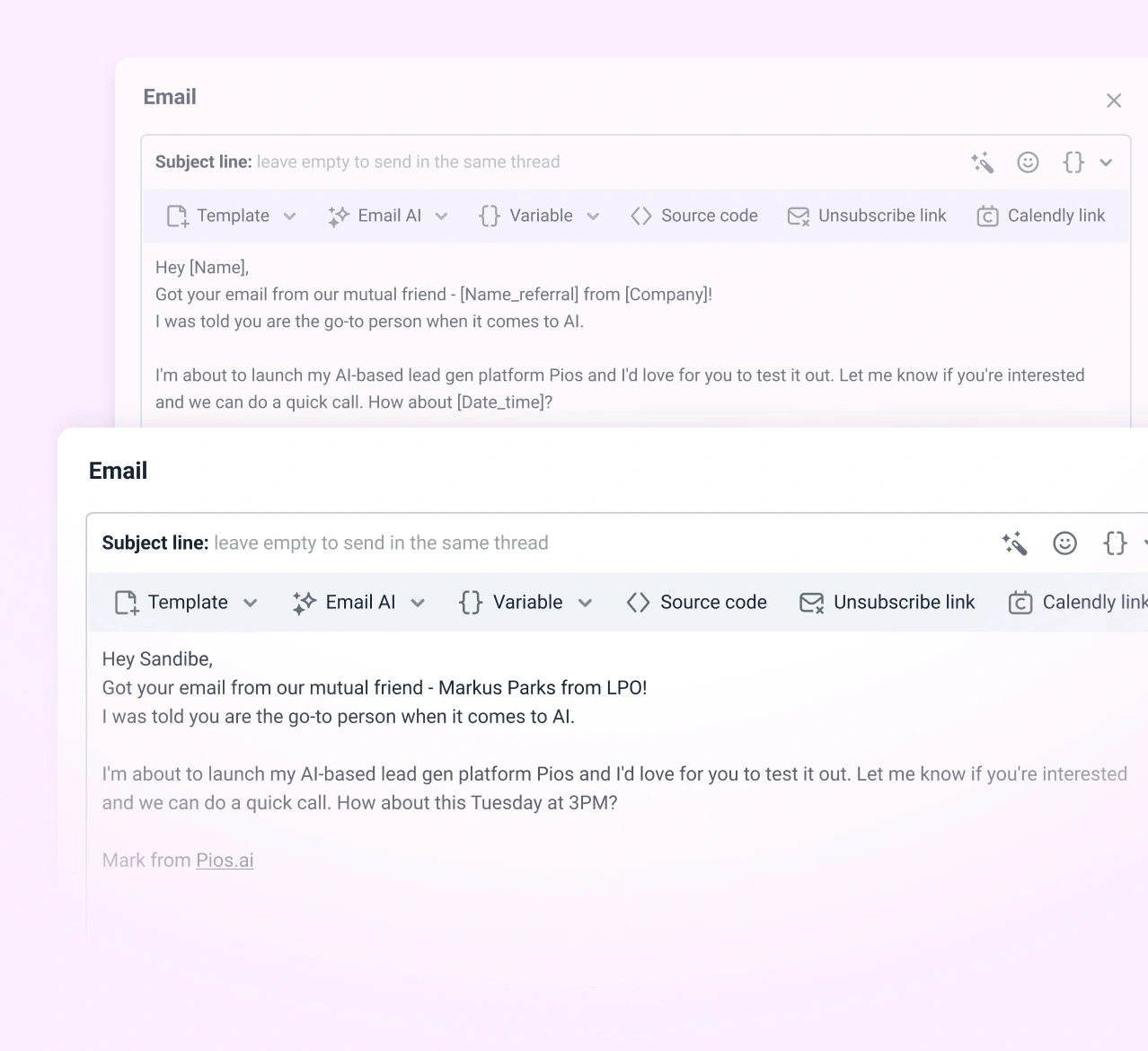
Snov.io Campaigns lets you build automated sequences containing email and LinkedIn steps. You can add delays, follow-ups, conditions, personalization variables, spintax, A/B tests, sender rotation, engagement triggers, and campaign volume controls.
Conditions allow the sequence to change according to prospect behavior. For example, you can create a different path for someone who opened an email, clicked a link, accepted a connection request, replied, or remained inactive.
- Create unlimited campaigns and follow-up steps.
- Personalize copy with prospect and company variables.
- Rotate connected mailboxes across campaigns.
- Use A/B testing to compare messaging variations.
- Pause or redirect sequences according to engagement.
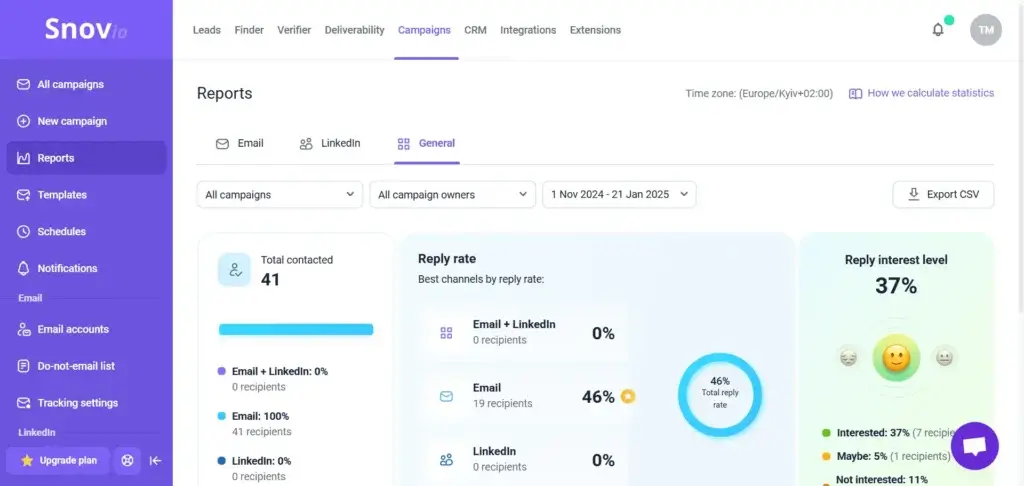
- Track sends, replies, bounces, and positive interest.
Unlimited emails should not be confused with unlimited unrestricted sending. Plans use a recipient quota, and responsible outreach still requires conservative mailbox-level sending limits. A high allowance does not remove the need for authentication, warm-up, list verification, and gradual volume increases.
Email warm-up and deliverability tools
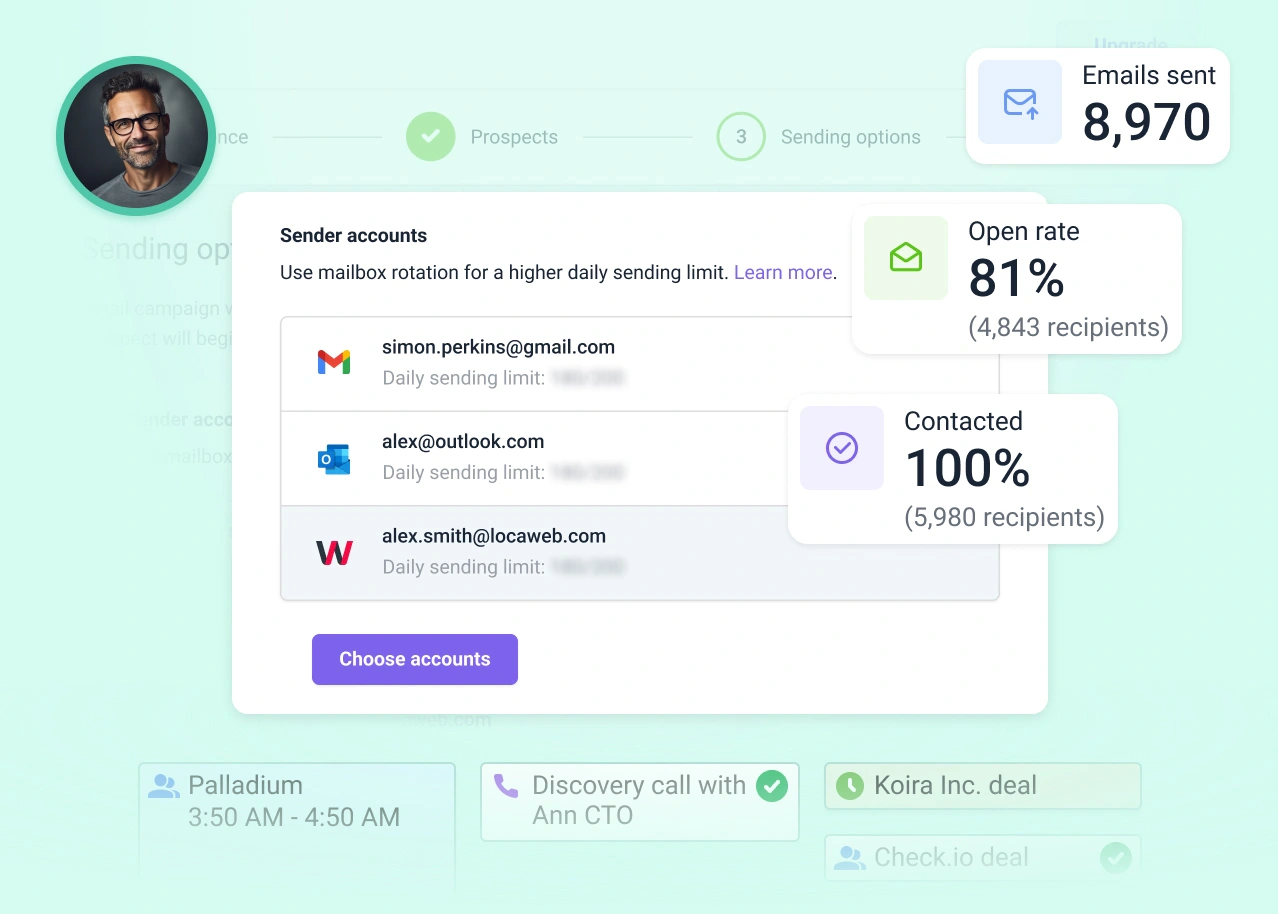
Snov.io includes warm-up and diagnostic tools intended to prepare email accounts for outreach and identify sender reputation problems. The warm-up system creates automated interactions within a network of mailboxes to establish more consistent sending behavior.
The wider deliverability toolkit can check inbox placement, DNS records, SPF, DKIM, DMARC, sender reputation, blacklists, spam-related wording, and SpamAssassin results. Custom tracking domains and mailbox rotation can also help you reduce dependence on one sender.
These tools are helpful, but warm-up does not guarantee inbox placement. Your results will still depend on the quality of your targeting, content, authentication, sending patterns, complaints, bounces, and the reputation of your domains and mailboxes.
Snov.io also sells preconfigured sending domains and Google mailboxes. These options can simplify infrastructure setup, but they create additional costs beyond the main subscription.
Unibox reply management
Unibox consolidates email and LinkedIn conversations from connected accounts. Instead of opening every sender mailbox separately, you can review and respond to conversations from one workspace.
This becomes more valuable as your team adds senders. Centralized replies help reduce missed messages, duplicated responses, and uncertainty about which representative owns the conversation.
Team members can filter conversations by channel, review previous interactions, and share communication visibility. AI-assisted reply analysis can also help classify interest so sales representatives can prioritize positive or commercially relevant conversations.
AI Studio and MCP access
Snov.io includes AI-assisted tools for creating buyer personas, exploring selling points, and drafting outreach messages based on an ideal customer profile. These tools can help you create a useful first draft, particularly when you need several campaign variations.
The platform also supports Model Context Protocol access. This allows compatible AI assistants, including tools such as ChatGPT, Claude, and Cursor, to interact with supported Snov.io functions.
Depending on the available permissions, an AI assistant can help search for prospects, verify contacts, update CRM records, or manage outreach actions through natural-language instructions.
This is a promising workflow improvement, but access should be governed carefully. Define who may connect external assistants, what actions they can perform, and how prospect data is handled before introducing AI-driven automation across your team.
Built-in sales CRM
Snov.io includes a lightweight CRM for managing deals, pipelines, tasks, notes, and prospect activity. It can automatically create deals when a prospect performs a qualifying campaign action, such as replying or accepting a LinkedIn request.
The CRM supports multiple pipelines, customizable stages, team collaboration, calendar synchronization, multicurrency deal values, and deal statistics. It is useful when you need a straightforward bridge between outbound activity and opportunity tracking.
However, it is not as deep as a complete CRM platform. Advanced forecasting, account hierarchies, territory management, customer service, subscription management, complex permissions, and post-sale workflows are better handled by a dedicated CRM.
A practical setup is to use Snov.io for prospecting and early-stage engagement, then synchronize qualified contacts and opportunities with HubSpot or Pipedrive.
Integrations, API, and workflow automation
Snov.io provides native connections with tools such as HubSpot, Pipedrive, Clay, Calendly, Google Calendar, Zapier, and Make. Its REST API and webhooks support custom prospecting, verification, campaign, and lead-management workflows.
HubSpot and Pipedrive integrations are particularly important when Snov.io is not your primary system of record. They can help keep contact data and sales activity synchronized while allowing your team to continue using its established CRM.
Before connecting platforms, determine which system owns each type of data. Define whether contacts, companies, deals, campaign activity, and opt-out status should be controlled by Snov.io or your CRM. Poorly planned synchronization can create duplicate records and conflicting suppression lists.
Key Benefits
Why Teams Choose Snov.io
One connected outbound workflow
Snov.io’s strongest benefit is the ability to move from lead discovery to outreach without rebuilding the same list in several systems. A prospect found through a database search or extension can be verified, segmented, enrolled in a campaign, and added to a deal.
Lower software fragmentation
A small team may be able to replace separate email finding, verification, warm-up, sequencing, and lightweight CRM subscriptions. This can reduce both software costs and operational complexity.
Unlimited team seats
Snov.io’s paid Sales Suite plans include unlimited team seats. This is a meaningful advantage for agencies and growing teams because many competing sales platforms charge separately for each user.
Flexible outreach infrastructure
Unlimited connected senders, mailbox rotation, warm-up, deliverability testing, custom tracking domains, and preconfigured mailboxes give you several ways to build a more controlled sending operation.
Accessible entry point
The free Trial account gives you a way to test core prospecting, verification, campaign, warm-up, and CRM workflows before upgrading. The Starter plan can then support a relatively substantial number of contacted recipients for a small team.
Pros and Cons
Advantages and Limitations of Snov.io
Positive
✅ All-in-one outbound sales workflow
✅ Strong email finding and verification tools
✅ Email and LinkedIn campaign automation
✅ Deliverability and warm-up features included
✅ Unlimited team seats on paid plans
Negative
❌ Credit and recipient limits require planning
❌ LinkedIn automation costs extra
❌ CRM is lighter than dedicated platforms
❌ Limited enterprise intent and intelligence depth
❌ Interface can feel busy as campaigns grow
Advantages of Snov.io
- Connected platform: Prospecting, verification, campaigns, replies, and CRM activity can remain in one workspace.
- Useful email data tools: Multiple search methods support individual, domain, bulk, browser, LinkedIn, and API workflows.
- Built-in deliverability layer: Verification, warm-up, authentication checks, placement testing, and sender monitoring support safer outreach.
- Multichannel sequences: Email and LinkedIn steps can be combined with conditions and automated follow-ups.
- Team-friendly pricing: Unlimited team seats can lower costs for agencies and multi-user sales departments.
- Flexible integrations: Native CRM connections, Zapier, Make, APIs, webhooks, and MCP access support broader automation.
Limitations of Snov.io
- Two-part usage model: You need to monitor both prospecting credits and contacted-recipient allowances.
- Extra LinkedIn expense: LinkedIn Automation requires separately purchased account slots.
- Lightweight CRM: The built-in CRM is useful for simple deals but lacks the depth of a full customer platform.
- Limited buying signals: Teams needing advanced intent, technographic, or enterprise account intelligence may need another provider.
- Potential interface density: Managing data, senders, campaigns, warm-up, replies, and CRM records creates a learning curve.
- Compliance remains your responsibility: The software does not automatically make every list or campaign lawful.
User Experience
User Interface and Experience
Snov.io provides a cleaner workflow than assembling several separate prospecting and outreach applications. However, the interface naturally becomes more complex once you manage multiple lists, campaigns, senders, warm-up accounts, LinkedIn slots, replies, and pipelines.
Public user feedback is generally positive. Users frequently praise the combination of lead generation, email verification, campaign automation, and customer support. Common concerns include credit limitations, missing specialist features, a moderate learning curve, and an interface that can feel crowded when several campaigns are active.
Initial setup
Creating an account and testing individual email searches is straightforward. Running a safe production campaign requires more preparation.
You need to connect sending accounts, configure authentication, warm up new mailboxes, create suppression lists, import or discover contacts, verify data, define campaign schedules, and set conservative daily volumes.
The interface can guide you through these steps, but it cannot make the strategic decisions for you. Your team still needs clear targeting, message standards, compliance rules, and ownership of replies.
Daily workflow
A typical Snov.io workflow begins with a database or LinkedIn search. Suitable prospects are saved to a segmented list, verified, and added to a sequence. Replies then appear in Unibox, while interested prospects can be added to CRM deals.
This workflow is efficient because each stage remains connected to the same prospect record. Sales representatives can see sourcing information, verification status, campaign activity, replies, notes, and deal progress without searching through several tools.
Learning curve
The basic finder and verifier are easy to understand. Campaign conditions, mailbox rotation, deliverability diagnostics, CRM automation, integration rules, and multichannel sequences require more training.
Role-based onboarding is the best approach. Prospect researchers should learn database filters and list standards. Campaign managers should understand deliverability and sequencing. Sales representatives should focus on Unibox, qualification, and deal management.
Support and learning resources
Snov.io provides a knowledge base, Academy courses, tutorials, product updates, and customer support. Higher plans add prioritized support and implementation assistance.
The available educational material is valuable because successful cold outreach depends on more than learning where buttons are located. Teams also need guidance on authentication, sender reputation, verification, safe volumes, personalization, and campaign analysis.
Business Size Fit
Snov.io for Different Teams
Snov.io for freelancers and founders
Snov.io can work well for founders and independent consultants that need to build an early prospect list and send structured follow-ups. The free Trial account provides a low-risk way to test data coverage and campaign usability.
The Starter plan becomes more relevant when outreach is consistent rather than occasional. However, a freelancer who only needs a few verified contacts each month may find a focused pay-as-you-go finder more economical.
Snov.io for startups and small businesses
Startups are among the strongest use cases. Snov.io can reduce the need to purchase separate subscriptions for prospecting, verification, warm-up, campaigns, and simple opportunity tracking.
Unlimited team seats also allow founders, SDRs, marketers, and account executives to collaborate without creating a per-user cost increase.
Snov.io for sales teams
Small and mid-sized sales teams can use Snov.io as an outbound execution layer alongside a primary CRM. Prospect data and campaign activity can remain in Snov.io while qualified contacts and deals synchronize with HubSpot or Pipedrive.
This setup is particularly practical when the main CRM is strong for pipeline management but lacks native prospecting data and deliverability tools.
Snov.io for lead generation agencies
Agencies benefit from unlimited team members, multiple senders, list sharing, campaign automation, deliverability tools, and high-volume plan options.
However, agencies managing very large numbers of clients, domains, and mailboxes should compare Snov.io carefully with infrastructure-focused tools. Separate LinkedIn slots, recipient quotas, enrichment tokens, mailboxes, and domains may affect the total operating cost.
Snov.io for recruiters
Recruiters can use database, domain, and LinkedIn search tools to identify potential candidates and reveal business contact information. Automated sequences can then support follow-up and interview outreach.
Recruitment teams that need personal emails, advanced candidate histories, applicant tracking, or extensive phone data may need a recruitment intelligence platform alongside Snov.io.
Snov.io for enterprise organizations
Snov.io can support enterprise outbound teams, particularly when used as a specialist prospecting and engagement layer. APIs, webhooks, permissions, integrations, and Custom Ultra packages provide paths for larger deployments.
It is less compelling as a complete enterprise go-to-market platform. Large organizations needing deep intent signals, territory planning, advanced forecasting, detailed governance, and extensive certification documentation may prefer a broader sales intelligence and engagement stack.
Who should not use Snov.io?
Snov.io may not be the right choice if you need:
- A complete CRM for marketing, sales, service, and customer success.
- Advanced buyer intent and account-level purchasing signals.
- Deep enterprise forecasting and territory management.
- A newsletter or permission-based email marketing platform.
- Large-scale phone prospecting and dialer functionality.
- A simple email finder with no campaign automation requirements.
Pricing and Plans
How Much Does Snov.io Cost?
Snov.io uses two main allowances within its Sales Suite pricing: credits and recipients. Credits are used for prospect search, email discovery, and verification. Recipient quotas measure how many unique leads you contact during the billing period.
Follow-ups to the same recipient during that billing period do not consume another recipient allowance. Plans also include unlimited campaigns, connected senders, follow-ups, team seats, and prospect storage, although responsible sending limits still apply.
| Plan | Monthly Price | Credits | Monthly Recipients | Warm-Up Accounts |
| Trial | Free | 50 | 100 | 1 |
| Starter | $39 | 1,000 | 5,000 | 3 |
| Pro S | $99 | 5,000 | 25,000 | Unlimited |
| Pro M | $189 | 20,000 | 50,000 | Unlimited |
| Pro L | $369 | 50,000 | 100,000 | Unlimited |
| Ultra | $738 | 100,000 | 200,000 | Unlimited |
| Custom Ultra | Custom | From 200,000 | From 400,000 | Unlimited |
Annual subscriptions currently advertise a 25 percent discount. Pricing, discounts, and allowances can change, so confirm the final amount on the official pricing page before purchasing or publishing an updated comparison.
Free Trial account
The free Trial account includes 50 monthly credits and support for up to 100 contacted recipients. It is sufficient for testing individual searches, verification, a small campaign, warm-up, and the built-in CRM.
It is not suitable for a complete outbound program, but it gives you enough access to evaluate data coverage and interface quality using real prospects from your market.
Starter plan
Starter costs $39 per month and includes 1,000 credits, 5,000 recipients, three concurrent warm-up accounts, and unlimited team seats.
This is the most attractive plan for founders and small teams that need moderate prospecting and campaign volume. The recipient allowance is generous relative to the credit allowance, so some users may need to import contacts from another source or purchase additional data.
Pro plans
Pro S, Pro M, and Pro L increase prospecting credits, recipient capacity, warm-up volume, API access, exports, integrations, and support. Pro S is likely to be the practical starting point for a dedicated outbound team.
The unlimited warm-up allowance is useful when you operate several mailboxes, but every account should still use a controlled sending schedule. Unlimited access does not mean that every mailbox can safely send high volumes.
Ultra and Custom Ultra
Ultra provides 100,000 credits and supports up to 200,000 recipients per month. Custom Ultra begins at higher allowances and adds customized implementation and support.
These plans are intended for high-volume agencies and sales operations. At this level, you should compare cost per usable verified contact, positive reply, meeting, opportunity, and acquired customer rather than focusing only on monthly subscription cost.
Additional Snov.io costs
The Sales Suite subscription may not represent your complete cost.
- LinkedIn Automation: Currently priced separately per connected LinkedIn account slot.
- Sending domains: Preconfigured domains are available for an additional annual charge.
- Google mailboxes: Ready-to-use mailboxes carry a separate monthly cost.
- Phone and data enrichment: Additional enrichment uses separately purchased tokens.
- Implementation: Complex integrations may require internal technical work or consulting.
Calculate the complete outbound stack before choosing a plan. A lower subscription can become more expensive when several LinkedIn slots, domains, mailboxes, and enrichment packages are added.
Security and Compliance
Protection for Your Data
Snov.io processes business contact data, campaign content, connected email accounts, replies, CRM records, and integration data. Security and privacy should therefore be part of your procurement review.
Infrastructure and encryption
Snov.io states that data is encrypted in transit and at rest. Its public Security Center also references encrypted passwords, intrusion detection systems, virtual private cloud protections, strict firewall settings, regular backups, and internal and external audits.
The company publishes maximum recovery point and recovery time objectives of 24 hours. OAuth2 is used for supported SaaS integrations so external service credentials do not need to be stored directly by Snov.io.
Account and team controls
Available team protections include two-factor authentication, data-access permissions, export permissions, shared suppression lists, and controlled access to team data.
These controls are useful for preventing unauthorized exports and limiting who can access prospect records. Larger teams should still define internal rules for account ownership, offboarding, API credentials, and connected AI assistants.
Privacy regulations
Snov.io publishes information about GDPR, CCPA, LGPD, data subject rights, international transfers, data deletion, and its processing roles. Its privacy materials also explain how business prospect data may be collected and processed.
Using a compliant vendor does not automatically make your campaign compliant. You are responsible for determining whether you have a lawful basis to process each contact, which electronic marketing rules apply, and how opt-out requests will be honored.
Certification considerations
The public Security Center emphasizes GDPR compliance, encryption, audits, backups, and LOA certification. Enterprise and regulated buyers should request current security reports, penetration testing information, processing agreements, subprocessor details, and evidence of any required industry certifications.
Do not assume that certifications held by an infrastructure provider automatically apply to Snov.io itself. Your security team should review the specific contractual entity and product environment being purchased.
Cold email compliance
Cold email rules differ by recipient type and jurisdiction. In the United States, commercial messages need accurate sender information, non-deceptive subject lines, a valid postal address, and a clear opt-out method.
UK and European requirements can be stricter, particularly when personal data identifies an individual, sole trader, or certain partnership types. Your team should document its lawful basis, maintain suppression lists, and honor objections consistently.
Snov.io provides tools that support safer operations, but legal responsibility remains with the sender. Obtain professional advice when targeting recipients in multiple jurisdictions.
Setup and Best Practices
Building a Safer Snov.io Workflow
1. Define your ideal customer profile
Start with company size, industry, location, role, seniority, technology environment, business model, and the problem your offer solves. Avoid building broad lists simply because the data is available.
2. Test data quality before upgrading
Search for 50 to 100 real prospects from your target market. Measure how many records contain useful titles, current companies, valid emails, and relevant firmographic information.
3. Separate outreach infrastructure
Consider using dedicated outreach domains rather than placing your main corporate domain at unnecessary risk. Configure SPF, DKIM, DMARC, forwarding, and custom tracking domains correctly.
4. Warm up gradually
Allow new domains and mailboxes to establish a normal history. Increase volume slowly, avoid sudden spikes, and monitor inbox placement rather than assuming warm-up alone solves deliverability.
5. Verify every imported list
Lists from spreadsheets, events, partners, LinkedIn research, and old CRM exports should be verified before enrollment. Remove invalid contacts and treat uncertain catch-all addresses conservatively.
6. Personalize around relevance
Personalization should explain why the recipient fits the message. A company event, job responsibility, operational problem, or relevant business signal is more valuable than inserting a first name into a generic template.
7. Track business outcomes
Open rates are increasingly unreliable because privacy protections and automated security systems can create false activity. Prioritize delivery, bounce rate, positive replies, meetings, qualified opportunities, pipeline, and revenue.
8. Maintain one suppression source
Synchronize do-not-contact records across Snov.io, your CRM, and any other outreach platforms. A contact who opts out through one channel should not be added to another campaign accidentally.
Comparisons
Snov.io Alternatives and Competitors
Snov.io is strongest when you want prospecting and outreach in one affordable environment. The best alternative depends on whether you prioritize data depth, creative personalization, mailbox scale, or controlled cold email execution.
| Platform | Best For | Where It Beats Snov.io | Where Snov.io Is Stronger |
| Apollo.io | Database-led B2B prospecting | Broader sales intelligence, filtering, intent signals, and calling tools | Integrated verification, warm-up, and accessible multichannel workflow |
| lemlist | Personalized multichannel outreach | Creative personalization and sales engagement experience | Email finding, verification, and deliverability tools in one suite |
| Smartlead | Agency and multi-mailbox scale | Mailbox infrastructure, agency workspaces, and large sending operations | More connected native prospecting and CRM workflow |
| Woodpecker | Controlled cold email campaigns | Focused interface and mature email-first outreach workflows | Broader database, verification, AI, LinkedIn, and CRM coverage |
Snov.io vs Apollo.io
Apollo.io provides a broader sales intelligence and engagement environment, with detailed prospect filters, data enrichment, buying signals, calling tools, and outbound sequences. Read our Apollo.io review for a complete analysis.
Apollo is usually the stronger option when contact database depth, intent data, and sales intelligence are the leading requirements. It can help larger sales teams prioritize accounts and combine email, calling, and task-based engagement.
Snov.io is more attractive when you want verification, warm-up, deliverability diagnostics, and prospecting within a simpler flat-rate team structure. It may also be easier to justify for a small outbound team that does not need Apollo’s wider intelligence capabilities.
Snov.io vs lemlist
lemlist is built around highly personalized multichannel sales engagement. It supports email, LinkedIn, calls, conditional sequences, personalized images, and campaign research workflows. Read our full lemlist review to compare its features and pricing.
lemlist is generally stronger when campaign quality, creative personalization, and representative-led multichannel engagement matter most.
Snov.io offers a broader connected toolkit for email discovery, verification, warm-up, infrastructure, and CRM tracking. It can be more practical when you want to reduce the number of separate data and deliverability tools in your stack.
Snov.io vs Smartlead
Smartlead focuses heavily on multi-mailbox cold email infrastructure, agency operations, sender rotation, warm-up, inbox placement testing, reply management, and client workspaces. See our Smartlead review for a deeper comparison.
Smartlead is usually the stronger option for lead generation agencies operating many domains and mailboxes. Its architecture is particularly well suited to email-first scale and client separation.
Snov.io is stronger when you want prospect discovery, verification, email and LinkedIn outreach, CRM records, and deliverability in a more unified workflow. It is likely to feel more complete for a startup or internal sales team building its first outbound system.
Snov.io vs Woodpecker
Woodpecker is a mature cold outreach platform known for personalized sequences, deliverability safeguards, agency controls, and a focused email-first experience. Read our complete Woodpecker review for current pricing and feature details.
Woodpecker is a strong choice when you want a controlled cold email workflow without the density of a larger prospecting suite.
Snov.io is more suitable when you need a larger native lead-generation toolkit. Its database, verification, AI tools, LinkedIn automation, warm-up, CRM, and integrations cover more of the complete outbound lifecycle.
Conclusion
Final Thoughts on Snov.io
Snov.io is one of the more complete platforms for small and mid-sized teams that want to connect B2B prospecting with actual outreach execution. Its Email Finder, seven-tier verification, multichannel sequences, warm-up, deliverability checks, Unibox, AI tools, integrations, and lightweight CRM cover most of the early outbound sales cycle.
The platform is particularly attractive for startups and internal sales teams. Unlimited team seats can make collaboration economical, while the free Trial account provides a practical way to test data quality before committing to a paid plan.
Snov.io also provides meaningful value for agencies, but high-volume operators should calculate the full cost carefully. LinkedIn slots, data-enrichment tokens, domains, mailboxes, recipient quotas, and prospecting credits can all affect the final monthly expense.
The built-in CRM is useful for tracking opportunities created through outbound campaigns, but it should not be mistaken for a complete customer platform. Teams with established sales operations will usually gain more value by connecting Snov.io to HubSpot, Pipedrive, or another dedicated CRM.
Snov.io is a strong choice in 2026 if your priority is building a connected workflow from prospect discovery to verified outreach and early-stage deal tracking. Choose a different platform if you need extensive buyer intent data, enterprise go-to-market intelligence, advanced forecasting, or highly specialized agency sending infrastructure.
Frequently Asked Questions
Have More Questions?
What is Snov.io used for?
Snov.io is used for B2B prospecting, email discovery, email verification, mailbox warm-up, deliverability testing, cold email campaigns, LinkedIn automation, reply management, and lightweight CRM tracking.
Is Snov.io a CRM?
Snov.io includes a built-in sales CRM with pipelines, stages, deals, tasks, notes, calendar synchronization, and campaign-based deal creation. It is suitable for lightweight opportunity tracking but is not as extensive as HubSpot, Salesforce, or Pipedrive.
Does Snov.io have a free plan?
Snov.io offers a free Trial account with 50 monthly credits, 100 recipients, one warm-up account, campaign tools, email verification, and CRM access. It is intended for testing rather than high-volume outreach.
How much does Snov.io cost?
Snov.io Sales Suite plans currently start at $39 per month for Starter. Pro S costs $99, Pro M costs $189, Pro L costs $369, and Ultra costs $738 per month. Annual subscriptions advertise a 25 percent discount.
How do Snov.io credits work?
Credits are used for prospect searches, email searches, and email verification. Snov.io also uses a separate recipient quota that counts a lead when you first contact that person during a billing period.
Does Snov.io include LinkedIn automation?
Yes. Snov.io supports automated LinkedIn profile visits, connection requests, messages, InMail, post likes, endorsements, and other actions. LinkedIn Automation is purchased separately for each connected LinkedIn account slot.
Is Snov.io email verification accurate?
Snov.io claims more than 98 percent verification accuracy using a seven-tier checking process. Verification reduces bounce risk but cannot guarantee that every valid address will accept or deliver a message.
Can Snov.io replace Apollo.io?
Snov.io can replace Apollo.io for teams mainly focused on email finding, verification, deliverability, and cold outreach. Apollo.io is generally stronger for broad sales intelligence, intent signals, calling, and database-led prospecting.
Is Snov.io good for lead generation agencies?
Snov.io can be a strong agency platform because it includes unlimited team seats, multiple senders, campaign automation, data tools, warm-up, and deliverability features. Agencies should calculate the additional cost of LinkedIn slots, domains, mailboxes, and enrichment.
Is Snov.io compliant with GDPR?
Snov.io publishes GDPR, CCPA, and LGPD information and provides encryption, privacy controls, data deletion processes, and team permissions. Users remain responsible for ensuring their targeting, lawful basis, messaging, and opt-out processes comply with applicable regulations.