
Introduction
Finding reliable B2B contact data is one of the hardest parts of outbound sales. You can build a strong offer and a carefully personalized sequence, but inaccurate emails, outdated job titles, and poorly targeted lists can damage deliverability before your campaign has a chance to work.
Go4Database is positioned as an AI lead generation and business contact search platform for small businesses, freelancers, startups, agencies, recruiters, and marketing teams. It gives you access to filters, downloadable business contacts, prebuilt mailing lists, list creation, and a separate bulk email verification service.
It is important to understand what Go4Database is not. This is not a complete CRM or sales engagement platform like Apollo.io, HubSpot, or Salesforce. Its primary purpose is to help you identify prospects and obtain contact data that can be moved into a spreadsheet, CRM, email platform, or calling workflow.
In this Go4Database review, you will learn how the platform works, how pricing is structured, where data-quality risks may appear, and which alternatives offer a broader workflow. It also examines inconsistencies in the company’s public pricing, refund, database-size, and security statements.
Quick Summary
Go4Database is most attractive when you need an affordable source of segmented B2B contacts and prefer downloadable lists over a complex sales intelligence suite. Its free access and lower-cost paid tiers make it easier to test than many enterprise platforms.
The main concern is evidence depth. Public technical documentation and third-party review volume are limited, so a sample-based data test is essential.
| Category | Go4Database Review Summary |
| Best For | Freelancers, founders, agencies, recruiters, and small sales teams building targeted B2B lists |
| Starting Price | Free access with 100 contacts per month; annual Nano pricing is listed at $35 per month |
| Core Strength | Affordable contact exports, broad segmentation, unlimited list creation, and separate bulk verification |
| Main Limitation | Limited independent review evidence and inconsistent public policy or product details |
| Database Positioning | Global business contacts across industries, roles, regions, healthcare segments, and decision-maker categories |
| Best Alternative | Apollo.io for all-in-one prospecting and outreach, Prospeo for focused enrichment |
Go4Database is worth testing when price and list volume matter more than workflow depth. It is less compelling for enterprise governance, intent data, multichannel sequences, or automated CRM enrichment.
Overview
What Is Go4Database?
Go4Database is a business contact search and mailing-list platform operated by TJMGLOBAL DIGITECH PVT LTD. It helps you define a target audience, create prospect lists, and export contact data for use in a spreadsheet, CRM, or outreach platform.
The website describes the product as AI lead generation software, a global business contacts platform, and a mailing-list provider. It also publishes different database totals, including 350 million and 400 million records, so these figures should be treated as vendor-reported estimates rather than an audited count.
How Go4Database fits into a sales stack
Go4Database is mainly a data source. You will normally need separate tools for campaign sending, reply handling, calling, pipeline management, and reporting. The company mentions a complimentary CRM license, but public documentation does not explain its features well enough to treat it as a full CRM replacement.
That distinction affects implementation. Before buying contacts, define which fields your downstream systems require, such as full name, job title, company, domain, work email, direct phone, industry, location, and company size. Go4Database displays several of these data categories across its product pages, but field availability may vary by record or list. Request a sample export, confirm column names, and test how missing values are represented before designing CRM mappings or automated imports.
A practical stack may use Go4Database for sourcing, a verification tool for final hygiene, a CRM for ownership and pipeline, and a dedicated engagement platform for sequences. Keeping these roles separate helps you judge the product on data usefulness rather than expecting it to manage the entire sales process.

Key Features
Go4Database Software Specification
Go4Database focuses on contact discovery, list segmentation, exports, and email verification. The public documentation is less detailed than that of larger sales intelligence vendors, so the most reliable evaluation comes from the published plan limits and a representative data sample.
Advanced contact filters
All published plans include advanced filters. The site organizes data by industry, geography, professional role, decision-maker level, healthcare segment, education category, and other business audiences. This can reduce manual research, but you should test filters against your exact ICP rather than a broad market.
Global B2B database and prebuilt lists
You can search for contacts or begin with ready-made categories such as CEOs, founders, marketing leaders, healthcare professionals, universities, retailers, and real estate companies. Custom segments are usually safer because they support better relevance and personalization.
Prebuilt lists can accelerate market exploration, especially when you are testing a new vertical and do not yet know which filters will produce enough volume. Their disadvantage is breadth. A list labeled for executives or an industry can still contain companies outside your ideal size, territory, buying trigger, or technology environment.
Use ready-made categories as a starting point, then narrow them with exclusions and campaign-specific criteria. For example, a recruiting agency may need a healthcare title list limited by region, seniority, employer type, and organization size. This extra segmentation usually produces fewer records, but it increases the likelihood that each exported contact supports a relevant message.
Real-time verified leads
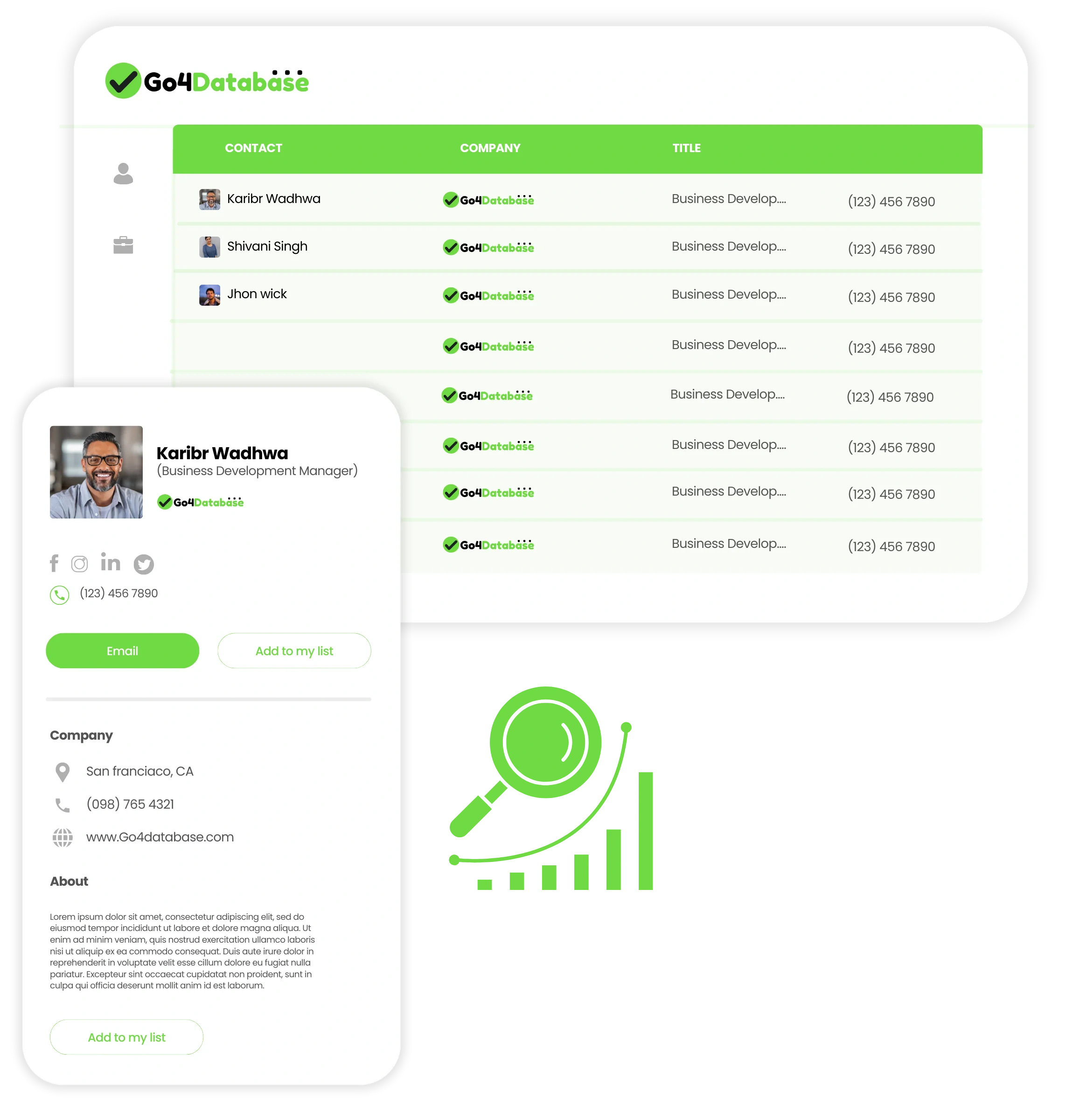
The pricing page says every plan includes real-time verification and advertises a 95%+ accuracy or delivery rate. It describes SMTP checks intended to confirm that a mailbox is active. This can reduce risk, but it does not guarantee that a person still holds the listed role or that every catch-all result is safe to contact.
Unlimited list creation and exports
Unlimited list creation lets you separate prospects by campaign, territory, industry, persona, or client. Exported records can be reviewed, deduplicated, enriched, and imported into another system, but you become responsible for access, retention, suppression, and deletion controls.
Plan the export workflow before scaling. Create a stable field map, preserve a source label and acquisition date, and assign a unique matching key such as email or company domain. These steps make it easier to prevent duplicate records, trace performance back to Go4Database, and remove a contact from every active campaign when an opt-out or correction request is received.
Bulk email verification
The separate verifier accepts CSV, TXT, and Excel files. Go4Database says it checks syntax, domains, MX records, disposable addresses, spam traps, catch-all domains, SMTP responses, mailbox existence, role accounts, and bounce risk. Use the classifications carefully because catch-all and unknown results are not equivalent to confirmed mailboxes.
Multi-user access
Free and Nano list one user, while Micro currently lists ten users in one organization. That can be valuable for a small team, although public documentation does not clearly explain permissions, export controls, or client workspace separation.
AI lead generation positioning
The site prominently uses the term AI lead generation but does not explain whether AI powers scoring, semantic search, enrichment, or another process. Evaluate the visible outcome: relevant contacts, current fields, deliverable emails, and efficient exports.
Pros and Cons
Advantages and Limitations of Go4Database
Positive
✅ Affordable entry pricing
✅ Free monthly contact allowance
✅ Broad list segmentation options
✅ Unlimited list creation
✅ Separate bulk email verifier
Negative
❌ Limited independent review volume
❌ Mixed feedback on data freshness
❌ Product claims lack technical detail
❌ Pricing and refund language is inconsistent
❌ Not a complete CRM or outreach platform
Go4Database is accessible and inexpensive, but its limited review base and inconsistent public documentation make independent testing essential.
Advantages of Go4Database
- Affordable entry: Free access and low published annual pricing reduce testing risk.
- Broad segmentation: Lists cover industries, roles, regions, healthcare, and education markets.
- Portable data: Exports can feed your existing CRM and outreach stack.
- Team value: Micro currently includes up to ten users.
- Verification option: A separate bulk service can clean internal or third-party files.
Limitations of Go4Database
- Small review sample: Independent feedback is too limited for broad conclusions.
- Variable freshness: User feedback includes both strong results and a high-bounce experience.
- Documentation gaps: AI methods, integrations, permissions, and refresh processes are unclear.
- Policy inconsistencies: Trial, refund, free-access, and database-size statements do not always align.
- Not all-in-one: Sequences, CRM, calling, and revenue analytics may require other tools.
User Experience
User Interface and Lead-Building Workflow
Available reviews generally describe Go4Database as easy to set up and supported by responsive staff, although one user considered the interface dated. The experience appears focused on simple list access rather than the polished workflows of newer sales platforms.
Setup and targeting
Registration and list creation should be straightforward. The more important preparation is defining your regions, industries, company types, roles, seniority levels, exclusions, and required fields before searching.
Daily workflow
Start with a narrow list, inspect a sample manually, remove irrelevant roles, and verify the records before outreach. Use clear list names that include the target, geography, and creation date, then deduplicate exports against your CRM and suppression list.
Support and learning curve
Support receives positive comments for responsiveness and guidance. Ask for a sample that matches your real audience rather than a generic demo. The main learning curve is operational: segmentation, quality checks, export governance, and responsible campaign use.
Business Size Fit
Go4Database for Different Teams
Go4Database is most relevant to smaller organizations and professionals that need prospect data without an enterprise contract.
Freelancers, founders, and recruiters
Solo users can start with Free or Nano and build focused lists for founder-led sales, partnerships, recruiting, or consulting. The platform is less suitable when you want one system to manage discovery, sequences, replies, meetings, and deals.
Small sales teams and agencies
Micro may offer strong value because it lists ten users. Teams should confirm whether the contact allowance is shared, how downloads are tracked, and whether permissions or separate workspaces can protect client data.
Enterprise organizations
Mega may support higher volume, but larger buyers should request documentation for authentication, permissions, audit logs, API access, service levels, incident response, processing terms, certifications, and integrations.
Who should not use Go4Database?
- Teams needing built-in sequences, calls, and multichannel engagement.
- RevOps teams requiring automated CRM enrichment and intent data.
- Enterprises that need documented governance and security reports.
- Buyers seeking one system for sourcing, outreach, pipeline, and analytics.
Pricing and Plans
How Much Does Go4Database Cost?
Go4Database publishes Free, Nano, Micro, and Mega options. Annual pricing is clear at a high level, but the trial and refund language needs clarification.
| Plan | Published Annual Price | Contacts | Users |
| Free | $0 | 100 monthly / 1,200 yearly | 1 |
| Nano | $35/month, billed $420 yearly | 1,500 monthly / 18,000 yearly | 1 |
| Micro | $59/month, billed $708 yearly | 3,000 monthly / 36,000 yearly | 10 |
| Mega | Custom | Custom | Custom |
Headline price should not be the only comparison metric. At the published annual rates, Nano provides up to 18,000 contacts per year and Micro up to 36,000, but the economic value depends on how many records match your ICP, contain the fields you need, and survive verification. A lower-cost database can become expensive when your team spends hours correcting titles, replacing invalid emails, or cleaning duplicates.
Calculate cost per usable contact by dividing subscription and verification costs by the number of relevant, deliverable records accepted into your CRM. Then compare cost per positive reply and qualified meeting. This framework gives you a fairer comparison with higher-priced platforms that may provide stronger enrichment, integrations, or data confidence.
Free, Nano, and Micro
Free includes 100 monthly contacts, advanced filters, real-time verified leads, unlimited list creation, one user, and one organization. Nano increases the allowance to 1,500 monthly contacts for one user. Micro provides 3,000 monthly contacts and currently lists ten users.
The page labels Free as “1 Year Free” and “Trial: 0 Days,” but its FAQ also refers to a seven-day trial. Confirm how long the free allowance remains available and whether any separate trial rules apply.
Mega and custom requirements
Mega uses custom pricing and limits. Request a written quote covering contacts, successful-result rules, overages, support, integrations, renewals, and data replacement.
Email verification pricing
The separate verifier lists 1,000 free contacts, $49 for 100,000 contacts, and $200 for one million contacts as one-time packages. Another callout mentions 5,000 free contacts, so verify the current allowance before uploading a large file.
Refund and cancellation questions
The pricing page promotes a 30-day money-back guarantee, while the general terms say unused subscription time is not refunded. Ask for written confirmation of the qualifying product, refund window, annual cancellation process, renewal date, and notice requirements.
Data Quality
Data Accuracy and Email Deliverability
Data accuracy is the most important buying factor because a low contact price has little value when records are irrelevant or undeliverable.
Claims and available feedback
Go4Database advertises daily updates, real-time verification, and a 95%+ accuracy or delivery rate, but it does not publish detailed sampling or refresh methodology. Available G2 feedback is positive overall and praises setup, segmentation, and support, yet the sample is very small. One reviewer also reported a bounce rate of roughly 25% on a tested sequence.
Accuracy also has several dimensions. An email can pass a technical check while the employee has changed roles, the company no longer matches your criteria, or the address routes through a catch-all domain. Phone coverage can be useful but still require manual confirmation. Evaluate contact relevance, employment freshness, field completeness, email status, and phone validity separately rather than treating one delivery percentage as a complete quality score.
How to test Go4Database accuracy
- Use a representative segment: Match your real region, industry, roles, and company profile.
- Check relevance manually: Review a subset against company websites and current profiles.
- Verify independently: Run the export through a second verifier close to send time.
- Separate risky results: Keep catch-all and unknown addresses out of the initial campaign.
- Measure outcomes: Track hard bounces, positive replies, meetings, and qualified opportunities by source.
The best metric is cost per relevant, deliverable contact in your market, not the headline database size.
For a meaningful pilot, test at least two or three audience segments instead of one broad export. Record the percentage with current employers, correct seniority, valid domains, deliverable mailboxes, direct phone coverage, and complete company fields. Keep catch-all, role-based, and unknown emails in separate groups because they have different risk profiles. A sample that performs well in US software companies may not predict quality in European healthcare, local retail, or education markets.
Do not judge the source only by open rates, which are increasingly unreliable. Hard bounce rate, positive reply rate, qualification rate, and booked meetings give you a better view of whether the data helps create revenue rather than merely filling a list.
Security and Compliance
Protection for Your Data
Go4Database publishes privacy, GDPR and CCPA, terms, and security pages. Buyers should distinguish between policy statements and independently verified assurance.
Privacy and sourcing
The privacy policy says data may come from applications, business directories, public records, affiliates, networks, partners, and clients. It may also be shared with service and marketing partners. Ask for field provenance, lawful-basis details, update frequency, opt-out propagation, and removal procedures.
Security controls and assurance
The company mentions routine database checks, firewalls, restricted access, Stripe payment processing, an ISO certification, and alignment with SOC 2 principles. Its public security page does not identify the ISO standard, certificate scope, issuing body, or provide a SOC 2 report. Enterprise buyers should request current evidence, a DPA, subprocessor list, retention schedule, and incident terms.
Your due-diligence checklist should also cover encryption in transit and at rest, employee access controls, multi-factor authentication, vulnerability management, backup recovery, breach notification, data deletion, and the regions where account and contact data are stored. If you plan to upload an internal customer file to the email verifier, confirm whether uploaded addresses are retained, reused, or shared, and how quickly the file and results are deleted after processing.
Responsible outreach
A verified business email is not automatic permission for every campaign. You remain responsible for lawful processing, transparent identification, relevant messaging, opt-outs, suppression lists, and the rules that apply to each jurisdiction and channel. Official European Commission and UK ICO guidance can help you evaluate third-party marketing data.
Best Practices
How to Use Go4Database Effectively
Use Go4Database as a controlled data source rather than a shortcut to mass outreach.
- Build narrow segments: Combine industry, geography, role, seniority, and exclusions.
- Review before sending: Deduplicate, enrich, verify, and screen against customers and opt-outs.
- Validate priority accounts: Compare records with a second source or current company information.
- Protect deliverability: Keep risky results separate and stop campaigns when bounce rates rise.
- Measure business value: Track qualified replies, meetings, pipeline, and cost per usable contact.
Comparisons
Go4Database Alternatives and Competitors
Go4Database competes with contact databases, email finders, enrichment tools, and broader sales intelligence platforms.
| Platform | Best For | Where It Beats Go4Database |
| Apollo.io | All-in-one prospecting and engagement | Sequences, calling, automation, CRM features, and integrations |
| Lusha | LinkedIn prospecting and direct dials | Browser workflow, enrichment, buyer signals, and usability |
| ZoomInfo | Enterprise GTM intelligence | Intent, governance, account intelligence, and data operations |
| Prospeo | Email and mobile enrichment | Chrome extension, API, CRM connections, and modern workflows |
Go4Database vs Apollo.io
Apollo.io is better when you want contact search, enrichment, sequences, calls, workflows, and lightweight sales management in one system. Go4Database is more suitable for lower-cost list exports that feed an existing stack. Read the full Apollo.io review.
Go4Database vs Lusha
Lusha is stronger for representatives who prospect from LinkedIn and company websites through a browser extension and CRM enrichment workflow. Go4Database may be more economical for larger downloadable lists. See the complete Lusha review.
Go4Database vs ZoomInfo
ZoomInfo is built for enterprise teams that need intent data, account intelligence, CRM enrichment, and governance. Go4Database offers a much lower entry cost for smaller teams. Read the full ZoomInfo review.
Go4Database vs Prospeo
Prospeo is better when you want focused email and mobile enrichment, a Chrome extension, API workflows, and CRM connections. Go4Database is more list-provider oriented and may suit users who value prebuilt categories and published team pricing. Read the complete Prospeo review.
Conclusion
Final Thoughts
Go4Database gives freelancers, founders, agencies, recruiters, and small sales teams an inexpensive way to test targeted B2B contact data without an enterprise contract.
Its strengths are advanced filters, broad list categories, free monthly contacts, unlimited list creation, downloadable records, a ten-user Micro plan, and separate bulk verification. Its weaknesses are inconsistent public documentation, limited technical detail, and a small independent review base.
Go4Database is a reasonable option in 2026 when affordable list building matters more than an all-in-one sales workflow. Test a representative sample, verify records independently, measure cost per usable contact, and confirm pricing and refund terms in writing before upgrading.
Frequently Asked Questions
Have More Questions?
What is Go4Database?
Go4Database is a B2B contact search and lead-list platform. It helps you filter business contacts, create prospect lists, download records, and verify email addresses before using the data in an outreach or CRM workflow.
Is Go4Database a CRM?
Go4Database is not a full CRM in the same category as HubSpot, Salesforce, or Pipedrive. The company mentions access to a CRM license in its marketing, but the core product is focused on contact data, list building, and email verification.
How much does Go4Database cost?
Go4Database lists a free tier with 100 contacts per month. Annual pricing currently shows Nano at $35 per month for 1,500 monthly contacts and Micro at $59 per month for 3,000 monthly contacts. Mega pricing is customized.
Does Go4Database offer a free plan?
The pricing page displays a free option with 100 contacts per month and 1,200 contacts per year. However, the same page also refers to a seven-day trial, so you should confirm the exact free-access terms before relying on them.
How accurate is Go4Database data?
Go4Database advertises real-time verification and a 95%+ accuracy or delivery rate. Third-party feedback is limited and mixed, so you should test a representative sample from your target industry, role, and region before purchasing a larger plan.
Does Go4Database include an email verifier?
Yes. Go4Database offers a separate bulk email verification service that checks syntax, domains, MX records, SMTP responses, catch-all addresses, disposable emails, spam traps, and mailbox existence.
Can Go4Database replace Apollo.io?
Go4Database can be a lower-cost option for building and downloading contact lists. Apollo.io is broader because it combines a large B2B database with sequencing, calling, workflow automation, enrichment, and sales engagement tools.
Is Go4Database suitable for cold email?
It can supply and verify contacts for cold email, but it does not remove your responsibility for lawful data use, suppression lists, opt-outs, sender reputation, and campaign deliverability. Verify contacts again before large sends.
Who is Go4Database best for?
Go4Database is best for freelancers, founders, agencies, recruiters, and small sales teams that want affordable, downloadable B2B lists without adopting a large enterprise sales intelligence platform.
What are the best Go4Database alternatives?
Strong alternatives include Apollo.io for an all-in-one prospecting and engagement platform, Lusha for fast LinkedIn-based contact discovery, ZoomInfo for enterprise GTM intelligence, and Prospeo for focused email and mobile enrichment.