Introduction
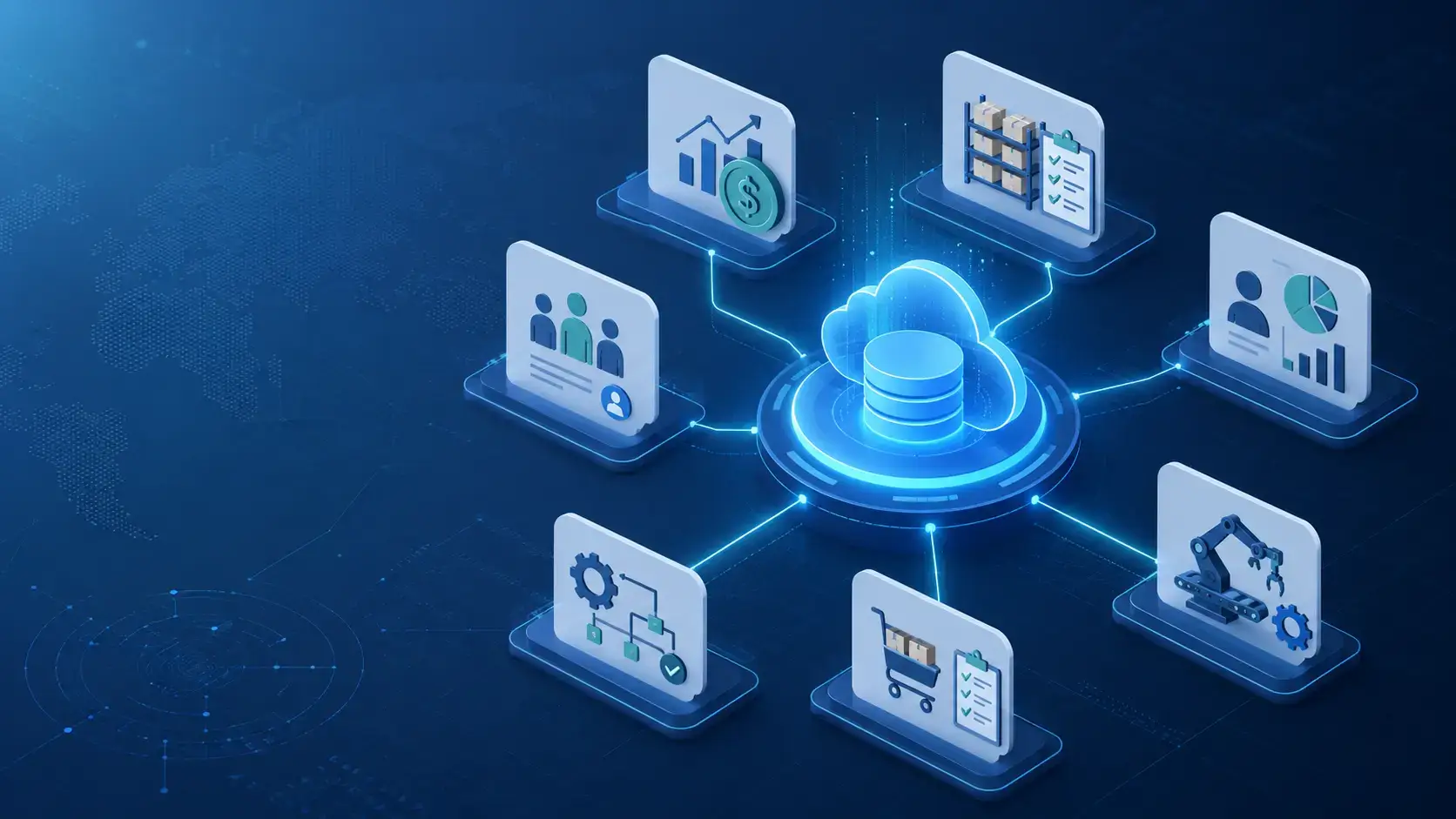
Choosing the best ERP systems is not only about replacing spreadsheets or centralizing accounting. The right ERP software gives you one connected system for finance, inventory, purchasing, manufacturing, projects, reporting, compliance, sales operations, and business planning.
That matters because growing companies often reach a point where disconnected tools create operational friction. Finance works in one system, inventory lives in another, sales data sits inside CRM, and managers rely on manual reports that are already outdated by the time they are reviewed.
An ERP system helps you connect those workflows. Instead of managing core business processes through separate tools, you can track transactions, inventory, customer orders, production activity, procurement, projects, revenue, and reporting in one shared environment.
In this guide, you’ll find the best ERP systems to consider in 2026: Oracle NetSuite, Microsoft Dynamics 365 Business Central, Acumatica Cloud ERP, SAP S/4HANA Cloud, Oracle Fusion Cloud ERP, Sage Intacct, Epicor Kinetic, Infor CloudSuite, IFS Cloud, and Odoo.
If you want one quick takeaway before diving in, here it is: Oracle NetSuite is the best overall ERP system for growing companies that want a mature cloud ERP with broad functionality. Microsoft Dynamics 365 Business Central is the best ERP for companies already invested in Microsoft 365, Power BI, Teams, and the broader Microsoft ecosystem. Acumatica is one of the best options for mid-sized companies that want flexible cloud ERP with strong industry editions and unlimited-user licensing. SAP S/4HANA Cloud and Oracle Fusion Cloud ERP are strongest for larger and more complex organizations. Sage Intacct is best for finance-led businesses, while Epicor, Infor, and IFS are stronger for industry-specific operations.
What to look for in an ERP system
The best ERP system depends on how your business operates. A professional services company does not need the same ERP setup as a manufacturer, distributor, retailer, construction firm, or global enterprise.
- Core modules: Review finance, inventory, procurement, projects, manufacturing, CRM, and reporting.
- Industry fit: Choose ERP software with workflows built for your business model.
- Scalability: Make sure the system can support more users, entities, locations, and transactions.
- Integrations: Check CRM, ecommerce, payroll, BI, banking, tax, and marketplace integrations.
- Implementation: Evaluate partner quality, migration effort, training needs, and timeline.
- Customization: Balance flexibility with long-term maintainability.
- Reporting: Prioritize dashboards, real-time data, financial controls, and audit trails.
- Total cost: Consider licenses, implementation, support, integrations, and future modules.
Best ERP Systems in 2026
Oracle NetSuite
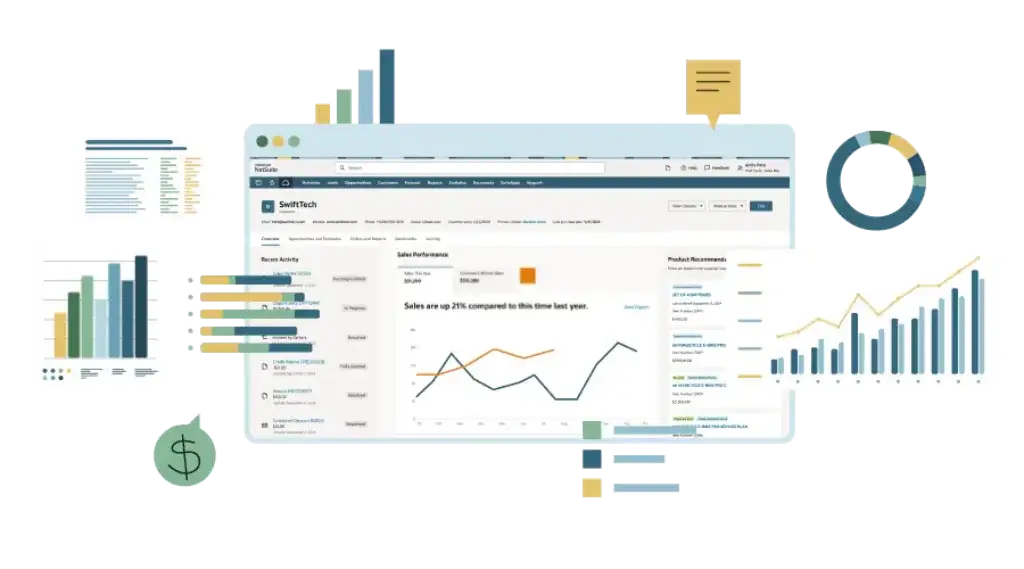
Oracle NetSuite is one of the most widely recognized cloud ERP systems for growing companies. It brings together financial management, order management, inventory, procurement, CRM, ecommerce, reporting, and business analytics in one connected suite.
NetSuite ranks first because it gives companies a strong combination of breadth, maturity, and scalability. It is especially useful when your business has outgrown entry-level accounting software and needs a more complete system to manage finance and operations together.
The platform is not the cheapest ERP system, and implementation quality matters. However, for companies that want a proven cloud ERP with deep functionality, strong reporting, and a large partner ecosystem, NetSuite is still one of the safest and most scalable choices.
Key features
- Cloud ERP with financials, CRM, inventory, ecommerce, and order management
- General ledger, accounts payable, accounts receivable, and revenue management
- Inventory control, procurement, warehouse, and supply chain workflows
- Order management, billing, pricing, fulfillment, and customer records
- SuiteAnalytics dashboards, reports, KPIs, and role-based visibility
- Multi-subsidiary, multi-currency, and multi-country support through OneWorld
- Large partner ecosystem and broad integration marketplace
Pros and cons
Pros
✅ Best overall cloud ERP
✅ Strong financial management
✅ Broad operational coverage
✅ Scales with complex growth
Cons
❌ Implementation can be expensive
❌ Customization needs discipline
❌ Pricing is quote-based
❌ May be too much for very small teams
Pricing
NetSuite pricing is quote-based and usually depends on the selected modules, number of users, implementation scope, subsidiaries, integrations, and support requirements. Businesses should budget for software licensing, implementation services, data migration, training, and ongoing administration.
Who should use Oracle NetSuite?
Oracle NetSuite is best for growing SMBs, mid-market companies, ecommerce businesses, distributors, software companies, and multi-entity organizations that need a mature cloud ERP system. It is my top recommendation when a company wants one scalable system for finance and operations rather than a patchwork of separate tools.
Microsoft Dynamics 365 Business Central

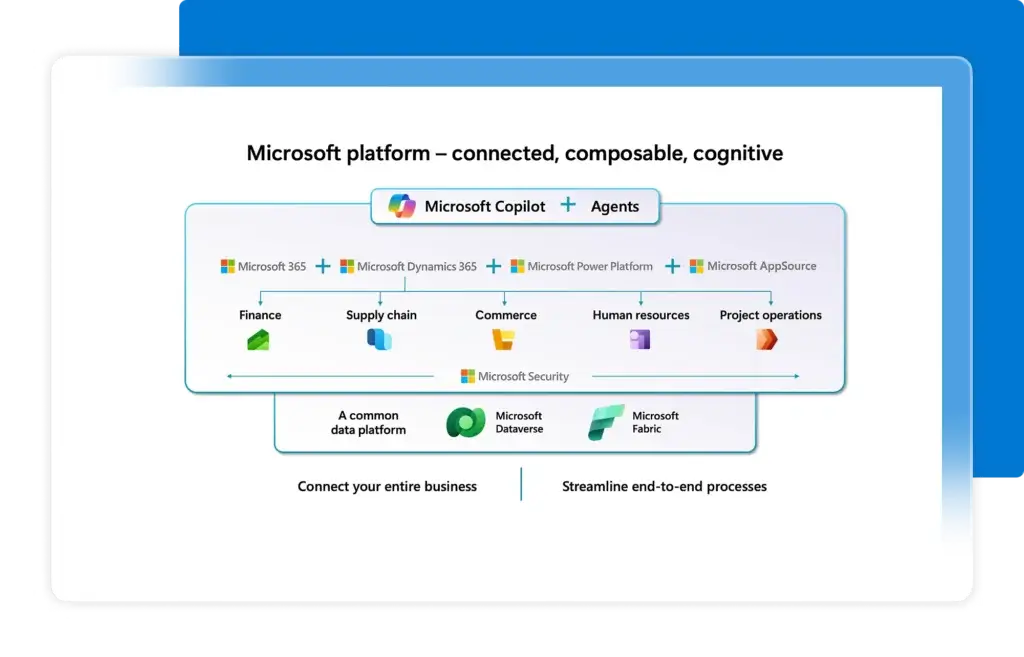
Microsoft Dynamics 365 Business Central is a strong ERP system for small and mid-sized businesses that want financial management, sales, purchasing, inventory, project management, service management, and reporting inside the Microsoft ecosystem.
The biggest advantage is familiarity. Many companies already use Microsoft 365, Outlook, Excel, Teams, and Power BI. Business Central fits naturally into that environment, which can reduce adoption friction and make reporting, collaboration, and data analysis easier.
Business Central is especially attractive for companies that have outgrown QuickBooks, Xero, or entry-level accounting tools but do not yet need the complexity of SAP S/4HANA or Oracle Fusion Cloud ERP.
Key features
- Financial management, budgeting, bank reconciliation, and fixed assets
- Sales, purchasing, inventory, warehouse, and order management
- Project accounting, job costing, timesheets, and resource management
- Service management and light manufacturing features on Premium plans
- Native connections with Microsoft 365, Excel, Outlook, Teams, and Power BI
- AI and automation capabilities across the Microsoft ecosystem
- Large partner network and AppSource marketplace
Pros and cons
Pros
✅ Best for Microsoft users
✅ Strong SMB ERP value
✅ Familiar interface and ecosystem
✅ Good reporting with Power BI
Cons
❌ Implementation still needs expertise
❌ Advanced needs may require partners
❌ Manufacturing depth is moderate
❌ Add-ons can increase cost
Pricing
Microsoft publishes Business Central pricing by license type. Team Members pricing is listed at $8 per user per month. Full-user licensing and Premium licensing depend on the selected edition and region. Companies should also budget for implementation, partner support, data migration, extensions, and reporting setup.
Who should use Microsoft Dynamics 365 Business Central?
Microsoft Dynamics 365 Business Central is best for small and mid-sized businesses that want a capable ERP system connected to Microsoft tools. It is a particularly strong fit for service companies, distributors, light manufacturers, finance teams, and companies that already use Microsoft 365 heavily.
Acumatica Cloud ERP

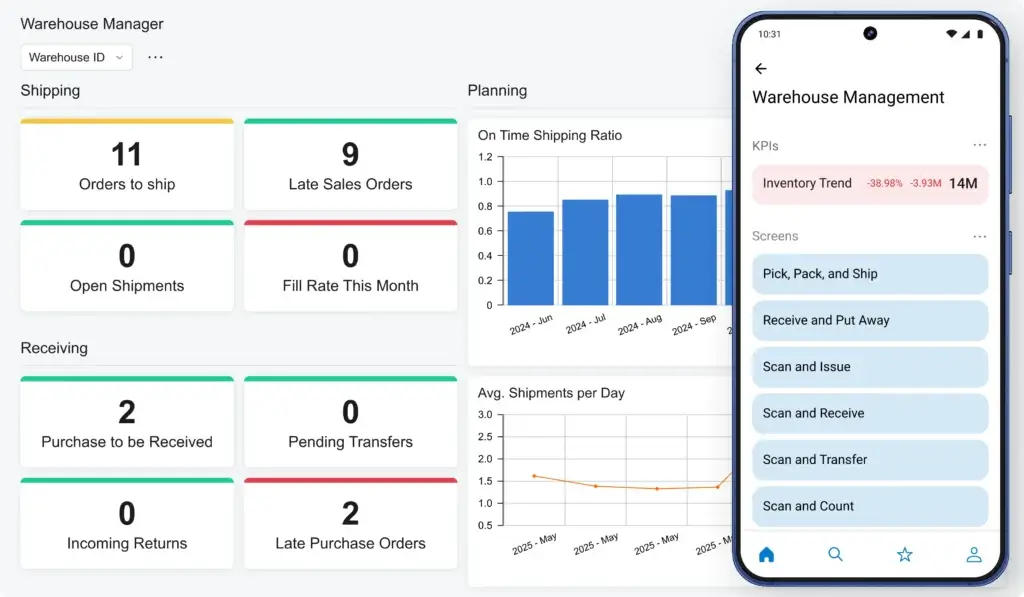
Acumatica Cloud ERP is one of the strongest ERP systems for mid-sized companies that want flexibility without traditional per-user pricing. It offers financial management, inventory, CRM, project accounting, distribution, manufacturing, construction, retail, and professional services editions.
Acumatica stands out because of its customer-centric licensing model. Instead of charging strictly by named user, Acumatica prices based on applications, usage, resource requirements, and deployment preferences. That can be valuable when many employees, field users, managers, or external stakeholders need system access.
The platform is also strong for companies that want modern cloud ERP with mobile access, dashboards, workflow automation, and low-code customization. It is not always as globally mature as NetSuite, SAP, or Oracle for large enterprise complexity, but it is an excellent choice for mid-market operational businesses.
Key features
- Cloud ERP with financials, CRM, distribution, manufacturing, and projects
- Industry editions for construction, distribution, manufacturing, retail, and services
- Unlimited-user licensing model based on resources and applications
- Mobile access, dashboards, workflows, and real-time reporting
- Inventory management, purchasing, sales orders, and warehouse workflows
- Low-code customization and open integration framework
- Deployment flexibility through SaaS and private cloud options
Pros and cons
Pros
✅ Flexible licensing model
✅ Strong industry editions
✅ Modern cloud experience
✅ Good fit for mid-market teams
Cons
❌ Pricing is still quote-based
❌ Partner quality matters
❌ Enterprise global depth varies
❌ Requires careful module planning
Pricing
Acumatica pricing is tailored based on the applications you need, expected usage, resource requirements, and deployment preferences. It is not a simple per-user model, which can make it attractive for companies with many users but also means you should request a tailored quote.
Who should use Acumatica?
Acumatica is best for mid-sized distributors, manufacturers, construction firms, retail businesses, professional services companies, and growing operational teams that want cloud ERP without paying for every casual user. It is one of the strongest options when collaboration across departments is important.
SAP S/4HANA Cloud
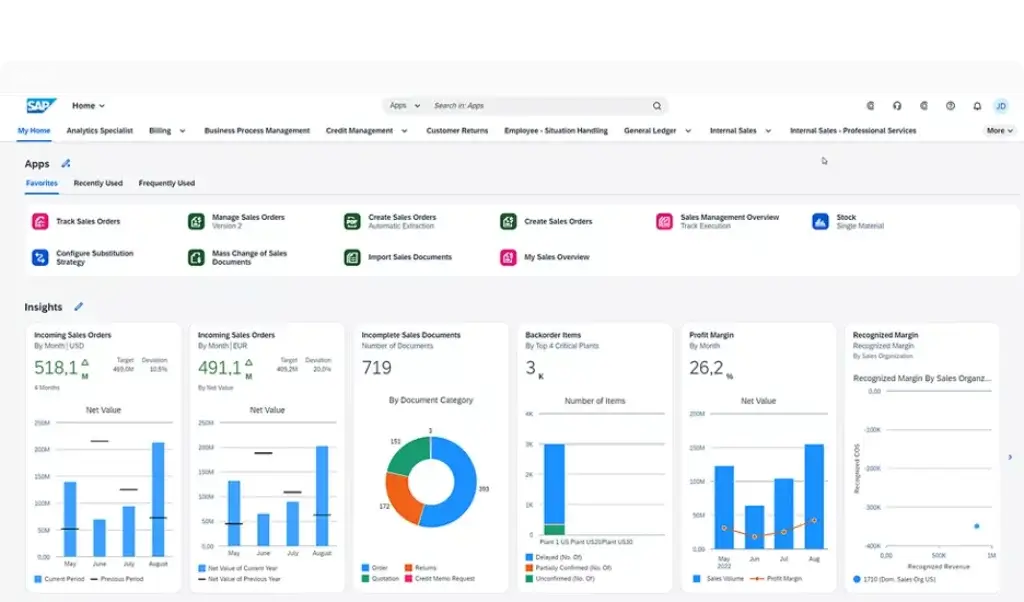
SAP S/4HANA Cloud is one of the most powerful ERP systems for large and complex organizations. It supports finance, supply chain, procurement, manufacturing, sales, service, asset management, and enterprise-wide process standardization.
SAP is strongest when your company needs deep operational control across multiple business units, countries, plants, supply chains, and compliance environments. It is often selected by enterprises that need strong governance, standardized processes, and robust industry support.
The tradeoff is complexity. SAP S/4HANA Cloud can deliver exceptional depth, but it requires serious implementation planning, executive alignment, change management, and experienced SAP partners.
Key features
- Enterprise-grade ERP for finance, supply chain, sales, HR, and operations
- Embedded AI and automation across business processes
- Advanced financial planning, accounting, consolidation, and compliance
- Procurement, sourcing, inventory, manufacturing, and logistics workflows
- Strong global, multi-entity, multi-currency, and regulatory capabilities
- Industry best practices and standardized enterprise processes
- Integration with SAP Business Technology Platform and SAP ecosystem tools
Pros and cons
Pros
✅ Enterprise-grade depth
✅ Strong global controls
✅ Advanced supply chain support
✅ Powerful SAP ecosystem
Cons
❌ Complex implementation
❌ Higher total cost
❌ Requires SAP expertise
❌ Too heavy for many SMBs
Pricing
SAP S/4HANA Cloud pricing is typically quote-based and depends on users, editions, modules, countries, integrations, and implementation scope. Companies should expect software, implementation, process design, integrations, data migration, testing, and change management to be significant parts of the total cost.
Who should use SAP S/4HANA Cloud?
SAP S/4HANA Cloud is best for large enterprises, global organizations, complex manufacturers, supply-chain-heavy companies, and businesses that need strict process standardization. It is not the easiest ERP to implement, but it is one of the strongest choices for enterprise-scale operational complexity.
Oracle Fusion Cloud ERP
Oracle Fusion Cloud ERP is a modern enterprise ERP suite built for organizations that need financial management, procurement, project management, enterprise performance management, risk management, analytics, and AI-enabled automation.
Oracle is especially strong for finance-led enterprises. It gives CFOs and finance teams deep tools for planning, accounting, close management, reporting, compliance, procurement, and performance management.
It is also a strong fit for companies that want a cloud-native enterprise ERP platform with frequent updates and advanced analytics. Like SAP, Oracle Fusion Cloud ERP requires disciplined implementation planning and is usually best suited for larger organizations.
Key features
- Cloud ERP for financials, procurement, projects, EPM, risk, and reporting
- AI-assisted automation for finance and business processes
- Advanced analytics for real-time performance visibility
- Procurement, sourcing, supplier management, and contract workflows
- Project financial management and enterprise planning tools
- Risk management, compliance, audit, and controls capabilities
- Regular cloud updates and integration with Oracle Cloud applications
Pros and cons
Pros
✅ Strong finance capabilities
✅ Enterprise cloud architecture
✅ Advanced analytics and AI
✅ Good procurement depth
Cons
❌ Quote-based pricing
❌ Complex implementation
❌ Best for larger organizations
❌ Partner selection is critical
Pricing
Oracle Fusion Cloud ERP pricing is quote-based and depends on selected modules, users, entities, integrations, support requirements, and implementation scope. Buyers should evaluate licensing, implementation, reporting configuration, data migration, and ongoing Oracle administration costs.
Who should use Oracle Fusion Cloud ERP?
Oracle Fusion Cloud ERP is best for enterprise and upper mid-market organizations that need advanced finance, procurement, project accounting, planning, analytics, and risk controls. It is a strong SAP alternative when finance transformation is the core driver.
Sage Intacct

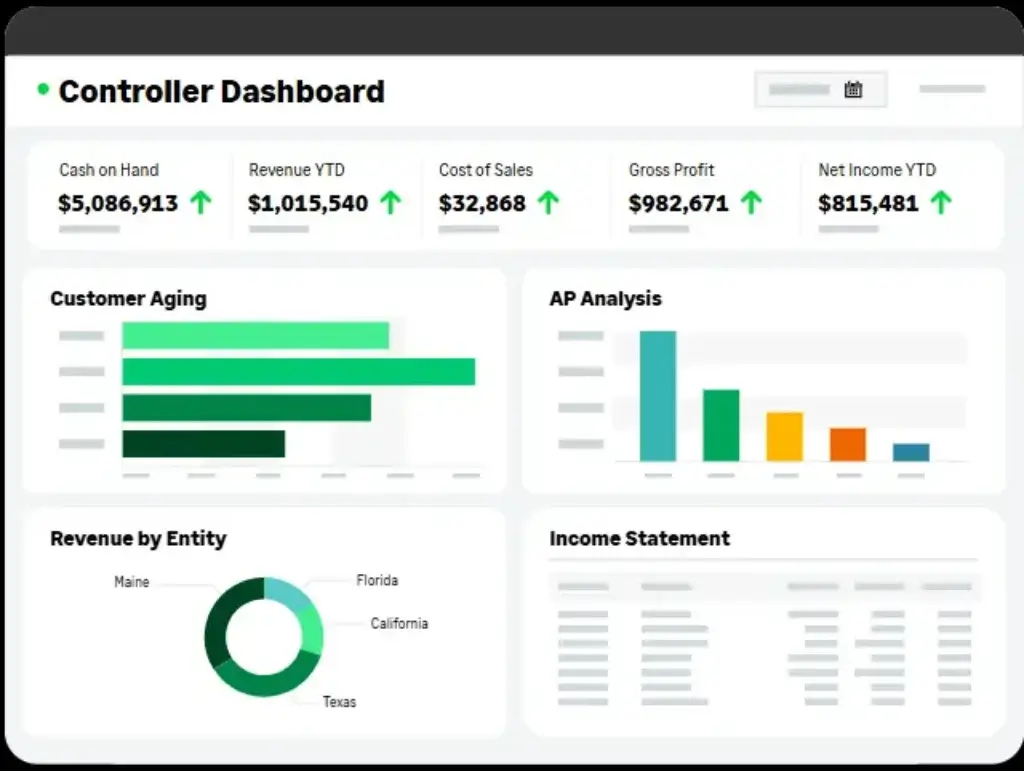
Sage Intacct is not always positioned as a traditional full-suite ERP, but it is one of the strongest cloud financial management systems for companies that need more than basic accounting. It is especially valuable for finance teams that care about reporting, controls, multi-entity accounting, consolidations, and dimensional visibility.
Where Sage Intacct stands out is finance depth. It is a strong fit for SaaS companies, nonprofits, healthcare organizations, professional services firms, and businesses that need better financial reporting without implementing a heavy operational ERP.
If your main ERP requirement is manufacturing, warehouse operations, or complex supply chain execution, Sage Intacct may need integrations. But if your pain point is finance, reporting, billing, approvals, and multi-entity accounting, it is one of the best options available.
Key features
- Core financials, general ledger, AP, AR, cash management, and reporting
- Dimensional accounting for departments, locations, projects, and entities
- Multi-entity consolidation and intercompany accounting
- Revenue recognition, subscription billing, and project accounting options
- Dashboards, financial reports, and real-time visibility
- AI-powered finance assistance and automation capabilities
- Strong integrations with CRM, payroll, AP automation, and operational tools
Pros and cons
Pros
✅ Excellent financial reporting
✅ Strong multi-entity accounting
✅ Good for service businesses
✅ Easier than heavy ERP suites
Cons
❌ Not full operational ERP
❌ Needs integrations for inventory-heavy teams
❌ Pricing is quote-based
❌ Implementation still requires finance design
Pricing
Sage Intacct pricing is quote-based and depends on selected modules, users, entities, integrations, and implementation needs. Companies should budget for licensing, implementation, reporting setup, integrations, and finance process configuration.
Who should use Sage Intacct?
Sage Intacct is best for finance-led organizations that need stronger accounting, reporting, dashboards, consolidations, project accounting, subscription billing, or nonprofit fund accounting. It is a great choice when your priority is financial control rather than deep manufacturing or warehouse execution.
Epicor Kinetic

Epicor Kinetic is a manufacturing-focused ERP system built for companies that need deeper control over production, inventory, scheduling, supply chain, quality, costing, and shop floor operations.
Unlike broader ERP systems that can support manufacturing through modules, Epicor is designed around manufacturing workflows. That makes it especially relevant for discrete manufacturers, mixed-mode manufacturers, industrial companies, and businesses that need more than basic inventory tracking.
Epicor Kinetic is not the best ERP for every company. Service businesses or simple finance-led teams may find it too manufacturing-heavy. But for companies where production complexity is the core problem, it deserves serious consideration.
Key features
- Manufacturing ERP with production, planning, scheduling, and shop floor workflows
- Inventory management, materials planning, purchasing, and supplier management
- Quality management, compliance, traceability, and costing tools
- Product lifecycle, engineering, BOM, and make-to-order support
- Financial management, reporting, dashboards, and business intelligence
- Cloud deployment with options for complex manufacturing environments
- Industry expertise for manufacturers and industrial businesses
Pros and cons
Pros
✅ Excellent for manufacturing
✅ Strong production workflows
✅ Good shop floor visibility
✅ Built for industrial complexity
Cons
❌ Less ideal for service firms
❌ Implementation can be complex
❌ Quote-based pricing
❌ Requires manufacturing process alignment
Pricing
Epicor Kinetic pricing is quote-based and depends on modules, users, deployment model, manufacturing complexity, integrations, and implementation scope. Manufacturing ERP projects should also account for data migration, shop floor process design, reporting, training, and change management.
Who should use Epicor Kinetic?
Epicor Kinetic is best for manufacturers that need ERP software built around production operations. It is a strong fit for companies managing complex bills of materials, shop floor activity, scheduling, quality, inventory, and manufacturing cost control.
Infor CloudSuite
Infor CloudSuite is a strong ERP choice for companies that want industry-specific functionality rather than a generic ERP that needs heavy customization. Infor offers CloudSuites for manufacturing, distribution, healthcare, public sector, hospitality, professional services, and other industries.
The main advantage is vertical specialization. Infor’s approach is to package ERP capabilities around the needs of specific industries, which can reduce the need to build everything from scratch during implementation.
Infor also emphasizes modern cloud technology, AI, automation, and industry process depth. The tradeoff is that buyers need to choose the right CloudSuite and implementation partner carefully, because the best fit depends heavily on industry, region, and operational requirements.
Key features
- Industry-specific cloud ERP suites for multiple verticals
- Financial management, procurement, inventory, production, and reporting
- Manufacturing, distribution, healthcare, hospitality, and public sector options
- Embedded AI, GenAI, automation, and analytics capabilities
- Supply chain, planning, warehouse, and industry process support
- Cloud deployment with Infor ecosystem applications
- Preconfigured workflows for industry-specific needs
Pros and cons
Pros
✅ Strong industry focus
✅ Good for complex operations
✅ Preconfigured vertical workflows
✅ Broad cloud ERP portfolio
Cons
❌ Product fit varies by industry
❌ Pricing is quote-based
❌ Implementation partner matters
❌ Can feel complex for smaller firms
Pricing
Infor CloudSuite pricing is quote-based and depends on the selected industry suite, users, modules, integrations, deployment needs, and implementation scope. Businesses should evaluate software cost together with implementation services, data migration, training, and ongoing support.
Who should use Infor CloudSuite?
Infor CloudSuite is best for companies that want ERP software shaped around their industry. It is particularly relevant for manufacturers, distributors, healthcare organizations, hospitality companies, and public sector organizations that need vertical functionality from the start.
IFS Cloud
IFS Cloud is a strong ERP platform for companies that manage complex assets, field service operations, projects, manufacturing, maintenance, and service delivery. It is especially relevant for asset-intensive and service-focused industries.
IFS is different from many general ERP systems because it brings ERP, enterprise asset management, field service management, and industry-specific operational capabilities closer together. That makes it valuable for aerospace and defense, energy, utilities, telecom, construction, manufacturing, and service-heavy organizations.
If your business is mostly finance-led or ecommerce-focused, IFS may not be the first choice. But if you manage equipment, assets, technicians, service contracts, maintenance, projects, and operational uptime, IFS Cloud can be a very strong fit.
Key features
- ERP, enterprise asset management, and field service management capabilities
- Financial management, procurement, project controls, and operational reporting
- Asset lifecycle management, maintenance, service contracts, and scheduling
- Manufacturing, project-based operations, and complex service delivery workflows
- Industrial AI capabilities for asset-intensive and service-focused industries
- Support for aerospace, defense, energy, utilities, telecom, and construction
- Cloud platform with industry-specific operational depth
Pros and cons
Pros
✅ Excellent for asset-heavy industries
✅ Strong field service depth
✅ Good project and maintenance fit
✅ Combines ERP, EAM, and FSM
Cons
❌ Not ideal for simple SMB needs
❌ Quote-based pricing
❌ Implementation can be demanding
❌ Best for specific industries
Pricing
IFS Cloud pricing is quote-based and depends on modules, users, industries, regions, implementation scope, integrations, and support needs. Buyers should evaluate ERP cost together with EAM, FSM, project management, and industry-specific workflow requirements.
Who should use IFS Cloud?
IFS Cloud is best for organizations that operate complex assets, manage field service teams, run project-based operations, or depend on maintenance and uptime. It is especially strong when ERP needs to connect with asset management and service execution.
Odoo

Odoo is a modular ERP and business app suite that covers CRM, accounting, inventory, ecommerce, point of sale, project management, HR, manufacturing, marketing, and more. It is one of the most flexible and affordable ERP options for small businesses and growing teams.
The main advantage of Odoo is modularity. You can start with a small set of apps and add more as your business grows. This makes it appealing for companies that want ERP functionality without immediately committing to a heavy enterprise platform.
Odoo is also open source, which gives technical teams and Odoo partners significant customization potential. The tradeoff is that implementation quality varies. A simple Odoo setup can be affordable, but complex customization can increase cost and maintenance requirements quickly.
Key features
- Modular business apps for CRM, accounting, inventory, POS, ecommerce, and projects
- Manufacturing, purchasing, sales, warehouse, marketing, HR, and helpdesk apps
- Open-source Community edition and paid Enterprise options
- Integrated suite with shared data across business functions
- Website, ecommerce, subscriptions, invoicing, and online sales capabilities
- Large app marketplace and strong implementation partner ecosystem
- Flexible customization for technical teams and Odoo partners
Pros and cons
Pros
✅ Very flexible platform
✅ Affordable entry point
✅ Broad app ecosystem
✅ Good for SMBs
Cons
❌ Customization can become complex
❌ Partner quality varies
❌ Not as enterprise-proven as SAP or Oracle
❌ Requires careful app selection
Pricing
Odoo pricing depends on hosting model, plan, users, apps, implementation support, and customization. Odoo promotes transparent plans that include hosting, maintenance, and support for cloud plans, but businesses should also budget for setup, migration, consulting, and any custom development.
Who should use Odoo?
Odoo is best for small businesses, growing companies, startups, ecommerce brands, retailers, and operational teams that want a flexible ERP system with many business apps. It is a strong choice if you want modular ERP functionality at a lower entry cost than traditional enterprise platforms.
ERP Systems Comparison Table
| ERP System | Best For | Biggest Strength | Main Tradeoff |
| Oracle NetSuite | Growing SMBs and mid-market companies | Best overall cloud ERP with finance, CRM, inventory, ecommerce, and reporting | Implementation and licensing can become expensive |
| Microsoft Dynamics 365 Business Central | Microsoft-focused SMBs and mid-market teams | Strong ERP value with Microsoft 365, Excel, Teams, and Power BI integration | Advanced workflows often require partner configuration |
| Acumatica Cloud ERP | Mid-sized operational businesses | Flexible cloud ERP with industry editions and unlimited-user pricing model | Pricing is still quote-based and depends on usage |
| SAP S/4HANA Cloud | Large enterprises and global organizations | Enterprise-grade ERP depth for finance, supply chain, manufacturing, and compliance | High complexity and higher total cost |
| Oracle Fusion Cloud ERP | Finance-led enterprise organizations | Advanced finance, procurement, planning, analytics, AI, and risk controls | Best suited for larger organizations |
| Sage Intacct | Finance-led companies, nonprofits, SaaS, and services | Excellent cloud financial management and reporting | Not a full operational ERP for inventory-heavy teams |
| Epicor Kinetic | Manufacturers and industrial companies | Deep production, shop floor, scheduling, quality, and inventory functionality | Less suitable for service-only businesses |
| Infor CloudSuite | Industry-specific manufacturing, distribution, healthcare, and hospitality | Preconfigured industry ERP suites with vertical process depth | Fit varies by CloudSuite and implementation partner |
| IFS Cloud | Asset-intensive, field service, and project-based organizations | Combines ERP, EAM, FSM, projects, and industrial AI capabilities | Too specialized for simple SMB needs |
| Odoo | Small businesses and modular ERP buyers | Affordable, flexible, open-source app suite with broad functionality | Customization and partner quality can vary |
How to Choose the Best ERP System
The best ERP system depends on your business model, not only your company size. Two companies with the same revenue can need completely different ERP platforms if one sells online, one manufactures products, and one manages service contracts.
Before choosing software, map your core workflows: finance, inventory, sales orders, purchasing, projects, production, service, reporting, and compliance. The system that fits your most important workflows will usually deliver the highest long-term value.
Best overall ERP system
Oracle NetSuite is the best overall ERP system for many growing businesses because it combines financials, inventory, order management, CRM, ecommerce, analytics, and multi-entity support in one mature cloud platform.
Best ERP for Microsoft users
Microsoft Dynamics 365 Business Central is the best choice if your company already runs on Microsoft 365, Excel, Teams, Outlook, and Power BI. It gives you strong ERP functionality without forcing your team into an unfamiliar ecosystem.
Best ERP for mid-market flexibility
Acumatica is one of the best ERP systems for mid-sized companies that want cloud deployment, industry editions, dashboards, mobile access, and pricing that is not based only on the number of users.
Best ERP for large enterprises
SAP S/4HANA Cloud and Oracle Fusion Cloud ERP are the strongest options for large organizations. SAP is excellent for operational standardization and complex supply chains, while Oracle is especially strong for finance, procurement, analytics, planning, and risk controls.
Best ERP for finance-led companies
Sage Intacct is the best choice when your main ERP pain point is financial reporting, multi-entity accounting, consolidations, project accounting, subscription billing, or nonprofit fund accounting.
Best ERP for manufacturing
Epicor Kinetic is one of the strongest manufacturing ERP systems because it is built around production management, shop floor control, planning, scheduling, quality, inventory, and manufacturing cost visibility.
Best ERP for industry-specific needs
Infor CloudSuite is a strong choice when you want an ERP system built around your industry rather than a generic platform that requires extensive customization.
Best ERP for service and asset-intensive organizations
IFS Cloud is best when ERP needs to connect with enterprise asset management, field service management, project operations, maintenance, and complex service delivery.
Best affordable ERP for small businesses
Odoo is the best option for small businesses that want a flexible, modular, and affordable ERP suite. It is especially useful when you want to start with a few apps and expand over time.

ERP Implementation Tips Before You Buy
ERP selection is only half the decision. The success of your ERP project depends heavily on implementation quality, data preparation, executive alignment, and process design.
Many ERP failures happen because companies treat implementation as a software setup project instead of a business transformation project. The better approach is to define your workflows first, clean your data, assign internal owners, and choose an implementation partner with real experience in your industry.
Prepare your data early
ERP migration becomes harder when customer records, vendor data, product SKUs, chart of accounts, inventory counts, and historical transactions are inconsistent. Clean your master data before implementation begins.
Avoid over-customization
Customization can be useful, but too much customization increases cost, creates upgrade problems, and makes the system harder to maintain. Start with standard workflows where possible, then customize only where it creates clear business value.
Choose the right partner
The implementation partner often matters as much as the ERP platform. A strong partner can help you map workflows, configure modules, migrate data, train users, and avoid common project risks.
Plan for change management
ERP changes how people work. You need training, documentation, internal champions, and clear communication. Without user adoption, even the best ERP system will underperform.
Final Thoughts
The best ERP systems in 2026 are not one-size-fits-all. Each platform has a different strength, and the right choice depends on your industry, business model, internal capabilities, and growth plans.
Oracle NetSuite is the best overall ERP system for many growing companies because it offers broad cloud ERP functionality, strong financials, operational modules, analytics, and scalability.
Microsoft Dynamics 365 Business Central is the strongest option for companies that want ERP inside the Microsoft ecosystem. Acumatica is an excellent choice for mid-sized operational businesses that value flexibility and unlimited-user licensing.
For enterprise complexity, SAP S/4HANA Cloud and Oracle Fusion Cloud ERP are the strongest platforms. SAP is better for global process standardization and complex operational environments, while Oracle is especially strong for finance, procurement, planning, analytics, and risk management.
If your company is finance-led, Sage Intacct may be the smarter choice. If you are a manufacturer, Epicor Kinetic deserves a close look. If you need industry-specific ERP, Infor CloudSuite is a strong contender. If you manage assets, field service, and complex projects, IFS Cloud is one of the most relevant systems. If you want a flexible and affordable modular suite, Odoo is a practical starting point.
My recommendation is simple: choose ERP based on your dominant business workflow. If your main pain is finance and operations visibility, start with NetSuite, Business Central, or Acumatica. If your pain is enterprise process complexity, evaluate SAP and Oracle. If your pain is manufacturing, service, or industry-specific operations, focus on Epicor, Infor, or IFS. The best ERP system is the one that fits how your business actually runs.
FAQs
What is an ERP system?
An ERP system is enterprise resource planning software that helps businesses manage core processes such as accounting, inventory, purchasing, sales, manufacturing, projects, reporting, and compliance in one connected platform.
What is the best ERP system in 2026?
Oracle NetSuite is the best overall ERP system for many growing businesses because it combines financial management, inventory, order management, CRM, ecommerce, reporting, and multi-entity support in one mature cloud platform. However, Microsoft Dynamics 365 Business Central, Acumatica, SAP, Oracle Fusion Cloud ERP, Sage Intacct, Epicor, Infor, IFS, and Odoo may be better depending on your industry and business size.
Which ERP system is best for small businesses?
Odoo and Microsoft Dynamics 365 Business Central are strong ERP choices for small businesses. Odoo is flexible and modular, while Business Central is better for companies already using Microsoft 365, Excel, Teams, and Power BI.
Which ERP system is best for mid-sized companies?
Oracle NetSuite, Acumatica, and Microsoft Dynamics 365 Business Central are strong ERP systems for mid-sized companies. NetSuite is best for broad cloud ERP, Acumatica is strong for flexible licensing and industry editions, and Business Central is best for Microsoft-focused organizations.
Which ERP system is best for large enterprises?
SAP S/4HANA Cloud and Oracle Fusion Cloud ERP are two of the best ERP systems for large enterprises. SAP is especially strong for global process standardization and supply chain complexity, while Oracle is strong for finance, procurement, planning, analytics, and risk management.
Which ERP system is best for manufacturing?
Epicor Kinetic is one of the best ERP systems for manufacturers because it focuses on production, shop floor control, planning, scheduling, quality, inventory, and manufacturing cost visibility. SAP, Infor, Acumatica, and IFS can also be strong manufacturing ERP options depending on company size and industry complexity.
Is ERP software expensive?
ERP software can be expensive because the total cost includes licenses, implementation, data migration, integrations, training, support, and ongoing administration. Smaller systems like Odoo and Business Central can be more accessible, while enterprise platforms like SAP and Oracle usually require larger budgets.
How long does ERP implementation take?
ERP implementation can take a few months for simpler projects and more than a year for complex enterprise deployments. Timeline depends on company size, modules, data migration, integrations, customization, user training, and change management requirements.
What is the difference between ERP and accounting software?
Accounting software mainly manages financial tasks such as general ledger, invoicing, accounts payable, accounts receivable, and reporting. ERP software is broader because it connects finance with inventory, sales orders, purchasing, manufacturing, projects, warehouse operations, procurement, and business analytics.
How do you choose the right ERP system?
Choose an ERP system by mapping your core workflows, industry requirements, reporting needs, integrations, budget, implementation timeline, and scalability goals. The best ERP is the one that fits your business model, not necessarily the platform with the longest feature list.