
Introduction
Choosing the right ERP system can define how efficiently your business manages finance, sales, inventory, manufacturing, ecommerce, projects, HR, and reporting. In this Odoo review, you will get a practical look at what the platform offers, where it performs well, where it becomes complex, and which types of companies are most likely to benefit from it in 2026.
Odoo is a modular ERP and business application platform built around a large ecosystem of apps. Instead of buying one rigid ERP package, you can start with specific business functions such as CRM, accounting, inventory, sales, project management, ecommerce, point of sale, or manufacturing, then expand as your needs grow.
That modular structure is the biggest reason Odoo stands out. It can be a lean system for small businesses, a flexible ERP for growing companies, or a deeply customized platform for organizations that need more control. However, that same flexibility also means Odoo requires careful planning. The right setup can be excellent. The wrong setup can become messy, over-customized, or harder to maintain than expected.
What Is Odoo?
Odoo is an open-source ERP and business management platform that brings multiple business apps into one connected system. It can help you manage accounting, CRM, sales, purchasing, inventory, manufacturing, ecommerce, website operations, point of sale, projects, HR, helpdesk, documents, subscriptions, marketing, and reporting.
Odoo is available in two main editions. Odoo Community is the open-source edition and is free to use, but it has fewer enterprise features. Odoo Enterprise adds more applications, hosting options, support services, upgrades, mobile access, Odoo Studio, and other business-ready capabilities.
Background and Positioning
Odoo is positioned differently from traditional ERP systems such as SAP, Oracle, Microsoft Dynamics 365, and NetSuite. Those platforms are usually sold as heavier enterprise systems, while Odoo is built around modular adoption and lower entry cost.
This makes Odoo attractive for companies that want ERP functionality without immediately committing to a large enterprise implementation. You can begin with a limited set of apps, such as CRM and invoicing, then add inventory, manufacturing, ecommerce, accounting, or HR later.
At the same time, Odoo is not only a small business tool. With the Custom plan, Odoo.sh, on-premise deployment, Odoo Studio, multi-company support, external API access, and partner-led implementation, it can support more advanced use cases.
Target Users and Use Cases
Odoo is especially relevant for several buyer types:
- Small businesses – Start with one app or a lean all-in-one setup.
- Growing companies – Add ERP modules gradually as operations become more complex.
- Manufacturers – Manage MRP, inventory, purchasing, quality, and production workflows.
- Retail and ecommerce teams – Connect website, sales, POS, inventory, and invoicing.
- Service businesses – Manage CRM, projects, timesheets, helpdesk, billing, and documents.
Odoo is not the best fit if you want a fully standardized enterprise ERP with minimal configuration decisions, or if your company lacks the time to define processes before implementation. It is strongest when you want flexibility, broad app coverage, and the ability to shape the platform around your operating model.
Core ERP Features
How Does Odoo Work?
Odoo works by connecting different business apps around one shared database. Instead of using separate systems for sales, accounting, warehouse management, ecommerce, manufacturing, HR, and projects, Odoo lets these workflows share the same records, transactions, and operational data.
For example, a sales order can connect to inventory availability, purchasing needs, delivery operations, invoicing, payment tracking, and accounting entries. This is where Odoo creates real ERP value. It reduces manual handoffs between departments and gives teams a more complete view of business activity.
Accounting and Financial Management
Odoo Accounting supports invoicing, vendor bills, bank synchronization, reconciliation, taxes, payments, financial reporting, and multi-currency workflows. For smaller companies, this can replace basic accounting software when you need tighter integration with sales, inventory, purchasing, and ecommerce.
The main advantage is that financial data is connected to operational activity. Sales orders, purchase orders, expenses, subscriptions, POS transactions, and inventory movements can flow into accounting workflows, reducing duplicate data entry.
However, accounting localization should be checked carefully. Before choosing Odoo as your main accounting system, confirm that your country-specific tax rules, reporting standards, e-invoicing requirements, and accountant workflows are properly supported.
CRM and Sales Management
Odoo CRM helps sales teams manage leads, opportunities, pipelines, activities, quotations, and customer communication. Because it is connected to the wider ERP platform, sales teams can move from opportunity tracking to quotation, order confirmation, invoicing, and delivery without switching tools.
This is useful for businesses that want sales and operations to work from the same system. A sales rep can manage the pipeline, while operations can see confirmed orders, stock requirements, delivery status, and billing needs.
Inventory and Warehouse Management
Inventory is one of Odoo’s strongest ERP areas. You can manage stock levels, warehouses, locations, routes, replenishment, barcode operations, lots, serial numbers, transfers, receipts, deliveries, and inventory valuation.
For ecommerce, wholesale, distribution, and manufacturing companies, this connection between inventory, sales, purchasing, and accounting is important. It helps you avoid overselling, stock confusion, and disconnected warehouse reporting.
Manufacturing and MRP
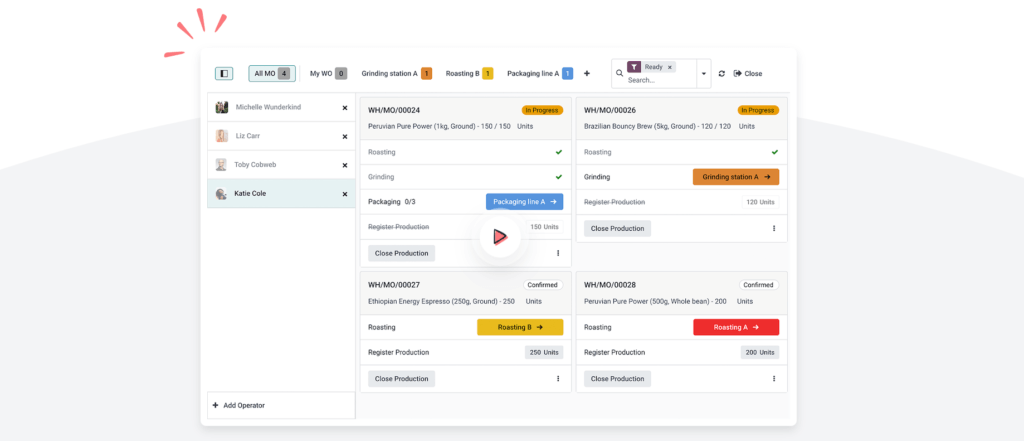
Odoo Manufacturing supports bills of materials, manufacturing orders, work centers, routings, planning, maintenance, quality checks, and production workflows. This makes it relevant for companies that need more than simple inventory tracking.
Odoo can be a strong fit for light and mid-sized manufacturing operations, especially when you want MRP, purchasing, inventory, accounting, and sales in one system. For highly complex manufacturing environments, you should compare it carefully against industry-focused ERP systems such as Epicor, Infor, SAP, SYSPRO, and Microsoft Dynamics 365 Supply Chain Management.
Purchasing and Vendor Management
Odoo Purchase helps you manage requests for quotation, purchase orders, vendors, replenishment, approvals, and vendor bills. When connected with inventory, Odoo can help automate replenishment and make purchasing decisions based on real stock needs.
This is helpful for businesses that want to reduce manual purchasing work. You can connect sales demand, minimum stock rules, vendor lead times, and inventory forecasts to purchasing activity.
Website and Ecommerce
Odoo includes website and ecommerce capabilities, which makes it different from many traditional ERP systems. You can build a website, sell products online, manage product pages, process orders, handle payments, and connect ecommerce activity to inventory and accounting.
This is especially valuable for small and mid-sized businesses that want one platform for online sales and back-office operations. However, ecommerce teams with advanced design, merchandising, marketplace, or headless commerce needs may still prefer specialized platforms such as Shopify Plus, BigCommerce, or Adobe Commerce.
Point of Sale
Odoo Point of Sale supports retail and restaurant use cases, including orders, payments, products, customers, receipts, and inventory synchronization. For companies with both online and physical sales channels, this can help unify POS, ecommerce, inventory, and accounting data.
The POS module is strongest when you already use Odoo for inventory and accounting. If POS is your only need, a dedicated POS platform may be simpler. If POS is part of a broader ERP strategy, Odoo becomes more compelling.
HR, Employees, Recruitment, and Expenses
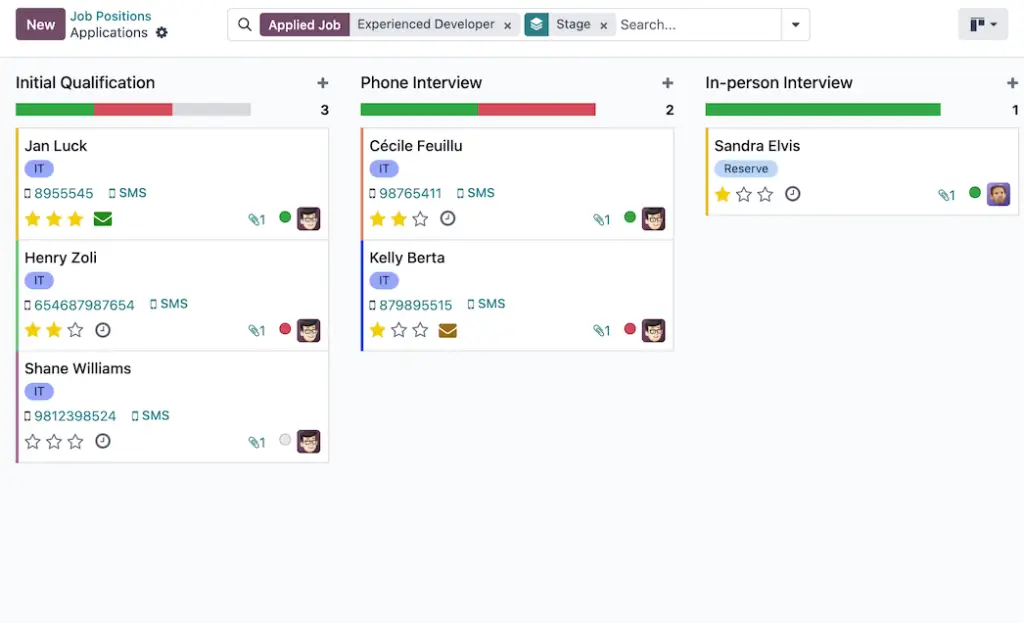
Odoo includes several HR-related apps, including Employees, Recruitment, Time Off, Appraisals, Expenses, Fleet, Payroll in supported markets, and Referrals. This can help companies centralize employee records and administrative HR workflows.
For basic HR operations, Odoo is useful. For advanced HRIS, payroll, compliance, performance management, and benefits administration, you should compare it against dedicated HR platforms before making it your primary HR system.
Reporting and Dashboards
Odoo includes dashboards, reports, pivot views, list views, graph views, and spreadsheet-style analysis. Because business apps share the same environment, reporting can cover sales, inventory, accounting, purchasing, projects, and other workflows.
The reporting experience is flexible, but it depends on implementation quality. If data is clean and processes are configured correctly, Odoo can give leadership strong operational visibility. If data entry rules are inconsistent, reporting becomes less reliable.
Project Management and Timesheets
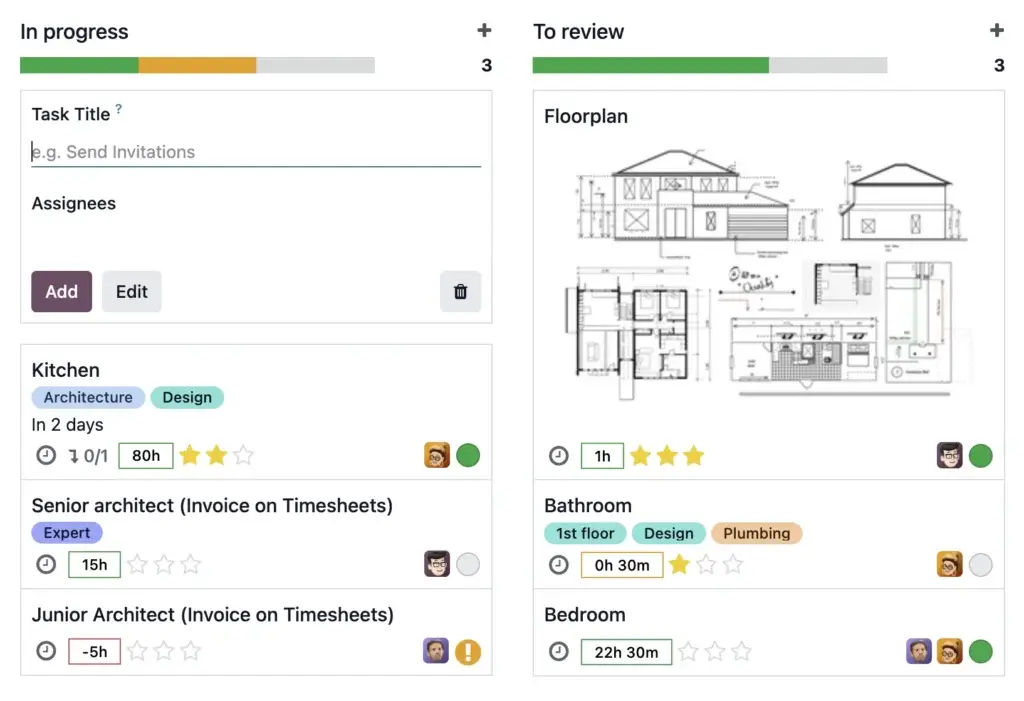
Odoo Project helps teams manage tasks, stages, deadlines, collaboration, timesheets, and project workflows. It is useful for service businesses that need to connect delivery work with time tracking, invoicing, expenses, and customer management.
It is not as deep as dedicated project management tools like monday.com, ClickUp, or Asana for visual planning and team collaboration. Its advantage is ERP connectivity. If projects need to connect with billing, accounting, timesheets, and customer records, Odoo is stronger than a standalone task tool.
Automation and Customization
Odoo can be customized through Odoo Studio, automated actions, server actions, external API access, third-party modules, custom development, and partner-led configuration. This is one of the biggest strengths of the platform.
However, customization should be controlled carefully. Too many custom modules can increase upgrade difficulty, maintenance cost, testing requirements, and partner dependency. For most companies, the best approach is to use standard Odoo workflows where possible and customize only where the business case is clear.
Platform Structure
Odoo Apps and ERP Modules
Odoo is built around business apps. This modular structure lets you start with the tools you need now, then expand into more departments later. The Standard and Custom plans include access to all apps under one subscription model, while the One App Free plan lets you use one app for unlimited users.
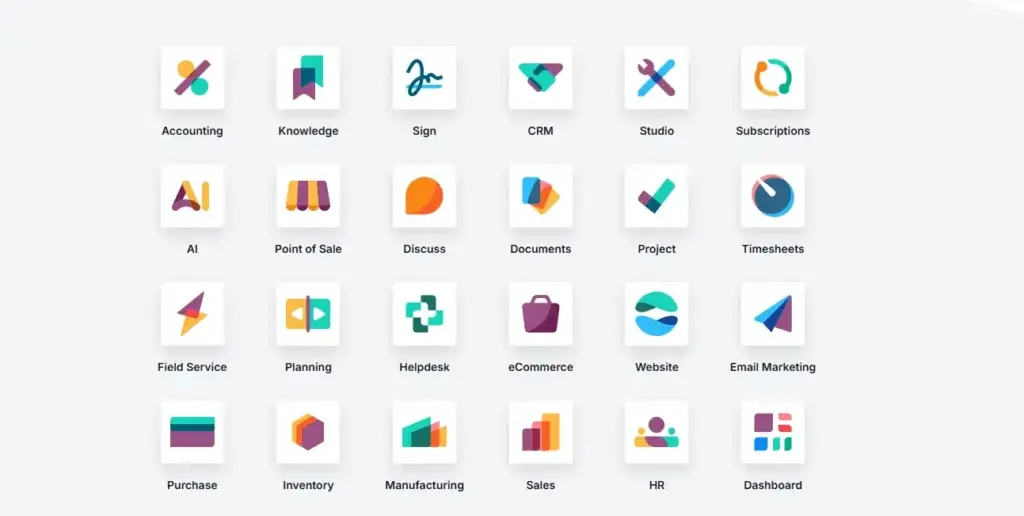
For ERP buyers, the most important apps are usually Accounting, CRM, Sales, Purchase, Inventory, Manufacturing, Project, Website, Ecommerce, POS, Employees, Expenses, Helpdesk, Documents, and Subscriptions.
Odoo Accounting
Odoo Accounting manages invoices, bills, payments, reconciliation, tax workflows, financial reports, and accounting automation. It is most valuable when connected with sales, purchase, inventory, ecommerce, and POS activity.
Odoo CRM and Sales
Odoo CRM and Sales help you manage leads, opportunities, quotations, sales orders, customer records, and commercial activity. This is a good fit for businesses that want CRM and ERP data in one place.
Odoo Inventory
Odoo Inventory supports multi-warehouse management, stock movements, barcode workflows, replenishment, lots, serial numbers, routes, and warehouse operations. This is one of the most important modules for product-based companies.
Odoo Manufacturing
Odoo Manufacturing supports production planning, bills of materials, work centers, routings, shop floor workflows, quality, and maintenance. It is useful for companies that need connected manufacturing and inventory processes.
Odoo Purchase
Odoo Purchase helps manage vendors, purchase orders, requests for quotation, replenishment, and vendor bills. It works best when connected with inventory and accounting.
Odoo Website and Ecommerce
Odoo Website and Ecommerce allow companies to build a customer-facing site and sell online while keeping product, inventory, order, and invoice data connected to the ERP system.
Odoo Point of Sale
Odoo POS supports physical sales environments such as retail stores and restaurants. It connects POS transactions with inventory, customers, and accounting.
Odoo Project and Timesheets
Odoo Project and Timesheets help service teams manage tasks, time tracking, delivery work, and billing. This is useful for consultants, agencies, field service teams, and professional services firms.
Odoo Module Comparison
The table below summarizes the most important Odoo ERP-related apps.
| Odoo App | Best For | Main Capabilities |
| Accounting | Finance teams and business owners | Invoicing, bills, reconciliation, taxes, payments, reports |
| CRM and Sales | Sales teams and customer-facing businesses | Leads, pipeline, quotations, orders, customer records |
| Inventory | Retailers, wholesalers, distributors, manufacturers | Stock, warehouses, transfers, barcode, lots, replenishment |
| Manufacturing | Production and assembly businesses | BOMs, work orders, MRP, quality, maintenance, planning |
| Purchase | Procurement and operations teams | Vendors, RFQs, purchase orders, replenishment, vendor bills |
| Website and Ecommerce | Online sellers and brands | Website builder, product pages, online orders, payments |
| Point of Sale | Retail stores and restaurants | POS orders, payments, receipts, stock synchronization |
| Project and Timesheets | Service and project-based teams | Tasks, timesheets, stages, billing, project delivery |
Pros and Cons
Benefits and Limitations of Odoo
Positive
✅ Modular ERP apps
✅ Strong value
✅ Open-source foundation
✅ Broad functionality
Negative
❌ Customization risk
❌ Partner quality varies
❌ Localization needs review
❌ Complex at scale
Strengths & Benefits
Odoo has several major advantages, especially for companies that want broad ERP functionality without the high starting cost of traditional enterprise systems.
- Modular structure – Start with one app and expand into full ERP over time.
- Wide app coverage – CRM, accounting, inventory, manufacturing, ecommerce, HR, and more.
- Strong value – All apps are included in Standard and Custom plans.
- Open-source ecosystem – Community edition and developer ecosystem add flexibility.
- Deployment options – Use Odoo Online, Odoo.sh, or on-premise depending on needs.
Limitations & Drawbacks
Odoo is flexible, but that flexibility creates risks if implementation is not managed properly.
- Customization complexity – Too much custom code can make upgrades harder.
- Partner dependency – Implementation quality often depends on the partner selected.
- Localization gaps – Accounting, payroll, tax, and compliance should be verified by region.
- Learning curve – Broad functionality can overwhelm teams without training.
- Scope creep – Adding too many apps too quickly can slow adoption.
My opinion is that Odoo is one of the best-value ERP platforms for small and mid-sized businesses that want flexibility and broad coverage. It is especially strong when you need several connected apps rather than one isolated system. However, it should not be treated as a simple plug-and-play tool once you move beyond basic use cases.
Operational Fit
Odoo User Experience, Support, and Security
Odoo’s user experience depends heavily on which apps you use, how much you customize, and how well the system is configured. For simple setups, Odoo can feel clean and approachable. For multi-app ERP implementations, it requires more discipline, training, and process design.
Ease of Use
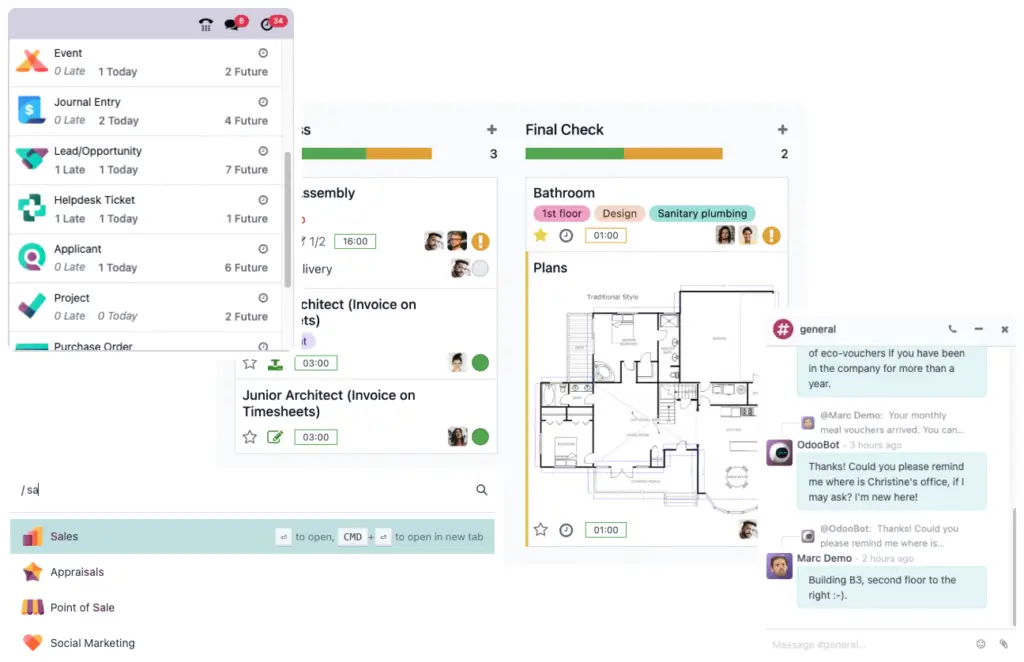
Odoo has a modern interface and is easier to navigate than many older ERP systems. The app-based structure also makes it easier for users to understand which part of the system they are working in.
Still, ERP usability is not only about design. If your workflows are poorly configured, users may struggle. If the system is well designed around daily work, Odoo can feel surprisingly efficient.
Implementation Experience
Implementation can range from very simple to highly complex. A small company using one or two apps on Odoo Online may get started quickly. A manufacturer or multi-company business using accounting, inventory, MRP, ecommerce, custom workflows, and integrations will need a more structured implementation.
The implementation process should include requirements mapping, data cleanup, configuration, testing, training, migration, permissions, reporting, and post-launch support. For Custom plan deployments, Odoo.sh, or on-premise setups, technical planning becomes even more important.
Hosting Options
Odoo offers different hosting paths. Odoo Online is the simplest SaaS option and is best when you want standard Odoo without custom modules. Odoo.sh is better when you need custom development, staging environments, Git-based deployment, backups, and more technical control. On-premise deployment is relevant when you need full infrastructure control.
Most small and mid-sized businesses should start by evaluating Odoo Online. Companies that require custom modules, complex integrations, or deeper development workflows should consider Odoo.sh or on-premise with an experienced implementation partner.
Customer Support and Partner Network
Odoo offers support and has a global partner ecosystem. This is a major advantage because many ERP projects need industry-specific advice, configuration, data migration, and custom development.
However, partner selection is critical. A strong Odoo partner can help you stay close to standard functionality, reduce customization risk, and build a clean implementation. A weak partner can create unnecessary complexity, technical debt, and unclear ownership.
Security and Compliance
Odoo includes security features such as user access rights, role-based permissions, hosting security, backups, and infrastructure protections depending on the deployment model. Cloud hosting can reduce infrastructure burden for many businesses.
Security still needs proper configuration. You should define access rights by role, restrict sensitive financial data, control administrator access, review third-party modules, and document approval workflows.
Upgrade and Maintenance Considerations
Odoo releases new versions regularly, and upgrades are part of the platform lifecycle. This is positive because the product continues improving, but it also means custom code and third-party modules should be managed carefully.
If your company expects to customize heavily, you should budget for testing, upgrade preparation, code maintenance, and partner support. Standard configurations are generally easier to maintain than heavily modified environments.
Pricing
Odoo Pricing & Plans
Odoo pricing is one of the platform’s strongest selling points. Instead of charging separately for each app, Odoo’s Standard and Custom plans include all apps for a single per-user subscription. This can make Odoo cost-effective when you need several business functions in one system.
The key pricing question is not only how much Odoo costs per user. You also need to consider implementation, configuration, custom development, data migration, training, third-party apps, Odoo.sh hosting, support, and long-term maintenance.
One App Free
The One App Free plan gives you one app with unlimited users on Odoo Online. This is useful if you want to test Odoo or use a single app such as CRM, Invoicing, Project, Website, or Inventory without paying for a full ERP rollout.
It is not the right plan if you need several connected workflows. Once you need multiple apps, you will likely move to Standard or Custom.
Standard Plan
The Standard plan gives you access to all Odoo apps on Odoo Online. It is the best fit for companies that want broad functionality but do not need custom modules, Odoo Studio, multi-company capabilities, external API access, Odoo.sh, or on-premise deployment.
For many small and mid-sized businesses, Standard is the best starting point. It gives you access to core ERP and business apps while keeping the deployment simpler.
Custom Plan
The Custom plan includes all apps and adds more advanced options such as Odoo Studio, multi-company support, external API access, and the option to use Odoo Online, Odoo.sh, or on-premise deployment.
This plan is best for companies that need deeper customization, multiple companies, custom workflows, integrations, or more technical control. It is also the plan most likely to require stronger implementation planning.
Odoo.sh and On-Premise Costs
Odoo.sh hosting is not included in the base Custom plan price. It is an additional cost and should be budgeted separately if you need custom development hosting, staging branches, backups, Git-based deployment, and developer workflows.
On-premise deployment may reduce reliance on vendor hosting, but it increases responsibility for infrastructure, security, backups, monitoring, performance, maintenance, and technical support.
Pricing Table
The table below summarizes Odoo’s common pricing structure. Always confirm current pricing with Odoo or an authorized Odoo partner before purchasing, as prices can vary by region, billing term, taxes, discounts, and implementation scope.
| Plan | Published Price | Best For |
| One App Free | €0 | Using one Odoo app with unlimited users |
| Standard | From €14.90/user/month, paid yearly | Companies needing all apps on Odoo Online without custom modules |
| Custom | From €22.40/user/month, paid yearly | Companies needing Studio, multi-company, API, Odoo.sh, or on-premise options |
| Odoo.sh Hosting | Additional cost | Custom development, staging, Git workflow, backups, and technical control |
| Implementation Services | Not included in license | Configuration, data migration, customization, training, and rollout support |
| Custom Code Maintenance | May cost extra | Companies using custom modules or advanced development |
Odoo can be very cost-effective when you use several apps. However, the total cost of ownership depends heavily on implementation scope. A simple Odoo Online setup may be affordable. A customized ERP project with manufacturing, ecommerce, accounting, integrations, and custom development can become a significant investment.
For most companies, the safest buying approach is to start with the workflows that create the most immediate value, then expand gradually. Avoid implementing every app at once unless you have a clear rollout plan and strong internal ownership.
Use Cases
Who Should Use Odoo?
Odoo is best for companies that want a flexible ERP system with broad app coverage and room to grow. It works particularly well when your business has outgrown spreadsheets, basic accounting tools, disconnected CRM systems, or separate inventory and ecommerce software.
Small Businesses
Odoo is attractive for small businesses because you can start with a single app or a simple all-in-one setup. If you need CRM, invoicing, project management, inventory, or a website, Odoo can help you avoid stitching together too many separate tools.
The main benefit is scalability. You can start small, then add more apps when your business processes become more mature.
Growing SMBs
Growing SMBs are often the best fit for Odoo. These companies need more structure than basic tools can provide, but they may not be ready for the cost and complexity of SAP, Oracle, Microsoft Dynamics 365, or NetSuite.
Odoo gives these businesses a practical middle path. You get ERP coverage across finance, sales, purchasing, inventory, projects, manufacturing, ecommerce, and HR, without immediately moving into enterprise-level software complexity.
Manufacturing Companies
Odoo can work well for manufacturers that need MRP, bills of materials, work orders, purchasing, inventory, quality, maintenance, and production planning. It is especially useful when manufacturing needs to connect with sales orders, purchase orders, accounting, and warehouse activity.
For complex manufacturing environments, you should define requirements carefully. Advanced scheduling, regulatory traceability, shop floor controls, and industry-specific needs may require customization or a more specialized ERP.
Retail and Ecommerce Businesses
Odoo is a strong option for businesses that want ecommerce, POS, inventory, accounting, CRM, and fulfillment in one system. This is especially useful if your online and offline sales channels need shared product, stock, and customer data.
If your ecommerce strategy depends heavily on advanced storefront design, marketplace operations, or specialized commerce tools, compare Odoo against Shopify, BigCommerce, and other ecommerce-first platforms.
Service and Project-Based Companies
Service companies can use Odoo to manage CRM, quotations, projects, timesheets, expenses, invoicing, helpdesk, documents, and subscriptions. This is helpful when delivery work and billing need to be connected.
If your team only needs simple task management, a dedicated project management platform may be easier. If you need tasks, time, billing, customer records, and accounting in one place, Odoo becomes more relevant.
Multi-Company Organizations
Odoo’s Custom plan supports multi-company functionality, which can be useful for groups that operate multiple legal entities, brands, locations, or subsidiaries.
Multi-company ERP requires careful setup. You need to plan accounting rules, user access, intercompany processes, product catalogs, taxes, and reporting before implementation.
When Odoo Might Not Be Right
Odoo may not be the best choice if you want a highly standardized enterprise ERP with limited configuration decisions. It may also be risky if your team wants heavy customization but does not have a reliable partner or internal technical ownership.
It may also be less suitable for companies with complex regulatory requirements, highly specialized manufacturing processes, or country-specific accounting and payroll needs that are not fully supported by standard Odoo or trusted local partners.
User Feedback
Odoo Customer Reviews
User feedback for Odoo is often strongest around value, flexibility, modularity, app coverage, and the ability to connect multiple business functions in one platform. Many users like that Odoo can replace several separate tools while keeping workflows inside one system.
What Users Like Most
Positive review patterns often focus on Odoo’s broad app ecosystem, affordable entry point, clean interface, inventory functionality, CRM, accounting connection, ecommerce capabilities, and customization options.
Users also appreciate that Odoo can grow with the business. A company may begin with CRM and invoicing, then later add inventory, purchase, accounting, manufacturing, HR, or ecommerce.
Common Complaints
Common complaints usually focus on implementation complexity, support experience, documentation gaps for specific use cases, partner dependency, localization issues, and challenges created by custom modules.
These complaints are important because they reflect the biggest Odoo tradeoff. The platform is flexible, but flexibility requires decisions. Companies that do not manage scope, data, customization, and training can run into avoidable problems.
My Take on the Review Pattern
The review pattern suggests that Odoo works best when buyers choose it for the right reason. If you want a modular ERP platform that can adapt to your business, Odoo is a strong choice. If you want every industry process fully prebuilt with minimal configuration, it may require more work than expected.
The best Odoo projects usually stay close to standard functionality, use experienced partners, avoid unnecessary customization, and roll out apps in a controlled sequence.
Competitors
Competitor Alternatives to Odoo
Odoo competes with ERP systems such as NetSuite, Microsoft Dynamics 365, SAP S/4HANA Cloud, Oracle Fusion Cloud ERP, Acumatica, Sage Intacct, Infor CloudSuite, and Epicor. The right alternative depends on your company size, industry, budget, customization needs, and preferred software ecosystem.
| Feature Type | Odoo | NetSuite | Microsoft Dynamics 365 | SAP S/4HANA Cloud |
| Core angle | Modular ERP and business apps | Cloud ERP suite for growing companies | Microsoft-based ERP and CRM ecosystem | Enterprise ERP for complex global operations |
| Best for | SMBs needing flexible ERP at strong value | Growing companies needing mature cloud ERP | Microsoft-first SMBs, mid-market, and enterprises | Large enterprises with standardized processes |
| Pricing style | Published per-user pricing with all apps | Quote-based pricing | Published app pricing plus partner services | Quote-based enterprise pricing |
| Implementation complexity | Low to high depending on scope | Moderate to high | Moderate to high | High |
| Customization | Very flexible | Strong but controlled | Strong with Power Platform and partners | Strong enterprise configuration |
| Overall fit | Best for modular flexibility and value | Best for mature cloud ERP standardization | Best for Microsoft ecosystem alignment | Best for enterprise process depth |
Compared with NetSuite, Odoo is usually more flexible and accessible from a pricing perspective. NetSuite may be stronger for companies that want a more mature, standardized cloud ERP suite with enterprise-grade financial management.
Compared with Microsoft Dynamics 365, Odoo is simpler to start with and more modular. Dynamics 365 is stronger for companies deeply invested in Microsoft 365, Power BI, Azure, Teams, and Power Platform.
Compared with SAP S/4HANA Cloud, Odoo is more approachable for SMBs and mid-market companies. SAP is stronger for large enterprises with complex global operations, strict process standardization, and deep enterprise governance needs.
Compared with Acumatica, Odoo has broader app coverage and a stronger open-source foundation. Acumatica may appeal to mid-market businesses that want industry editions, flexible licensing, and strong partner-led ERP implementation.
Best Practices
Getting Started with Odoo
Getting started with Odoo should be treated as an ERP project, not just a software signup. The platform can be affordable and flexible, but the implementation will be more successful if you define your processes before choosing apps, integrations, and customizations.
Start with Business Requirements
Before selecting Odoo apps, map your business requirements. Define what you need for sales, accounting, purchasing, inventory, manufacturing, ecommerce, projects, HR, reporting, and integrations.
This helps prevent scope creep. Odoo makes it easy to add apps, but adding too many workflows at once can overwhelm users and slow the rollout.
Choose the Right Plan
If you need only one app, One App Free may be enough. If you want all apps without custom modules, Standard is usually the cleanest starting point. If you need Studio, multi-company, external API access, Odoo.sh, on-premise hosting, or deeper customization, Custom is the better fit.
Do not choose the Custom plan only because it sounds more advanced. Choose it because your operating requirements actually need it.
Decide on Hosting Early
Hosting affects customization, upgrades, performance, maintenance, and technical ownership. Odoo Online is simpler. Odoo.sh gives you more development control. On-premise gives you the most control, but also the most responsibility.
For most SMBs, Odoo Online is the safer starting point. For companies with custom modules or complex integrations, Odoo.sh is often more practical.
Work with the Right Odoo Partner
Partner selection matters. Look for a partner with experience in your industry, similar company size, and the specific Odoo apps you plan to use.
Ask about implementation methodology, data migration, integrations, custom development, upgrade planning, support model, references, and post-launch optimization. A good partner should help you simplify, not customize everything.
Control Customization
Customization is powerful, but it should be used carefully. Every custom module needs testing, maintenance, documentation, and upgrade consideration.
Start with standard workflows wherever possible. Customize only when the process is truly important and cannot be handled through configuration or standard functionality.
Roll Out in Phases
A phased rollout is usually safer than launching every app at once. You might begin with CRM, sales, invoicing, and accounting, then add inventory, purchasing, manufacturing, ecommerce, HR, or helpdesk later.
This approach helps teams adopt the system gradually. It also gives you time to fix data quality and workflow issues before expanding the ERP footprint.
Conclusion
Final Thoughts
Odoo is one of the most flexible ERP platforms available for small and mid-sized businesses. Its biggest strengths are modularity, broad app coverage, affordable entry pricing, open-source flexibility, and the ability to connect CRM, accounting, inventory, manufacturing, ecommerce, POS, projects, HR, and service workflows in one system.
It is not perfect. Odoo can become complex when heavily customized, and implementation quality depends heavily on planning, data migration, partner expertise, and internal ownership. Accounting localization, payroll support, custom modules, and upgrade planning should be reviewed carefully before committing.
Overall, Odoo is easy to recommend for growing companies that want a flexible ERP system with strong value and room to expand. If your business wants one connected platform instead of many disconnected tools, Odoo deserves serious consideration in 2026. If you need highly standardized enterprise ERP with deep industry controls, compare it carefully against NetSuite, Microsoft Dynamics 365, SAP, Oracle, Infor, Epicor, and Acumatica before making a final decision.
Frequently Asked Questions
Have more questions?
What is Odoo?
Odoo is an open-source ERP and business management platform that includes apps for CRM, accounting, sales, inventory, manufacturing, ecommerce, POS, projects, HR, documents, helpdesk, and more. It helps businesses manage multiple departments from one connected system.
Is Odoo an ERP system?
Yes. Odoo is an ERP system, but it is also broader than traditional ERP because it includes CRM, website, ecommerce, marketing, HR, project management, helpdesk, and productivity apps alongside accounting, inventory, purchasing, and manufacturing.
Who is Odoo best for?
Odoo is best for small and mid-sized businesses that want a flexible, modular ERP platform with broad app coverage. It is especially useful for growing companies, manufacturers, retailers, ecommerce businesses, distributors, and service firms that want connected workflows.
How much does Odoo cost?
Odoo pricing includes a One App Free plan at €0, a Standard plan starting from €14.90 per user/month when paid yearly, and a Custom plan starting from €22.40 per user/month when paid yearly. Final cost can vary by region, billing term, users, implementation services, Odoo.sh hosting, custom development, and support needs.
What is the difference between Odoo Standard and Custom?
Odoo Standard includes all apps on Odoo Online. Odoo Custom includes all apps and adds advanced options such as Odoo Studio, multi-company support, external API access, and the ability to use Odoo Online, Odoo.sh, or on-premise deployment.
Does Odoo support manufacturing?
Yes. Odoo supports manufacturing through its MRP app, including bills of materials, manufacturing orders, work centers, routings, planning, quality, maintenance, and inventory-connected production workflows.
Does Odoo support ecommerce?
Yes. Odoo includes website and ecommerce apps that allow businesses to build a site, manage products, sell online, process orders, accept payments, and connect ecommerce activity with inventory, CRM, accounting, and fulfillment workflows.
Is Odoo easy to use?
Odoo is easier to use than many legacy ERP systems because of its modern interface and app-based structure. However, ease of use depends on implementation quality, workflow setup, training, data quality, and the amount of customization used.
What are the best Odoo alternatives?
The best Odoo alternatives include NetSuite, Microsoft Dynamics 365, SAP S/4HANA Cloud, Oracle Fusion Cloud ERP, Acumatica, Sage Intacct, Infor CloudSuite, and Epicor. The right alternative depends on company size, industry, budget, implementation needs, and customization requirements.
Is Odoo worth it?
Odoo is worth considering if your business needs a flexible ERP platform that can connect several business functions in one system. It is especially valuable for SMBs that want strong functionality at a lower entry cost than many traditional ERP platforms. It may be less suitable if you need a highly standardized enterprise ERP with minimal customization decisions.