Introduction
Payroll software has evolved far beyond basic wage calculations. The best payroll platforms now automate tax filings, sync with time tracking, support contractor payments, help with compliance, and connect payroll to broader HR workflows. If you are comparing payroll systems for a small business, a growing multi-state team, or an international workforce, the right platform can save hours of manual work while reducing expensive errors.
In this guide, you will find a detailed comparison of seven leading payroll solutions: Gusto, Rippling, Deel, Paylocity, BambooHR, ADP RUN, QuickBooks Payroll, and Paychex Flex. Each tool serves a different type of business, so the right choice depends on your company size, hiring model, reporting needs, and how closely you want payroll tied to HR, benefits, and workforce operations.
To help you decide faster, I looked at payroll automation, tax support, employee self-service, integrations, scalability, and pricing transparency. Gusto stands out as the best overall payroll software for most small and midsize businesses because it balances usability, payroll depth, benefits, and clear pricing better than most alternatives.
How to Evaluate Payroll Software
Before choosing a payroll platform, it helps to know which features matter most. Payroll software may look similar on the surface, but there are major differences in automation, compliance support, reporting depth, and international coverage.
Payroll automation and tax filing
The core purpose of payroll software is to help you pay employees accurately and on time. Look for tools that automatically calculate wages, deductions, and tax withholdings, then file and remit payroll taxes on your behalf. This is especially important if you manage multiple pay schedules or operate across several states.
HR and benefits connectivity
The best payroll software does not live in isolation. It should connect smoothly with employee records, onboarding, time tracking, PTO, benefits, and compliance workflows. This reduces duplicate data entry and makes payroll more accurate as your workforce grows.
Support for contractors and global teams
If you work with freelancers, distributed employees, or international hires, payroll gets more complex quickly. Some platforms specialize in U.S. payroll, while others are better suited for global payroll, contractor payments, or employer of record services. Your hiring model should strongly influence your choice.
Ease of use and employee self-service
Payroll admins need speed and control, but employees also need a clean experience. Strong platforms include self-service portals for pay stubs, tax forms, direct deposit updates, and personal details. This can reduce admin work significantly over time.
Reporting, compliance, and audit trail
Payroll reporting matters for finance, tax planning, and audits. Look for customizable payroll reports, journal exports, labor cost visibility, and a clear audit trail. If compliance is a major concern, prioritize platforms with specialist support and built-in alerts.
Pricing and scalability
Some payroll tools publish clear monthly pricing, while others require a quote. Transparent pricing is valuable for small businesses, but quote-based vendors may offer more flexibility for larger organizations. Always consider the full cost, including per-employee fees, add-ons, setup, benefits administration, and premium support.
With those criteria in mind, here are the best payroll software tools worth considering.
Gusto
Features & Benefits
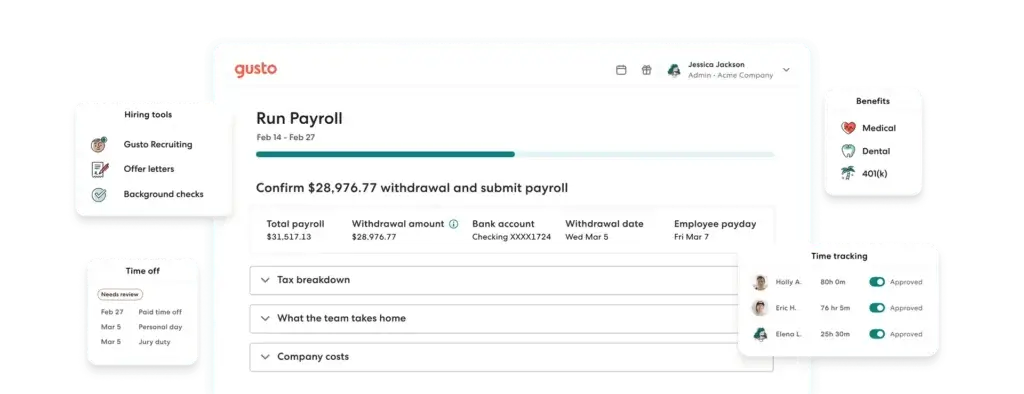
Gusto is the most balanced payroll platform in this comparison. It combines payroll, tax filing, benefits administration, contractor payments, and core HR features in a product that remains approachable for small teams. That matters because many payroll systems become harder to use as they add more functionality, but Gusto generally keeps the experience intuitive.
For payroll itself, Gusto includes unlimited payroll runs, tax filings and payments, employee self-service, and support for both W-2 employees and contractors. The platform also offers multi-state payroll on higher tiers, next-day pay on select plans, and add-ons for time tracking, HR resources, and performance management. For businesses that want payroll plus benefits without stitching together multiple vendors, Gusto remains one of the strongest options.
Another reason Gusto ranks first is pricing clarity. It is easier to forecast costs with Gusto than with most enterprise-oriented vendors. That makes it especially attractive for startups, agencies, professional services firms, and growing SMBs that want modern payroll software without the complexity of a larger HCM system.
Pricing & Plans
Gusto’s payroll plans start at $49 per month plus $6 per person for the Simple plan. The Plus plan is $80 per month plus $12 per person, and Premium is $180 per month plus $22 per person. Gusto also offers a Contractor Only plan at $35 per month plus $6 per contractor, along with add-ons such as time tracking and priority support.
Pros & Cons
Pros
- Clear and transparent pricing
- Excellent mix of payroll, benefits, and HR tools
- Easy setup for small and midsize businesses
- Unlimited payroll runs and solid contractor support
Cons
- Advanced features require higher plans or add-ons
- Less suitable than Deel for global payroll complexity
- Premium pricing rises quickly as teams grow
Deel

Features & Benefits
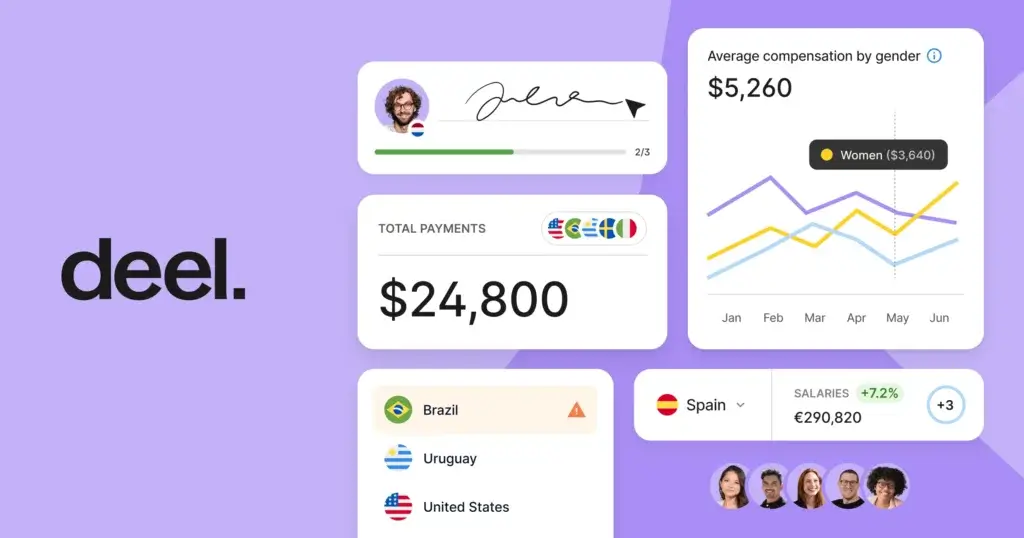
Deel is the strongest option in this list if your payroll problem is international rather than purely domestic. It is built around global hiring, global payroll, contractor management, compliance, and employer of record services. That makes it a very different type of payroll platform compared with Gusto, QuickBooks Payroll, or ADP RUN.
For companies hiring across borders, Deel simplifies one of the most difficult operational challenges: paying people compliantly in multiple countries while handling contracts, tax considerations, and onboarding. It is particularly strong for remote-first companies, international startups, and businesses expanding abroad without building a local entity in every region.
If your workforce is mostly U.S.-based, Deel may be more than you need. But if international payroll is central to your operation, Deel is one of the best purpose-built platforms available.
Pricing & Plans
Deel publishes pricing for several global employment models. Contractor management starts at $49 per contractor per month, Contractor of Record starts at $325 per contractor per month, EOR starts at $599 per employee per month, and Deel PEO starts at $125 per employee per month. Pricing for broader payroll solutions can vary by model and geography.
Pros & Cons
Pros
- Excellent for global payroll and contractor payments
- Strong compliance and international hiring coverage
- Published pricing for several global services
- Very strong fit for remote and distributed teams
Cons
- Not the best value for domestic-only payroll needs
- Can be expensive for smaller teams
- More specialized than standard SMB payroll tools
Paylocity

Features & Benefits
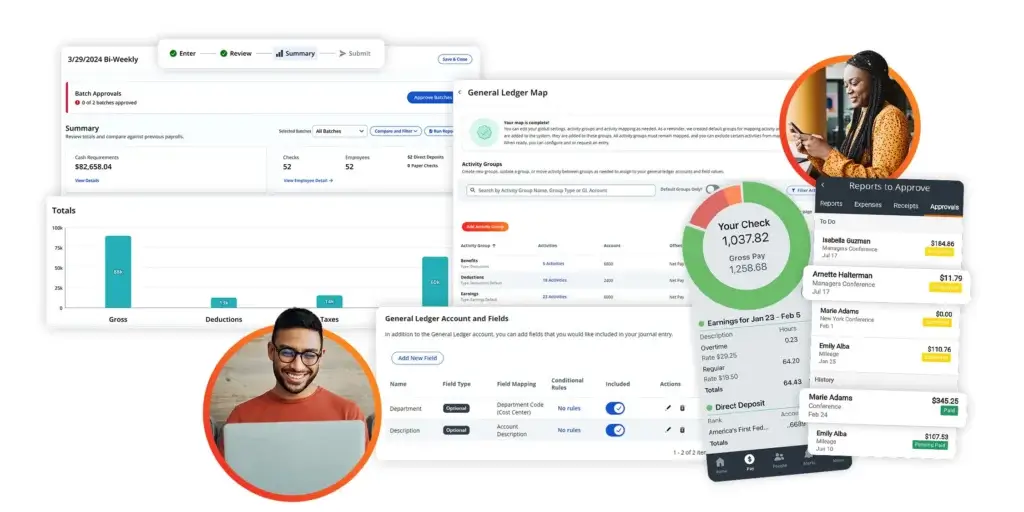
Paylocity is a strong payroll software option for businesses that want more than just payroll processing. The platform combines payroll, tax support, HR tools, employee self-service, reporting, and mobile access in one system, which makes it especially appealing for companies that are growing and want to avoid managing several disconnected tools.
Its payroll product is designed to automate payroll processes, simplify tax compliance, and reduce manual admin work. Paylocity also gives employees 24/7 access to paychecks, tax forms, personal details, time-off requests, and benefits information through its employee self-service tools. That helps reduce back-and-forth with HR and gives employees a more modern experience.
Another advantage is Paylocity’s broader platform approach. If you want payroll tied closely to HR workflows, analytics, and workforce management, it offers more depth than many payroll-first tools. It is not as pricing-transparent as Gusto, but it is a solid option for midsize businesses that want a more all-in-one system with room to scale.
Pricing & Plans
Paylocity uses custom pricing rather than fully published package rates. The company promotes flexible pricing based on the solutions you need, and it notes that pricing is charged per employee per month rather than per payroll run. You need to request a quote for exact costs.
Pros & Cons
Pros
- Strong payroll and HR platform in one system
- Employee self-service and mobile app are well developed
- Good fit for growing and midsize businesses
- Flexible pricing model without per-run payroll fees
Cons
- Custom quote required for exact pricing
- May be more than very small businesses need
- Less straightforward to compare than fixed-price tools
Rippling

Features & Benefits
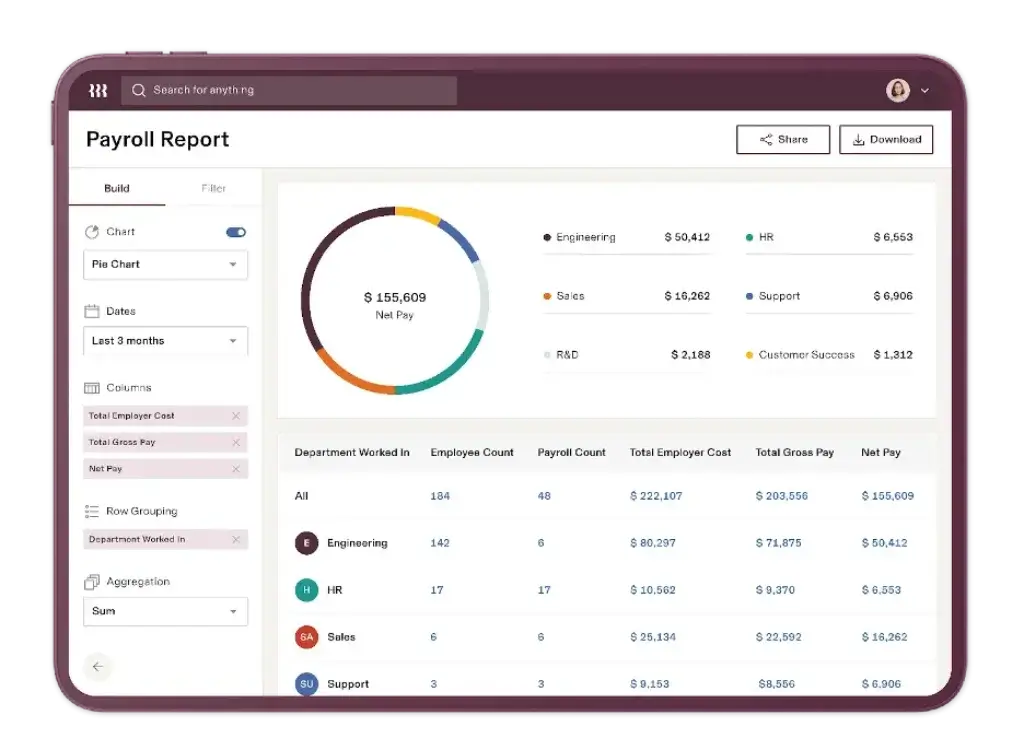
Rippling is one of the most capable payroll platforms on the market, especially if you want payroll to sit inside a broader workforce management system. Its biggest strength is not just payroll processing, but the way it connects payroll with onboarding, benefits, device management, app access, compliance, and finance workflows.
On the payroll side, Rippling automatically calculates payroll taxes, files them with the relevant agencies, and supports automated payroll workflows that reduce admin work. It is especially appealing for operationally sophisticated companies that want fewer disconnected systems. If you are already thinking beyond payroll into a more unified workforce platform, Rippling is one of the strongest choices available.
The main drawback is pricing transparency. Rippling usually requires a custom quote, which is common in this segment but less convenient for smaller businesses comparing costs. Even so, for scaling businesses that value automation and cross-functional control, Rippling is hard to ignore.
Pricing & Plans
Rippling uses quote-based pricing for payroll and workforce products, so you need to speak with sales for exact costs. That makes it less transparent than Gusto or QuickBooks Payroll, but it also gives Rippling room to tailor packages based on the modules you need.
Pros & Cons
Pros
- Powerful payroll automation and tax filing
- Strong integration with HR, benefits, IT, and finance
- Excellent fit for fast-growing companies
- Highly scalable for multi-state and complex operations
Cons
- Quote-based pricing only
- Can be more platform than a small business needs
- Setup is broader than simple payroll-first tools
BambooHR Payroll


Features & Benefits
BambooHR Payroll is best viewed as an extension of the BambooHR platform rather than a standalone payroll-first product. Its biggest advantage is synchronized HR data. Employee records, PTO, benefits, and payroll stay aligned, which reduces manual entry and lowers the chance of payroll errors.
BambooHR emphasizes automated tax filing, direct deposit, W-2 creation, multi-rate payroll, payroll reminders, and employee self-service. It is a particularly strong option for HR-led organizations that already like BambooHR’s user experience and want payroll inside the same environment.
The limitation is that BambooHR Payroll is geared toward U.S.-based employees, while international payroll needs are handled through partners and related services. If you want a cleaner HR-plus-payroll experience for a U.S. team, it is a good option. If you need deep standalone payroll breadth or global payroll strength, other vendors are better.
Pricing & Plans
BambooHR does not fully publish payroll pricing online. Its HR software pricing starts at a monthly flat rate for companies with 25 employees or fewer, while payroll pricing depends on your company size and selected features. You need a quote for exact payroll costs.
Pros & Cons
Pros
- Payroll syncs well with BambooHR employee data
- Strong employee self-service experience
- Clean and approachable interface
- Good fit for HR-centric SMBs
Cons
- Pricing is not fully transparent
- Best suited to BambooHR users
- International payroll relies on partners
ADP RUN
Features & Benefits
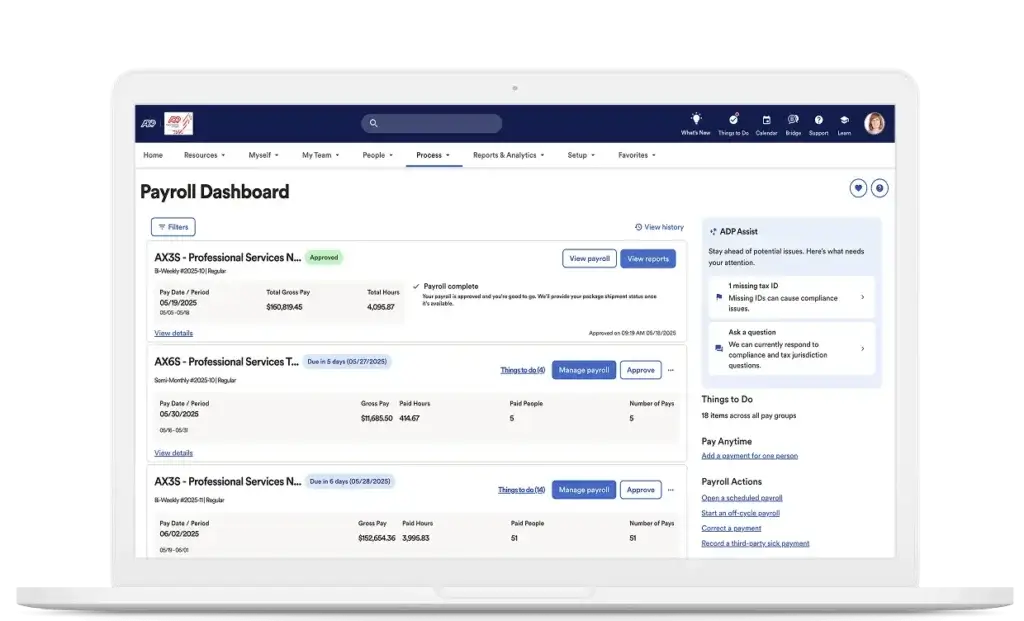
ADP RUN remains one of the most recognizable payroll solutions for small businesses, and that brand strength still matters in payroll. If you want a long-established provider with broad service infrastructure, compliance expertise, and plenty of upgrade paths, ADP is a very safe choice.
RUN Powered by ADP is designed for businesses with 1 to 49 employees and offers multiple package tiers. Core strengths include payroll processing, tax filing support, compliance help, and access to broader HR services. ADP also performs well for companies that expect to outgrow basic payroll tools and eventually need more advanced workforce capabilities.
Where ADP is weaker is in pricing transparency. You can compare plan structure publicly, but exact pricing usually requires a quote. For some buyers, that is acceptable, especially if they value ADP’s scale and support reputation. For others, it makes early comparison more difficult.
Pricing & Plans
ADP RUN offers multiple packages, including Essential Payroll and Enhanced Payroll, with additional tiers for businesses that need more HR support. Pricing is quote-based rather than fully published, so the final cost depends on your team size, payroll needs, and selected services.
Pros & Cons
Pros
- Well-established payroll brand with strong support resources
- Good compliance and tax support reputation
- Multiple package options for growing businesses
- Strong upgrade path into broader HR services
Cons
- No fully transparent pricing online
- Interface feels more traditional than newer tools
- Add-ons can raise total cost
QuickBooks Payroll

Features & Benefits
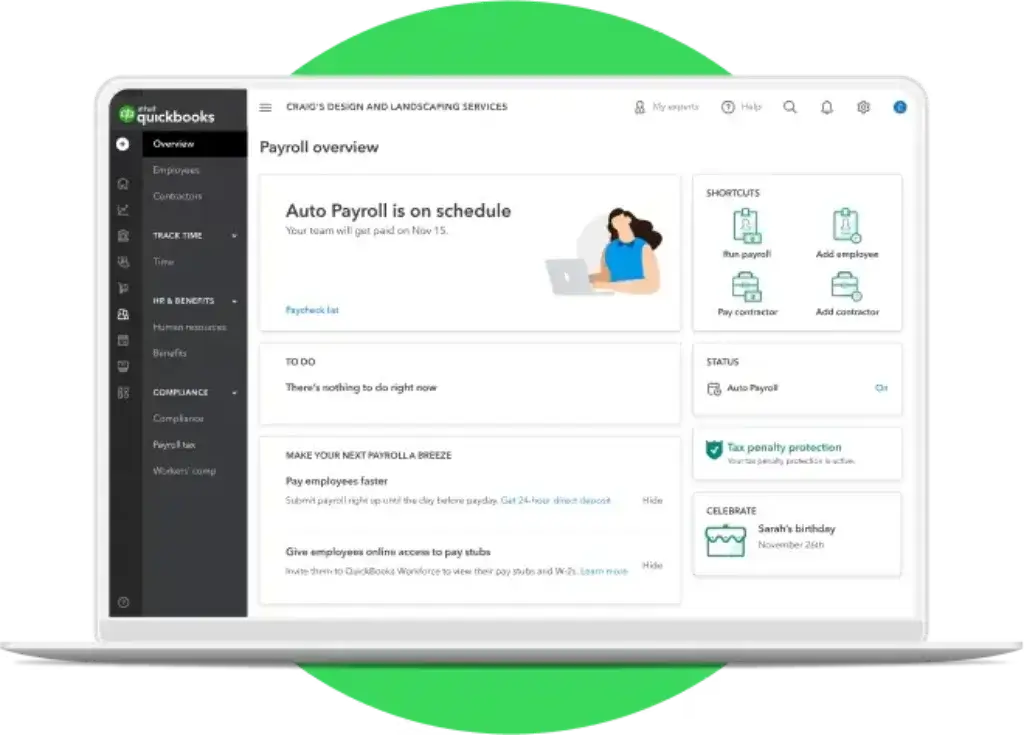
QuickBooks Payroll is one of the easiest payroll tools to justify if you are already using QuickBooks for accounting. Its biggest advantage is ecosystem fit. Rather than managing accounting and payroll in separate systems, you can keep wages, taxes, reports, and business finances more tightly connected.
The platform includes full-service payroll and increasingly emphasizes AI-assisted workflows. QuickBooks highlights features like Payroll Agent and Payroll AI, which help collect time and attendance data, flag anomalies, and prepare payroll drafts for review. That AI angle makes the product more competitive than older payroll perceptions might suggest.
QuickBooks Payroll is particularly attractive for small businesses that prioritize practical efficiency over deep HR breadth. It is not as broad as Rippling and not as HR-forward as Gusto, but it is a strong payroll-accounting combination with very accessible onboarding for QuickBooks users.
Pricing & Plans
QuickBooks Payroll pricing currently starts at $44 per month plus $6.50 per employee for the Core bundle promo tier. Higher bundles include Premium at $101.50 per month plus $10 per employee during the promotional period, with pricing varying depending on the accounting bundle and current discount. QuickBooks also regularly runs limited-time offers, so list pricing may be higher outside promotions.
Pros & Cons
Pros
- Strong fit for QuickBooks accounting users
- Payroll AI and anomaly detection add useful automation
- Straightforward small business setup
- Good reporting and export options
Cons
- Best value depends on QuickBooks ecosystem use
- Promotional pricing can make comparisons confusing
- Less comprehensive HR depth than Gusto or Rippling
Paychex Flex

Features & Benefits
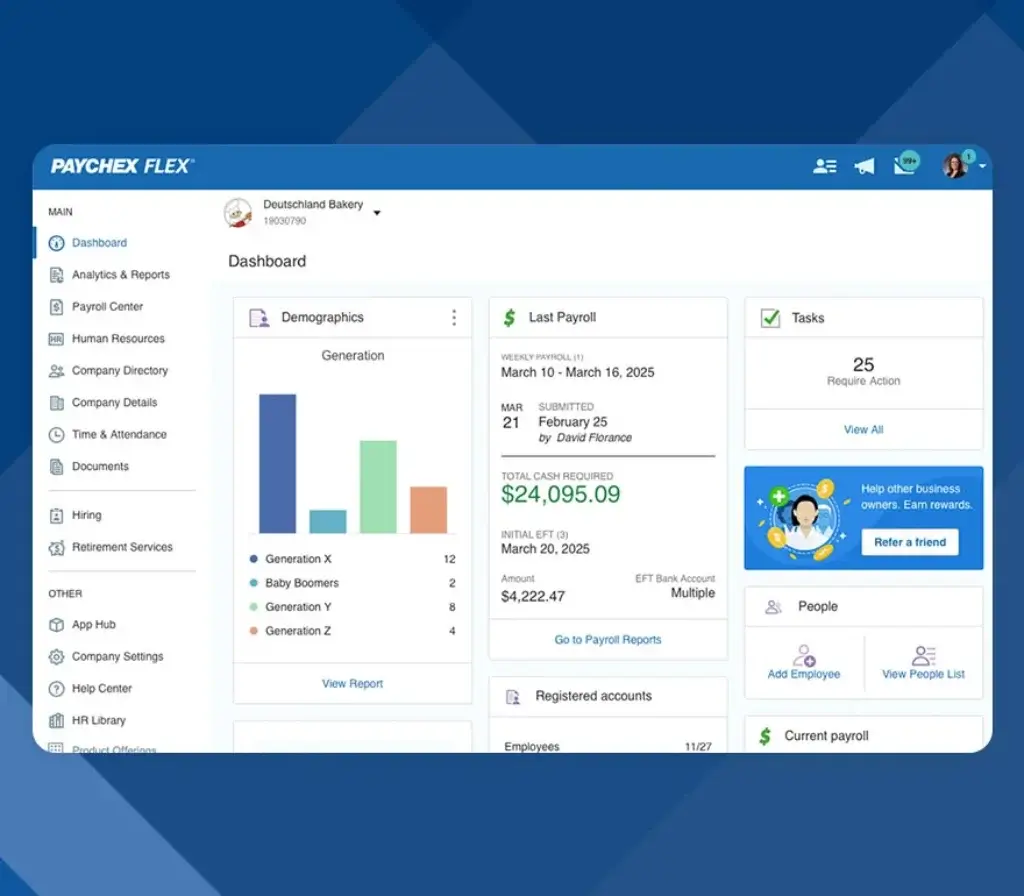
Paychex Flex is a strong option for companies that want payroll backed by service depth. It is especially appealing if you value human guidance alongside software, rather than relying mostly on self-service tools. Paychex offers several tiers, from Flex Select for smaller teams to Enterprise, HR Pro, and PEO-oriented options for organizations that need more support.
The platform handles payroll processing, tax administration, employee pay options, reporting, and access to HR services. Compared with more startup-style payroll tools, Paychex feels more service-led. That can be a major benefit for businesses that want help navigating compliance, benefits, and people processes as they grow.
The tradeoff is transparency. Like ADP, Paychex usually requires a quote, so you do not get the same easy price comparison you get from Gusto or QuickBooks Payroll. Still, for buyers that want support-heavy payroll software, Paychex deserves serious consideration.
Pricing & Plans
Paychex Flex includes multiple tiers, including Select for smaller teams, Pro for growing businesses, and Enterprise for established companies with more advanced payroll and employee management needs. Pricing is customized, so you need to request a quote for current rates.
Pros & Cons
Pros
- Strong payroll service and support model
- Good range of payroll and HR packages
- Suitable for businesses that want hands-on guidance
- Enterprise and PEO growth path available
Cons
- Quote-based pricing only
- Less modern interface than some newer rivals
- May be heavier than necessary for very small teams
Comparing the Best Payroll Software
These payroll tools solve different problems, so the best choice depends on your business structure and the payroll support you need most. Gusto remains the strongest overall option for most small and midsize businesses because it combines payroll automation, tax filing, benefits, and HR tools in a way that is both practical and easy to manage. Deel stands out for international payroll, global hiring, and contractor payments. At the same time, Paylocity is a strong option for growing businesses that want payroll, HR, employee self-service, and reporting in one unified system.
Rippling is the better fit if you want payroll deeply connected to a broader workforce platform that includes HR, IT, and finance. BambooHR Payroll makes the most sense for HR teams already using BambooHR and wanting payroll tightly synced with employee records. ADP RUN and Paychex Flex remain dependable choices for businesses that prefer service-backed payroll providers, while QuickBooks Payroll is especially appealing for companies already operating inside the QuickBooks ecosystem.
| Software | Best For | Pricing Model | Standout Strength |
| Gusto | Small and midsize businesses | Published monthly pricing | Best overall balance of payroll, tax filing, and HR tools |
| Deel | Global teams and contractors | Published service pricing | Excellent international payroll and compliance support |
| Paylocity | Growing businesses wanting payroll and HR in one platform | Custom quote | Strong employee self-service, reporting, and payroll workflows |
| Rippling | Scaling companies needing one workforce system | Custom quote | Deep automation across payroll, HR, IT, and finance |
| BambooHR Payroll | HR teams already using BambooHR | Custom quote | Payroll synced closely with employee records and HR workflows |
| ADP RUN | Small businesses wanting established payroll support | Custom quote | Trusted payroll infrastructure with strong compliance support |
| QuickBooks Payroll | QuickBooks accounting users | Published pricing with promos | Payroll and accounting in one ecosystem |
| Paychex Flex | Businesses wanting guided payroll and HR support | Custom quote | Strong service-backed payroll with flexible support options |
While the first table gives you a fast overview, the next one focuses more specifically on payroll automation, tax filing, HR integration, and global capabilities.
| Software | Payroll Automation | Tax Filing | HR Integration | Global Support |
| Gusto | Strong | Included | Good | Limited compared with global specialists |
| Deel | Strong for global payroll | Included by service model | Strong for global HR workflows | Excellent |
| Paylocity | Strong | Included | Strong | More limited than global-first platforms |
| Rippling | Very strong | Included | Excellent | Strong |
| BambooHR Payroll | Strong for U.S. payroll | Included | Excellent within BambooHR | Partner-based for international needs |
| ADP RUN | Strong | Included | Moderate to strong | Moderate |
| QuickBooks Payroll | Strong with AI assistance | Included | Moderate | Limited |
| Paychex Flex | Strong | Included | Strong with add-ons | Limited compared with Deel |
Conclusion
If you want the best payroll software for most small and midsize businesses, Gusto is still the strongest choice. It offers the most practical balance of payroll automation, tax filing, benefits, HR functionality, and pricing transparency. It is especially well suited to businesses that want modern payroll software without moving into the complexity of a full enterprise HCM stack.
Choose Rippling if you want payroll connected to a larger workforce platform. Choose Deel if you need global payroll, contractor management, or international hiring support. Choose Paylocity if you want a more unified payroll and HR platform for a growing business. Choose BambooHR Payroll if your HR team already works in BambooHR and wants payroll tightly synced with employee data. Choose ADP RUN or Paychex Flex if you prefer a more traditional provider with strong service support. Choose QuickBooks Payroll if accounting integration is your top priority.
The key is to match the platform to your payroll reality, not just the brand name. Once you do that, payroll becomes far more reliable, scalable, and easier to manage.
Frequently Asked Questions (FAQs)
What is the best payroll software overall?
Gusto is the best overall payroll software for most small and midsize businesses because it combines easy payroll processing, tax filing, benefits administration, contractor support, and transparent pricing in one platform.
Which payroll software is best for small businesses?
Gusto, ADP RUN, and QuickBooks Payroll are all strong choices for small businesses. Gusto is usually the most balanced option, ADP RUN is attractive for businesses wanting established payroll support, and QuickBooks Payroll is especially useful if you already use QuickBooks for accounting.
Which payroll software is best for global teams?
Deel is the best payroll software in this comparison for global teams. It is built for international payroll, global hiring, contractor payments, and employer of record services.
Is Rippling better than Gusto?
Rippling is better for companies that want payroll integrated with a broader workforce platform covering HR, IT, and finance. Gusto is better for businesses that want a simpler, more transparent payroll and HR solution.
Where does Paylocity fit in this list?
Paylocity is a strong fit for growing businesses that want payroll, HR tools, reporting, employee self-service, and workforce management in one platform. It sits between simpler payroll-first tools and broader enterprise-style workforce systems.
Does payroll software handle tax filing automatically?
Many leading payroll platforms do. Gusto, Rippling, Deel, Paylocity, BambooHR Payroll, ADP RUN, QuickBooks Payroll, and Paychex Flex all support tax-related payroll processes, though exact coverage can vary by plan, geography, and service model.
What is the cheapest payroll software in this list?
Based on published pricing, Gusto and QuickBooks Payroll are among the most accessible starting points for U.S.-based small businesses. The cheapest option for you still depends on headcount, contractor mix, and whether you need add-ons or bundled services.
Can payroll software pay contractors too?
Yes. Gusto supports contractor payments, and Deel is especially strong for contractor management, including international contractors. Other platforms may also support contractors, but usually with less depth than Deel.
Which payroll software is best for HR teams?
BambooHR Payroll is a strong option for HR teams already using BambooHR, while Paylocity is a good choice for companies that want payroll and HR workflows in one platform. Rippling is the better choice if you want deeper automation across departments.
How should you choose payroll software?
Start with your workforce model. If you run U.S. payroll for a small team, prioritize ease of use and transparent pricing. If you manage global employees or contractors, prioritize compliance and international capabilities. If payroll needs to connect deeply with HR, reporting, and operations, choose a more integrated platform.