
Introduction
AI in ITSM is changing how IT teams manage incidents, service requests, assets, workflows, and employee support. Instead of relying only on manual ticket triage and reactive troubleshooting, you can now use AI-powered ITSM tools to automate repetitive work, predict service issues, improve self-service, and support faster decision-making.
This matters because IT teams are under pressure to support more users, more devices, more SaaS tools, and more security requirements without always getting more headcount. AI helps you close that gap by reducing manual work across the service desk and improving the quality of IT service delivery.
In this guide, you’ll learn what AI in ITSM means, how it improves core ITSM processes, which AI-driven ITSM tools are worth considering in 2026, and how to implement AI responsibly without losing control over security, governance, or user experience.
For a broader comparison of IT service management platforms, you can also review our full guide to the best ITSM software.
What Is AI in ITSM?
AI in ITSM refers to the use of artificial intelligence, machine learning, natural language processing, generative AI, automation, and predictive analytics inside IT service management workflows.
In practical terms, AI helps IT teams understand incoming requests, classify tickets, suggest solutions, automate approvals, summarize incidents, recommend knowledge base articles, detect service patterns, and complete repetitive tasks with less human effort.
Traditional ITSM tools are often built around manual processes. A user submits a ticket, an agent reviews it, someone assigns it, and the support team works through the issue. AI-powered ITSM makes this process faster and more intelligent by analyzing context, history, ticket data, asset data, and workflow rules.
Quick Answer: What Does AI Do in ITSM?
AI in ITSM helps your IT team automate ticket routing, improve self-service, summarize incidents, predict recurring issues, recommend fixes, generate knowledge articles, support change management, and reduce manual work across the service desk.
The goal is not to replace your IT team. The goal is to help your team spend less time on repetitive requests and more time on complex troubleshooting, service improvement, security, and strategic IT planning.
How AI Is Changing IT Service Management
- Automated request handling: AI understands, categorizes, and routes IT requests faster.
- Smarter self-service: AI chatbots and virtual agents resolve common issues instantly.
- Predictive analytics: AI identifies patterns that may lead to outages or recurring incidents.
- Agent assist: AI suggests replies, knowledge articles, summaries, and next steps.
- Workflow automation: AI triggers approvals, escalations, and service actions.
- AI agents: Agentic AI can complete approved multi-step tasks across connected systems.
When used correctly, AI in ITSM improves speed, accuracy, consistency, and service quality. It also gives IT leaders better visibility into where service bottlenecks happen and which processes need improvement.
Why AI in ITSM Matters for Modern IT Teams
IT service desks are no longer simple ticket queues. Your team may need to support remote employees, hybrid infrastructure, endpoint security, SaaS access, compliance, device management, and cross-department service requests.
Without automation, this creates a heavy operational burden. AI helps you reduce that burden by handling routine work, improving prioritization, and giving agents better context before they take action.
The Business Value of AI-Powered ITSM
AI-powered ITSM creates value in several ways:
- Lower service desk workload: AI deflects repetitive questions and common requests.
- Faster response times: AI routes and prioritizes tickets automatically.
- Reduced downtime: Predictive analytics helps identify risks earlier.
- Better employee experience: Users receive faster answers through self-service.
- Improved agent productivity: Agents get summaries, suggestions, and relevant context.
- More consistent service delivery: AI applies rules and workflows consistently.
The strongest results usually come when AI is connected to clean service data, a well-maintained knowledge base, clear workflows, and defined approval rules.
Key Benefits of AI in ITSM
AI adoption in IT Service Management can improve both operational efficiency and service quality. Below are the most important benefits to consider when evaluating AI-powered ITSM software.
1. Faster Ticket Triage and Routing
Your IT team may receive hundreds or thousands of tickets across incidents, access requests, device issues, software problems, and employee questions. Manually reviewing and assigning each ticket slows down response times.
AI can analyze ticket content, user details, category history, urgency, affected assets, and similar past issues. It can then suggest or apply the correct category, priority, assignment group, and next step.
How AI Helps
- Classifies tickets automatically based on language, context, and historical patterns.
- Assigns tickets to the right team based on skill, workload, or service category.
- Prioritizes urgent issues before they create wider business impact.
Example: InvGate Service Management uses AI capabilities to suggest answers, route tickets, generate knowledge, summarize tickets, and support request deflection through a virtual service agent.
2. Better Self-Service and Ticket Deflection
One of the most valuable uses of AI in ITSM is self-service. Many support requests are repetitive: password resets, VPN access, software installation, device setup, account lockouts, and “how do I” questions.
AI-powered self-service allows users to ask questions in natural language and receive relevant answers, service catalog suggestions, or guided troubleshooting steps. This reduces ticket volume and gives employees faster help.
How AI Helps
- Answers common IT questions through conversational support.
- Recommends knowledge articles based on the user’s issue.
- Escalates complex requests to agents with full context.
Example: Freshservice Freddy AI can support employee self-service, assist agents, and provide proactive insights for IT leaders, making it useful for teams that want practical AI inside ITSM workflows.
3. Improved Agent Productivity
AI does not only help end users. It also improves the daily work of IT agents by reducing repetitive writing, research, and context switching.
For example, AI can summarize long ticket threads, draft replies, identify similar incidents, suggest knowledge base articles, and recommend next-best actions. This helps agents resolve tickets faster and maintain a more consistent support experience.
How AI Helps
- Summarizes tickets so agents understand the issue faster.
- Suggests replies based on past resolutions and knowledge articles.
- Recommends next steps using ticket history and service context.
Example: SysAid AI is designed for IT teams and can help with conversational data filtering, ticket summaries, reply writing, and building AI agents for service desk work.
4. Predictive Analytics and Incident Prevention
Reactive IT support is expensive because your team often acts after users are already affected. AI helps shift your ITSM strategy from reactive response to proactive prevention.
Predictive analytics can identify trends across incident history, infrastructure signals, endpoint data, service availability, and change records. This helps your team detect recurring problems and reduce the risk of repeat incidents.
How AI Helps
- Detects recurring incidents before they become major problems.
- Identifies performance patterns that may signal future failures.
- Improves problem management by showing root-cause trends.
Example: Atera positions AI in ITSM around faster issue resolution, ticket categorization, routing, troubleshooting, and predictive support for IT teams and MSPs.
5. Smarter Patch and Endpoint Management
Patch management is one of the most practical areas where AI can support IT operations. Applying every patch immediately can introduce risk, but delaying critical updates can increase exposure to security threats.
AI can help your team understand patch risk, known issues, stability trends, user sentiment, and deployment impact. This helps you make better patching decisions instead of relying only on manual research.
How AI Helps
- Summarizes patch risks before deployment.
- Highlights known issues that may affect stability.
- Supports safer patch decisions for Windows environments.
Example: NinjaOne Patch Intelligence AI provides AI-driven insights and sentiment analysis for Windows patch management, helping IT teams evaluate risk before approving updates.
6. Stronger Change and Problem Management
Change management is difficult because every change carries risk. AI can support change planning by analyzing historical change outcomes, linked incidents, affected services, and potential business impact.
AI can also help problem management by grouping related incidents, identifying recurring causes, and suggesting long-term fixes.
How AI Helps
- Scores change risk using previous outcomes and affected assets.
- Groups related incidents to identify recurring problems.
- Supports root-cause analysis with historical ticket patterns.
This is especially useful for IT teams that manage complex systems, frequent releases, or distributed service environments.
7. Better Knowledge Management
A knowledge base is only useful if it is accurate, searchable, and regularly updated. AI improves knowledge management by identifying gaps, recommending articles, generating drafts, and helping agents turn resolved tickets into reusable documentation.
This creates a feedback loop. Better knowledge improves self-service, stronger self-service reduces tickets, and fewer repetitive tickets give agents more time for complex work.
How AI Helps
- Suggests relevant articles based on ticket context.
- Generates knowledge drafts from resolved incidents.
- Identifies missing documentation based on recurring requests.
Example: ServiceNow Now Assist for ITSM supports generative AI capabilities for ITSM workflows, including contextual assistance and self-service opportunities.

Advanced AI Technologies Used in ITSM
AI in ITSM is not one technology. It is a combination of different AI capabilities that support service desk automation, analytics, self-service, and decision-making.
Natural Language Processing for IT Requests
Natural Language Processing, or NLP, helps ITSM systems understand user requests written in normal language. This allows employees to describe an issue naturally instead of selecting the perfect category or filling out long forms.
NLP is especially useful for AI chatbots, ticket classification, search, sentiment analysis, and knowledge base recommendations.
Common NLP Use Cases in ITSM
- Understanding ticket descriptions without manual tagging.
- Matching requests to service catalog items automatically.
- Detecting user frustration in support conversations.
Machine Learning for Service Optimization
Machine learning helps ITSM tools learn from historical ticket data, resolution patterns, SLA performance, and service behavior.
Over time, machine learning can improve routing accuracy, identify recurring issues, and help agents resolve similar requests faster.
Common Machine Learning Use Cases
- Ticket classification based on historical examples.
- Resolution recommendations based on similar past issues.
- Workload optimization by predicting ticket demand.
Generative AI in ITSM
Generative AI in ITSM helps create, summarize, and improve content. It can draft replies, summarize long incidents, generate knowledge base articles, create post-incident summaries, and help agents communicate more clearly.
This is valuable because service desk work often includes repetitive writing and documentation. Generative AI reduces that burden while helping teams keep records more consistent.
Common Generative AI Use Cases
- Ticket summaries for faster handoffs and escalations.
- Suggested responses for common support questions.
- Knowledge article drafts based on resolved incidents.
- Incident reports for internal review and leadership updates.
Agentic AI for IT Support
Agentic AI is one of the most important developments in AI-powered ITSM. Instead of only suggesting actions, AI agents can complete approved tasks across connected systems.
For example, an AI agent may help with request status updates, access provisioning, onboarding tasks, password resets, software requests, and other multi-step workflows. The key is that these actions should be controlled by permissions, approvals, audit logs, and clear governance.
Common Agentic AI Use Cases
- Updating ticket status based on request progress.
- Completing access requests after approval.
- Executing routine service actions across integrated systems.
- Escalating exceptions to human agents with context.
Example: ServiceNow describes Now Assist AI agents as entities that use large language models to perform tasks ranging from simple automated responses to more complex problem solving.
Predictive Analytics and Anomaly Detection
Predictive analytics helps your IT team identify risks before they become business-impacting issues. Anomaly detection takes this further by identifying unusual behavior in logs, ticket patterns, systems, or endpoints.
This can support incident prevention, service reliability, security monitoring, and capacity planning.
Common Predictive Use Cases
- Detecting unusual incident spikes by service or department.
- Predicting SLA risk before tickets breach deadlines.
- Identifying endpoint instability before users are affected.
Robotic Process Automation in ITSM
Robotic Process Automation, or RPA, is useful when IT teams need to automate repeatable steps across applications. When combined with AI, RPA can become more context-aware and flexible.
Common RPA Use Cases in ITSM
- Password reset workflows with identity verification.
- User provisioning across SaaS applications.
- Asset updates in connected systems.
- Routine maintenance tasks triggered by tickets or alerts.
AI in ITSM by Process
To understand the real value of AI in ITSM, it helps to look at how AI improves specific ITSM processes. This makes the topic more practical than simply saying that AI improves automation.
AI for Incident Management
AI improves incident management by helping your team classify, prioritize, route, and resolve incidents faster. It can also summarize incident history and recommend relevant fixes based on similar tickets.
For high-volume service desks, this can reduce triage time and improve consistency across agents.
AI for Request Management
Service requests are often repetitive. Employees ask for software access, device support, password help, permissions, onboarding services, and application guidance.
AI can automate the first layer of request handling by identifying the request type, checking policies, triggering approvals, and completing low-risk workflows.
AI for Problem Management
Problem management requires pattern recognition. AI can identify recurring incidents, group related tickets, and highlight services or assets that repeatedly create support demand.
This helps your team move from fixing symptoms to solving root causes.
AI for Change Management
AI supports change management by analyzing previous changes, affected services, incident history, and risk indicators. It can help you assess whether a proposed change is likely to create service disruption.
AI should not replace human approval for high-risk changes, but it can help decision-makers review changes with better context.
AI for Knowledge Management
AI can recommend articles, identify gaps, generate first drafts, and help keep documentation updated. This is one of the strongest areas for generative AI in ITSM.
If your knowledge base is accurate and easy to search, AI-powered self-service becomes much more effective.
AI for Asset and Configuration Management
AI can help connect tickets with affected assets, identify configuration patterns, flag outdated software, and improve asset lifecycle decisions.
This is especially useful when ITSM is connected with IT asset management, endpoint management, RMM, or CMDB capabilities.
AI for Security and Compliance Workflows
AI can support security-related ITSM workflows by identifying high-risk tickets, supporting access reviews, analyzing patch risk, and helping teams follow approved processes.
However, security-related automation should always include clear permissions, audit logs, and human approval for sensitive actions.
| AI in ITSM Process | How AI Helps | Business Impact |
| Incident Management | Classifies, routes, summarizes, and recommends fixes | Faster resolution and fewer escalations |
| Request Management | Automates common requests and approval workflows | Lower ticket volume and faster employee support |
| Problem Management | Detects recurring patterns and root-cause trends | Fewer repeat incidents and better service stability |
| Change Management | Analyzes risk, past outcomes, and affected services | Reduced change-related disruption |
| Knowledge Management | Suggests, drafts, and improves knowledge articles | Stronger self-service and better agent productivity |
| Asset Management | Links assets to tickets, patching, and lifecycle data | Better visibility and lower operational risk |
Best AI-Driven ITSM Tools in 2026
The best AI-powered ITSM tool for your business depends on your team size, service maturity, automation goals, security needs, and existing IT stack. Some tools are full ITSM platforms, while others focus more on endpoint automation, agentic service management, or AI-native request resolution.
Below are the AI-driven ITSM tools and related IT operations platforms worth considering in 2026.
Console

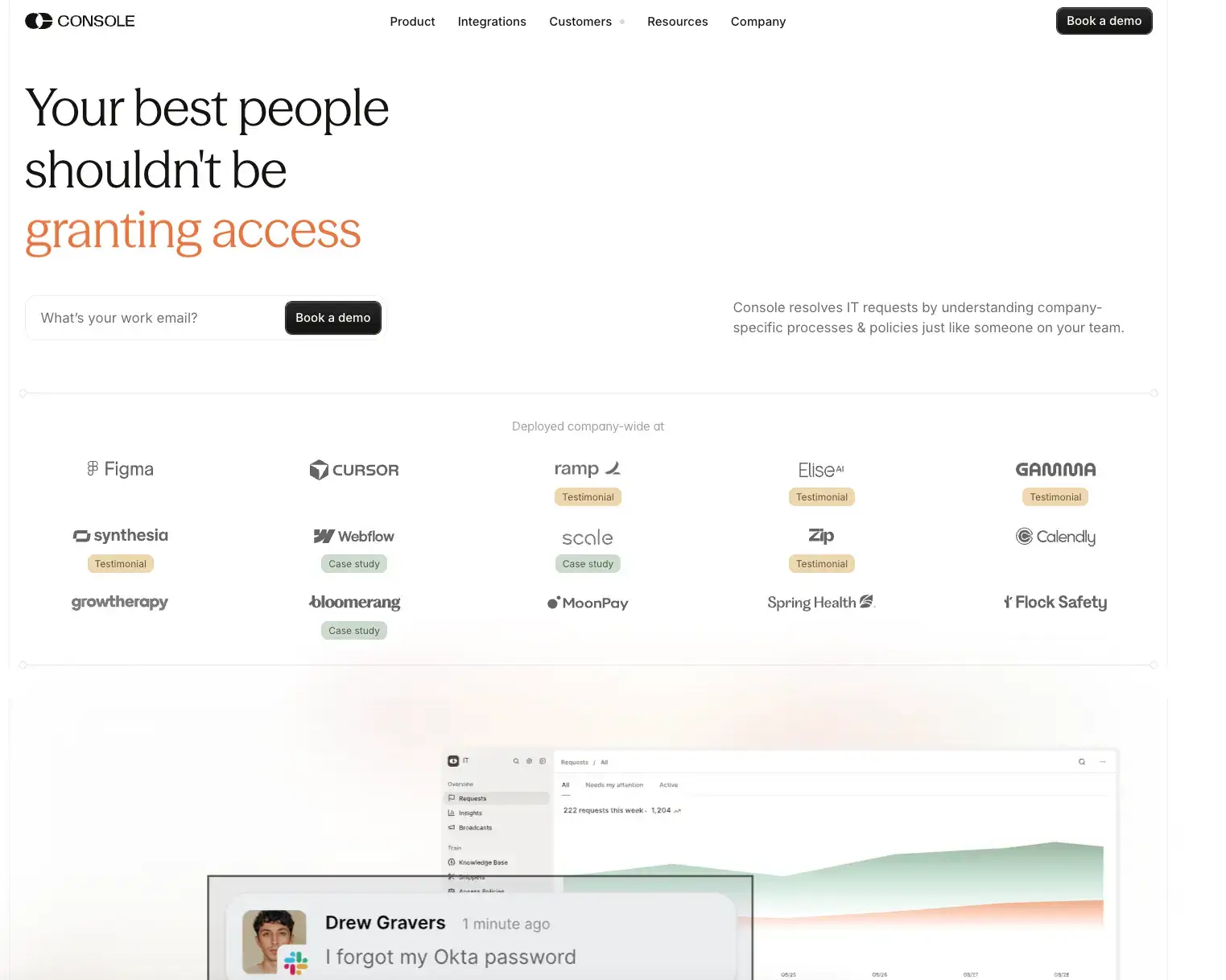
Console is an AI-native ITSM and automation platform designed to resolve internal IT requests by understanding company-specific processes, policies, and workflows. It is especially relevant for organizations that want to automate high-volume requests without forcing every interaction through a traditional ticketing process.
Key AI Features
- Natural language request understanding for employee IT requests.
- Policy-aware automation for approvals and internal rules.
- Autonomous task execution for repeatable IT workflows.
- Context-preserving escalation when human review is needed.
- Ticketless resolution for common support requests.
Why choose Console: Console is a strong fit if your IT team wants to automate repetitive employee requests such as access, account, SaaS, and internal support workflows. It works best when your organization has clear internal policies and wants AI to execute tasks in a controlled way.
Freshservice

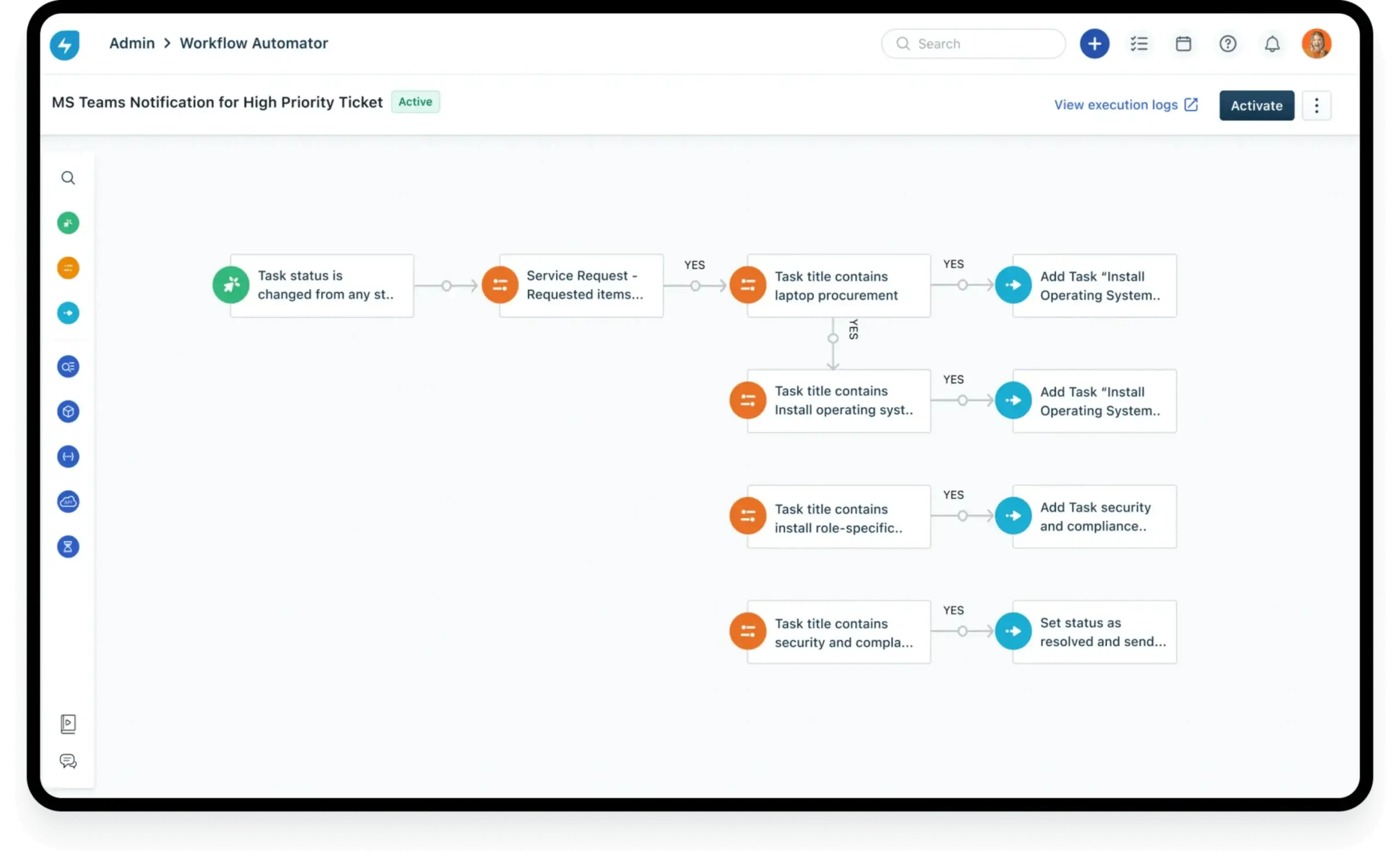
Freshservice by Freshworks is a modern ITSM platform with Freddy AI capabilities for employee self-service, agent assistance, workflow automation, and service insights. It is a good option if you want AI features inside a broader ITSM platform that also supports incident management, service catalog, IT asset management, and workflow automation.
Key AI Features
- Freddy AI for self-service to help employees get faster answers.
- Agent assist for ticket replies, summaries, and recommendations.
- AI-powered workflows for routing, approvals, and escalations.
- Proactive insights for IT leaders and service desk managers.
- Omnichannel support across common employee support channels.
Why choose Freshservice: Freshservice is a strong choice if you want AI in ITSM without building a highly complex service management environment. It fits teams that need automation, usability, and a service desk experience that can scale across IT and other business functions.
NinjaOne

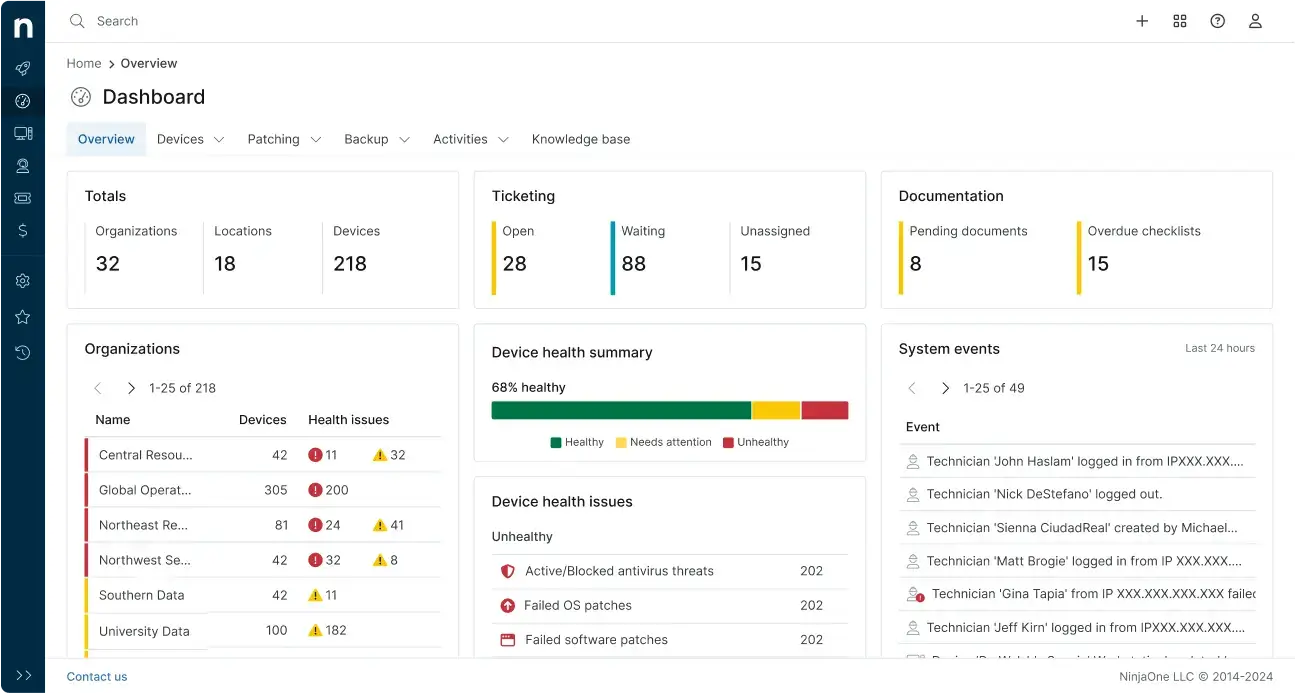
NinjaOne is not a traditional ITSM platform in the same way as Freshservice or ServiceNow. It is better positioned as an IT management and endpoint operations platform that supports ITSM outcomes through patch management, monitoring, automation, and device visibility.
Its AI Patch Intelligence capabilities are especially relevant for IT teams that need better context before deploying Windows patches.
Key AI Features
- Patch Intelligence AI for Windows patch risk and stability context.
- AI-generated patch explanations to support faster decisions.
- Sentiment indicators for patch stability and known issues.
- Endpoint automation for routine IT maintenance.
- Remote monitoring to support proactive IT operations.
Why choose NinjaOne: NinjaOne is a strong fit if patching, endpoint visibility, and device security are major IT priorities. It can complement your ITSM strategy by reducing endpoint-related incidents and improving maintenance workflows.
InvGate Service Management

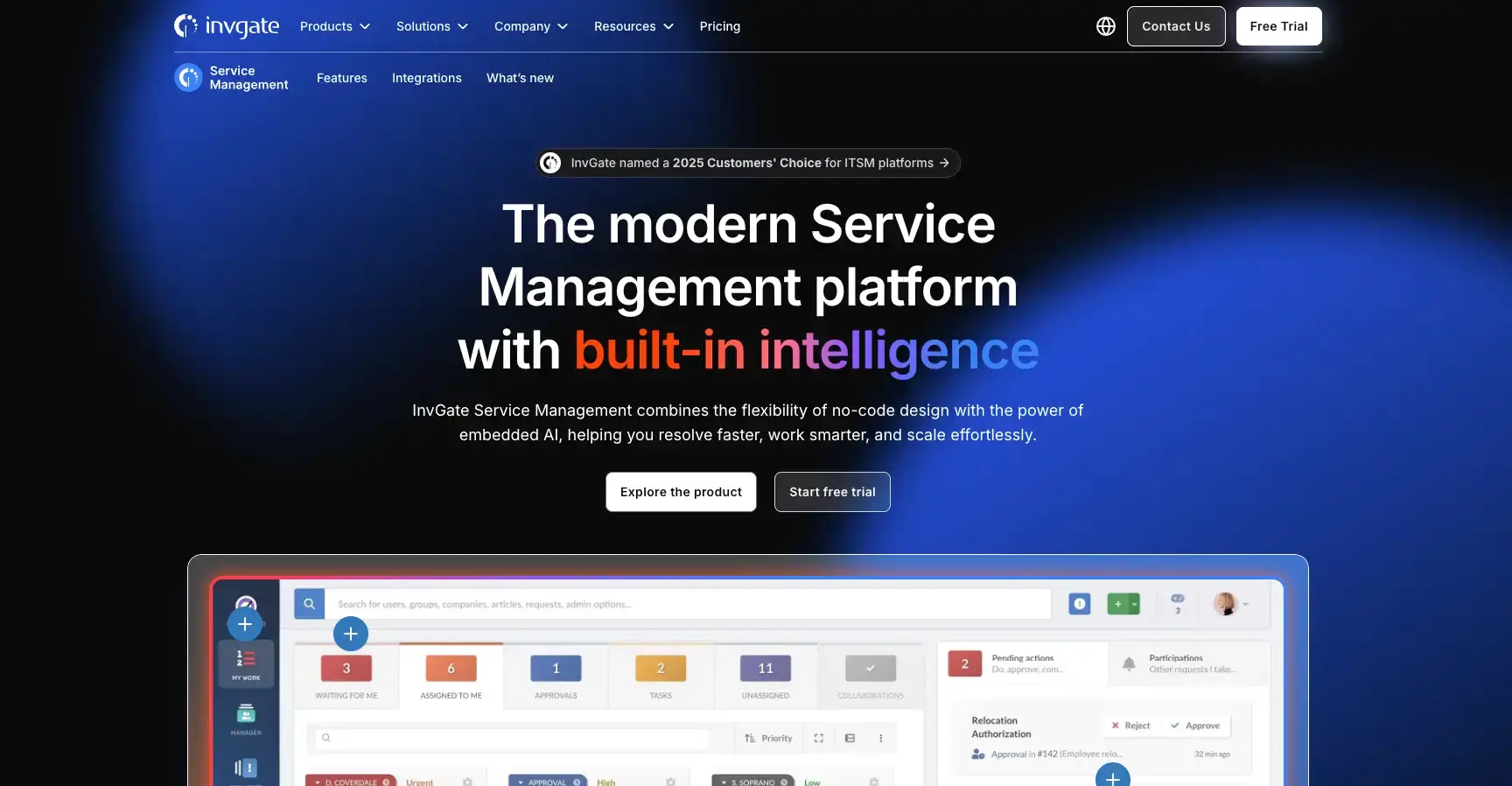
InvGate Service Management offers AI capabilities through InvGate AI Hub, including ticket summaries, virtual service agent capabilities, AI-assisted knowledge article generation, ticket routing, and answer suggestions.
It is a good choice for organizations that want a modern ITSM experience with automation and AI support, but do not want the complexity of a legacy enterprise platform.
Key AI Features
- AI-powered ticket summaries to help agents understand issues faster.
- Virtual Service Agent for request deflection and self-service.
- AI-assisted knowledge generation for better documentation.
- AI ticket routing to reduce manual triage.
- No-code workflow automation for service processes.
Why choose InvGate: InvGate is especially relevant if your team wants an intuitive ITSM platform with AI embedded into daily service operations. It works well for teams focused on usability, knowledge management, and structured service delivery.
Atera

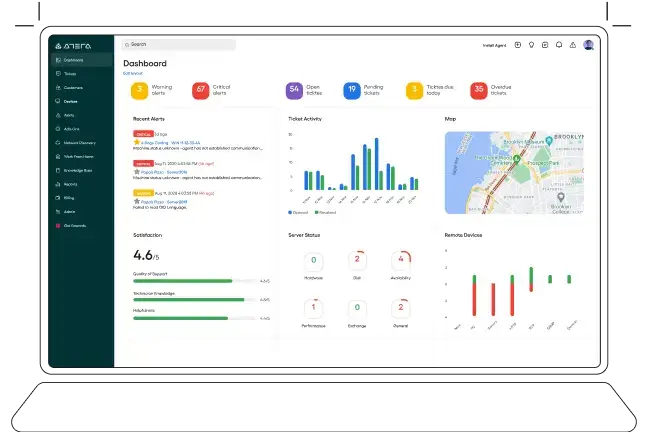
Atera is a full-stack IT management platform with RMM, ticketing, patching, automation, service desk, and AI capabilities. It is particularly relevant for MSPs and smaller IT teams that want to manage devices, tickets, and automation from one platform.
Key AI Features
- AI agents for IT task support and automation.
- AI-assisted ticketing for categorization and faster resolution.
- Predictive insights for IT support planning.
- Remote monitoring and management connected to service operations.
- Patch management for endpoint maintenance.
Why choose Atera: Atera is a good fit if your team wants ITSM-like service desk capabilities combined with RMM and endpoint management. Its technician-based pricing model may also be attractive for MSPs and smaller IT departments.
SysAid

SysAid offers AI capabilities built for IT service teams, including ticket summaries, reply generation, conversational data filtering, and AI agents. It is a strong option if you want to improve service desk productivity and support self-service through AI.
Key AI Features
- AI ticket summaries for faster agent review.
- AI reply writing to improve response speed.
- Conversational data filtering for easier reporting and analysis.
- AI agents for service desk automation.
- Generative AI support for ITSM workflows.
Why choose SysAid: SysAid is a good option if your organization wants to add AI to ticket handling, self-service, and reporting without losing focus on classic ITSM workflows.
Atomicwork

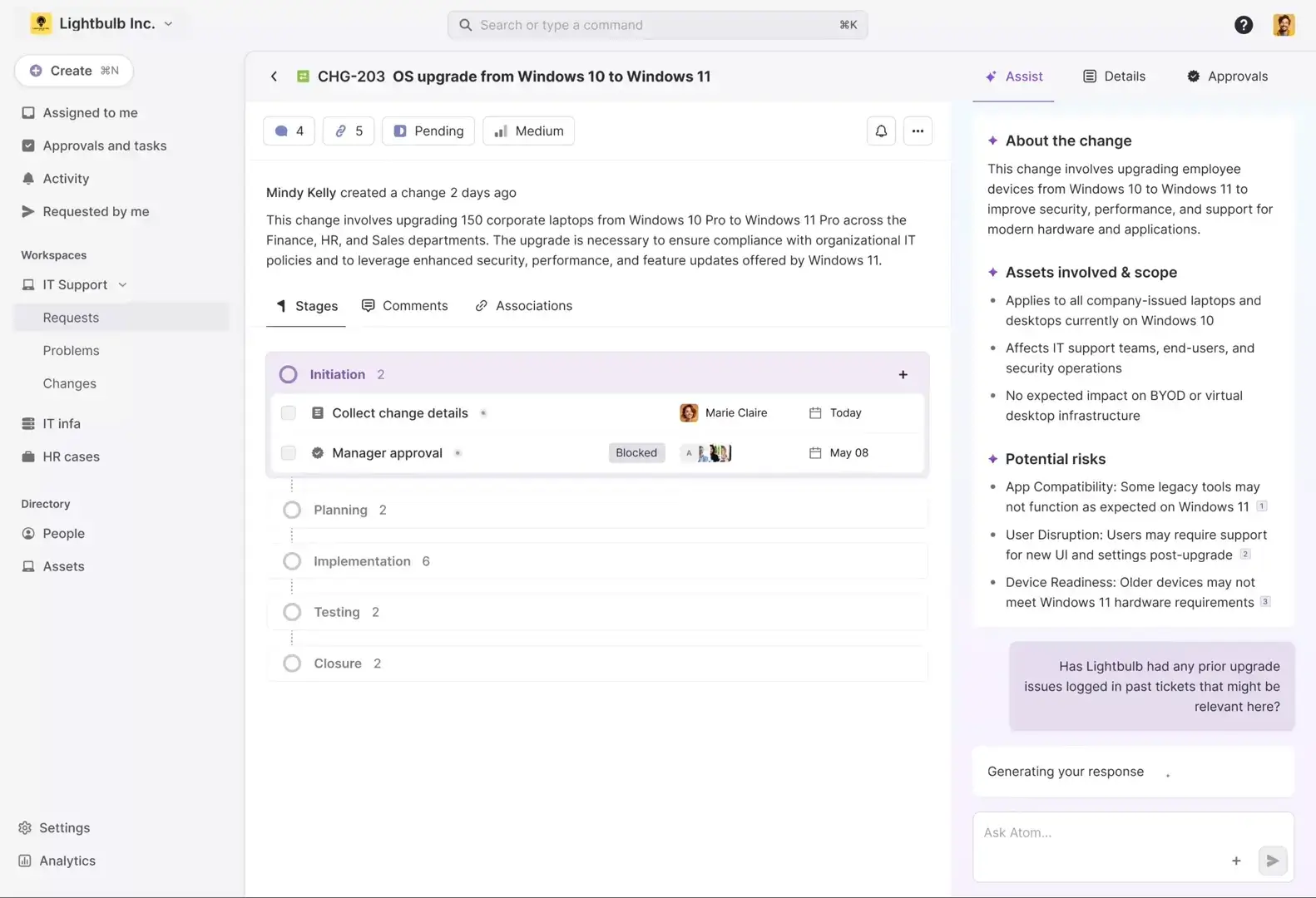
Atomicwork is an agentic ITSM and enterprise service management platform that focuses on autonomous AI agents for IT, HR, and operations requests. It is relevant if your organization wants to move beyond AI chatbots and toward AI agents that can resolve requests in the flow of work.
Key AI Features
- Autonomous AI agents for IT and business service requests.
- Instant resolutions for common employee support needs.
- Access request automation across connected systems.
- Cross-functional service automation for IT, HR, and Ops.
- Agentic service management for modern employee support.
Why choose Atomicwork: Atomicwork is worth considering if you want to explore agentic AI and move toward a more conversational, automated service management model across departments.
AI-Driven ITSM Tools Comparison
| Tool | Best For | Main AI Strength | Best Use Case |
| Console | High-growth companies | AI-native request automation | Resolving repetitive employee IT requests |
| Freshservice | Mid-sized IT teams | Freddy AI, self-service, workflow automation | Modern AI-powered ITSM with fast adoption |
| NinjaOne | IT teams and MSPs | Patch Intelligence AI and endpoint automation | AI-assisted patch and endpoint management |
| InvGate | Growing IT teams | AI Hub, summaries, virtual service agent | AI-assisted ITSM with strong usability |
| Atera | MSPs and lean IT teams | AI agents, RMM, ticketing, automation | Unified IT management and service desk automation |
| SysAid | IT service desks | Generative AI, summaries, AI agents | AI-enhanced ticketing and self-service |
| Atomicwork | Modern service teams | Agentic ITSM and autonomous AI agents | Cross-functional employee service automation |
Real-World Use Cases of AI in ITSM
AI in ITSM becomes more valuable when it is tied to practical business outcomes. The examples below show how AI can reduce manual work, improve service quality, and help your IT team operate more proactively.
1. Automated Ticket Classification and Routing
AI can read incoming tickets, understand the issue, apply the right category, set priority, and route the ticket to the right team. This improves response speed and reduces errors caused by manual triage.
Business impact: Faster response times, fewer misrouted tickets, and improved SLA performance.
2. Password Reset and Access Requests
AI can guide users through password resets, verify identity, check policy rules, trigger approvals, and escalate exceptions when needed.
Business impact: Fewer repetitive tickets and faster employee productivity.
3. Software Request Automation
When employees request access to approved software, AI can collect missing details, verify eligibility, start approval workflows, and update the request status.
Business impact: Reduced manual back-and-forth and faster software access.
4. Incident Summarization and Escalation
AI can summarize long ticket threads, highlight key actions already taken, and prepare context for escalation to Tier 2 or Tier 3 support.
Business impact: Faster handoffs and less repeated troubleshooting.
5. Predictive Patch Risk Analysis
AI can help IT teams review patch information, known issues, stability trends, and risk signals before deployment.
Business impact: Fewer failed patches, reduced downtime, and better endpoint security.
6. Knowledge Article Generation
After a ticket is resolved, AI can generate a draft knowledge article based on the solution. Your team can then review, edit, and publish it for future self-service.
Business impact: Better documentation and higher ticket deflection.
7. Change Risk Analysis
AI can analyze previous change records, affected assets, incident history, and service dependencies to help estimate risk before a change is approved.
Business impact: Fewer failed changes and better service reliability.

How to Choose an AI-Powered ITSM Tool
Not every AI-powered ITSM tool is built for the same type of organization. Some tools focus on enterprise ITSM, while others focus on endpoint automation, service desk productivity, or autonomous request resolution.
Before choosing a platform, define what you want AI to improve first. The right tool for ticket deflection may not be the best tool for patch intelligence or enterprise change management.
1. Clarify Your Main AI Use Case
Start by identifying the most valuable AI use case for your team. Common goals include reducing ticket volume, improving agent productivity, automating access requests, improving patch decisions, or supporting enterprise ITSM workflows.
2. Review Native AI vs. Add-On AI
Some platforms include AI natively inside the service desk. Others rely on add-ons, integrations, or separate AI modules. Native AI is often easier to adopt, while modular AI may offer more flexibility for complex environments.
3. Check Data Security and Governance
AI in ITSM may touch employee data, internal policies, ticket history, device data, and access workflows. You need clear controls for permissions, data usage, audit logs, and human approval.
4. Evaluate Workflow Automation Depth
A chatbot that answers questions is useful, but the bigger value comes when AI can trigger workflows, update tickets, create approvals, and complete approved actions across connected tools.
5. Look at Knowledge Management Quality
AI self-service depends heavily on your knowledge base. If your documentation is outdated, AI may provide weak answers. Choose a tool that helps recommend, generate, and maintain knowledge content.
6. Compare Integrations
Your AI-powered ITSM platform should connect with the systems your team already uses, such as identity providers, endpoint tools, HR systems, Slack, Microsoft Teams, asset management tools, and monitoring platforms.
7. Measure Pricing Against Business Value
AI features may be included in some plans, while other platforms charge separately for AI capabilities. Compare pricing against expected outcomes such as lower ticket volume, faster resolution, better SLA performance, and reduced downtime.
How to Implement AI in ITSM
Successful AI implementation depends on preparation. You should not turn on every AI feature at once. A phased approach helps your team reduce risk, build trust, and prove business value.
Step 1: Audit Your Current ITSM Workflows
Review your most common service requests, incident categories, escalation paths, and approval workflows. Look for repetitive work that follows predictable rules.
Good starting points include password resets, software access, onboarding, device troubleshooting, VPN issues, and common application questions.
Step 2: Clean Your Ticket and Knowledge Base Data
AI works better when your data is clean. Review categories, tags, resolution notes, service catalog items, and knowledge articles before relying heavily on AI automation.
If your historical ticket data is messy, AI recommendations may be less accurate.
Step 3: Start With Low-Risk AI Features
Begin with AI features that assist humans rather than fully automate actions. For example, start with ticket summaries, knowledge suggestions, response drafts, and category recommendations.
This helps agents build confidence before you move into autonomous actions.
Step 4: Add Human Approval for Sensitive Workflows
For access requests, privileged accounts, financial systems, employee data, and security-related changes, keep human approval in the process.
AI can collect information and prepare the workflow, but sensitive actions should remain governed.
Step 5: Expand Into Workflow Automation
Once your team trusts AI recommendations, expand into automated approvals, self-service resolution, access provisioning, and agentic workflows.
Keep audit trails in place so your team can understand what AI did and why.
Step 6: Measure Results and Improve Continuously
Track results before and after implementation. The goal is not only to use AI, but to improve measurable service outcomes.
Useful AI in ITSM KPIs
- Ticket deflection rate
- Mean time to resolution
- First-contact resolution rate
- SLA breach rate
- Cost per ticket
- Self-service adoption
- Agent productivity
- User satisfaction score
You can also connect this section to your broader ITSM measurement strategy by reviewing ITSM metrics and KPIs.
AI Governance and Security in ITSM
AI can improve ITSM performance, but it also introduces risk if you automate sensitive workflows without guardrails. Your AI strategy should include governance from the start.
Key AI Risks in ITSM
- Data privacy risk: AI may process employee, device, or ticket data.
- Incorrect answers: AI may provide inaccurate or incomplete responses.
- Over-automation: Sensitive actions may be executed without enough review.
- Security exposure: Poorly governed AI may reveal internal information.
- Weak auditability: Teams may struggle to explain AI-driven actions.
Best Practices for Responsible AI in ITSM
To reduce risk, apply controls before expanding AI automation across your service desk.
- Use role-based access controls for AI actions and data visibility.
- Keep human approval for privileged access and sensitive systems.
- Maintain audit logs for AI recommendations and completed actions.
- Review vendor data policies before connecting internal systems.
- Test AI outputs before exposing them widely to employees.
- Train agents to review AI suggestions instead of accepting them blindly.
AI should support your ITSM governance model, not bypass it. The best AI-powered ITSM tools give you automation with control, visibility, and clear escalation paths.
Future of AI in ITSM
The future of AI in ITSM is moving from simple automation to autonomous service delivery. Chatbots and ticket summaries are only the beginning.
Over the next few years, you can expect more ITSM platforms to include AI agents that can complete multi-step tasks, support end-to-end request resolution, and coordinate work across IT, HR, finance, facilities, and security.
1. More Agentic ITSM Workflows
AI agents will increasingly move from answering questions to completing approved actions. This includes access requests, ticket updates, onboarding tasks, software provisioning, and service status updates.
2. More Self-Healing IT Operations
As ITSM connects more closely with monitoring, endpoint management, and infrastructure automation, AI will help detect and resolve issues before users submit tickets.
3. Stronger AI Governance Requirements
As AI handles more service workflows, organizations will need stronger controls around privacy, approvals, audit trails, and responsible automation.
4. Expansion Into Enterprise Service Management
AI in ITSM will increasingly support other departments, including HR, finance, legal, facilities, and operations. This will make ITSM platforms more central to employee service delivery.
5. More Business-Focused IT Service Metrics
AI will help IT leaders connect service performance with business outcomes. Instead of only tracking ticket volume, teams will measure productivity, downtime reduction, employee experience, and cost savings.
Conclusion
AI in ITSM is no longer just about chatbots. It now supports ticket routing, self-service, agent productivity, knowledge management, predictive analytics, patch intelligence, change risk analysis, and autonomous service workflows.
If your team is just starting, begin with low-risk AI features such as ticket summaries, knowledge suggestions, and AI-assisted categorization. If your processes are mature, you can move toward workflow automation and agentic AI with stronger governance.
For most mid-sized IT teams, Freshservice offers a strong balance of AI-powered ITSM, usability, and workflow automation. For enterprise ITSM, ServiceNow is the stronger option if you need advanced governance and deep workflow capabilities. For endpoint-heavy IT operations and MSPs, NinjaOne and Atera are especially relevant. For AI-native request automation, Console and Atomicwork are worth considering.
The most important step is to match the tool to your real use case. AI should help your team reduce repetitive work, improve support quality, and deliver IT services faster without weakening security or control.
Try These AI-Powered ITSM Tools
Most ITSM software providers offer free trials, demos, or guided product walkthroughs. Here are useful starting points:
Book a demo of Console
Try Freshservice
Explore ServiceNow ITSM
Start a NinjaOne free trial
Explore InvGate Service Management
Get a demo of Atera
Visit SysAid
Explore Atomicwork
FAQ
What is AI in ITSM?
AI in ITSM is the use of artificial intelligence inside IT service management workflows. It helps IT teams automate ticket routing, improve self-service, summarize incidents, recommend solutions, predict service issues, and reduce repetitive manual work.
How does AI improve IT service management?
AI improves IT service management by speeding up ticket triage, reducing manual work, improving self-service, helping agents find answers faster, identifying recurring issues, and supporting better decisions across incident, request, problem, change, and knowledge management.
What are the best AI ITSM tools?
Some of the best AI ITSM tools and related AI-powered IT operations platforms include Freshservice, ServiceNow, SysAid, InvGate Service Management, Console, NinjaOne, Atera, and Atomicwork. The best option depends on whether you need full ITSM, endpoint automation, self-service, or agentic AI workflows.
What is generative AI in ITSM?
Generative AI in ITSM helps create and summarize service content. It can draft ticket replies, summarize incidents, generate knowledge base articles, prepare post-incident summaries, and help agents communicate more clearly with users.
What are AI agents in ITSM?
AI agents in ITSM are AI systems that can complete approved tasks across service workflows. They may update tickets, check request status, assist with access requests, trigger approvals, and complete routine actions while escalating exceptions to human agents.
How does AI help with incident management?
AI helps with incident management by classifying tickets, setting priorities, routing incidents, summarizing issue history, recommending fixes, identifying similar past incidents, and detecting recurring patterns that may point to deeper problems.
Can AI reduce IT support tickets?
Yes. AI can reduce IT support tickets by improving self-service, answering common questions, automating repetitive requests, guiding users through troubleshooting, and deflecting simple issues before they reach human agents.
Is AI in ITSM safe for sensitive company data?
AI in ITSM can be safe when it is implemented with proper controls. You should use role-based access, audit logs, human approval for sensitive workflows, vendor security reviews, data privacy controls, and clear rules for what AI can and cannot do.
How should you implement AI in ITSM?
Start by auditing your most repetitive ITSM workflows, cleaning your ticket and knowledge base data, testing low-risk AI features, adding human approval for sensitive actions, expanding into workflow automation, and measuring results with KPIs such as ticket deflection, MTTR, SLA performance, and user satisfaction.
Will AI replace IT service desk agents?
AI is unlikely to fully replace IT service desk agents. It is better viewed as a productivity layer that handles repetitive tasks, improves self-service, and gives agents better context so they can focus on complex issues, security, service improvement, and strategic work.