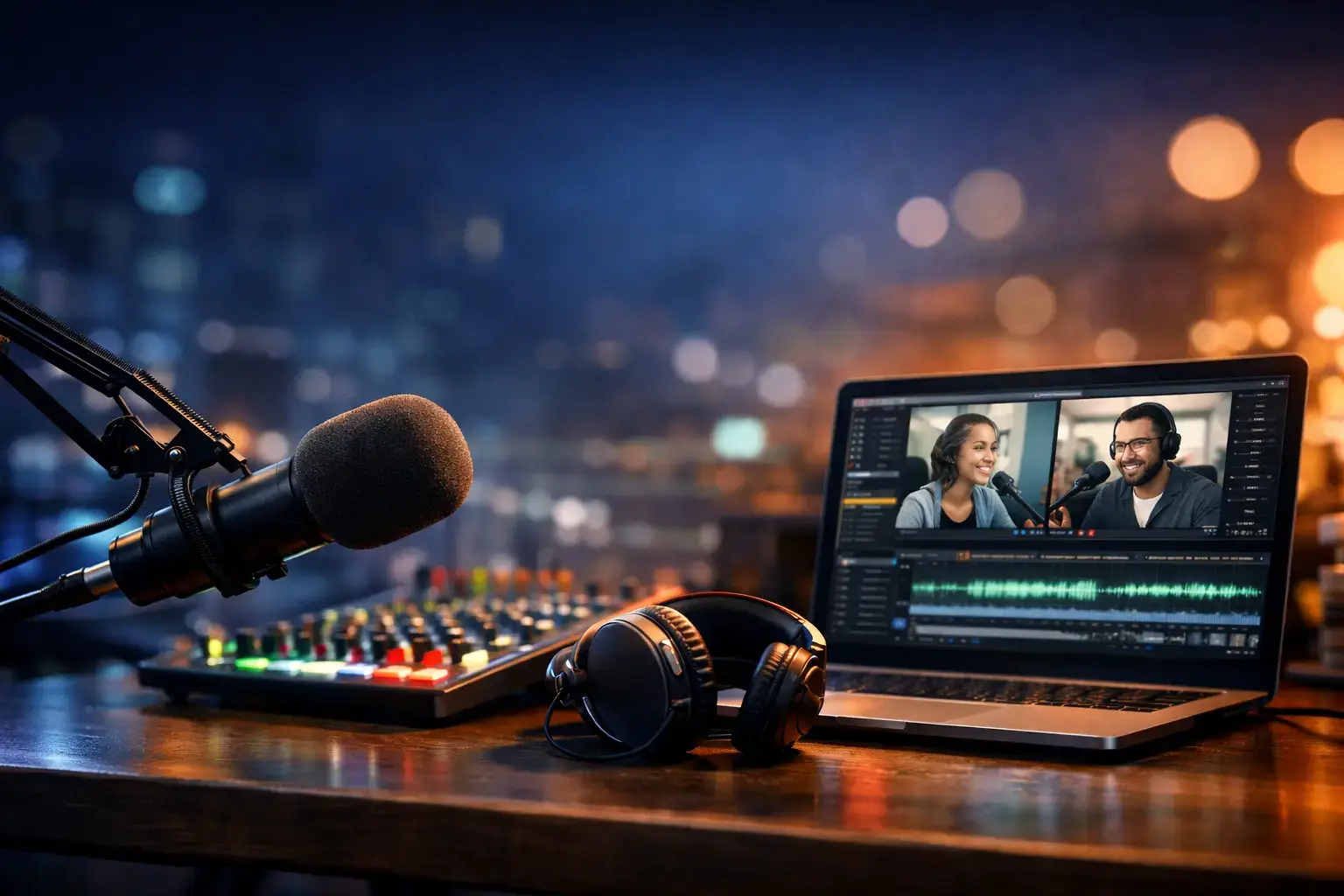
Choosing the best podcast recording software directly impacts your audio quality, workflow efficiency, and long-term growth. Whether you run a solo show, host remote interviews, or manage a branded video podcast, the right platform helps you record reliably, edit faster, and publish with confidence.
Podcast recording software has evolved well beyond basic audio capture. Modern tools combine studio-quality recording, AI-powered editing, video support, and publishing features in one workflow. This guide compares the best podcast recording software 2026, based on real-world use cases, feature depth, and scalability.
What Is Podcast Recording Software and Why It Matters
Podcast recording software enables you to capture audio or video content locally or remotely, often with separate tracks per participant. The best platforms also help you clean audio, edit episodes, and publish to major podcast directories.
A strong recording tool solves common challenges such as remote guest quality issues, sync errors, file loss, and complex post-production workflows. If podcasting is part of your content or marketing strategy, software quality directly affects listener trust and retention.
Criteria for Evaluating Podcast Recording Tools
To compare podcast recording platforms objectively, the following criteria were used:
- Audio and video quality – Local recording, multi-track capture, resolution options
- Remote recording reliability – Browser stability, backup recordings
- Editing and AI features – Text-based editing, noise removal, automation
- Hosting and distribution – RSS feeds, analytics, monetization
- Ease of use – Setup time, learning curve, UI clarity
- Pricing and scalability – Free tiers, paid plans, team usage
Best Podcast Recording Software Compared
Descript

Overview – Who Descript Is For
Descript is designed for podcasters who want to edit audio and video as easily as editing text. Instead of working with traditional timelines, you edit a transcript, and Descript automatically updates the audio or video. This approach makes it especially appealing to creators who value speed, clarity, and content iteration over detailed audio engineering.
If your workflow involves frequent edits, revisions, or repurposing spoken content, Descript feels fundamentally different from most podcast recording tools.
Key Strengths That Matter Most
- Text-based editing that removes the need for timelines
- Accurate transcription with fast turnaround
- AI-powered cleanup like filler word removal
These strengths make Descript one of the most time-efficient tools in this category.
Recording Quality and Reliability
Descript supports both local and remote recording, with separate tracks for each speaker. Audio quality is solid for most podcast formats, though it is not as production-focused as tools built around local-only recording.
For solo podcasts, co-hosted shows, or controlled remote sessions, Descript delivers reliable results with minimal setup friction.
Editing, Automation, and Workflow Speed
This is where Descript truly shines. Editing by deleting words from a transcript dramatically reduces production time, especially for conversational podcasts. AI tools handle filler words, silences, and basic cleanup automatically.
For teams producing frequent episodes or content-driven podcasts, Descript can cut editing time by hours each week.
Pricing and Best-Fit Summary
Descript is priced in the mid-range, with plans that scale based on transcription and AI usage. The value becomes clear if you publish regularly or work with spoken content across multiple formats.
Strengths and Limitations Compared to Other Tools in This List
Positive
✅ Intuitive, transcript‑based editing
✅ Comprehensive feature set
✅ Time‑saving AI tools
✅ Affordable entry point
Negative
❌ Performance on large projects
❌ Learning curve for advanced features
❌ Limited pro‑level editing
❌ No full mobile editor
PodBean
Overview – Who PodBean Is For
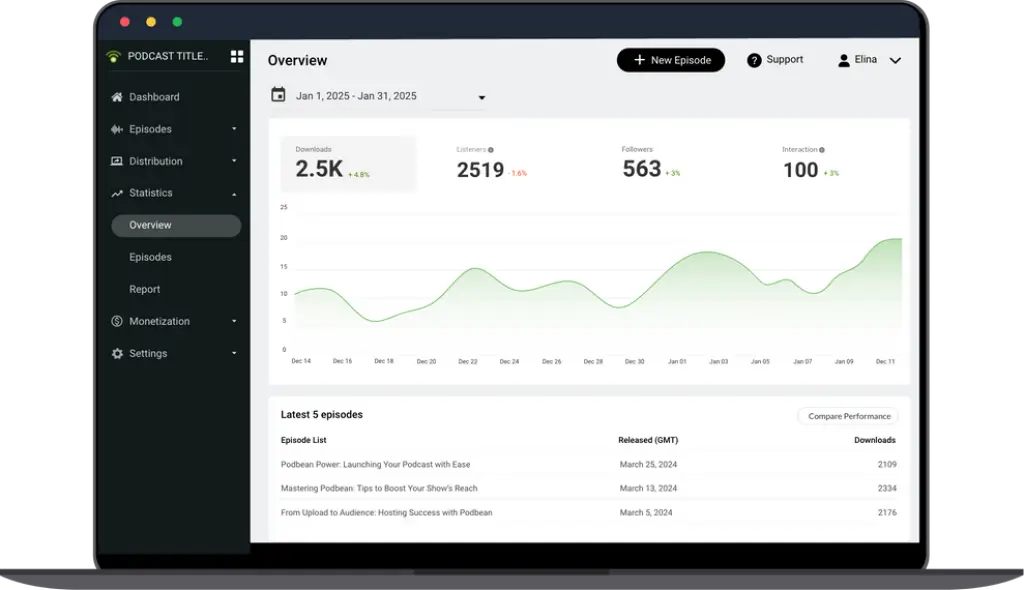
PodBean is designed for podcasters who want an all-in-one solution that covers recording, hosting, distribution, and monetization in a single platform. Unlike recording-first tools, PodBean’s core strength lies in managing the entire podcast lifecycle rather than focusing exclusively on production quality.
If your priority is publishing, growing, and monetizing a podcast without stitching together multiple tools, PodBean offers a very streamlined approach.
Key Strengths That Matter Most
- Integrated podcast hosting with RSS distribution
- Built-in monetization tools and live podcasting
- Simple recording options for quick episode creation
These strengths make PodBean especially appealing for creators who value operational simplicity.
Recording Quality and Reliability
PodBean provides basic recording capabilities suitable for solo episodes, co-hosted shows, and casual remote sessions. Audio quality is solid for standard podcast use, though it does not match the local recording precision of production-focused platforms.
For podcasters who prioritize consistency and ease over studio-grade sound, PodBean delivers dependable results.
Editing, Automation, and Workflow Speed
Editing tools in PodBean are intentionally lightweight. You can trim recordings, manage files, and publish episodes quickly, but advanced editing and AI automation are limited compared to tools like Descript.
This setup works well if you prefer minimal editing or handle post-production in a separate tool.
Pricing and Best-Fit Summary
PodBean offers accessible pricing tiers that scale based on storage, features, and monetization needs. The value increases as your podcast audience grows and monetization becomes important.
Strengths and Limitations Compared to Other Tools in This List
Positive
✅ Affordable unlimited hosting
✅ Mobile first
✅ Multiple monetization paths
✅ User‑friendly interface
Negative
❌ Limited free plan
❌ Basic website templates
❌ Simple analytics
❌ No multitrack editing
Zencastr

Overview – Who Zencastr Is For
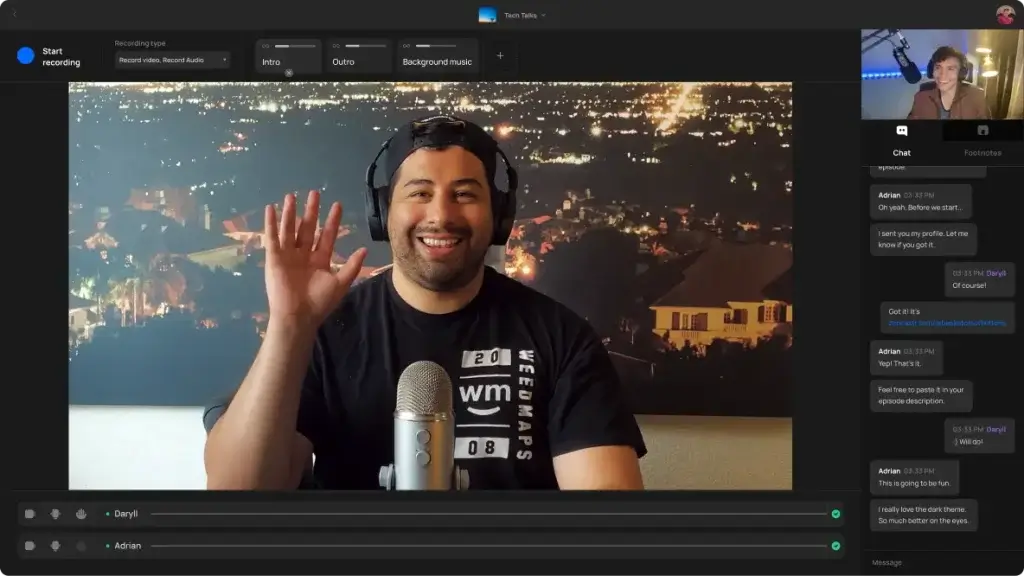
Zencastr is built specifically for podcasters who regularly record remote interviews and want consistent audio quality without a complex setup. Its core focus is reliability, capturing each participant’s audio locally in separate tracks, then uploading everything automatically after the session.
If your show depends on guest interviews and you want to minimize technical risk, Zencastr is designed to keep recording simple and dependable.
Key Strengths That Matter Most
- Local multi-track audio recording for each guest
- Automatic post-production processing
- Built-in hosting and monetization options
These strengths make Zencastr a strong choice for interview-driven podcasts.
Recording Quality and Reliability
Zencastr’s local recording model ensures clean, high-quality audio even when guest connections are unstable. Each speaker is recorded on their own track, which simplifies editing and reduces quality loss caused by internet compression.
For long remote sessions or frequent guest recordings, this reliability is one of Zencastr’s biggest advantages.
Editing, Automation, and Workflow Speed
Zencastr includes basic post-production features such as loudness leveling and noise reduction. While it does not offer advanced editing or AI-driven workflows like Descript, it streamlines the process enough to publish episodes faster with minimal manual work.
This makes it especially effective for podcasters who want clean audio without spending hours editing.
Pricing and Best-Fit Summary
Zencastr offers tiered pricing based on recording hours and feature access, making it scalable for growing podcasts. The value is strongest for shows that record remote interviews regularly.
Strengths and Limitations Compared to Other Tools in This List
Positive
✅ High‑quality recordings
✅ No downloads for guests
✅ AI‑powered editing
✅ All‑in‑one workflow
Negative
❌ Learning curve
❌ Pricing escalates
❌ Limited offline recording
❌ Customer support feedback
Riverside


Overview – Who Riverside Is For
Riverside is built for podcasters who prioritize production quality and consistency, especially when recording with remote guests. Unlike basic browser recorders, it captures audio and video locally on each participant’s device, then uploads the files afterward. This approach positions Riverside as a premium solution for creators who want studio-level results without a physical studio.
If your podcast includes remote guests and video content, Riverside removes the biggest technical risks from the recording process.
Key Strengths That Matter Most
- Local audio and video recording per participant
- Separate tracks for clean post-production
- Strong focus on video podcasts and content repurposing
These strengths make Riverside particularly attractive for professional and brand-led podcasts.
Recording Quality and Reliability
Riverside’s local recording model eliminates common remote podcasting issues such as compressed audio, dropped frames, and connection instability. Even if a guest’s internet connection is unreliable, Riverside still captures high-quality WAV audio and up to 4K video locally.
For long-form interviews and high-stakes recordings, this reliability becomes a decisive advantage over cloud-only recording tools.
Editing, Automation, and Workflow Speed
Riverside includes built-in editing tools, AI-powered transcription, and automatic speaker detection. While it does not replace a full professional DAW, it significantly reduces the time required to prepare episodes for publishing.
This workflow is especially efficient if you regularly clip highlights, generate transcripts, or hand off polished tracks to an editor.
Pricing and Best-Fit Summary
Riverside sits in the mid-to-premium pricing range, reflecting its production-focused capabilities. It is best suited for professional podcasters, marketing teams, and creators who treat podcasting as a core content channel rather than a casual project.
Strengths and Limitations Compared to Other Tools in This List
Positive
✅ Professional quality recording
✅ End‑to‑end workflow
✅ AI‑powered editing
✅ User‑friendly guest access
Negative
❌ Browser limitations
❌ Learning curve
❌ Resource-heavy
❌ AI imperfections
StreamYard
Overview – Who StreamYard Is For
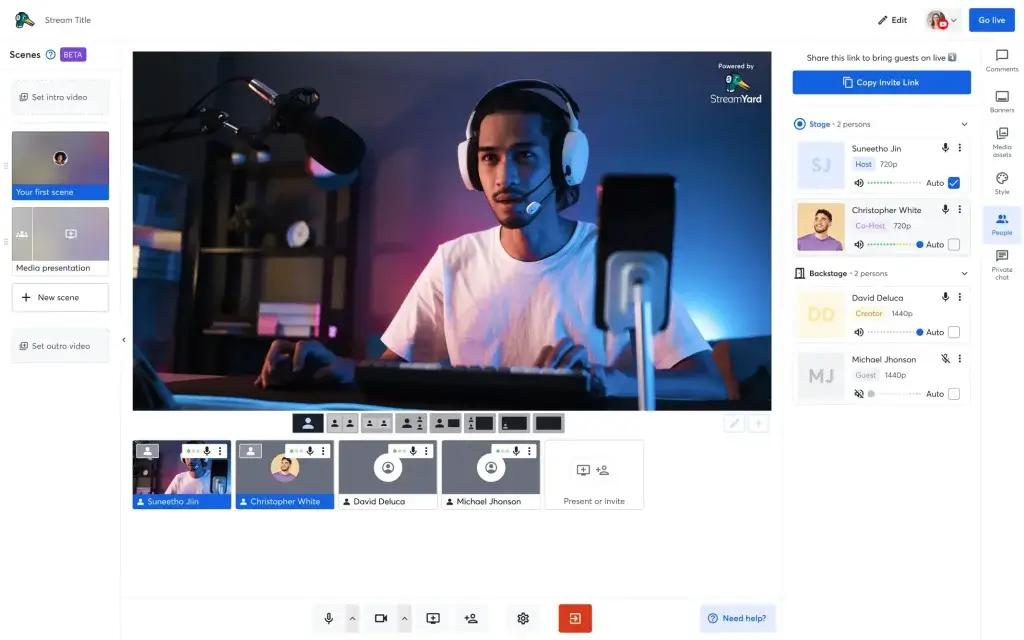
StreamYard is designed for podcasters who focus on live shows, audience interaction, and multi-platform streaming. Unlike recording-first tools, StreamYard prioritizes ease of going live across platforms like YouTube, LinkedIn, and Facebook, all directly from the browser.
If your podcast relies on real-time engagement rather than polished post-production, StreamYard fits naturally into that workflow.
Key Strengths That Matter Most
- Browser-based live streaming with no local setup
- Multi-platform broadcasting from one dashboard
- Strong branding tools for overlays and layouts
These strengths make StreamYard ideal for visibility-driven podcasts.
Recording Quality and Reliability
StreamYard records audio and video in the cloud during live sessions. Quality is stable and more than sufficient for live content, though it does not reach studio-grade levels offered by local recording tools.
For live podcasts, panels, or talk shows, StreamYard prioritizes stability and accessibility over raw production quality.
Editing, Automation, and Workflow Speed
Editing capabilities are minimal and intentionally so. StreamYard assumes most content is published live or with light trimming afterward. The real speed advantage comes from eliminating post-production altogether.
This is a strong fit if speed to publish matters more than fine-tuned edits ⚡.
Pricing and Best-Fit Summary
StreamYard offers accessible plans that scale with branding and streaming needs. The value increases as the live audience size and platform reach grow.
Strengths and Limitations Compared to Other Tools in This List
Positive
✅ Beginner‑Friendly Interface
✅ Browser‑Based Convenience
✅ High‑Quality Local Recordings
✅ Multistreaming and Flexible Destinations
Negative
❌ Limited Free Plan
❌ Advanced Features Behind Paywall
❌ Basic Editing and Analytics
❌ Price Increases
SquadCast
Overview – Who SquadCast Is For
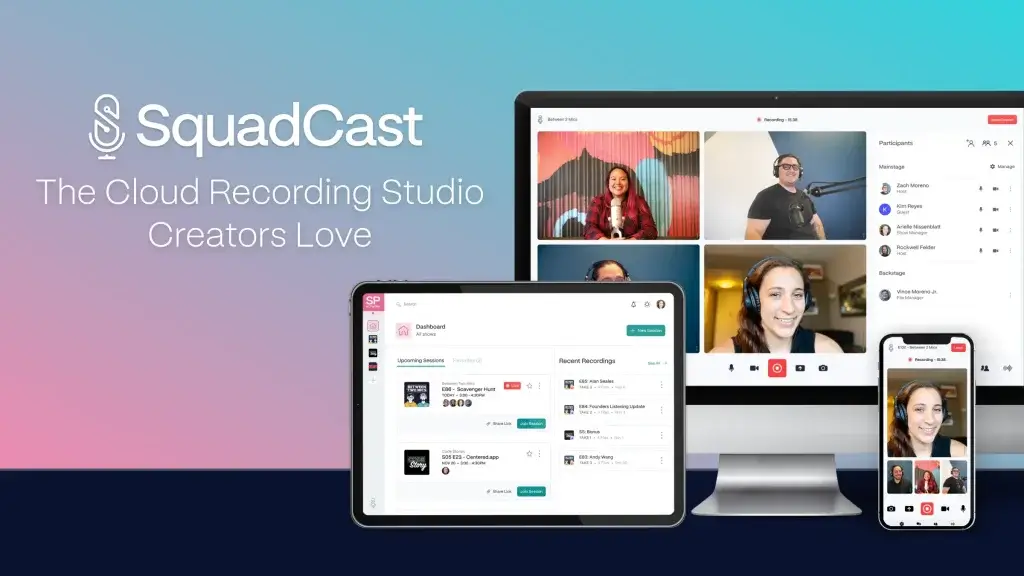
SquadCast is built for podcasters who want maximum audio fidelity when recording remotely. It focuses on capturing high-quality audio locally for each participant, with redundancy and backups designed for professional use cases.
If your podcast treats audio quality as non-negotiable, SquadCast is positioned as a serious production tool.
Key Strengths That Matter Most
- Local audio recording with automatic backups
- Separate tracks for each participant
- Strong reliability for long-form sessions
These strengths make SquadCast especially appealing for professional audio workflows.
Recording Quality and Reliability
SquadCast delivers consistently clean, uncompressed audio by recording locally and syncing files after the session. Backup recording ensures that even if something goes wrong, files are preserved.
For interviews, journalism, or narrative podcasts, this reliability removes much of the technical anxiety from remote recording.
Editing, Automation, and Workflow Speed
SquadCast focuses on capture quality rather than editing automation. Files are delivered clean and ready for post-production in external editors. This approach favors professionals who already have an established editing workflow.
While it lacks built-in AI editing, it saves time by reducing cleanup work later.
Strengths and Limitations Compared to Other Tools in This List
Positive
✅ High‑fidelity recording
✅ Progressive uploads
✅ Separate tracks
✅ Intuitive interface
Negative
❌ Limited live streaming
❌ Recording limits on lower tiers
❌ Watermarks on the Free plan
❌ AI features vary by plan
Alitu

Overview – Who Alitu Is For
Alitu is designed for podcasters who want to remove technical complexity from podcast production. Instead of offering deep recording or editing controls, it automates the most common production steps, recording, cleanup, leveling, and publishing.
If you want to focus on content rather than production details, Alitu provides a very approachable workflow.
Key Strengths That Matter Most
- Automated audio cleanup and leveling
- Straightforward recording and publishing flow
- Minimal learning curve for new podcasters
These strengths make Alitu especially appealing to beginners and solo creators.
Recording Quality and Reliability
Alitu’s recording tools are reliable for solo episodes and simple co-hosted shows. While it does not use local multi-track recording for remote guests, audio quality is consistent and optimized automatically.
For creators who value predictability over manual control, this approach works well.
Editing, Automation, and Workflow Speed
Automation is Alitu’s core advantage. Audio is cleaned, leveled, and prepared for publishing with very little manual input. Editing options are intentionally limited to keep the workflow fast and accessible.
This can save significant time if you publish regularly and do not require advanced editing 🧩.
Pricing and Best-Fit Summary
Alitu is priced accessibly, especially considering the time it saves for non-technical users. The value is strongest if you prioritize ease of use over customization.
Strengths and Limitations Compared to Other Tools in This List
Positive
✅ Easy to use
✅ Automated audio cleanup
✅ All‑in‑one workflow
✅ Unlimited guests
Negative
❌ Limited multitrack editing
❌ Browser only
❌ Performance considerations
❌ Not for advanced producers
Podcaslte
Overview – Who Podcastle Is For
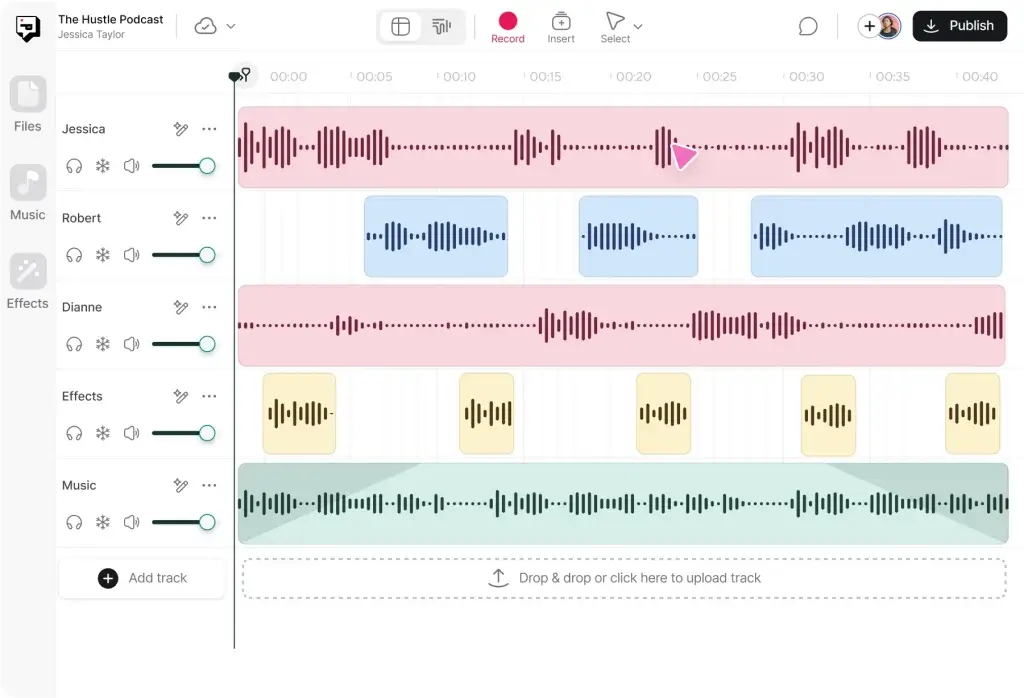
Podcastle is built for creators who want to leverage AI to speed up podcast production. It combines recording, editing, and AI-generated voice tools in a single platform, making it particularly useful for narrative, scripted, or experimental podcast formats.
If your workflow involves AI narration or rapid content creation, Podcastle offers a modern, flexible approach.
Key Strengths That Matter Most
- AI-powered voice generation and enhancement
- Clean, modern recording interface
- Text-based and visual editing options
These strengths position Podcastle as one of the most innovative tools in this list.
Recording Quality and Reliability
Podcastle supports both solo and remote recording, delivering clear audio suitable for most podcast formats. While it does not match the local recording fidelity of Riverside or SquadCast, quality is consistent and enhanced through AI processing.
For scripted or voice-driven content, this level of quality is often more than sufficient.
Editing, Automation, and Workflow Speed
Editing in Podcastle is designed around AI assistance. Features like noise reduction, voice enhancement, and AI narration reduce the need for manual intervention. This makes it easier to produce episodes quickly without deep technical skills.
The platform is particularly effective for creators producing high volumes of content 🚀.
Pricing and Best-Fit Summary
Podcastle offers tiered pricing based on access to AI features and usage limits. The value increases as AI tools become central to your production process.
Strengths and Limitations Compared to Other Tools in This List
Positive
✅ All‑in‑one workflow
✅ Generous free plan
✅ AI voices and cloning
✅ Text‑based editing
Negative
❌ Storage caps
❌ Browser requirements
❌ Learning curve
❌ Buggy experiences
Comparison Table of Podcast Recording Software
| Tool | Best For | Recording Type | Video Support |
| Descript | Fast editing workflows | Local and remote | Yes |
| PodBean | Hosting and monetization | Cloud-based | Limited |
| Zencastr | Remote interviews | Local multi-track | Basic |
| Riverside | Professional video podcasts | Local multi-track | Up to 4K |
| StreamYard | Live streaming | Cloud-based | Yes |
| SquadCast | Studio-quality audio | Local multi-track | Limited |
| Alitu | Beginner workflows | Automated | No |
| Podcastle | AI-driven podcasts | Local and remote | Yes |
How to Choose the Right Podcast Recording Software
Choosing the best podcast recording software depends on how you record, edit, and publish your podcast, not on feature count alone. Before committing to a platform, it is important to align the tool with your actual workflow.
Start by defining your recording format.
If you regularly record remote interviews, tools with local multi-track recording, such as Riverside, Zencastr, or SquadCast, offer far better audio reliability than cloud-only solutions.
Next, consider whether your podcast is audio-first or video-first.
Video podcasts and content repurposing workflows benefit from platforms like Riverside or StreamYard, while audio-only shows may find simpler tools more efficient.
Editing requirements also play a major role.
If you want to reduce post-production time, text-based and AI-assisted editors like Descript or Podcastle can dramatically speed up your workflow. On the other hand, professional editors may prefer clean raw files from tools like SquadCast.
Finally, think long-term.
If hosting, analytics, and monetization are part of your growth strategy, all-in-one platforms such as PodBean reduce complexity and future tool switching.
In short:
The right podcast recording software is the one that matches your format, skill level, and publishing goals, not necessarily the most advanced option.
Conclusion
Choosing the Best Podcast Recording Software for Your Needs
The best podcast recording software is not universal. It depends on how you record, how often you publish, and how important quality and efficiency are to your workflow.
If speed and editing efficiency matter most, Descript and Podcastle stand out.
If production quality and remote reliability are critical, Riverside sets the benchmark.
If your focus is live engagement, StreamYard excels.
If simplicity or automation is the priority, Alitu delivers.
And if monetization and long-term growth are key, PodBean provides an all-in-one foundation.
By matching the tool to your podcast format and goals, you avoid unnecessary complexity and build a workflow that supports consistent, high-quality publishing over time.
Frequently Asked Questions
What is the best podcast recording software for beginners?
Alitu is one of the best options for beginners thanks to its automated production workflow and minimal technical setup.
Which podcast recording tool offers the highest audio quality?
Riverside and SquadCast provide the highest audio quality by recording locally on each participant’s device.
Is local recording better than cloud-based recording?
Yes. Local recording prevents quality loss caused by internet instability and is recommended for professional podcasts.
Can I record video podcasts with these tools?
Yes. Riverside, StreamYard, Descript, and Podcastle all support video podcast recording.
What is the best software for remote podcast interviews?
Zencastr and Riverside are optimized for remote interviews with reliable multi-track recording.
Do I need separate podcast hosting software?
Not always. PodBean and Zencastr include built-in hosting, distribution, and analytics.
Are AI podcast editing tools worth it?
AI tools like Descript and Podcastle significantly reduce editing time, especially for frequent publishing schedules.
Which platform is best for live podcasting?
StreamYard is the strongest option for live podcasting and real-time audience engagement.
Can I switch podcast platforms later?
Yes. Most platforms allow you to export audio files and migrate RSS feeds if needed.
Is paid podcast recording software worth it?
If podcast quality, consistency, or monetization matters to your brand, paid tools usually provide better reliability and scalability.