
Introduction
The Rise of AI in Podcast Recording
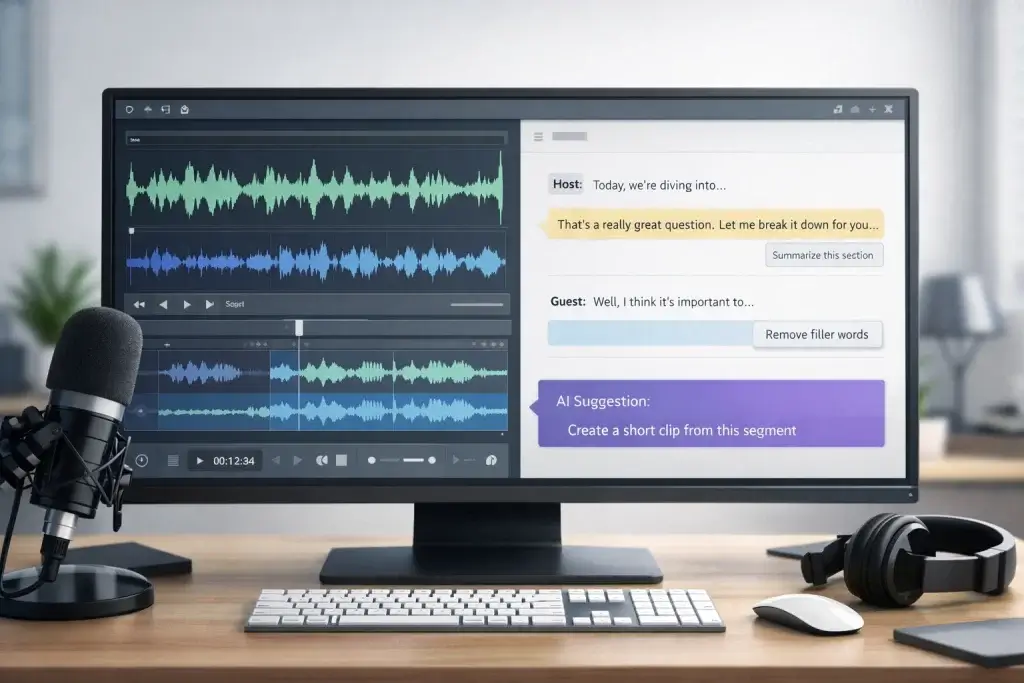
Artificial intelligence (AI) has moved from being a futuristic concept to an everyday productivity tool. In the podcasting world, AI powers everything from automated transcripts to editing tools that fix audio imperfections. According to industry guides, AI reduces the time you spend on repetitive tasks and helps you focus on creative storytelling. Tools with built‑in AI can highlight speakers, remove filler words, generate transcripts, and even suggest marketing materials. Yet no AI tool can replace your unique voice. Instead, AI works as an assistant that speeds up your workflow, frees your schedule for high‑impact work, and opens up opportunities to grow your audience.
This guide explores the AI capabilities found in leading podcast recording tools and provides 33 thoughtfully crafted prompts to help you get the most from these tools. Whether you’re brainstorming your next season or looking for efficient ways to repurpose episodes, you’ll find practical advice to elevate your show without sacrificing authenticity.
How AI Enhances Podcast Recording and Production
What makes AI valuable to podcasters
AI systems learn patterns from data and automate tasks that typically require manual effort. For podcasters, this means quick transcriptions, automated editing, marketing assistance, and analytics insights. For example, platforms like Riverside use AI to deliver local recordings in high‑resolution video and audio while automatically highlighting speakers and removing filler words. Tools like Descript transcribe your recordings as you speak, making it possible to edit audio by editing text.
Beyond saving time, AI can help you discover audience preferences, optimize content for SEO, and generate fresh ideas. ContentShake AI, for instance, performs keyword research and creates SEO‑friendly show notes and episode summaries. Capsho goes further by turning a single episode into dozens of marketing assets, from social posts to newsletters.
Key AI capabilities to look for
When evaluating AI‑enabled podcast tools, consider the following features:
- Automated transcription: Tools like Podigee generate transcripts automatically, improving search visibility and accessibility.
- Intelligent editing: Features such as filler word removal, adaptive leveling, and noise reduction, as seen in Descript and Auphonic, drastically cut post‑production time.
- Voice generation and translation: Wondercraft offers dubbing, translation, and audio branding to expand your global reach.
- Marketing automation: Capsho and Headliner detect key moments and create shareable clips and promotional materials.
- Dynamic ad insertion and analytics: Podigee integrates dynamic ads and detailed analytics to monetize and understand your audience.
- Creative assets generation: Suno.ai produces customized theme music and stings for unique audio branding.
By understanding these capabilities, you can choose the tools that align with your production style and growth goals.
Crafting Effective AI Prompts for Podcasting
Why prompt quality matters
AI models respond to the quality of the inputs they receive. Vague prompts yield generic answers, while detailed prompts produce customized and relevant results. For example, telling an AI “Suggest topics for my podcast” may return broad suggestions. A more effective prompt might state your niche, audience demographics, and recent trends. When you provide context and clear instructions, AI can deliver tailored ideas that fit your brand.
Tips for designing prompts
- Be specific: Clearly describe your podcast’s subject, style, and target audience. Include details like desired tone, length, and any constraints.
- Use brackets for variables: Replace placeholders with your information so you can reuse prompts across episodes. For instance, “[Podcast name]” or “[topic]”.
- Ask for structure: Encourage the AI to output lists, bullet points, or step‑by‑step outlines. This improves readability and makes your next steps clear.
- Provide examples: If you want a particular style, reference a sample script or provide a short excerpt from your show.
- Iterate and refine: Don’t hesitate to tweak your prompt and rerun it until the output aligns with your vision. AI tools learn from repeated inputs.
Common mistakes to avoid
- Lack of context: Simply asking for “interesting topics” yields generic content. Give context about your niche and audience needs.
- Overly long prompts: Excessive detail can confuse AI models. Keep prompts concise and focused on one task at a time.
- Ignoring your transcript: AI performs better when you provide transcripts or summaries of previous episodes. Use these as reference material when generating new scripts or promotional copy.
- Relying solely on AI: Treat AI as an assistant. Always review and edit outputs to ensure they match your voice and values.
33 Best AI Prompts for Podcast Creators
Below are 33 prompts tailored for key stages of podcast creation. They are written in a second‑person voice and organized by category. Use brackets to customize variables like your podcast name, topic, or guest. Each prompt is designed to save you time and help you get more value from AI tools.
Brainstorming & Naming Prompts
- Discover underserved niches: “Act as a podcast strategist. My show is about [topic], and my audience is [demographics]. Suggest five underserved sub‑topics with strong audience interest. For each, describe the ideal listener persona, their pain points, and what they seek in a show.”
- Unique angles: “I want to start a podcast about [topic]. What unique angle could make it stand out in a crowded market? Suggest three formats or perspectives.”
- Competitor analysis: “Analyze the top three podcasts in the [your niche] space. Identify common themes, episode structures, and unique selling propositions. Based on your findings, recommend two novel angles I could explore to fill a market gap.”
- Podcast name generator: “Suggest 10 catchy and SEO‑friendly podcast names for a show about [topic]. The tone should be [adjective, e.g., friendly or practical].”
- Tagline ideas: “My podcast is called [Podcast Name]. It focuses on [mission]. Generate five short, memorable taglines that capture the essence of the show and encourage clicks.”
Guest Outreach & Interview Prompts
- Find niche‑specific guests: “I host [Podcast Name] in the [niche] space. My listeners are [audience description]. Suggest five potential guests who would resonate with them. Include why they fit, their latest focus, a potential episode angle and contact details.”
- Cold outreach email: “Act as a professional booking agent. Draft a concise and compelling email inviting [Guest Name], an expert in [field], to join my podcast [Podcast Name]. Mention my admiration for their work on [topic] and explain why their insights will benefit my audience. Keep it under 200 words.”
- Follow‑up email: “Write a polite follow‑up email to [Guest Name] regarding my previous invitation. Remind them of the podcast topic and highlight a specific point that would excite listeners. Keep the tone friendly and professional.”
- Interview questions: “I am interviewing [Guest Name], an expert in [field], on [Podcast Name]. Generate 10 thoughtful, open‑ended questions that delve into their expertise and reveal unique stories.”
Episode Structure & Outline Prompts
- Season outline: “Create a six‑episode outline for [Podcast Name] focusing on [theme or topic]. For each episode, provide a title, a short description and three key talking points.”
- Episode roadmap: “I’m planning an episode about [topic]. Write a structured outline with an introduction, three main sections, transitions and a conclusion. Include suggested segment durations for a 30‑minute show.”
- Segment brainstorm: “Suggest five short segments I could incorporate into [Podcast Name] to break up long discussions. Examples could include listener questions, news updates or quick tips.”
- Script flow: “Given the outline below [paste outline], propose transition sentences between each section to maintain a smooth narrative flow.”
Script Writing & Voice Prompts
- Episode introduction: “Write an engaging introduction script for an episode about [topic]. Capture the listener’s attention, hint at what’s coming and mention any guest’s credentials in under 90 seconds.”
- Sponsor message: “Create a sponsor ad script for [Sponsor Name] and their [product/service]. The tone should match [Podcast Name]’s friendly style and clearly explain how the product benefits listeners.”
- Closing statement: “Draft a closing script for an episode covering [topic], including a call to action for listeners to subscribe, leave a review, and follow our social media accounts.”
- Voice‑over editing: “I recorded a section that feels dull. Suggest ways to rewrite it to match the energetic tone of [Podcast Name]. Provide two alternative sentences.”
Audience Engagement & Community Prompts
- Listener Q&A segment: “Generate three listener questions about [topic] that I can answer in my next episode. Make sure they are specific, thought‑provoking, and likely to resonate with my audience.”
- Community poll: “Compose a poll question related to [upcoming topic] that I can share on social media to gauge listener interest. Include four answer options.”
- Shout‑out script: “Write a short, heartfelt listener shout‑out recognizing [Listener Name] for their feedback. Include one sentence quoting their comment and encourage others to engage.”
- Call for stories: “Draft a message inviting listeners to submit their own stories or questions for an upcoming episode on [topic]. Explain how their contributions will be featured and appreciated.”
Editing & Post‑Production Prompts
- Filler word removal instructions: “Using my transcript [paste snippet], identify instances of ‘um,’ ‘like,’ and ‘you know.’ Suggest where I can remove or tighten these without impacting meaning.”
- Audio cleanup guide: “I recorded an interview in a noisy environment. Recommend AI tools and settings to reduce background hum and improve clarity. Provide at least two tool options.”
- Clip selection guidance: “From the transcript [paste excerpt], select two 30‑second segments that would make engaging promotional clips. Explain your choices briefly.”
Publishing & Promotion Prompts
- Episode description: “Write a compelling 150‑word description for an episode titled [Episode Title]. Summarize the main discussion points and include relevant keywords to boost SEO. End with an invitation to subscribe and share.”
Sponsorship & Monetization Prompts
- Pitch deck outline: “Outline a short sponsor pitch deck for [Podcast Name]. Include sections on audience demographics, listener engagement metrics, past sponsor results and unique opportunities for advertisers.”
- Media kit summary: “Create a brief media kit overview for potential sponsors, highlighting download numbers, listener profiles, average engagement time and the benefits of sponsoring [Podcast Name].”
- Dynamic ad copy: “Write two 30‑second dynamic ad scripts for my podcast’s mid‑roll. The first promotes [Product A] using a humorous tone, and the second promotes [Product B] with a more serious tone. Each should include a clear call to action.”
Additional AI Prompts
- Localization guidance: “I want to offer a Spanish version of my episodes. Suggest a workflow using AI tools for translation, dubbing, and cultural adaptation. Recommend at least one tool.”
- Transcription review: “Given this AI‑generated transcript [paste excerpt], point out potential inaccuracies or misattributed speakers. Suggest corrections.”
- Show notes template: “Generate a template for show notes that includes a summary, guest bio, key timestamps, resource links, and a call to action. Keep it clear and organized.”
- Social caption generator: “Draft three social media captions to promote episode [Episode Number]. Each should be under 150 characters, include a relevant hashtag, and entice users to listen.”
- Email newsletter teaser: “Write a short teaser for my newsletter announcing the release of episode [Episode Title], highlighting why subscribers should tune in.”
Tip: Customize these prompts to reflect your voice, audience, and goals. The more context you provide, the better the AI can serve your podcast’s unique brand.
AI-Powered Podcast Recording Tools Worth Using
Not every podcast tool that claims to be “AI-powered” actually uses AI in a meaningful way.
To earn a place in this list, a platform must use AI for content understanding, generation, or intelligent decision-making, not just audio cleanup or static templates.
Below are five podcast recording tools with genuine AI capabilities that directly improve how you record, edit, and repurpose podcast content.
Riverside

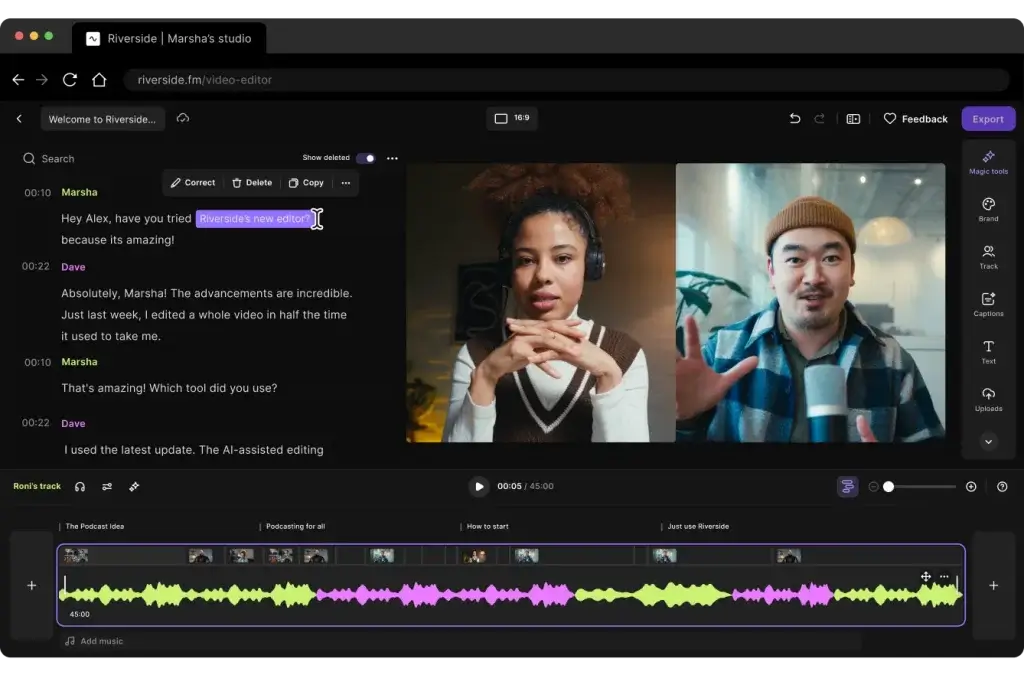
Riverside is one of the strongest examples of AI deeply embedded into the podcast recording workflow, not added as an afterthought.
You record locally in high resolution, while Riverside’s AI works on top of your raw files to speed up editing and distribution.
Key AI capabilities
- AI-powered text-based editing using transcripts
- Automatic filler word detection and removal
- Magic Clips that identify high-engagement moments
- Co-Creator AI assistant for editing via natural language prompts
You can literally type commands like “turn this into a YouTube Short” or “remove long pauses,” and the AI executes them inside the editor.
Strengths and Limitations Compared to Other Tools in This List
Positive
✅ Professional quality recording
✅ End‑to‑end workflow
✅ AI‑powered editing
✅ User‑friendly guest access
Negative
❌ Browser limitations
❌ Learning curve
❌ Resource-heavy
❌ AI imperfections
Zencastr

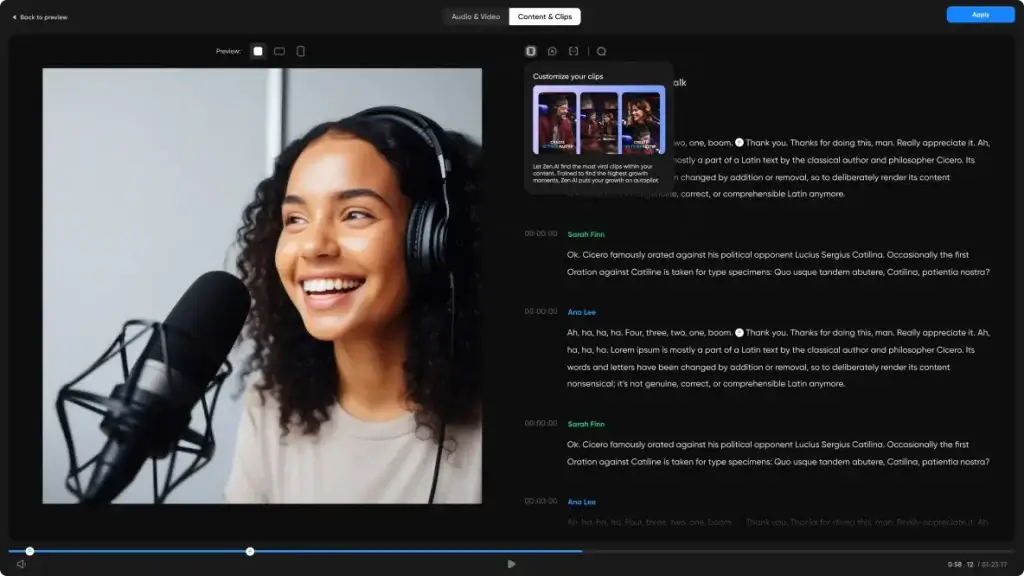
Zencastr uses AI to simplify post-production for remote recordings, especially for multi-guest shows.
Its AI focuses on cleaning and balancing audio automatically.
Key AI capabilities
- AI post-production for multi-track audio
- Automatic noise reduction and leveling
- AI-powered audio enhancement
- Intelligent mixdown for remote guests
Zencastr removes much of the manual cleanup that typically follows remote recordings.
Strengths and Limitations Compared to Other Tools in This List
Positive
✅ High‑quality recordings
✅ No downloads for guests
✅ AI‑powered editing
✅ All‑in‑one workflow
Negative
❌ Learning curve
❌ Pricing escalates
❌ Limited offline recording
❌ Customer support feedback
PodBean

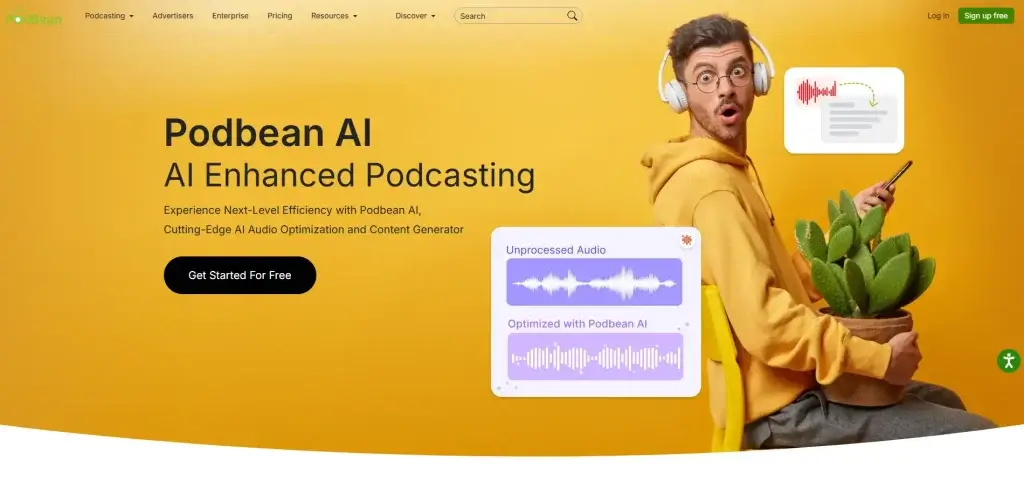
Podbean combines podcast hosting with AI-driven tools focused on content accessibility and post-production efficiency.
Its AI features are designed to support growth and discoverability.
Key AI capabilities
- Automatic AI transcription for episodes
- AI noise reduction and audio enhancement
- Speech-to-text for accessibility and SEO
- AI-assisted publishing workflows
The transcripts improve search visibility, while AI audio cleanup reduces post-production effort.
Strengths and Limitations Compared to Other Tools in This List
Positive
✅ Affordable unlimited hosting
✅ Mobile first
✅ Multiple monetization paths
✅ User‑friendly interface
Negative
❌ Limited free plan
❌ Basic website templates
❌ Simple analytics
❌ No multitrack editing
Podcaslte

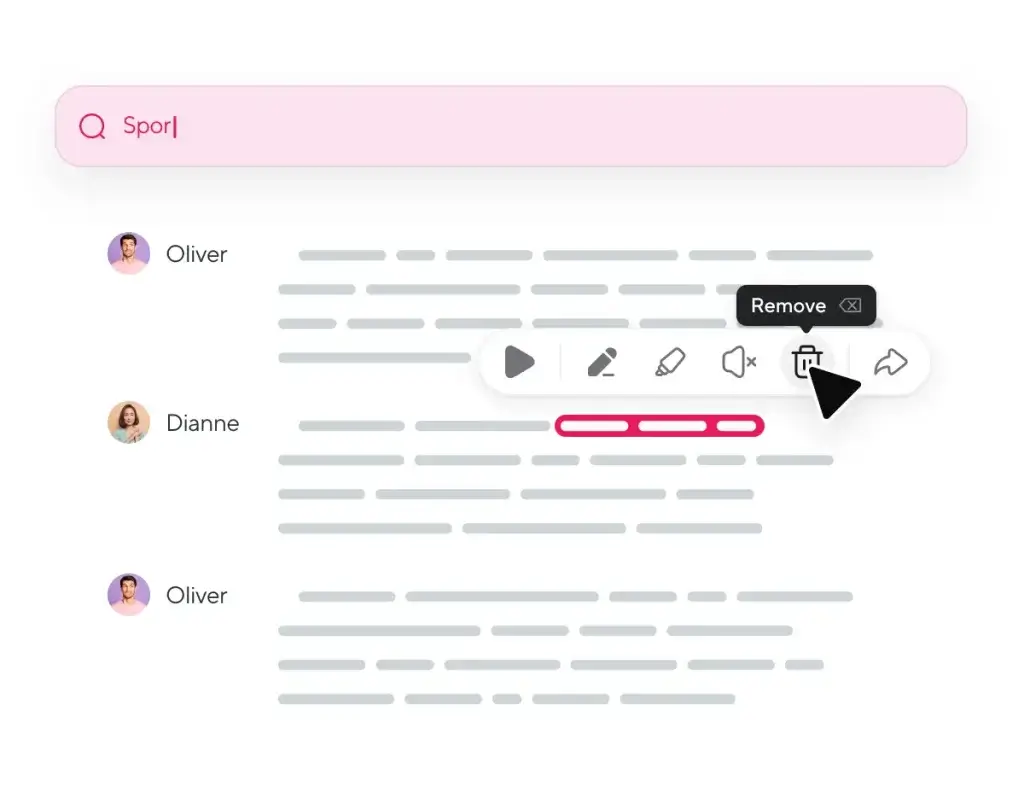
Podcastle focuses heavily on AI voice and speech generation, making it ideal for creators who want flexibility in narration or post-production.
Its AI is especially useful when re-recording is not an option.
Key AI capabilities
- AI voice cloning for narration fixes
- Text-to-speech episode generation
- AI audio enhancement and leveling
- Speech re-generation without re-recording
You can correct sentences, add intros, or localize content without opening a mic again.
Strengths and Limitations Compared to Other Tools in This List
Positive
✅ All‑in‑one workflow
✅ Generous free plan
✅ AI voices and cloning
✅ Text‑based editing
Negative
❌ Storage caps
❌ Browser requirements
❌ Learning curve
❌ Buggy experiences
Descript

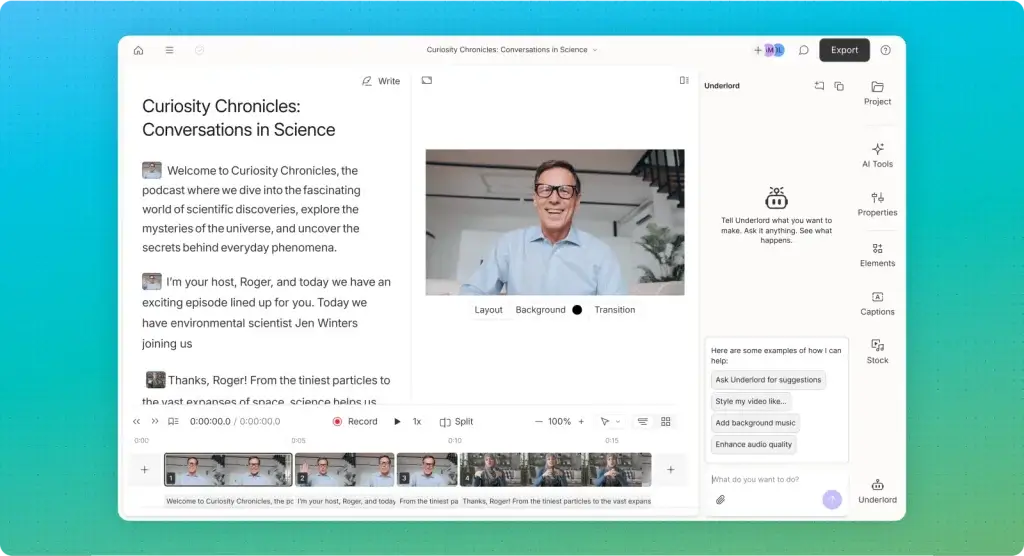
Descript treats audio and video like documents, and its AI understands what is being said, not just how it sounds.
This makes it one of the most advanced AI-driven podcast editors available.
Key AI capabilities
- Real-time AI transcription used as the editing layer
- AI filler word and silence removal
- Overdub AI voice cloning for fixing mistakes
- Underlord AI for scripts, summaries, and repurposing
Instead of cutting waveforms, you edit text, and Descript intelligently updates the audio.
Strengths and Limitations Compared to Other Tools in This List
Positive
✅ Intuitive, transcript‑based editing
✅ Comprehensive feature set
✅ Time‑saving AI tools
✅ Affordable entry point
Negative
❌ Performance on large projects
❌ Learning curve for advanced features
❌ Limited pro‑level editing
❌ No full mobile editor
Benefits and Limitations
Efficiency gains and creative support
AI tools handle many repetitive tasks faster than human editors, allowing you to focus on storytelling and connection. Automatic transcription, adaptive leveling, and filler‑word removal free you from manual labor. Marketing tools repurpose content across channels, expanding your reach without extra effort. AI also sparks creativity by providing fresh angles and questions when you feel stuck.
Ethical and authenticity considerations
While AI enhances productivity, you remain responsible for maintaining authenticity. Over‑reliance on AI may produce content that feels generic or off‑brand. Always review AI outputs to ensure they align with your values and style. Be transparent with your listeners about synthetic voices or AI‑generated segments, especially if you use voice cloning or translation features. Remember that AI can misinterpret context or misidentify speakers. Human oversight keeps your podcast trustworthy.
Best Practices
Integrating AI into Your Podcast Workflow
Blending AI tools with human skills
Use AI as a collaborator rather than a replacement. Let tools handle transcripts, noise reduction, and preliminary edits, then add your personal touch. Combine different tools to capitalize on their strengths: Riverside for recording, Descript for text‑based editing, and Capsho for marketing, for example. Experiment to see which combination fits your workflow.
Monitoring quality and style
Always listen to final edits and read AI‑generated scripts. Correct mispronunciations, tone mismatches, and inaccurate transcriptions. Keep an archive of your previous episodes to train AI models (like voice cloning) on your unique style, improving the output’s authenticity.
Optimizing for SEO and discoverability
Leverage AI’s SEO capabilities. Tools like ContentShake AI identify high‑value keywords and craft optimized show notes. Podigee’s transcripts improve search indexing for each episode. When writing prompts, mention key phrases you want the AI to incorporate. A clear focus on keywords helps your podcast rank higher in search results, bringing in long‑tail traffic.
Conclusion
AI has become an indispensable ally for modern podcasters. Platforms like Riverside, Descript, PodBean, Zencastr, and Podcastle integrate powerful algorithms that simplify recording and editing tasks. Marketing tools such as Capsho, Headliner, and ContentShake AI ensure your episodes reach the widest possible audience. By mastering the art of crafting precise prompts, you can leverage these tools to brainstorm ideas, streamline scripts, clean up audio, and market your content with minimal friction.
Remember: AI enhances your workflow, but it doesn’t replace your creative judgment. Treat AI‑generated content as a foundation you polish into a final product that reflects your passion and personality. With the right balance of automation and human touch, you’ll produce episodes that engage listeners, attract sponsors, and grow your podcast sustainably.
Want to learn more about the best podcast recording tools? Compare top platforms in our comprehensive podcast recording software guide.
Frequently Asked Questions (FAQs)
1. What are AI prompts in podcasting?
AI prompts are structured instructions you give to an AI tool to generate outputs such as episode ideas, scripts, guest outreach emails, or show notes. Clear prompts provide context about your topic, audience, and style, leading to useful responses.
2. Which podcast recording tools have the best AI features?
Riverside and Descript are known for robust AI. Riverside’s Magic Editor highlights speakers and removes filler words, while Descript offers real-time transcription, text-based editing and voice cloning.
3. How accurate are AI-generated transcripts?
Accuracy depends on the tool and audio quality. Platforms like Podigee and Descript produce highly accurate transcripts but may misattribute speakers or miss words in noisy recordings. Always review and correct transcripts before publishing.
4. Can AI replace a human editor?
AI handles many technical tasks but cannot fully replace human judgment. You still need to ensure narrative flow, tone consistency, and factual accuracy. AI is most effective as an assistant, not a substitute.
5. How do AI tools help with podcast marketing?
Tools like Capsho and Headliner generate promotional clips, social captions, and email drafts. They save time and maintain branding, enabling you to market episodes across multiple channels.
6. Are AI voice cloning and translation features ethical?
Ethical use depends on transparency and consent. Voice cloning should be used to correct minor mistakes or create brief segments, not to impersonate guests. When translating, ensure cultural sensitivity and disclose to listeners that AI assistance was used.
7. How can I optimize prompts for better AI responses?
Be specific about your niche, audience, and desired outcomes. Provide examples or reference points, and break complex tasks into multiple prompts. Iteratively refine prompts until the output meets your expectations.
8. What types of AI tools help monetize my podcast?
Platforms like Podigee support dynamic ad insertion. Adthos Creative Studio creates professional audio ads from text or images. Combining these tools helps you attract sponsors and create ads efficiently.
9. Do AI tools require technical expertise?
Most modern AI podcast tools are designed for non-technical users. They feature user-friendly interfaces and guided workflows. Even complex functions like voice cloning or automatic leveling usually involve simple toggles or prompts.
10. Will AI make my podcast sound less authentic?
Not if you remain involved. Use AI for drafts, transcripts, and repetitive tasks, but always add your personal touch. Your voice, perspective, and human connection are what make your podcast unique.