Introduction
Choosing the best bill pay software is one of the fastest ways to clean up your accounts payable process, reduce manual work, and gain better control over vendor payments.
When bills are handled through email threads, spreadsheets, paper checks, or disconnected bank portals, mistakes become more likely. You may miss due dates, duplicate payments, lose approval history, or struggle to understand your cash position before month-end.
The right bill pay platform helps you centralize invoices, approve bills, pay vendors, sync payments with accounting software, and keep a clear audit trail. For small businesses, this can be the difference between reactive bookkeeping and controlled cash management.
In this guide, you’ll find the best bill pay software to consider in 2026: Melio, BILL, Plooto, QuickBooks Bill Pay, Xero, Zoho Books, and Ramp.
If you want the quick recommendation before diving in, here it is: Melio is one of the best choices for small businesses that want simple, flexible vendor payments. BILL is stronger for businesses that need deeper AP and AR workflows. Plooto is excellent for companies and accounting firms that want AP and AR automation with approval controls. QuickBooks Bill Pay is best if you already use QuickBooks Online. Xero is best if you want bill tracking inside your accounting system. Zoho Books is ideal for businesses already using Zoho’s finance ecosystem. Ramp is best for companies that want bill pay connected to spend management, corporate cards, procurement, and finance automation.
What to look for in bill pay software
The best bill pay software should do more than send payments. It should help you control how invoices enter your business, who approves them, how payments are made, and how every transaction reaches your books.
- Invoice capture: Look for upload, email inbox, OCR, and automated bill entry.
- Approval workflows: Choose tools that route bills by amount, vendor, department, or user.
- Payment methods: Review ACH, check, card, wire, and international payment support.
- Accounting sync: Prioritize QuickBooks, Xero, NetSuite, or Zoho integrations.
- Vendor management: Look for W-9 collection, payment details, vendor records, and audit trails.
- Cash flow visibility: Choose software that shows upcoming bills and payment status.
- Security controls: Require permissions, approval history, payment limits, and role-based access.
- Pricing transparency: Compare monthly fees, user fees, transaction fees, and card fees.
Best Bill Pay Software in 2026
Melio

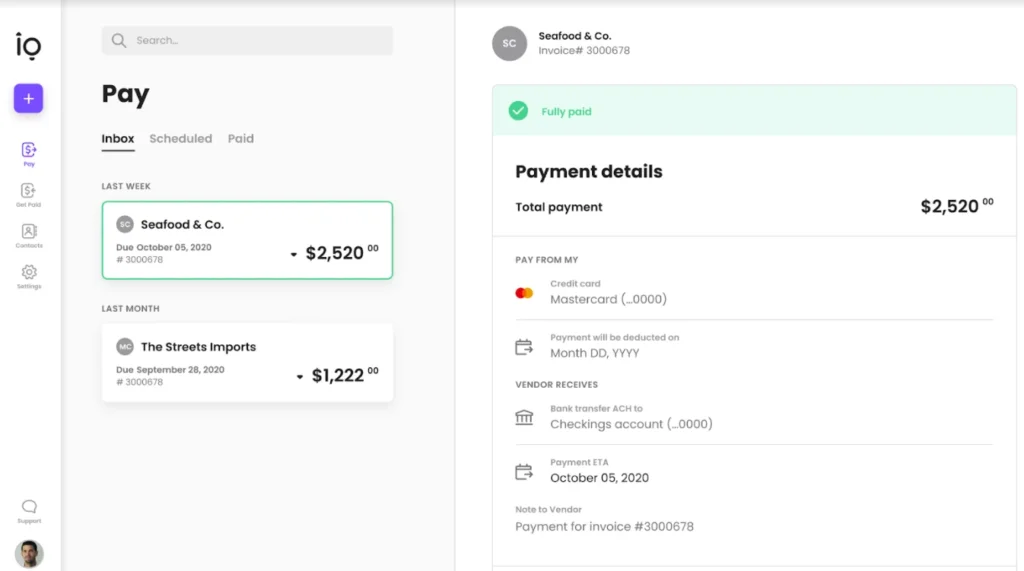
Melio is one of the strongest bill pay software options for small businesses because it focuses on making vendor payments simple, flexible, and accessible. You can pay vendors by ACH, card, check, or wire, while the vendor can receive payment in a method that works for them.
This flexibility is valuable when you work with vendors that still prefer checks, contractors that want bank transfers, or suppliers that do not accept credit cards. Melio lets you use a credit or debit card to pay certain bills, even when the vendor does not directly accept cards, subject to card network limitations.
Melio is especially useful for businesses that want to move away from manual checks without adopting a heavy AP system. It gives you bill capture, payment scheduling, approval workflows, QuickBooks Online sync, Xero sync, W-9 collection, international payments, and invoicing features depending on the plan.
Key features
- Pay vendors by ACH, check, wire, or card
- Free plan available for one user
- AI bill capture and dedicated bills inbox
- Approval workflows on paid plans
- QuickBooks Online and Xero sync
- International payments in USD or local currencies
- AR and invoicing features for receiving payments
Pros and cons
Pros
✅ Very easy for small businesses to adopt
✅ Flexible payment methods for vendor bills
✅ Strong QuickBooks Online and Xero compatibility
✅ Useful free plan for very small teams
Cons
❌ Advanced approvals require paid plans
❌ Card payments add processing fees
❌ Not as deep as BILL for complex AP and AR workflows
❌ Larger finance teams may need stronger controls
Pricing
Melio offers a free Go plan for one user with 5 free ACH payments per month. The Core plan is listed at $25 per month, or $20 per month when billed annually, with 20 free ACH payments per month. The Boost plan is listed at $55 per month, or $44 per month when billed annually, with 50 free ACH payments per month. After included ACH payments are used, additional ACH payments are charged per payment.
Who should use Melio?
Melio is best for small businesses, contractors, agencies, and service companies that want simple bill payment software without a complex implementation. It is also a good fit if you use QuickBooks Online or Xero and want a payment layer that is easy to manage.
BILL
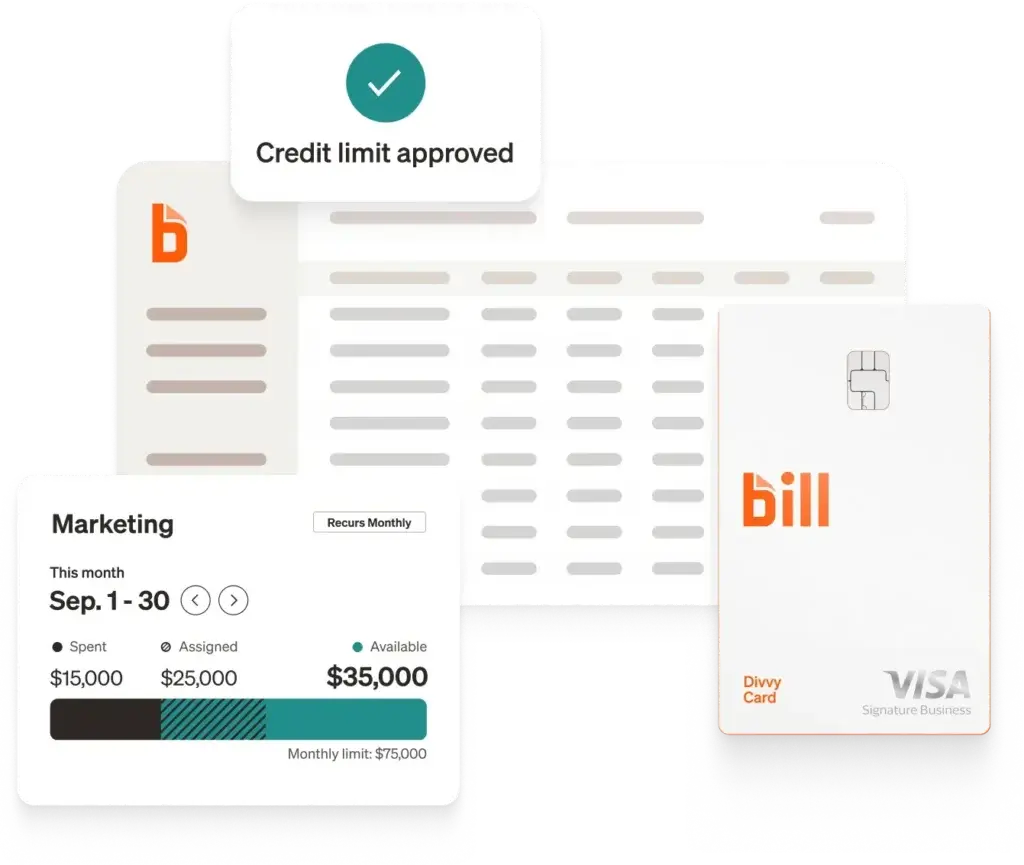
BILL is one of the most established platforms in the bill pay and accounts payable automation category. It is built for businesses that need more than basic payment scheduling. You can manage bills, approvals, vendor records, payments, invoices, and receivables from one system.
The platform is especially strong when your AP process involves multiple approvers, more vendor volume, recurring bills, payment controls, and accounting software sync. BILL also offers accounts receivable features, so it can support both money going out and money coming in.
Compared with Melio, BILL is more structured and more mature for AP operations. The tradeoff is that it is also more expensive and may feel heavier for very small businesses that only need to pay a few bills each month.
Key features
- Accounts payable and accounts receivable workflows
- Centralized bill inbox and bill entry
- Approval workflows and approval policies
- ACH, virtual card, credit card, and other payment options
- Vendor network with millions of vendors
- W-9 collection and verification tools
- Accounting software integrations on higher plans
Pros and cons
Pros
✅ Strong AP automation for growing businesses
✅ Supports both AP and AR workflows
✅ More mature approval controls than simple payment tools
✅ Useful vendor network and W-9 features
Cons
❌ More expensive than lightweight bill pay tools
❌ May be more than a very small business needs
❌ Some integrations and controls require higher plans
❌ User-based pricing can increase cost as your team grows
Pricing
BILL lists its Accounts Payable and Receivable plans starting with Essentials at $49 per user per month. Team is listed at $65 per user per month, Corporate at $89 per user per month, and Enterprise uses custom pricing. The best plan depends on whether you need manual CSV exports, automatic two-way accounting sync, stronger controls, or procurement features.
Who should use BILL?
BILL is best for growing small businesses, mid-sized companies, and accounting firms that need structured accounts payable and receivable workflows. It is a strong choice if approvals, vendor documentation, audit trails, and AP scale matter more than the lowest possible monthly cost.
Plooto


Plooto is an accounts payable and accounts receivable automation platform built for businesses, bookkeepers, and accounting firms. It helps you manage payables, receivables, approvals, payment tracking, and accounting sync in one workflow.
One of Plooto’s biggest strengths is its fit for firms that manage payments for multiple clients. You can invite users, collaborate with clients, sync with QuickBooks and Xero, and use approval rules to keep payments controlled before money leaves the account.
Plooto is also strong for Canadian businesses and companies that need both domestic and cross-border payments. Depending on the plan, it supports ACH, EFT, credit card vendor payments, paper cheques, international payments, PADs, approval workflows, OCR invoice capture, and mass payments.
Key features
- Accounts payable and accounts receivable automation
- QuickBooks and Xero two-way sync
- NetSuite sync available on Pro as an add-on
- Plooto Capture OCR for invoices and bills
- Approval rules and payment controls
- Domestic, ACH, cheque, card, and international payments
- Mass Pay for sending multiple payments together
Pros and cons
Pros
✅ Strong fit for accounting and bookkeeping firms
✅ Supports both payables and receivables
✅ Useful approval controls and OCR capture
✅ Good option for domestic and cross-border payments
Cons
❌ Go plan is limited to low client payment volume
❌ Transaction fees vary by plan and payment method
❌ NetSuite support is positioned for higher-tier needs
❌ May be more payment-focused than full spend management tools
Pricing
Plooto lists its Go plan at $9 per month for low client payment volumes and basic approval workflows. Grow starts from $32 per month and adds more scalable payment and approval operations. Pro starts from $99 per month and is designed for more complex payment operations with advanced controls. Transaction fees vary by payment method and plan.
Who should use Plooto?
Plooto is best for small businesses, accounting firms, and bookkeeping firms that need controlled AP and AR workflows. It is especially useful if you manage multiple approvers, client payments, domestic payments, international payments, or payment workflows connected to QuickBooks or Xero.
QuickBooks Bill Pay


QuickBooks Bill Pay is the most natural option if your accounting already runs on QuickBooks Online. Instead of adding a separate AP tool, you can manage bills, approvals, and payments from inside the QuickBooks environment.
This matters because many small businesses do not want another system to reconcile. If your bills are already entered in QuickBooks, keeping bill payment inside the same ecosystem can reduce duplicate data entry, simplify reconciliation, and help your accountant work from one source of truth.
QuickBooks Bill Pay is not the most advanced AP automation platform on this list. However, it is a practical choice for businesses that want native QuickBooks workflows, approval automation, basic bill payment options, and a familiar interface.
Key features
- Native bill pay for QuickBooks Online users
- Bill approval automation with custom workflows
- ACH, instant payment, and check payment options
- Payment status tracking inside QuickBooks
- Bill scheduling and vendor payment management
- Accounting and bill records in one platform
- Simple upgrade path through Basic, Premium, and Elite plans
Pros and cons
Pros
✅ Best fit for existing QuickBooks Online users
✅ Reduces the need for a separate bill pay system
✅ Familiar experience for business owners and accountants
✅ Basic plan is included in the QuickBooks subscription
Cons
❌ Requires QuickBooks Online
❌ Less flexible if you use Xero, Zoho, or NetSuite
❌ Advanced AP teams may need deeper automation
❌ Check, faster ACH, and instant payment fees can add up
Pricing
QuickBooks Bill Pay Basic is listed at $0 per month and is included in the QuickBooks subscription. Premium and Elite are paid options, with promotional pricing often shown for the first few months. QuickBooks also lists transaction fees for certain payment types, including check payments, faster ACH, and instant payment options.
Who should use QuickBooks Bill Pay?
QuickBooks Bill Pay is best for small businesses already using QuickBooks Online that want bill payment, approval automation, and vendor payment tracking without adding another standalone AP platform. It is a practical choice when simplicity and native accounting alignment are more important than advanced AP customization.
Xero


Xero is not just bill pay software. It is cloud accounting software with built-in accounts payable tools that help you enter bills, capture receipts, schedule supplier payments, and manage payables from your accounting system.
For many small businesses, this accounting-first approach is enough. You can use Xero to track what you owe, keep vendor records organized, reconcile bank transactions, capture bills and receipts with Hubdoc, and view your cash flow more clearly.
Xero is a particularly good choice if you want your bill workflow to stay close to your accounting records. However, if your main need is advanced approval routing, payment execution, vendor onboarding, or AP automation, you may still need a dedicated bill pay or AP platform connected to Xero.
Key features
- Enter and track bills inside Xero
- Capture bills and receipts with Hubdoc
- Schedule bill payments and track suppliers
- Batch payment functionality on relevant plans
- Bank reconciliation and real-time reporting
- Cash flow forecasting tools by plan
- Optional add-ons for expenses, projects, and analytics
Pros and cons
Pros
✅ Excellent if you already use Xero for accounting
✅ Strong bill tracking and bookkeeping workflows
✅ Hubdoc capture helps reduce manual data entry
✅ Good visibility into payables and cash flow
Cons
❌ Not a full standalone AP automation platform
❌ Starter plan limits bill volume
❌ Payment processing may depend on connected services
❌ Advanced approvals may require additional tools
Pricing
Xero pricing varies by region and promotion. In the US, Xero lists Starter, Standard, and Premium plans, with regular pricing shown at $29, $50, and $75 per month before promotional discounts. Starter includes limited bill entry, while Standard and Premium include more complete bill management capabilities. Optional add-ons are available for expenses, projects, and analytics.
Who should use Xero?
Xero is best for small businesses, freelancers, and service companies that already use Xero as their accounting system and want practical bill management inside their books. It is strongest when your priority is clean accounting, bill tracking, receipt capture, and reconciliation rather than complex AP automation.
Zoho Books

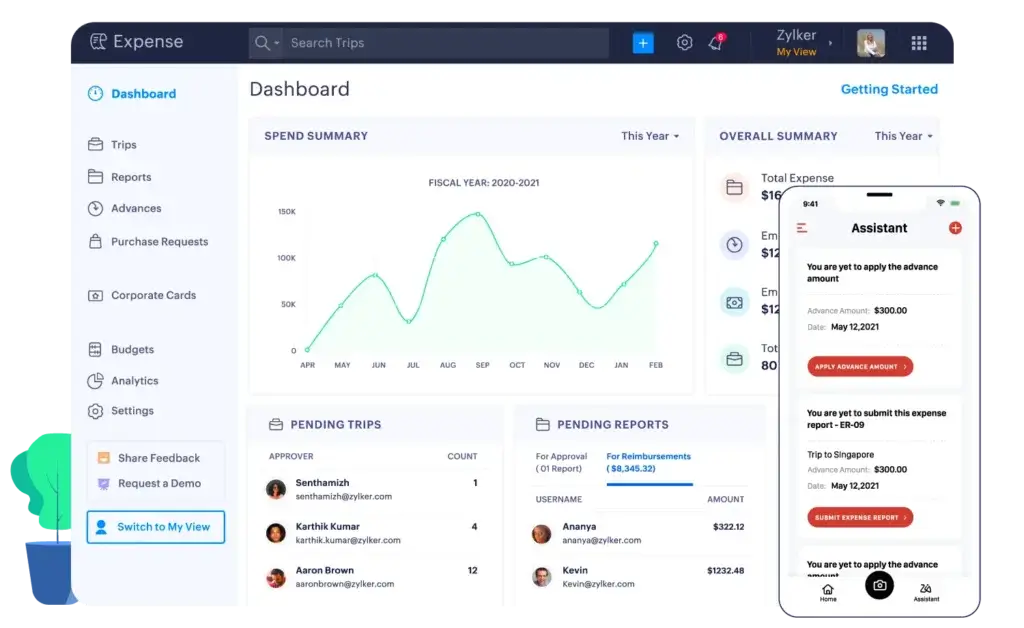
Zoho Books is a strong option for small businesses that want bill payment capabilities inside a broader accounting system. It supports vendor bills, expenses, purchase orders, payments made, bank reconciliation, reporting, and integrations across the Zoho ecosystem.
For businesses that want a more dedicated bill pay workflow, Zoho also offers Zoho BillPay. This product focuses on accounts payable automation, vendor portals, ACH payments, invoice inboxes, e-purchase orders, reporting, and syncing bills to accounting and ERP systems.
This makes Zoho a good choice if you want a connected finance stack rather than one standalone bill pay tool. You can use Zoho Books for accounting and expand into Zoho BillPay when you need more structured AP automation.
Key features
- Vendor bills and payments inside Zoho Books
- Purchase orders and vendor credits
- ACH vendor payment support through Zoho BillPay
- Invoice inbox and vendor portal
- Reports and analytics for AP visibility
- 2-way and 3-way matching on enterprise bill pay workflows
- Strong fit with Zoho CRM, Zoho Inventory, and other Zoho apps
Pros and cons
Pros
✅ Strong value for Zoho ecosystem users
✅ Combines accounting and AP workflows
✅ Zoho BillPay adds dedicated bill pay automation
✅ Useful for purchase orders and vendor management
Cons
❌ Best experience comes when you use Zoho products together
❌ May require choosing between Zoho Books and Zoho BillPay workflows
❌ Not as widely accountant-supported as QuickBooks or Xero
❌ Enterprise AP features may require a sales conversation
Pricing
Zoho Books pricing varies by region and plan. Zoho BillPay lists a Premium plan at $16 per organization per month when billed monthly, or $15 per organization per month when billed annually, and includes 10 users, ACH payments, a vendor portal, invoice inbox, e-purchase orders, and reporting. Enterprise bill pay capabilities are available by contacting Zoho.
Who should use Zoho Books?
Zoho Books is best for small businesses already using Zoho products or planning to build an affordable finance stack around Zoho. It is especially useful when you want accounting, vendor payments, purchase workflows, and business apps connected under one ecosystem.
Ramp

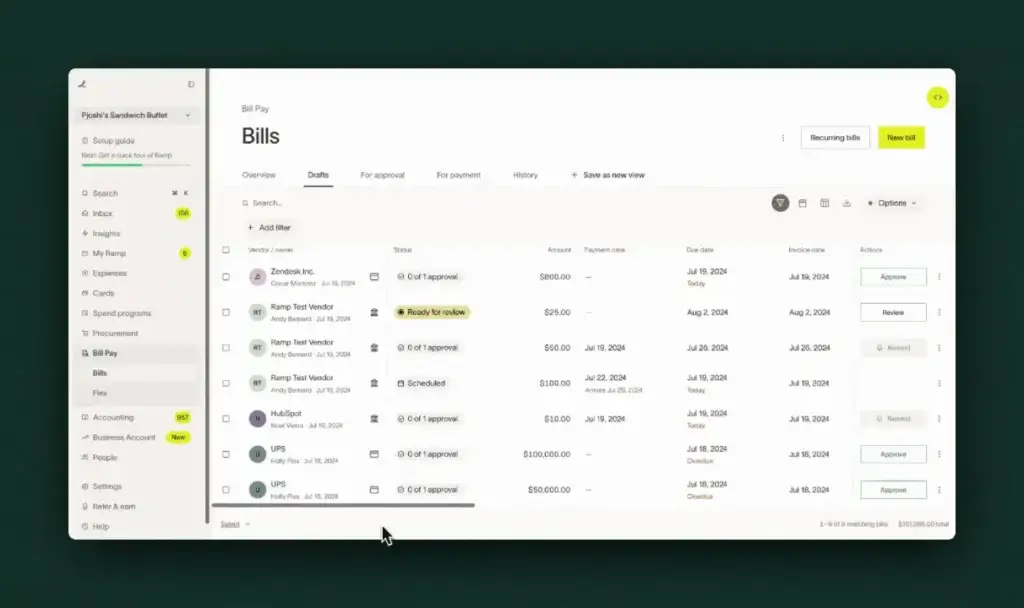
Ramp is a strong bill pay option for businesses that want accounts payable automation connected to a broader spend management platform. It combines bill pay, corporate cards, expenses, approvals, procurement, vendor management, accounting automation, and reporting.
Ramp Bill Pay is designed to automate the invoice-to-payment workflow. It can capture invoice details, route bills for approval, support PO matching, pay vendors by ACH, card, check, or wire, and sync data with accounting or ERP systems such as QuickBooks, NetSuite, Sage Intacct, and others.
Ramp is particularly useful when bill pay is not your only finance problem. If your team also needs card controls, employee expenses, vendor visibility, procurement workflows, and spend reporting, Ramp can reduce the number of disconnected tools you use.
Key features
- AI-powered accounts payable automation
- Invoice capture and approval workflows
- ACH, card, check, domestic wire, and international wire payments
- PO matching and vendor management
- Accounting and ERP integrations
- Corporate cards, expense management, and procurement tools
- Multi-entity and advanced approvals on Ramp Plus
Pros and cons
Pros
✅ Strong option for modern finance teams
✅ Connects bill pay with cards, expenses, and procurement
✅ Good fit for companies that want finance automation
✅ Ramp Bill Pay can be used as a standalone AP solution
Cons
❌ Some advanced capabilities require Ramp Plus
❌ Payment fees vary by method and funding source
❌ May be broader than needed for very simple bill pay
❌ Best value appears when you use more of the Ramp platform
Pricing
Ramp offers a free plan with core finance automation capabilities. Ramp Plus is listed at $15 per user per month for advanced capabilities. Ramp’s support documentation lists bill pay fees by payment method, including standard ACH, same-day ACH, domestic wire, international wire, standard check, overnight check delivery, and check attachments, with some eligible fees waived when paying from a Ramp Business Account.
Who should use Ramp?
Ramp is best for small and mid-sized companies that want bill pay connected to a broader finance operations platform. It is especially strong when you want AP automation, corporate cards, expense management, procurement, vendor data, approvals, and accounting sync in one system.
Feature comparison table
| Software | Best For | Biggest Strength | Main Tradeoff |
| Melio | Small businesses that want simple vendor payments | Flexible ACH, check, card, wire, and international payment options | Advanced approvals and automation require paid plans |
| BILL | Growing businesses with structured AP and AR needs | Mature AP, AR, approvals, vendor network, and controls | User-based pricing can become expensive |
| Plooto | Businesses and accounting firms managing AP and AR | Payment workflows, approvals, OCR, and accounting sync | Transaction fees and capabilities vary by plan |
| QuickBooks Bill Pay | Businesses already using QuickBooks Online | Native QuickBooks bill payment and approvals | Limited if you do not use QuickBooks Online |
| Xero | Xero users who want bill tracking inside accounting | Bill entry, Hubdoc capture, reconciliation, and cash visibility | Not a complete standalone AP automation platform |
| Zoho Books | Businesses using Zoho finance and operations tools | Affordable accounting, vendor payments, and Zoho BillPay option | Best experience depends on using the Zoho ecosystem |
| Ramp | Modern finance teams that want AP plus spend management | Bill pay, cards, expenses, procurement, approvals, and reporting | May be broader than needed for simple vendor payments |
How to choose the best bill pay software
The best bill pay software depends on how your business pays vendors, who approves bills, and which accounting system you use.
If you only pay a small number of vendors each month, you probably do not need an enterprise AP platform. A simple tool like Melio or QuickBooks Bill Pay may give you enough control without adding unnecessary complexity.
If your AP process involves multiple approvers, higher payment volume, client payment workflows, or more formal controls, BILL, Plooto, or Ramp may be a better fit.
Choose based on your accounting system
Your accounting software should heavily influence your decision. If you use QuickBooks Online, QuickBooks Bill Pay, Melio, BILL, Plooto, and Ramp are all worth reviewing. If you use Xero, Xero’s built-in bill tools may be enough for basic needs, while Melio and Plooto can add more payment flexibility.
If you use Zoho Books, staying inside the Zoho ecosystem can make sense, especially if you want bill pay, vendor workflows, and accounting connected without multiple subscriptions.
Choose based on payment complexity
Payment complexity matters. If you need ACH and checks, most platforms can help. If you also need card-funded payments, international payments, wire transfers, contractor tax documentation, or payment approval controls, compare the details carefully.
Card payments and expedited payments are useful, but they can also create extra fees. Review these costs before choosing a platform based only on the monthly subscription price.
Choose based on approval controls
Approval workflows become more important as your business grows. A founder-led company may only need one approval step. A larger company may need routing by department, amount, vendor, location, or entity.
For stronger controls, BILL, Plooto, and Ramp are usually better fits than basic accounting-only bill tracking. QuickBooks Bill Pay can also work well if your approval needs are straightforward and you already work inside QuickBooks.
Conclusion
The best bill pay software is the one that fits your accounting workflow, payment volume, vendor process, and approval requirements.
For most small businesses, Melio is the best starting point because it is simple, flexible, and designed around real vendor payment needs. QuickBooks Bill Pay is the most convenient option if you already use QuickBooks Online and want to stay inside that ecosystem. Xero and Zoho Books are strong accounting-first options when you want bill management close to your books.
For businesses with more structured AP requirements, BILL and Plooto offer stronger approval workflows, AP and AR automation, and payment operations. For modern finance teams that want bill pay connected to corporate cards, spend controls, procurement, and reporting, Ramp is one of the strongest all-around platforms.
Before choosing, map your current AP workflow: how invoices arrive, who approves them, how vendors get paid, how payments sync to accounting, and where errors happen. Once you understand those points, the right platform becomes much easier to identify.
FAQs
What is bill pay software?
Bill pay software helps businesses manage vendor bills, approvals, and payments digitally. It can replace manual checks, spreadsheets, and disconnected bank workflows with a centralized AP process.
What is the best bill pay software for small businesses?
Melio is one of the best bill pay software options for small businesses because it is easy to use, supports multiple payment methods, and integrates with QuickBooks Online and Xero. QuickBooks Bill Pay is also a strong choice for existing QuickBooks users.
Is Melio better than BILL?
Melio is usually better for smaller businesses that want simple and flexible vendor payments. BILL is better for growing businesses that need deeper AP, AR, approval workflows, vendor documentation, and more structured finance controls.
Does QuickBooks have bill pay software?
Yes. QuickBooks Bill Pay lets QuickBooks Online users manage bill payments, approvals, payment status, and vendor payments inside the QuickBooks environment. It is best for businesses already using QuickBooks Online.
Can Xero pay bills?
Xero includes accounts payable tools that let you enter bills, track suppliers, schedule payments, capture bills with Hubdoc, and reconcile transactions. For more advanced payment execution or approval automation, you may need a connected bill pay platform.
What is the difference between bill pay software and AP automation?
Bill pay software focuses on paying vendor bills. AP automation is broader and may include invoice capture, OCR, approval workflows, purchase order matching, vendor onboarding, audit trails, and accounting sync.
Which bill pay software is best for accounting firms?
Plooto and BILL are strong options for accounting firms because they support client payment workflows, approval controls, vendor payments, and accounting software sync. Melio can also work well for smaller client payment needs.
Can bill pay software send checks?
Yes. Many bill pay platforms can send checks on your behalf. Melio, QuickBooks Bill Pay, Plooto, and Ramp all support check-related payment workflows, though fees and delivery options vary by platform.
Is Ramp good for bill pay?
Yes. Ramp is a strong bill pay option for companies that want AP automation connected to corporate cards, expenses, procurement, vendor management, approvals, and accounting automation.
How should I choose bill pay software?
Start with your accounting system, payment methods, approval needs, vendor volume, and budget. A simple business may only need Melio or QuickBooks Bill Pay, while a growing finance team may need BILL, Plooto, or Ramp.