
Plooto is not traditional accounting software, and that distinction matters. It is an accounts payable and accounts receivable automation platform built to help you control approvals, move money more efficiently, and keep your books synchronized with your accounting system. If your pain point is bill payments, invoice collection, and approval bottlenecks rather than general ledger accounting, Plooto is a serious platform to consider.
What makes Plooto especially relevant for small and mid-sized businesses, and for accounting firms managing multiple clients, is its focus. Instead of trying to be an ERP or a full bookkeeping suite, it concentrates on payment operations. You can automate invoice capture, create approval rules, send domestic and international payments, accept receivables, and reconcile activity back into QuickBooks, Xero, and, in higher tiers, NetSuite. That makes it a practical operational layer rather than an accounting replacement.
In this Plooto review, you will see where the platform performs well, where it has trade-offs, how pricing works, which businesses are the best fit, and which alternatives are worth considering before you choose.
Product overview
Overview of Plooto and its role in finance operations
Plooto is a payment automation platform designed for businesses and accounting professionals that want to centralize payable and receivable workflows. You can upload invoices, route them through approval chains, schedule payments, accept incoming payments, and automatically sync activity with supported accounting software.
Where Plooto fits in your software stack
Plooto sits between your bank and your accounting system. That means it is best viewed as an automation and controls layer for AP and AR, not as bookkeeping software itself. If you already rely on QuickBooks, Xero, or NetSuite and want stronger payment controls and less manual processing, Plooto fits naturally into that stack.
Who Plooto is built for
Plooto is especially well-suited to small and mid-sized businesses with recurring vendor payments, multi-step approvals, or a need to improve cash flow visibility. It is also a strong fit for bookkeeping and accounting firms that manage payment workflows for clients and need signing authority tiers, approval routing, and centralized oversight.
Why Plooto stands out
Plooto’s biggest strength is focus. It does not try to do everything. Instead, it concentrates on high-friction payment processes, such as bill capture, approval routing, reconciliation, and bank-to-bank payments. That focused approach makes the platform easier to understand than a broad finance suite, while still giving you meaningful control over how money moves through your business.

Software specification
Key features of Plooto
Accounts payable automation
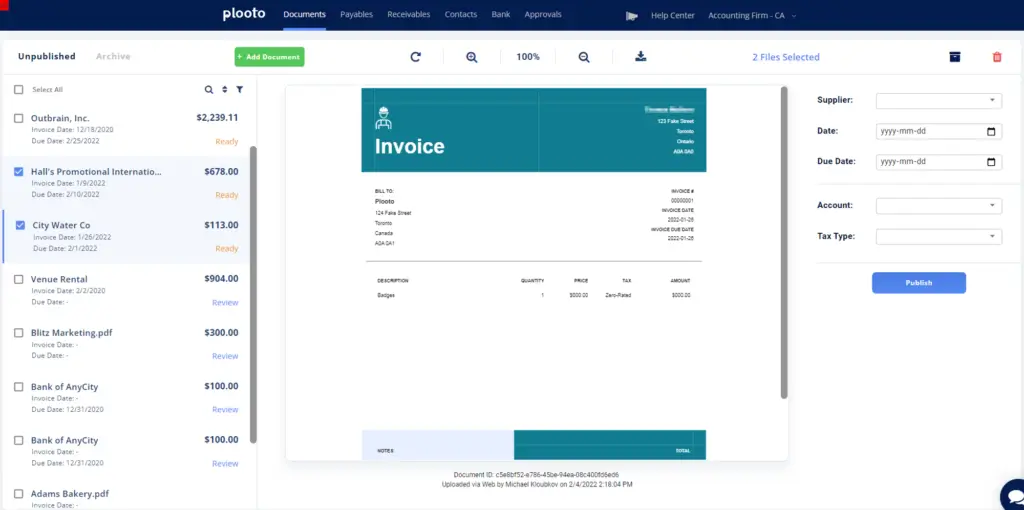
Plooto’s AP side is built around reducing manual work and tightening internal controls. You can email or upload bills, automate invoice data extraction through Plooto Capture, assign approval workflows, and schedule payments from a single platform. For businesses that are still chasing approvals over email or relying on manual bank portals, this is where the product delivers immediate value.
- Invoice upload and OCR-based data capture
- Custom approval workflows with multiple rules and approvers
- Domestic ACH, EFT, EMT, check, and card-based payment options
- Recurring and post-dated payments
- Audit trails and payment status visibility
Accounts receivable automation
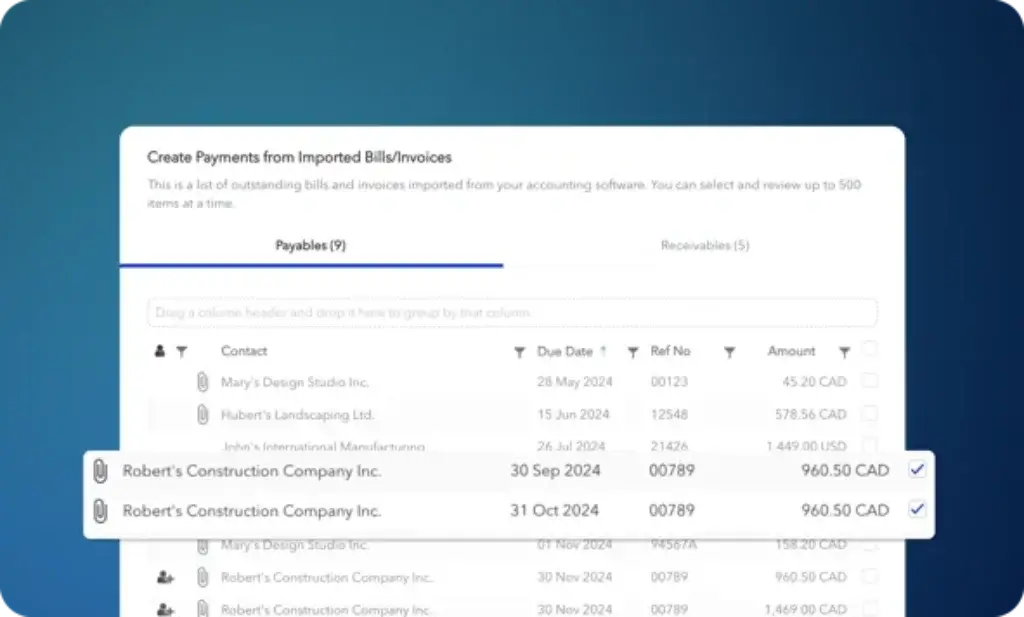
Plooto is more than a bill pay tool. It also supports receivables workflows, which is one reason it compares more directly with BILL than with AP-only tools. You can send one-time or recurring payment requests, track status, accept pre-authorized debits, and take credit card payments. That makes it useful if you want one platform handling both outgoing and incoming payment workflows.
- One-time and recurring payment requests
- Pre-Authorized Debit support
- Credit card acceptance
- Payment request tracking and receivables reporting
- Automatic reconciliation with supported accounting software
Approval controls and auditability
For many businesses, approval controls are the reason to buy Plooto in the first place. Grow and Pro plans support more advanced workflows, and Pro adds stronger governance features such as controls on payment method changes and approval rule changes. This is particularly valuable if you are trying to strengthen segregation of duties or make external reviews easier.
International payments, online checks, and Pay by Card
Plooto gives you more flexibility than a basic bank portal. You can send international payments with competitive exchange rates, use online check payments in Canada and the United States, and pay vendors by commercial credit card even if they are ultimately paid by ACH, EFT, or check. That added payment flexibility can improve working capital, though you still need to monitor fees closely.
Accounting integrations
Integration is one of Plooto’s strongest selling points. QuickBooks and Xero are supported across the business-facing plans, while NetSuite is available on Pro as an additional add-on. Two-way sync and automatic reconciliation reduce data entry errors and make it easier to maintain a cleaner audit trail between operational payments and your books.
Invoice management and reconciliation
Plooto Capture is one of the most practical parts of the product. It allows you to import invoices by email or upload, process them automatically, publish them into your accounting system, and then create payments from those invoices. Once payments are made, the system syncs them back, which helps reduce duplicate entry and month-end cleanup.
How Plooto works
Set up and day-to-day use
Getting started
Plooto offers a 30-day free trial, and official onboarding guidance frames setup as a process that can begin in minutes. In practice, setup is straightforward for simpler organizations. You connect bank accounts, link your accounting software, import contacts and invoices, define approval rules, and begin routing payments through the platform.
Managing bills and approvals
Once configured, the workflow is fairly clean. Bills enter the system through upload or email, invoice data is captured, approval rules route the payment to the right people, and authorized users approve online before funds are sent. For teams that need multiple signers or spending thresholds by bank account or amount, this is much easier to manage than email chains and manual bank authorizations.
Managing incoming payments
On the AR side, you can create payment requests, let clients pay online, and monitor status from one place. Businesses with repeat billing or subscription-like payment patterns will appreciate recurring payment requests and PAD functionality. This is not a full revenue operations suite, but it does cover the practical basics well.
Working with accounting firms and client portfolios
Plooto is particularly relevant for firms. The client-focused Go plan, linked client discounts, and waived firm subscription thresholds on Grow and Pro make the product more attractive for accountants and bookkeepers than for some purely business-focused competitors. If your review site covers both business buyers and accounting professionals, this is an important positioning angle.
Pros and Cons
A balanced view: what you’ll love and what to consider
Plooto is a well-positioned AP and AR automation platform, but it is not the right answer for every finance team. Its strengths are clearest when you need approval control, bank-to-bank payment workflows, and accounting sync without moving into a full ERP. Its limitations show up when you need broader accounting depth, deeper global payables infrastructure, or faster payment timelines in every scenario.
Positive
✅ Approval workflows are genuinely useful
✅ Improves accounting hygiene without replacing your books
✅ Stronger than many AP tools because it also handles AR
✅ Especially compelling for firms
Negative
❌ Not a full accounting or ERP solution
❌ Payment timing can be a friction point
❌ Low-volume businesses may question the economics
❌ Higher tiers matter more than with some competitors
✅ Best reasons to choose Plooto
Approval workflows are genuinely useful
This is one of Plooto’s strongest differentiators for SMB finance teams and accounting firms. You can move from one designated approver on Go to custom approval workflows with multiple rules and unlimited approvers on Grow and Pro. For organizations with board approvals, multi-signer policies, or internal spending controls, this matters a lot.
It improves accounting hygiene without replacing your books
Plooto’s two-way sync with QuickBooks, Xero, and optionally NetSuite helps keep payment activity aligned with your accounting records. That can reduce reconciliation work, lower data entry mistakes, and make monthly close less painful.
Stronger than many AP tools because it also handles AR
Some AP platforms are heavily focused on outgoing payments only. Plooto’s receivables functionality gives you more breadth than that. If you want to automate both vendor payments and incoming payment requests from one product, Plooto is more balanced than a pure bill pay tool.
Especially compelling for firms
The product architecture and pricing logic clearly acknowledge the accounting firm use case. If you manage client approvals and payments at scale, Plooto deserves more attention than it often gets in general business software roundups.
❌ Main drawbacks and limitations
Not a full accounting or ERP solution
If you need bookkeeping, general ledger, payroll, deep reporting, or broad ERP functionality, Plooto will not replace QuickBooks, Xero, Sage Intacct, or NetSuite. You still need an accounting backbone behind it.
Payment timing can be a friction point
User review data is generally positive, but one recurring complaint is that payments can take longer than some users expect. That does not make the platform unreliable, but it does mean timing-sensitive teams should test workflows carefully before relying on it for urgent payments.
Low-volume businesses may question the economics
If you only make a handful of vendor payments each month, especially if your existing bank tools are already workable, Plooto’s subscription plus transaction fees may feel harder to justify. The value becomes clearer when volume, approval complexity, or client management needs rise.
Higher tiers matter more than with some competitors
Plooto’s strongest controls are concentrated in Grow and Pro. That is not unusual, but it does mean many serious finance teams will quickly outgrow the entry-level experience.
Pricing and plans
How much does Plooto cost?
Plooto’s pricing is clearer than some competitors in this category, and that is a plus. The company currently offers three main business-facing plans plus firm-oriented client arrangements. The structure is designed to map to payment volume and control complexity, not just company size.
Go
The Go plan starts at $9 per month and is only available for clients. It supports Xero and QuickBooks sync, basic approval workflows with one designated approver, up to five domestic transactions per month from one connected bank account, invoice capture, international payments, PAD, and card acceptance.
Grow
Grow starts at $32 per month and is the plan most businesses should evaluate first. It adds unlimited domestic transactions, unlimited bank accounts, custom approval workflows with multiple rules and unlimited approvers, optional payment packages, and the broader control most serious users will actually need.
Pro
Pro starts at $99 per month and is built for more complex payment operations. It adds advanced controls on payment method and approval rule changes, single sign-on, priority support, and support for NetSuite as an additional add-on.
Transaction fees and important extras
This is where you need to read carefully. Domestic EFT and ACH payments are lower on Grow and Pro than on Go. Pay by Card carries a 2.9% fee. Cross-border payments and checks also carry fees, although foreign exchange transfer fees are waived on eligible international payments in Grow and Pro. In other words, Plooto can be competitively priced, but your real cost depends on how often and how you move money.
Pricing comparison table
| Plan | Starting price | Best for | Key highlights |
| Go | $9/month | Low-volume client payment workflows | QuickBooks and Xero sync, OCR capture, 1 approver, 5 domestic transactions/month |
| Grow | $32/month | SMBs that need stronger automation and approvals | Unlimited domestic transactions, unlimited bank accounts, custom workflows, unlimited approvers |
| Pro | $99/month | Complex finance operations and stronger controls | Advanced controls, SSO, priority support, NetSuite add-on support |
| Pay by Card | 2.9% fee | Cash flow flexibility | Pay vendors by card while vendors receive ACH, EFT, or check |
| Card acceptance | 2.9% to 3.2% | Receivables collection | Accept Visa, Mastercard, and American Express payments |
Business fit
Who should use Plooto?
Small and mid-sized businesses with approval complexity
If your team is still manually managing bill approvals, collecting signatures, or bouncing between bank portals and accounting software, Plooto can create immediate operational relief. It is particularly useful once payments move beyond a single owner-operator workflow.
Accounting and bookkeeping firms
This is one of Plooto’s best-fit segments. If your firm manages client payment operations, needs signing authority tiers, or wants a cleaner way to centralize payable and receivable activity, Plooto is easy to justify.
Organizations that want stronger controls without moving to an ERP
Some businesses are not ready for the cost, complexity, or implementation burden of a full ERP, but they still need better approval logic and payment oversight than their accounting software offers natively. Plooto sits nicely in that gap.
Who should probably look elsewhere
If you want a full accounting suite, deep financial reporting, procurement-heavy workflows, or very advanced global payments compliance, Plooto may feel too narrow. In those cases, a broader product like BILL, Tipalti, or an ERP-centric finance stack may be the better path.
Alternatives
Plooto alternatives and competitors
Plooto competes in a crowded but very segmented market. The best alternative depends on whether you want better AP control, broader financial operations, stronger global payouts, or a spend-first platform with AP capabilities added in.
Comparison table: Plooto vs alternatives
| Feature Type | Plooto | BILL | Melio | Tipalti | Ramp |
| Core focus | AP and AR automation with strong approval controls | Broader financial operations platform with AP, AR, and spend | SMB AP and AR payments in the US | Global AP, procurement, and mass payments | AI-led AP automation inside a broader spend platform |
| Best fit | SMBs and accounting firms using QuickBooks, Xero, or NetSuite | Businesses wanting broader finance ops coverage | Small US businesses prioritizing simplicity | Companies with heavier global payment and compliance needs | Finance teams that want AP plus spend management |
| Receivables support | Yes | Yes | Yes | Limited relative to AP depth | No major AR focus |
| International strength | Good for SMB cross-border needs | Moderate to strong | Useful, but SMB-oriented | Strongest in this group | Available, but AP-led |
| Accounting integrations | QuickBooks, Xero, NetSuite | Broad accounting ecosystem | Multiple accounting integrations, especially QuickBooks and Xero | Enterprise-grade finance stack focus | ERP and accounting sync across major systems |
BILL is the closest broader competitor if you want AP, AR, and spend under one larger financial operations umbrella. It is usually the better fit if you want a more expansive platform and deeper ecosystem breadth.
Melio is a good option if you want a simpler, SMB-friendly way to pay vendors and collect payments, especially in the US. It is generally easier to position for small business simplicity, while Plooto is stronger when approval control and firm workflows matter more.
Tipalti is the stronger enterprise-style option for global payouts, compliance, and large-scale payables complexity. It is the better answer for businesses with international supplier or partner payment complexity, but it is usually more platform than a typical SMB needs.
Ramp is compelling if you want AP automation within a larger spend management ecosystem. It is a stronger consideration when cards, policy control, and AI-supported finance workflows are central to your buying criteria.
Connected finance workflows
Integrations and ecosystem
QuickBooks
Plooto’s QuickBooks integration is one of its best-known strengths. Two-way sync, automatic reconciliation, and reduced manual entry make it a strong fit for businesses that want better payment workflows without abandoning QuickBooks.
Xero
Xero users get a similar benefit. Bills can be imported, payments tracked, and audit trails maintained more cleanly than with a patchwork of manual processes and bank approvals.
NetSuite
For larger or more structured finance teams, NetSuite support on Pro makes Plooto more relevant than many SMB-focused alternatives. It is still not a replacement for NetSuite, but it can improve approval and payment execution around it.
Overall ecosystem verdict
Plooto’s ecosystem is not the broadest in the market, but its key integrations are the right ones for its target customer. In practice, that matters more than having an enormous app marketplace if the product already fits your finance workflow cleanly.
Security and support
Security and compliance in Plooto
Plooto emphasizes end-to-end TDS and SSL encryption, multi-factor authentication, audit trails, and stronger change controls on higher plans. Pro also adds single sign-on and priority support. For finance teams handling payment approvals and vendor information, those controls are meaningful because payment workflow tools need to be judged not only by convenience, but also by governance.
Why this matters in real buying decisions
A lot of SMBs buy payment software for efficiency, then later realize the security and approval model matters just as much. Plooto’s best value is often the combination of convenience and control. That is especially true if your business has grown beyond one person making every payment decision.
Conclusion
Final thoughts
Plooto is one of the stronger AP and AR automation platforms for small and mid-sized businesses that already have an accounting system in place and want better control over payments. It is especially compelling for QuickBooks and Xero users, and more relevant than many people realize for accounting firms that manage client workflows.
Its biggest advantage is focus. It solves a specific finance operations problem well: how to capture bills, control approvals, move money, collect payments, and keep everything reconciled without drowning your team in manual work. That clarity makes it easier to recommend than broader platforms when your actual need is payment workflow automation rather than full finance transformation.
The trade-off is equally clear. Plooto is not accounting software, not an ERP, and not the best fit for every kind of global payments complexity. If you need broader financial operations coverage, BILL may be a better fit. If you need heavier international compliance and mass payouts, Tipalti is usually stronger. If you want spend-first workflows, Ramp may be the better modern alternative.
For the right buyer, though, Plooto is a smart and practical product. If your business is struggling with manual approvals, reconciliation friction, or disconnected bill pay and receivables processes, it deserves a place on your shortlist.
Have more questions?
Frequently asked questions
What is Plooto?
Plooto is an accounts payable and accounts receivable automation platform. It helps businesses and accounting firms automate approvals, send payments, collect receivables, and sync payment activity with accounting software.
Is Plooto accounting software?
No. Plooto is not a full accounting system. It works alongside software like QuickBooks, Xero, and NetSuite to automate payment operations and reconciliation.
Who is Plooto best for?
Plooto is best for small and mid-sized businesses, plus accounting and bookkeeping firms, that need better bill payment controls, approval workflows, and receivables automation.
What accounting software does Plooto integrate with?
Plooto supports QuickBooks and Xero across its main business plans, while NetSuite support is available on Pro as an add-on.
Does Plooto support both AP and AR?
Yes. Plooto supports outgoing payments through AP automation and incoming payment collection through AR features such as payment requests, PAD, recurring payments, and credit card acceptance.
How much does Plooto cost?
Plooto currently starts at $9 per month for Go, $32 per month for Grow, and $99 per month for Pro, with additional transaction fees depending on payment type and plan.
Does Plooto support international payments?
Yes. Plooto supports international payments and promotes competitive exchange rates. International pricing and fee treatment vary depending on the transaction type and plan.
What are the biggest strengths of Plooto?
The main strengths are approval workflows, two-way accounting sync, invoice capture, combined AP and AR coverage, and a strong fit for accounting firms managing client payment operations.
What are the biggest limitations of Plooto?
The main limitations are that it is not a full accounting suite, some users report slower-than-expected payment timing, and higher-value controls are pushed into upper-tier plans.
What are the best Plooto alternatives?
The best alternatives depend on your needs. BILL is the closest broader competitor, Melio is a strong SMB-friendly option, Tipalti is better for heavier global payables complexity, and Ramp is strong if you want AP inside a larger spend management platform.