
Introduction
Collecting feedback is easy. Collecting feedback that is reliable, representative, and useful enough to guide a business decision is much harder.
That distinction explains why SurveyMonkey remains a leading survey platform. It combines templates, advanced logic, several distribution channels, targeted audience recruitment, reporting, integrations, and AI-assisted creation and analysis.
However, the product is not automatically the best choice for every survey. Its free plan is heavily restricted, advanced branding and analysis often require higher subscriptions, team plans start with a minimum number of seats, and response overages can make costs less predictable.
In this SurveyMonkey review, you will learn:
- How SurveyMonkey performs across the complete survey workflow
- Which AI features provide meaningful research value
- How survey logic, distribution, Audience, and analytics work
- What its current pricing structure means for solo users and teams
- When Typeform, Jotform, Google Forms, Qualtrics, or Odoo Surveys may be a better fit
Bottom line: SurveyMonkey is a strong choice when survey quality, flexible distribution, research analysis, and organizational control matter more than getting the cheapest form builder. It is harder to justify for occasional basic polls that could be handled by a simpler free tool.
| Category | SurveyMonkey Review Summary |
| Best For | Marketing, customer experience, HR, research, education, nonprofit, and enterprise teams running recurring surveys |
| Free Plan | Available, with unlimited surveys but a 10-question limit and only 25 viewable responses per survey |
| Strongest Features | Survey logic, AI creation and analysis, Audience panel, reporting, templates, and multi-channel distribution |
| Main Limitation | Useful capabilities and higher response allowances can require expensive annual or team plans |
| Best Alternative | Typeform for conversational design, Jotform for forms and payments, Google Forms for simple free surveys |
| Our Recommendation | Best for teams that need professional survey research rather than only basic data collection |
Who Is SurveyMonkey Best For?
Understand where the platform delivers the most value
SurveyMonkey is designed for a wide range of users, but its best fit becomes clearer when you look at the type of decision the survey needs to support.
✅ Best For
- Marketing and research teams testing concepts, messages, pricing, audiences, and brand awareness
- Customer experience teams running NPS, CSAT, CES, onboarding, and churn-feedback programs
- HR teams collecting engagement, pulse, onboarding, training, and exit feedback
- Educational and nonprofit organizations managing evaluations, registrations, applications, and stakeholder research
- Enterprises requiring centralized administration, SSO, governance, compliance controls, and shared assets
❌ When It Might Not Be the Right Fit
- You only need a basic internal poll and do not require logic, exports, branding, or advanced analysis
- You want an unlimited free plan with generous response access
- You prioritize visual conversation design over research depth and data analysis
- You need an operational form system with complex approvals, documents, signatures, and transactional workflows
- Your budget cannot absorb annual billing, seat minimums, or response overages
Real Scenarios Where SurveyMonkey Performs Well
You can analyze churn feedback by customer segment, run recurring employee pulse surveys, or test concepts with a purchased target audience. SurveyMonkey is most valuable when feedback feeds a defined decision and follow-up process.
Key Features
Build structured surveys without starting from scratch
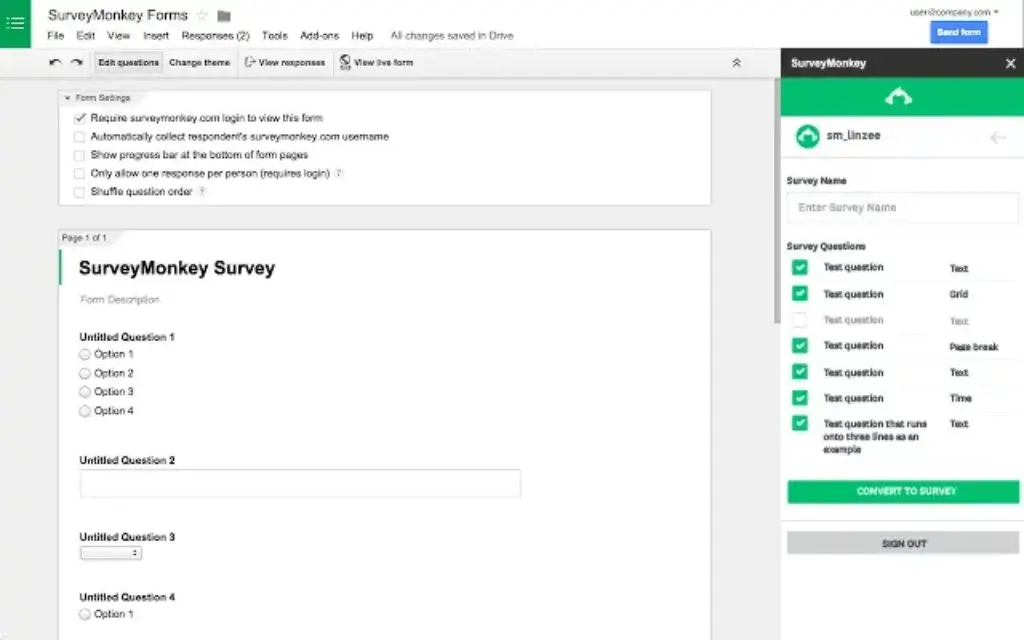
SurveyMonkey supports the full creation workflow, from drafting questions to controlling how different respondents move through the survey. The interface is approachable for a beginner, but the platform has enough depth for more deliberate research design.
Templates and Question Bank
The platform provides hundreds of expert-built templates for customer satisfaction, employee engagement, market research, events, education, healthcare, product feedback, and other common survey goals. Its Question Bank helps you use established wording rather than inventing every question independently.
Question Types and Customization
You can use multiple choice, checkboxes, dropdowns, text boxes, rating scales, matrices, rankings, file uploads, image choices, sliders, and other question formats depending on your plan. Themes, fonts, colors, logos, page layouts, custom URLs, and white-label controls provide varying levels of branding.
Survey Logic, Branching, and Piping
Survey logic is one of SurveyMonkey’s core strengths. Skip logic and branching can move respondents to different pages or questions based on previous answers. Piping can reuse an earlier response later in the questionnaire. Randomization can reduce order bias, while quotas can stop collection after a target segment reaches the required number of responses.
These controls shorten surveys and personalize the experience, but every important branch should be tested before launch.
Forms, Registrations, and Payments
SurveyMonkey is not limited to opinion research. You can create event registrations, applications, contact forms, donation forms, order requests, quizzes, and other structured data-collection experiences. Supported plans can connect payments through Stripe, allowing a respondent to submit information and pay within the same flow.
For advanced signatures, approvals, or document generation, a dedicated form platform may be more suitable.
AI Features
Evaluate whether the AI saves research time or only drafting time
SurveyMonkey’s AI capabilities now cover both ends of the survey lifecycle. You can use AI to create and improve the questionnaire, then use a separate analysis suite to interpret responses.
Build With AI
You can describe what you want to learn and receive a generated survey draft with suggested questions and answer formats. This is useful when the blank page is the main barrier, especially for common objectives such as post-event feedback, customer satisfaction, employee check-ins, and product research.
Treat the output as a draft and verify wording, scales, length, and alignment with the decision you need to make.
AI Survey Import and Design Guidance
If you already drafted questions in Word, Google Docs, email, or another application, SurveyMonkey can interpret the content and convert it into a structured survey. AI can also recommend question types and flag possible wording or design problems.
Analyze With AI
Analyze with AI lets you ask natural-language questions about your results and receive summaries, explanations, and charts. Instead of manually building several filters, you can ask which segment was least satisfied, what factors are associated with a lower score, or how responses differ across groups.
Thematic and sentiment analysis organize written feedback, while response-quality tools can flag suspicious submissions.
Where the AI Still Needs Human Judgment
AI cannot repair a biased sample or ambiguous questionnaire. Availability also varies by plan, language, account settings, and data-center configuration, so confirm eligibility before purchasing primarily for AI analysis.

Distribution, Audience, and Respondent Experience
Reach your own contacts or purchase access to a target market
Survey quality depends on more than question design. You also need a distribution method that reaches the right people without creating unnecessary friction.
Web Links, QR Codes, and Social Sharing
The web-link collector gives you a URL that can be shared through email, messaging apps, social channels, printed materials, or a QR code. You can use different collectors for the same survey to compare response sources or apply different settings.
Email Invitations and Follow-Ups
Paid plans can send customized email invitations through SurveyMonkey, schedule delivery, track responses, and issue reminders or thank-you messages. This is useful when you need to know who has responded without manually comparing several lists.
Email collectors can associate respondent information with results, so configure anonymity before sending sensitive surveys.
Website Embeds and Pop-Ups
You can embed a survey on a website or present it through a pop-up invitation. This supports post-purchase feedback, content evaluations, support follow-ups, event registrations, and lightweight website research without sending users to a separate campaign page.
SurveyMonkey Audience
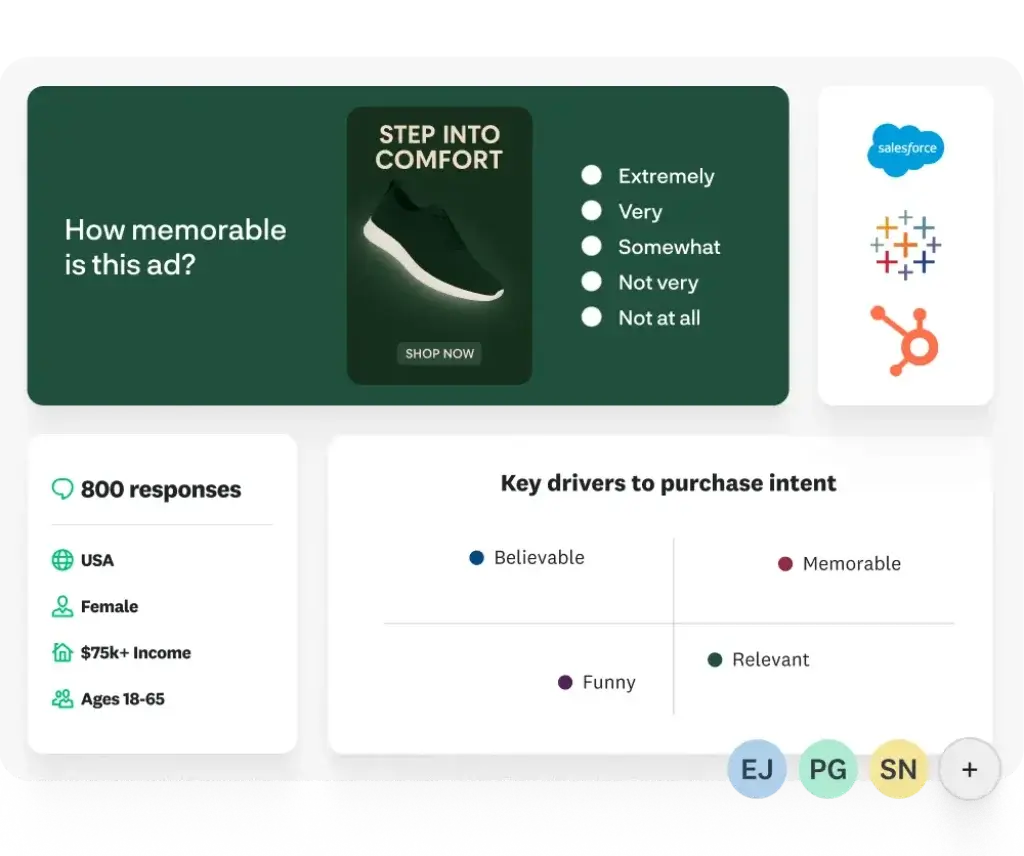
SurveyMonkey Audience lets you buy responses from a global research panel. You choose targeting criteria such as location, age, gender, job function, or other demographic and professional attributes, then pay for completed responses.
It solves the recruitment problem when your own database cannot reach the required market. Cost rises with narrower targeting and screening.
Respondent Experience
Surveys are mobile responsive, and you can add progress indicators, page breaks, validation, and personalized logic. Still, SurveyMonkey’s experience is generally more traditional than Typeform’s one-question-at-a-time format.
The conventional layout suits evaluations and matrix-heavy research, while conversational tools may be better for visually driven lead campaigns.
Analytics and Reporting
Turn raw responses into evidence your team can use
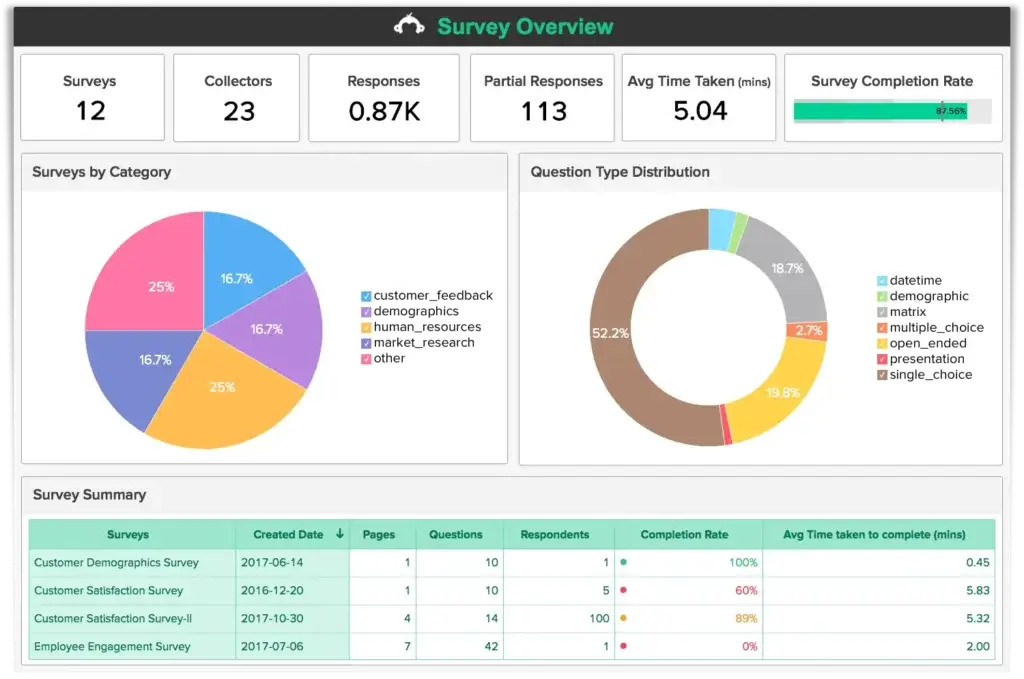
Analytics is where SurveyMonkey separates itself from many lightweight survey tools. You can review results as they arrive, inspect individual submissions, compare segments, build reports, and export data for further analysis.
Real-Time Results and Automatic Charts
SurveyMonkey automatically summarizes responses and generates charts for compatible question types. You can switch chart formats, edit labels, apply colors, and focus on individual questions without building a dashboard from scratch.
Filters, Comparisons, and Crosstabs
Filters let you isolate responses by answer, collector, completion status, time, custom variable, or other available attributes. Comparison rules and crosstabs help reveal whether different groups responded differently.
Statistical significance features can also reduce the risk of overinterpreting small differences between segments.
Open-Ended Feedback Analysis
Written responses often contain the most specific insight, but they are difficult to review at scale. SurveyMonkey combines manual tagging with AI-generated themes and sentiment so you can identify repeated complaints, positive experiences, feature requests, and unexpected topics.
Dashboards, Longitudinal Analysis, and Exports
Custom reports and multi-survey dashboards help you share findings and monitor metrics over time. This supports recurring NPS, engagement, customer-health, and brand-tracking programs where the trend matters more than one isolated survey.
Exports are available in formats such as PDF, PowerPoint, Excel, CSV, and SPSS, depending on the plan and dataset. Teams that need to combine feedback with financial, product, or operational data can connect SurveyMonkey with Tableau or Power BI, or review our guide to the best business intelligence software.
Native reporting is strong for business research, while advanced modeling still belongs in specialist analytics tools.
Pros and Cons
A balanced assessment based on product depth and recurring user feedback
SurveyMonkey earns consistent praise for usability, survey creation, and analysis. The most common criticism is not that the platform lacks capability, but that valuable capability can become expensive.
Positive
✅ Easy to build professional surveys
✅ Strong logic, analytics, and export options
✅ Useful AI creation and analysis tools
✅ Multiple collection channels and Audience access
Negative
❌ Free plan is too limited for most professional surveys
❌ Advanced features require higher subscriptions
❌ Team plans have a three-seat minimum
❌ Response overages can reduce pricing predictability
✅ What You Will Appreciate
Fast setup without sacrificing research depth
The editor is accessible to beginners but still supports logic, quotas, multilingual surveys, custom variables, and advanced analysis.
A complete feedback workflow
You can build, send, target, analyze, share, and automate in one platform. Audience also helps recruit respondents.
Analysis that business users can understand
Charts, filters, crosstabs, significance testing, dashboards, and AI summaries make analysis accessible to business teams.
Mature governance for larger organizations
Shared assets, permissions, SSO, administration, and compliance controls support multi-department governance.
❌ What Could Be Better
The free plan does not support a realistic business pilot
Ten questions and 25 viewable responses are enough to learn the editor, but rarely enough for a meaningful business pilot.
Pricing can rise faster than expected
Annual billing, seat minimums, response limits, Audience purchases, and overages can raise the total cost.
Advanced logic requires disciplined testing
Complex branching needs documentation and testing across every important path.
Design is professional rather than highly distinctive
Teams seeking a highly visual conversational experience may prefer Typeform.
Pricing and Plans
Understand the real cost before choosing a plan
SurveyMonkey offers individual, team, and Enterprise plans. Prices and available packages vary by region, currency, account, and promotion, so confirm checkout terms.
Current Public Pricing Overview
| Plan | Public US Price* | Best For | Important Limits or Features |
| Basic | $0 | Testing and very small polls | Unlimited surveys, up to 10 questions, 25 viewable responses per survey |
| Standard Monthly | $99/month | Short-term or occasional paid use | Monthly billing, paid logic, reports, and exports |
| Advantage Annual | $46/month, billed $552 annually | Individual users running regular surveys | More logic, higher response allowance, exports, and professional tools |
| Premier Annual | $139/month, billed $1,668 annually | Individual research power users | Advanced logic, stronger branding, multilingual surveys, and phone support |
| Team Advantage | $30/user/month, billed annually | Teams needing collaboration and shared assets | Three-user minimum, 50,000 shared annual responses, AI analysis features |
| Team Premier | $92/user/month, billed annually | Teams needing advanced analysis and white labeling | Three-user minimum, 100,000 shared annual responses, crosstabs and phone support |
| Enterprise | Custom quote | Organizations needing governance, integrations, and compliance | SSO, administration, custom limits, data-center options, onboarding, and HIPAA features |
Free Plan Limitations
The Basic plan allows unlimited surveys, but each survey is limited to 10 questions and only 25 responses can be viewed. If more people respond, you may need to upgrade to access additional data. Exports, many question types, advanced logic, and professional customization are also restricted.
Response Limits and Overage Costs
Paid plans include a defined response allowance. SurveyMonkey states that additional responses can be billed at up to $0.15 each in the United States, while local equivalents vary. Audience responses are purchased separately and do not come from the standard subscription allowance.
Which Plan Offers the Best Value?
Advantage Annual is the practical individual choice for regular research. Standard Monthly suits short-term paid use. Team Advantage starts with a three-seat commitment, while Team Premier is best when advanced branding, multilingual surveys, crosstabs, and phone support will be used consistently.
SurveyMonkey can deliver good value when feedback informs important decisions, but it is less competitive when you only need simple forms or a few low-stakes surveys each year.
Integrations, Collaboration, and Workflow Automation
Connect feedback with the tools where decisions and follow-up happen
Survey data becomes more valuable when it can trigger follow-up or appear beside operational information. SurveyMonkey offers more than 200 integrations through Connect, its App Directory, automation platforms, and APIs.
SurveyMonkey Connect
Connect lets you create survey-specific actions inside the creation workflow. For example, a new response can send a Slack or Microsoft Teams notification, or export data to a spreadsheet. This is easier than building a separate automation for every basic workflow.
CRM, Marketing, and Analytics Integrations
Available integrations include tools such as Salesforce, HubSpot, Marketo, Google Sheets, Tableau, and Microsoft Power BI. Some high-value business integrations are reserved for Enterprise plans, so verify plan eligibility before treating an integration as part of your implementation.
Zapier, Power Automate, and APIs
Zapier and Microsoft Power Automate can connect SurveyMonkey with broader app ecosystems. You can create a CRM record after a qualified response, route negative feedback to support, add a follow-up task, or archive results in another system. Read our Zapier review for a closer look at no-code automation options.
Team Collaboration
Team plans let colleagues share surveys, collaborate on design and analysis, comment, use shared themes and logos, and manage access. Enterprise adds stronger user administration, departments or workgroups, usage reports, and centralized governance.
Assign ownership for templates, approvals, respondent data, and follow-up before expanding access.
Security, Privacy, and Customer Support
Review the controls behind sensitive customer and employee feedback
SurveyMonkey can store sensitive customer, employee, contact, and demographic data, so controls should match the survey’s risk level.
Security Certifications and Encryption
SurveyMonkey lists certifications and programs including ISO 27001, SOC 2, PCI DSS, and participation in the EU-US Data Privacy Framework. Data is protected in transit through HTTPS, and the company conducts independent audits and penetration testing.
GDPR, CCPA, and Data Processing
SurveyMonkey provides a data processing agreement and positions itself as a processor for customer personal data under GDPR and a service provider under applicable CCPA terms. This does not make every survey automatically compliant. Your organization remains responsible for lawful collection, notices, consent, retention, access, and deletion practices.
HIPAA and Enterprise Controls
HIPAA-related capabilities are associated with eligible Enterprise configurations and contractual requirements. Enterprise plans can also add SSO, respondent authentication, user controls, data-center selection, custom subdomains, and administrative reporting.
Anonymous Surveys
SurveyMonkey can collect anonymous responses, but anonymity is a collector setting rather than an automatic guarantee. Web links may record IP addresses by default, while email invitations can track contact data. Review these settings before launch and explain the collection method accurately to respondents.
Customer Support
English email support is available 24/7. Phone support is limited to eligible Premier, Team Premier, and Enterprise customers, generally during published weekday hours. The Help Center includes detailed documentation for building, sending, analyzing, billing, teams, and account management.
User reviews frequently praise ease of use and criticize pricing, lower-tier restrictions, and limited customization.
Alternatives
Compare the closest options before making a final choice
The best SurveyMonkey alternative depends on what you value most. Some tools are better for visual engagement, others for operational forms, free collaboration, enterprise experience management, or ecosystem integration.
| Software | Best For | Where It Beats SurveyMonkey | Where SurveyMonkey Is Stronger |
| Typeform | Conversational surveys and lead-generation experiences | More distinctive one-question-at-a-time design | Deeper research analytics, panel access, and enterprise survey controls |
| Jotform | Forms, payments, approvals, documents, and operational workflows | Broader transactional form capabilities and template variety | More survey-focused analysis and research methodology |
| Google Forms | Simple surveys for Google Workspace users | Generous free usage and easy Sheets collaboration | Advanced logic, branding, analysis, Audience, and governance |
| Qualtrics | Complex enterprise experience-management programs | Broader enterprise XM workflows and sophisticated research programs | Easier adoption and a more accessible self-service entry point |
| Odoo Surveys | Businesses already operating in Odoo | Native connection with CRM, events, website, sales, and other Odoo apps | Stronger standalone survey research, panel access, and reporting depth |
SurveyMonkey vs Typeform
Typeform is better for conversational, visually distinctive surveys. SurveyMonkey offers deeper research logic, panel recruitment, analysis, and enterprise administration. Read our complete Typeform review for a closer look at its features, pricing, strengths, and limitations.
SurveyMonkey vs Jotform
Jotform is better for payments, signatures, documents, approvals, and operational forms. SurveyMonkey is stronger for structured research. Read our detailed Jotform review, or compare both platforms in our best online form builders guide.
SurveyMonkey vs Qualtrics
Qualtrics supports broader enterprise experience-management programs but usually requires more budget and implementation effort. SurveyMonkey is the more approachable self-service option. Our complete Qualtrics review explains where its advanced research, experience management, and enterprise capabilities justify the added complexity.
SurveyMonkey vs Google Forms
Google Forms is best for simple free surveys and Sheets collaboration. SurveyMonkey justifies its cost through stronger logic, distribution, branding, analysis, Audience, and governance.
SurveyMonkey vs Odoo Surveys
Odoo Surveys is better when feedback must connect with Odoo operations. SurveyMonkey is the stronger survey specialist. See our Odoo Marketing review for ecosystem context.
Conclusion
Final Recommendation
⭐ Overall Rating: 9.0/10
SurveyMonkey covers the complete feedback lifecycle, from AI-assisted creation and logic to distribution, paid audience access, analysis, exports, and follow-up. Its main weakness is cost, especially once you need team seats, higher response limits, advanced branding, or integrations.
Choose SurveyMonkey if your surveys influence meaningful decisions and you will use its logic, analytics, AI, Audience, integrations, or governance capabilities. Choose a simpler alternative when the requirement is only a basic poll, contact form, or low-cost internal questionnaire.
Frequently Asked Questions
Have More Questions?
What is SurveyMonkey used for?
SurveyMonkey is used to create, distribute, and analyze surveys, forms, polls, quizzes, registrations, applications, and feedback programs for customers, employees, markets, events, education, and research.
Is SurveyMonkey free?
Yes. The Basic plan is free and supports unlimited surveys, but each survey is limited to 10 questions and only 25 responses can be viewed. Many professional features require a paid plan.
How much does SurveyMonkey cost?
Public US pricing includes a free Basic plan, individual paid plans, team plans starting at $30 per user per month with a three-user minimum, and custom Enterprise pricing. Prices vary by region and account.
What are the limitations of the SurveyMonkey free plan?
The free plan limits surveys to 10 questions and 25 viewable responses. Exports, many advanced question types, professional branding, advanced logic, and deeper analysis require a paid subscription.
Can SurveyMonkey create surveys with AI?
Yes. SurveyMonkey can generate a survey from a prompt, import questions from a document, recommend question types, identify design issues, and provide AI-assisted analysis on eligible plans.
Can SurveyMonkey surveys be anonymous?
Yes, but anonymity must be configured in the collector settings. Depending on the collector, SurveyMonkey may otherwise record IP addresses, email information, or other respondent data.
What is SurveyMonkey Audience?
SurveyMonkey Audience is a paid global research panel. It lets you purchase completed responses from people who match selected demographic, geographic, or professional targeting criteria.
Is SurveyMonkey secure?
SurveyMonkey maintains security and compliance programs including ISO 27001, SOC 2, PCI DSS, encryption, audits, and enterprise controls. Your organization must still configure surveys and manage data appropriately.
What is the best alternative to SurveyMonkey?
Typeform is better for conversational design, Jotform for operational forms, Google Forms for simple free surveys, Qualtrics for enterprise experience management, and Odoo Surveys for Odoo-based workflows.
Is SurveyMonkey worth paying for?
SurveyMonkey is worth paying for when you need advanced logic, professional distribution, analysis, exports, audience targeting, integrations, collaboration, or governance. Basic surveys may not justify the cost.

- 1Who Is SurveyMonkey Best For?
- 2Key Features
- 3AI Features
- 4Distribution, Audience, and Respondent Experience
- 5Analytics and Reporting
- 6Pros and Cons
- 7Pricing and Plans
- 8Integrations, Collaboration, and Workflow Automation
- 9Security, Privacy, and Customer Support
- 10Alternatives
- 11Conclusion
- 12Frequently Asked Questions