Introduction
What CRM Means for Your Business
If you manage leads, customers, deals, support requests, or follow-ups, you are already dealing with customer relationships every day. The real question is whether you manage those relationships in a structured way.
CRM stands for Customer Relationship Management. It refers to the strategy, process, and software businesses use to manage customer data, track interactions, improve communication, and grow stronger customer relationships.
At a basic level, CRM helps you answer important questions quickly:
- Who is this customer?
- What did they ask for?
- Where are they in the sales process?
- Who spoke with them last?
- What should happen next?
Without CRM software, that information often gets scattered across inboxes, spreadsheets, notebooks, chat messages, and individual team members. That creates missed follow-ups, poor handoffs, weak reporting, and inconsistent customer experiences.
With the right CRM, you can centralize customer information, automate routine tasks, and give your sales, marketing, and support teams one shared view of every relationship.
Quick answer: CRM is a system for managing customer relationships. CRM software helps you store customer data, track conversations, manage sales opportunities, automate follow-ups, and improve the way your team works with leads and customers.
What Is CRM Software?
CRM software is a digital platform that helps you manage every interaction your business has with leads, prospects, and customers. It brings customer data, communication history, sales activity, tasks, and reporting into one central place.
Think of it as your customer relationship hub. Instead of switching between email, spreadsheets, calendars, call notes, and support tools, your team can work from a shared source of truth.
A good CRM helps you:
- Store contact and company information
- Track leads, deals, and customer accounts
- Log emails, calls, meetings, and notes
- Assign tasks and follow-up reminders
- Automate repetitive sales and service workflows
- Measure sales, marketing, and support performance
Modern CRM software has moved far beyond the basic “digital address book” model. Many platforms now include AI, automation, lead scoring, sales forecasting, customer segmentation, ticket management, and deep integrations with the tools you already use.
That means CRM is no longer only for enterprise sales teams. It is now useful for small businesses, agencies, consultants, SaaS companies, ecommerce brands, professional services firms, and any organization that wants a clearer view of the customer journey.
CRM vs CRM Software: What’s the Difference?
CRM and CRM software are closely connected, but they are not exactly the same thing.
CRM is the strategy. It defines how your business manages relationships, follows up with customers, handles sales opportunities, and improves customer experiences over time.
CRM software is the tool that helps you execute that strategy in a consistent, scalable way.
You can technically manage customer relationships without CRM software. For example, a very small business might start with spreadsheets, email folders, and calendar reminders. But as soon as you have more leads, more conversations, more team members, or a longer sales cycle, that manual setup becomes difficult to control.
CRM software gives your process structure. It helps you define pipeline stages, assign ownership, track activity, measure performance, and make sure the right person takes the right action at the right time.
💡 CRM expert tip: A CRM will not fix a broken sales process by itself. Before choosing a platform, define your lead stages, follow-up rules, required data fields, and team responsibilities.
How CRM Software Works
CRM software works by collecting customer information from different touchpoints and organizing it into clear records, workflows, and reports.
When used correctly, it shows you where every lead, customer, and deal stands right now, and what should happen next.
📥 Customer Data Collection
Your CRM collects information from forms, emails, calls, meetings, chat tools, imports, integrations, and manual entries. This can include names, email addresses, phone numbers, company details, lead sources, deal values, and past activity.
This data becomes the foundation for better sales, marketing, and customer service decisions.
👤 Contact and Account Organization
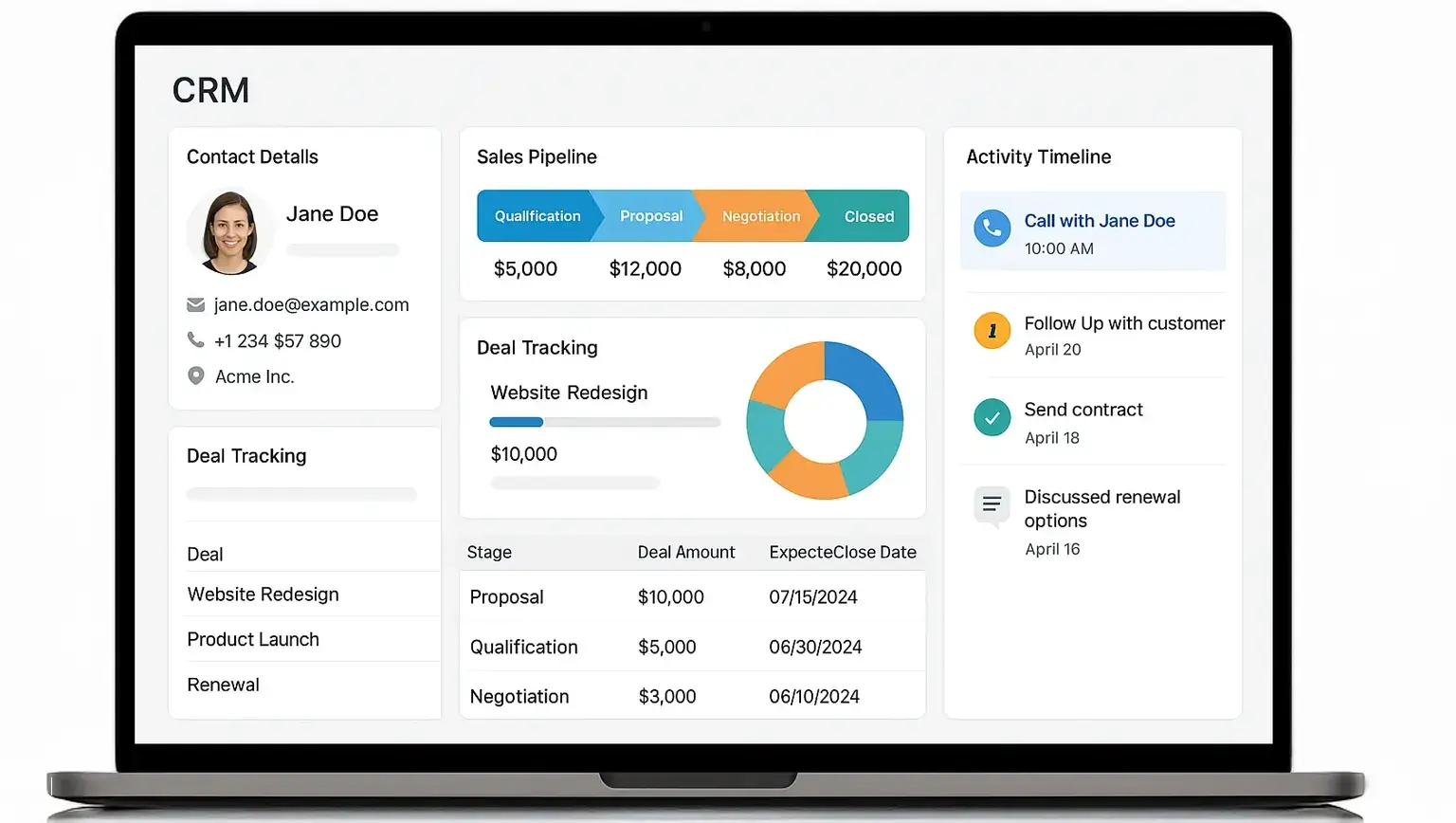
Each lead or customer gets a centralized profile. Your team can see contact details, communication history, notes, open deals, past purchases, support requests, and related company information.
This is especially useful when multiple people work with the same customer. Sales, marketing, support, and leadership can all see the same context.
📊 Pipeline and Deal Tracking
CRM software lets you track opportunities through defined pipeline stages, such as new lead, qualified, proposal, negotiation, and won.
This helps you understand which deals are moving, which are stuck, and where your revenue may come from in the next month or quarter.
🔔 Automation and Follow-Ups
One of the biggest benefits of CRM software is automation. You can trigger reminders, assign leads, send email sequences, update deal stages, create tasks, and notify team members automatically.
This reduces manual work and lowers the risk of missed opportunities.
📈 Reporting and Forecasting
CRM dashboards help you measure activity, conversion rates, deal values, revenue forecasts, customer retention, and team performance.
Instead of guessing what is working, you can make decisions based on live customer and sales data.

Core CRM Features to Look For
CRM platforms vary widely, but most good systems share a few essential features. The best option for you depends on your team size, sales process, customer journey, and reporting needs.
📇 Contact and Lead Management
Contact management is the foundation of CRM software. It helps you store names, emails, phone numbers, job titles, companies, notes, and communication history in one place.
Lead management goes one step further by helping you track new opportunities before they become customers.
🧭 Sales Pipeline Management
A CRM pipeline shows where each deal stands in your sales process. You can see which leads are new, which are qualified, which proposals are open, and which deals are ready to close.
This gives your team a clear sales workflow instead of a messy list of disconnected opportunities.
📨 Email and Communication Tracking
Most CRM systems integrate with email and calendar tools. This allows your team to log emails, schedule meetings, track replies, and see past conversations directly from the customer record.
When communication is visible, handoffs become smoother and customers do not need to repeat themselves.
✅ Task and Activity Management
CRM software helps you create tasks, reminders, and follow-up schedules connected to specific leads, deals, or customers.
This is critical for sales teams because timing matters. A missed follow-up can easily become a lost deal.
🔁 Workflow Automation
Automation helps you reduce repetitive work. For example, your CRM can assign a new lead to the right salesperson, send a follow-up email after a form submission, or create a renewal reminder before a contract ends.
For small teams, this can create more output without adding more headcount.
📈 Reporting and Analytics
CRM reporting helps you understand what is happening across your customer lifecycle. You can track win rates, sales cycle length, revenue forecasts, lead sources, activity levels, and customer retention.
This gives you the insight needed to improve performance over time.
🤖 AI and Predictive Insights
Many modern CRMs now include AI features that help with lead scoring, sales forecasting, email drafting, call summaries, customer service recommendations, and next-best-action suggestions.
AI does not replace your team, but it can help them work faster, prioritize better, and personalize communication at scale.
🔌 Integrations
Your CRM should connect with the tools your team already uses, such as email, calendars, marketing automation platforms, live chat, accounting tools, ecommerce systems, and customer support software.
Strong integrations reduce manual data entry and help your CRM become part of your daily workflow.
Types of CRM Systems
Not all CRM systems are built for the same purpose. Some focus on automation, some focus on reporting, and others focus on improving collaboration across teams.
In practice, many modern CRM platforms combine several CRM types into one system.
⚙️ Operational CRM
Operational CRM helps you manage and automate customer-facing processes across sales, marketing, and support.
It is useful when you want to reduce manual work and create more consistent workflows.
Common operational CRM features include:
- Lead routing
- Email automation
- Sales pipelines
- Support ticket workflows
- Task reminders
📊 Analytical CRM
Analytical CRM focuses on customer data, reporting, and decision-making. It helps you understand customer behavior, campaign performance, pipeline health, and revenue trends.
This type of CRM is especially useful when you want to improve forecasting, segmentation, and strategic planning.
🤝 Collaborative CRM
Collaborative CRM helps different teams share customer information. It improves handoffs between sales, marketing, support, account management, and leadership.
This matters because customers do not think in departments. They expect your business to understand their history, no matter who they speak with.
🎯 Strategic CRM
Strategic CRM focuses on long-term customer value. It helps your business improve retention, loyalty, expansion, and customer satisfaction.
This is where CRM becomes more than a sales tool. It becomes a system for building better customer relationships over the entire lifecycle.
What Is CRM Used For?
CRM software can support many departments, but its biggest value comes from giving every team a shared view of the customer.
💼 CRM for Sales Teams
Sales teams use CRM software to manage leads, track deals, schedule follow-ups, log conversations, and forecast revenue.
Example: A sales rep can open a deal record and instantly see when the prospect last replied, which proposal was sent, what the deal is worth, and what the next step should be.
📣 CRM for Marketing Teams
Marketing teams use CRM data to segment audiences, personalize campaigns, track lead sources, and measure which activities generate qualified opportunities.
Example: A marketer can create a campaign for leads who downloaded a guide but have not booked a demo yet.
🎧 CRM for Customer Support Teams
Support teams use CRM software to understand customer history, manage tickets, prioritize requests, and provide more personalized service.
Example: Before replying to a customer, a support agent can see their plan, purchase history, previous issues, and account owner.
📊 CRM for Managers and Leadership
Managers use CRM dashboards to monitor performance, spot bottlenecks, forecast revenue, and understand team activity.
Example: A sales manager can see which pipeline stage loses the most deals and coach the team based on real data.

Benefits of CRM Software
The value of CRM software is not just that it stores customer data. The real value is that it helps your team use that data to act faster, communicate better, and make smarter decisions.
🔍 A Complete View of Every Customer
A CRM gives you one place to see customer details, conversations, tasks, deals, tickets, and account history.
This helps your team understand the full relationship instead of relying on scattered information.
🚀 Better Sales Follow-Up
Sales often depends on timing. CRM software helps you know who to contact, when to contact them, and what to say next.
Instead of depending on memory, your team can follow a structured process.
🤝 Stronger Team Collaboration
When everyone uses the same CRM, sales, marketing, and support can work from the same customer record.
This reduces confusion, duplicate work, and poor handoffs.
📈 Smarter Business Decisions
CRM reporting helps you see what is working and what needs improvement. You can track pipeline value, conversion rates, customer retention, and revenue trends.
Better visibility leads to better decisions.
🎯 More Personalized Customer Experiences
CRM software helps you tailor communication based on customer behavior, interests, lifecycle stage, and past interactions.
That can make your outreach more relevant and your support more helpful.
⏱️ Less Manual Work
CRM automation can handle repetitive actions such as assigning leads, creating tasks, sending reminders, and updating deal stages.
This gives your team more time to focus on conversations, strategy, and customer relationships.
CRM KPIs You Should Track
A CRM becomes much more valuable when you use it to measure performance. The right KPIs help you understand whether your sales process, marketing campaigns, and customer relationships are improving.
Important CRM metrics include:
- Lead response time
- Lead-to-customer conversion rate
- Win rate
- Average deal size
- Sales cycle length
- Pipeline value
- Forecast accuracy
- Customer retention rate
- Churn rate
- Customer lifetime value
Do not track every metric just because your CRM can show it. Focus on the numbers that help your team improve decisions and customer outcomes.
✅ Practical advice: Start with 5 core CRM metrics: lead response time, win rate, sales cycle length, pipeline value, and customer retention rate. These give you a strong view of both growth and relationship quality.
CRM vs Spreadsheet vs ERP vs CDP
CRM is often confused with other business systems. The table below explains where CRM fits and when another system may be needed.
| System | Main Purpose | Best For | Main Limitation |
| CRM | Managing customer relationships, sales activity, and customer interactions | Sales, marketing, support, and account management teams | Needs clean data and team adoption to work well |
| Spreadsheet | Basic tracking and manual lists | Very small teams or early-stage tracking | Hard to scale, automate, report, or collaborate on |
| ERP | Managing core business operations like finance, inventory, and resources | Operations, finance, supply chain, and enterprise planning | Usually not designed for day-to-day sales relationship management |
| CDP | Unifying customer data from multiple sources for segmentation and activation | Marketing teams with large customer datasets | Does not usually replace sales pipelines or CRM activity tracking |
For many businesses, CRM is the best starting point because it directly supports the teams that interact with customers every day.
Cloud-Based CRM vs On-Premise CRM
Before choosing a CRM, you need to understand where the system will live. Most modern businesses choose cloud-based CRM, but on-premise and hybrid setups still matter in some industries.
☁️ Cloud-Based CRM
Cloud-based CRM is hosted online and accessed through a browser or mobile app. The vendor handles hosting, updates, security patches, and infrastructure.
Cloud CRM is usually best if you want:
- Fast setup
- Lower upfront costs
- Remote access
- Automatic updates
- Easy scalability
For most small and mid-sized businesses, cloud CRM is the practical choice because it is easier to launch and maintain.
🖥️ On-Premise CRM
On-premise CRM runs on your own servers and is managed by your internal IT team. It gives you more infrastructure control, but it also requires more technical resources.
On-premise CRM may make sense if you need:
- Strict internal data control
- Custom legacy integrations
- Specific compliance requirements
- Dedicated IT ownership
That said, on-premise CRM is less common for growing businesses because cloud CRM has become more flexible, secure, and cost-effective.
🔐 Hybrid and Private Cloud CRM
Some larger organizations use hybrid or private cloud CRM environments. These setups can help companies balance flexibility with stricter data governance, compliance, or regional data residency needs.
If you operate in a regulated industry, this is worth considering during the buying process.
AI in CRM
How Modern CRM Systems Are Changing
AI is becoming one of the most important changes in CRM software. It helps teams move from simple data storage to smarter recommendations, faster execution, and more proactive customer engagement.
Instead of only showing what happened in the past, AI-powered CRM can help suggest what your team should do next.
🤖 Common AI CRM Capabilities
AI features vary by platform, but common examples include:
- Predictive lead scoring
- Sales forecasting
- Email and call summaries
- Next-best-action suggestions
- AI-generated follow-up emails
- Customer service chatbots
- Sentiment analysis
- Data cleanup recommendations
For example, a CRM may identify which leads are most likely to convert, summarize a sales call, recommend a follow-up task, or alert a manager when a deal is at risk.
💡 What AI Does Not Replace
AI can improve speed and prioritization, but it does not replace customer judgment, sales skill, or relationship-building.
The best use of AI in CRM is to help your team spend less time on manual work and more time on high-value conversations.
CRM Software Examples
There are many CRM platforms available, and the right one depends on your business model, budget, team size, and customer journey.
If you already understand the basics and want to compare tools directly, read our best CRM software guide for a deeper breakdown by use case.
🥇 monday CRM – Best for Flexible Workflows and Visual CRM Management
monday CRM is a strong choice if you want a visual, flexible CRM that can adapt to your sales process rather than forcing your team into a rigid structure.
It is especially useful for teams that want customizable pipelines, automations, dashboards, and collaboration features in one workspace.
Read our full monday CRM review
🥈 HubSpot CRM – Best for Inbound Marketing and Free CRM Adoption
HubSpot CRM is a popular option for businesses that want a user-friendly CRM with strong marketing, sales, and service tools.
It is especially attractive for small businesses because it offers a free CRM foundation and a large ecosystem of paid hubs when you need more advanced features.
🥉 Pipedrive – Best for Sales Pipeline Management
Pipedrive is designed around sales pipeline visibility. It works well for sales-driven teams that want a clean way to manage deals, activities, and revenue forecasts.
If your main priority is keeping sales reps focused on the next action, Pipedrive is a practical option.
Read our full Pipedrive review
🏢 Salesforce – Best for Enterprise CRM Ecosystems
Salesforce is one of the most recognized CRM platforms in the market. It is best suited for larger businesses or complex teams that need deep customization, advanced reporting, extensive integrations, and enterprise-level scalability.
It can be powerful, but it may also require more setup, budget, and administration than simpler CRM tools.
Read our full Salesforce review
💼 Zoho CRM – Best for Cost-Conscious Businesses
Zoho CRM is a strong option for businesses that want a broad set of CRM features at a more accessible price point.
It is often a good fit for small and mid-sized teams that need sales automation, contact management, analytics, and integrations without moving immediately into enterprise pricing.

Free CRM vs Paid CRM
Free CRM software can be a smart starting point, especially if you are a small team, early-stage business, or solo operator.
A free CRM can help you organize contacts, track basic deals, and move away from spreadsheets. But free plans usually have limits around automation, reporting, users, integrations, storage, or advanced customization.
✅ Choose a Free CRM If
- You have a small contact list
- You need basic pipeline tracking
- You are testing CRM for the first time
- You do not need advanced automation yet
🚀 Choose a Paid CRM If
- You need advanced reporting
- Your team needs automation
- You manage multiple pipelines
- You need stronger permissions or security
- You want deeper integrations
In most cases, a free CRM is good for getting started, while a paid CRM is better once CRM becomes part of your daily revenue and customer operations.
How to Choose the Right CRM Software
The best CRM is not always the most advanced one. It is the one your team can actually use, trust, and grow with.
✅ 1. Map Your Customer Journey
Start by listing how a customer moves from first contact to closed deal, onboarding, support, renewal, and expansion.
Your CRM should support that journey clearly.
✅ 2. Define Your Must-Have Features
Focus on what your team needs every day, not only what looks impressive in a demo.
- Contact management
- Pipeline tracking
- Email integration
- Automation
- Reporting
- Permissions
- Mobile access
✅ 3. Check Ease of Use
If the CRM is difficult to use, adoption will suffer. Look for a clean interface, simple navigation, helpful templates, and easy customization.
A CRM should make work easier, not create another layer of admin.
✅ 4. Review Integrations
Your CRM should connect with your email, calendar, marketing tools, customer support software, accounting system, and other important apps.
Good integrations help keep customer data connected across your business.
✅ 5. Consider Scalability
Your CRM should support your current team, but it should also be able to grow with you.
Check whether the platform can handle more users, more data, more automations, and more advanced reporting later.
✅ 6. Test It Before You Commit
Use the trial period to build a sample pipeline, import a few contacts, create tasks, test reports, and invite real users.
This gives you a better sense of whether the CRM fits your workflow.
💡 Need a shortcut?
Our Top CRM Software Guide compares leading CRM platforms by use case, helping you choose with more confidence.
Common CRM Mistakes to Avoid
Even the best CRM can fail if the setup, process, or adoption is weak. These are the mistakes that most often hurt CRM performance.
❌ Treating CRM as Just a Contact Database
If you only use your CRM to store names and emails, you are missing most of its value.
What to do instead: Use your CRM to manage activity, deals, follow-ups, customer history, reporting, and team accountability.
❌ Poor Team Adoption
A CRM only works if your team uses it consistently. If people keep working from private spreadsheets or inboxes, your CRM data becomes incomplete.
What to do instead: Train your team, keep the setup simple, and show how CRM helps them work faster.
❌ Overcomplicating the Setup
Too many fields, stages, automations, and dashboards can make your CRM harder to use.
What to do instead: Start with the basics, then add complexity only when your team needs it.
❌ Ignoring Data Quality
Duplicate contacts, outdated records, missing fields, and inconsistent naming rules can weaken every report and workflow in your CRM.
What to do instead: Create data standards and review your CRM regularly.
❌ Not Defining Ownership
If nobody knows who owns a lead, deal, or customer account, follow-ups get missed.
What to do instead: Define clear ownership rules for every stage of the customer journey.
Final Thoughts
CRM Is a Business System, Not Just Software
CRM software is one of the most important systems a growing business can use. It helps you understand your customers, manage sales opportunities, improve follow-ups, and build more consistent customer experiences.
But CRM is not only about software. It is about how your business manages relationships.
The right CRM gives your team structure, visibility, and accountability. It helps you move from scattered information to a shared customer view, from manual follow-ups to automated workflows, and from guesswork to data-backed decisions.
If you are just getting started, focus on the basics first: clean contact records, clear pipeline stages, consistent follow-ups, and simple reporting.
Once those foundations are in place, your CRM can become much more than a sales tool. It can become the system that connects your customer journey from first touch to long-term loyalty.
FAQ
What is CRM in simple words?
CRM stands for Customer Relationship Management. In simple words, CRM is the way a business manages customer relationships, tracks interactions, organizes customer data, and improves sales, marketing, and support processes.
What does CRM stand for?
CRM stands for Customer Relationship Management. It can refer to both the business strategy for managing customer relationships and the software used to organize customer information, communication, and sales activity.
What is CRM software used for?
CRM software is used to store customer data, manage leads, track deals, log conversations, automate follow-ups, monitor customer service activity, and report on sales and customer relationship performance.
What is an example of CRM software?
Examples of CRM software include monday CRM, HubSpot CRM, Pipedrive, Salesforce, and Zoho CRM. Each platform helps businesses manage customer data, sales pipelines, communication, and reporting in different ways.
Is CRM only for sales teams?
No. CRM is commonly used by sales teams, but it is also useful for marketing, customer support, account management, operations, and leadership teams that need a shared view of customer relationships.
What are the main types of CRM?
The main types of CRM are operational CRM, analytical CRM, collaborative CRM, and strategic CRM. Operational CRM focuses on automation, analytical CRM focuses on data, collaborative CRM connects teams, and strategic CRM supports long-term customer growth.
What is the difference between CRM and a spreadsheet?
A spreadsheet can store customer information, but it is limited for automation, reporting, collaboration, and pipeline management. CRM software gives you structured workflows, activity tracking, dashboards, integrations, and customer history in one system.
What is the difference between CRM and ERP?
CRM focuses on customer relationships, sales, marketing, and service activity. ERP focuses on broader business operations such as finance, inventory, procurement, and resource planning. Many businesses use both systems together.
What is AI CRM?
AI CRM is CRM software that uses artificial intelligence to improve tasks such as lead scoring, sales forecasting, customer service responses, email drafting, call summaries, and next-best-action recommendations.
What is the best CRM software for small businesses?
The best CRM software for small businesses depends on your needs. monday CRM is strong for flexible workflows, HubSpot is popular for free CRM adoption and inbound marketing, and Pipedrive is useful for sales pipeline management. You can compare more options in our best CRM software guide.