
Introduction
Managing accounts payable manually becomes harder as your business grows. Invoices arrive from different suppliers, approval chains slow down, payment statuses become difficult to track, and your finance team spends too much time chasing documents instead of managing cash flow.
That is where AvidXchange earns attention. It is an accounts payable automation and payment automation platform built mainly for middle-market companies that want to reduce paper-based AP work, streamline invoice approvals, and connect payments to their existing accounting system or ERP.
In this AvidXchange review, you will learn what the platform does, where it performs well, where it may feel limiting, how its pricing works, which integrations it supports, and whether it is the right fit for your finance operation in 2026.
Overview
What Is AvidXchange?
AvidXchange is a cloud-based accounts payable automation platform focused on helping finance teams receive, approve, and pay bills with less manual work. It is not a traditional accounting system. Instead, it works alongside your ERP or accounting software so your financial system remains the system of record.
The platform is especially relevant for companies that still rely on paper invoices, email-based approvals, physical checks, disconnected spreadsheets, or manual vendor payment tracking. AvidXchange brings invoice workflows, payment automation, supplier communication, audit trails, and reporting into a more centralized AP process.
Who Owns AvidXchange?
AvidXchange was previously a public company, but it became private after its acquisition by TPG and Corpay closed in October 2025. For buyers evaluating the platform in 2026, this matters because the company is now backed by a private equity firm and a corporate payments provider.
In practical terms, this could support continued investment in payment automation, embedded finance, supplier networks, and AI-enhanced AP workflows. However, as with any ownership change, larger customers should ask about product roadmap priorities, support structure, contract terms, and any planned platform changes during the buying process.
What Makes AvidXchange Different?
AvidXchange is not trying to be the simplest bill pay app for freelancers or very small businesses. Its strength is middle-market AP automation, especially for companies with higher invoice volumes, multiple approval steps, industry-specific accounting systems, and a need to improve payment visibility.
Its value comes from combining software, supplier network coverage, payment processing, and service support. That makes it a stronger fit for businesses that want to modernize AP without replacing their ERP.

Software specification
AvidXchange’s Key Features
Invoice Automation
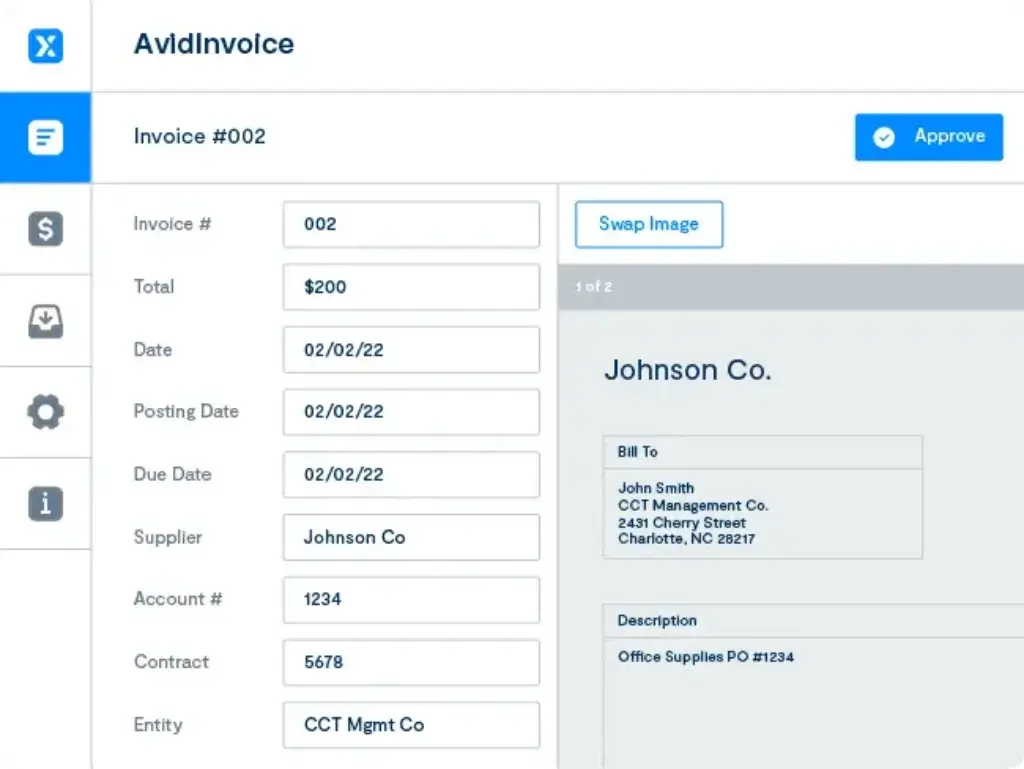
Invoice automation is one of AvidXchange’s core capabilities. The platform helps your AP team capture invoices, extract invoice data, route invoices to the right approvers, and track invoice status from one place.
This is useful if your team currently spends too much time entering invoice details manually, forwarding invoices by email, or checking whether an invoice is approved, pending, disputed, or ready for payment.
AvidXchange also emphasizes AI-enhanced invoice automation. These capabilities are designed to support data extraction, invoice routing, approval recommendations, and purchase order matching. The goal is not to remove finance oversight, but to reduce repetitive work so AP teams can review exceptions and manage controls more effectively.
Approval Workflows and AP Visibility
A strong AP automation system should help you understand where every invoice stands. AvidXchange supports digital approval workflows that help route invoices based on your business rules, departments, locations, vendors, or approval hierarchy.
This gives finance leaders better visibility into pending liabilities and approval bottlenecks. It also reduces the risk of invoices sitting in someone’s inbox without clear ownership.
For growing companies, this is often one of the biggest operational improvements. You gain a cleaner approval trail, fewer payment delays, and better control over who can approve what.
Payment Automation
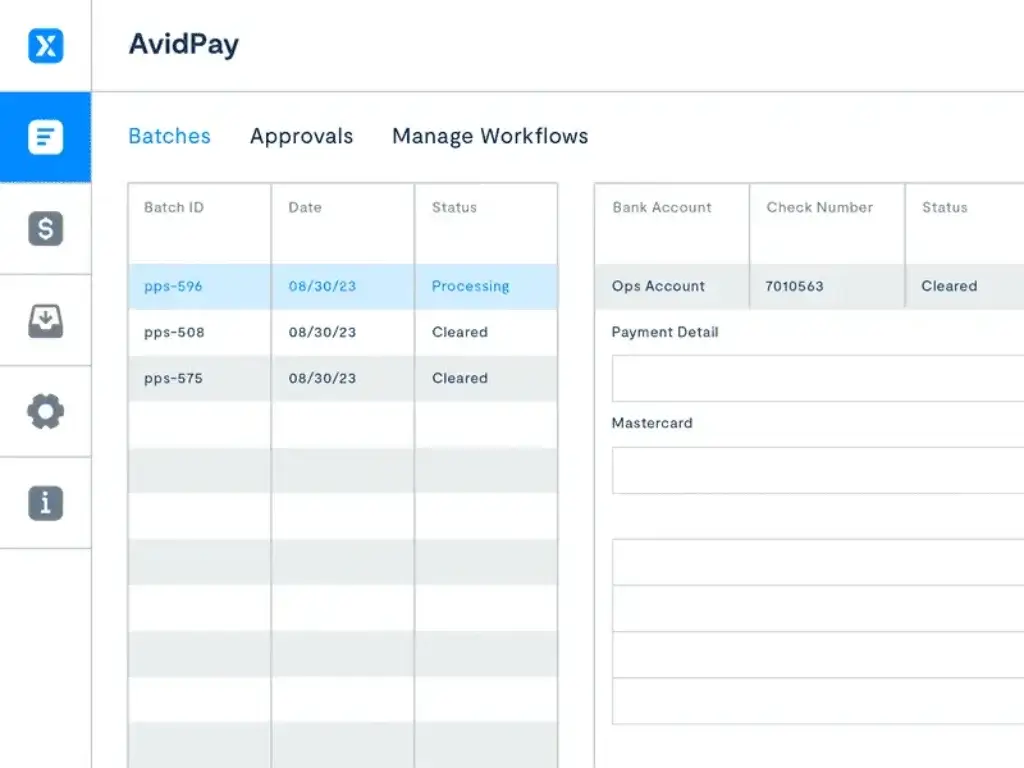
AvidXchange goes beyond invoice approval by supporting payment automation. After an invoice is approved, the platform helps manage business payments through methods such as virtual cards, enhanced ACH, and checks, depending on supplier preferences and available payment options.
Payment automation matters because the final step of AP is often where friction remains. Even if invoices are approved digitally, many companies still print checks, manually update payment files, or reconcile payments after the fact.
AvidXchange is designed to keep your existing accounting system as the trusted source while providing payment files and payment status information that support reconciliation. This is especially valuable for teams that want to reduce manual payment work without rebuilding their accounting infrastructure.
Purchase Order Automation and Matching
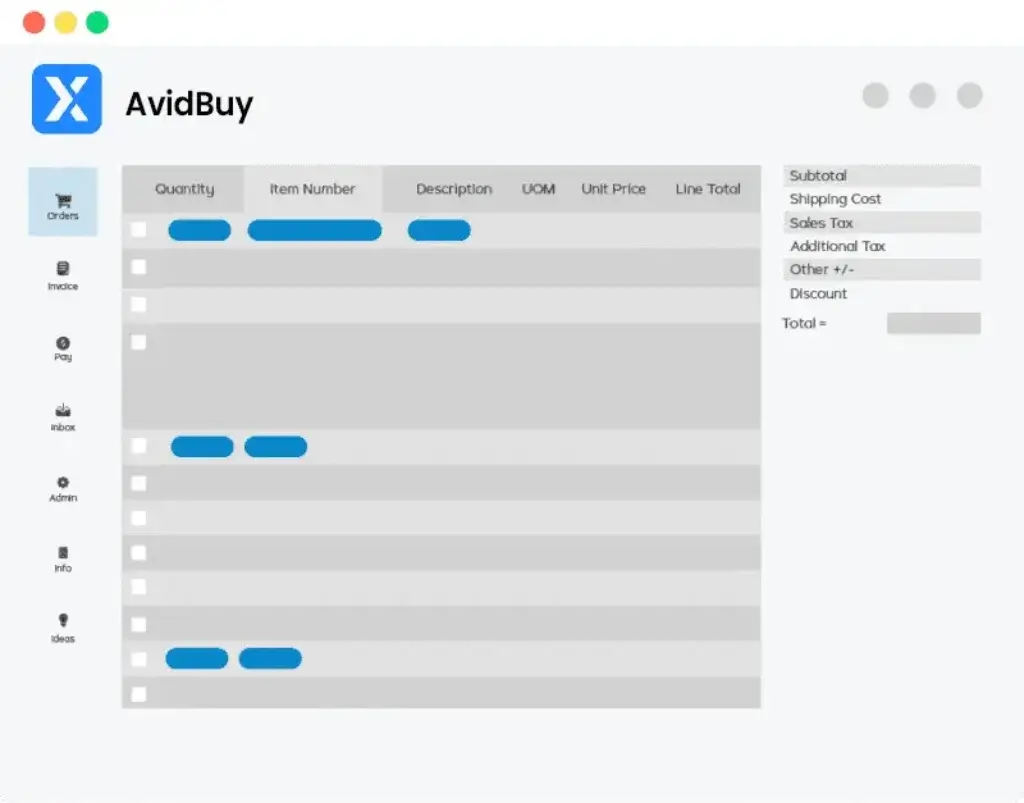
AvidXchange also supports purchase order automation. This helps businesses create and manage purchase orders, connect invoices to POs, and support 2-way or 3-way matching when combined with other AP automation capabilities.
For companies with higher purchasing activity, PO matching can reduce fraud risk, duplicate payments, coding errors, and unapproved purchases. It also improves visibility before cash leaves the business.
This feature is particularly important if your team needs stronger controls around committed spend, not only invoice processing after the purchase has already happened.
Supplier Network and Supplier Support
AvidXchange has built a large supplier payment network, which is one of its more important differentiators. Supplier payment networks can reduce the burden on internal AP teams because supplier payment preferences, enrollment, and communication can be managed more efficiently.
This is not just a convenience feature. Supplier payment friction can create many small AP problems, including vendor calls, payment status questions, outdated payment details, and resistance to electronic payments.
By giving suppliers clearer payment options and payment visibility, AvidXchange can help finance teams reduce repetitive supplier communication while improving payment reliability.
Reporting and AvidAnalytics
AvidXchange offers reporting capabilities through AvidAnalytics, its embedded business intelligence solution. This can help finance teams monitor AP performance, invoice status, payment trends, approval activity, and process bottlenecks.
Reporting is a practical requirement in AP automation. It is not enough to know that invoices are processed digitally. You also need to know how long approvals take, where invoices get stuck, which suppliers create the most exceptions, and how payments affect cash flow planning.
For finance leaders, this visibility can support better forecasting, cleaner month-end close workflows, and more disciplined vendor management.
Accounting and ERP Integrations
One of AvidXchange’s strongest selling points is its integration ecosystem. The platform supports 240 accounting system and ERP integrations, which allows many businesses to automate AP without replacing their existing financial system.
Featured integration categories include systems such as QuickBooks, NetSuite, Microsoft, Sage, Acumatica, Blackbaud, MRI, Rent Manager, Yardi, and other industry-specific platforms.
This broad integration coverage is especially useful for industries where finance teams use specialized accounting systems. Real estate, construction, community association management, financial services, healthcare, education, nonprofits, and hospitality teams may all have more specific AP requirements than a generic small business accounting workflow can handle.
Pros and Cons
A balanced view: what you’ll love and what to consider
AvidXchange is a mature AP automation platform with strong middle-market positioning. Still, it is not the right choice for every business. Its strengths are most valuable when you have meaningful invoice volume, complex approval needs, and a real need for payment automation.
If your AP process is simple, a lighter and more transparent bill pay solution may be easier to adopt. If your AP operation is already creating bottlenecks, AvidXchange becomes much more compelling.
Positive
✅ Reduces Manual AP Work
✅ Works With Many Existing Accounting Systems
✅ Improves Approval Control
✅ Helps Modernize Vendor Payments
Negative
❌ Pricing Is Quote-Based
❌ It May Be Too Robust for Small Businesses
❌ Implementation Requires Process Design
❌ Global Payout Depth Is Not Its Main Differentiator
✅ Benefits of AvidXchange
Reduces Manual AP Work
AvidXchange is strongest when your AP team is buried in repetitive work. Invoice capture, approval routing, payment preparation, and payment tracking can all be moved into a more controlled digital workflow.
This can reduce manual entry, help prevent lost invoices, and give your team more time for higher-value finance work.
Works With Many Existing Accounting Systems
Many AP automation projects fail because the new tool does not fit the accounting system already in place. AvidXchange’s integration coverage is a major advantage here.
With 240 integrations, the platform is well suited for companies that want automation without changing their ERP or accounting software.
Improves Approval Control
AvidXchange helps standardize invoice approvals so finance teams can reduce informal approval methods such as email replies, verbal approvals, and disconnected spreadsheets.
This is especially useful when your business has multiple departments, properties, locations, or project managers involved in spending decisions.
Helps Modernize Vendor Payments
Payment automation is a major reason to consider AvidXchange. Many AP tools help with invoice capture, but payment execution still requires manual work.
AvidXchange connects invoice approval and payment automation in a way that can reduce paper checks, improve payment visibility, and create a more consistent supplier payment process.
❌ Potential Drawbacks and Limitations
Pricing Is Quote-Based
AvidXchange does not publish simple public pricing plans. That makes it harder to compare cost quickly against tools like BILL or other SMB-focused AP platforms.
For serious buyers, the practical next step is to request a custom quote and clarify subscription fees, payment fees, implementation costs, integration scope, and contract terms.
It May Be Too Robust for Small Businesses
If your company only processes a small number of bills each month, AvidXchange may feel heavier than necessary. Smaller teams often benefit more from simpler AP tools with transparent monthly pricing and faster self-service setup.
AvidXchange becomes more valuable when invoice volume, supplier complexity, approval routing, and payment control are significant enough to justify implementation effort.
Implementation Requires Process Design
AP automation is not just a software switch. You need to define approval rules, accounting codes, user permissions, vendor processes, payment methods, and integration requirements.
If your current AP process is inconsistent, you may need to clean up workflows before you can get the full benefit from AvidXchange.
Global Payout Depth Is Not Its Main Differentiator
AvidXchange is strong in AP and payment automation, especially for North American middle-market companies. However, if your main need is complex global supplier onboarding, tax form collection, multi-currency mass payouts, or marketplace-style payee management, Tipalti may be a stronger fit.
Pricing and Plans
How much does AvidXchange cost?
AvidXchange pricing is quote-based. The company does not publish a simple pricing page with fixed monthly tiers, which is common for AP automation platforms aimed at middle-market and industry-specific finance teams.
Your cost will likely depend on several factors, including invoice volume, payment volume, integration requirements, payment methods, modules, implementation scope, supplier network needs, and the complexity of your approval workflows.
How AvidXchange Pricing Usually Works
Because AvidXchange is more of a configured AP automation and payment platform than a basic self-service bill pay app, pricing should be evaluated as total cost of ownership rather than only monthly software cost.
- Software subscription – access to the AP automation platform
- Payment-related fees – costs may vary by payment method and volume
- Implementation – setup, workflow mapping, and integration work may affect cost
- Modules – invoice, payment, PO, analytics, and service options can change pricing
What to Ask Before You Buy
When evaluating AvidXchange, ask for a detailed breakdown of your expected monthly and annual cost. This should include software fees, implementation fees, payment fees, integration fees, support options, and any minimum commitments.
You should also ask how pricing changes if invoice volume grows, if you add entities or locations, or if you expand from invoice automation into payment automation and purchase order workflows.
AvidXchange Pricing Comparison Table
| Pricing Element | How AvidXchange Handles It | What You Should Watch |
| Public pricing | Not published as fixed tiers | You need a custom quote |
| Subscription cost | Varies by scope and configuration | Confirm what modules are included |
| Payment costs | May depend on payment method and volume | Clarify ACH, card, and check-related fees |
| Implementation | Can vary by ERP and workflow complexity | Ask about setup timeline and services |
| Best cost fit | Middle-market teams with meaningful AP volume | May be less efficient for very small teams |
Business Fit
Who Should Use AvidXchange?
Middle-Market Companies With Growing AP Complexity
AvidXchange is best suited for middle-market companies that process enough invoices to make manual AP painful. If your team is handling growing supplier volume, multiple approvers, payment delays, and limited AP visibility, the platform can deliver meaningful operational improvement.
It is particularly useful when you want more than invoice capture. AvidXchange connects invoice management, payment automation, supplier communication, and ERP integration into one AP workflow.
Companies That Want to Keep Their ERP
AvidXchange is a strong fit if your company already uses an accounting system or ERP you do not want to replace. Instead of moving your financial operations into a new accounting platform, you can use AvidXchange as an AP automation layer.
This is one of the reasons it appeals to businesses with established accounting infrastructure.
Industry-Specific Finance Teams
AvidXchange has strong relevance for industries with complex AP needs. These include real estate, construction, community association management, financial services, healthcare, hospitality, education, nonprofits, government, automotive, and professional services.
These industries often have many vendors, recurring invoices, approval layers, property-level or project-level coding, and specialized accounting systems. AvidXchange is built to support that kind of environment better than many lightweight SMB tools.
Businesses That Want to Reduce Paper Checks
If your company still relies heavily on paper checks, AvidXchange can help modernize supplier payments. The platform supports a more digital payment process and helps finance teams reduce repetitive manual payment tasks.
This can improve efficiency, payment visibility, and supplier communication while helping your AP team focus less on administrative work.
Alternatives
AvidXchange Alternatives & Competitors
AvidXchange is a strong AP automation platform, but it is not the only option. The right alternative depends on whether you care most about ease of use, global payouts, procurement depth, invoice collaboration, or spend management.
Comparison Table: AvidXchange vs Competitors
| Feature | AvidXchange | Tipalti | BILL | Stampli |
| Core focus | AP automation and B2B payments for middle-market teams | AP, procurement, supplier onboarding, and global payouts | Bill pay and AR/AP automation for small and mid-sized businesses | Collaborative invoice automation and AP workflows |
| Best fit | Middle-market companies with AP and payment complexity | International and multi-entity finance operations | Small businesses and lower mid-market teams | Teams that need flexible AP collaboration |
| Global payout strength | Moderate | Very strong | Moderate | Limited to moderate |
| Integration strength | Very strong, 240 integrations | Strong ERP integrations | Strong for SMB accounting tools | Strong ERP-centered AP integrations |
| Pricing transparency | Quote-based | Quote-based and modular | More transparent public plans | Quote-based |
AvidXchange vs Tipalti
Tipalti is usually the better fit if you need deeper global payouts, supplier onboarding, tax compliance workflows, multi-entity complexity, and cross-border finance operations.
AvidXchange is often stronger when your priority is North American middle-market AP automation, ERP integration coverage, and payment workflows connected to a large supplier network.
AvidXchange vs BILL
BILL is usually easier for smaller businesses to understand and adopt. It has more accessible pricing and a simpler product structure for businesses that need bill pay, approvals, and basic AP automation.
AvidXchange is more suitable when AP workflows are more complex, integrations are more industry-specific, and your business needs a more robust payment automation layer.
AvidXchange vs Stampli
Stampli is often praised for invoice collaboration and AP team usability. It is a strong option if your main challenge is getting stakeholders to review, comment on, and approve invoices efficiently.
AvidXchange may be better when payment automation and supplier network support are just as important as invoice workflow.
AvidXchange vs Ramp
Ramp is more spend-management oriented, with corporate cards, expense management, procurement, and AP capabilities inside a broader finance operations platform.
AvidXchange is more specialized around AP automation and supplier payments. If your biggest issue is invoice and vendor payment processing, AvidXchange may be more directly aligned. If your bigger priority is company-wide spend control, Ramp may be more compelling.
Integrations and Ecosystem
Connect AvidXchange to your favourite apps
Accounting System and ERP Connectivity
AvidXchange supports 240 integrations, which is one of the platform’s strongest advantages. For AP automation, integration quality is critical because your invoice, payment, vendor, and coding data need to flow reliably between platforms.
The platform supports many popular and industry-specific systems, including QuickBooks, NetSuite, Microsoft, Sage, Acumatica, Blackbaud, MRI, Rent Manager, Yardi, MIP Fund Accounting, AppFolio, Buildium, and other accounting environments.
Why Integration Depth Matters
If your AP automation platform does not integrate well with your accounting system, your team may still need to export files, manually enter payment data, or reconcile transactions outside the system.
AvidXchange’s integration depth helps reduce that risk. This is particularly important for companies in real estate, construction, community management, and nonprofit finance, where the accounting system often includes industry-specific workflows.
Best Practices for Implementation
- Map your AP process first: document invoice intake, coding, approvals, payments, and reconciliation
- Define approval rules: clarify who approves invoices by amount, location, entity, or department
- Clean supplier data: standardize vendor records before implementation
- Track success metrics: measure approval speed, payment cycle time, and manual touchpoints
Security and Compliance
Security and Compliance in AvidXchange
Security is a major consideration for any AP automation platform because the system touches invoices, supplier information, payment workflows, bank details, and approval controls.
AvidXchange provides a Trust Center where customers and evaluators can request security and compliance documentation. The company also publishes information about its layered security approach, fraud protection, compliance framework, and employee security training.
Layered Security Controls 🔐
AvidXchange describes its security framework as a layered approach that includes secure infrastructure, controlled access, identity management, endpoint security, encryption and detection technology, threat analysis, and vulnerability testing.
For finance teams, these controls matter because AP systems are attractive targets for fraud, account compromise, and unauthorized payment activity.
Fraud Protection
AvidXchange highlights fraud protection measures such as a dedicated fraud operations team, transaction monitoring, Positive Pay, account compromise monitoring, and cash flow management monitoring.
This is important because AP fraud often happens through compromised vendor information, fake invoices, unauthorized payment changes, or weak approval controls.
SOC Reports and Trust Center
AvidXchange makes SOC documentation available through its Trust Center. Its 2024 SOC 1 Type II and SOC 2 Type I reports were made available for the period from January 1, 2024 through September 30, 2024, with access available upon approved request.
If your company has strict vendor risk management requirements, you should request the latest SOC reports, PCI documentation, data processing terms, and security questionnaires during procurement.
Money Transmission and Payment Compliance
AvidXchange states that it is a licensed money transmitter for B2B payments in the United States, including licensing by the New York State Department of Financial Services and other states that require licensing.
This is a meaningful trust signal for a payment automation provider, but you should still verify licensing, contractual obligations, liability terms, and payment controls based on your company’s internal compliance requirements.
Interface and Workflow
User Experience and Ease of Use
Built for AP Teams, Not Casual Users
AvidXchange is designed for finance and AP teams that manage structured workflows. It is not the simplest tool in the market, but that is partly because it is built for more complex AP environments.
Users should expect a more process-driven experience than they would get from lightweight bill pay software. That can be positive if you need controls and visibility, but it may feel heavy if your business only needs simple invoice payment tracking.
Visibility Across the AP Cycle
The platform’s strongest user experience benefit is visibility. Your team can see where invoices are, who needs to approve them, what is ready for payment, and what has already been paid.
This visibility is valuable for reducing internal follow-ups, supplier questions, and month-end uncertainty.
Learning Curve
AvidXchange may require training, especially for teams moving from manual AP processes. Approvers, AP staff, finance managers, and administrators may all use the platform differently.
To improve adoption, it is smart to create internal AP guidelines before launch. Define how invoices are coded, who handles exceptions, when payments are released, and how supplier inquiries should be managed.
How AvidXchange Works
Step 1: Connect Your Accounting System or ERP
AvidXchange is usually implemented alongside your accounting software or ERP. This is important because your finance team does not need to abandon its existing financial system to automate AP.
During setup, you will typically define how invoice data, vendor records, payment files, approval rules, and accounting codes should move between AvidXchange and your system of record.
Step 2: Capture and Route Invoices
Invoices can be captured digitally and moved into the workflow for review. AvidXchange helps extract invoice data, route invoices to the right people, and create a more consistent review process.
Instead of having invoices buried in email threads, your AP team can manage invoice status in a centralized platform.
Step 3: Approve, Match, and Validate
Once invoices are in the system, they can be routed for approval, matched to purchase orders where relevant, and reviewed for exceptions. This gives your team better control before payment is released.
For companies with multiple departments, properties, projects, or locations, this step can be particularly valuable. It helps preserve local approval control while giving finance leadership centralized visibility.
Step 4: Automate Supplier Payments
After approval, AvidXchange supports payment execution through available payment methods. The platform helps reduce reliance on manual check runs and gives your AP team better visibility into payment activity.
Suppliers may also benefit from clearer payment options and payment status visibility, which can reduce vendor follow-up calls.
Step 5: Reconcile and Report
The final step is syncing payment and invoice information back to your accounting system or ERP. This helps finance teams reduce manual reconciliation work and maintain cleaner records.
When the process works well, your AP team gains a clearer view of liabilities, approvals, payments, exceptions, and month-end close activity.
Conclusion
Final Thoughts
Is AvidXchange Worth It?
AvidXchange is a strong AP automation and payment automation platform for middle-market businesses that need more control, visibility, and efficiency in their payables process.
Its biggest advantages are its invoice automation workflow, payment automation capabilities, supplier network, security focus, and broad accounting system integrations. For finance teams that want to reduce paper invoices, manual approvals, and check-based payment work, it can deliver real operational value.
However, it is not the best fit for every business. If you run a small company with low invoice volume and basic bill pay needs, a simpler platform like BILL may be easier and more cost-effective. If your company needs complex international payouts and supplier tax compliance, Tipalti may be stronger.
In my view, AvidXchange is most compelling for businesses that have already outgrown basic AP workflows but do not want to replace their accounting system. If your AP process is slowing down your finance team, creating approval delays, and limiting payment visibility, AvidXchange deserves serious consideration in 2026.
Have more questions?
Frequently Asked Questions
What is AvidXchange?
AvidXchange is an accounts payable automation and payment automation platform for middle-market businesses. It helps finance teams capture invoices, route approvals, automate supplier payments, and sync AP activity with existing accounting systems or ERPs.
Is AvidXchange accounting software?
No. AvidXchange is not a full accounting system. It works alongside accounting software and ERPs to automate invoice workflows, approvals, payments, supplier communication, and reconciliation-related processes.
Who is AvidXchange best for?
AvidXchange is best for middle-market companies with growing invoice volume, complex approval workflows, multiple vendors, and a need to modernize supplier payments without replacing their ERP or accounting system.
How much does AvidXchange cost?
AvidXchange uses quote-based pricing and does not publish fixed monthly plans. Your cost can depend on invoice volume, payment volume, integrations, selected modules, implementation needs, and overall AP complexity.
Does AvidXchange integrate with QuickBooks?
Yes. AvidXchange lists QuickBooks among its supported accounting system integrations. It also supports many other systems, including NetSuite, Microsoft, Sage, Acumatica, Blackbaud, MRI, Rent Manager, Yardi, and more.
Does AvidXchange support payment automation?
Yes. AvidXchange supports payment automation for approved invoices, helping businesses reduce manual payment tasks, improve payment visibility, and manage supplier payments more efficiently.
Is AvidXchange good for small businesses?
AvidXchange can work for growing businesses, but it is usually better suited to middle-market companies than very small businesses. If your AP needs are simple, a lighter bill pay tool may be easier and more cost-effective.
What are the main benefits of AvidXchange?
The main benefits of AvidXchange include reduced manual invoice work, stronger approval control, better AP visibility, payment automation, supplier network support, and broad ERP and accounting integrations.
What are the main drawbacks of AvidXchange?
The main drawbacks are quote-based pricing, potential implementation complexity, and the fact that it may be more robust than very small businesses need. It may also be less specialized for complex global mass payouts than platforms like Tipalti.
Is AvidXchange secure?
AvidXchange provides security and compliance information through its Trust Center and describes layered security, fraud protection, compliance training, SOC report availability, and money transmitter licensing for B2B payments in the United States.