
Introduction
Pendo is a product experience and digital adoption platform designed to help you understand how people use software, guide them through important workflows, collect feedback, and improve adoption without relying on a separate tool for every stage.
Its core proposition is that analytics should lead to action. When Pendo identifies an underused feature, failed workflow, or disengaged account, you can use the same audience definition to launch a guide, collect feedback, review sessions, or build a customer journey.
This makes Pendo particularly relevant to SaaS companies, product-led businesses, customer success teams, and organizations responsible for employee software adoption. It combines product analytics, retroactive tagging, session replay, in-app guides, NPS and surveys, product discovery, roadmaps, cross-channel orchestration, AI assistance, and data integrations.
The main tradeoff is breadth. Pendo can replace several point solutions, but packaging, governance, and implementation become more complex as you activate more modules. Automatic collection reduces instrumentation work without eliminating the need for reliable IDs, metadata, tags, and business-specific Track Events.
This Pendo review examines product analytics, guides, replay, feedback, roadmapping, journey orchestration, AI, pricing, implementation, security, integrations, use cases, limitations, and alternatives.
How We Evaluated Pendo
The evaluation follows the complete product adoption workflow. It begins with installation and data collection, then assesses behavioral analysis, audience segmentation, in-app guidance, qualitative research, product planning, AI assistance, integrations, privacy, enterprise governance, and total cost.
The assessment is based on Pendo documentation, pricing information, security materials, platform updates, implementation guidance, and recurring themes in verified customer feedback. Scores reflect practical product fit rather than the number of modules displayed on a product page.
Quick Assessment
Pendo Review Summary
Pendo is one of the strongest platforms for connecting product insight with product adoption. Its most important advantage is not retroactive analytics, guides, replay, or feedback in isolation. It is the shared visitor, account, segment, page, and feature model that connects them.
You can identify accounts that have not adopted a key workflow, review the paths and sessions behind that behavior, target those users with contextual guidance, collect feedback from the same segment, and measure whether adoption improves. That closed loop is where Pendo creates more value than a collection of disconnected tools.
Pendo is especially well suited to established B2B SaaS companies, multi-product organizations, and teams improving customer or employee adoption.
It is less attractive when you need transparent self-service pricing, advanced experimentation, or a lightweight onboarding tool. Amplitude, Mixpanel, Userpilot, or another focused platform may fit better.
Pendo at a Glance
| Category | Pendo Assessment |
| Best For | Product, customer success, product operations, and IT adoption teams |
| Overall Score | 9.0/10 |
| Ease of Use | 8.3/10 |
| Product Analytics | 8.9/10 |
| In-App Guidance | 9.5/10 |
| Session Replay | 9.0/10 |
| Feedback and Discovery | 9.1/10 |
| AI Capabilities | 8.9/10 |
| Starting Price | Free for up to 500 monthly active users |
| Main Strength | Connects analytics, guidance, feedback, replay, and adoption workflows |
| Main Limitation | Paid pricing is quote-based and the broader suite requires governance |
Recommendation: Choose Pendo when your goal is not only to measure behavior but to change it. The platform is strongest when product, success, support, marketing, and operations teams agree on adoption goals and use one governed system to analyze behavior, guide users, collect feedback, and track outcomes.
Platform Overview
What Is Pendo?
Pendo is a software experience platform for analyzing product usage, communicating with users inside applications, collecting customer feedback, planning product decisions, and improving adoption.
After you install the web snippet or mobile SDK, Pendo captures supported interactions. Teams define Pages and Features visually, and many definitions can be applied retroactively from the installation date.
Retroactive capture does not understand business meaning automatically. Track Events remain important for actions not represented by a page view or click, such as an upgrade, completed import, or server-side outcome.
Where Pendo Fits in Your Software Stack
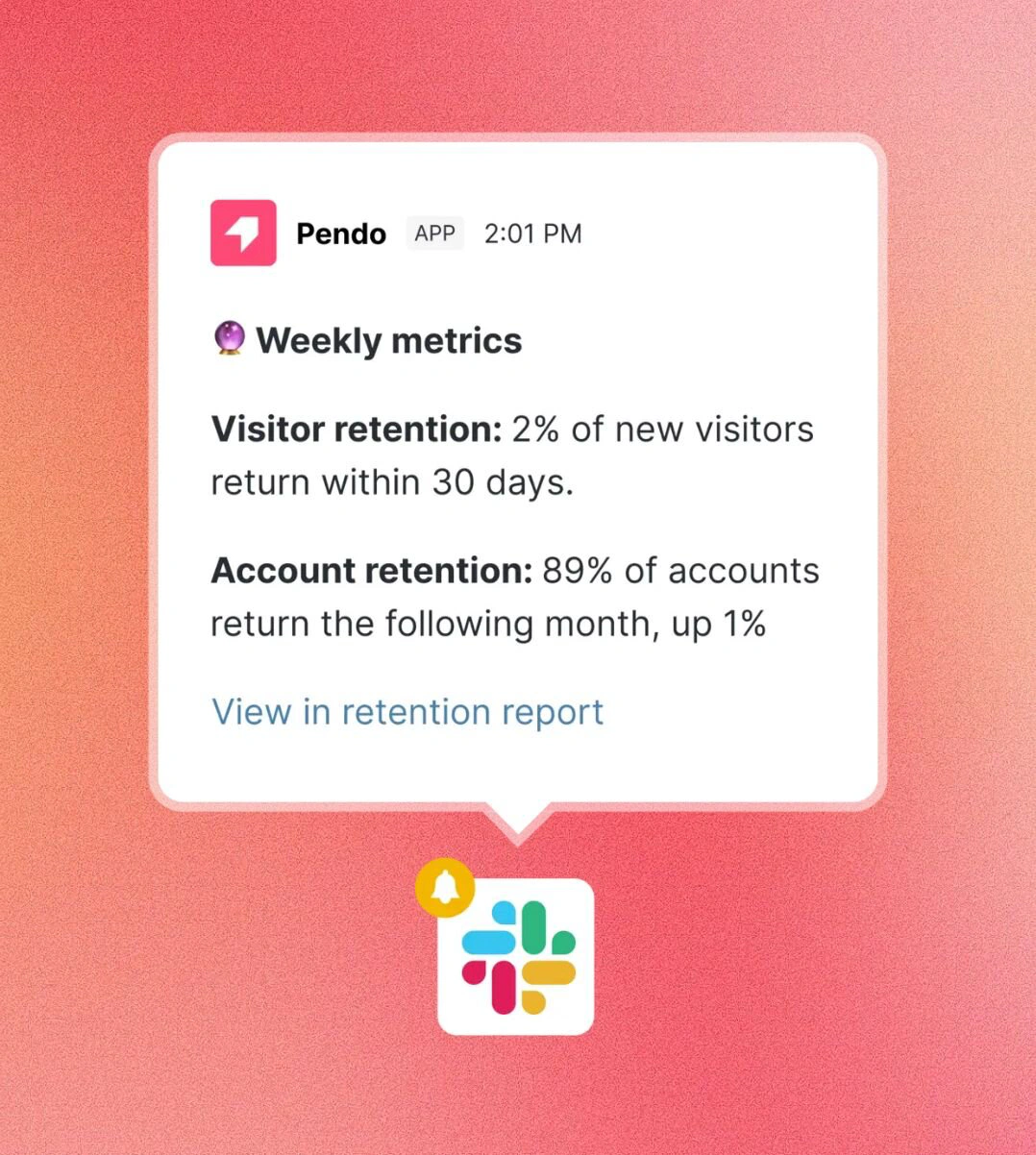
Pendo typically sits between your applications and the teams responsible for product adoption. It is used by product management, product operations, customer success, UX research, support, marketing, sales, enablement, and IT.
Its analytics layer explains what visitors and accounts do. Guides and Resource Center content help users complete tasks. Session Replay provides visual context. Listen, Validate, surveys, NPS, and roadmaps organize customer needs. Orchestrate connects in-app and email journeys, while Data Sync and integrations move information into CRM, support, warehouse, and collaboration systems.
Who Should Use Pendo?
- B2B SaaS companies: Measure account adoption and guide users through complex workflows.
- Product-led businesses: Improve activation, feature discovery, retention, and expansion.
- Customer success teams: Identify adoption risk and deliver proactive in-app education.
- Product operations teams: Standardize analytics, guides, feedback, and roadmap processes.
- IT and enablement teams: Improve employee adoption of internal and third-party software.
Who May Prefer Another Platform?
Amplitude or Mixpanel may be better when deep behavioral analysis is the leading requirement. Userpilot may be easier for smaller SaaS teams that mainly need onboarding, surveys, and growth experiments. Whatfix may fit large employee digital adoption programs that prioritize cross-application training and process support.
Key Features
Analytics, Guides, Replay, Feedback, and AI
Pendo covers more of the product adoption lifecycle than most analytics tools. The practical value comes from using the modules together rather than treating them as separate feature lists.
Retroactive Product Analytics
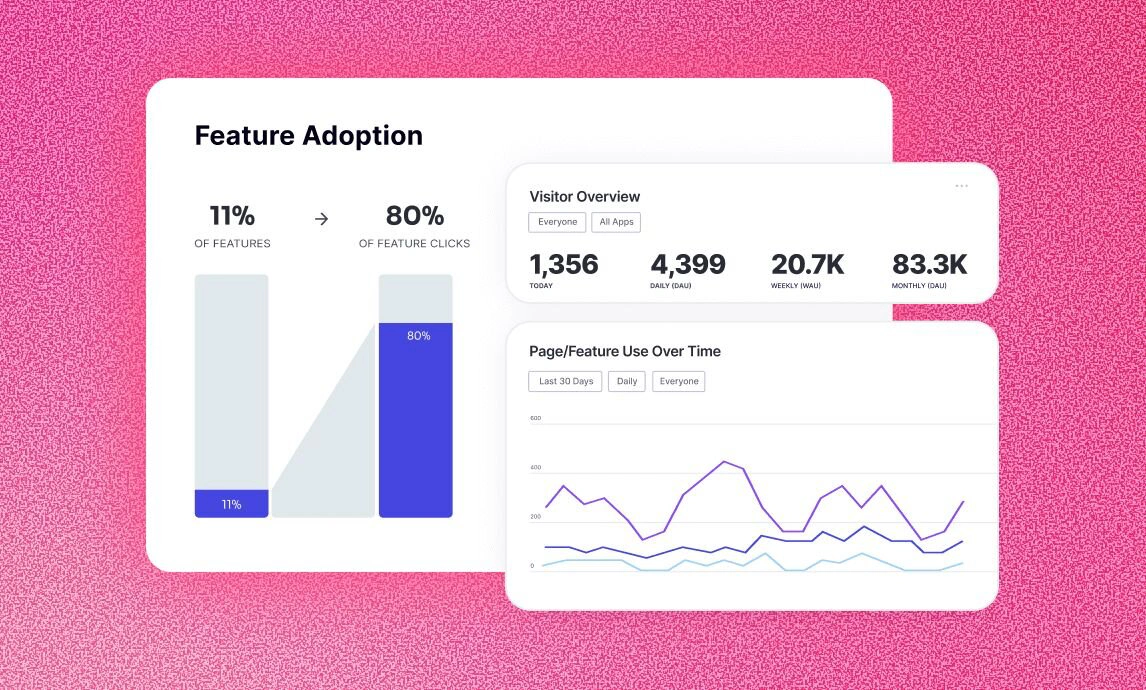
Pendo automatically collects supported interactions after installation. You can visually tag Pages and Features later and analyze historical behavior from the date the Pendo agent or SDK began collecting data.
When a new question appears after a release, you may be able to define the relevant interface element and review prior usage without waiting for new instrumentation.
Changing a Page or Feature tag can alter historical reports, so important tags need owners, naming standards, and review controls.
Data Explorer, Funnels, Paths, and Retention
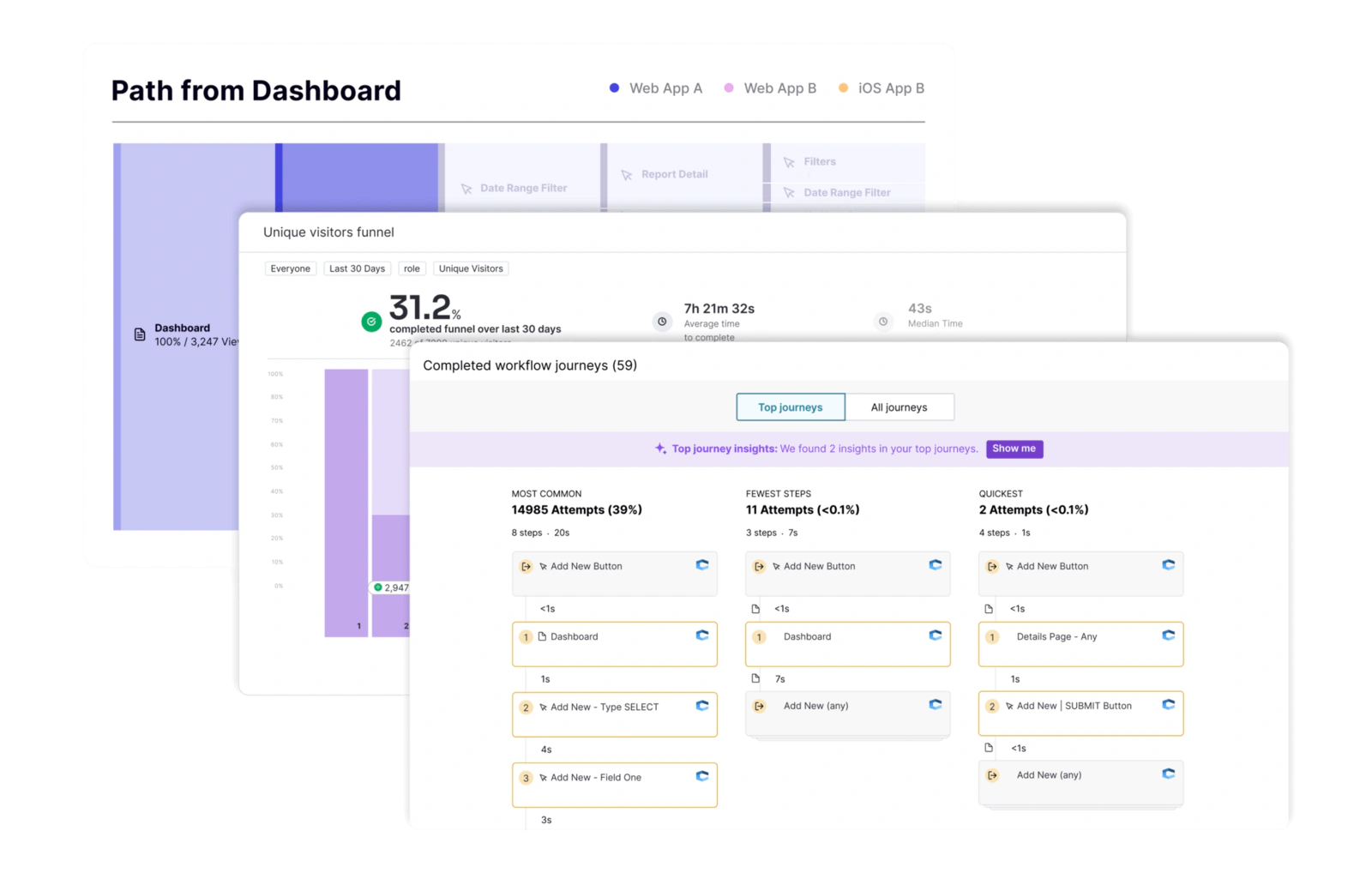
Data Explorer lets you compare behaviors, segments, visitors, accounts, metadata, and time periods. Funnels show conversion through defined steps, while Paths reveal what users do before or after an event.
Retention reports measure whether visitors or accounts return to an application or repeat a meaningful action. Workflows model tasks you expect users to complete, including recurring processes, and Workflow Journeys examine how successful users moved through those tasks.
Product Engagement Score, or PES, combines adoption, stickiness, and growth. It is useful for monitoring direction but should not replace underlying business outcomes.
Account Analytics and Segmentation
Pendo supports visitor-level and account-level analysis, which is important for B2B software. A collaborative platform may have one active administrator and several inactive users, so individual activity alone can hide account risk.
Segments can combine usage behavior with visitor and account metadata such as plan, role, industry, lifecycle stage, contract value, region, or customer status. The same segments can be reused for analysis, guides, surveys, replay, feedback, and orchestration.
In-App Guides and Resource Center
Pendo Guides are among the platform’s strongest capabilities. You can create tooltips, walkthroughs, banners, announcements, onboarding sequences, and contextual support without rebuilding the application interface.
Guides can be targeted based on behavior and metadata. For example, you can show an onboarding checklist to new administrators, announce a feature only to eligible plans, or display assistance when users repeatedly abandon a workflow.
The Resource Center provides an in-app menu for on-demand guides, announcements, feedback, documentation, and connected support content. Localization, permissions, throttling, categories, and publishing controls help larger teams manage guidance at scale.
Session Replay and Friction Analysis
Session Replay helps you see how users navigate web and mobile experiences. Recordings can be filtered using product areas, segments, guides, usage, and friction signals, allowing you to investigate relevant sessions instead of watching random recordings.
Pendo identifies signals such as rage clicks, dead clicks, error clicks, U-turns, NPS detractors, and over-guidance. Replays can also include developer context such as console logs and network requests, which helps product and engineering teams investigate the cause of a confusing experience.
Replay privacy still requires deliberate configuration. Sensitive fields, private content, regulated information, and payment data should be excluded or masked before production capture begins.
Sentiment, NPS, and Surveys
Pendo can collect NPS, polls, surveys, and open-text feedback inside the product. Because responses are connected with usage data, you can compare what users say with what they actually do.
You can examine whether detractors fail specific workflows, promoters adopt certain features, or sentiment changes after onboarding.
Pendo Listen, Validate, and Roadmaps
Pendo Listen centralizes feedback from in-app responses, support tickets, sales systems, customer calls, and other sources. AI-assisted analysis helps categorize feedback, identify themes, and connect requests with customer and product context.
Validate turns selected ideas into targeted in-app tests so you can measure interest before committing development resources. Roadmaps then communicate product direction to internal or external stakeholders.
This provides evidence beyond request counts by connecting ideas with account value, retention, and blocked workflows.
Pendo Orchestrate
Orchestrate combines behavioral data, in-app guidance, and email into automated journeys. You can trigger communication when users complete or fail to complete actions, then measure whether the journey changes product behavior.
Typical uses include new-user onboarding, inactive-user re-engagement, feature adoption, renewal preparation, and expansion campaigns. The capability is strongest when your messaging logic depends on real product usage rather than static CRM fields.
Pendo AI, Leo, Predict, and Agent Analytics
Leo is Pendo’s intelligence layer for natural-language questions, proactive signals, and actions such as creating segments or guides. It can reduce the effort required to begin an investigation, although results still depend on accurate tags, IDs, and metadata.
Pendo Predict combines product usage and CRM context to identify churn and expansion signals. Agent Analytics measures the adoption, task completion, failure patterns, and business impact of AI agents. Pendo MCP makes governed product data available to compatible AI tools such as ChatGPT, Claude, Cursor, and Windsurf.
AI cannot repair inconsistent account mapping, missing success events, or poorly governed guidance, so evaluate these capabilities separately from the core adoption use case.
Pendo Feature Overview
| Feature Area | What Pendo Provides | Best For |
| Product Analytics | Retroactive tagging, Data Explorer, funnels, paths, retention, workflows, and PES | Understanding product and process behavior |
| In-App Guidance | Tooltips, walkthroughs, announcements, onboarding, and Resource Center | Improving activation and feature adoption |
| Session Replay | Filtered recordings, frustration signals, console logs, and network context | Investigating usability and technical friction |
| Sentiment | NPS, polls, surveys, and behavior-linked responses | Connecting user opinion with product usage |
| Product Discovery | Listen, Validate, feedback analysis, and roadmaps | Prioritizing evidence-backed product decisions |
| Journey Orchestration | Behavior-triggered in-app and email journeys | Onboarding, re-engagement, and lifecycle messaging |
| AI | Leo, Predict, Agent Analytics, AI feedback analysis, and MCP | Accelerating investigation and measuring AI adoption |
Pros and Cons
Benefits and Limitations
Positive
✅ Strong analytics-to-action workflow
✅ Excellent in-app guidance
✅ Retroactive page and feature analysis
✅ Broad feedback and discovery suite
Negative
❌ Quote-based paid pricing
❌ Broad suite has a learning curve
❌ Tagging requires governance
❌ Advanced modules can raise cost
✅ Pendo Pros
- Analytics, guides, replay, feedback, and journeys share the same segments.
- Retroactive tagging reduces dependence on engineering for every new question.
- In-app guidance is mature enough for onboarding, support, and adoption programs.
- Account-level analysis is well suited to collaborative B2B software.
- Listen and Validate connect customer evidence with roadmap planning.
❌ Pendo Cons
- Base, Core, and Ultimate pricing requires a sales conversation.
- The interface can feel fragmented as more modules are activated.
- Historical reports can change when page or feature definitions are edited.
- Anonymous users can count toward MAU usage when anonymous tracking is enabled.
- Teams can create excessive guides and messages without publishing governance.
Pendo is most effective when one team owns product definitions, segments, identity rules, guide standards, and measurement. Without that operating model, the platform can become a large collection of reports and overlays rather than a reliable adoption system.
Getting Started
Installation, Tagging, and Team Adoption
Web implementation begins with a JavaScript snippet that loads the Pendo agent. Mobile applications use supported SDKs. Your application supplies a stable Visitor ID and, for B2B use cases, an Account ID. Additional metadata improves segmentation and targeting.
Recommended Pendo Implementation Process
- Define the adoption, retention, support, and product questions you need to answer.
- Choose durable visitor and account identifiers before production deployment.
- Send only approved visitor and account metadata required for analysis or targeting.
- Install the snippet or SDK in development and validate data collection.
- Create naming standards for applications, Pages, Features, Track Events, and segments.
- Tag critical workflows first rather than attempting to classify the entire product.
- Build baseline funnels, retention reports, workflows, and account dashboards.
- Launch a small number of guides tied to measurable adoption outcomes.
- Configure replay masking, access controls, and privacy procedures.
- Review tags, guide performance, MAU usage, and stale content regularly.
Real-World Use Cases
Where Pendo Delivers the Most Value
SaaS Onboarding and Activation
Pendo can identify whether new users complete the actions associated with first value. Funnels and workflows show abandonment, replay explains friction, guides provide assistance, and surveys collect context from users who remain blocked.
Feature Adoption and Release Communication
You can compare adoption across plans, roles, regions, accounts, and lifecycle stages. A targeted announcement or walkthrough can then reach only the users who have access to the feature but have not adopted it.
Customer Success and Churn Prevention
Customer success teams can monitor account activity, adoption breadth, workflow completion, sentiment, and disengagement. Pendo Predict and CRM integrations can add product behavior to renewal and expansion processes.
What Users Say About Pendo
Verified reviews commonly praise Pendo’s combination of analytics and in-app guidance, its ability to reduce engineering dependence, and its usefulness for understanding feature adoption.
Recurring concerns include tagging effort, a learning curve for advanced workflows, interface complexity, and pricing as MAU volume and module requirements grow. These concerns are most relevant when teams buy a broad package without assigning internal ownership.
Pricing and Plans
How Much Does Pendo Cost?
Pendo pricing combines monthly active users with the functionality included in your plan. Paid pricing is not publicly listed, so Base, Core, and Ultimate require a custom quote.
A monthly active user is a unique visitor who engages with a tracked application during the relevant 30-day period. Pendo states that the number of applications and user sessions does not independently determine price, but anonymous users can count toward MAU usage when anonymous tracking is enabled.
Pendo Pricing Plans
| Plan | Current Price Reference | Best For |
| Free | $0 for up to 500 MAUs | Small products, evaluation, and early adoption programs |
| Base | Custom MAU-based pricing | Teams needing analytics and in-app guides |
| Core | Custom MAU-based pricing | Organizations adding included session replay |
| Ultimate | Custom MAU-based pricing | Businesses needing discovery, sentiment, and journey orchestration |
| AI and Add-Ons | Custom pricing or plan-dependent availability | Predict, Agent Analytics, advanced modules, and expanded use cases |
Pendo Free
Pendo Free supports up to 500 MAUs and includes core product analytics, in-app guides, Pendo-branded roadmaps, and Pendo-branded NPS surveys. It supports multiple web and mobile application keys and is useful for testing the core workflow with real product data.
Pendo Base
Base is the entry paid plan for organizations that need a custom MAU allowance, analytics, guides, data management, security, and support. Additional capabilities may be available as paid modules.
Pendo Core
Core expands the platform for teams that need Session Replay included with their analytics and adoption program. Product discovery, sentiment, and orchestration may still depend on add-ons or your commercial agreement.
Pendo Ultimate
Ultimate is the broadest bundle. The public comparison positions it for organizations that need product discovery, sentiment, and journey orchestration alongside analytics, guides, replay, data management, security, and support.
Free Trial and Total Cost
Pendo offers a 30-day trial of the wider platform. This is different from Pendo Free, which remains available with its MAU and feature limits.
Your total cost may include implementation, tag governance, identity work, guide design, localization, privacy review, data integration, training, consulting, and ongoing administration. Request pricing for your expected MAU range and required modules, then model growth before signing a multi-year agreement.
Integrations
CRM, Support, Data, and Workflow Connections
Pendo connects with more than 85 tools across CRM, support, marketing automation, collaboration, analytics, and data infrastructure.
Salesforce and HubSpot can combine product behavior with commercial context, while Zendesk can surface usage information for support agents and send support feedback into Listen. Jira connects replay clips, ideas, and customer evidence with engineering work.
Segment supports behavioral data flows, while Data Sync exports event and metadata data to storage and warehouse environments, including Snowflake. Slack, Microsoft Teams, and Pendo MCP extend product insights into collaboration and compatible AI workflows.
Data Protection
Security, Privacy, and Enterprise Controls
Pendo processes detailed behavioral data, so security and privacy decisions should be part of implementation. Pendo documents annual SOC 2 Type II audits and support for GDPR, CCPA, HIPAA-related requirements, encryption, access controls, privacy procedures, and data processing agreements.
Your application controls which Visitor IDs, Account IDs, and metadata are sent to Pendo. Avoid sending sensitive personal information unless it is necessary, approved, and covered by your legal and security controls.
Before publishing guides or enabling replay, configure masking, blocking, permissions, consent, data retention, and collection-prevention rules. Confirm which administrative and governance controls are included in your selected paid package.
Comparison
Pendo Alternatives
The best Pendo alternative depends on whether you prioritize analytical depth, automatic capture, onboarding simplicity, developer control, or enterprise employee adoption.
Pendo Alternatives Compared
| Platform | Main Strength | Best Fit |
| Pendo | Analytics connected with guidance, feedback, and adoption | B2B SaaS and multi-team product organizations |
| Amplitude | Deep behavioral analytics and experimentation | Data-mature product and growth teams |
| Mixpanel | Fast self-service product analytics | Teams focused on funnels, retention, and reporting |
| Heap | Automatic capture and digital experience analysis | Teams prioritizing retroactive behavioral analysis |
| Userpilot | SaaS onboarding, surveys, and adoption | Small and mid-sized product-led teams |
| Whatfix | Enterprise digital adoption and employee enablement | Large internal software transformation programs |
Pendo vs Amplitude
Amplitude provides deeper behavioral exploration, stronger experimentation capabilities, and a more analytics-centered workflow. It is usually the better choice when product analytics and testing are the primary requirements.
Pendo is stronger for in-app guidance, product adoption, feedback collection, and customer-facing product education. Read our Amplitude Analytics review for a detailed analysis.
Pendo vs Mixpanel
Mixpanel is focused on accessible event analysis, funnels, retention, cohorts, and dashboards. It may be easier to justify when you already use separate tools for onboarding and feedback.
Pendo offers a broader closed loop from behavior to in-app action. Read our Mixpanel review to compare analytical depth, implementation, pricing, and AI features.
Pendo vs Heap
Heap is a close alternative for teams attracted to automatic capture and retroactive analysis. Its strength is discovering digital behavior without predicting every future question.
Pendo is the better fit when guides, NPS, discovery, roadmaps, and adoption programs are central. Heap may be preferable when digital experience analytics is the main purchase. Read our Heap review for a detailed analysis of its analytics, session replay, pricing, implementation, and limitations.
Final Thoughts
Is Pendo Worth It?
Pendo is worth considering when user adoption is a measurable business priority and several teams need to work from the same behavioral and customer context.
Its strongest advantage is the connection between insight and intervention. You can find a weak workflow, isolate the affected segment, review sessions, deliver targeted guidance, collect feedback, and measure the result without rebuilding the audience across several systems.
The product is particularly strong for B2B SaaS, complex applications, customer success programs, and multi-product organizations. It can also support employee software adoption where analytics and in-context assistance must work together.
The main risks are commercial opacity and operational complexity. Quote-based pricing makes early comparison difficult, while retroactive tags, guides, segments, feedback, and journeys require clear ownership to remain trustworthy.
Choose Pendo when you want a broad product adoption platform. Choose Amplitude or Mixpanel for analytics-first use cases, Heap for automatic behavioral capture, Userpilot for a lighter SaaS onboarding platform, or Whatfix for enterprise employee adoption.
Frequently Asked Questions
Have More Questions?
What is Pendo?
Pendo is a software experience platform that combines product analytics, in-app guides, session replay, feedback, surveys, roadmaps, journey orchestration, and AI-assisted product workflows.
Is Pendo free?
Yes. Pendo Free supports up to 500 monthly active users and includes core product analytics, in-app guides, Pendo-branded roadmaps, and Pendo-branded NPS surveys.
How much does Pendo cost?
Pendo does not publish prices for Base, Core, or Ultimate. Paid pricing depends on monthly active users and selected functionality, so you must request a custom quote.
How does Pendo collect product data?
Pendo collects supported interactions after you install its web snippet or mobile SDK. Teams can define Pages and Features retroactively and send Track Events for business or server-side actions.
Does Pendo include session replay?
Yes. Pendo Session Replay connects recordings with product analytics, segments, guides, frustration signals, and developer context. Plan inclusion depends on your subscription.
Can Pendo create in-app onboarding?
Yes. Pendo can create tooltips, walkthroughs, banners, checklists, announcements, contextual help, and Resource Center content for web and supported mobile applications.
Does Pendo use artificial intelligence?
Yes. Pendo offers Leo, Predict, Agent Analytics, AI-assisted feedback analysis, and an MCP server that can provide governed product context to compatible AI tools.
Is Pendo suitable for B2B SaaS?
Yes. Pendo supports visitor and account analytics, metadata, segmentation, adoption tracking, guides, and customer success workflows, making it well suited to collaborative B2B products.
What are the best Pendo alternatives?
Leading Pendo alternatives include Amplitude for deep analytics, Mixpanel for self-service reporting, Heap for automatic capture, Userpilot for SaaS onboarding, and Whatfix for employee digital adoption.
Is Pendo worth it?
Pendo is worth considering when you need analytics, in-app guidance, replay, feedback, and adoption workflows in one platform. It offers less value when you only need lightweight analytics or onboarding.