Introduction
Web, product, and customer analytics tools help you understand how people discover your business, interact with your digital products, encounter friction, convert, and return over time. Although these platforms are often grouped together, they do not all answer the same questions.
A web analytics platform usually focuses on traffic sources, pages, campaigns, ecommerce activity, and website conversions. Product analytics goes deeper into event-based behavior, feature adoption, activation, funnels, cohorts, and retention. Customer analytics expands the scope again by connecting activity across channels, devices, accounts, transactions, support interactions, and longer customer journeys.
The distinction matters because selecting a tool based on popularity alone can leave major gaps. A marketing team may need accurate attribution and landing-page reporting, while a SaaS product team may care more about onboarding completion, repeated feature usage, and account-level retention. An ecommerce team may need both quantitative funnel data and session replay to understand why shoppers abandon checkout.
This is not a minor optimization problem. According to the Baymard Institute’s original cart abandonment research, the average documented online shopping cart abandonment rate is approximately 70.22%. Analytics software will not solve every cause of abandonment, but it can show you where customers leave, which segments struggle, and which experiences deserve investigation first.
This guide compares ten leading web, product, and customer analytics tools for 2026. The ranking considers analytical depth, usability, behavioral context, data capture, experimentation, privacy, integrations, scalability, and the platform’s ability to turn data into practical decisions.
Top 10 Web, Product, and Customer Analytics Tools for 2026
- Amplitude: Best overall for product growth, funnels, cohorts, and retention
- Mixpanel: Best for fast event-based product and user behavior analysis
- Google Analytics 4: Best for free website and marketing analytics
- Pendo: Best for combining product analytics with in-app guidance
- Heap: Best for automatic behavioral data capture
- PostHog: Best for developer-led analytics and experimentation
- Fullstory: Best for session replay and digital experience diagnosis
- Adobe Analytics: Best for enterprise customer journey analytics
- Contentsquare: Best for enterprise digital experience intelligence
- Matomo: Best for privacy-focused and self-hosted web analytics
Web, Product, and Customer Analytics Tools Compared
The following comparison gives you a quick view of where each platform fits. Pricing models and usage limits change frequently, so confirm current terms on the vendor’s official website before purchasing.
| Rank | Analytics Tool | Main Strength | Best For | Pricing Approach |
| 1 | Amplitude | Funnels, cohorts, retention, and experimentation | Product-led growth teams | Free entry plan and usage-based paid plans |
| 2 | Mixpanel | Fast event-based behavioral analysis | SaaS and mobile product teams | Free allowance and usage-based scaling |
| 3 | Google Analytics 4 | Traffic, acquisition, advertising, and ecommerce | Websites and marketing teams | Free standard platform and paid enterprise edition |
| 4 | Pendo | Analytics combined with in-app guidance | Product adoption and onboarding | Free limited plan and custom paid plans |
| 5 | Heap | Automatic interaction capture | Teams reducing manual instrumentation | Free entry plan and custom paid tiers |
| 6 | PostHog | Analytics, replay, flags, and experiments | Developer-led product organizations | Transparent usage-based pricing |
| 7 | Fullstory | Session replay and behavioral diagnosis | UX, product, support, and engineering | Free plan and custom paid packages |
| 8 | Adobe Analytics | Enterprise cross-channel journey analysis | Large and data-mature organizations | Custom enterprise pricing |
| 9 | Contentsquare | Experience analytics and impact prioritization | Enterprise ecommerce and digital experience teams | Free entry plan and custom packages |
| 10 | Matomo | Data ownership and privacy controls | Privacy-sensitive organizations | Free self-hosting and paid cloud plans |
What Type of Analytics Tool Do You Need?
Web Analytics
Web analytics shows how visitors reach and navigate your website. Typical measurements include traffic sources, landing pages, sessions, engagement, campaign performance, ecommerce purchases, and conversion events.
This category is particularly important for marketing, content, SEO, advertising, publishing, lead generation, and ecommerce teams. Google Analytics 4 and Matomo are the clearest web-first options in this comparison.
Product Analytics
Product analytics tracks actions inside a website, application, SaaS platform, or mobile product. Instead of focusing primarily on pageviews, it analyzes events such as creating a project, inviting a teammate, using a feature, upgrading a plan, or completing onboarding.
Amplitude, Mixpanel, Pendo, Heap, and PostHog are strong options when your main questions concern activation, feature adoption, user paths, retention, and product-led growth.
Customer Analytics
Customer analytics connects behavior with customer identities, attributes, accounts, purchases, subscriptions, and lifecycle stages. It can help you understand which experiences influence conversion, loyalty, expansion, or churn across several channels.
Adobe Customer Journey Analytics is designed for large-scale cross-channel analysis. Amplitude, Mixpanel, and Contentsquare can also contribute to customer analytics when connected to CRM, warehouse, support, and transactional data.
Digital Experience Analytics
Digital experience analytics adds visual and technical context. Session recordings, heatmaps, frustration signals, error data, performance monitoring, and journey visualization help explain why a funnel or conversion metric changed.
Fullstory and Contentsquare are especially strong in this area. Heap and PostHog also combine quantitative analytics with session replay, giving you a shorter path from identifying a problem to observing it directly.
Best Web, Product, and Customer Analytics Platforms
Amplitude

Overview:
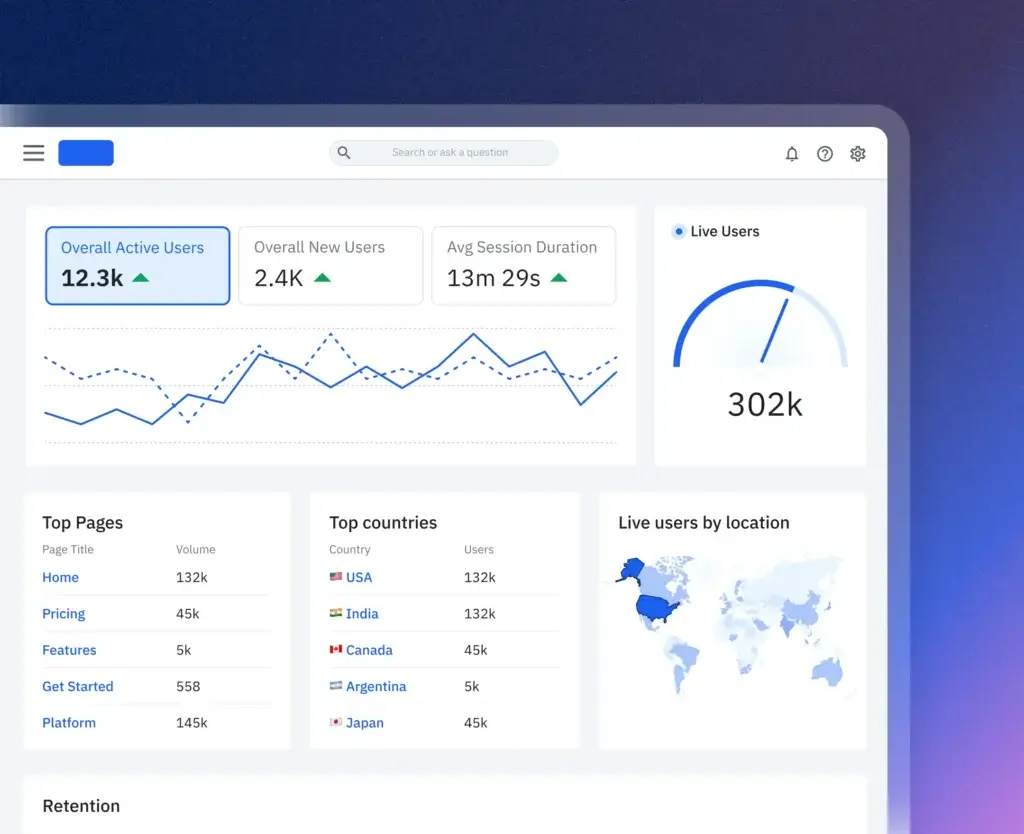
Amplitude is the strongest overall choice when you need a broad product and digital analytics platform rather than a narrow reporting tool. It supports event segmentation, behavioral funnels, retention analysis, cohorts, user journeys, session replay, experimentation, feature management, surveys, and activation workflows.
The platform is particularly useful when several teams need to work from the same behavioral definitions. Product managers can investigate activation and adoption, growth teams can analyze conversion, and data teams can govern events and metrics without forcing every stakeholder to write SQL.
Top Features:
- Behavioral funnels, retention reports, cohorts, and journey analysis
- Integrated product analytics, web analytics, and session replay
- Feature experimentation and controlled feature management
- Behavioral audience activation and data integrations
Why It Stands Out:
Amplitude offers one of the clearest paths from measurement to action. You can identify a high-value cohort, inspect its behavior, evaluate retention, watch relevant sessions, run an experiment, and send the audience to another platform without rebuilding the analysis in several disconnected tools.
Best Use Case:
Amplitude is best for SaaS, mobile app, marketplace, ecommerce, and product-led businesses that need to connect acquisition, activation, engagement, conversion, and retention.
Pros and Cons:
Positives
✅ Deep funnel and retention analysis
✅ Broad integrated analytics platform
✅ Strong behavioral cohort capabilities
✅ Useful free entry plan
Negatives
❌ Requires a disciplined event taxonomy
❌ Advanced governance takes time
❌ Costs can increase with data volume
❌ Broad feature set can feel complex
Mixpanel

Overview:
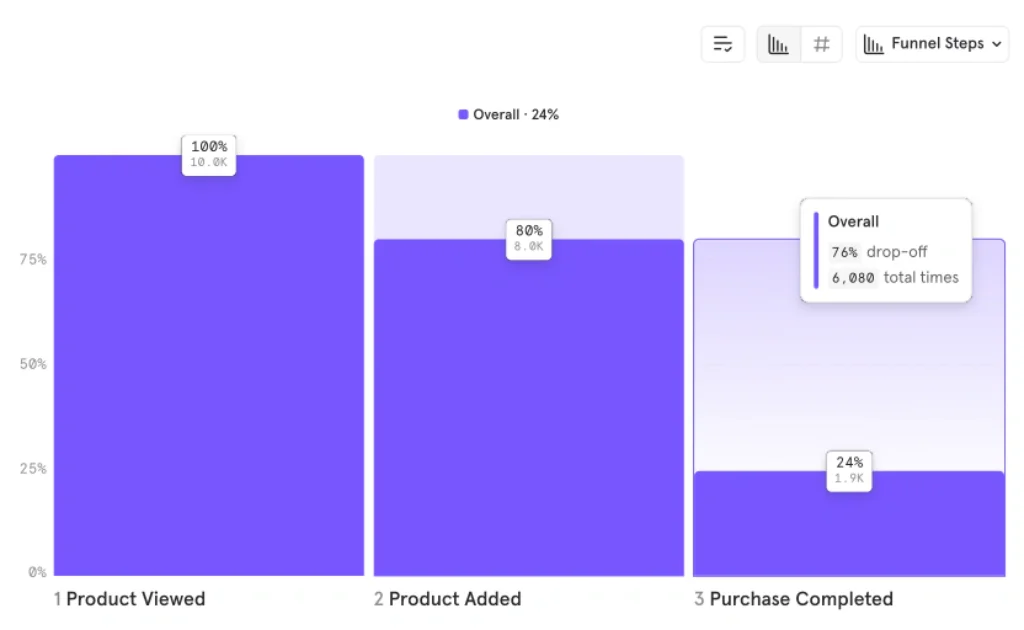
Mixpanel is an event-based product analytics platform built for teams that want to answer behavioral questions quickly. Its core reports cover trends, funnels, flows, retention, cohorts, user activity, and conversion paths across websites and applications.
The interface is generally approachable for product managers, growth marketers, analysts, and other users who need flexible segmentation without depending on a new dashboard or SQL query for every question. Session replay and web analytics have expanded its scope beyond traditional product reporting.
Top Features:
- Event insights, funnels, flows, retention, and cohort analysis
- Flexible segmentation through user and event properties
- Session replay connected to behavioral reports
- Alerts, anomaly investigation, and collaborative reporting
Why It Stands Out:
Mixpanel is particularly effective for rapid investigation. You can begin with an event, break it down by almost any relevant property, create a cohort, compare retention, and inspect related user behavior without designing a rigid dashboard first.
Best Use Case:
Mixpanel is best for SaaS, mobile, consumer applications, subscription services, and digital products that need fast self-service funnel and retention analysis.
Pros and Cons:
Positives
✅ Fast behavioral data exploration
✅ Strong funnels and retention reports
✅ Flexible event segmentation
✅ Accessible free starting plan
Negatives
❌ Tracking design still requires planning
❌ Usage costs can become unpredictable
❌ Limited cross-channel enterprise depth
❌ Flexible reporting can create inconsistent metrics
Google Analytics 4

Overview:
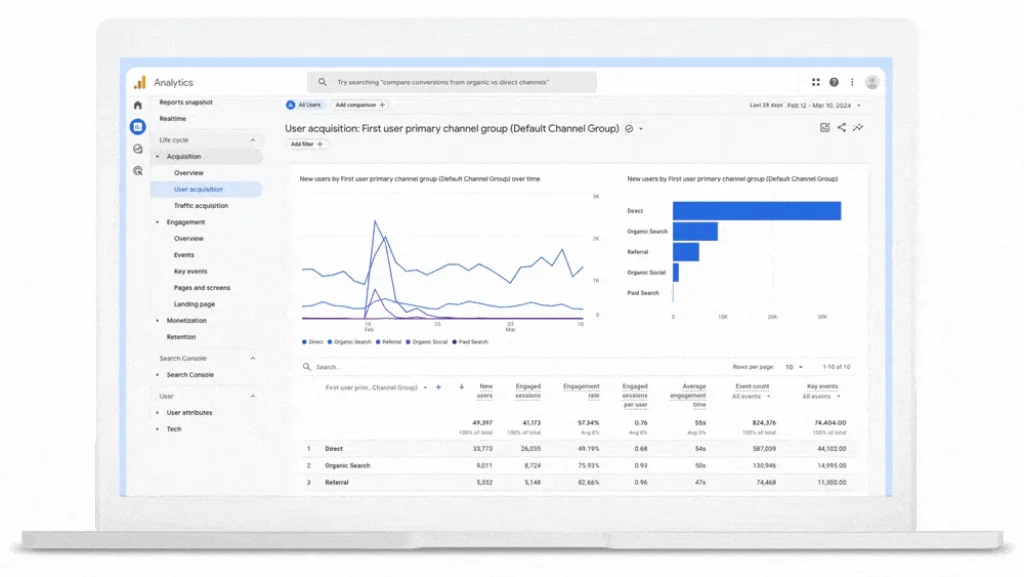
Google Analytics 4 is the natural starting point for website owners, marketers, publishers, lead-generation businesses, and ecommerce teams. Its event-based model collects website and application activity and organizes it into acquisition, engagement, monetization, retention, demographic, technology, advertising, and realtime reports.
GA4 is especially valuable when connected to Google Ads, Search Console, BigQuery, and Looker Studio. Explorations provide additional flexibility for funnels, paths, segments, cohorts, and user-level investigation beyond the standard reporting interface.
Top Features:
- Website and app event tracking within one property
- Traffic acquisition and campaign performance reporting
- Ecommerce, key event, attribution, and advertising reports
- Explorations, audiences, BigQuery export, and Google integrations
Why It Stands Out:
GA4 delivers a broad marketing analytics foundation without a standard subscription charge. It remains difficult to ignore when your business relies on Google Ads, organic search, website conversions, or ecommerce performance.
Best Use Case:
Google Analytics 4 is best for measuring how visitors discover and use a website, particularly when marketing attribution and Google ecosystem integrations matter more than deep product behavior analysis.
Pros and Cons:
Positives
✅ No standard subscription cost
✅ Excellent Google ecosystem integrations
✅ Strong acquisition and campaign reporting
✅ Suitable for both websites and applications
Negatives
❌ Steep reporting learning curve
❌ Limited explanation of behavioral friction
❌ Configuration mistakes can damage data quality
❌ Privacy requirements need careful management
Pendo

Overview:
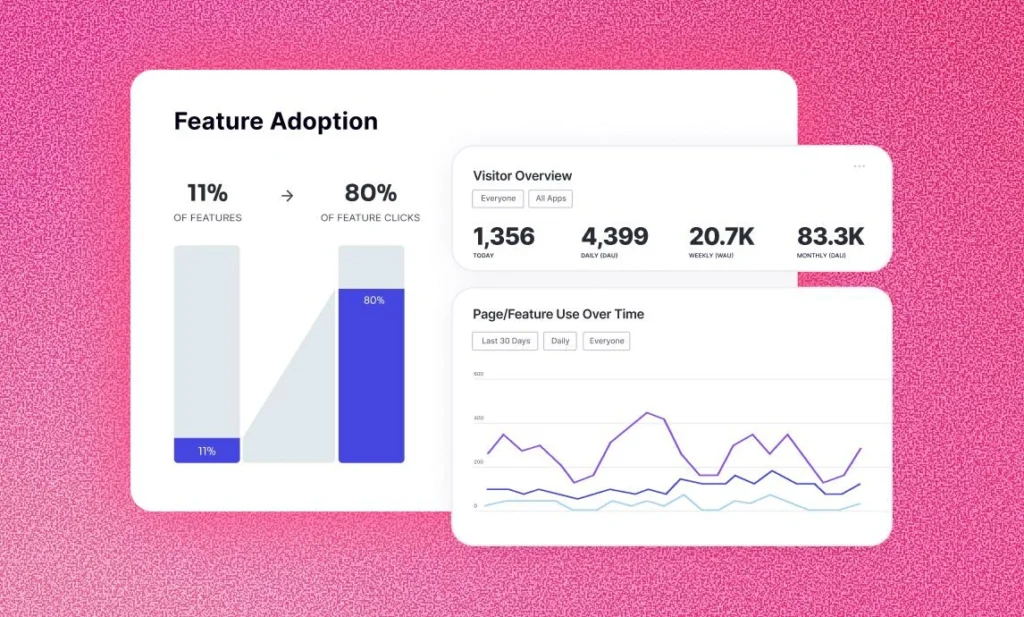
Pendo combines product analytics with the tools needed to change user behavior inside an application. Alongside paths, funnels, retention, feature usage, account analysis, and session replay, you can create walkthroughs, tooltips, announcements, surveys, and onboarding guidance.
This combination is valuable because the insight and response happen in the same environment. When analytics reveals that a segment has not adopted an important feature, you can target that group with contextual guidance rather than exporting the audience into another engagement platform.
Top Features:
- Feature, page, path, funnel, and retention analytics
- In-app guides, onboarding, announcements, and tooltips
- NPS, surveys, feedback, and product discovery capabilities
- Account-level analytics for B2B software products
Why It Stands Out:
Pendo creates a direct connection between understanding adoption and improving it. This makes the platform more operational than an analytics-only product, especially for customer onboarding, employee software adoption, and feature launches.
Best Use Case:
Pendo is best for B2B SaaS, enterprise software, digital adoption, and product teams that need to measure usage and deliver targeted in-app guidance from one platform.
Pros and Cons:
Positives
✅ Connects analytics with in-app action
✅ Strong onboarding and guidance capabilities
✅ Useful B2B account-level analysis
✅ Feedback and surveys are available
Negatives
❌ Most paid pricing is quote-based
❌ Advanced modules increase complexity
❌ Analytics depth may trail specialist platforms
❌ In-app guides require ongoing maintenance
Heap

Overview:
Heap is differentiated by autocapture. A single implementation can collect clicks, pageviews, taps, swipes, form interactions, and other digital behavior, reducing the risk that an important question cannot be answered because the relevant event was never manually instrumented.
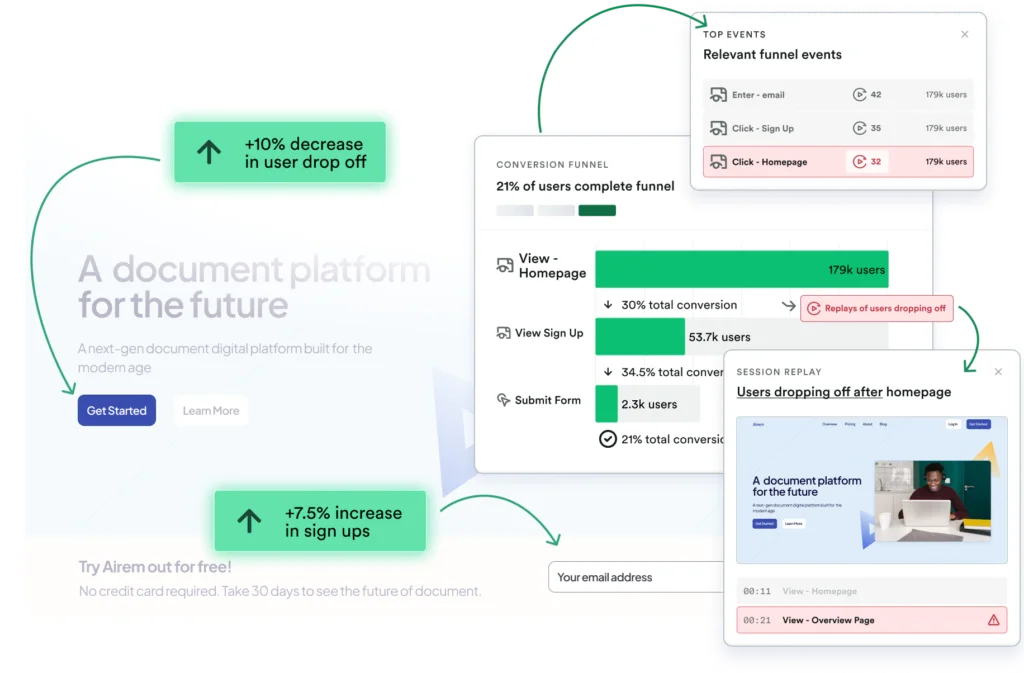
Heap combines this behavioral dataset with journeys, funnels, retention, engagement analysis, heatmaps, and session replay. Its lookback capabilities can be valuable when teams need to define an interaction after it has already occurred.
Top Features:
- Automatic capture of common website and application interactions
- Journeys, funnels, retention, and engagement analysis
- Integrated session replay and heatmaps
- Retroactive event definition and warehouse connectivity
Why It Stands Out:
Heap reduces dependence on perfect upfront instrumentation. It does not remove the need for governance, but it gives you more flexibility when priorities change or an unexpected behavioral question appears after data collection has begun.
Heap is now part of Contentsquare. It remains listed separately because its autocapture-led product analytics experience addresses a different buying need than the broader Contentsquare experience intelligence platform.
Best Use Case:
Heap is best for product, growth, and ecommerce teams that want broad behavioral capture without requiring engineers to manually define every interaction in advance.
Pros and Cons:
Positives
✅ Comprehensive interaction autocapture
✅ Supports retroactive behavioral analysis
✅ Includes session replay and heatmaps
✅ Reduces reliance on engineering resources
Negatives
❌ Automatically captured data still needs governance
❌ Enterprise pricing requires a sales consultation
❌ Large datasets can become difficult to organize
❌ Some capabilities overlap with Contentsquare
PostHog

Overview:
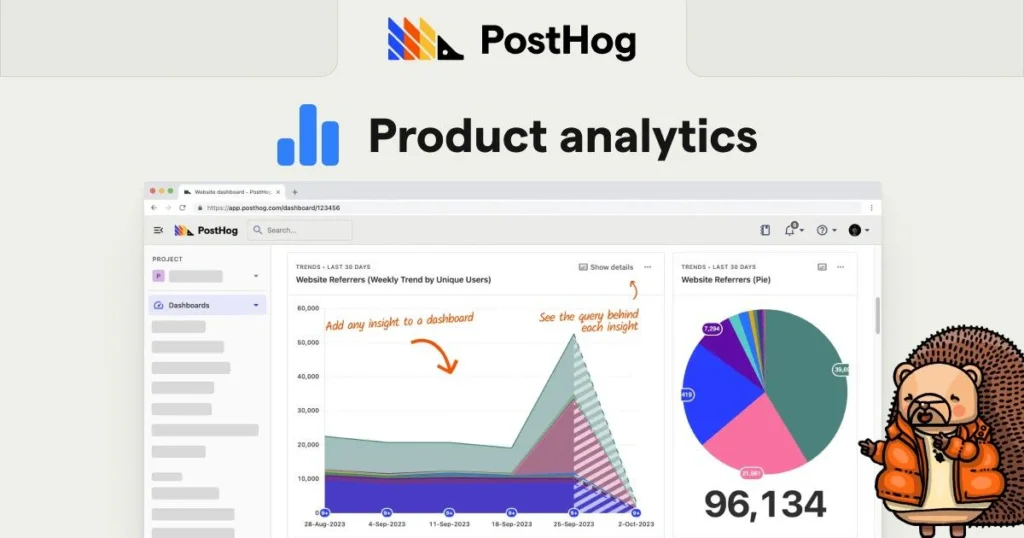
PostHog is designed for product engineers and technical teams that want analytics close to the development workflow. Its modular platform includes product analytics, session replay, feature flags, experiments, surveys, error tracking, data warehouse capabilities, and related developer tools.
The components work together particularly well. A team can release a feature to a controlled segment, measure its effect on conversion or retention, inspect recordings from users exposed to the feature, collect feedback, and roll back problematic changes.
Top Features:
- Trends, funnels, paths, retention, cohorts, and lifecycle reports
- Session replay with logs and behavioral filtering
- Feature flags, experiments, surveys, and error tracking
- Usage-based pricing and self-hosting flexibility for some components
Why It Stands Out:
PostHog treats analytics as part of product development rather than a separate reporting destination. Transparent usage pricing and integrated release tools make it attractive to technically mature startups and software companies.
Best Use Case:
PostHog is best for engineering-led SaaS companies, developer tools, technical product teams, and organizations that want product analytics, experimentation, replay, and release controls in one environment.
Pros and Cons:
Positives
✅ Integrated developer-focused toolset
✅ Transparent usage-based pricing
✅ Strong feature flag and experiment workflows
✅ Generous free usage allowances
Negatives
❌ Less approachable for non-technical users
❌ Multiple modules require configuration
❌ Usage costs need active monitoring
❌ Broad functionality increases administration
Fullstory

Overview:
Fullstory helps you move from an aggregate metric to the customer experiences behind it. Its platform combines session replay, heatmaps, funnels, journey analysis, segments, frustration signals, mobile analytics, dashboards, and debugging context.
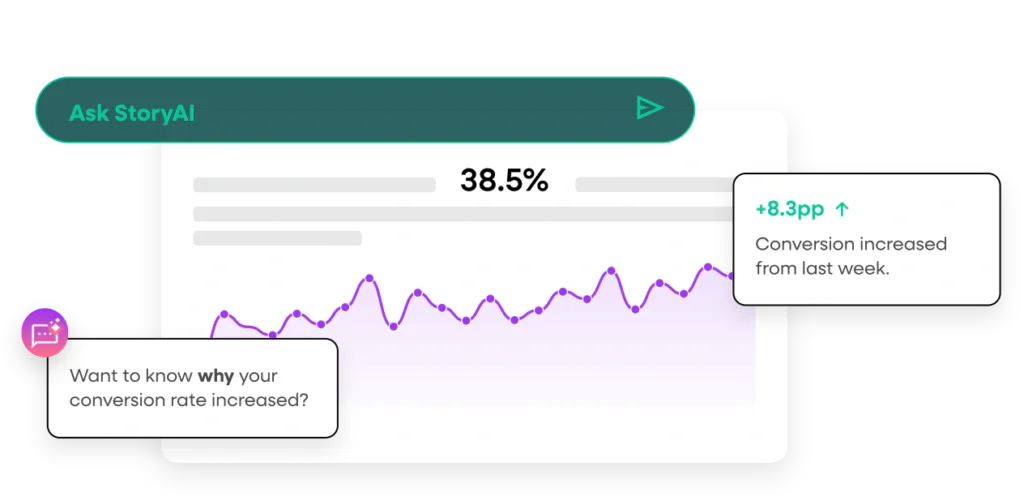
This is useful when a conventional dashboard tells you that conversion has fallen but does not explain the cause. You can filter sessions around the affected step, inspect user behavior, identify errors or confusing elements, and share evidence with product, design, engineering, or support teams.
Top Features:
- Session replay across supported web and mobile experiences
- Funnels, journey maps, segments, heatmaps, and dashboards
- Rage clicks, errors, and other friction indicators
- Behavioral data exports and warehouse integrations
Why It Stands Out:
Fullstory is one of the strongest tools for explaining why a digital metric changed. Its session context can also help customer support reproduce issues and help engineers prioritize problems by their actual user impact.
Best Use Case:
Fullstory is best for UX, ecommerce, product, engineering, conversion optimization, and support teams that need visual evidence of digital friction.
Pros and Cons:
Positives
✅ Excellent session-level context
✅ Strong digital friction identification
✅ Useful across product, support, and engineering
✅ Free entry plan for smaller teams
Negatives
❌ Advanced plans use custom pricing
❌ Session volume can affect total cost
❌ Privacy configuration is essential
❌ Not a complete marketing attribution platform
Adobe Analytics

Overview:
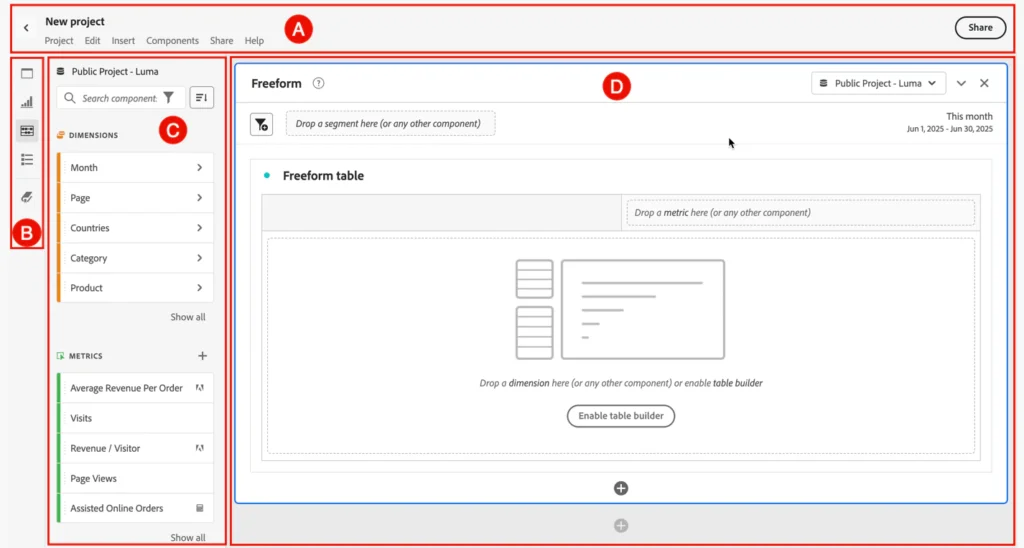
Adobe Analytics is an enterprise digital analytics platform for organizations with complex reporting, attribution, segmentation, and governance requirements. Adobe Customer Journey Analytics extends that model by combining online and offline datasets through Adobe Experience Platform.
This broader architecture can connect website, application, email, call center, campaign, transaction, account, and other customer data. Identity stitching and report-time data views help large organizations analyze journeys that cannot be represented accurately through isolated website sessions.
Top Features:
- Advanced segmentation, attribution, anomaly detection, and analysis
- Cross-channel data through Customer Journey Analytics
- Identity stitching and flexible report-time data views
- Integration with Adobe Experience Platform applications
Why It Stands Out:
Adobe is designed for analytical breadth, governance, and enterprise scale. Its greatest value appears when an organization already has several customer data sources and needs a controlled environment for connecting interactions across the full lifecycle.
Best Use Case:
Adobe Analytics is best for large retailers, financial services companies, travel brands, media businesses, and global enterprises with mature data, marketing, and customer experience operations.
Pros and Cons:
Positives
✅ Deep enterprise analytics capabilities
✅ Supports cross-channel customer journeys
✅ Advanced governance and segmentation controls
✅ Strong Adobe ecosystem integrations
Negatives
❌ High implementation complexity
❌ Custom enterprise pricing
❌ Requires specialist analytics expertise
❌ Wider ecosystem can increase vendor dependency
Contentsquare

Overview:
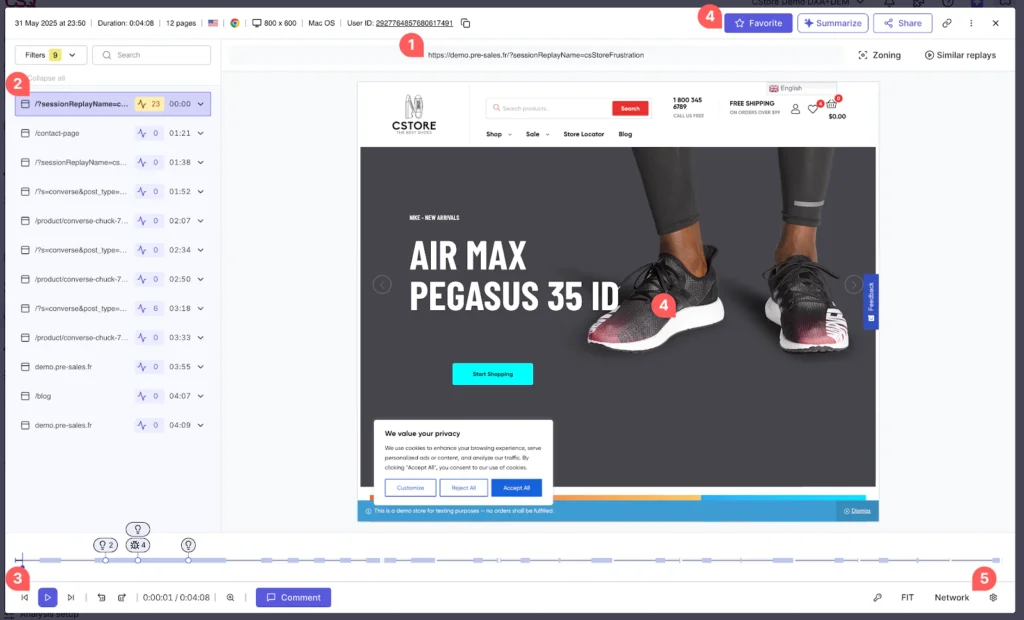
Contentsquare is an experience intelligence platform that combines experience analytics, product analytics, session replay, heatmaps, journey analysis, experience monitoring, voice of customer, and AI-assisted insight discovery.
Its visual tools help teams understand how users move through digital journeys and interact with individual page elements. Enterprise capabilities add impact quantification, frustration analysis, monitoring, and prioritization so teams can focus on issues with meaningful customer or revenue consequences.
Top Features:
- Journey analysis, funnels, heatmaps, zoning, and session replay
- Product analytics based partly on Heap capabilities
- Error, performance, frustration, and experience monitoring
- Surveys, feedback, and voice of customer analysis
Why It Stands Out:
Contentsquare is broader than a standalone replay or heatmap tool. It connects quantitative behavior, visual evidence, technical experience, and customer feedback in one platform.
Hotjar has been integrated into Contentsquare, while Heap’s product analytics capabilities are also part of the wider platform. This consolidation makes Contentsquare one of the most comprehensive options, although buyers should examine module overlap and packaging carefully.
Best Use Case:
Contentsquare is best for ecommerce, retail, travel, financial services, telecommunications, and enterprise digital teams that need to prioritize customer experience improvements at scale.
Pros and Cons:
Positives
✅ Comprehensive digital experience intelligence
✅ Strong visual journey analysis
✅ Connects behavioral data with feedback
✅ Helps prioritize issues by business impact
Negatives
❌ Enterprise packaging can be complex
❌ Advanced pricing requires consultation
❌ Broad functionality increases training needs
❌ Some integrated products have overlapping features
Matomo

Overview:
Matomo is an open-source web analytics platform positioned around privacy, data ownership, and deployment control. You can use a managed cloud service or host the software on infrastructure controlled by your organization.
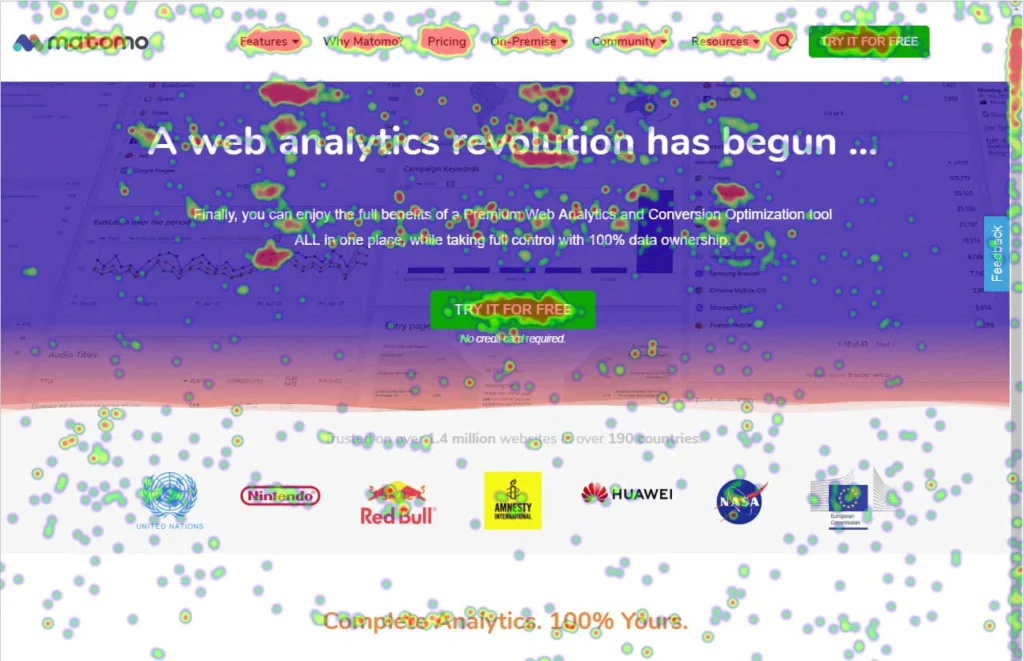
Its core web analytics covers visitors, campaigns, pages, goals, ecommerce, events, content, and custom reporting. Additional capabilities can include heatmaps, session recordings, form analytics, media analytics, funnels, A/B testing, and other behavioral or conversion tools.
Top Features:
- Cloud-hosted and self-hosted deployment options
- Website traffic, campaigns, goals, events, and ecommerce reports
- Privacy settings, consent support, and data ownership controls
- Optional heatmaps, replay, funnels, forms, and experimentation
Why It Stands Out:
Matomo gives you more infrastructure and data control than most mainstream hosted analytics platforms. This can be important for public-sector organizations, regulated industries, intranets, and businesses with strict privacy or residency requirements.
Best Use Case:
Matomo is best for privacy-sensitive organizations that need reliable website analytics and want the option to control hosting, retention, configuration, and access to raw data.
Pros and Cons:
Positives
✅ Strong data ownership options
✅ Open-source self-hosted edition
✅ Broad website analytics capabilities
✅ Privacy-focused configuration controls
Negatives
❌ Self-hosting requires technical resources
❌ Some capabilities require paid plugins
❌ Less product-focused than dedicated alternatives
❌ Advanced interface elements can feel less polished
How to Choose the Right Analytics Tool
Start With the Decisions You Need to Make
A long feature list is not a buying strategy. Begin by identifying the decisions that your team cannot make confidently with its current data.
Marketing may need to know which campaigns attract qualified visitors. Product may need to understand which onboarding actions predict retention. Ecommerce may need to locate checkout friction. Customer success may need account-level adoption signals before a renewal conversation.
When the business question is specific, the appropriate analytics category becomes much clearer.
Compare Manual Instrumentation With Autocapture
Manually defined events can produce a clean and intentional dataset, but they require engineering work, documentation, testing, and maintenance. Autocapture records a broader set of interactions and can support retroactive analysis, but the resulting data still needs naming, governance, filtering, and ownership.
Amplitude and Mixpanel work well with structured tracking plans. Heap emphasizes autocapture. PostHog supports both technical instrumentation and automatic event collection. The right approach depends on your engineering resources and how frequently analytical questions change.
Combine Quantitative and Qualitative Evidence
Funnels and retention reports tell you how many users completed an action. Session replay, heatmaps, surveys, errors, and feedback can explain why they succeeded or failed.
For conversion optimization, digital experience management, and troubleshooting, a combination of both evidence types is usually more useful than either one alone. Fullstory and Contentsquare are strong visual experience platforms, while Amplitude, Mixpanel, Heap, Pendo, and PostHog increasingly combine analysis with replay or feedback.
Evaluate Identity, Accounts, and Cross-Channel Data
A consumer mobile application may organize analysis around individual users. A B2B SaaS platform often needs both user-level and account-level behavior. A retailer may need to connect anonymous browsing, authenticated activity, orders, returns, store visits, and support interactions.
Test whether the platform can represent the identities, groups, devices, and lifecycle stages that matter to your business. Adobe Customer Journey Analytics is particularly strong for complex cross-channel identity and data requirements, but it also requires a more mature implementation.
Review Privacy and Data Governance Before Installation
Analytics implementations can collect URLs, identifiers, events, form interactions, device information, and session data. Privacy should therefore be addressed before tracking begins, not after a platform is fully deployed.
Review consent requirements, masking, data residency, retention, deletion, access control, sensitive fields, employee traffic, test environments, and vendor subprocessors. Matomo is attractive when data control is the primary requirement, but every platform still needs appropriate configuration and legal review.
Calculate the Total Cost of Ownership
The subscription price is only one cost. You may also need engineering implementation, tag management, data warehouse storage, consulting, training, governance, additional modules, premium support, and internal administration.
Usage-based platforms should be modeled against realistic event or session volumes. Enterprise platforms should be evaluated against implementation effort and the number of teams that will actually use them. A less expensive platform that produces unreliable data is not a bargain, while an enterprise suite can be excessive when only one team needs basic funnels.

Building an Effective Analytics Stack
You do not necessarily need one platform to perform every analytical task. Many businesses use a layered stack that separates collection, behavioral analysis, experience diagnosis, customer data, and executive reporting.
- Collection layer: Captures events, traffic, transactions, and customer identifiers
- Behavioral layer: Analyzes funnels, paths, cohorts, features, and retention
- Experience layer: Adds replay, heatmaps, feedback, errors, and performance context
- Data layer: Stores and combines product, CRM, billing, support, and operational data
- Reporting layer: Provides governed KPIs and cross-functional business dashboards
For example, GA4 may cover marketing acquisition while Amplitude or Mixpanel handles product behavior. Fullstory can add session-level context, and a warehouse can combine analytics events with CRM and billing data.
Business intelligence software often sits above this stack rather than replacing it. For broader reporting, compare the Power BI review, Tableau review, Looker review, and Metabase review.
Analytics Implementation Best Practices
A strong platform can still produce weak decisions when the implementation lacks ownership. Before launching, create a tracking plan that connects each event and property to an actual business question.
Use consistent event names, document identity rules, separate production from testing, validate key funnels, and assign an owner to important metrics. Avoid tracking every possible interaction without a reason. More data does not automatically create more insight.
A practical rollout should begin with one critical journey, such as acquisition to signup, signup to activation, trial to paid conversion, or cart to completed purchase. Validate the data with real user actions, compare reports with source systems, and involve stakeholders before expanding the implementation.
Governance must continue after launch. Products change, pages are redesigned, events become obsolete, and new teams create conflicting definitions. Regular auditing prevents dashboards from becoming a collection of technically correct but strategically inconsistent metrics.
Conclusion
The best web, product, and customer analytics tool depends on the part of the customer journey you need to understand.
Amplitude is the strongest overall recommendation for teams that want a broad product growth platform. Mixpanel is excellent for fast event-based investigation, while Google Analytics 4 remains the practical website and marketing foundation for many organizations.
Choose Pendo when analytics must lead directly to in-app guidance, Heap when automatic capture is the priority, and PostHog when analytics belongs inside a developer-led release workflow. Fullstory is particularly valuable for understanding digital friction through session evidence.
Large enterprises should consider Adobe Analytics for sophisticated cross-channel customer journeys and Contentsquare for comprehensive experience intelligence. Matomo is the most compelling option when self-hosting, privacy, and data ownership are central requirements.
Before committing, test the platform with your own events, traffic volume, identity model, consent requirements, and decision-making workflow. The best analytics software is not the tool that collects the most data. It is the one that consistently helps your team identify the right problem and act on it.
FAQ
What are web, product, and customer analytics tools?
Web, product, and customer analytics tools collect and analyze digital behavior. They help you measure traffic, campaigns, feature usage, funnels, retention, customer journeys, conversion, and experience quality.
What is the difference between web analytics and product analytics?
Web analytics focuses mainly on traffic sources, pages, campaigns, and website conversions. Product analytics examines event-based behavior inside a digital product, including onboarding, feature adoption, funnels, cohorts, and retention.
What is the best overall product analytics tool?
Amplitude is the strongest overall option for many product-led teams because it combines funnels, cohorts, retention, journeys, replay, experimentation, and audience activation in one platform.
Is Google Analytics 4 enough for product analytics?
GA4 can track product events and create funnels or paths, but dedicated platforms usually provide more flexible segmentation, retention analysis, behavioral cohorts, collaboration, and product-focused workflows.
Which analytics tool is best for a SaaS company?
Amplitude and Mixpanel are strong choices for SaaS product behavior. Pendo is better when you also need onboarding and in-app guidance, while PostHog suits developer-led teams that want integrated feature flags and experiments.
Which analytics platform is best for ecommerce?
GA4 is useful for acquisition and ecommerce reporting. Amplitude or Mixpanel can add behavioral funnel analysis, while Fullstory or Contentsquare can reveal checkout friction through replay, heatmaps, and journey analysis.
What is the best privacy-focused analytics tool?
Matomo is a leading privacy-focused option because it supports self-hosting, data ownership, configurable retention, and privacy controls. Compliance still depends on your configuration, consent process, and legal requirements.
Do you need session replay with product analytics?
Session replay is not mandatory, but it adds valuable context. Product analytics shows where users drop off, while replay can reveal confusion, technical errors, unexpected navigation, and other causes behind the metric.
How much do analytics tools cost?
Several platforms offer free entry plans, while paid pricing may depend on events, sessions, monthly active users, features, or enterprise contracts. Total cost should also include implementation, governance, storage, and administration.
How should you evaluate an analytics platform?
Test the platform with one important customer journey. Evaluate data accuracy, segmentation, funnels, retention, identity handling, privacy, integrations, usability, pricing at scale, and how quickly your team can turn findings into action.