Introduction
You know how important your data is – photos, passwords, bank details… it’s all stored on your devices. But are you truly protected?
Malware, ransomware, phishing scams, and other cyber threats are everywhere. And if you’re not running antivirus protection, you’re leaving the digital door wide open. The good news? You don’t have to break the bank to secure your system.
Free antivirus software has come a long way. Some of the top cybersecurity companies now offer completely free tools that deliver powerful protection, often using the same threat detection engines as their paid versions.
In this guide, you’ll discover the 5 best free antivirus software tools of 2026 that keep your devices secure without costing a cent. Whether you’re a casual browser or a remote worker, there’s a free solution that fits your needs.
Here’s what you’ll get:
- A breakdown of what free antivirus software really offers
- Key benefits and what to watch for
- Expert reviews of Bitdefender, Avast, AVG, Avira, and Kaspersky
- A detailed comparison table
- Answers to 10 frequently asked questions
Let’s dive in and help you find the perfect free antivirus tool to keep your devices safe and your mind at ease. 🧩✨
What Is Free Antivirus Software?
Free antivirus software is your digital bodyguard – without the monthly subscription fee. It’s designed to protect your device from harmful threats like:
- Viruses
- Malware
- Spyware
- Ransomware
- Phishing attacks
These threats are more common than ever, especially if you browse public Wi-Fi, download files, or open random email attachments.
So, What Does “Free” Actually Mean?
Free antivirus tools are often lightweight versions of premium software. They offer the essential features you need, such as:
- Real-time threat detection
- Automatic virus scanning
- Basic malware protection
- Browser security alerts
While they might lack some of the fancy features like VPNs or parental controls, they still provide solid core protection for your system.
How They Work
Free antivirus software continuously monitors your device and incoming data. If it detects suspicious behavior or known threats, it blocks them instantly. Many of these tools use cloud-based scanning or AI-powered engines to identify new and evolving malware threats.
You’re essentially getting the same core defense mechanisms that paid versions use, just with fewer bells and whistles.
Free vs. Paid Antivirus Software: What’s the Catch?
Here’s a quick breakdown of what you typically get (and don’t get) with free antivirus tools:
| Feature | Free Antivirus | Paid Antivirus |
| Real-Time Protection | ✅ Yes | ✅ Yes |
| Malware & Virus Removal | ✅ Yes | ✅ Yes |
| Ransomware Protection | ⚠️ Limited | ✅ Full |
| VPN Services | ❌ No or Limited | ✅ Yes |
| Customer Support | ❌ None or Basic | ✅ Full Support |
| Parental Controls | ❌ No | ✅ Yes |
| Ad-Free Experience | ❌ No | ✅ Yes |
Free antivirus software is an excellent first line of defense. It may not cover everything, but it’s far better than having no protection at all. If you’re on a tight budget or just want essential coverage, these tools are more than capable.
Best Free Antivirus Software 2026
Bitdefender Antivirus
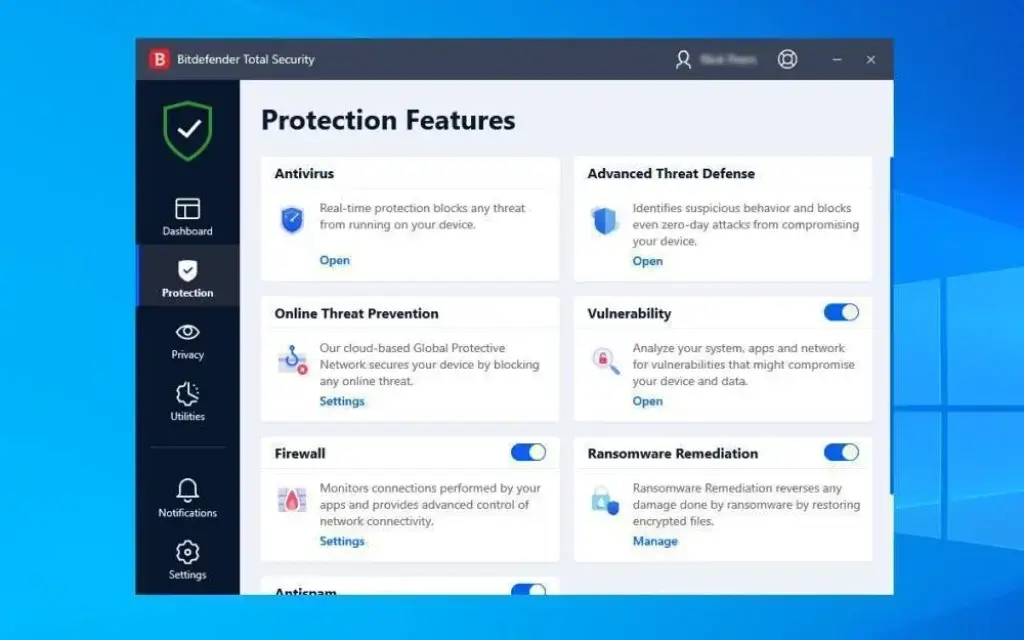
If you’re looking for fast, no-fuss protection, Bitdefender’s free antivirus is a top pick. It runs quietly in the background, uses minimal system resources, and still catches nearly all malware threats.
This tool is perfect if you want a “set it and forget it” antivirus that just works.
Key Features
- Real-time threat detection
- Automatic scans and updates
- AI-based malware blocking
- Super lightweight – barely affects system performance
Pros
- ✅ Excellent virus and malware detection rates
- ✅ Very low impact on speed
- ✅ Simple, clean interface
Cons
- ❌ No customization or advanced tools
- ❌ No extra features like VPN or firewall
Best For:
If you want reliable protection without pop-ups, ads, or settings to manage. Just install, and you’re protected. Ideal for beginners and low-maintenance users.
Avast Free Antivirus

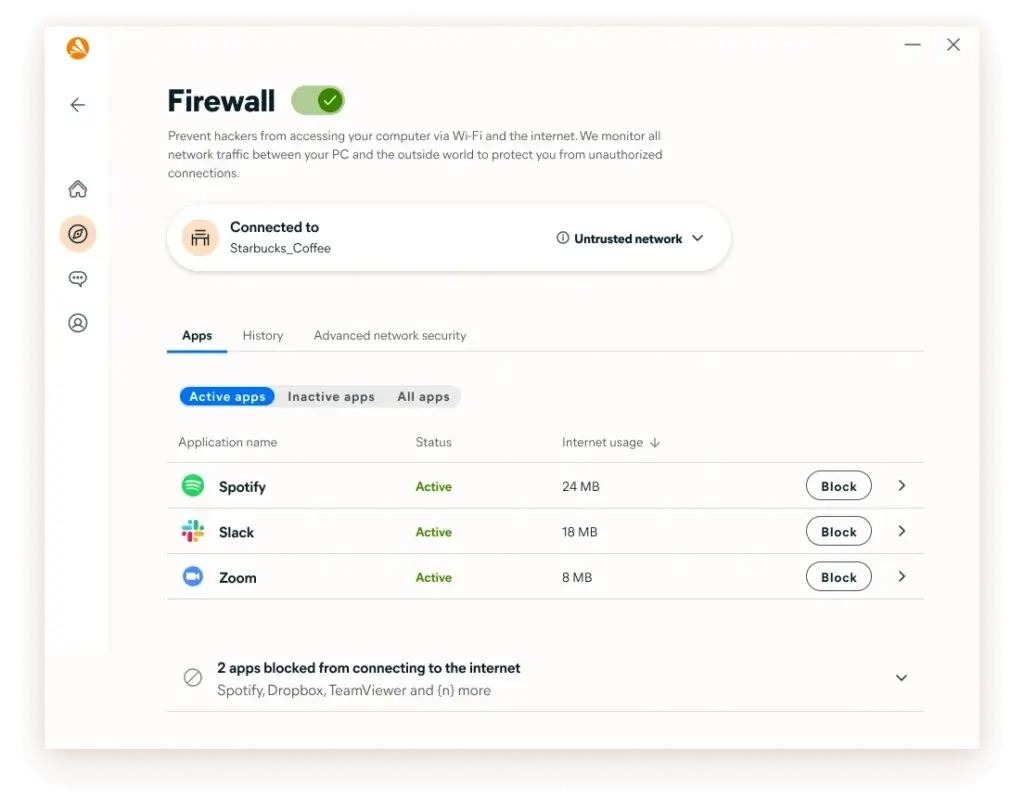
Want more than just basic protection? Avast Free Antivirus packs in extras like a Wi-Fi inspector and password manager – all without asking for your credit card.
It’s a great choice if you want a feature-rich antivirus that goes beyond just scanning for viruses.
Key Features
- Malware, ransomware, and spyware protection
- Wi-Fi network scanner
- Built-in password manager
- Behavior shield to detect suspicious activity
Pros
- ✅ Tons of features for a free version
- ✅ Great user interface
- ✅ Frequent updates and alerts
Cons
- ❌ Occasional pop-ups promoting the paid version
- ❌ Slightly heavier on system performance
Best For:
If you’re a power user or want extras like network scanning and data leak alerts, without paying for a premium plan.
AVG AntiVirus Free
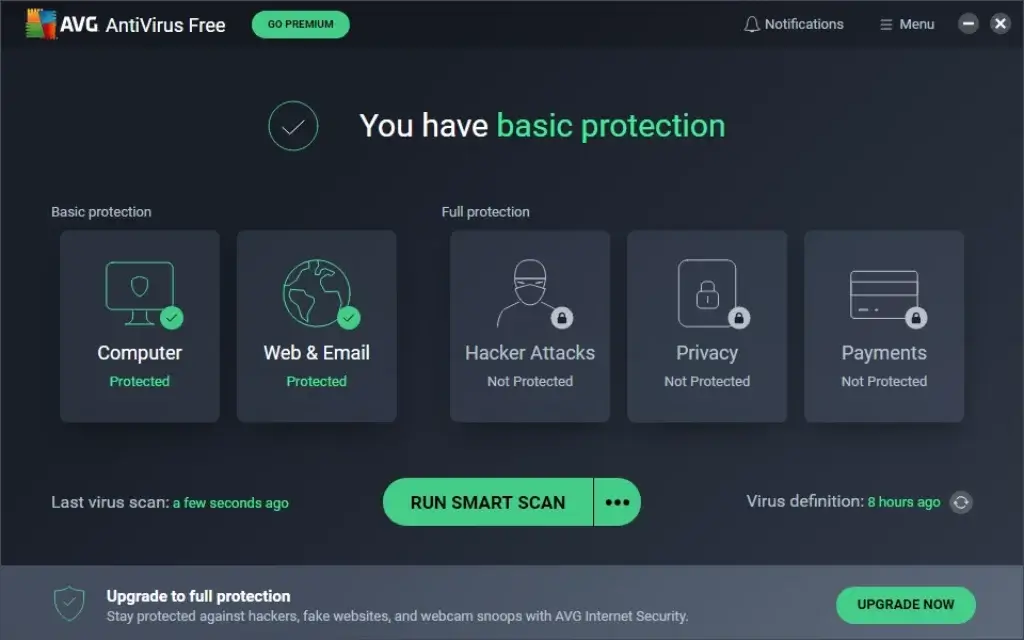
AVG AntiVirus Free delivers classic, no-nonsense protection. It shares the same powerful engine as Avast (they’re owned by the same company) but keeps the interface a bit cleaner and more focused.
It’s perfect if you want something that’s easy to use and works reliably in the background.
Key Features
- Real-time malware and virus protection
- Email and link scanning for safer browsing
- File shredder for secure deletion
- Automatic updates
Pros
- ✅ Strong malware detection engine
- ✅ Clean, simple dashboard
- ✅ Runs smoothly without slowing down your PC
Cons
- ❌ Fewer extra tools than Avast
- ❌ Occasional upgrade prompts
Best For:
If you’re looking for a straightforward, effective antivirus without distractions. Great for everyday users who want protection that just works.
Avira Free Security

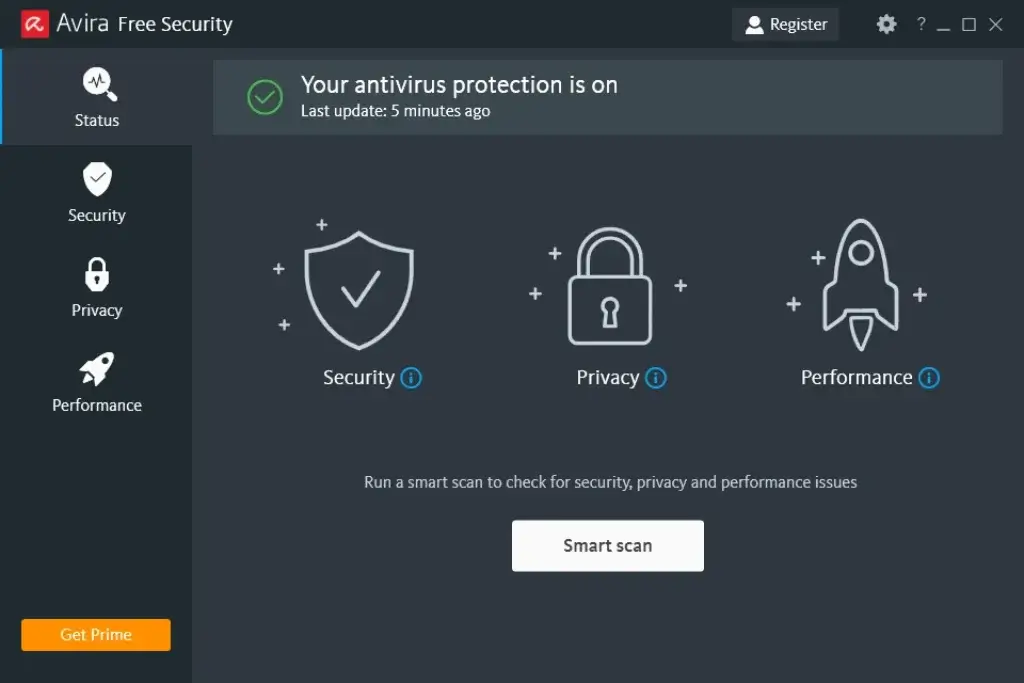
If you love getting extra value, Avira Free Security is a hidden gem. It goes beyond antivirus and throws in a free VPN, password manager, and even a system optimizer – all at no cost.
It’s perfect if you want more than just virus protection without upgrading to a premium suite.
Key Features
- Real-time antivirus and ransomware protection
- Free VPN (with 500MB/month limit)
- Password manager
- PC cleaner and performance boost tools
Pros
- ✅ Includes privacy and performance tools
- ✅ Great interface and user experience
- ✅ Strong malware detection
Cons
- ❌ VPN data cap is very limited
- ❌ Some features are locked behind paid version
Best For:
If you want an all-in-one free security suite that includes antivirus, privacy tools, and system cleanup.
Kaspersky Security Cloud

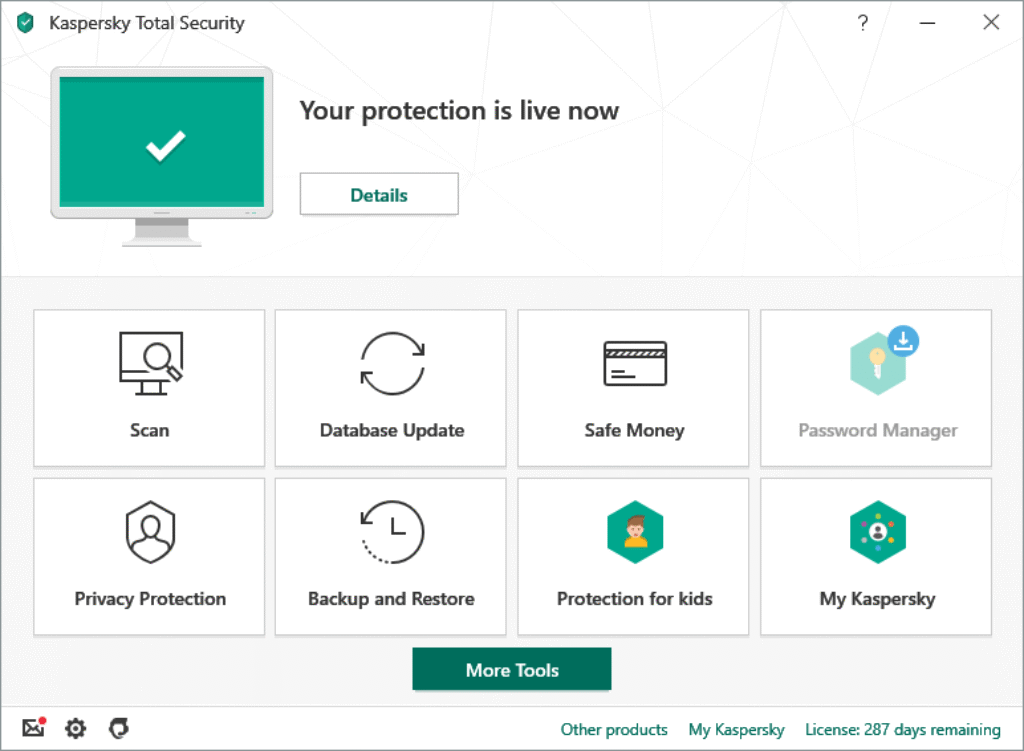
If you want award-winning protection without paying a dime, Kaspersky’s free antivirus is a top-tier choice. It brings the same powerful engine found in the premium version, with essential tools for everyday security.
It’s ideal for users who value strong malware defense and intelligent scanning, all without the extra bells and whistles.
Key Features
- Real-time protection against viruses, spyware, and ransomware
- Cloud-based threat detection
- Smart home network monitoring
- Adaptive security alerts based on behavior
Pros
✅ Industry-leading malware detection
✅ Minimal impact on system performance
✅ Clean, easy-to-use interface
Cons
❌ Lacks extras like VPN and password manager
❌ Fewer customization options compared to the paid plan
Best For:
If you want trusted antivirus protection with strong performance, backed by one of the most reputable security labs, is completely free.
Benefits of Using Free Antivirus Software
Free antivirus tools give you essential protection without the price tag. Here’s why they’re worth it:
- No cost – Get strong security without paying a dime
- Lightweight – Most free versions won’t slow down your system
- Auto-updates – Stay protected with regular security updates
- Real-time defense – Block threats as they happen
If you just need basic, reliable protection, free antivirus software gets the job done. ✔️
How to Choose the Best Free Antivirus Software
Choosing the right free antivirus depends on what matters most to you. Here’s what to look for:
- Real-time protection – Stops threats instantly
- Low system impact – Doesn’t slow down your device
- Device compatibility – Works on Windows, Mac, or mobile
- Extra features – Some include VPNs, password managers, or firewalls
Not all free antivirus tools are the same. Choosing the right one depends on how you use your device and what kind of features you care about.
Here’s how to decide.
Ask Yourself:
Do you want simple protection without setup?
→ Go with Bitdefender for a clean, automatic experience.Need extra features like a Wi-Fi scanner or password manager?
→ Avast or Avira gives you more tools in one free package.Want a strong, minimal setup with just the essentials?
→ Try AVG for solid, no-frills protection.- Prefer smart, cloud-based scanning?
→ Choose Kaspersky for cutting-edge defence with low system load
| Feature | Bitdefender | Avast | AVG | Avira | Kaspersky |
| Real-Time Protection | ✅ Yes | ✅ Yes | ✅ Yes | ✅ Yes | ✅ Yes |
| Malware Detection | Excellent | Excellent | Excellent | Excellent | Excellent |
| System Impact | Very Low | Moderate | Low | Moderate | Low |
| VPN Included | ❌ No | ❌ No | ❌ No | ✅ Yes (500MB/month) | ❌ No |
| Password Manager | ❌ No | ✅ Yes | ❌ No | ✅ Yes | ❌ No |
| Firewall | ❌ No | ✅ Basic | ❌ No | ❌ No | ❌ No |
| Extras | Minimalist | Wi-Fi scanner, data shield | Simple file shredder | PC optimizer | Cloud protection |
| Best For | Set-it-and-forget-it users | Feature lovers | Everyday use | Power users on a budget | Cloud-smart users |
Key Tips:
- Pick what fits your habits – not every user needs all the features.
- Try a couple of options before settling – they’re free!
- Always keep your antivirus updated to stay fully protected.
Conclusion
You don’t have to pay a cent to stay safe online in 2026. With free antivirus software from top-tier cybersecurity companies, you can protect your devices, identity, and data without compromise.
Whether you want something lightweight like Bitdefender, full-featured like Avast or Avira, or super smart like Kaspersky, there’s a perfect fit waiting for you.
Your next step?
Pick the one that suits your needs best – and get protected now. You’ll browse, stream, and work with peace of mind.
Frequently Asked Questions
What is the best free antivirus software?
The best free antivirus software depends on your needs. Bitdefender Free is ideal for simple and reliable protection, Avast One Basic offers more features like network scanning, and Avira Free includes extras like a VPN and password manager.
Is free antivirus software safe to use?
Yes, most reputable free antivirus programs are safe to use. Tools like Bitdefender, Avast, AVG, and Avira use the same malware detection engines as their paid versions, but with limited features.
Is free antivirus enough for protection in 2026?
Free antivirus software can provide basic protection against malware and viruses, but it often lacks advanced features like ransomware protection, phishing detection, and VPN access. For full protection, a paid solution is usually recommended.
Do free antivirus programs include real-time protection?
Some free antivirus tools include real-time protection, such as Bitdefender Free, Avast One Basic, and AVG Free. However, others like Malwarebytes Free and Kaspersky Free only offer manual scanning after the trial period.
Which free antivirus is best for Windows?
For Windows users, Bitdefender Free and Microsoft Defender are strong options for basic protection. Avast One Basic and AVG Free offer more advanced features if you want additional security tools.
Is Microsoft Defender enough as a free antivirus?
Microsoft Defender provides solid built-in protection for Windows users, including real-time scanning and automatic updates. However, it lacks advanced features like a VPN, password manager, and enhanced phishing protection.
Do any free antivirus programs include a VPN?
Yes, some free antivirus tools include limited VPN access. Avira Free offers around 500MB per month, and Panda Dome Free includes a daily VPN limit. However, these are usually restricted compared to paid versions.
Can I use free antivirus on multiple devices?
Some free antivirus tools allow installation on multiple devices. Avira Free supports unlimited devices, while others may limit usage depending on the platform or account.
What are the limitations of free antivirus software?
Free antivirus software often lacks advanced features such as ransomware protection, firewall controls, identity protection, and unlimited VPN access. It may also include ads or upgrade prompts.
What is the difference between free and paid antivirus?
The main difference is the level of protection. Free antivirus covers basic malware detection, while paid antivirus includes advanced features like real-time phishing protection, ransomware defense, VPN, password manager, and priority support.