
Introduction
Kaspersky continues to be one of the most trusted names in cybersecurity, offering powerful protection for both individual users and business environments. With decades of innovation behind it and a product line that has evolved to meet modern threats, this antivirus suite provides a layered defense against malware, ransomware, phishing, and advanced persistent threats.
Whether you’re securing a personal laptop, managing family devices, or deploying endpoint protection across a small business or remote workforce, Kaspersky delivers flexible and scalable solutions. From the lightweight Standard plan for home users to Endpoint Security Cloud and Next XDR Optimum for business-grade protection, there’s a version suited to virtually every need.
In this updated Kaspersky Antivirus review, you’ll learn:
- How its core security features stack up in 2026
- What’s included in each pricing tier for both home and business
- How it performs in independent lab tests (AV-Test, AV-Comparatives)
- The pros and cons, based on the latest feedback and product updates
- Which version is best for your personal or organizational needs
This guide is designed to help you confidently choose the right level of protection—whether you’re safeguarding your own digital life or your company’s most sensitive assets.
👉 You can also compare Kaspersky with other top tools in our best antivirus software list or explore plans directly on kaspersky.com.
Overview
Kaspersky Antivirus Overview
Founded in 1997, Kaspersky Lab has grown into one of the most widely recognized names in cybersecurity, with a global presence in over 200 countries and a user base exceeding 400 million. The company has consistently focused on delivering top-tier protection through its antivirus, endpoint security, and threat intelligence solutions.
Kaspersky’s suite of products caters to a wide spectrum of users, from individuals seeking straightforward malware protection to small and mid-sized businesses requiring centralized control, identity protection, and threat visibility across distributed teams.
Product Tiers and Security Suites
Kaspersky’s current lineup for 2026 is structured across three core tiers for personal users and business owners:
- Kaspersky Standard – Entry-level antivirus ideal for individuals or families, offering core protection against malware, phishing, and online threats.
- Kaspersky Plus – Includes all Standard features plus a password manager, data leak checker, and unlimited VPN access.
- Kaspersky Premium – Adds identity protection, remote access alerts, and 24/7 IT support—suitable for advanced personal users or freelancers.
For organizations, the focus shifts to cloud-based security and scalable endpoint protection:
- Kaspersky Endpoint Security Cloud – Centralized dashboard, role-based access control, mobile device management (MDM), and protection for Windows, macOS, Android, and iOS endpoints.
- Kaspersky Next XDR Optimum (New in 2026) – Designed for mid-sized businesses, it introduces extended detection and response (XDR), AI-assisted threat hunting, and integration with Microsoft 365 and cloud workloads.
Device and OS Compatibility
Kaspersky software supports all major platforms and is optimized for both desktop and mobile environments:
- Windows: Windows 7 SP1 and newer (including Windows 11)
- macOS: macOS 10.15 and newer
- Android: Version 8.0 and above
- iOS: iOS 14 and above (limited by Apple security restrictions)
- Linux: Supported under enterprise-level products
📱 Personal users can protect smartphones, tablets, and home PCs, while IT teams can monitor and manage devices remotely through the Cloud Management Console.
Software Specification
Core Features and Security Tools
Kaspersky’s strength lies in its layered approach to security. Whether you’re a home user wanting real-time protection or an IT admin managing a business network, the platform offers a wide range of tools tailored to both audiences. Below is a breakdown of the most critical Kaspersky security features available in 2026.
🛡 Malware and Threat Protection
Kaspersky provides real-time protection against viruses, trojans, spyware, rootkits, and ransomware. It uses a combination of:
- Signature-based detection for known threats
- Heuristic analysis for zero-day and unknown threats
- Behavior-based analysis to stop malware before it executes
- Web protection to block malicious URLs, phishing attempts, and drive-by downloads
For businesses, these same protections extend to endpoint devices, ensuring remote employees, file servers, and networked devices stay secured from evolving attack vectors.
🔧 Additional Tools and Features
Beyond antivirus protection, Kaspersky includes a suite of helpful tools that enhance both security and usability.
🔒 Firewall and Network Protection
- Two-way firewall for monitoring inbound/outbound traffic
- Intrusion detection to flag unauthorized access attempts
- Wi-Fi vulnerability alerts for users working from shared or public networks
These features are crucial for businesses with employees working remotely or using unmanaged devices.
🌍 Secure VPN (Plus & Premium Plans)
- Unlimited VPN with 256-bit encryption (on Plus/Premium tiers)
- Auto-activation on unsafe networks
- Kill switch to block data leaks if the VPN disconnects
Home users get safer browsing and geo-unblocking, while businesses ensure sensitive communications remain encrypted.
🔑 Password Manager
- Generate, store, and autofill strong passwords across devices
- Monitor weak or reused credentials with password health checks
- Sync passwords across mobile and desktop
This reduces the risk of password-related breaches for both personal accounts and company logins.
🔍 Identity Theft & Dark Web Monitoring (Premium only)
- Alerts for leaked email addresses, passwords, or payment data
- Identity Protection Wallet for storing sensitive ID documents
- Real-time tracking of data breaches associated with your credentials
Especially useful for freelancers, executives, or businesses in compliance-heavy sectors like finance and healthcare.
👨👩👧 Parental Controls & Webcam Protection
- App and content filters for children’s devices
- Screen time limits and browsing reports
- Webcam access alerts to prevent spying through unauthorized applications
While more relevant for personal users, shared work/home devices can also benefit from these safeguards.
🚨 Business-Only Security Capabilities (Endpoint Security Cloud & XDR)
For businesses using Kaspersky’s dedicated solutions, additional features include:
- Centralized device control and remote deployment
- Cloud application security for Microsoft 365 and Google Workspace
- Automated threat response and rollback
- Hunt Hub (2026) for proactive threat hunting and transparency
- XDR capabilities (Kaspersky Next) for advanced threat correlation and detection across endpoints and cloud workloads
These tools are designed to reduce the burden on small IT teams and protect against sophisticated, targeted attacks.
Pros and Cons
Advantages and Disadvantages
Positive
✅ High malware detection
✅ Feature-Rich Even at Lower Tiers
✅ Strong B2B features
✅ Clean and Customizable Interface
Negatives
❌ Limited VPN on entry plans
❌ Privacy Reputation Concerns (Legacy)
❌ Resource-Intensive During Full Scans
❌ Limited macOS Server Support
Choosing antivirus software for your business means balancing strengths against potential drawbacks. Here’s a deeper look at the most relevant Kaspersky pros and cons based on updated features, independent lab results, and real-world business use cases.
✅ Pros
1. Industry-Leading Malware Detection
Kaspersky consistently earns top scores in AV-Test and AV-Comparatives for threat detection, including zero-day and ransomware protection. In business environments, its high accuracy reduces false positives and improves IT efficiency.
2. Feature-Rich Even at Lower Tiers
Unlike many competitors, Kaspersky includes tools like a VPN, password manager, and system optimization features even in its mid-tier plans. This makes it a cost-effective all-in-one solution for both home and business use.
3. Strong B2B Capabilities
With tools like Endpoint Security Cloud, XDR Optimum, and Hunt Hub, Kaspersky provides serious cybersecurity infrastructure for SMBs. Features like remote device management, automated threat response, and cloud integration make it suitable for hybrid or remote teams.
4. Clean and Customizable Interface
The UI is modern, fast, and easy to navigate, whether you’re setting up a quick scan on a personal device or configuring policy templates for 50 endpoints.
❌ Cons
1. Limited VPN on Entry Plans
Unless you’re on the Plus or Premium tier, VPN usage is capped at 300MB/day, far too restrictive for regular use, especially for remote teams relying on secure connections.
2. Privacy Reputation Concerns (Legacy)
Although Kaspersky has taken steps to boost transparency (like the Global Transparency Initiative), its Russian origin still leads to hesitancy among some organizations, particularly in government or defense sectors.
3. Resource-Intensive During Full Scans
While daily performance is smooth, full system scans may consume noticeable CPU and RAM, especially on older hardware. This can be scheduled during off-hours, but it’s worth noting for legacy systems.
4. Limited macOS Server Support
macOS users get desktop protection, but server-level protection for Mac environments is limited. This can be a drawback for businesses operating in Apple-heavy infrastructures.
Software Capabilities
Performance and User Experience
Performance is often the deciding factor when selecting antivirus software—especially for businesses running mission-critical applications. Kaspersky strikes a solid balance between security and system efficiency, offering smooth performance for most devices while remaining vigilant in the background.
⚙️ System Impact
Kaspersky has significantly improved its performance optimization in recent releases. Most personal users and business workstations won’t notice a slowdown during everyday tasks. However, during full system scans, CPU usage can temporarily spike, especially on older hardware or entry-level laptops.
- Idle CPU usage: ~1–2% (very light)
- Quick scans: Minimal impact
- Full scans: Noticeable load on older machines (can be scheduled)
💡 Pro tip for IT admins: You can stagger scan schedules or reduce scan intensity via policy settings in the Endpoint Security Cloud console.
⚡ Scan and Update Speeds
- Quick Scan: Typically completes in 2–5 minutes on modern systems
- Full Scan: 20–40 minutes depending on system specs
- Virus Definition Updates: Delivered multiple times daily, usually in the background
Updates are automatic and silent. There’s no need for manual interaction unless customized in business settings.
🧭 Ease of Use
Both personal and business users benefit from an intuitive, modern interface:
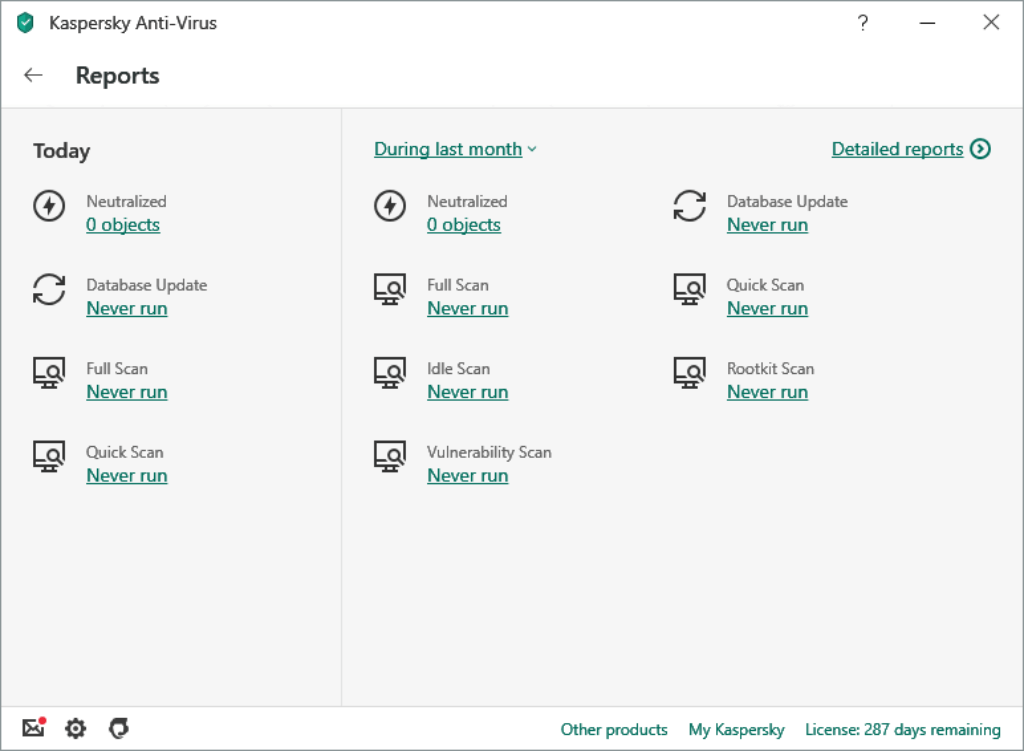
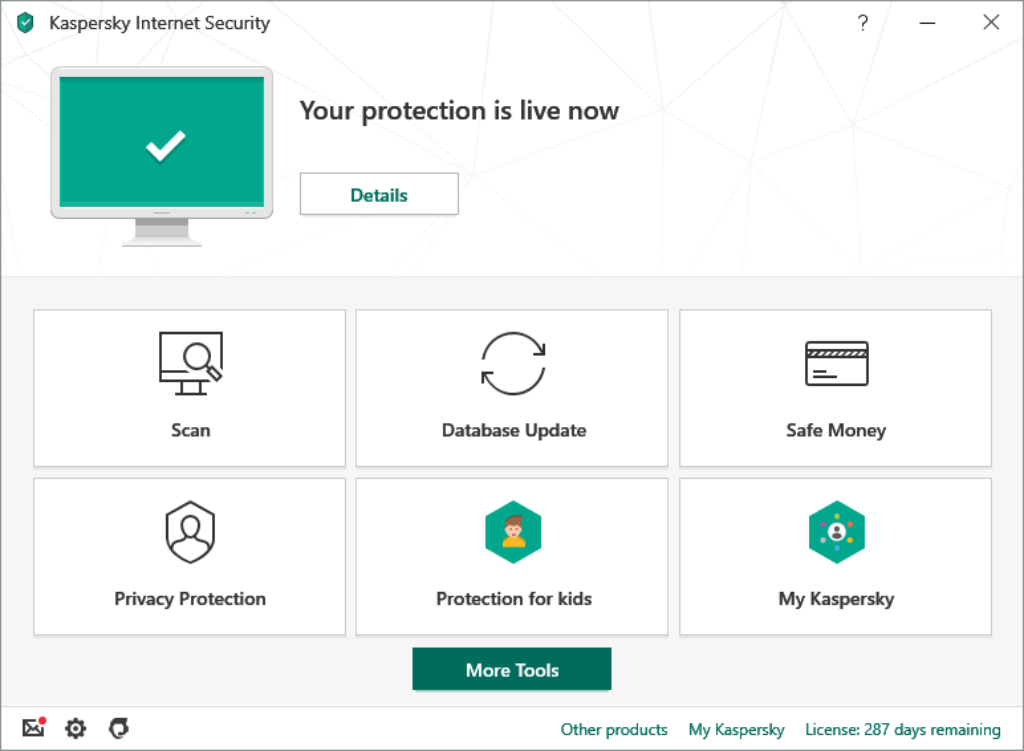
- Clear dashboard showing security status, recommendations, and quick actions
- One-click scanning, device management, and feature toggles
- Admin console (B2B) provides full visibility across devices and departments
The setup process is fast and user-friendly, whether you’re installing on a personal PC or deploying to 50+ devices using Kaspersky’s centralized tools.
📱 Mobile Experience
Kaspersky’s Android and iOS apps are lightweight, easy to use, and include:
- Anti-theft features (lock, wipe, locate)
- Privacy alerts for risky apps
- Safe browsing and app control
- Remote management from the cloud portal (for business devices)
Overall, the platform delivers a smooth, low-friction experience that adapts well to both casual users and IT professionals.
Lab Results
🧪 Independent Test Lab Results
If you’re looking for measurable confidence in an antivirus solution, third-party test results offer the most unbiased view. Kaspersky continues to excel in global evaluations, with high scores for malware protection, usability, and performance.
🧪 AV-Test Scores (July 2026)
Kaspersky earned perfect scores in the latest AV-Test evaluations for both home and business editions:
| Metric | Kaspersky | Industry Avg |
| Real-Time Malware Detection | 99.9% | 98.5% |
| False Positives | 0 | 4–5/month |
| System Performance Score | 6/6 | 5.3/6 |
These results reflect excellent protection against zero-day threats, web-based malware, and widespread ransomware, with minimal system impact and almost zero false positives.
📊 Tested on Windows 11 (Home & Business editions), Android 13, and macOS Ventura.
🧠 AV-Comparatives Summary Report (2026)
Kaspersky was awarded the ADVANCED+ rating (the highest tier) in all core categories, including:
- Real-World Protection Test: 99.9% detection rate
- Malware Protection Test: 100% offline detection
- False Positives: 0 (flawless accuracy)
- Performance Test: Rated among the top 3 performers for speed
Compared to competitors like Norton and McAfee, Kaspersky consistently scored higher in real-time protection and showed better handling of unknown malware through behavioral detection.
🏆 Score from Labs
Independent labs confirm that Kaspersky is one of the most accurate and reliable antivirus solutions on the market today. Businesses can trust its threat detection engine, and home users will appreciate the quiet performance and low interference.
💬 Want to compare how Kaspersky stacks up to others? Stay tuned for the next section, where we pit it against Bitdefender, Norton, and McAfee for both home and business use.
Pricing
Pricing and Plans
Kaspersky offers separate solutions for home users and businesses, so pricing depends on whether you need protection for personal devices or centralized endpoint management.
Below is a simplified breakdown for clarity.
🏠 Personal Plans (Home Users & Freelancers)
| Plan | Best For | Key Features | Starting Price* |
| Standard | Individuals | Real-time malware protection, firewall, anti-phishing | ~$39.99/year (3 devices) |
| Plus | Families & remote workers | Standard + Unlimited VPN, Password Manager, Data Leak Checker | ~$52.99/year (3 devices) |
| Premium | Advanced users | Plus + Identity Protection, Remote IT Support, Smart Monitoring | ~$74.99/year (3 devices) |
What You Should Know
- All personal plans include real-time protection and ransomware defense
- VPN is limited on Standard (daily cap)
- 30-day free trial and money-back guarantee available
- Auto-renewal can be disabled
👉 Best value for most users: Kaspersky Plus
🏢 Business Plans (SMBs & Growing Teams)
Business pricing is based on number of endpoints and required features.
Main options include:
- Endpoint Security Cloud – Centralized device management, MDM, remote deployment
- Kaspersky Next EDR Foundations – Endpoint detection and response
- Kaspersky Next XDR Optimum – Advanced threat correlation, AI-based hunting, cloud workload security
Pricing is typically:
- Per device, per year
- Custom quotes for 10+ endpoints
- Volume discounts available
Why Businesses Pay More
You’re getting:
- Centralized management console
- Role-based admin access
- Cloud service protection (Microsoft 365 integration)
- Threat intelligence feeds
- Advanced ransomware rollback
For small businesses without dedicated IT teams, Endpoint Security Cloud offers the best balance between cost and control.
Feedbacks
🗣️ User Feedback and Reviews
To evaluate how the antivirus software performs in real environments, it’s important to look at what real users and IT teams are saying. Here’s a snapshot of the most common praise and criticism, along with insights from major review platforms.
🌟 What Users Like
- Consistent reliability
Many small and mid-sized businesses highlight its strong malware detection and stable performance, especially in environments with sensitive data. - Easy to manage
IT administrators praise the centralized dashboard and simple deployment process, which makes it easy to secure multiple devices at once. - Low system impact
Several users report that Kaspersky runs smoothly in the background without slowing down daily operations. - Great value for features
Even at mid-tier pricing, the inclusion of VPN, password manager, and other extras is appreciated by business users looking for all-in-one tools.
⚠️ Common Complaints
- Too many pop-ups on entry plans
Some users on the Standard plan report frequent upgrade prompts and notifications. - Limited VPN on basic tiers
Businesses needing unlimited VPN access often find the daily data cap on lower plans restrictive. - Privacy perception issues
A few customers remain concerned about the brand’s origins despite Kaspersky’s transparency efforts and global infrastructure. - Customer support delays
While Premium users get 24/7 IT help, others have mentioned slower response times through standard channels.
🏆 Ratings from Trusted Sources
- G2: ★★★★☆ (4.5/5) – Highlighted for endpoint protection and admin usability
- Capterra: ★★★★☆ (4.4/5) – Rated well for affordability and ease of setup
- Trustpilot: ★★★☆☆ (3.6/5) – Mixed reviews, with some lingering concerns about customer service
📢 Pro Tip: Most negative reviews come from users on consumer-grade plans. Business customers using the B2B-tier products report a much smoother experience overall.
Kaspersky VS. Alternatives
Comparison with Other Antivirus Software
Choosing the right antivirus is rarely about “good vs bad.” It’s about which solution fits your needs best: personal protection, remote teams, compliance, or enterprise visibility.
Here’s how Kaspersky compares to three major competitors in 2026.
Kaspersky vs Bitdefender
Bitdefender (full review here) is often considered Kaspersky’s closest competitor in terms of detection performance.
🔐 Malware Protection
Both consistently score near-perfect in AV-Test and AV-Comparatives. Detection rates are almost identical.
- Kaspersky: Strong behavioral detection + ransomware rollback
- Bitdefender: Slightly lighter performance footprint during deep scans
If pure detection accuracy is your top priority, both are excellent.
🏢 Business Features
- Kaspersky:
- Endpoint Security Cloud
- Kaspersky Next XDR Optimum
- Integrated Hunt Hub for threat hunting
- Strong Microsoft 365 protection
Bitdefender:
- GravityZone platform
- Excellent EDR and MDR services
- Strong enterprise integrations
👉 For SMBs without dedicated SOC teams, Kaspersky is often easier to deploy and manage.
👉 For larger enterprises, Bitdefender’s MDR ecosystem may be stronger.
💰 Pricing
Kaspersky tends to include more bundled features (VPN, password manager) at lower tiers.
Bitdefender sometimes charges separately for similar add-ons.
Kaspersky vs Norton
Norton (full review here) is highly popular in North America, especially among home users.
🏠 Personal Use
Norton strengths:
- Excellent identity theft protection (especially in the US)
- Cloud backup included
- Strong brand reputation
Kaspersky strengths:
- More affordable mid-tier plans
- Cleaner interface
- Better VPN integration at lower tiers
If identity theft monitoring in the US is critical, Norton may have an edge.
If you want balanced protection at a lower price point, Kaspersky often wins.
🏢 Business Use
Norton’s business solutions are more limited compared to its consumer focus.
Kaspersky offers:
- More advanced endpoint control
- Better remote deployment
- Stronger centralized management
For SMBs, Kaspersky is generally more flexible.
Kaspersky vs Avast
Avast is known for its free antivirus and broad consumer base.
🛡 Core Protection
Both provide strong real-time protection, but:
- Kaspersky: Lower false positives
- Avast: Slightly heavier UI and more frequent upsell prompts
🏢 Business Environment
Avast Business Security offers endpoint protection but:
- Management tools are less advanced than Kaspersky’s cloud console
- XDR capabilities are more limited
For businesses managing hybrid teams or multiple offices, Kaspersky’s centralized management is typically stronger.
Side-by-Side Overview
| Feature | Kaspersky | Bitdefender | Norton | Avast |
| Malware Detection | Excellent (6/6) | Excellent (6/6) | Excellent | Very Good |
| Business XDR | Yes (Next XDR) | Yes (GravityZone) | Limited | Limited |
| Bundled VPN | Yes (Plus+) | Limited tiers | Yes | Yes |
| Password Manager | Included | Included | Included | Included |
| Ease of Use | Very High | High | High | Moderate |
| Best For | SMBs & hybrid teams | Enterprises | US home users | Budget users |
Final Take on the Competition
If you are:
- 👤 A home user wanting strong protection at fair pricing → Kaspersky or Bitdefender
- 👨👩👧 A family focused on identity monitoring → Norton
- 💼 A small business with hybrid teams → Kaspersky stands out
- 🏢 A large enterprise needing MDR services → Bitdefender may scale better
Kaspersky’s biggest advantage in 2026 is balance. It combines strong malware detection, centralized business tools, bundled privacy features, and competitive pricing in one ecosystem.
Conclusion
Is Kaspersky Worth It in 2026?
⭐ Overall Rating: 8.8/10
If you’re looking for a security solution that balances strong protection, business-ready tools, and competitive pricing, Kaspersky remains one of the smartest choices in 2026.
It’s not just an antivirus. It’s a layered security platform that works equally well for:
- Individuals who want reliable, lightweight protection
- Families securing multiple devices
- Freelancers handling sensitive client data
- Small to mid-sized businesses managing remote teams
- Organizations needing endpoint control without enterprise complexity
Why Kaspersky Stands Out
After reviewing its security features, independent lab results, pricing tiers, and competitor comparisons, here’s what truly makes it stand out:
✔ Consistently top-tier malware detection
✔ Strong ransomware rollback and behavioral protection
✔ Centralized endpoint management for businesses
✔ VPN and password manager included in mid-tier plans
✔ Competitive pricing compared to Bitdefender and Norton
For SMBs especially, the Endpoint Security Cloud and Kaspersky Next XDR solutions provide serious protection without requiring a full security operations team.
Where It Might Not Be Ideal
It may not be the best choice if:
- You require enterprise-grade MDR services at scale
- You operate in a sector with strict geopolitical vendor restrictions
- You need unlimited VPN on the lowest-tier plan
In those cases, alternatives like Bitdefender GravityZone or specialized enterprise tools may be worth evaluating.
Who Should Buy It?
If you want:
- Reliable real-time protection
- Advanced threat detection without complexity
- Secure remote work coverage
- Strong value for money
Then yes, Kaspersky is absolutely worth the investment in 2026.
It combines strong personal security with scalable business protection in a way few competitors manage. The only minor drawbacks are VPN limits on entry plans and legacy reputation concerns, both of which are outweighed by its technical performance.
Have more questions?
Frequently Asked Questions
Is Kaspersky a good antivirus for businesses?
Yes. Kaspersky offers strong endpoint protection, centralized management, and advanced tools like XDR and cloud security, making it a solid choice for small to mid-sized businesses.
Does Kaspersky work for both personal and business use?
Yes. Kaspersky provides separate plans for individuals, families, and businesses, including Endpoint Security Cloud and Next XDR solutions for organizations.
Is Kaspersky safe to use in 2026?
Kaspersky continues to deliver strong malware protection and high lab test scores. While some users have concerns due to its origins, the company has implemented transparency initiatives and global data processing options.
Does Kaspersky include a VPN?
Yes. A VPN is included in Plus and Premium plans. However, the Standard plan includes a limited daily allowance, while higher tiers provide unlimited usage.
How many devices can Kaspersky protect?
Most plans start with coverage for 3 devices, with options to scale up depending on the subscription. Business plans allow flexible endpoint protection based on company size.
Does Kaspersky slow down your computer?
Kaspersky has a low system impact during normal use. However, full system scans may temporarily use more CPU resources, especially on older devices.
What is Kaspersky Next XDR?
Kaspersky Next XDR is an advanced security solution designed for businesses. It provides extended detection and response, threat correlation, and proactive threat hunting across endpoints and cloud environments.
Does Kaspersky protect against ransomware?
Yes. Kaspersky includes ransomware protection with behavior-based detection and rollback capabilities to restore files if an attack occurs.
Is there a free version of Kaspersky?
Yes. Kaspersky offers a free antivirus version with basic protection. However, advanced features like VPN, password manager, and identity protection require paid plans.
How does Kaspersky compare to Bitdefender or Norton?
Kaspersky offers similar malware protection to Bitdefender and Norton but often includes more features at a lower price. It is especially strong for SMBs due to its centralized management and business tools.