Introduction
Shift scheduling software helps you build staff schedules faster, reduce no-shows, track availability, manage shift swaps, and keep labor costs under control. For businesses that rely on hourly teams, such as restaurants, retail stores, healthcare providers, cleaning companies, and field teams, the right platform can replace messy spreadsheets and endless group chats with a clear system your managers and employees can actually use.
In this guide, you’ll discover the best shift scheduling software in 2026, including Shiftie, 7shifts, Connecteam, QuickBooks Time, ClickUp, monday.com, Deputy, and Homebase. You’ll see how each tool compares across scheduling, time tracking, communication, reporting, pricing, and ideal use cases, so you can choose the platform that fits your workforce best.
What to look for in shift scheduling software
Before choosing a platform, focus on the features that will matter most in daily operations:
- Scheduling speed and flexibility – Can you create repeating shifts, copy schedules, fill open shifts, and publish changes quickly?
- Availability and time-off management – The best tools let employees submit availability, request leave, and avoid scheduling conflicts automatically.
- Time tracking and payroll sync – If you need schedules to connect with real hours worked, look for built-in time clocks and payroll integrations.
- Mobile experience – Hourly employees often live in the mobile app, so shift reminders, swap requests, and clock-ins need to work smoothly on phones.
- Compliance and labor controls – Overtime alerts, break tracking, predictive scheduling support, and labor law safeguards are especially valuable for larger teams.
- Communication tools – Built-in chat, announcements, and shift notes reduce back-and-forth and make schedule changes easier to manage.
- Pricing model – Some tools charge per user, while others charge per location. That difference can heavily affect total cost as your team grows.
With those criteria in mind, here are the standout shift scheduling tools worth considering in 2026.
Connecteam

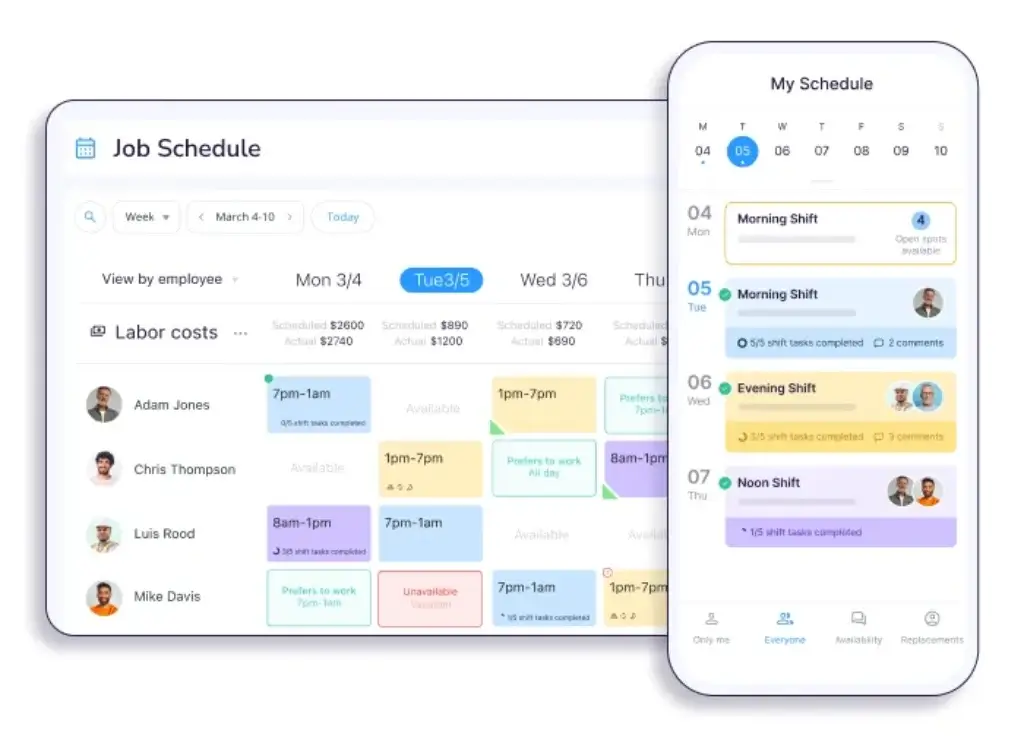
Connecteam is one of the strongest dedicated shift scheduling platforms for businesses with deskless or frontline employees. It combines scheduling, time tracking, internal communication, forms, task management, and HR tools in one mobile-friendly system. That makes it a particularly smart fit for retail, cleaning, field service, security, hospitality, and healthcare teams.
Its strongest selling point is usability for non-desk workers. Managers can build schedules quickly, assign open shifts, track availability, and publish updates to employees through the mobile app. Employees can swap shifts, request time off, and receive updates without needing several disconnected tools.
Core features and capabilities
- Employee scheduling – Build recurring shifts, open shifts, and role-based schedules
- Availability and leave tracking – Avoid conflicts before schedules go live
- Mobile-first workforce management – Strong employee and manager app experience
- Built-in chat and announcements – Reduce schedule confusion and missed updates
- Time clock and operations tools – Connect scheduling to actual work hours and field activity
- Scalable pricing – Fixed pricing for up to 30 users is attractive for small businesses
Ideal use cases
Connecteam is ideal if you need a dedicated scheduling tool that also handles the surrounding workforce workflows. It is one of the best picks for small and midsize businesses with hourly teams that want scheduling, communication, and time tracking in one app.
Strengths and limitations
Strengths:
- Excellent mobile usability for frontline employees
- Strong all-in-one value for operations-heavy teams
- Good fit for non-restaurant shift-based businesses
- Simple pricing for smaller teams
Limitations:
- Less visually flexible than monday.com
- Reporting depth can feel lighter than more enterprise-oriented platforms
- Some advanced capabilities require higher-tier plans
Pricing and plans
Connecteam offers a free plan for small businesses and fixed pricing for up to 30 users. Its Operations Hub starts at $29/month for Basic, with higher plans adding more advanced capabilities and per-user charges after 30 users.
Shiftie
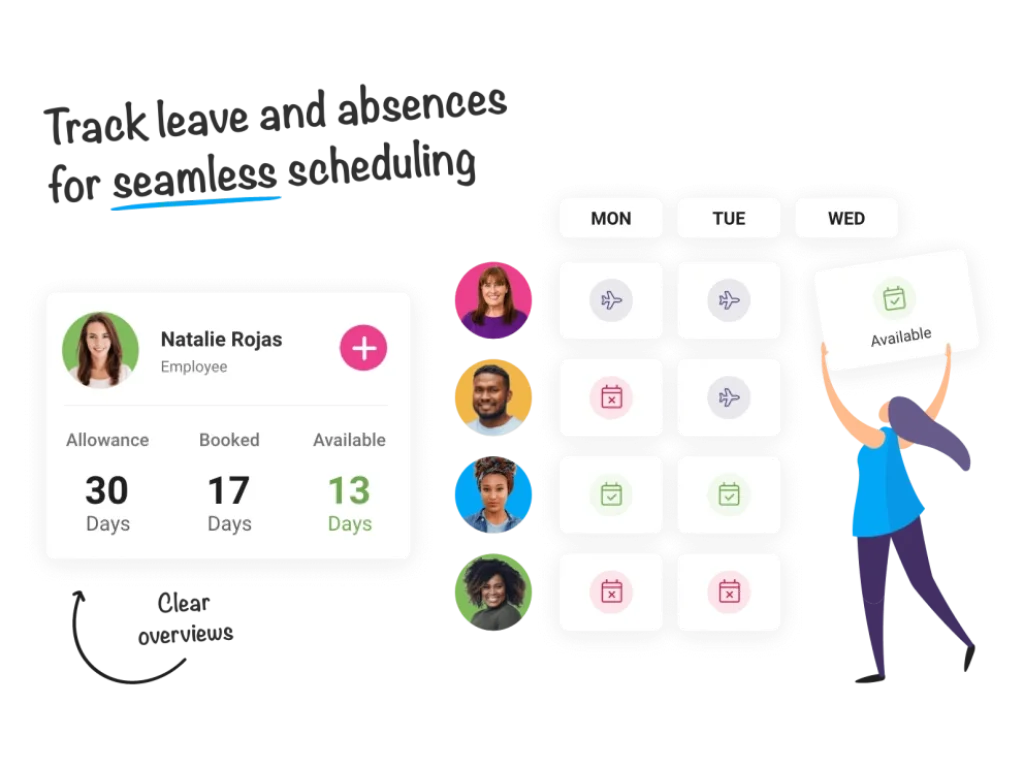
Shiftie is a more focused and lightweight shift scheduling solution designed to make rota building, timesheets, leave, and staff management easier. Its appeal is simplicity. Rather than trying to be an all-purpose work platform, it concentrates on the daily needs of managers who mainly want to build schedules, track availability, and keep staffing organized.
That makes it a good option for smaller businesses that do not need enterprise complexity. It is especially appealing if you want a cleaner alternative to spreadsheets without taking on the setup burden of a larger workforce management suite.
Core features and capabilities
- Staff rota creation – Build and adjust schedules more easily than in spreadsheets
- Timesheets – Connect planned shifts with recorded hours
- Leave and availability management – Reduce conflicts before publishing rotas
- Team management – Keep employee details and scheduling data in one place
- Straightforward onboarding – Lower complexity than larger platforms
Ideal use cases
Shiftie is best for small businesses that want a dedicated scheduling system without paying for many broader workforce modules. It suits hospitality, healthcare, and service teams that need practical rota management more than enterprise analytics.
Strengths and limitations
Strengths:
- Simple and focused product
- Good for teams moving away from spreadsheets
- Includes scheduling plus essential HR-style admin functions
Limitations:
- Smaller ecosystem than better-known competitors
- Less feature breadth than Connecteam or Deputy
- Not the best fit if you need advanced reporting or complex integrations
Pricing and plans
Shiftie offers a 28-day free trial. Its pricing page lists the monthly plan at £2.75 per employee per month, with the first 30 employees shown as £82.50 total.
ClickUp

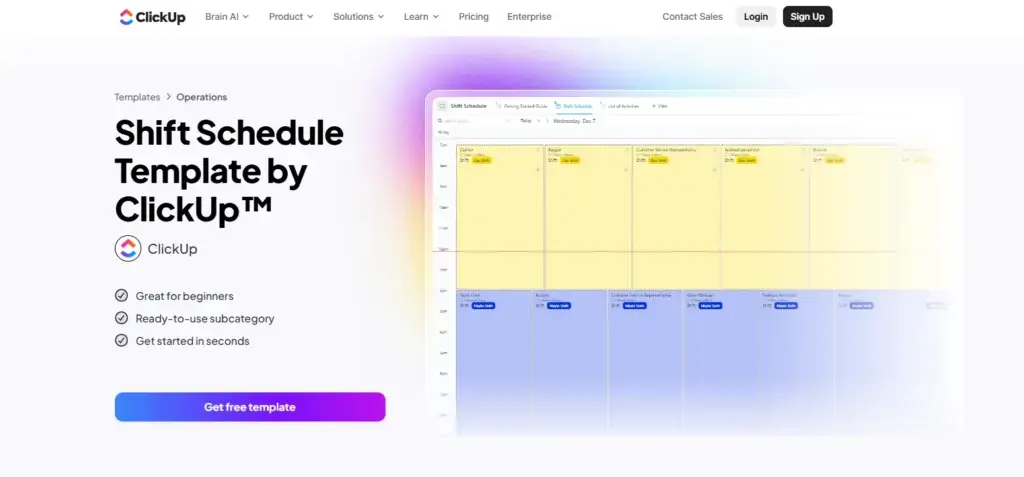
ClickUp is similar to monday.com in that it is not a dedicated employee scheduling platform first. Instead, it is a broad work management platform that can support shift planning through templates, calendars, task views, time tracking, forms, and automations.
It works best when your team wants to combine scheduling with project management, tasks, documentation, and resource planning. For pure employee scheduling, it is less purpose-built than Connecteam or Deputy. But for teams that want one adaptable workspace, it remains a compelling option.
Core features and capabilities
- Shift and employee schedule templates – Useful starting point for custom scheduling setups
- Native time tracking – Track logged hours directly in the platform
- Automations and forms – Helpful for availability collection and workflow routing
- Multiple views – Calendar, list, board, timeline, and workload views
- Broader work management – Combine scheduling with docs, tasks, and dashboards
Ideal use cases
ClickUp is best for startups, operations teams, and businesses that want employee scheduling as one part of a wider system. It is less ideal if your only need is hourly workforce scheduling with labor compliance and mobile-first employee interaction.
Strengths and limitations
Strengths:
- Very flexible workspace
- Strong value for teams already using ClickUp for work management
- Includes native time tracking on paid plans
Limitations:
- Not purpose-built for shift-based workforce operations
- Can feel complex for straightforward scheduling needs
- Requires more customization than dedicated scheduling tools
Pricing and plans
ClickUp offers a Free Forever plan. Paid plans include Unlimited at $7 per user/month billed yearly, Business at $12 per user/month billed yearly, and Enterprise with custom pricing.
7shifts

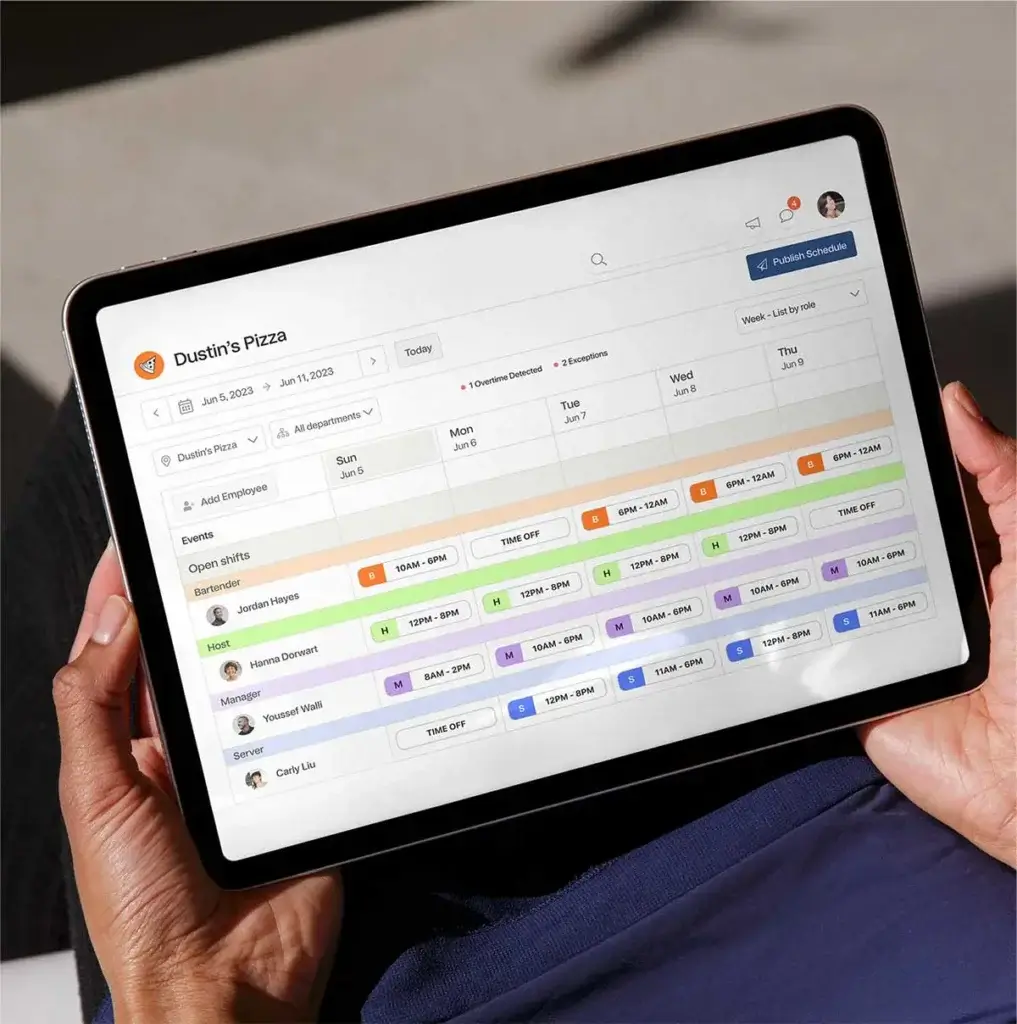
7shifts is one of the clearest best-in-class choices if you run a restaurant. Unlike general scheduling software, it is built around restaurant operations, which means scheduling connects naturally to labor compliance, tip management, payroll, team communication, onboarding, and POS-related workflows.
This specialization is what makes 7shifts so effective. Restaurant managers can build schedules faster, keep labor aligned with demand, and manage operational details without forcing a generic platform to behave like a hospitality tool.
Core features and capabilities
- Restaurant scheduling – Built for shifts, stations, roles, and restaurant workflows
- Time clocking – Connect schedules with attendance and labor data
- Team communication – Centralize announcements and shift updates
- Tip and payroll tools – Especially valuable for restaurant payroll workflows
- Labor compliance – Supports more accurate schedule planning for hourly hospitality teams
Ideal use cases
7shifts is best for restaurants, hospitality groups, and food service businesses. If your operation depends on FOH and BOH coordination, labor cost visibility, and payroll alignment, 7shifts is usually a better fit than general workforce tools.
Strengths and limitations
Strengths:
- Very strong restaurant-specific feature set
- Combines scheduling with payroll, time clocking, and tip tools
- Good fit for independent restaurants and multi-location groups
Limitations:
- Narrower fit outside restaurants and hospitality
- Less useful for mixed operational teams outside service environments
- Feature depth can be too niche for general businesses
Pricing and plans
7shifts has a free entry plan for basic restaurant scheduling. Paid plans scale by location, with Essentials listed around $39.99 per month/location and higher tiers expanding into broader restaurant operations.
Deputy

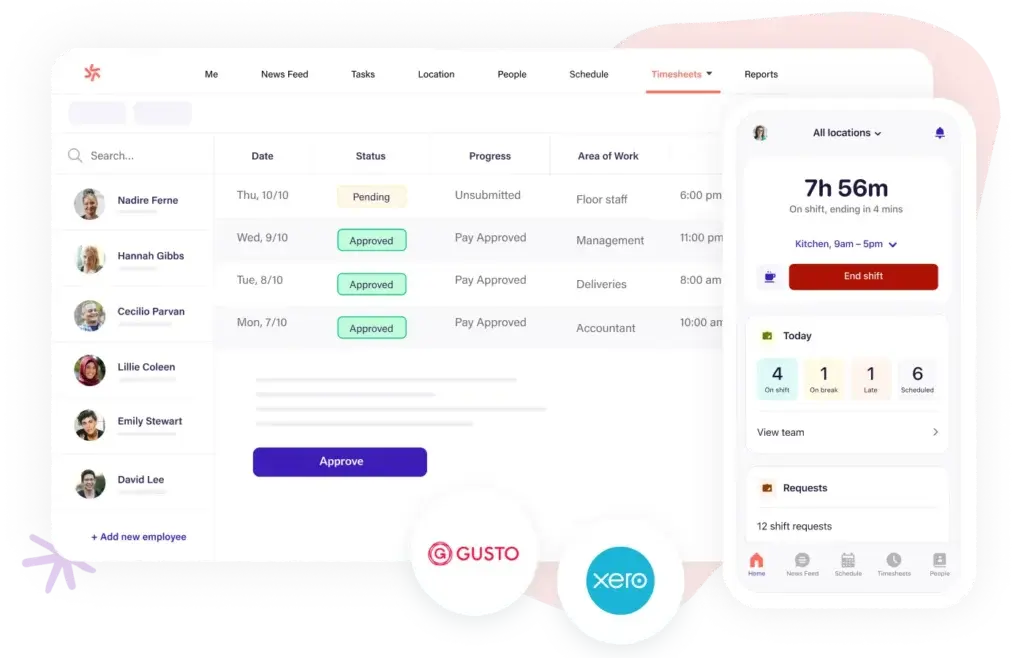
Deputy is one of the strongest choices for organizations that need scheduling plus stronger labor controls and time tracking. It is widely used in retail, hospitality, healthcare, and other industries with complex hourly staffing requirements.
Its value is clearest when compliance, coverage, and workforce efficiency matter as much as simple schedule creation. Features such as shift swapping, leave management, messaging, time clocking, and labor law support make it a solid option for companies that have moved beyond basic scheduling needs.
Core features and capabilities
- Shift scheduling – Build, publish, and adjust rosters efficiently
- Shift swap and replacement tools – Reduce coverage gaps faster
- Time clock and timesheets – Connect schedule planning with attendance
- Labor law compliance support – Useful for more complex workforce environments
- Messaging and reporting – Keep scheduling communication centralized
Ideal use cases
Deputy is a strong fit for multi-location businesses, larger shift-based teams, and organizations that need more operational control than lightweight scheduling tools can offer.
Strengths and limitations
Strengths:
- Good balance of scheduling, compliance, and time tracking
- Well suited for scaling hourly teams
- Stronger workforce structure than simpler rota tools
Limitations:
- Per-user pricing can rise quickly for larger teams
- May feel heavier than necessary for very small businesses
- Less flexible than monday.com for broader operational customization
Pricing and plans
Deputy’s Lite plan starts at $5 per user/month, while Core is listed at $6.50 per user/month. Higher-level enterprise capabilities and add-ons are available separately.
monday.com

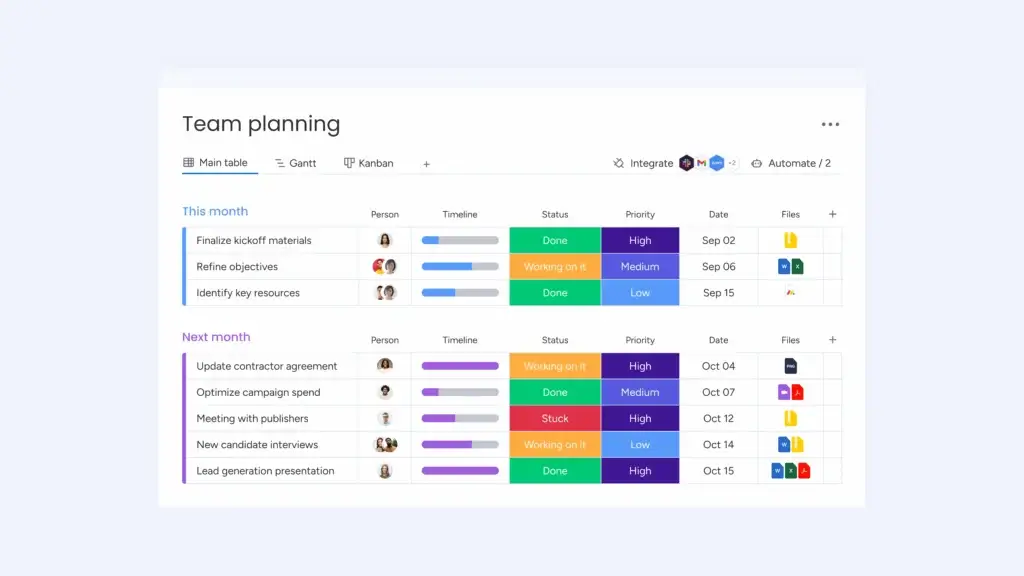
monday.com is not a traditional employee scheduling app, but it is the most versatile platform on this list. That is exactly why it ranks first. If you want more than a simple rota builder, monday.com gives you a flexible work operating system where you can manage shift planning, staffing requests, time tracking, team communication, approvals, dashboards, and related workflows in one place.
Its biggest advantage is flexibility. You can start with a weekly shift schedule template, customize boards for departments or locations, add automations for reminders and approvals, and build dashboards that give you a live view of coverage, overtime risk, or staffing gaps. For organizations that need shift scheduling connected to broader business operations, monday.com is the strongest long-term choice.
Core features and capabilities
- Custom scheduling boards – Build weekly or monthly shift plans using templates, calendars, timelines, or workload views.
- Automations – Trigger reminders, status changes, approvals, and notifications automatically.
- Time tracking – Log hours directly inside boards and monitor workload across teams.
- Dashboards and reporting – Combine multiple boards to track staffing, labor distribution, and operational KPIs.
- Cross-functional use – Extend the same workspace into HR, onboarding, task management, or service operations.
- AI support – Use AI-powered features to build workflows faster and streamline repetitive admin work.
Ideal use cases
monday.com is best for businesses that want shift scheduling to connect with wider workflows, not sit in a standalone scheduling app. It is especially strong for multi-team organizations, service businesses, operations teams, and companies that need flexibility across departments.
Strengths and limitations
Strengths:
- Most customizable option on this list
- Excellent automation and dashboard capabilities
- Works well beyond scheduling, which improves long-term value
- Strong fit for growing teams with complex workflows
Limitations:
- Not built solely for hourly workforce scheduling
- Setup takes more planning than simple plug-and-play scheduling apps
- Dedicated labor compliance features are less specialized than restaurant or workforce-focused tools
Pricing and plans
monday.com has a free plan for up to 2 seats. Paid plans start at about $9 per seat/month for Basic, $12 for Standard, and $19 for Pro when billed annually, with Enterprise pricing available on request.
Homebase
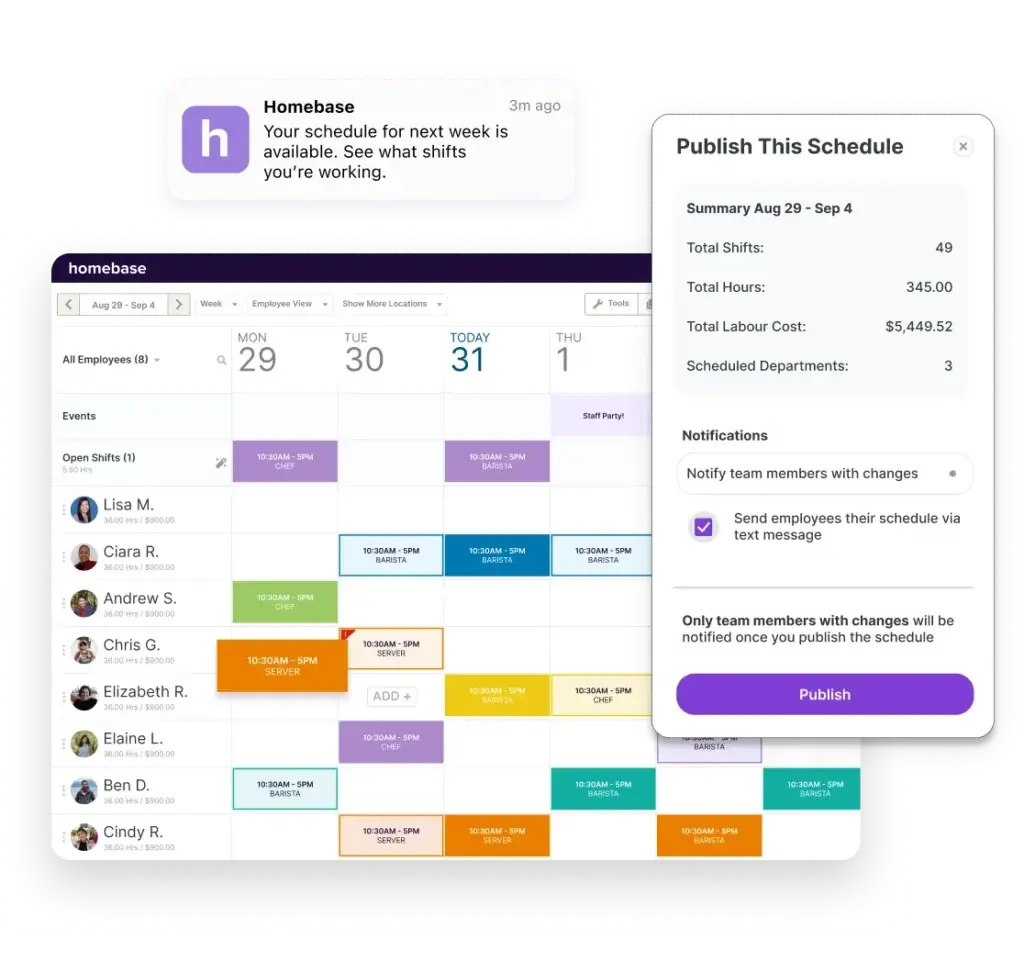
Homebase is one of the most attractive scheduling tools for small businesses that want a generous free starting point. It combines scheduling, time tracking, team messaging, and basic employee management in a package that is especially appealing to local businesses with hourly workers.
Its pricing model, which is based on location rather than per user in many tiers, can be very cost-effective for stores, cafes, salons, and similar teams with many employees at one site.
Core features and capabilities
- Basic scheduling and time tracking – Good starter feature set for hourly teams
- Mobile access – Employees can check schedules and updates easily
- Messaging – Improves schedule communication
- Labor cost visibility – More helpful on higher tiers
- Location-based pricing – Often more predictable than per-user billing
Ideal use cases
Homebase is best for small local businesses, single-location operations, and owners who want to get started with scheduling quickly without paying immediately.
Strengths and limitations
Strengths:
- Very good free entry plan
- Strong value for single-location teams
- Simple onboarding for smaller businesses
Limitations:
- Advanced tools require moving into higher-priced plans
- Less flexible for complex cross-location workflows
- Not as broad as monday.com or Connecteam for multi-process operations
Pricing and plans
Homebase offers a free Basic plan. Paid plans listed on its pricing page include Essentials at $30/month, Plus at $70/month, and All-in-One at $120/month.
QuickBooks Time

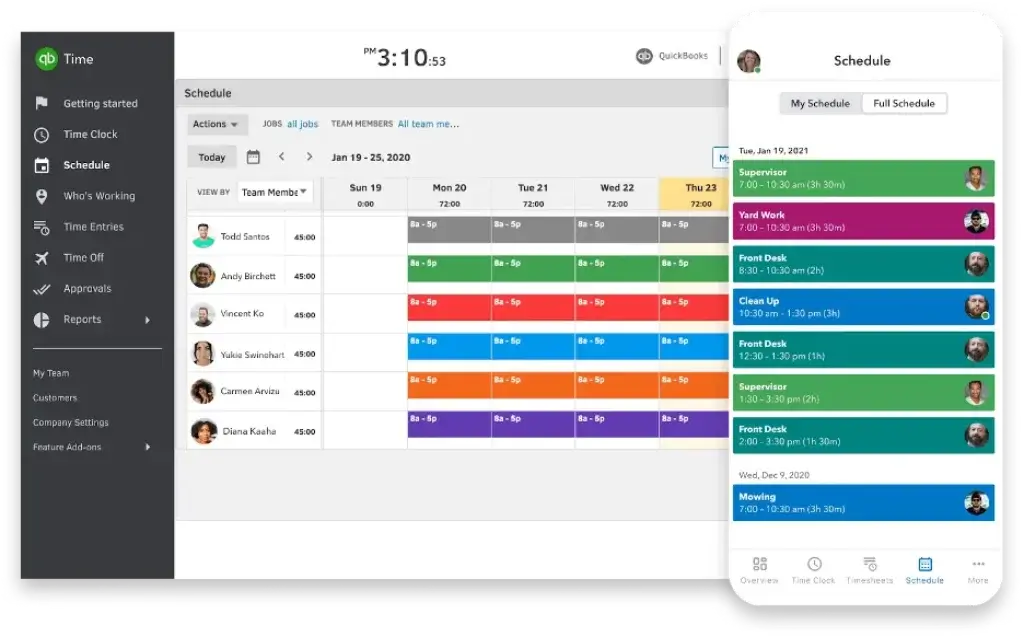
QuickBooks Time is strongest when scheduling is only one part of a broader time tracking, payroll, and invoicing workflow. It lets managers create schedules by jobs or shifts, track hours, manage time off, and sync records into QuickBooks accounting and payroll tools.
For service businesses, contractors, and companies already invested in the QuickBooks ecosystem, that tight connection is the main reason to choose it. It is less specialized as a scheduling-first platform than tools like Connecteam, Deputy, or 7shifts, but it works well when payroll accuracy and accounting integration matter most.
Core features and capabilities
- Shift and job scheduling – Build and share schedules with employees
- Time tracking – Strong core attendance and hour logging tools
- Payroll and invoicing sync – Major strength inside the QuickBooks ecosystem
- Time-off management – Reduce miscommunication around absences
- Visibility into who is working – Helpful for field and mobile teams
Ideal use cases
QuickBooks Time is best for businesses that already rely on QuickBooks and want scheduling tied closely to payroll, billing, or accounting. It is especially useful for trades, field services, and operational teams where timesheets matter as much as schedules.
Strengths and limitations
Strengths:
- Strong payroll and accounting integration
- Good for businesses that track work by job or project
- Reliable time tracking foundation
Limitations:
- Less employee-engagement focused than Connecteam or Homebase
- Not as specialized for hospitality as 7shifts
- Can become expensive because of base fees plus per-user pricing
Pricing and plans
QuickBooks Time Premium is listed at a $20 base fee, discounted to $10 for the first 3 months, plus $8 per user/month. Time Elite is listed at a $40 base fee, discounted to $20 for the first 3 months, plus $10 per user/month.
How to choose the right shift scheduling software for your team
The best shift scheduling software depends on the kind of workforce you manage and how closely scheduling connects to payroll, communication, or broader operations.
Key criteria
- Choose Connecteam if you manage frontline or deskless teams and want an all-in-one workforce app with strong mobile usability.
- Choose 7shifts if you run a restaurant and want scheduling built specifically for hospitality operations.
- Choose Shiftie if you want a lighter and more focused rota management tool.
- Choose Deputy if compliance, labor control, and workforce structure are priorities.
- Choose monday.com if you want the most flexible platform and need scheduling connected to broader workflows, dashboards, automations, and operations.
- Choose ClickUp if you already run work management there and want to adapt it for scheduling too.
- Choose Homebase if you are a small local business looking for a very strong free starting point.
- Choose QuickBooks Time if payroll, invoicing, and accounting integration are central to your workflow.
Decision matrix
Here is a quick comparison of the tools covered above:
| Tool | Best For | Main Strength | Main Limitation | Starting Price |
| Connecteam | Frontline and deskless teams | Mobile-first all-in-one workforce management | Less flexible than monday.com | $29/month for up to 30 users |
| Shiftie | Small service businesses | Simple rota management | Smaller ecosystem | £2.75/employee/month |
| ClickUp | Scheduling inside a work platform | Templates, time tracking, flexibility | Needs more customization | Free, paid from $7/user/month |
| 7shifts | Restaurants | Restaurant-specific scheduling and payroll workflows | Narrower outside hospitality | Free plan, paid from $39.99/location/month |
| monday.com | Flexible operations and scheduling | Customization, automations, dashboards | Not a pure-play scheduling app | $9/seat/month |
| Deputy | Compliance-aware hourly teams | Scheduling plus labor controls | Costs can rise with headcount | $5/user/month |
| Homebase | Small local businesses | Strong free plan and location pricing | Advanced tools cost more | Free, paid from $30/month |
| QuickBooks Time | Payroll-connected scheduling | Accounting and payroll integration | Less scheduling-specialized | $20 base + $8/user/month |
Conclusion
The best shift scheduling software is the one that fits how your team actually works. If you want the most complete and flexible platform for connecting scheduling with broader business operations, monday.com is the top choice. It gives you far more room to build automations, reporting, and cross-functional workflows than most dedicated scheduling tools.
If you want a more purpose-built workforce product, Connecteam is one of the strongest all-around options for frontline teams, while 7shifts is the clear standout for restaurants. Deputy is a strong option for larger hourly teams with compliance needs. Homebase is excellent for small businesses starting up. Shiftie is a smart, lightweight option. QuickBooks Time is best when payroll is central, and ClickUp works well when scheduling needs to live inside a broader work platform.
The smartest next step is to match your short list to your business model. Start with your top operational need, whether that is restaurant labor control, payroll sync, mobile scheduling, or broader workflow management, then test the tools with the strongest fit.
FAQs
What is shift scheduling software?
Shift scheduling software is a tool that helps you assign employee shifts, manage availability, handle time-off requests, publish rotas, and often track hours worked. Many platforms also include time tracking, communication, and payroll integrations.
Which is the best shift scheduling software overall?
For overall flexibility and long-term value, monday.com is the best choice because it can handle scheduling while also supporting broader operations, automations, and reporting. For dedicated shift scheduling, Connecteam and Deputy are among the strongest options, while 7shifts is best for restaurants.
What is the best free shift scheduling software?
Homebase is one of the strongest free options for small local businesses, while Connecteam also offers a free tier for smaller teams. The right choice depends on whether you need simple scheduling or broader workforce management.
Which scheduling tool is best for restaurants?
7shifts is usually the best option for restaurants because it is built specifically for hospitality scheduling, labor management, payroll, and tip workflows.
Can shift scheduling software help reduce overtime?
Yes. Many tools help managers spot conflicts, monitor hours, and avoid overscheduling. Platforms like Deputy, Connecteam, and monday.com can be especially useful when you want better visibility into labor allocation.
Which tool is best for mobile scheduling?
Connecteam is one of the best for mobile-first scheduling because it is designed around frontline employees. Homebase and Deputy are also strong options for businesses where managers and staff rely heavily on phones.
Is QuickBooks Time good for employee scheduling?
QuickBooks Time is good if scheduling needs to connect tightly to time tracking, payroll, and invoicing. It is less specialized for employee engagement and workforce communication than Connecteam or Homebase.
Can monday.com really be used for shift scheduling?
Yes. monday.com offers scheduling templates, automations, dashboards, calendars, and time tracking that can be adapted for employee scheduling. It is best when you want shift planning tied to wider business operations.
What is the difference between per-user and per-location pricing?
Per-user pricing charges are based on the number of employees or seats, while per-location pricing charges are based on the site. Per-location pricing can be more affordable for businesses with many employees at one store or branch.
How do I choose between a dedicated scheduling app and a work management platform?
Choose a dedicated scheduling app like Connecteam, Deputy, Homebase, Shiftie, or 7shifts if employee scheduling is your main priority. Choose a broader platform like monday.com or ClickUp if you want scheduling connected to tasks, approvals, reporting, and other operational workflows.