Introduction
Choosing a password manager is no longer only about storing passwords in one encrypted vault. You also need a tool that can help you generate stronger credentials, reduce password reuse, protect your email identity, support passkeys, share access securely, and alert you when accounts become vulnerable.
That is where Proton Pass stands out.
Proton Pass is a privacy-first password manager from Proton, the company behind Proton Mail, Proton VPN, Proton Drive, and Proton Calendar. It combines encrypted password storage, autofill, password generation, email aliases, passkey support, secure sharing, a built-in 2FA authenticator, password health monitoring, and business password management tools.
In this Proton Pass review, you’ll get a practical look at how the platform performs in 2026, including:
- How Proton Pass works for personal users, families, and businesses
- Its strongest password manager and privacy features
- How hide-my-email aliases make it different from many competitors
- Where Proton Pass stands compared with 1Password, NordPass, and Keeper
- Whether Proton Pass is worth using as your main password manager
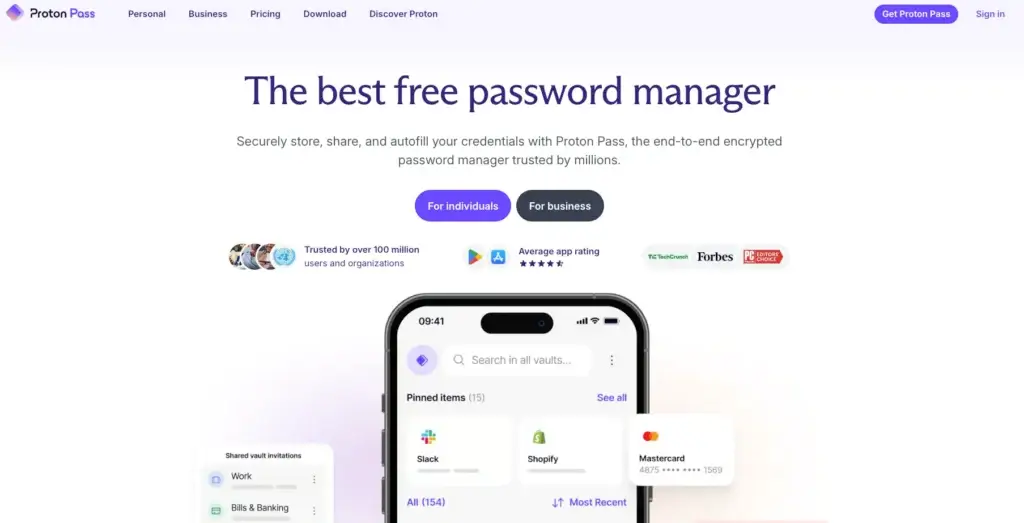
For personal users, Proton Pass is one of the most attractive password managers because its free plan is genuinely useful. You can store unlimited passwords, sync across devices, use autofill, create secure notes, and protect your data with end-to-end encryption.
For privacy-conscious users, its biggest advantage is identity protection. Proton Pass does not only help you create strong passwords. It also lets you use hide-my-email aliases so you can sign up for websites without exposing your real email address.
For families and businesses, Proton Pass adds shared vaults, secure item sharing, admin controls, policies, activity visibility, dark web monitoring, and business plans that fit naturally into the wider Proton ecosystem.
If you are still comparing options, you can also explore our full guide to the Best Password Managers to see how Proton Pass compares to other leading tools.
Overview
What Is Proton Pass?
Proton Pass is an end-to-end encrypted password manager that stores passwords, passkeys, secure notes, credit cards, identities, email aliases, and other sensitive information inside encrypted vaults.
Instead of remembering many passwords or saving them in your browser, you create one Proton account and use Proton Pass to generate, store, sync, and autofill strong credentials across your devices.
Proton Pass is available on Windows, macOS, Linux, iOS, Android, the web, and major browsers such as Chrome, Firefox, Safari, Edge, Brave, and other Chromium-based browsers.
At a practical level, Proton Pass helps you solve four common security problems:
- You can stop reusing weak passwords across multiple websites
- You can keep your passwords synced across all major devices
- You can create aliases instead of exposing your real email address
- You can share passwords and vaults without using insecure messages
The privacy angle is what makes Proton Pass different. Many password managers focus mainly on password storage. Proton Pass also focuses heavily on identity protection through hide-my-email aliases and metadata encryption.
That means Proton Pass is not only asking, “Is your password safe?” It is also asking, “Can a breached website connect that login back to your real email identity?”
| Category | Proton Pass Details |
| Product type | Password manager and privacy-focused identity protection tool |
| Best for | Individuals, families, privacy-conscious users, small teams, and Proton ecosystem users |
| Main strengths | Free plan, end-to-end encryption, email aliases, passkeys, privacy, SimpleLogin integration |
| Free plan | Yes, with unlimited passwords and device sync |
| Platforms | Windows, macOS, Linux, iOS, Android, web app, and major browser extensions |
Software Specification
Core Features
Proton Pass has grown quickly from a simple password manager into a broader privacy and credential management tool. Its feature set now covers everyday password management, account monitoring, secure sharing, passkeys, aliases, and business controls.
Password Vaults and Secure Storage
Vaults are the foundation of Proton Pass. You can save logins, secure notes, credit cards, identities, and aliases inside encrypted vaults, then organize them by personal use, work, clients, family, or shared access.
This is useful if you want to separate sensitive banking accounts from lower-risk logins, or if you want one vault for personal items and another for shared household accounts.
For businesses, vaults help teams keep access organized. You can create vaults for departments, clients, projects, or tools, then share only the relevant items with the right people.
Password Generator and Autofill
Proton Pass includes a password generator that creates strong, unique passwords for new accounts. This is one of the most important features because reused passwords are still one of the easiest ways attackers move from one breached service to another.
Once your login is saved, Proton Pass can autofill it on websites and apps. You can use it through browser extensions, mobile apps, desktop apps, or the web app.
The experience is clean and simple. It may not feel quite as mature as 1Password in every business workflow, but for personal use and standard team password management, Proton Pass is easy to adopt.
Hide-My-Email Aliases
Email aliases are Proton Pass’s most distinctive feature. Instead of giving every website your real email address, Proton Pass can create a unique alias that forwards messages to your inbox.
This gives you an extra layer of privacy. If a website leaks your data, the exposed email address does not have to be your real one. You can also disable an alias if it starts receiving spam.
This is especially useful for newsletters, ecommerce accounts, free trials, SaaS registrations, forums, travel sites, and any website where you do not fully trust how your data will be handled.
Paid Proton Pass users also benefit from deeper SimpleLogin functionality, including more advanced alias management. This makes Proton Pass much stronger for users who care about both password security and email privacy.
Passkey Support
Proton Pass supports passkeys, which allow you to sign in to supported websites without using a traditional password.
Passkeys can reduce phishing risk because they are tied to the legitimate website or app. They cannot be reused across unrelated services in the same way passwords can.
For most users, passkeys will not replace passwords immediately. But Proton Pass gives you a practical way to manage both traditional passwords and newer passwordless credentials in one place.
Built-In 2FA Authenticator
Proton Pass includes a built-in two-factor authentication authenticator on paid plans. This lets you store and autofill time-based one-time passwords for supported accounts.
That can make 2FA easier to use because you do not need to switch between a separate authenticator app and your password manager every time you log in.
There is one important trade-off. Some security-conscious users prefer keeping passwords and 2FA codes in separate apps. Proton Pass gives you convenience, but you should decide whether that setup matches your personal threat model.
Pass Monitor and Dark Web Monitoring
Pass Monitor helps you identify weak passwords, reused passwords, inactive 2FA, and potential data exposure. Paid users can also access dark web monitoring for breach alerts.
This matters because a password manager should not only store your data. It should also help you improve your password hygiene over time.
After importing passwords from a browser or another password manager, Pass Monitor can help you prioritize which accounts need immediate attention.
Secure Sharing
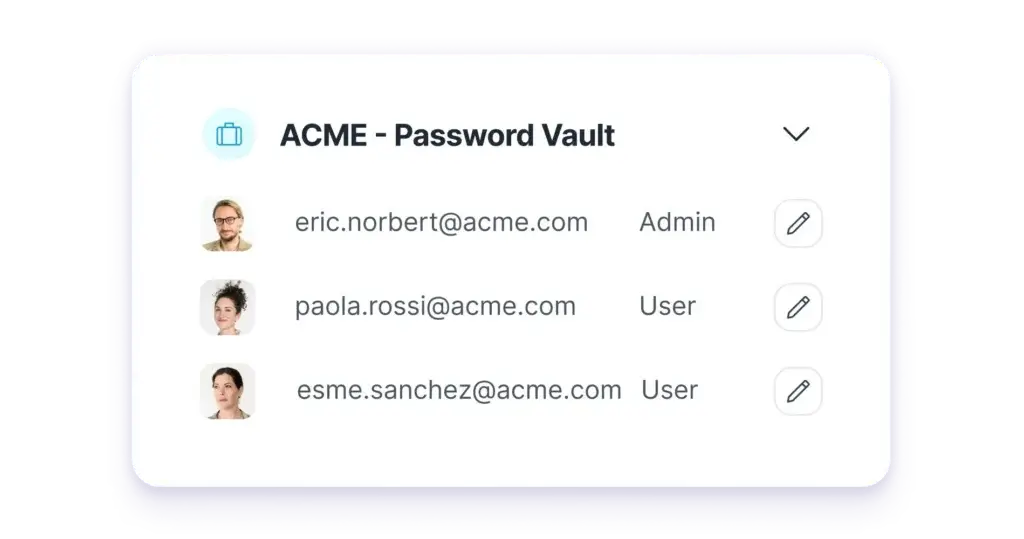
Proton Pass lets you share individual items, secure links, and vaults. This is much safer than sending passwords through email, messaging apps, spreadsheets, or shared documents.
For families, shared vaults can help with streaming services, Wi-Fi credentials, travel accounts, insurance portals, and household tools.
For businesses, secure sharing helps teams give employees access to the right accounts without losing control over credentials when people change roles or leave the company.
Business Password Management
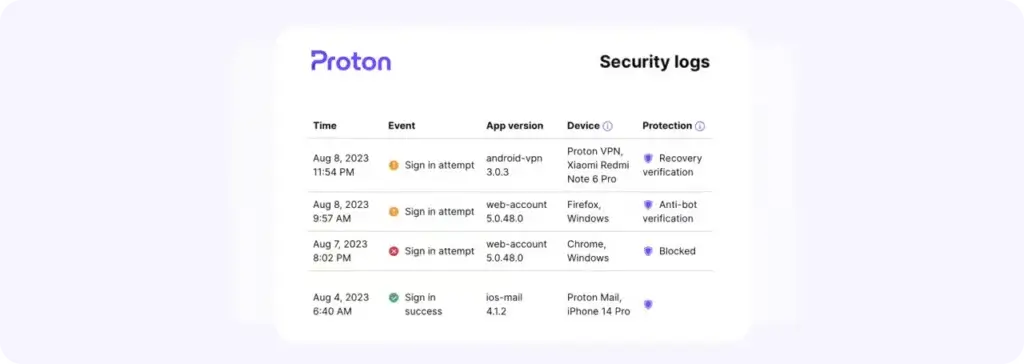
Proton Pass for Business adds team-focused features such as centralized administration, secure vault sharing, password health checks, detailed logs, business policies, SSO and SCIM on higher plans, and a command line interface for technical users.
This makes it more serious than a consumer-only password manager. It is especially appealing for privacy-conscious businesses that already use Proton Mail, Proton VPN, Proton Drive, or Proton Business Suite.
That said, businesses with complex enterprise security requirements may still want to compare Proton Pass closely with 1Password and Keeper, especially if they need mature admin workflows, advanced reporting, or broader identity security features.
Pros and Cons
Advantages and Disadvantages
Proton Pass is one of the best password managers if privacy, email aliases, and free functionality matter to you. Its main limitations are business maturity, support depth, and a few advanced workflows that still feel less polished than long-established competitors.
Positive
✅ Excellent free plan
✅ Strong privacy and metadata encryption
✅ Powerful hide-my-email aliases
✅ Good value inside the Proton ecosystem
Negatives
❌ Less mature than 1Password for advanced business use
❌ Some best features require paid plans
❌ Built-in 2FA may not suit every security model
❌ Support and admin depth may not satisfy larger enterprises
Proton Pass Pros
1. Excellent free plan
Proton Pass has one of the strongest free plans in the password manager market. You can store unlimited passwords, sync across devices, use autofill, create secure notes, and start improving your password habits without paying immediately.
2. Strong privacy and metadata encryption
Proton Pass is built around privacy. It encrypts not only passwords, but also sensitive metadata such as usernames and web addresses. That is important because your list of accounts can reveal a lot about you.
3. Powerful hide-my-email aliases
Aliases are the biggest reason to choose Proton Pass over many competitors. You can create unique email addresses for different websites, reduce exposure of your real inbox, and disable aliases when needed.
4. Good value inside the Proton ecosystem
If you already use Proton Mail, Proton VPN, Proton Drive, or Proton Unlimited, Proton Pass fits naturally into your privacy stack. This makes it easier to manage passwords, aliases, email, VPN, and cloud storage under one account.
Proton Pass Cons
1. Less mature than 1Password for advanced business use
Proton Pass has improved quickly, but 1Password still feels more mature for larger teams, developer-heavy organizations, and companies that need deeply refined admin workflows.
2. Some best features require paid plans
The free plan is generous, but features like unlimited aliases, built-in 2FA, dark web monitoring, secure sharing, and advanced account protection are tied to paid plans.
3. Built-in 2FA may not suit every security model
The integrated authenticator is convenient, but some users prefer separating passwords and 2FA codes into different tools. Proton Pass gives you simplicity, but you should decide whether that matches your risk profile.
4. Support and admin depth may not satisfy larger enterprises
For many small businesses, Proton Pass is strong enough. Larger organizations may still prefer Keeper or 1Password if they need more mature enterprise administration, compliance workflows, or dedicated security operations integrations.
Security
Encryption, Privacy, and Vault Protection
Security is where Proton Pass makes its strongest argument. The platform is built around end-to-end encryption, zero-knowledge design, open-source apps, metadata encryption, Swiss privacy protections, and independent audits.
For a password manager, that matters. You are not only saving low-risk logins. You may be storing banking credentials, work accounts, client access, identity details, payment cards, private notes, and aliases connected to your online identity.
End-to-End Encryption
Proton Pass encrypts your vault data before it reaches Proton’s servers. This means Proton should not be able to read your passwords, notes, usernames, web addresses, or other encrypted vault information.
The practical benefit is clear: if someone accessed encrypted server-side data, they should not be able to read your vault contents without the required keys.
Metadata Encryption
Metadata encryption is one of Proton Pass’s strongest differentiators. Some password managers encrypt passwords but expose or handle certain metadata differently.
Proton Pass emphasizes that it encrypts all fields, including usernames, URLs, and encrypted note data. This matters because the websites you use can reveal your bank, employer, health services, political interests, hobbies, and online behavior.
Open-Source Apps and Security Audits
Proton Pass apps are open source, which allows the security community to inspect the code. Proton has also published independent audit results, including earlier Cure53 work and a more recent Recurity Labs audit covering apps, browser extensions, and the command line interface.
This level of transparency is important in password management because users should not have to rely only on marketing claims. Open code and third-party audits create more accountability.
Swiss Privacy Protection
Proton is based in Switzerland, and privacy is central to the company’s positioning. That does not automatically make every product perfect, but it does strengthen the appeal for users who are cautious about data collection, advertising-based business models, or unnecessary exposure of personal information.
For users who already chose Proton Mail or Proton VPN for privacy reasons, Proton Pass is a natural addition.
Proton Sentinel and Advanced Account Protection
Proton Sentinel is Proton’s high-security account protection program. It combines automated detection with human security review to help protect accounts that may be at higher risk of targeted attacks.
This is most relevant for journalists, executives, activists, crypto users, business owners, public figures, and users who believe their accounts may be actively targeted.
Security Limitations to Consider
No password manager removes every risk. You still need a strong account password, two-factor authentication, secure recovery methods, updated devices, and good judgment when approving login requests.
For businesses, implementation matters as much as the software. Poor vault organization, shared admin accounts, weak offboarding, and unused accounts can still create avoidable risk.
Use Cases
Who Proton Pass Is Best For
Proton Pass is not only for one type of user. It can work well for individuals, privacy-conscious users, families, freelancers, and small businesses. Its best fit depends on how much you value aliases, privacy, and the Proton ecosystem.
Proton Pass for Personal Use
For individuals, Proton Pass is best if you want a secure password manager that is easy to start using and does not force you into a paid plan immediately.
You can import passwords from browsers or another password manager, clean up weak logins, generate new passwords, and sync everything across your devices.
Personal users will benefit most from:
- Unlimited password storage
- Cross-device sync
- Password generator and autofill
- Email aliases for privacy
- Pass Monitor for password health
If you currently save passwords in Chrome, Safari, Edge, notes apps, or spreadsheets, Proton Pass is a major security upgrade.
Proton Pass for Privacy-Conscious Users
This is Proton Pass’s strongest audience. If you care about keeping your real email address private, reducing tracking, and limiting account correlation across websites, Proton Pass is more compelling than many standard password managers.
The alias feature is especially useful because email addresses often act as your online identity. Once your real email appears in enough breaches and marketing databases, it becomes harder to separate personal accounts, work accounts, spam, and targeted attacks.
With Proton Pass, you can create a different alias for each service. If an alias becomes exposed, you can disable it without changing your real inbox.
Proton Pass for Families
Proton Pass Family is designed for households that want shared access without giving everyone the same private vault.
You can use shared vaults for family accounts while keeping each person’s private credentials separate. This is safer than sharing passwords through messages, notes, or spreadsheets.
Families may use Proton Pass for:
- Streaming accounts
- Wi-Fi passwords
- Travel bookings
- Insurance and utility portals
- Shared subscriptions
1Password still has one of the most polished family experiences overall, but Proton Pass is a strong alternative if privacy and pricing matter more.
Proton Pass for Business
For businesses, Proton Pass is best for small and mid-sized teams that need a secure, privacy-first way to manage shared logins, notes, cards, aliases, and team vaults.
Admins can use business plans to manage users, enforce policies, improve password hygiene, and share access without exposing credentials through informal channels.
Business users will benefit most from:
- Shared vaults and secure item sharing
- Password health checks
- Dark web monitoring
- Built-in 2FA authenticator
- SSO, SCIM, and advanced logs on higher plans
- CLI access for technical workflows
Proton Pass is especially attractive if your business already uses Proton Mail or Proton Business Suite. If your team needs very advanced enterprise controls, compare it carefully with 1Password and Keeper before committing.
User Experience
How Proton Pass Feels in Daily Use
Proton Pass feels clean, modern, and approachable. It is not overloaded with menus, and the core experience is simple enough for non-technical users.
This is important because password managers only work when people use them consistently. If autofill is annoying or vaults are confusing, users often return to browser storage or reused passwords.
Browser Extension Experience
The browser extension is where most users will interact with Proton Pass. It helps you save new logins, autofill existing credentials, generate passwords, create aliases, and manage passkeys.
The alias workflow is one of the best parts of the experience. When you sign up for a new website, Proton Pass can help you create both a strong password and an email alias, which gives you better protection from the start.
Desktop and Mobile Apps
Proton Pass offers desktop and mobile apps across major platforms. You can search vault items, unlock with biometrics where supported, edit logins, create notes, manage aliases, and access credentials across devices.
The mobile apps are important because many users now manage email, banking, work apps, travel accounts, and social media from their phones.
Autofill reliability may vary depending on the app, browser, operating system, and permissions, but Proton Pass is strong enough for everyday use.
Importing Passwords
Proton Pass supports importing passwords from browsers and other password managers. This makes migration easier if you are moving from Chrome, Safari, Edge, LastPass, 1Password, Bitwarden, NordPass, Keeper, or another tool.
After importing, use Pass Monitor to identify weak, reused, or compromised passwords. This turns migration into a clean-up project rather than just moving old password problems into a new vault.
Ease of Setup
For personal users, setup is straightforward. You create a Proton account, install the app and browser extension, import or save passwords, and start using autofill.
For families, setup requires a little more planning because you need to decide which items should be private and which should be shared.
For businesses, setup should be more structured. Admins should plan user groups, vault ownership, password policies, onboarding, offboarding, and who can share sensitive items externally.
Pricing
Plans and Value
Proton Pass is one of the better-value password managers because it offers a useful free plan and competitive paid plans. It becomes even more attractive if you already use Proton Mail, Proton VPN, or Proton Unlimited.
Pricing can change by region, billing cycle, promotions, and plan updates, so you should always check Proton’s official pricing page before buying.
Personal and Family Pricing
| Plan | Typical Starting Price | Best For |
| Free | $0 | Users who want unlimited password storage and basic encrypted password management |
| Pass Plus | About $2.99/month when billed annually | Individuals who want unlimited aliases, 2FA, sharing, and monitoring |
| Pass Family | About $4.99/month when billed annually | Households that need shared and private password management for up to six users |
| Proton Unlimited | About $9.99/month when billed annually | Users who want Proton Mail, VPN, Drive, Calendar, and Pass together |
The Free plan is excellent if you want to move away from browser password storage without paying immediately.
Pass Plus is the better choice if you want Proton Pass’s most important premium features, especially unlimited aliases, built-in 2FA, secure sharing, dark web monitoring, and SimpleLogin premium functionality.
Pass Family is strong value for households because it supports up to six users. Proton Unlimited is best if you want a broader privacy suite rather than only a password manager.
Business Pricing
| Plan | Typical Starting Price | Best For |
| Pass Essentials | About $1.99/user/month when billed annually | Small teams that need encrypted password storage, aliases, sharing, and monitoring |
| Pass Professional | About $4.49/user/month when billed annually | Teams that need advanced policies, logs, SSO, SCIM, and CLI access |
| Proton Business Suite | About $12.99/user/month when billed annually | Businesses that want Proton Mail, VPN, Drive, Calendar, and Pass in one suite |
| Enterprise | Custom pricing | Larger organizations with advanced privacy, security, and account management needs |
Pass Essentials is a smart entry point for small businesses that want to stop sharing passwords through informal channels.
Pass Professional is the better business plan if you need stronger administration, identity integration, advanced policies, logs, and technical workflows.
Proton Business Suite is worth considering if your company wants more than password management. It gives you a broader privacy and productivity stack that includes secure email, VPN, cloud storage, calendar, and password management.
Is Proton Pass Worth the Price?
Yes, Proton Pass is worth the price if you value privacy, aliases, encrypted password management, and Proton’s wider ecosystem.
For free users, it is one of the easiest recommendations in the password manager market because the free plan is useful enough for real daily use.
For paid users, Pass Plus offers strong value because aliases, SimpleLogin premium features, 2FA, dark web monitoring, and secure sharing make it more than a basic vault.
For businesses, Proton Pass is especially compelling if your team already uses Proton services. If not, compare it closely with 1Password and Keeper before choosing.
Alternatives Comparison
Proton Pass vs Other Password Managers
Proton Pass is a strong password manager, but the best choice depends on your priorities. Some users need the best free plan. Others need the most polished family plan, the cleanest interface, or the strongest business controls.
For this comparison, the most relevant Proton Pass alternatives are 1Password, NordPass, and Keeper Security.
Best Proton Pass Alternatives by Use Case
| Use Case | Best Option | Why |
| Best privacy-first password manager | Proton Pass | Strong free plan, metadata encryption, aliases, SimpleLogin features, and Proton ecosystem value |
| Best premium all-around password manager | 1Password | Polished apps, excellent sharing, strong business features, and mature developer workflows |
| Best simple password manager | NordPass | Very clean interface, easy setup, and beginner-friendly daily use |
| Best for security-heavy businesses | Keeper Security | Strong enterprise controls, compliance-oriented features, and advanced security add-ons |
Alternative 1: 1Password
1Password is the strongest Proton Pass alternative if you want the most polished all-around password manager for personal, family, business, and developer use.
It has excellent apps, strong vault sharing, refined onboarding, mature admin controls, Watchtower alerts, passkey support, and developer-friendly tools such as SSH key management and secrets workflows.
Choose 1Password if: you want the most complete premium password manager experience.
Choose Proton Pass if: you want a stronger free plan, privacy-first design, email aliases, and Proton ecosystem value.
Alternative 2: NordPass
NordPass is a strong alternative if you want a simple, modern, and easy-to-use password manager without much complexity.
It is a good fit for users who want straightforward password storage, autofill, passkeys, password health tools, and sharing without needing advanced privacy tools like aliases.
Choose NordPass if: you want a simple password manager with a very clean user experience.
Choose Proton Pass if: you care more about privacy, aliases, open-source transparency, and Proton’s broader ecosystem.
Alternative 3: Keeper Security
Keeper Security is a strong option for businesses that need advanced security controls, compliance support, privileged access features, reporting, and enterprise-grade administration.
It can feel more business-focused than Proton Pass, especially for larger organizations with strict governance and security requirements.
Choose Keeper if: you need a security-heavy password manager for business or enterprise environments.
Choose Proton Pass if: you want a privacy-first password manager that is easier to use and more appealing for personal, family, and Proton ecosystem users.
Comparison Summary
| Feature Area | Proton Pass | 1Password | NordPass | Keeper Security |
| Ease of use | Excellent | Excellent | Excellent | Good |
| Free plan | Excellent | No permanent free plan | Limited free option | Trial-focused model |
| Email aliases | Excellent | Limited compared with Proton | Limited compared with Proton | Limited compared with Proton |
| Family sharing | Good | Excellent | Good | Good |
| Business controls | Good and improving | Very strong | Good | Very strong |
| Developer tools | Good, with CLI on paid business plans | Excellent | Limited | Good |
| Best fit | Privacy-first users and Proton customers | Premium all-around use | Simple personal use | Security-heavy businesses |
Overall, Proton Pass is the best choice if you want a privacy-first password manager with a strong free plan, email aliases, encrypted metadata, and good value inside the Proton ecosystem.
1Password is better if you want the most mature all-around password manager. NordPass is better if simplicity is your top priority. Keeper is better if your business needs deeper enterprise security controls.
Conclusion
Is Proton Pass Right for You?
Proton Pass is one of the most compelling password managers in 2026, especially if you care about privacy. It combines encrypted vaults, unlimited password storage, cross-device sync, email aliases, passkeys, secure sharing, password health checks, dark web monitoring, and business password management features.
Its biggest advantage is that it goes beyond password storage. Proton Pass helps protect your identity by letting you create aliases instead of handing out your real email address everywhere.
It is not the most mature enterprise password manager, and it may not beat 1Password for polished business workflows or Keeper for advanced security administration. But for personal users, privacy-conscious professionals, families, freelancers, and small teams, Proton Pass is easy to recommend.
Who Should Use Proton Pass?
You should use Proton Pass if you want a secure, privacy-first password manager that is affordable, easy to use, and strong enough for everyday password protection.
It is especially strong for:
- Individuals who want a strong free password manager
- Privacy-conscious users who want email aliases
- Families that need private and shared vaults
- Freelancers who manage many client and SaaS accounts
- Small teams that want secure credential sharing
- Proton Mail, Proton VPN, and Proton Unlimited users
Proton Pass may not be the best fit if you need the most mature enterprise admin controls, advanced developer security workflows, or a password manager with many years of business deployment history.
Is Proton Pass Worth It?
Yes, Proton Pass is worth it for most users who want strong password security with a privacy-first approach.
The Free plan is one of the best in the category. The paid plans are especially valuable if you want unlimited aliases, 2FA, dark web monitoring, secure sharing, SimpleLogin premium features, and broader Proton ecosystem benefits.
For businesses, Proton Pass is worth considering if your team wants encrypted password management and privacy-focused account protection without adopting a more complex enterprise platform.
Overall Assessment
Proton Pass earns a strong recommendation because it combines security, privacy, usability, and value better than most password managers. Its aliases and metadata encryption make it especially distinctive.
If you want the most polished premium password manager, 1Password is still the safer all-around choice. If you want the best privacy-first password manager with a generous free plan, Proton Pass should be near the top of your shortlist.
Have more questions?
Frequently Asked Questions
Is Proton Pass safe to use?
Yes. Proton Pass is safe to use for most individuals and teams. It uses end-to-end encryption, encrypts metadata, offers open-source apps, supports two-factor authentication, and has undergone independent security audits. You still need a strong account password and secure recovery habits.
Does Proton Pass have a free plan?
Yes. Proton Pass has one of the strongest free plans among password managers. It includes unlimited password storage, secure notes, autofill, cross-device sync, and end-to-end encryption, making it useful for real daily password management.
What makes Proton Pass different from other password managers?
Proton Pass stands out because it combines password management with privacy features such as hide-my-email aliases, metadata encryption, SimpleLogin integration, Swiss privacy positioning, and strong free functionality.
Does Proton Pass support passkeys?
Yes. Proton Pass supports passkeys, allowing you to save and use passwordless credentials for supported websites and apps. This helps reduce reliance on traditional passwords over time.
Can Proton Pass replace an authenticator app?
Proton Pass can store and autofill 2FA codes on paid plans, so it can replace a separate authenticator app for many users. However, some security-focused users may still prefer keeping passwords and 2FA codes in separate tools.
Is Proton Pass good for families?
Yes. Proton Pass is good for families that want private vaults, shared vaults, and secure password sharing. The Family plan is especially useful for households that want shared access without sending passwords through messages or spreadsheets.
Is Proton Pass good for businesses?
Yes. Proton Pass is a good business password manager for small and mid-sized teams. It supports shared vaults, secure sharing, password health checks, dark web monitoring, policies, logs, and advanced controls on higher plans.
Is Proton Pass better than 1Password?
Proton Pass is better if you want a strong free plan, email aliases, metadata encryption, and Proton ecosystem value. 1Password is usually better if you want the most polished premium experience, mature business tools, and advanced developer workflows.
Is Proton Pass better than NordPass?
Proton Pass is better for privacy-focused users because it offers aliases, metadata encryption, and strong free features. NordPass may be better if you want the simplest possible password manager with a very clean interface.
Is Proton Pass worth it in 2026?
Yes. Proton Pass is worth it in 2026 if you want a secure, privacy-first password manager with a generous free plan, strong aliases, passkey support, secure sharing, and good value across personal, family, and business use.