

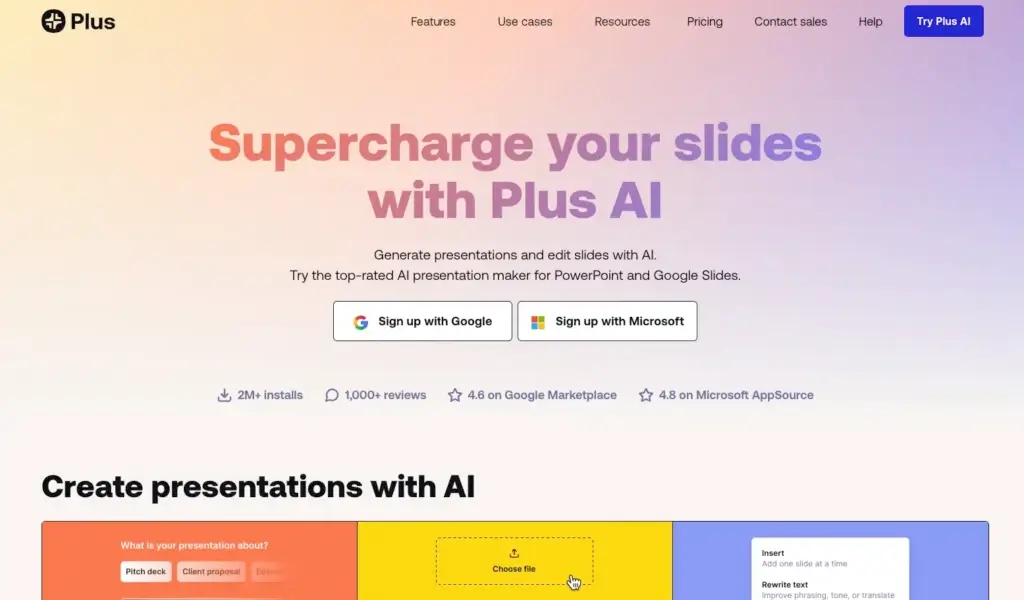
Plus AI approaches presentation creation differently from many AI presentation tools. Instead of asking users to move into a new web-based editor, it works directly inside Google Slides and PowerPoint, helping users generate presentations, create individual slides, rewrite content, and remix layouts without leaving the tools they already use.
What makes Plus AI stand out is its strong focus on native slide workflows. Rather than producing a deck in a separate environment and then forcing users to adapt, Plus AI is built for people who already work in PowerPoint or Google Slides and want AI to speed up drafting, editing, formatting, and brand consistency while staying compatible with existing templates and team processes.
In this review, you will get a full overview of Plus AI’s core features, pricing, strengths and weaknesses, best use cases, and how it compares to other presentation tools. You will also see where Plus AI performs especially well, and where tools like Gamma, Prezi, or Pitch may still be the better fit depending on your presentation style and workflow.
Software Specification
Plus AI’s Core Features
AI presentation generation inside Google Slides and PowerPoint
Plus AI’s biggest differentiator is that it works directly inside Google Slides and PowerPoint. Instead of learning a completely new editor, users can generate presentations from prompts, documents, and uploaded files while staying in the slide software they already use. For many business users, this is more practical than web-native presentation platforms because it reduces friction and keeps the workflow familiar.
Prompt-to-presentation and document-to-deck workflows
Plus AI can create full presentations from a short prompt or from uploaded files such as PDF, Word, PowerPoint, and text documents. This makes it useful for turning rough ideas, reports, notes, and existing content into a first draft much faster. For professionals who regularly start from documents instead of blank slides, this is one of the product’s strongest time-saving features.
Create single slides without rebuilding the whole deck
Unlike some AI presentation tools that focus mainly on full-deck generation, Plus AI also lets users create individual slides on demand. This is especially useful when you already have a presentation in progress and only need to add a timeline, comparison slide, agenda, process, or summary instead of generating an entire new deck.
Rewrite and remix tools for editing existing slides
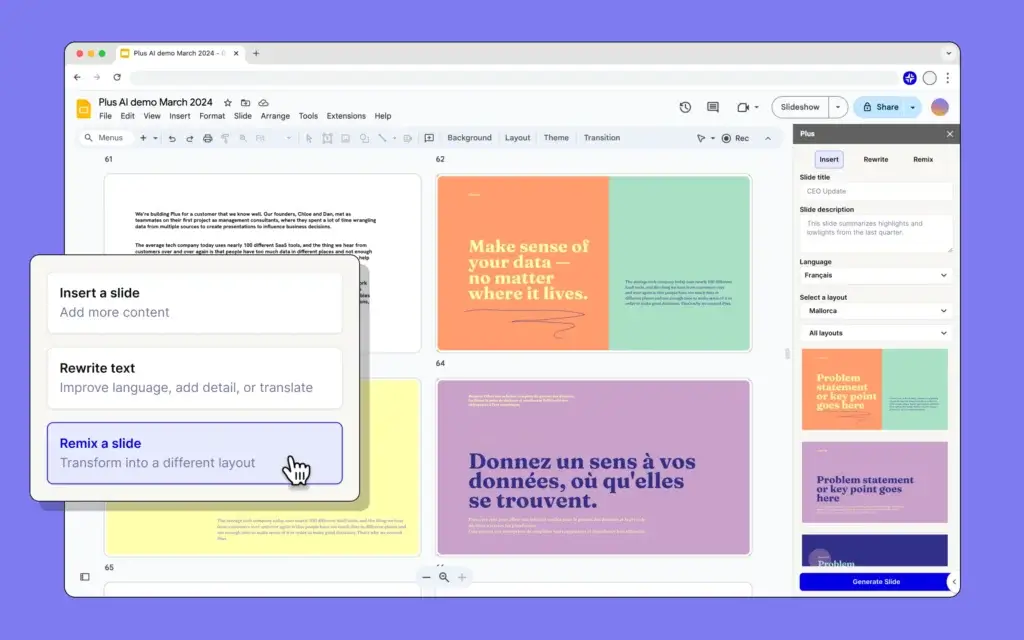
Plus AI is not just about generating a first draft. It also includes tools to rewrite slide content, change tone, adapt messaging for different audiences, and remix existing slides into different layouts. In real business use, this is one of the most valuable parts of the platform because presentation work often involves revising, restructuring, and improving decks that already exist.
Native output that stays editable
One of Plus AI’s strongest advantages is that it creates native PowerPoint files and standard Google Slides presentations. That matters because users can continue editing, sharing, and presenting their decks as normal without being trapped in a proprietary format. In my opinion, this makes Plus AI more practical for teams that cannot afford workflow disruption.
Custom branding and template support for teams
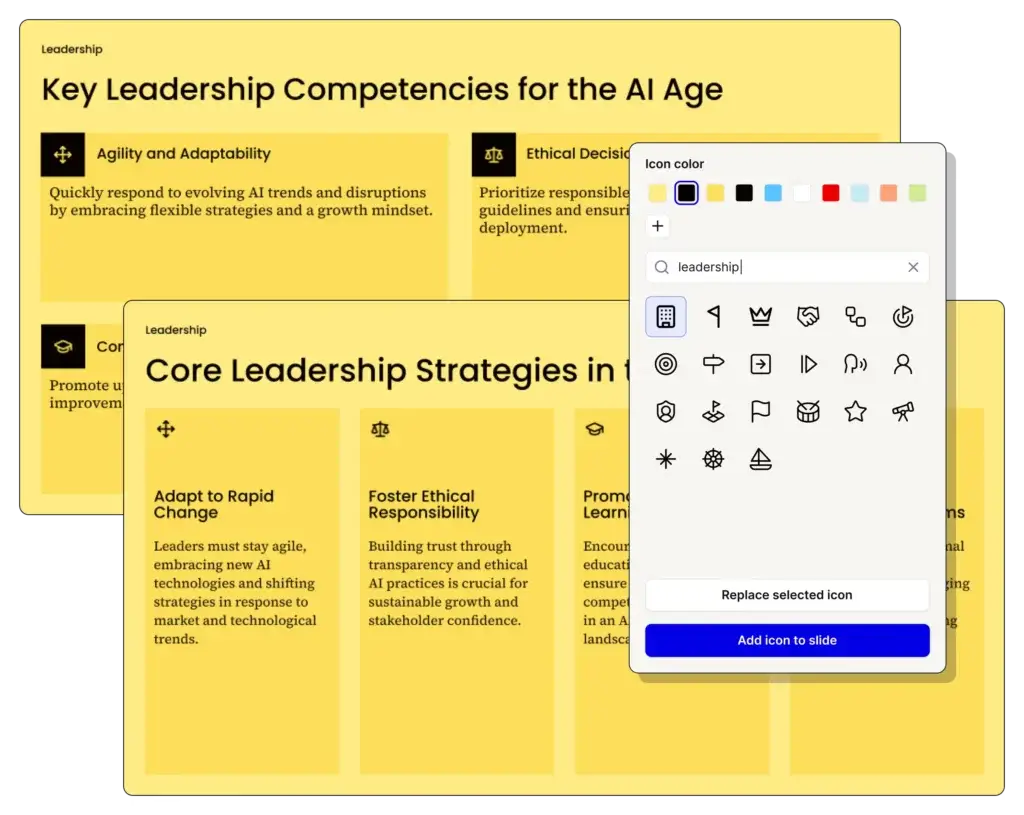
Plus AI becomes even more compelling for teams because it supports brand customization, including logos, colors, fonts, saved instructions, and custom templates. Team plans also add team-wide branding and shared preset libraries, while higher-end enterprise options extend this further with more advanced template and workflow support. This gives the platform real appeal for companies that need consistent presentation quality across many users.
AI images, long prompts, and advanced content generation
On higher plans, Plus AI expands beyond basic prompt generation with support for document uploads, longer prompts, and AI image generation. This makes it more useful for deeper content workflows where users want to build more detailed decks or generate slides from larger source materials instead of only working from short prompts.
Presentation narrator and workflow extensions
Plus AI also includes additional capabilities such as AI narration for turning presentations into voiced video-style outputs, along with API and workflow options for organizations that want to bring AI slide generation into broader business systems. These features will not matter to every buyer, but they do make the product more flexible than a simple AI deck generator.
Pros and Cons
Advantages and Disadvantages
Positive
✅ Native PowerPoint and Google Slides workflow
✅ Strong editing tools for existing decks
✅ Useful for teams that need brand consistency
✅ More practical than many standalone AI slide apps
Negative
❌ Less visually distinctive than Prezi for live storytelling
❌ Best team branding features require higher plans
❌ Depends on PowerPoint or Google Slides rather than its own design canvas
❌ Not the best fit for users wanting a highly visual web-native presentation style
Pros
✅ Native PowerPoint and Google Slides workflow
Plus AI’s biggest advantage is that it works in the tools many teams already rely on. That makes adoption easier, reduces training needs, and avoids the friction of exporting from a separate AI presentation app into a more traditional slide workflow later.
✅ Strong editing tools for existing decks
Many AI presentation tools are best at creating a first draft, but weaker when you want to improve a real presentation that already exists. Plus AI is stronger here because rewriting, remixing, and inserting individual slides are central parts of the product, not just side features.
✅ Useful for teams that need brand consistency
Custom branding, shared presets, team-wide templates, and higher-end template support make Plus AI more team-friendly than many AI-first slide generators. It is especially appealing for organizations that want AI speed without sacrificing brand control.
✅ More practical than many standalone AI slide apps
In my opinion, Plus AI’s practicality is what makes it stand out. Many AI presentation products look impressive in demos, but Plus AI fits better into real business processes because the output stays native and editable in PowerPoint or Google Slides.
Cons
❌ Less visually distinctive than Prezi for live storytelling
Plus AI is built around native slides, which is a strength for business compatibility, but it also means the presentation style is usually more conventional. If your main priority is creating a highly dynamic, memorable live presentation, Prezi may feel more visually distinctive.
❌ Best team branding features require higher plans
Basic users get useful AI generation and editing, but the more valuable team-oriented branding controls appear as you move up to Team and Enterprise tiers. For businesses that need strong governance from the start, cost can rise quickly.
❌ Depends on PowerPoint or Google Slides rather than its own design canvas
Some users will see this as a positive, but others may want a more modern web-native experience with a different kind of visual freedom. Plus AI is optimized for improving familiar slide workflows, not replacing them with a new creative environment.
❌ Not the best fit for users wanting a highly visual web-native presentation style
Tools like Gamma can feel more modern for link-based presentation sharing, while Pitch can feel more polished for collaborative web-first deck building. Plus AI is more about making standard slide work smarter than reinventing the presentation format itself.
User Experience
Built for Familiar Slide Workflows
Plus AI delivers a user experience that feels different from many newer AI presentation makers because its main goal is not to replace PowerPoint or Google Slides. Instead, it tries to make those environments much faster and more AI-assisted. For many professionals, that approach is more useful than starting over in a new platform.
Familiar interface, lower learning curve
One of the biggest strengths of Plus AI is that users do not need to learn an entirely new presentation system. Because it runs inside Google Slides and PowerPoint, the workflow feels familiar from the beginning. That lowers the learning curve and makes the product especially attractive for teams that want immediate productivity rather than a major process change.
Strong support for both creation and revision
Plus AI feels strongest when you look beyond prompt-based generation. Creating a full deck is useful, but real-world presentation work usually includes rewriting content, adjusting structure, inserting missing slides, adapting tone, and improving layouts. Plus AI handles these kinds of editing tasks well, which gives it more day-to-day value than tools that are mostly about first drafts.
Practical workflow for business users
The overall experience feels built for consultants, marketers, sales teams, operators, and other professionals who regularly produce slides under time pressure. Instead of encouraging endless visual experimentation, Plus AI is designed to help users get from content to presentable slides faster while staying inside standard presentation workflows.
Better fit for existing slide ecosystems
Because the output remains native to PowerPoint or Google Slides, collaboration is more natural for teams already working in those ecosystems. This is especially important for organizations where presentations get passed across departments, edited by multiple people, and reused over time rather than being created once and forgotten.
Enterprise potential beyond simple AI generation
For larger organizations, Plus AI also extends into custom templates, APIs, and more advanced workflow support. That means it can serve both as a productivity tool for individual users and as a presentation infrastructure layer for companies that want AI-generated materials tied more closely to internal processes and brand standards.
Best Use Cases
Who Should Use Plus AI
Plus AI is not the right choice for every kind of presentation creator, but it is one of the strongest tools for users who already rely on PowerPoint or Google Slides and want AI to make those workflows faster and more consistent.
Consultants and analysts
Consultants, analysts, and strategy teams often work from documents, reports, and outlines that need to become polished decks quickly. Plus AI is especially useful here because document upload, slide generation, rewriting, and remix tools all support a workflow built around refining professional content into presentation form.
Sales and marketing teams
Sales and marketing teams that create pitch decks, client presentations, campaign recaps, and internal updates can benefit from Plus AI’s ability to create and revise slides quickly while staying inside familiar tools. Teams that need speed without losing brand control will likely find it particularly appealing.
PowerPoint-heavy organizations
If your company is deeply invested in PowerPoint, Plus AI is one of the more compelling AI presentation tools available. In my opinion, its PowerPoint-native position is one of its biggest strengths, because many teams want AI help without changing how presentations are ultimately built, shared, and edited.
Google Workspace users
Plus AI is also a strong choice for teams that live in Google Workspace and prefer Google Slides collaboration. Instead of exporting from a third-party AI presentation app into Slides later, users can work directly in the environment their team already uses.
Brand-conscious teams
Organizations that need presentations to stay aligned with logos, colors, fonts, instructions, and approved styles should seriously consider Plus AI’s higher-tier plans. It is more brand-aware than many lightweight AI presentation generators that focus mainly on fast output rather than long-term consistency.
Compare with Others
Alternatives to Plus AI
Plus AI is one of the best options for users who want AI directly inside PowerPoint and Google Slides, but it is not automatically the best choice for every workflow. Gamma is stronger for fast web-native presentation creation and async sharing, Prezi is better for dynamic storytelling and live visual impact, and Pitch is especially strong for collaborative, polished team presentation workflows. The right choice depends on whether you care most about native slide compatibility, live presentation style, or modern collaborative deck creation.
| Feature Type | Plus AI | Gamma | Prezi | Pitch |
| Best for | AI slide creation inside PowerPoint and Google Slides | Fast AI-generated web-native decks and link sharing | Dynamic storytelling and more engaging live presentations | Collaborative team deck creation with modern presentation workflows |
| Core format | Native PowerPoint and Google Slides presentations | Card-based web presentation format | Zoomable canvas presentation format | Slide-based collaborative presentation workspace |
| AI strength | Strong for creating, rewriting, and remixing existing slides | Excellent for fast first drafts from prompts or source files | Strong for turning ideas or files into visual narrative presentations | Good for AI-assisted drafting inside a team slide workflow |
| Editing workflow | Best for improving decks in tools teams already use | Good for editing inside Gamma’s own environment | Good, but more specialized around Prezi’s presentation style | Excellent for team editing, feedback, and iteration |
| Collaboration | Strong when your team already works in Slides or PowerPoint | Good collaborative sharing and editing | Good collaboration with a presentation-first focus | Excellent real-time collaboration and shared team workflows |
| Best tradeoff | Compatibility plus AI productivity | Speed plus modern web-first output | Storytelling plus audience engagement | Collaboration plus polished team presentations |
When to choose another tool
- Choose Gamma if you want the fastest route from prompt to presentation and prefer a web-native format built for link sharing and async consumption. Gamma is the better fit when you want something that feels more like a hybrid between a presentation and a web page.
- Choose Prezi if your priority is live storytelling and audience engagement. Prezi is the stronger option when you want movement, narrative flow, and a presentation style that stands out more than traditional slides.
- Choose Pitch if your team creates presentations collaboratively and wants a polished modern workspace with strong design, templates, sharing, and presentation workflows built for groups.
- Choose Plus AI if your main goal is making PowerPoint or Google Slides dramatically faster with AI while keeping the output native and editable. In my opinion, Plus AI is the most practical choice for teams that do not want to replace their existing slide workflow, only improve it.
Pricing & Plans
Pricing That Scales from Solo Users to Teams
Plus AI has a fairly straightforward pricing model, and the structure makes sense once you look at how the product scales. Lower plans focus on generation and editing, while higher plans move more heavily into branding, team controls, and advanced template workflows.
Basic plan
- Basic – Starts at $10 per user per month billed annually, or $15 per user per month billed monthly. This plan includes unlimited AI generation in Google Slides and PowerPoint, the ability to create single slides, and AI tools to rewrite and remix slides.
Pro plan
- Pro – Starts at $20 per user per month billed annually, or $25 per user per month billed monthly. It includes everything in Basic plus document uploads, 100K+ character prompts, AI image generation, and support for unlimited team members.
Team plan
- Team – Starts at $30 per user per month billed annually, or $40 per user per month billed monthly. It includes everything in Pro plus logo, color, and font customization, custom template upload in beta, saved custom instructions, prompt history and presets, team-wide branding and templates, and a shared preset library.
Enterprise plan
- Enterprise – Custom pricing. This tier is aimed at organizations that need advanced custom templates, asset library integration, automations, custom workflows, slide libraries, and white-glove setup and support.
Free trial
Plus AI offers a 7-day free trial, and that trial includes access across both Google Slides and PowerPoint. This is helpful because users can evaluate the product in the environment they actually use rather than testing it only in a limited demo setup.
| Plan | Starting Price | Best For | Key Benefits |
| Basic | $10/month billed annually or $15/month billed monthly | Individuals | Unlimited AI generation, single-slide creation, rewrite and remix tools |
| Pro | $20/month billed annually or $25/month billed monthly | Individuals and small teams | Everything in Basic, plus document uploads, long prompts, AI images |
| Team | $30/user/month billed annually or $40/user/month billed monthly | Brand-conscious teams | Everything in Pro, plus branding controls, custom templates, shared presets |
| Enterprise | Custom pricing | Larger organizations | Advanced templates, asset libraries, workflows, custom integrations, white-glove support |
| Trial | 7 days | Evaluation | Test Plus AI in both Google Slides and PowerPoint |
How to Use Plus AI
A Step-by-Step Guide
Plus AI is relatively easy to start using, especially if you already work in PowerPoint or Google Slides. A typical workflow looks like this:
Install Plus AI in your preferred slide tool
- Install the add-on in Google Slides or the PowerPoint add-in, depending on which presentation environment you use most.
- Open the Plus AI sidebar and choose whether you want to generate a full presentation, create a single slide, or edit an existing deck.
- Start from a prompt or upload a document such as a PDF, Word file, PowerPoint file, or plain text to generate your first draft.
Review and refine the structure
Once the first version is generated, review the outline, improve the slide sequence, and edit the messaging. Plus AI is particularly useful here because it allows you to keep working in a normal presentation file rather than switching into a separate editing environment.
Rewrite or remix slides as needed
If a slide feels too wordy, too generic, or visually weak, use the rewrite and remix tools to improve the content or transform the layout. This makes Plus AI especially good for ongoing iteration, not just initial generation.
Apply branding and templates
For teams, this is where Plus AI becomes more powerful. Apply logos, colors, fonts, saved instructions, and templates so the final deck feels aligned with your brand standards rather than looking like a generic AI output.
Present, share, or continue editing
Because the output remains a native PowerPoint or Google Slides presentation, you can keep editing manually, collaborate with teammates, present as usual, or export according to your normal workflow. That is one of the most practical advantages of the platform.
Conclusion
Final Thoughts
Plus AI has carved out a very strong position in the AI presentation market because it solves a practical problem better than many competitors. It brings AI directly into PowerPoint and Google Slides, which immediately makes it more usable for teams that already depend on those tools every day.
Its biggest strength is not flashy presentation output alone. It is the combination of generation, rewriting, remixing, native compatibility, and growing team branding capabilities that makes the platform genuinely useful. Plus AI is less about reinventing presentations, and more about making standard professional presentation work much faster and less repetitive.
That also means it will not be the ideal choice for every user. If you want a more web-native experience, Gamma may feel more modern. If you want visual storytelling and presentation movement, Prezi still stands apart. If you want collaborative team deck creation in a dedicated presentation workspace, Pitch is a very strong competitor.
In my opinion, Plus AI is best for professionals and teams who already use PowerPoint or Google Slides and want the smartest possible AI layer on top of that workflow. For business users who care about compatibility, practical editing, and native presentation output, it is one of the strongest tools to consider right now.
Have more questions?
Frequently Asked Questions
What is Plus AI?
Plus AI is an AI-powered presentation maker that works directly inside Google Slides and PowerPoint. It helps you generate presentations, create single slides, rewrite slide content, and remix existing layouts with AI.
What makes Plus AI different from Gamma or Pitch?
Plus AI is more focused on native PowerPoint and Google Slides workflows. Gamma and Pitch are more web-native presentation platforms, while Plus AI is built to improve the tools many teams already use rather than replace them.
Can Plus AI create full presentations from a prompt?
Yes. Plus AI can generate full presentations from a short prompt, and it can also create decks from uploaded files such as PDFs, Word documents, PowerPoint files, and text files.
Can Plus AI edit existing presentations?
Yes. One of Plus AI’s strongest features is that it can rewrite existing slide content, insert individual slides, and remix or reformat existing slides into new layouts.
Does Plus AI work with PowerPoint?
Yes. Plus AI includes a PowerPoint add-in and is specifically designed to work inside PowerPoint for users who want AI-powered presentation creation and editing in Microsoft’s ecosystem.
Does Plus AI work with Google Slides?
Yes. Plus AI also works directly inside Google Slides, which makes it appealing for Google Workspace teams that want to build and refine presentations collaboratively.
Is Plus AI free?
Plus AI is not permanently free as a full commercial product, but it offers a 7-day free trial so you can test it before subscribing to a paid plan.
How much does Plus AI cost?
Plus AI’s Basic plan starts at $10 per user per month billed annually. Pro starts at $20 per user per month billed annually, Team starts at $30 per user per month billed annually, and Enterprise pricing is custom.
Is Plus AI secure?
Plus AI states that it follows enterprise-grade security practices and has achieved SOC 2 Type II compliance, which is especially important for business and enterprise buyers evaluating AI tools for workplace use.
Who should use Plus AI?
Plus AI is best for consultants, marketers, sales teams, analysts, and organizations that already work in PowerPoint or Google Slides and want to create and improve presentations faster without leaving those tools.








