
Introduction
Choosing an AI design tool is no longer just about getting a fast mockup. What matters is whether the platform can help you move from an idea to a usable interface, editable design assets, and a smoother handoff for development. In this UXmagic review, you will get a practical look at what the platform does well, where it still feels limited, and which teams are most likely to benefit from it.
UXmagic is positioned as an AI UI design and product design generator. You can start from a text prompt, reference image, screenshot, sketch, or existing interface idea, then generate UI layouts that are meant to be refined further in tools like Figma. That makes it more relevant for product teams, founders, designers, and developers than for buyers who simply want a traditional website builder.
What Is UXmagic?
UXmagic is an AI-powered UI design platform built to help you generate wireframes, landing pages, components, and product screens faster. Instead of designing everything manually from scratch, you can use prompts and visual references to create structured layouts that speed up the early stages of design work.
Its appeal comes from helping teams reduce blank-canvas friction. Rather than replacing designers completely, UXmagic works better as an accelerator for ideation, interface drafting, and early product visualization.
Background and Positioning
UXmagic fits into the growing category of AI UI generators. These tools aim to reduce the time it takes to move from concept to interface draft. UXmagic leans into prompt-based generation, editable outputs, multi-screen ideas, and export-oriented workflows, which makes it more practical than image-only mockup tools.
Target Users and Use Cases
UXmagic is especially relevant for several buyer types:
- Product designers – Useful for speeding up wireframes and early UI drafts.
- Founders – Helps visualize product ideas without starting from a blank design file.
- Developers – Supports faster interface drafting when design resources are limited.
- Startup teams – Helps create presentable product concepts quickly.
- Agile product teams – Useful for exploring multiple interface directions faster.
That said, UXmagic is not the right fit if your main need is user research, analytics, heatmaps, or usability testing. Despite the name, it is primarily a UI generation tool, not a full UX research suite.
Core Features
How Does UXmagic Work?
UXmagic stands out because it supports more than one way to generate interface ideas. Instead of relying only on prompt-based UI creation, it also works with screenshots, sketches, and visual references. That makes it more practical for real-world product teams that often begin with rough materials instead of perfect instructions.
Prompt to UI Generation
One of UXmagic’s main workflows is prompt-to-UI generation. You describe the type of interface you want, such as a dashboard, landing page, login screen, or onboarding flow, and the platform generates a draft layout for you. This is especially useful when you need a fast starting point instead of building every screen manually.
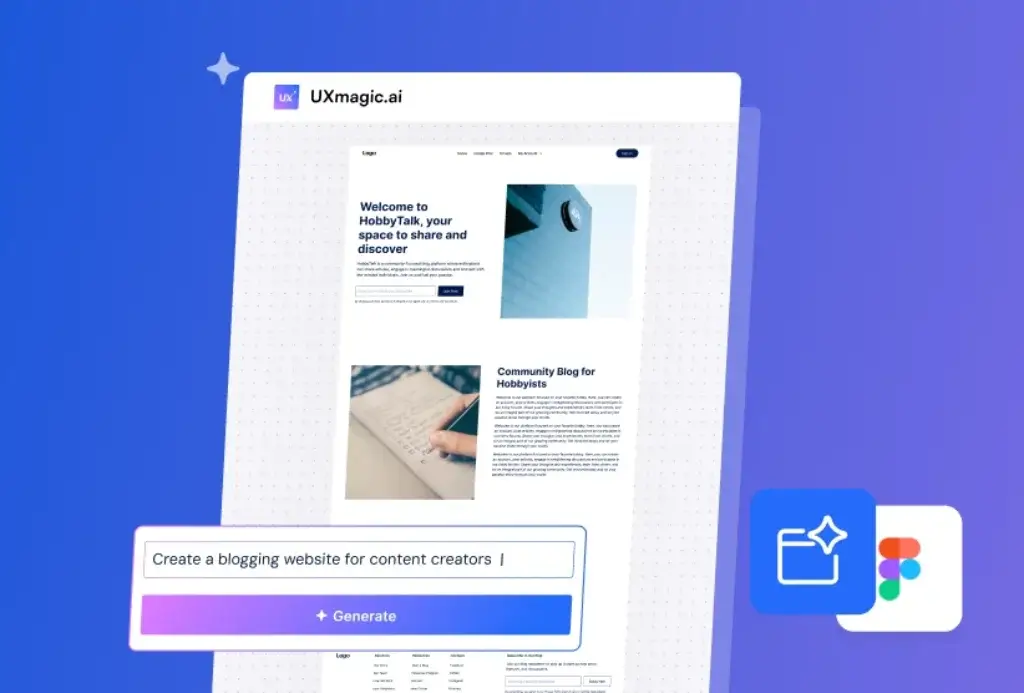
Image and Screenshot to UI
UXmagic also supports turning screenshots, sketches, and visual references into editable interface concepts. This expands its usefulness beyond text prompts and gives teams a more flexible way to turn early ideas into structured layouts.
Component and Section Generation
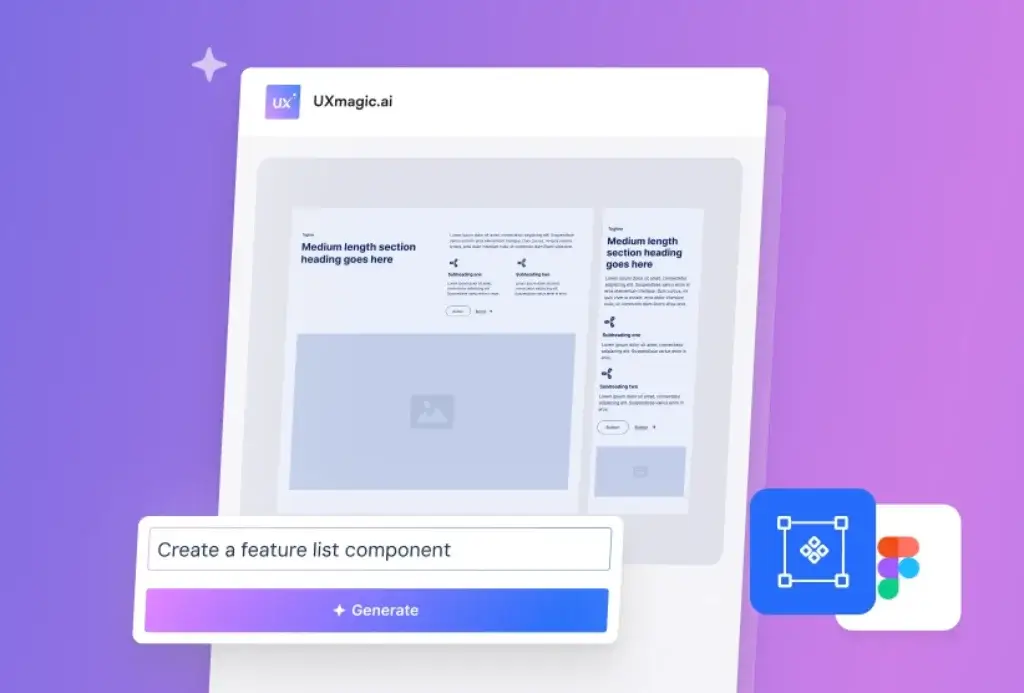
The platform is not limited to full pages. UXmagic can also generate specific sections or components, such as feature blocks, sign-in modules, forms, or content areas. That is important because many design teams need help with smaller building blocks, not just complete screens.
Multi-Screen and Flow-Based Design
Another valuable angle is its focus on product flows rather than only single static pages. For teams working on apps or SaaS interfaces, that makes UXmagic more practical than simpler AI design tools that only produce isolated screens.
Figma-Friendly Workflow
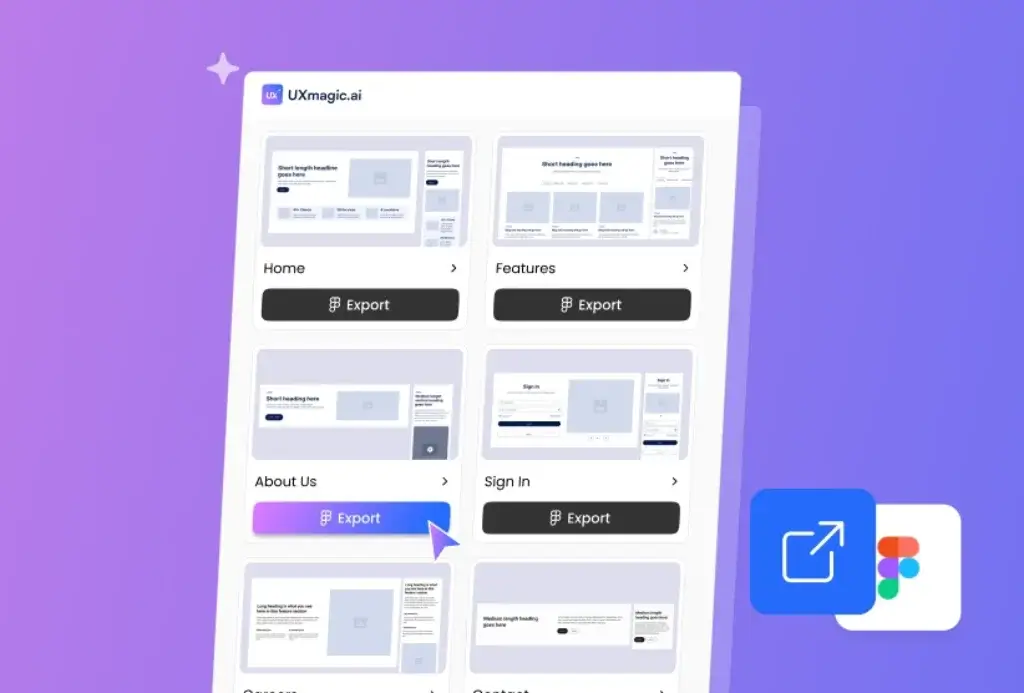
One of the strongest parts of UXmagic’s positioning is its connection to Figma-style workflows. Instead of treating AI output as a dead-end concept, the platform aims to help you continue refining the generated design in a more familiar design environment.
Strengths
What UXmagic Gets Right
UXmagic works best when you judge it as a UI generation and design acceleration tool rather than as a full replacement for product design thinking. For the right user, it can remove a lot of early-stage friction.
Fast First Drafts
The biggest benefit is speed. UXmagic helps you generate interface concepts much faster than starting from a blank design file. If your goal is to get to a draft quickly, it offers a real productivity advantage.
Helpful for Lean Teams
UXmagic is especially useful for teams without a dedicated designer for every task. Founders, product managers, and developers can use it to create more presentable early concepts without waiting for full design cycles.
Better for Practical UI Work
Because it supports prompts, image-based input, and component generation, UXmagic feels more practical than tools that only create one polished but disconnected screen. It is clearly built around speeding up real UI work.
Good for Iteration
The platform is also helpful when you want to explore different layout directions quickly. That makes it useful for early ideation, internal reviews, and design exploration before a team commits to a final direction.
Pros and Cons
Benefits and Limitations of UXmagic
Positive
✅ Fast UI generation
✅ Multiple input paths
✅ Figma-friendly approach
✅ Flow-based generation
Negative
❌ Still an AI drafting tool
❌ Prompt dependency
❌ Early-market category risk
❌ Light independent review volume
Pros
- Fast UI generation – You can create early product screens much faster than starting from scratch.
- Multiple input paths – Prompts, screenshots, sketches, URLs, and Figma imports make the workflow more practical.
- Figma-friendly approach – The product is clearly built to fit existing design workflows instead of replacing them entirely.
- Flow-based generation – UXmagic is thinking beyond one-off screens, which matters for real product design.
Cons
- Still an AI drafting tool – You should expect refinement, not final perfection, on the first output.
- Prompt dependency – Better results still depend on better inputs and clearer product thinking.
- Early-market category risk – AI design tools are evolving quickly, so long-term workflow stability still matters.
- Light independent review volume – Public validation exists, but it is still limited compared with larger software categories.
Pricing
UXmagic Pricing and Plans
UXmagic uses a pricing structure that appears to be based on access limits and generation usage, which is common for AI design tools. The exact plan structure can evolve, but the general model seems to separate free access for testing from paid access for more serious design work.
Free Access
The free option is mainly useful for exploring the platform and seeing how well it fits your workflow. It gives you a chance to test the generation quality and understand the interface before committing.
Paid Access
The paid tier is better suited for teams that plan to generate screens regularly, refine more designs, and rely on the platform as part of an ongoing design process. In most cases, the value becomes much clearer when UXmagic is part of repeated product work rather than one-time experimentation.
Pricing Summary
| Feature Type | Free | Paid |
| Best for | Testing the platform | Regular UI generation and iteration |
| Usage level | Light | Higher and more consistent |
| Design workflow fit | Evaluation stage | Ongoing product work |
| Value angle | Try before you commit | Better for teams that use it often |
For most buyers, the real question is not whether UXmagic has a free or paid option. The better question is whether it saves enough time in your design process to justify becoming part of your regular workflow.
Workflow and Use Cases
UXmagic for Product Teams
UXmagic is most useful when you place it inside a broader product workflow instead of expecting it to do everything on its own.
For Designers
If you already work in a design environment like Figma, UXmagic is best used as an accelerator. It helps you get to a first draft faster, explore layout directions, and reduce repetitive early-stage work.
For Developers
Developers can benefit from UXmagic when design support is limited. It gives them a better visual starting point for interface work instead of leaving them to improvise layouts entirely on their own.
For Founders
Founders and early-stage startup teams may get some of the strongest value from UXmagic. It helps turn product ideas into presentable UI concepts faster, which can support internal planning, investor conversations, and faster iteration.
For Cross-Functional Product Teams
UXmagic can also help product managers and design collaborators communicate more clearly around UI direction. When a team can quickly generate a draft, feedback becomes easier and more concrete.
Competitors
UXmagic Alternatives
UXmagic operates in a fast-growing AI design category, so it makes sense to compare it with other tools that help generate interfaces or speed up product design work.
| Feature Type | UXmagic | Magic Patterns | UXPilot | Figma AI tools |
| Core focus | AI UI generation | Fast product concepting | AI-assisted UX generation | AI inside a broader design ecosystem |
| Best for | Lean teams and product ideation | Rapid prototyping | UX exploration | Figma-centered teams |
| Workflow style | Prompt and visual input | Prompt-heavy | Concept and interface generation | Design-native workflow |
| Main advantage | Practical UI drafting | Speed | Exploration | Ecosystem depth |
Compared with broader design ecosystems, UXmagic is more focused on fast generation. Compared with lighter AI concept tools, it looks more useful for practical UI drafting. That is why it is most appealing to teams that want speed but still need outputs they can refine further.
Conclusion
Final Thoughts
UXmagic is one of the more practical AI UI design tools for teams that want to move from idea to interface draft faster. Its main value is not that it replaces design expertise, but that it reduces the time and friction involved in getting to a workable first version.
Its biggest strengths are speed, flexibility, and its usefulness for founders, developers, and lean product teams. Its main limitations are that generated designs still require refinement and that it should not be confused with a full UX research platform.
Overall, UXmagic is worth considering if your goal is to accelerate UI creation, explore interface directions faster, and improve early-stage design efficiency without starting every project from zero.
Have more questions?
Frequently Asked Questions
What is UXmagic best used for?
UXmagic is best used for generating UI drafts, wireframes, components, and product screens faster from prompts and visual references.
Is UXmagic a UX research tool?
No. UXmagic is primarily an AI UI generation tool, not a research, analytics, or heatmap platform.
Can UXmagic generate designs from prompts?
Yes. Prompt-to-UI generation is one of its core use cases.
Can UXmagic use screenshots or images?
Yes. It supports visual references, which helps turn existing ideas into structured design drafts.
Is UXmagic good for startup teams?
Yes. It is especially useful for startups and lean teams that want to move from concept to UI draft quickly.
Does UXmagic replace designers?
No. It works better as a design accelerator than as a full replacement for product design expertise.
Is UXmagic useful for developers?
Yes. Developers can use it to create better interface starting points when design resources are limited.
Can UXmagic generate components, not just full pages?
Yes. It can help generate individual UI sections and components as well as broader layouts.
Is UXmagic worth it for occasional use?
It can be useful for testing, but the value is usually stronger for teams that use it regularly in product workflows.
Who should consider UXmagic most seriously?
Founders, product designers, developers, and lean product teams are likely to get the most value from it.