Introduction
Your family’s digital life now spans far more than one shared home computer. It includes phones, tablets, browsers, school accounts, shopping apps, streaming platforms, messaging tools, gaming logins, cloud storage, and social media. That convenience is valuable, but it also creates more opportunities for scams, phishing, account takeover, identity theft, and privacy loss.
Protecting your household online is no longer just about installing antivirus on a laptop. A stronger family protection strategy needs to cover the places where modern threats actually show up, especially browsers, search results, fake shopping sites, phishing links in text messages, malicious ads, suspicious downloads, reused passwords, and leaked credentials.
In this guide, you will learn what family digital protection really involves, which risks matter most, the habits that make the biggest difference, and which tools are worth considering. You will also see a practical comparison of recommended products, with Guardio as the top option for families who want simple, modern protection across everyday browsing and scam-heavy online activity.
What Does “Protecting Your Family’s Digital Life” Mean?
In practical terms, it means reducing the chance that someone in your household clicks a dangerous link, enters credentials into a fake site, downloads malware, reuses a weak password, or misses a warning that personal data has been exposed. It also means giving parents and caregivers better visibility into risky behavior without making daily internet use frustrating.
A realistic family cybersecurity approach usually combines three layers: safer habits, built-in device and account settings, and a protection tool that can catch threats in real time. That layered model matters because no single setting can stop every scam, especially when attacks are designed to look legitimate.
Why This Matters More Now
Online fraud continues to affect large numbers of consumers, and phishing remains one of the most commonly reported cybercrime categories. Public guidance from the FTC, CISA, and the UK’s NCSC also continues to emphasize basics like strong passwords, multi-factor authentication, software updates, and practical scam awareness because these are still the controls that prevent a large share of household-level incidents.
That is also why family online protection has shifted toward browser safety, scam detection, account monitoring, and identity-related alerts, not just traditional antivirus scanning. Many of the threats families face now begin with a link, a fake store, a spoofed brand page, or a convincing message, not a classic infected file.
The Biggest Online Risks for Families
The threat landscape for households is broad, but a few categories cause most of the real-world damage. Focusing on these risks helps you prioritize the protections that matter most.
Phishing and Fake Login Pages
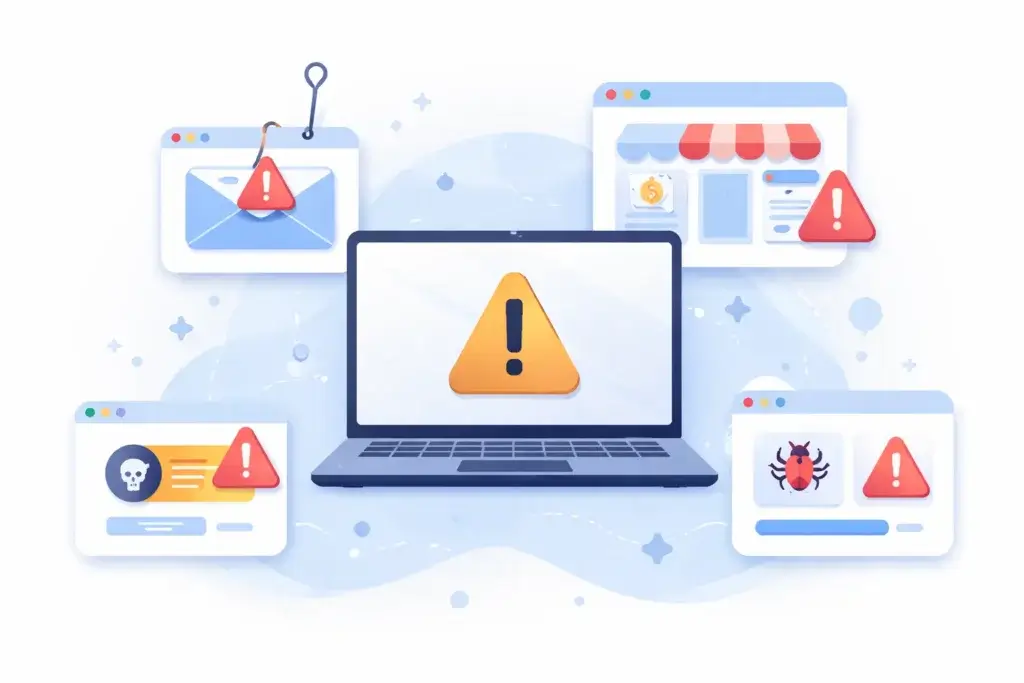
Phishing is still one of the most common online threats because it works across age groups and platforms. A family member might receive a fake bank alert, delivery message, password reset email, school notification, or streaming service warning, then land on a page designed to steal credentials or payment details.
Scam Ads and Fake Shopping Sites
Families shop online constantly, which makes fake stores and misleading ads a major issue. These pages are often designed to look trustworthy enough to collect card details, account logins, or shipping information before disappearing.
Malicious Downloads and Unsafe Extensions
Not every threat comes from an attachment. Risky browser extensions, fake software updates, pirated files, and “free” utilities can expose devices to malware, tracking, or credential theft. This is especially relevant in households where multiple people install apps or extensions on shared or loosely managed devices.
Password Reuse and Account Takeover
Many family security problems begin after an old password is exposed in a breach. If the same login is reused across email, retail, banking, or social accounts, a single leak can turn into a much wider compromise.
Privacy Loss and Data Exposure
Even without malware, households can lose control over personal information through oversharing, weak account settings, unsecured public Wi-Fi use, or leaked credentials. Once data is exposed, criminals may use it for impersonation, fraud, or targeted phishing.
What a Strong Family Protection Strategy Should Include
The best family cybersecurity plan is not built around fear. It is built around reducing common risks with simple, repeatable protections.
Use Strong Passwords and a Password Manager
One of the most useful changes you can make is moving your household away from reused passwords. CISA recommends long, unique passwords and specifically highlights password managers as an easier way to create and maintain them.
Turn On Multi-Factor Authentication
MFA adds a second barrier even if a password is stolen. Prioritize it for email, banking, shopping, social media, and any account tied to saved payment methods or sensitive data.
Keep Devices, Browsers, and Apps Updated
Updates matter because they patch known vulnerabilities. Families often think of updates as an inconvenience, but they remain one of the most practical defenses against exploited weaknesses.
Teach Link Skepticism, Not Just “Stranger Danger”
Modern scams are persuasive because they imitate brands, friends, delivery services, or urgent account notices. Instead of teaching family members to avoid only “obvious” scams, it is better to teach them to pause before clicking, verify the sender, and inspect the site they are being asked to trust.
Use Parental Controls Where They Fit
For children and younger teens, parental controls can reinforce safer habits. FTC guidance frames them as a support tool, not a complete solution, which is the right way to think about them. They help shape safer spaces, but conversations and household rules still matter.
Add Real-Time Protection for Browsing and Scams
This is where a good security tool becomes valuable. The right product can block phishing pages, warn about suspicious sites, flag scam links, surface breach alerts, and reduce the chance that a mistake turns into a serious incident.
How to Protect Different Family Members
Not everyone in your household faces the same risks. Your protection plan should reflect that.
For Parents
Parents usually manage the most sensitive accounts, including banking, school portals, e-commerce, email, and household subscriptions. They benefit most from phishing protection, breach alerts, password security, and account monitoring.
For Children and Younger Teens
Younger users need safer browsing, age-appropriate limits, and guidance around games, chat, downloads, and social apps. In many households, parental controls and content management are more important here than identity monitoring.
For Older Teens
Older teens are often the most active online shoppers, social users, and app installers in the family. That makes scam detection, fake store warnings, privacy awareness, and credential hygiene especially important.
For Older Relatives in the Household
Older adults are often targeted by urgent-message scams, impersonation, fake tech support, and fraudulent payment requests. Clear warnings, easy-to-understand protection tools, and simple routines matter more than complex dashboards.
Signs Your Family May Need Better Digital Protection
If you are not sure whether your current setup is enough, these are common warning signs that your household security posture is weaker than it should be.
- Multiple family members reuse the same few passwords
- Children or teens install browser extensions freely
- You shop frequently from ads or social media links
- No one checks breach alerts or suspicious login notices
- Phones and browsers are not updated consistently
- You rely only on built-in antivirus and nothing else
None of these automatically means you are already compromised. They do mean your household is more exposed to the kinds of scams and account risks that now dominate consumer cybercrime.
Recommended Tools for Protecting Your Family’s Digital Life
The right software depends on what you want to prioritize. Some tools focus more heavily on scam and browsing protection, while others focus on traditional antivirus or parental controls. For most households, I would rank the options below based on how well they match the threats families face every day.
| Tool | Best For | Key Strength |
| Guardio | Modern family scam protection | Strong browser, link, and phishing defense |
| Norton 360 Deluxe | Broader all-in-one household security | VPN, scam protection, parental controls |
| Bitdefender Family | Families wanting deeper device coverage | Multi-device security plus parental controls |
| McAfee Family Plans | Families focused on identity and device security | Identity monitoring and broad coverage |
Guardio
Guardio (visit site) is my top recommendation for most families because it is well aligned with how consumer threats actually appear now. Instead of focusing only on classic malware, Guardio emphasizes phishing defense, malicious site blocking, scam protection, data leak alerts, and account security insights across desktop and mobile.
That makes it especially useful for families who spend a lot of time in browsers, shopping online, clicking from search results, handling text and email links, and managing many personal accounts. Guardio’s current Family plan covers five members and is positioned around mobile and desktop protection, phishing defense, data leak alerts, and account security visibility.
The biggest advantage here is usability. Guardio is easier to recommend to a normal household than a more technical security stack because it meets users where risk happens most often: the browser and the link-clicking moment. If your goal is to reduce scams, phishing, and unsafe browsing with minimal friction, this is the strongest fit.
Norton 360 Deluxe
Norton 360 Deluxe (visit site) is a strong second choice for households that want a broader security bundle. It includes device protection, scam protection, VPN, dark web monitoring, and parental controls for up to five devices.
Norton is a good option if your family wants a more traditional all-in-one suite and values extras like VPN and parental controls in the same subscription. The tradeoff is that it can feel heavier and less browser-centric than Guardio for families whose biggest real-world risk is phishing and scam exposure.
Bitdefender Family
Bitdefender Family (visit site) is a good option for families that want broad device coverage and a more security-suite-oriented experience. Its official family offering includes real-time protection, scam prevention and detection, and parental controls.
Bitdefender is especially appealing if you need to cover a larger number of devices and prefer a vendor with strong device security credentials. I would still place it behind Guardio for this specific article angle because “protecting your family’s digital life” is increasingly about scam prevention and safer browsing, not just device-level protection.
McAfee Family Plans
McAfee (visit site) is worth considering for families that place more emphasis on identity monitoring and broad household coverage. McAfee currently positions its family plans around privacy, identity, and device protection for multiple family members.
It is a reasonable choice if your household wants a well-known brand and a stronger identity-oriented positioning. Still, for households primarily worried about phishing, scam links, and deceptive web experiences, I would rank Guardio ahead of it.
How to Choose the Right Tool for Your Household
Choosing the best option depends less on brand awareness and more on your family’s actual behavior online.
Choose Guardio if Scam and Browsing Risk Are Your Main Concern
If your household shops online often, clicks links from email or texts, uses search heavily, and wants simple protection across browsers and phones, Guardio is the best fit.
Choose Norton if You Want a Broader Security Bundle
If you want VPN, parental controls, and scam protection in one more traditional suite, Norton has broader packaged coverage.
Choose Bitdefender if You Need Heavier Multi-Device Security
If your priority is protecting many devices while keeping parental control options available, Bitdefender is a strong candidate.
Choose McAfee if Identity Monitoring Matters Most
If your main concern is identity and privacy coverage across multiple family members, McAfee is worth a closer look.
Best Practices to Put in Place This Week
You do not need to overhaul everything in one day. These are the highest-impact changes most households can make quickly.
- Change reused passwords on email and banking accounts first
- Turn on MFA for your most important logins
- Update phones, browsers, and laptops
- Review browser extensions and remove unused ones
- Talk through fake delivery, shopping, and bank scams
- Install a protection tool on the devices used most often
Small changes matter here. Family cybersecurity improves fastest when you remove the most common paths to compromise rather than chasing every possible edge case.
Conclusion
Protecting your family’s digital life is really about reducing everyday risk in the places where people actually spend time online. That means focusing on phishing, fake websites, scam links, password reuse, account exposure, and unsafe browsing habits, then supporting those areas with practical tools and clearer routines.
If you want the simplest recommendation for most households, Guardio stands out because it matches the modern consumer threat environment unusually well. It is especially strong for families that want better phishing protection, scam detection, safer browsing, and account-related alerts without managing a complicated security setup. For broader all-in-one suites, Norton, Bitdefender, and McAfee are still credible alternatives, but Guardio is the most relevant first choice for this particular use case.
Frequently Asked Questions
What is the best way to protect your family’s digital life?
The best approach combines strong passwords, MFA, software updates, parental controls where needed, and a security tool that can block phishing, scam sites, and risky links in real time.
Why is phishing such a big threat to families?
Phishing works because it targets normal online behavior. Families receive delivery messages, school alerts, shopping emails, password resets, and banking notifications every day, so fake versions can look convincing.
Do families still need antivirus in 2026?
Yes, but antivirus alone is not enough. Modern household protection should also address phishing, scam websites, account security, and identity exposure.
Is browser security really that important for families?
Yes. Many consumer threats begin in the browser through fake sites, malicious redirects, deceptive ads, unsafe extensions, and stolen-login pages.
Should you use parental controls for children?
For many families, yes. Parental controls can reinforce safer habits, limit exposure to inappropriate content, and support age-appropriate online behavior, especially for younger children.
What should parents protect first?
Start with email accounts, banking logins, shopping accounts with saved cards, school portals, and the phones and browsers your family uses most often.
Is Guardio good for family online protection?
Guardio is a strong option for families that want phishing protection, scam blocking, data leak alerts, and safer browsing across desktop and mobile without a complicated setup.
Which is better for families, Guardio or Norton?
Guardio is the better fit for households focused on scam prevention and safer browsing. Norton is stronger if you specifically want a broader suite that bundles VPN and parental controls.
How can you tell if a site is fake?
Look for unusual URLs, brand impersonation, strange checkout behavior, pressure tactics, inconsistent design, and offers that seem unrealistically good. A protective browser-focused tool can also help catch these pages sooner.
What is the biggest family cybersecurity mistake?
The most common mistake is relying on one weak layer, usually reused passwords or basic device security, while ignoring phishing, scam links, and account exposure.