

Introduction
Choosing the best expense management software is no longer just about replacing paper receipts. The right platform helps you capture expenses, enforce policies, approve reimbursements, control card spend, sync with accounting software, and give finance teams real-time visibility into company spending.
This matters because expense management can quickly become messy as your business grows. Employees use different cards, receipts arrive late, reimbursements are handled manually, and managers approve expenses without knowing whether they fit the budget. By the time finance closes the month, the data is often incomplete or already outdated.
Modern expense management software solves this by moving expense control closer to the moment of spend. Instead of only reviewing expenses after they happen, you can set policies, automate receipt capture, flag exceptions, approve spend faster, and reconcile transactions with less manual work.
In this guide, you’ll find the best expense management software to consider in 2026: Ramp, SAP Concur, Brex, Paylocity for Finance, Expensify, Zoho Expense, and Navan. Each platform fits a different type of business, from startups that want free corporate cards and fast expense automation to enterprises that need mature travel, invoice, compliance, and ERP workflows.
If you want the quick recommendation, Ramp is the best overall choice for many modern finance teams because it combines cards, expenses, reimbursements, bill pay, travel, approvals, and accounting automation in one clean platform. SAP Concur is strongest for enterprise travel and expense programs. Brex is excellent for startups and global companies that need advanced card controls and multi-entity support. Paylocity for Finance is ideal for mid-market teams that want expense management connected to AP and procurement. Expensify is best for simple receipt capture and expense reporting. Zoho Expense is the best value option for cost-conscious teams. Navan is strongest when travel and expense need to work together.
What to look for in expense management software
The best expense software depends on how your team spends money. A small business that mainly reimburses employees does not need the same system as a global company with travel policies, multi-entity reporting, corporate cards, and ERP integrations.
- Receipt capture: Look for mobile scanning, OCR, email forwarding, and auto-matching.
- Approval workflows: Choose tools that route expenses by manager, policy, role, entity, or amount.
- Policy enforcement: Strong platforms flag out-of-policy spend before reimbursement.
- Corporate cards: Review virtual cards, physical cards, card limits, and merchant controls.
- Reimbursements: Make sure employees can be paid quickly and accurately.
- Travel support: If your team travels often, prioritize booking, policies, support, and trip data.
- Accounting sync: Integrations with QuickBooks, Xero, NetSuite, Sage Intacct, Microsoft Dynamics, and SAP matter.
- Reporting: Real-time spend visibility helps finance teams act before month-end.
Related reading: You may also want to compare this guide with our articles on best spend management software, best AP automation software, best bill pay software, and best accounting software.
Best Expense Management Software in 2026
Ramp


Ramp is one of the best expense management software platforms for companies that want to control employee spend without creating a heavy administrative process. It combines corporate cards, expense management, reimbursements, bill pay, travel, procurement, approvals, vendor management, and accounting automation in one platform.
What makes Ramp stand out is that it is built around real-time control. Finance teams can issue cards, set limits, create policies, collect receipts, match transactions, approve reimbursements, and sync expenses to accounting software without waiting until month-end.
Ramp is especially strong for startups, small businesses, and mid-market companies that want a cleaner alternative to spreadsheets, manual expense reports, and disconnected corporate card programs. It is also a strong fit if your finance team wants to reduce unnecessary spend, not just record it after the fact.
Key features
- Corporate cards with unlimited cards and issuing controls
- Expense automation with receipt capture and auto-matching
- Reimbursements for employee out-of-pocket expenses
- Travel booking, travel policies, and expense workflows
- Bill pay with invoice extraction and approval routing
- Procurement workflows for purchase requests and approvals
- Accounting integrations and automated reconciliation
Pros and cons
Pros
✅ Excellent all-around expense and spend management platform
✅ Free plan is attractive for smaller teams
✅ Strong user experience for employees and finance teams
✅ Combines expenses, cards, AP, reimbursements, and travel
Cons
❌ Some advanced features require paid plans
❌ Best value comes when spend runs through Ramp workflows
❌ Not as enterprise-heavy as SAP Concur for global T&E programs
❌ International availability and card needs should be reviewed carefully
Pricing
Ramp offers a free plan at $0 per user per month for smaller teams, including corporate card controls, travel and expense features, automated receipt collection, invoice extraction, approval workflows, and bill payments. Paid plans are available for more advanced automation, controls, support, and enterprise needs. For the latest pricing, review the official Ramp pricing page.
Who should use Ramp?
Ramp is best for startups, SMBs, and mid-market finance teams that want expense management, corporate cards, reimbursements, bill pay, travel, approvals, and accounting sync in one modern platform. It is the strongest overall choice if you want a scalable system that is easy for employees but still gives finance strong control.
SAP Concur


SAP Concur is one of the most established expense management platforms in the market. It is best known for connecting travel, expense, invoice, approvals, reporting, and compliance workflows for mid-sized companies and enterprises.
Unlike newer card-first tools, SAP Concur is designed for organizations with formal travel policies, distributed teams, complex approval chains, and a need for mature integrations. It is especially valuable when business travel is a major expense category and finance needs visibility across booking, expense submission, reimbursement, invoice management, and audits.
SAP Concur may feel heavier than platforms like Ramp, Brex, or Expensify, but that depth is exactly why it remains a strong enterprise option. If your company needs global T&E controls, strong compliance features, and deep integration with ERP, HR, payroll, and finance systems, SAP Concur should be on your shortlist.
Key features
- Expense reporting and employee reimbursement workflows
- Travel booking with policy controls and traveler support
- Invoice automation and accounts payable visibility
- Receipt capture, expense matching, and policy checks
- Spend visibility, analytics, and audit support
- Pre-built connectors and custom integration options
- AI and machine learning for automation and anomaly detection
Pros and cons
Pros
✅ Excellent for enterprise travel and expense management
✅ Strong compliance, audit, and policy enforcement capabilities
✅ Deep integration ecosystem for finance and HR systems
✅ Suitable for complex organizations and global teams
Cons
❌ Can feel complex for smaller businesses
❌ Pricing is usually sales-led and package-based
❌ Implementation may require more planning than lightweight tools
❌ User experience can feel heavier than newer expense platforms
Pricing
SAP Concur pricing is typically customized based on company size, selected products, travel requirements, invoice workflows, integrations, support, and implementation needs. Buyers should evaluate Concur Expense, Concur Travel, Concur Invoice, analytics, and integration requirements together. For current details, visit the official SAP Concur website.
Who should use SAP Concur?
SAP Concur is best for mid-sized and enterprise organizations that need structured travel, expense, invoice, compliance, and ERP-connected workflows. It is especially useful if your finance team needs stronger governance across travel bookings, reimbursements, approvals, and audits.
Brex

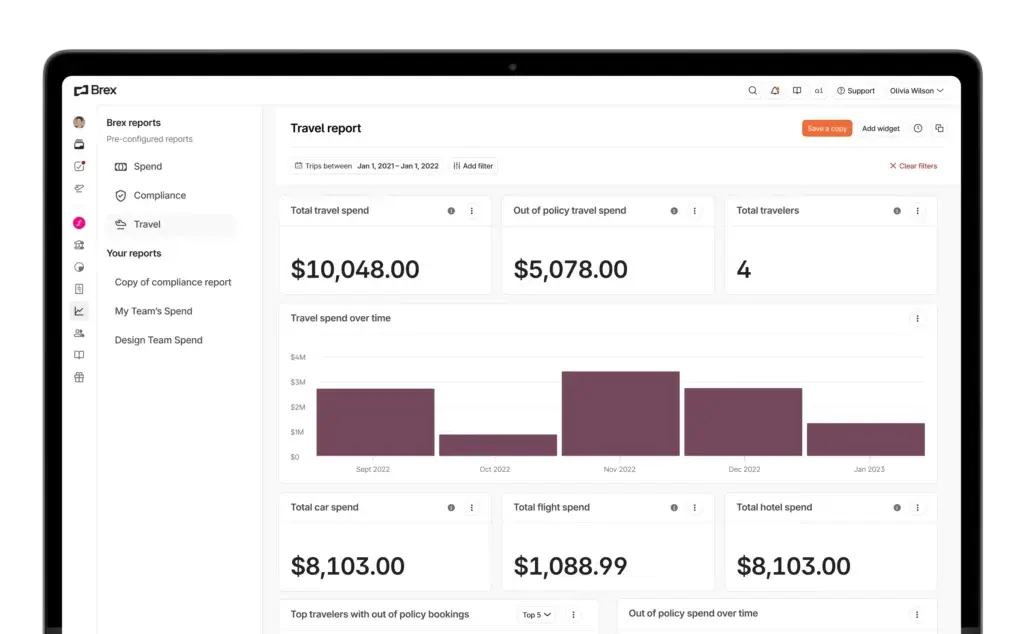
Brex is a strong expense management platform for startups, technology companies, global teams, and scaling businesses that want corporate cards, reimbursements, expense policies, bill pay, travel booking, budgets, and reporting in one finance platform.
Brex is particularly strong when your company needs more control than a traditional business credit card can provide. Finance teams can create policy rules, configure approval chains, review spend in real time, manage reimbursements, and connect expense activity to accounting systems.
Another reason Brex stands out is its support for multi-entity and international workflows on higher plans. This makes it a good fit for companies that are expanding across markets, managing distributed teams, or dealing with more complex reporting requirements.
Key features
- Corporate cards with spend limits and real-time visibility
- Expense policies with category and role-based rules
- Dynamic expense review chains and approval routing
- Reimbursements, bill pay, and travel booking
- AI-powered compliance audit detection and insights
- Accounting, ERP, and HRIS integrations
- Multi-entity and international support on advanced plans
Pros and cons
Pros
✅ Strong fit for startups and scaling companies
✅ Useful expense policy and approval automation
✅ Combines cards, reimbursements, bill pay, and travel
✅ Good option for global and multi-entity finance teams
Cons
❌ Advanced features require paid plans
❌ Eligibility and underwriting may not fit every company
❌ Not as travel-program-heavy as SAP Concur
❌ Some small teams may not need the full finance platform
Pricing
Brex offers an Essentials plan at $0 per user per month with features such as global card acceptance, AI-powered custom rules, accounting integrations, travel booking, real-time reporting, bill pay, and reimbursements. Brex Premium is listed at $12 per user per month and adds multiple customizable expense policies, dynamic approval chains, AI-powered compliance insights, multi-entity support, ERP and HRIS integrations, VAT documentation, and live budgets. Enterprise pricing is custom. For the latest details, review the official Brex pricing page.
Who should use Brex?
Brex is best for startups, venture-backed companies, global businesses, and scaling teams that want corporate cards, expense controls, reimbursements, bill pay, travel booking, and accounting automation in one platform. It is especially strong when finance needs real-time policy control across fast-growing teams.
Paylocity for Finance (Formerly Airbase)
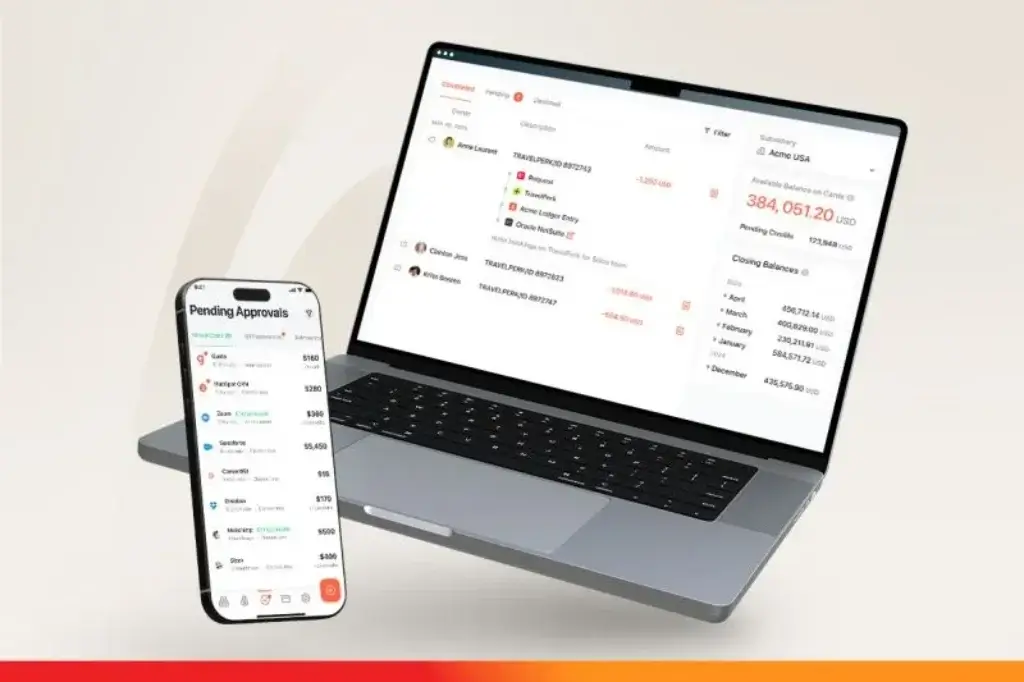
Paylocity for Finance, now part of Paylocity’s finance offering, is a strong expense management option for mid-market companies that want expense reporting, corporate cards, AP automation, guided procurement, spend analytics, vendor management, fraud detection, and compliance controls in one finance workflow.
Paylocity for Finance is different from a simple receipt-tracking tool. It is designed for companies that want to control spend before it becomes a problem. Finance teams can set approval rules, automate expense coding, connect card transactions to reports, manage reimbursements, and maintain a detailed audit trail.
This makes Paylocity for Finance especially relevant for teams that are outgrowing standalone expense apps. If your company needs AP, procurement, employee expenses, card activity, and accounting automation to work together, Paylocity for Finance is a strong platform to evaluate.
Key features
- AI-powered receipt capture and transaction coding
- Expense reporting, approvals, and reimbursements
- Corporate card expenses with receipt matching
- Policy controls with warnings and blocking rules
- Advanced mileage reimbursements
- Audit trails for expenses, approvals, and receipts
- AP automation, guided procurement, and spend analytics
Pros and cons
Pros
✅ Strong fit for mid-market finance teams
✅ Connects expenses with AP, procurement, and cards
✅ Good policy, audit, and approval controls
✅ Useful for companies that want proactive spend governance
Cons
❌ Pricing is typically quote-based
❌ More platform than very small businesses usually need
❌ Buyers should confirm current Paylocity packaging
❌ Implementation may require more planning than simpler expense tools
Pricing
Paylocity for Finance pricing is generally customized based on company size, required modules, users, workflows, entities, integrations, and implementation scope. Since Paylocity for Finance is now positioned within Paylocity’s finance products, buyers should confirm the current package structure directly with Paylocity. For current details, visit the official Paylocity expense management page.
Who should use Paylocity for Finance?
Paylocity for Finance is best for mid-market companies that need expense management connected to corporate cards, AP automation, guided procurement, reimbursements, spend analytics, and audit trails. It is a strong fit when your finance team wants to control employee and vendor spend before it reaches accounting.
Expensify

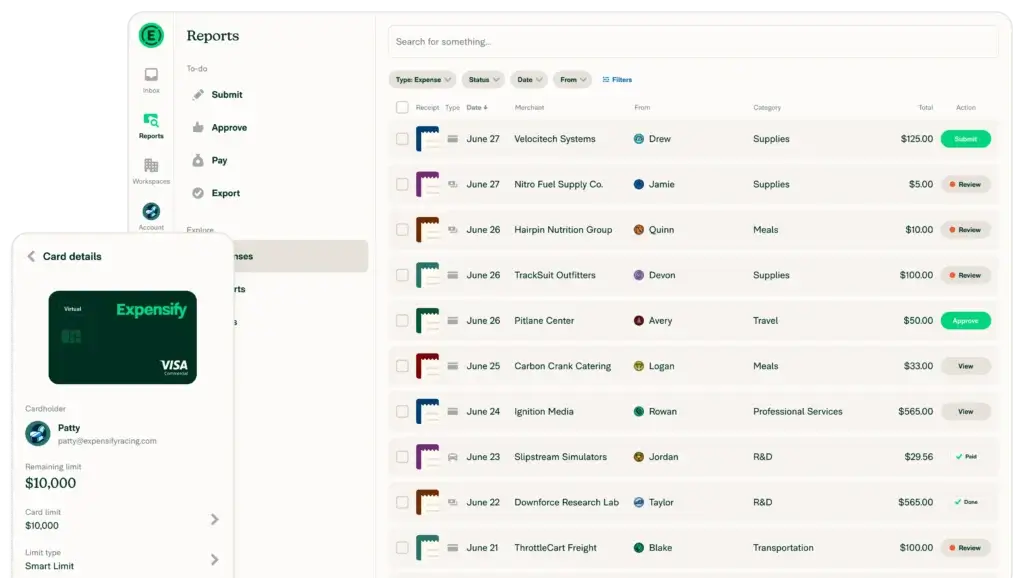
Expensify is one of the most recognizable names in expense management software. It is a strong choice for companies that want simple receipt scanning, expense reports, approvals, reimbursements, card workflows, and accounting integrations without moving into a full enterprise spend management platform.
Expensify is especially useful for teams that need to reduce the friction around employee expenses. Employees can capture receipts, submit reports, and get reimbursed, while finance teams can review expenses, apply rules, export data, and manage billing based on the plan.
Compared with Ramp or Brex, Expensify is less centered on replacing your full corporate card and finance stack. Compared with SAP Concur, it is much lighter and easier for many smaller teams to adopt. That makes it a practical choice for SMBs and growing companies that want focused expense automation.
Key features
- Receipt scanning and expense capture
- Expense reports and approval workflows
- Employee reimbursements
- Corporate card support through Expensify Card
- Policy controls and expense review workflows
- Accounting integrations with popular systems
- Mobile app for submitting and approving expenses
Pros and cons
Pros
✅ Easy to use for receipt capture and expense reporting
✅ Good fit for small and growing teams
✅ Lower starting price than many enterprise tools
✅ Strong option if you want focused expense automation
Cons
❌ Pricing can vary based on plan, commitment, and card usage
❌ Not as broad as Ramp or Paylocity for Finance for AP and procurement
❌ Not as enterprise-focused as SAP Concur
❌ Larger teams should review workflow and reporting depth carefully
Pricing
Expensify lists Collect at $5 per unique member per month. Control pricing is listed at $9 per active member per month with an annual subscription and qualifying Expensify Card usage, $18 per active member per month without card usage, or $36 per active member per month for pay-per-use. Pricing differs by currency and region, so buyers should confirm the latest information on the official Expensify billing page.
Who should use Expensify?
Expensify is best for small businesses, professional services teams, distributed teams, and growing companies that want simple receipt capture, expense reports, reimbursements, approvals, and accounting exports. It is a practical choice when you want a dedicated expense management tool without adopting a broader spend management suite.
Zoho Expense

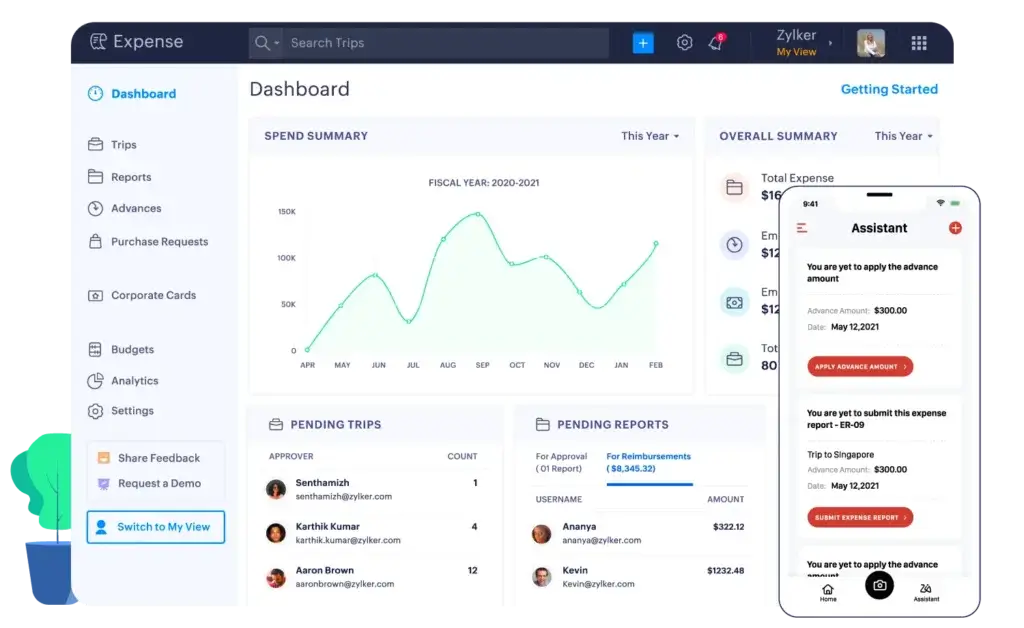
Zoho Expense is one of the best expense management software options for cost-conscious businesses that still want strong automation. It includes expense reporting, receipt scanning, approvals, mileage tracking, per diem automation, corporate card feeds, travel management, reimbursement workflows, and integrations with the broader Zoho ecosystem.
Zoho Expense is particularly attractive if your company already uses Zoho Books, Zoho CRM, Zoho Projects, or other Zoho products. The platform fits naturally into the Zoho Finance ecosystem, making it easier to connect expenses with accounting, analytics, and business operations.
It may not have the same enterprise recognition as SAP Concur or the same card-first positioning as Ramp and Brex, but Zoho Expense offers strong value. For many small and mid-sized businesses, it delivers the core expense automation features they need at a lower cost.
Key features
- Receipt autoscan and expense report automation
- Approval workflows and policy controls
- Mileage tracking and per diem automation
- Corporate card reconciliation and card feeds
- Travel expense management workflows
- Multi-currency expense support
- Zoho Books, Zoho Analytics, and Zoho ecosystem integrations
Pros and cons
Pros
✅ Strong value for small and mid-sized businesses
✅ Good fit for companies already using Zoho apps
✅ Useful mileage, per diem, travel, and approval features
✅ Flexible plan structure with a free trial
Cons
❌ Minimum active user requirements apply to paid plans
❌ Not as card-first as Ramp or Brex
❌ Not as enterprise-heavy as SAP Concur
❌ Advanced needs may require higher plans or customization
Pricing
Zoho Expense offers multiple plans with regional pricing. Zoho’s UK pricing page shows minimum active users for Standard, Premium, and Custom plans, additional user charges by plan, and a 14-day free trial. Because pricing varies by edition and country, buyers should confirm the correct region on the official Zoho Expense pricing page.
Who should use Zoho Expense?
Zoho Expense is best for small and mid-sized businesses that want affordable expense reporting, receipt scanning, mileage tracking, per diem automation, approvals, card reconciliation, and accounting integration. It is especially strong if your business already uses Zoho Books or other Zoho Finance tools.
Navan

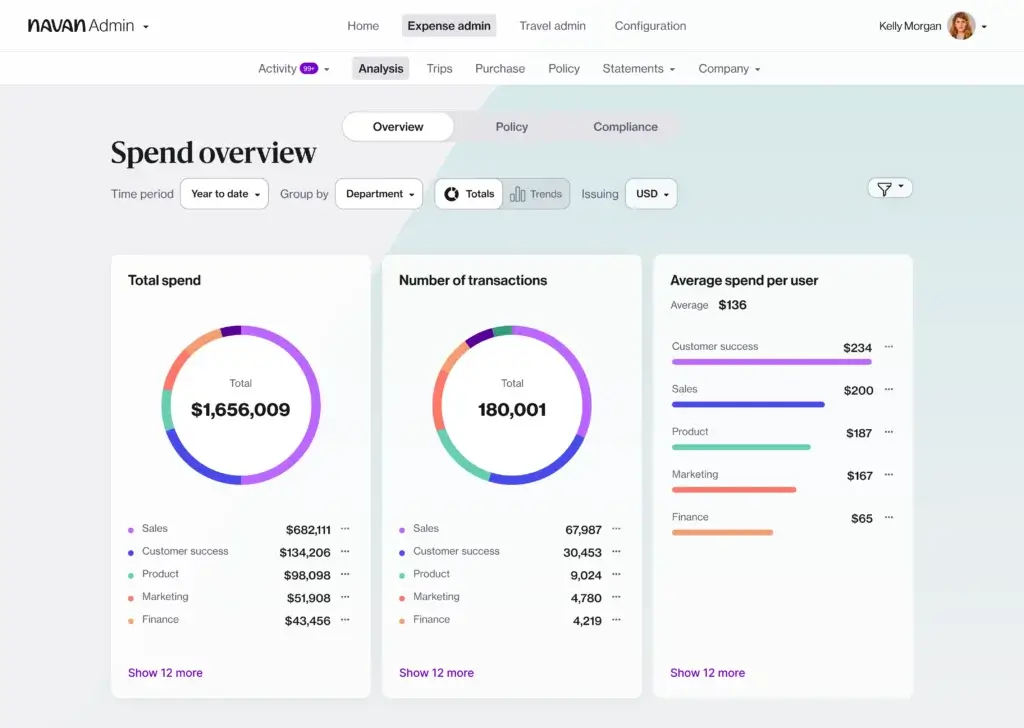
Navan is a strong expense management platform for companies where travel and expenses are closely connected. It combines corporate travel booking, expense reporting, reimbursements, card workflows, policy controls, analytics, and integrations in one system.
Where Navan stands out is the employee experience around travel. Employees can book flights, hotels, car rentals, and trains while policies and approvals run in the background. This helps finance teams reduce unmanaged bookings, delayed receipts, and disconnected travel expenses.
Navan is not the best choice if you only need basic receipt tracking. However, it is one of the strongest platforms if your company wants to unify travel and expense management instead of using separate systems for booking, cards, reimbursements, and reporting.
Key features
- Business travel booking for flights, hotels, cars, and trains
- Expense management and employee reimbursements
- Receipt scanning and mobile expense workflows
- Policy and approval workflows for travel and expense
- Corporate card and bring-your-own-card options
- ERP integrations and reporting
- 24/7 travel support for travelers
Pros and cons
Pros
✅ Excellent for travel and expense management together
✅ Strong employee experience for frequent travelers
✅ Free travel features for companies with 300 or fewer employees
✅ Good option for finance teams that want travel visibility
Cons
❌ Less focused on AP and procurement than Paylocity for Finance or Ramp
❌ Not ideal if you only need simple expense reporting
❌ Enterprise pricing requires a sales conversation
❌ Best value depends on travel adoption and expense volume
Pricing
Navan Business includes travel features such as global travel inventory, policy and approval workflows, self-serve changes, 24/7 travel support, reports, and HRIS integrations. Navan Expense is free for the first 5 monthly expensing users, then $15 per user per month for companies with 300 or fewer employees. Larger companies should request enterprise pricing. For the latest information, visit the official Navan pricing page.
Who should use Navan?
Navan is best for companies that want business travel and expense management in one platform. It is especially useful for teams with frequent travel, distributed employees, and finance leaders who want policy control before, during, and after a trip.
Expense Management Software Comparison Table
| Software | Best For | Biggest Strength | Main Tradeoff |
| Ramp | Startups, SMBs, and mid-market finance teams | Cards, expenses, reimbursements, AP, travel, and controls in one platform | Advanced features may require paid plans |
| SAP Concur | Enterprises and mature T&E programs | Travel, expense, invoice, compliance, and ERP-connected workflows | Can feel complex for smaller teams |
| Brex | Startups, global companies, and scaling teams | Corporate cards, policies, reimbursements, travel, and multi-entity support | Eligibility and advanced features should be reviewed carefully |
| Paylocity for Finance | Mid-market finance teams | Expense management connected to AP, procurement, cards, and audit controls | Pricing is custom and packaging should be confirmed |
| Expensify | Small businesses and teams that need simple expense reports | Receipt scanning, expense reports, approvals, and reimbursements | Less broad than full spend management platforms |
| Zoho Expense | Cost-conscious SMBs and Zoho users | Affordable expense automation, mileage, per diem, and Zoho integration | Plan limits and regional pricing need review |
| Navan | Companies with frequent business travel | Unified travel booking and expense management | Best value depends on travel usage |
How to Choose the Best Expense Management Software
The best expense management software is not always the platform with the longest feature list. It is the platform that matches how your company actually spends money.
If employees mainly submit occasional receipts, a focused tool like Expensify or Zoho Expense may be enough. If your company uses corporate cards heavily, Ramp or Brex may give you better real-time controls. If travel is a major spend category, SAP Concur or Navan may be a better fit. If expenses are part of a wider finance workflow that includes AP and procurement, Paylocity for Finance deserves serious attention.
For startups and small businesses
Startups and small businesses usually need fast adoption, simple policies, low cost, and clean accounting sync. Ramp is the strongest overall choice here because it offers a free starting point and combines corporate cards, expenses, reimbursements, bill pay, and travel in one platform.
Zoho Expense is also strong if you want affordability and do not need a card-first system. Expensify is a good fit if your main need is receipt capture, reimbursement, and basic expense reporting.
For mid-market companies
Mid-market companies usually need more than receipt capture. They need approvals by department, entity, amount, budget, project, or manager. They also need better reporting, accounting automation, and controls that can scale.
Ramp, Brex, and Paylocity for Finance are the strongest options in this category. Ramp works well if you want a clean, all-in-one expense and spend platform. Brex is a strong fit for scaling and global companies. Paylocity for Finance is a better option if procurement and AP automation are central to your finance workflow.
For enterprises
Enterprises usually need mature compliance, global controls, custom integrations, audit trails, travel policy management, invoice workflows, and stronger administrative governance.
SAP Concur is the most established enterprise choice on this list. It is particularly strong when travel, expense, invoice, and ERP integration need to operate at scale. Navan can also work well for enterprises that want a more modern travel and expense experience, especially when employee adoption is a priority.
Common Expense Management Mistakes to Avoid
Many companies choose expense software only after the process becomes painful. By that point, finance teams are already chasing receipts, correcting categories, dealing with delayed approvals, and manually reconciling transactions.
The better approach is to choose a system before the process breaks. Look for a platform that helps you prevent bad data instead of cleaning it up later.
- Choosing only by price: A cheap tool can become expensive if it creates manual work.
- Ignoring accounting integration: Poor sync creates month-end reconciliation problems.
- Overlooking employee experience: If employees dislike the tool, receipt compliance will suffer.
- Skipping policy setup: Software cannot fix unclear expense rules.
- Choosing too small: A basic tool may not scale with entities, travel, or approval complexity.
Final Recommendation
For most growing businesses, Ramp is the best overall expense management software because it gives you a strong mix of employee usability, finance control, corporate cards, reimbursements, bill pay, travel, approvals, and accounting automation.
SAP Concur is the better choice for enterprises with mature travel, expense, invoice, and compliance needs. Brex is excellent for startups and global teams that want advanced card and policy controls. Paylocity for Finance is best when expense management needs to connect with AP automation and procurement. Expensify is a practical option for simple expense reporting. Zoho Expense gives you strong value, especially if you already use Zoho. Navan is the best fit when business travel and expense management need to live in one platform.
The right choice depends on your company size, travel volume, accounting stack, approval complexity, and whether you want a standalone expense tool or a broader finance platform.
FAQs
What is expense management software?
Expense management software helps businesses capture receipts, submit expense reports, approve reimbursements, enforce spending policies, manage corporate card transactions, and sync expense data with accounting systems.
What is the best expense management software for small businesses?
Ramp is the best overall option for many small businesses because it combines corporate cards, expenses, reimbursements, bill pay, approvals, and accounting automation. Zoho Expense and Expensify are also strong choices for smaller teams that want affordable expense reporting.
What is the best expense management software for enterprises?
SAP Concur is one of the strongest enterprise expense management platforms because it supports travel, expense, invoice, compliance, integrations, and complex approval workflows. It is a good fit for large companies with mature T&E programs.
Is Ramp better than Expensify?
Ramp is better if you want a broader finance platform with corporate cards, expenses, reimbursements, AP, travel, procurement, and real-time spend controls. Expensify is better if your main need is simple receipt capture, expense reports, and reimbursements.
Is SAP Concur good for small businesses?
SAP Concur can support businesses of different sizes, but it is usually strongest for mid-sized and enterprise organizations with structured travel, expense, invoice, and compliance needs. Smaller teams may prefer Ramp, Expensify, Zoho Expense, or Navan depending on their workflows.
What features should expense management software include?
Good expense management software should include receipt capture, mobile expense submission, approval workflows, policy enforcement, reimbursement tracking, corporate card reconciliation, accounting integrations, reporting, and security controls.
Do expense management tools integrate with accounting software?
Yes. Most leading expense management tools integrate with accounting systems such as QuickBooks, Xero, NetSuite, Sage Intacct, Microsoft Dynamics, and SAP. The depth of integration varies by vendor and plan.
What is the difference between expense management and spend management?
Expense management focuses mainly on employee expenses, receipts, reimbursements, and approvals. Spend management is broader and may include corporate cards, AP automation, procurement, vendor payments, budgets, and spend analytics.
Which expense management software is best for travel?
Navan is one of the strongest options for companies that want travel booking and expense management in one platform. SAP Concur is also a strong choice for mature enterprise travel and expense programs.
Can expense management software help reduce fraud?
Yes. Expense management software can reduce fraud and errors by requiring receipts, enforcing policies, flagging unusual activity, blocking out-of-policy expenses, creating approval trails, and syncing verified data to accounting systems.







